0x01 环境
| 名称 | 值 |
|---|---|
| 操作系统 | Ubuntu24.02 |
0x02 安装
安装命令
curl -fsSL https://openclaw.ai/install.sh | bash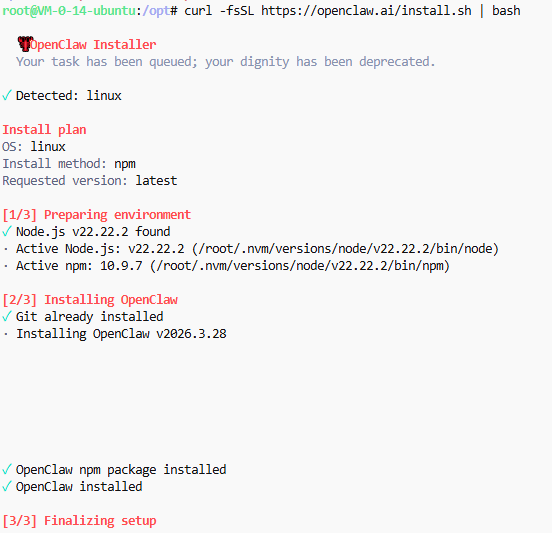
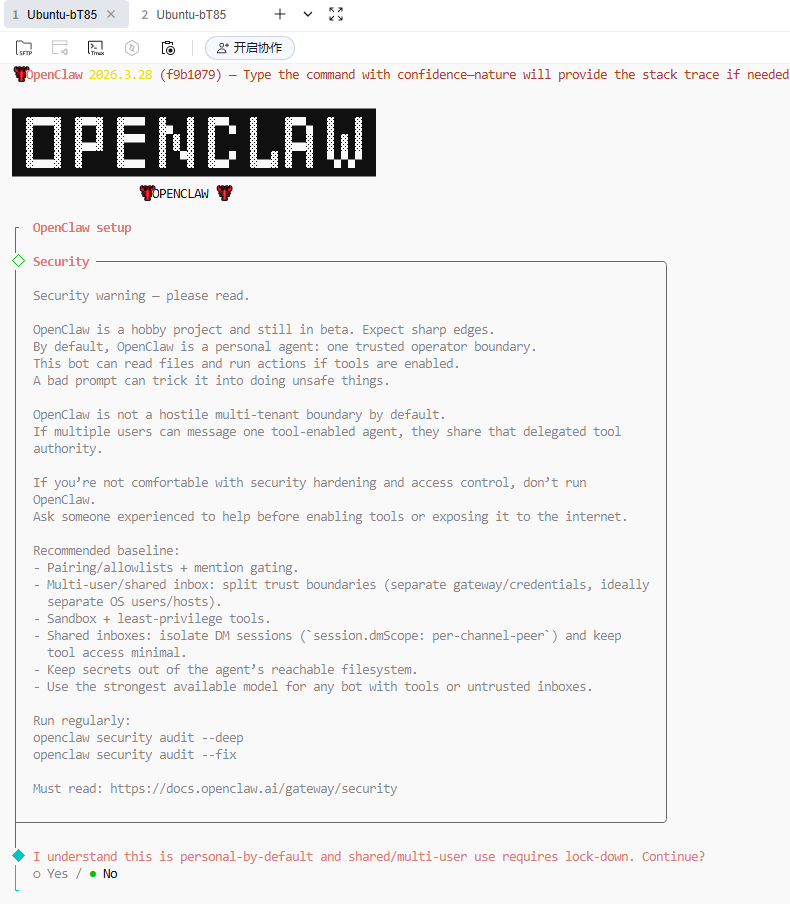
1. 是否同意风险,选YES
◆  I understand this is personal-by-default and shared/multi-user use requires lock-down. Continue?
│  ○ Yes / ● No
└
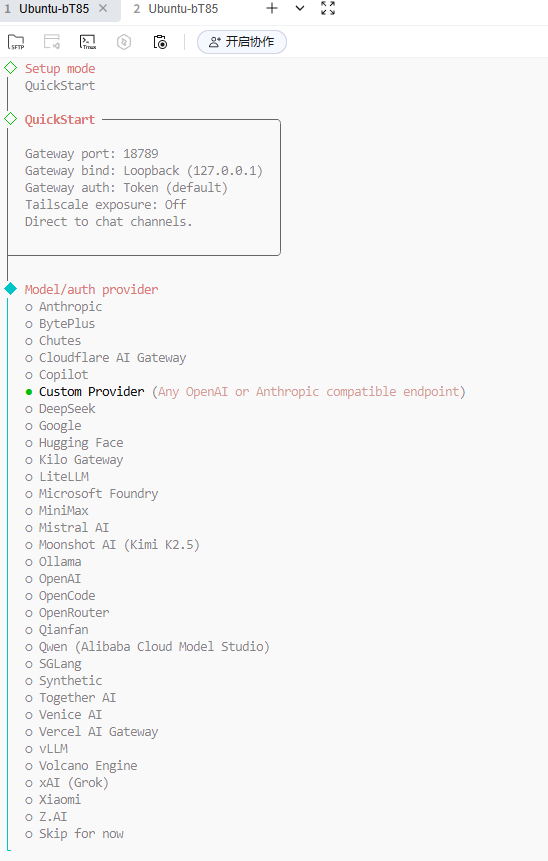
2. 选择模型
我这里用阿里百炼,需要选Custom Provider
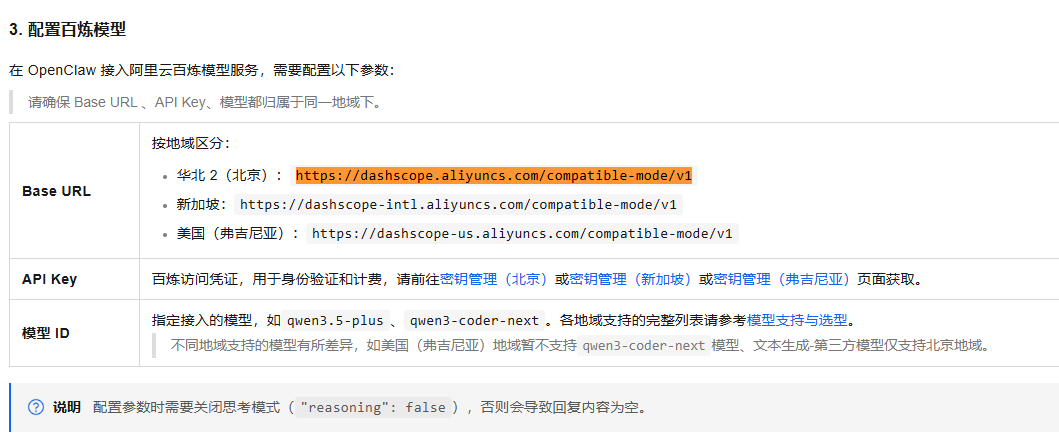
3. 配置服务地址
参考阿里的官方配置,https://help.aliyun.com/zh/model-studio/openclaw
openclaw配置填写
◆  API Base URL
│  http://127.0.0.1:11434
地址替换成: https://dashscope.aliyuncs.com/compatible-mode/v1
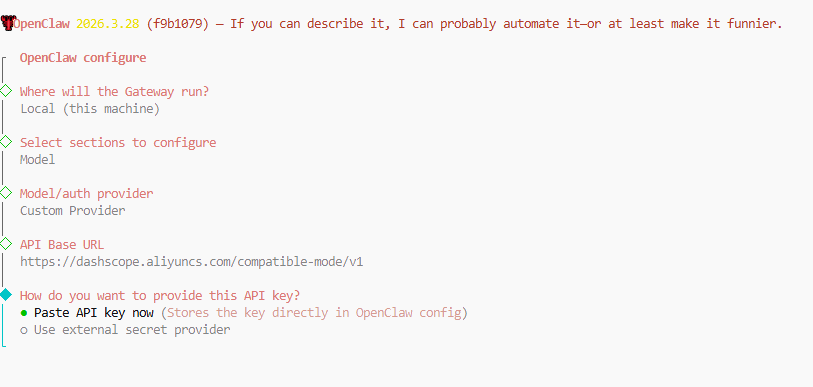
**【重要通知】**这里遇到个问题,就是新手配置突然卡了,所以得手动配置,从第4步开始,都是使用openclaw config 配置的,新手同学如果看不懂,可以在找下我的参考文献看看其他文章,后面我在优化下步骤。
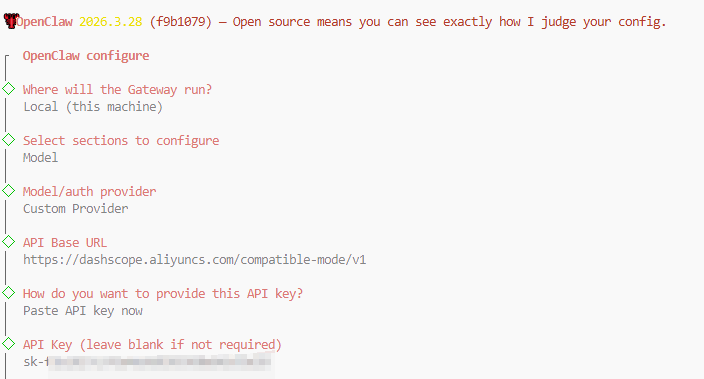
4. 配置API密钥
◆  How do you want to provide this API key?
│  ● Paste API key now (Stores the key directly in OpenClaw config)
│  ○ Use external secret provider
这里要先点击回车,再粘贴key
5. 选择模型接口
根据对接的模型选择对应的 API 接口标准,此处选择 "OpenAI-compatible"
◆  Endpoint compatibility
│  ● OpenAI-compatible (Uses /chat/completions)
│  ○ Anthropic-compatible
│  ○ Unknown (detect automatically)
└
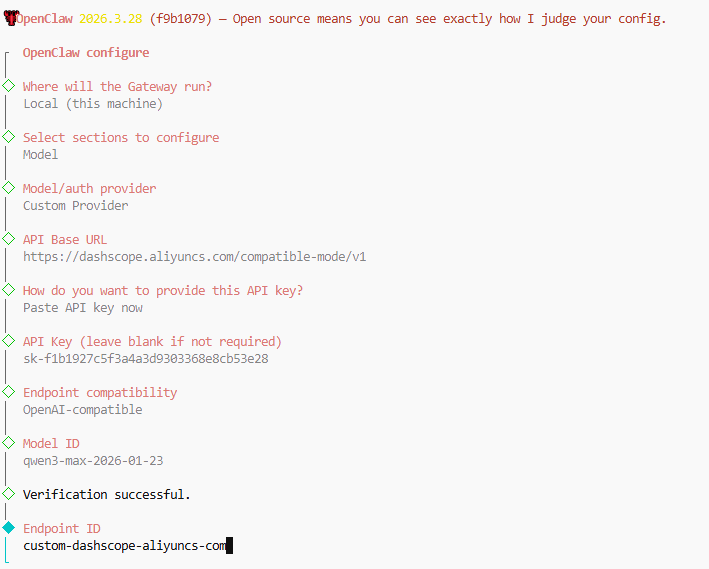
6. 数据模型ID
这里选择"qwen3-max-2026-01-23"
◆  Model ID
│  e.g. llama3, claude-3-7-sonnet
└
开始验证,并通过
7. 配置模型的内部id和别名
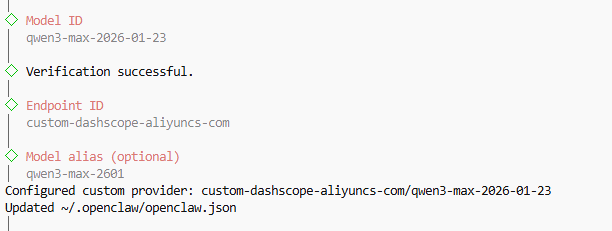
选择继续
完成配置
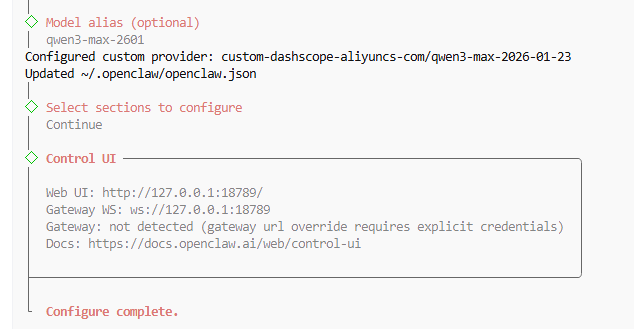
8. 检查配置
可以看到openclaw 2026.3.28版本安装到/root/.openlcaw目录下了
root@VM-0-14-ubuntu:/# find . -name "*openclaw.json*"
./root/.openclaw/openclaw.json
执行命令
cat openclaw.json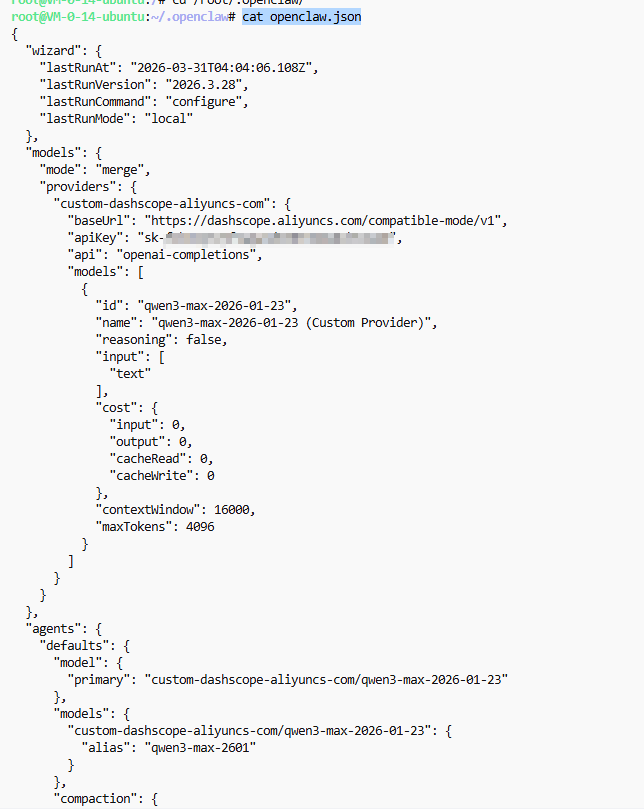
9. 开启网关
openclaw gateway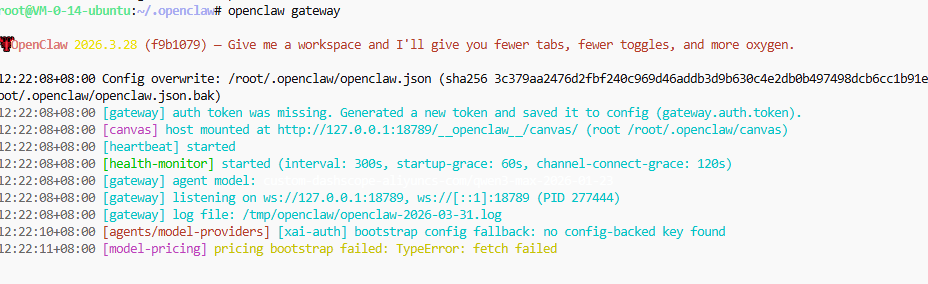
虽然报错了,不过不影响
0x03 安全网关设置
网页访问默认没有授权,所以需要加个token认证,当然每次启动自动生成一个新的最好,于是可以使用doctor功能
自动化强制创建token
openclaw doctor --generate-gateway-token0x04 开始跟openclaw聊天
TUI聊天
后台执行命令,成功。
openclaw tui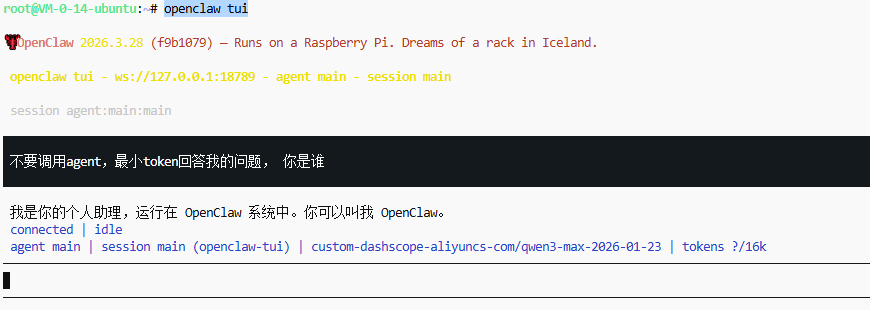
WebUI聊天
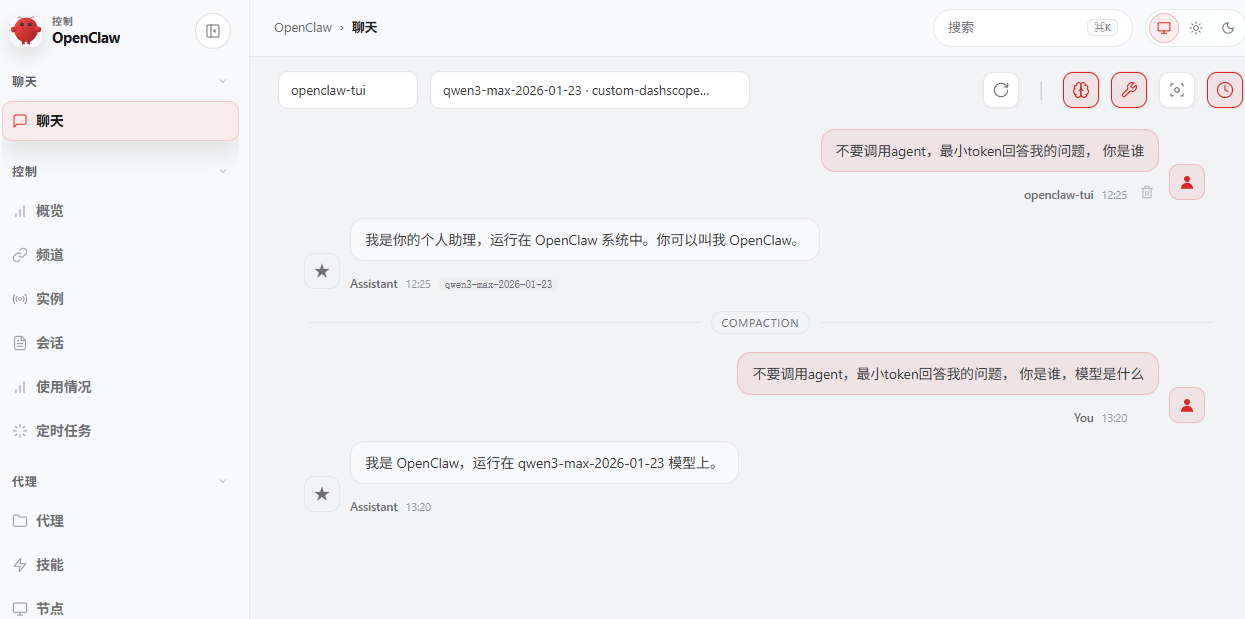
0x05 遇到的问题
1. WebUI 报错:openclaw origin not allowed (open the Control UI from the gateway host or allow it in gateway.controlUi.allowedOrigins)
原因是, 这个web会去链接ws的服务,默认不能随便连,所以需要报web服务地址加白
编辑openclaw.json 文件,加入地址,有的配置端口是3000,不要疑惑,就是那个web的开放端口,我这里是18789
 "gateway": {
    "port": 18789,
    "mode": "local",
    "bind": "lan",
    "controlUi": {
      "enabled": true,
      "allowedOrigins": [
        "http://localhost:18789",
        "http://127.0.0.1:18789",
        "http://xx.xx.xx.xx:18789"
      ],
      "allowInsecureAuth": true
    }
2. WebUI 报错:control ui requires device identity (use HTTPS or localhost secure context)
原因是不允许非https访问
解决方法
修改openclaw.json配置, 增加这个选项, "dangerouslyDisableDeviceAuth": true
"gateway": {
"port": 18789,
"mode": "local",
"bind": "lan",
"controlUi": {
"enabled": true,
"allowedOrigins": [
],
"allowInsecureAuth": true,
"dangerouslyDisableDeviceAuth": true
}
0x06 参考文献
https://juejin.cn/post/7617271860845166633