Vue3 全局API转移到应用对象
一、回顾vue2的问题
在vue2中,我们写全局API的时候会这样写
vue
Vue.component('my-component', { ... });
Vue.directive('focus', { ... });
Vue.mixin({ ... });
Vue.prototype.$http = axios;
这样的缺点就是全局注册的内容会污染整个Vue环境,如果你在一个页面里运行两个不同的Vue的项目,这个全局配置就会互相干扰;
所以Vue3引入了应用实例的概念,每个应用都是独立的
vue
const app = Vue.createApp({ ... });
app.component(...);   // 只属于这个 app
二、创建一个计数器案例
vue
//index.html
<!DOCTYPE html>
<html lang="zh-CN">
<head>
    <meta charset="UTF-8">
    <title>Vue3 全局API迁移演示</title>
    <script src="https://unpkg.com/vue@3/dist/vue.global.js"></script>
    <style>
        body { font-family: Arial, sans-serif; margin: 20px; }
        .demo-area { border: 1px solid #ddd; padding: 15px; margin: 15px 0; border-radius: 8px; }
        button { margin: 5px; padding: 6px 12px; cursor: pointer; }
    </style>
</head>
<body>
    <div id="app"></div>   <!-- Vue 应用会挂载到这里 -->
</body>
</html>
vue
<template>
  <div class="demo-area">
    <h2>{{ message }}</h2>
    <p>当前计数:{{ count }}</p>
    <button @click="count++">点我 +1</button>
    <button @click="greet">打招呼</button>
  </div>
</template>
<script setup>
import { ref } from 'vue';

let message = ref("Hello Vue3!")
let count = ref(0)

function greet() {
  alert(message.value);
}

</script>

<style scoped>
body {
  font-family: Arial, sans-serif;
  margin: 20px;
}

.demo-area {
  border: 1px solid #ddd;
  padding: 15px;
  margin: 15px 0;
  border-radius: 8px;
}

button {
  margin: 5px;
  padding: 6px 12px;
  cursor: pointer;
}
</style>
vue
//main.ts
import { createApp } from 'vue'
import App from './App.vue'
const app = createApp(App)
app.mount('#app')
这里,vue.createAPP()替代了vue2的new Vue();所以返回的app拥有了所有vue的方法,通过app.mount,将应用渲染到页面中,所以你在页面上就看到了一切
为了演示,我们在建立两个组件,一个子组件,另一个演示全局API
三、添加全局组件(app.component)
- 例如,我们现在再main.ts中注册一个新的组件,Hello.vue
vue
import { createApp } from 'vue'
import App from './App.vue'
import Hello from './Hello.vue'
const app = createApp(App)
app.component('Hello', Hello)
app.mount('#app')- 然后我们再Hello.vue写一点东西
vue
<template>
    <div style="background:#eef; padding:8px;">🎉 我是全局组件Hello!欢迎学习 Vue3</div>
</template>
<script setup>


</script>

<style scoped></style>- 然后我们就可以再任何地方使用它了
vue
<template>
  <div class="demo-area">
    <Hello></Hello>
    <h2>{{ message }}</h2>
    <p>当前计数:{{ count }}</p>
    <button @click="count++">点我 +1</button>
    <button @click="greet">打招呼</button>
  </div>

  <Child />
</template>
<script setup>
import { ref } from 'vue';
import Child from './Child.vue';

let message = ref("Hello Vue3!")
let count = ref(0)

function greet() {
  alert(message.value);
}

</script>

<style scoped>
body {
  font-family: Arial, sans-serif;
  margin: 20px;
}

.demo-area {
  border: 1px solid #ddd;
  padding: 15px;
  margin: 15px 0;
  border-radius: 8px;
}

button {
  margin: 5px;
  padding: 6px 12px;
  cursor: pointer;
}
</style>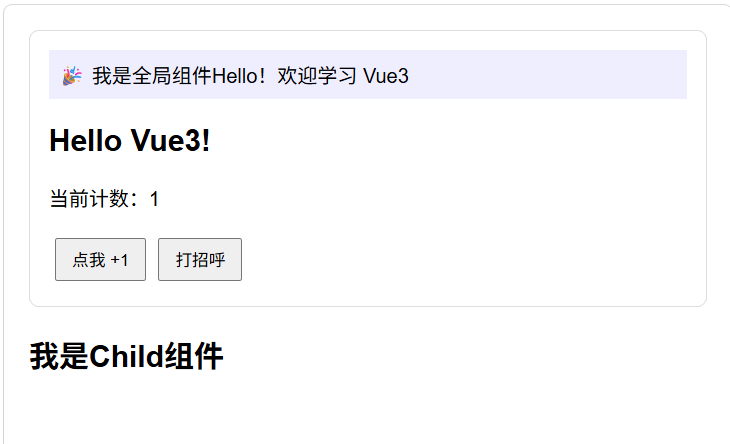
四、添加自定义指令(app.directive)
- 我们简单写一个v-highlight指令,让按钮变量
vue
//main.ts
app.directive('highlight', {
    //当指令绑定的元素首次被传入DOM时调用
    mounted(el, binding) {
        //bingding.value式传给指令的值
        el.style.backgroundColor = binding.value || 'yellow';
        el.style.transition = '0.3s';
    },
    //当指令所在的组件发生了更新时调用
    updated(el, binding) {
        el.style.backgroundColor = binding.value || 'yellow'
    }
})- 然后就可以再任意组件调用了
vue
    <button @click="count++" v-highlight="'lightblue'">点我 +1</button>
    <button @click="greet" v-highlight="'lightgreen'">打招呼</button>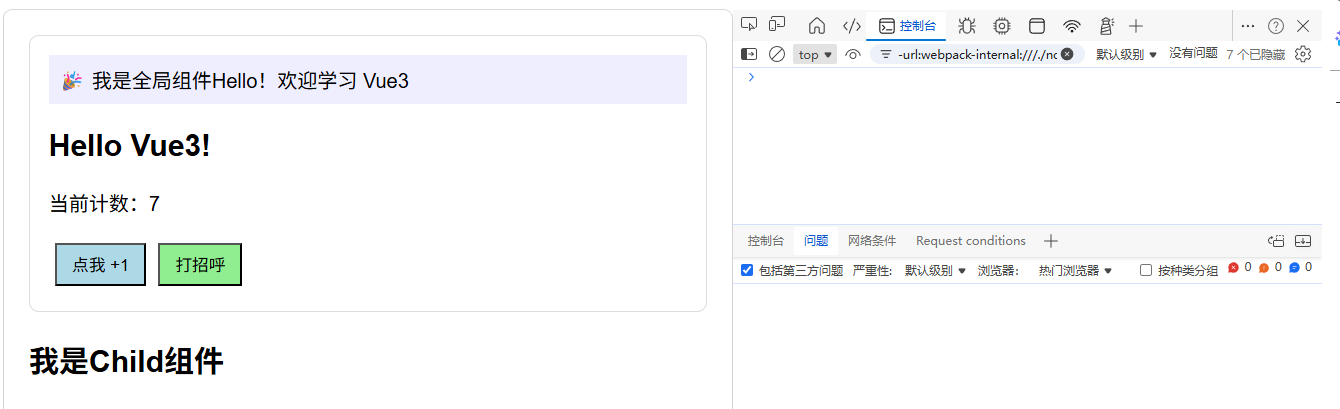
五、添加全局混入(app.mixin)
混入mixin可以把一些公共逻辑注入到所有组件中,这里我们注入一个数据和一个钩子
vue
app.mixin({
    data() {
        return {
            globalInfo: '(来自全局混入的额外信息)'
        }
    },
    created() {
        console.log('[混入]组件被创建了');
    }
})- 然后我们就可以再根组件中使用了
vue
<p>📢 {{ globalInfo }}</p>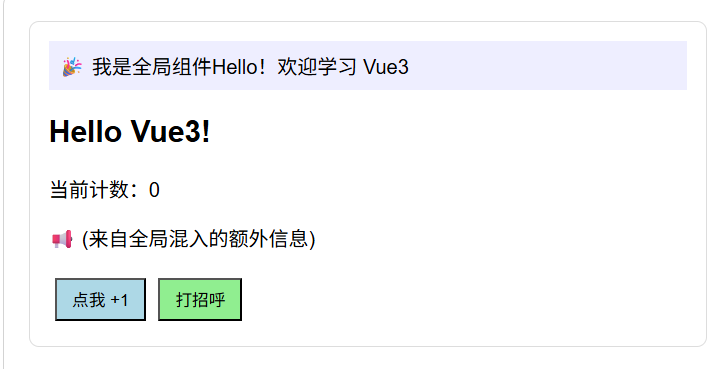
这个根组件自动拥有了golbalInfo属性,并且控制台也会打印日志,但是混入虽然用起来很方便,滥用会导致代码根本不知道在哪,谨慎使用;
六、添加全局属性(app.config.globalProperties)
- 在vue2中,我们使用Vue.prototype.$http = axios来添加全局方法,Vue3写法如下:
vue
app.config.globalProperties.$myUtil = function (msg: any) {
    console.log(`[全局工具]${msg}`);
};
注意:在模板中无法直接使用$myUtil,只能在选项式API的this上下文使用;
但是我们可以像以下来使用它
vue
<template>
  <div class="demo-area">
    <Hello></Hello>
    <h2>{{ message }}</h2>
    <p>当前计数:{{ count }}</p>
    <p>📢 {{ globalInfo }}</p>
    <button @click="count++" v-highlight="'lightblue'">点我 +1</button>
    <button @click="greet" v-highlight="'lightgreen'">打招呼</button>
    <button @click="$myUtil('这是全局工具')">调用全局工具</button>
  </div>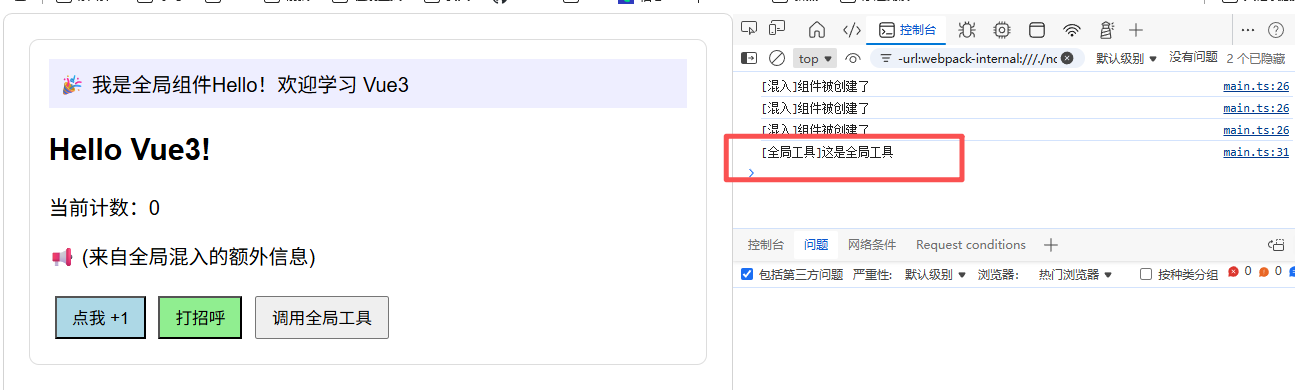
七、卸载应用(app.unmount)
- 这里我们结合以下全局组件,用全局组件来定义一个工具,这个工具就是来卸载应用的
vue
app.config.globalProperties.$unmountAPP = () => {
    app.unmount()
    console.log('app应用已经被卸载');
}
vue
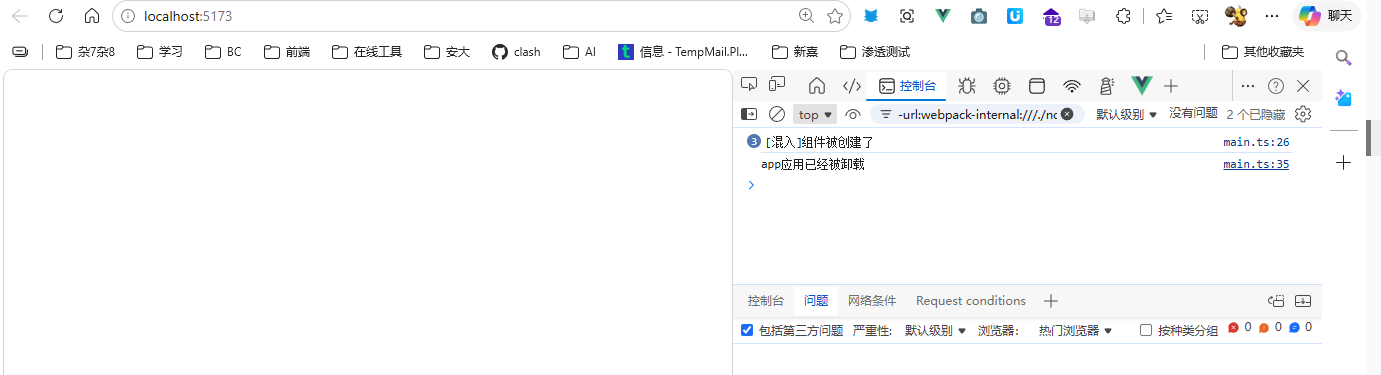
<button @click="$unmountAPP">调用全局工具</button>