WebStorm搭建Vue3+Element Plus
提示:Element Plus 是 Element 的官方 Vue 3 重写版本
目录
- [WebStorm搭建Vue3+Element Plus](#WebStorm搭建Vue3+Element Plus)
- 使用vue-cli构建
使用vue-cli构建
-
使用node的npm包管理器,可以帮我们安装下载js库,类似于maven
-
下载node.js☞官网下载
-
在cmd测试安装结果,出现版本号则正常
shellnode -v -
npm常用命令
shell# 查看现有仓库地址 npm config list # 设置淘宝镜像(和maven使用阿里云镜像地址一样的作用) npm config set registry https://registry.npmmirror.com/ # 更改全局安装目录 npm config set prefix "D:\install\node-v24.12.0-win-x64\node_global" # 更改缓存目录 npm config set cache "D:\install\node-v24.12.0-win-x64\node_cache" # 验证是否更改成功 npm config get prefix npm config get cache # 清楚缓存命令 npm cache clean --force -
安装脚手架vue-cli
shell# 安装命令 npm i -g @vue/cli # 查看vue版本 vue -V #参数说明: npm i:npm 安装包 -g:全局安装,将包安装到系统的全局 node_modules 目录 @vue/cli:Vue 官方提供的命令行工具,即 Vue CLI -
使用webstorm创建vue项目,点击create即可
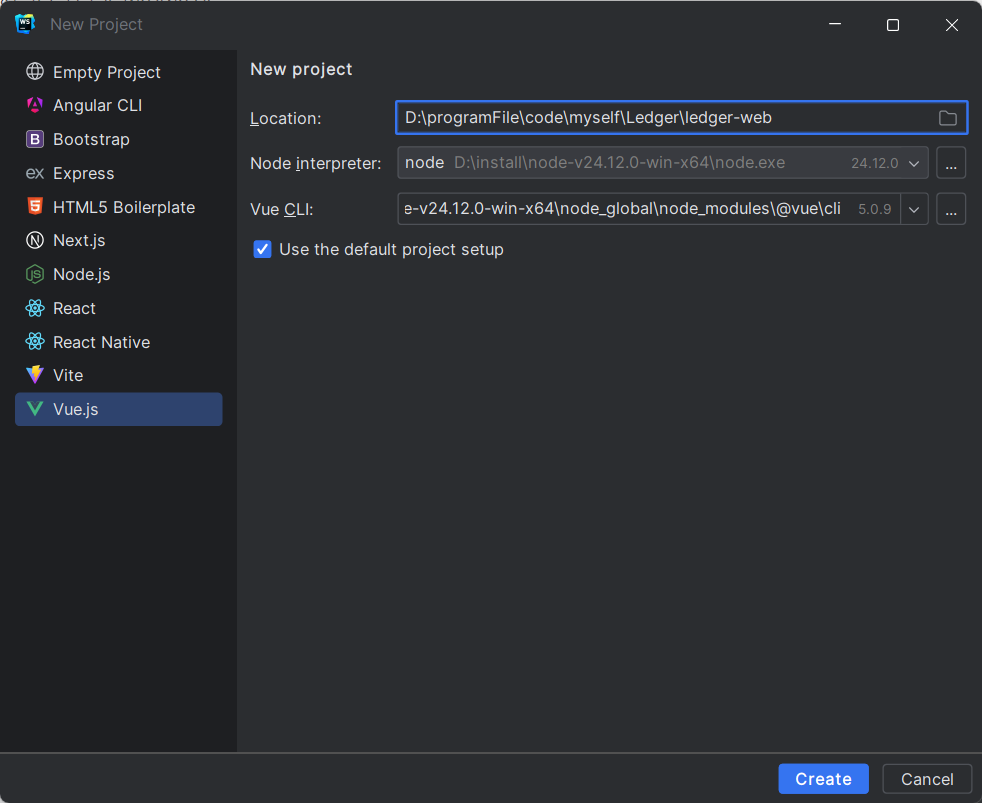
-
使用vite创建
shell# 官方更推荐 vue create ledger-web #接下来选择 1.Manually select features:手动选择功能 2.? Check the features needed for your project:(项目包含功能) (*) Babel ← 选中 ( ) TypeScript ( ) Progressive Web App (PWA) Support (*) Router ← 选中 ( ) Vuex (*) CSS Pre-processors ← 选中 (*) Linter / Formatter ← 选中 ( ) Unit Testing ( ) E2E Testing 3.? Choose a version of Vue.js that you want to start the project with:(vue版本) 3.x ← 选中 4.? Use history mode for router? (Requires proper server setup for index fallback in production)(路由模式) Yes ← 选中 5.? Pick a CSS pre-processor:(css预处理器) Sass/SCSS (with dart-sass) ← 选中 Less Stylus 6.? Pick a linter / formatter config: ESLint with error prevention only (Basic) ← 选中(基础代码检查) ESLint + Airbnb config ESLint + Standard config ESLint + Prettier 7.? Pick additional lint features: (*) Lint on save ← 选中(保存文件时自动检查代码错误) ( ) Lint and fix on commit 8.? Where do you prefer placing config for Babel, ESLint, etc.?( 配置文件存放位置) In dedicated config files ← 选中(配置文件独立) In package.json 9.? Save this as a preset for future projects? (y/N)(是否保存为预设) N ← 选中(不保存) -
安装Element Plus
shellnpm install element-plus --save
9.在main.js添加以下内容
js
// 添加
import ElementPlus from 'element-plus'
import 'element-plus/dist/index.css'

const app = createApp(App)

app.use(router)

// 添加
app.use(ElementPlus)

app.mount('#app')