1. 打开管理员PowerShell
-
按
Win键,搜索 PowerShell -
右键 → 以 管理员 身份运行(必须管理员)
-
弹出"用户账户控制" → 点 是
2. 解锁脚本执行权限(必做)
Set-ExecutionPolicy RemoteSigned -Scope CurrentUser
3.安装Node.js: https://nodejs.org/zh-cn 进行下载
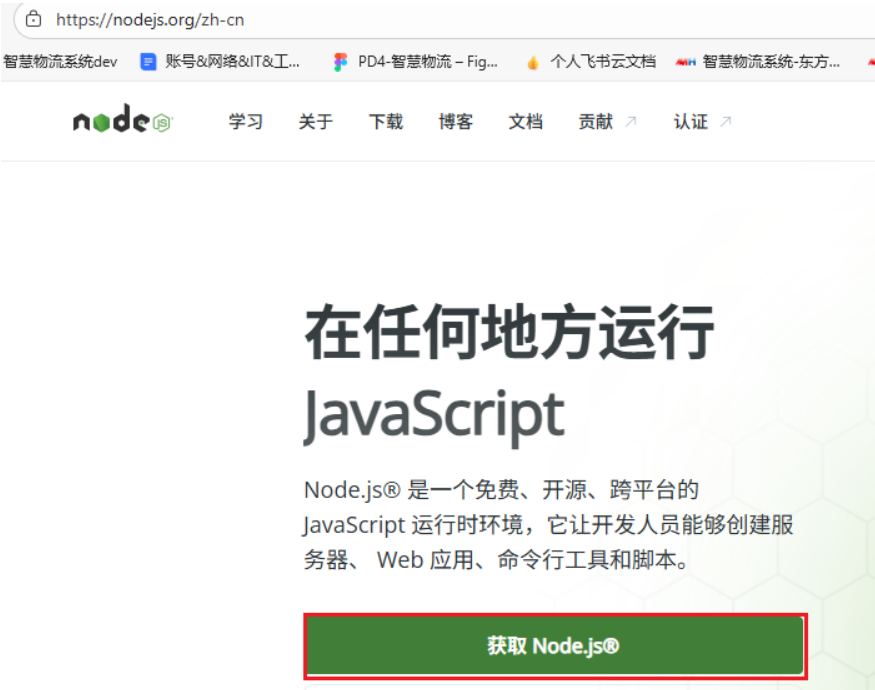
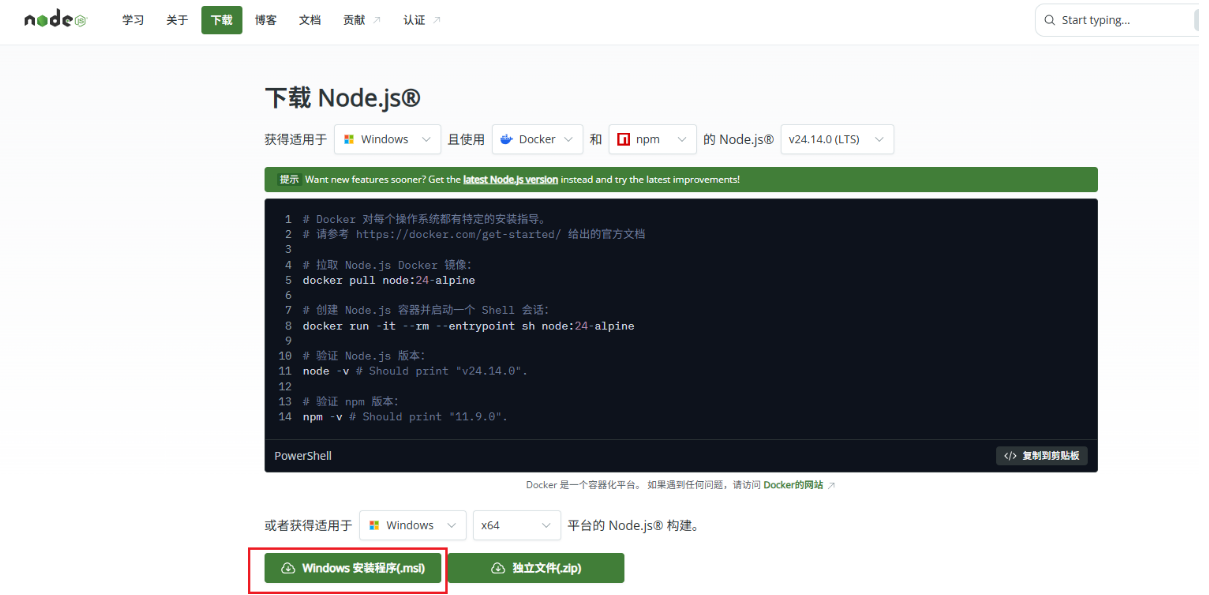
- 安装时务必勾选Add Git to PATH,新手保持默认选项即可。
4.安装龙虾OpenClaw
npm config set registry https://registry.npmmirror.com
配置国内镜像 完成后,再次执行 npm i -g openclaw 进行安装。
openclaw --version
openclaw onboard
5、windows如果报错
选择一:修复 Windows 原生安装
在管理员 PowerShell 中依次执行:

powershell
# 1. 先卸载
npm uninstall -g openclaw

# 2. 清理缓存
npm cache clean --force

# 3. 重新用官方脚本安装
iwr -useb https://clawd.org.cn/install.ps1 -OutFile install.ps1; ./install.ps1 -Registry https://registry.npmmirror.com

# 1. 先查看当前配置
Get-Content C:\Users\Administrator\.openclaw\openclaw.json

# 2. 创建一个正确的配置文件(无 bind 字段)
@'
{
  "wizard": {
    "lastRunAt": "2026-04-07T12:16:48.158Z",
    "lastRunVersion": "0.2.0",
    "lastRunCommand": "onboard",
    "lastRunMode": "local"
  },
  "models": {
    "mode": "merge",
    "providers": {
      "custom": {
        "baseUrl": "https://maas-api.cn-huabei-1.xf-yun.com/v2",
        "apiKey": ":",
        "api": "openai-completions",
        "models": [
          {
            "id": "xopglm5",
            "name": "xopglm5",
            "reasoning": false,
            "input": ["text"],
            "cost": {
              "input": 0,
              "output": 0,
              "cacheRead": 0,
              "cacheWrite": 0
            },
            "contextWindow": 128000,
            "maxTokens": 4096
          }
        ]
      }
    }
  },
  "agents": {
    "defaults": {
      "model": {
        "primary": "custom/xopglm5"
      },
      "models": {
        "custom/xopglm5": {
          "alias": "xopglm5"
        }
      },
      "workspace": "C:\\Users\\Administrator\\.openclaw\\workspace",
      "maxConcurrent": 4,
      "subagents": {
        "maxConcurrent": 8
      }
    }
  },
  "commands": {
    "native": "auto",
    "nativeSkills": "auto"
  },
  "gateway": {
    "port": 9999,
    "mode": "local",
    "auth": {
      "mode": "password",
      "password": "s19911009!"
    },
    "tailscale": {
      "mode": "off",
      "resetOnExit": false
    }
  },
  "meta": {
    "lastTouchedVersion": "0.2.0",
    "lastTouchedAt": "2026-04-07T12:16:48.194Z"
  }
}
'@ | Out-File -FilePath C:\Users\Administrator\.openclaw\openclaw.json -Encoding utf8

# 3. 验证配置是否还有错误
openclaw-cn doctor

# 4. 重启 gateway
openclaw-cn gateway restart