windows 11 配置 UTF-8
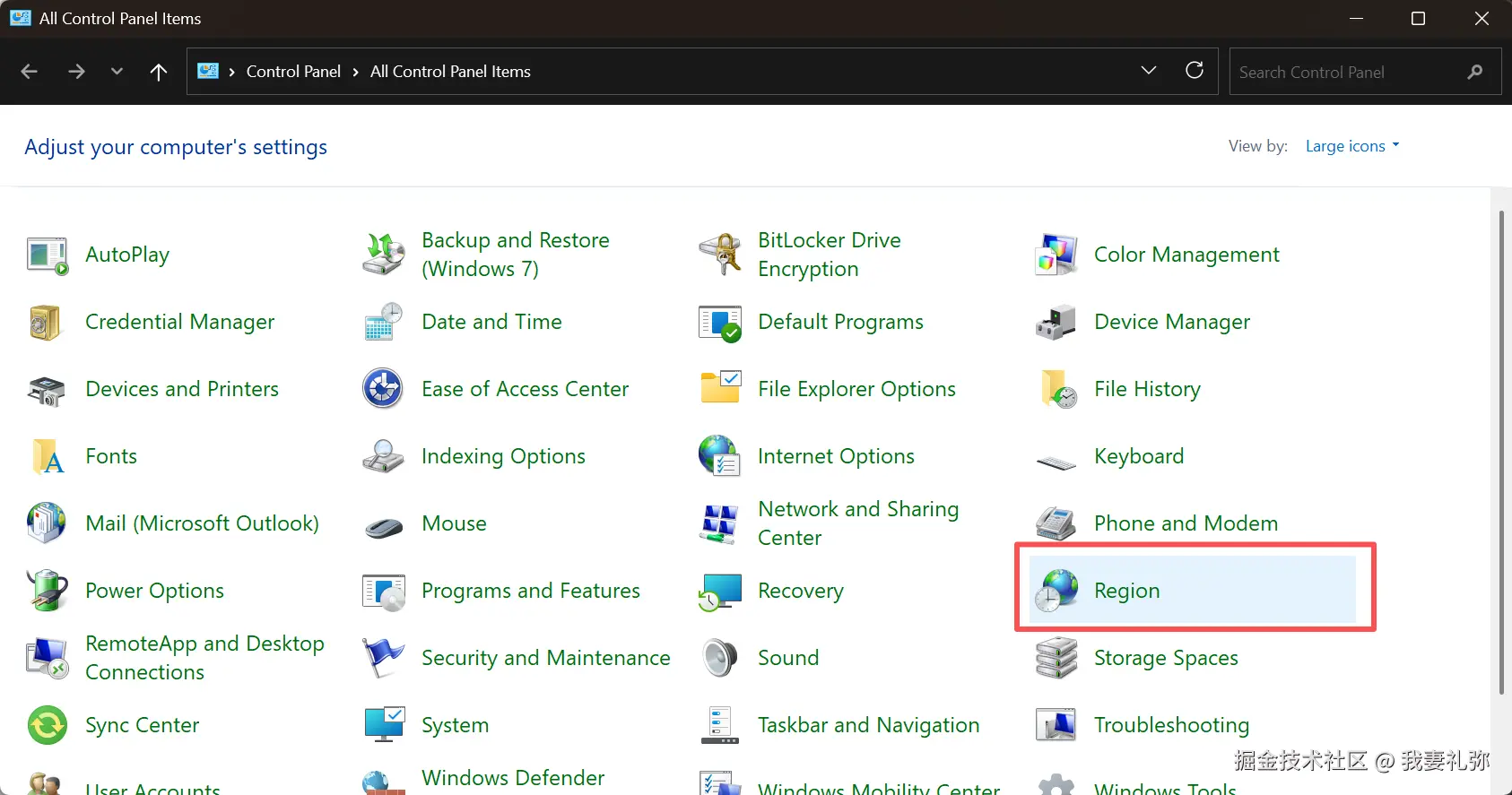
- 打开控制面板,选择区域
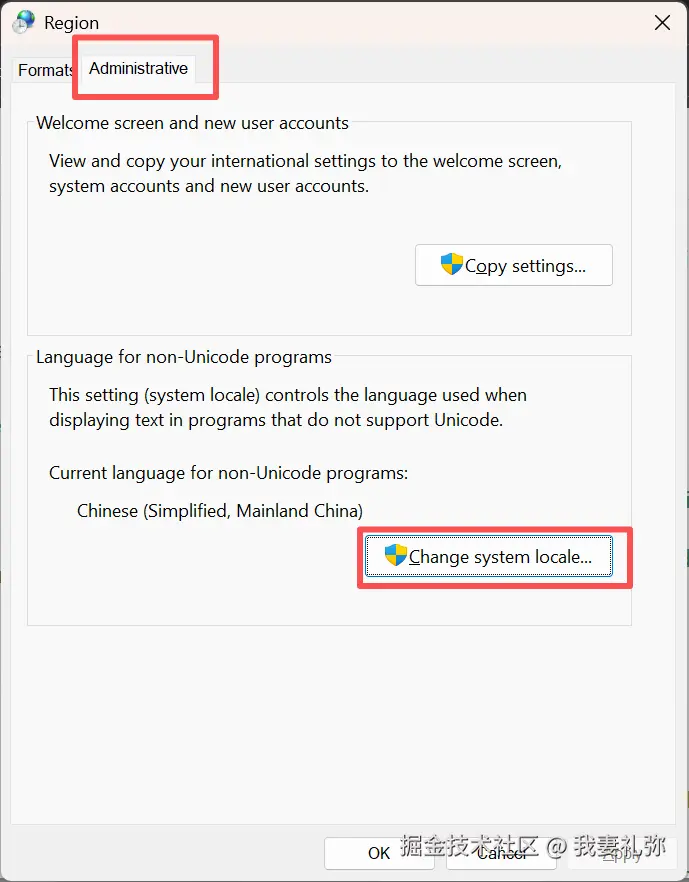
- 选择 更改系统位置
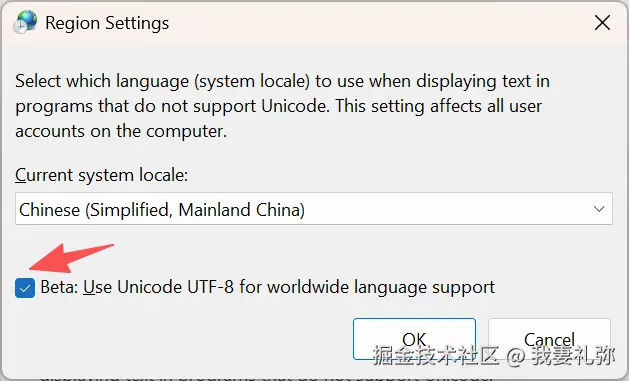
- 勾选 UTF-8 支持
- 重启电脑(必须)
PowerShell 配置 UTF-8
完成 windows 11 配置 UTF-8 后检查 PowerShell对 UTF-8 的支持
sh
# 检查当前代码页与编码配置
chcp          # 正常应为65001(UTF-8),乱码时可能显示936(GBK)
$OutputEncoding
[Console]::OutputEncoding
[Console]::InputEncoding
如果上述 $OutputEncoding 打印结果不是 UTF-8,创建 PowerShell 配置文件,通过加载配置文件的方式,让 PowerShell 每次启动自动设置 UTF-8 编码
- 以管理员身份打开 PowerShell,执行:
bash
# 若文件不存在,先创建
if (-not (Test-Path $PROFILE)) { New-Item -Path $PROFILE -ItemType File -Force }

# 打开配置文件
notepad $PROFILE - 添加以下内容:
ini
# 永久修复中文乱码:强制输出编码为 UTF-8
$OutputEncoding = [System.Text.Encoding]::UTF8
[Console]::OutputEncoding = [System.Text.Encoding]::UTF8- 允许 PowerShell 加载配置(需要管理员权限)
javascript
Set-ExecutionPolicy RemoteSigned- 重启 PowerShell 并验证
bash
$OutputEncoding