消失了两天,最近做了一个小项目。
起因是在网上看到一个微信聊天的模拟器,对于一些自媒体小编来说还是挺有实际意义的。
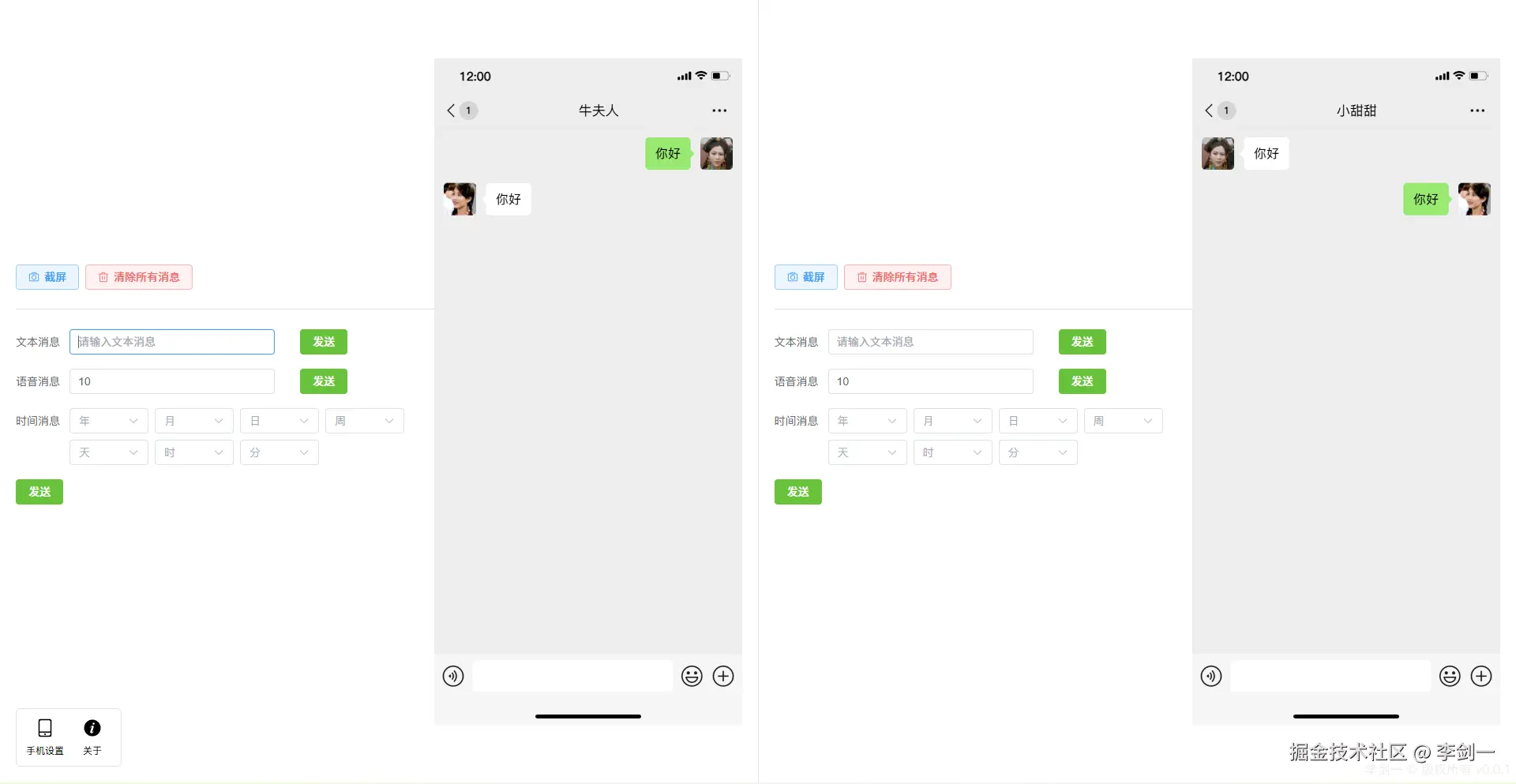
但是那个项目我个人感觉做的不是太好,而且微信经过这么多代的版本,和当初的样式已经有了较大差距。
所以我打算基于现在新版本的微信做个微信聊天的模拟器。
当前项目已经开源,但是还没部署到服务器上,所以暂时先放一下开源地址:
这里先打个"保护":
声明
- 版权归属:本项目中涉及的微信相关名称、图标、界面样式等所有相关知识产权,均归属腾讯公司及相关原作者所有,本项目不享有任何相关版权。
- 使用用途:本项目仅用于交流学习,旨在为开发者提供技术研究、功能调试的参考,不用于任何商业用途、盈利活动,不替代微信官方产品。
- 责任说明:使用者使用本项目产生的一切行为,均由使用者自行负责。若使用者因违规使用、滥用本项目,或利用本项目侵犯他人合法权益(含版权、隐私等),相关法律责任、赔偿责任均由使用者独立承担,与本项目作者无关。
技术架构
项目上了 Vite v8+,既然有新的我觉得还是上新的,跟上潮流嘛!
另外就是 Vue3 + Ts 的框架,UI用的是 Element-plus。
还有就是 Pinia 和 VueRouter,截图这里我没用 html2Canvas,而是用的 snapdom。
个人觉得 snapdom 还是挺好用的,当然目前还没体会到速度的区别。
具体实现
页面分为左右两个部分,模拟两个手机窗口。
当前 v0.0.1 版本仅支持 文本消息、语音消息、时间消息,后期会逐渐更新其他消息格式,请大家持续关注这个项目,如果能点个 Start⭐ 那就非常感谢了。
手机部分进行了单独的封装:
xml
<template>
    <div class="phone-container">
        <div class="phone-content">
            <div class="phone">
                <div class="phone-head">
                    <div class="phone-time">{{ setForm.hour }}:{{ setForm.minute }}</div>
                    <div class="phone-sigle" :class="phoneSigleClass"></div>
                    <div class="phone-wifi" :class="wifiClass"></div>
                    <div class="phone-battery">
                        <div class="battery-level" :style="{ width: setForm.batteryLevel + '%' }"></div>
                    </div>
                </div>
                <div class="phone-nav">
                    <div class="nav-left">
                        <div class="nav-back">返回</div>
                        <div class="unread-num">{{ setForm.msgCount }}</div>
                    </div>
                    <div class="nav-center">
                        <div class="chat-name">
                            {{ props.position === 'left' ? setForm.dialogTitle1 : setForm.dialogTitle2 }}
                        </div>
                    </div>
                    <div class="nav-right">
                        <div class="nav-more"></div>
                    </div>
                </div>

                <PhoneBody :position="props.position" :msgList="props.msgList" />

                <div class="phone-bottom">
                    <div class="bottom-chat">
                        <div class="chat-voice"></div>
                        <div class="chat-input"></div>
                        <div class="chat-emoji"></div>
                        <div class="chat-more"></div>
                    </div>
                    <div class="bottom-bar">
                        <span class="bar"></span>
                    </div>
                </div>
            </div>
        </div>
    </div>
</template>

<script setup lang="ts">
import { ref, computed } from 'vue'
import PhoneBody from './PhoneBody.vue'
import { useSetStore } from '@/store/useSetStore'

const setStore = useSetStore()

const setForm = ref(setStore.form);

const props = defineProps({
    position: {
        type: String,
        default: 'left'
    },
    msgList: {
        type: Array,
        default: () => []
    }
})

const phoneSigleClass = computed(() => {
    return 'phone-sigle-v' + setForm.value.mobileSignal
})

const wifiClass = computed(() => {
    return 'phone-wifi-s' + setForm.value.wifiSignal
})
</script>
这里因为手机上的设置是能进行更改的,所以将参数存在了 Pinia 中,方便全局调用。
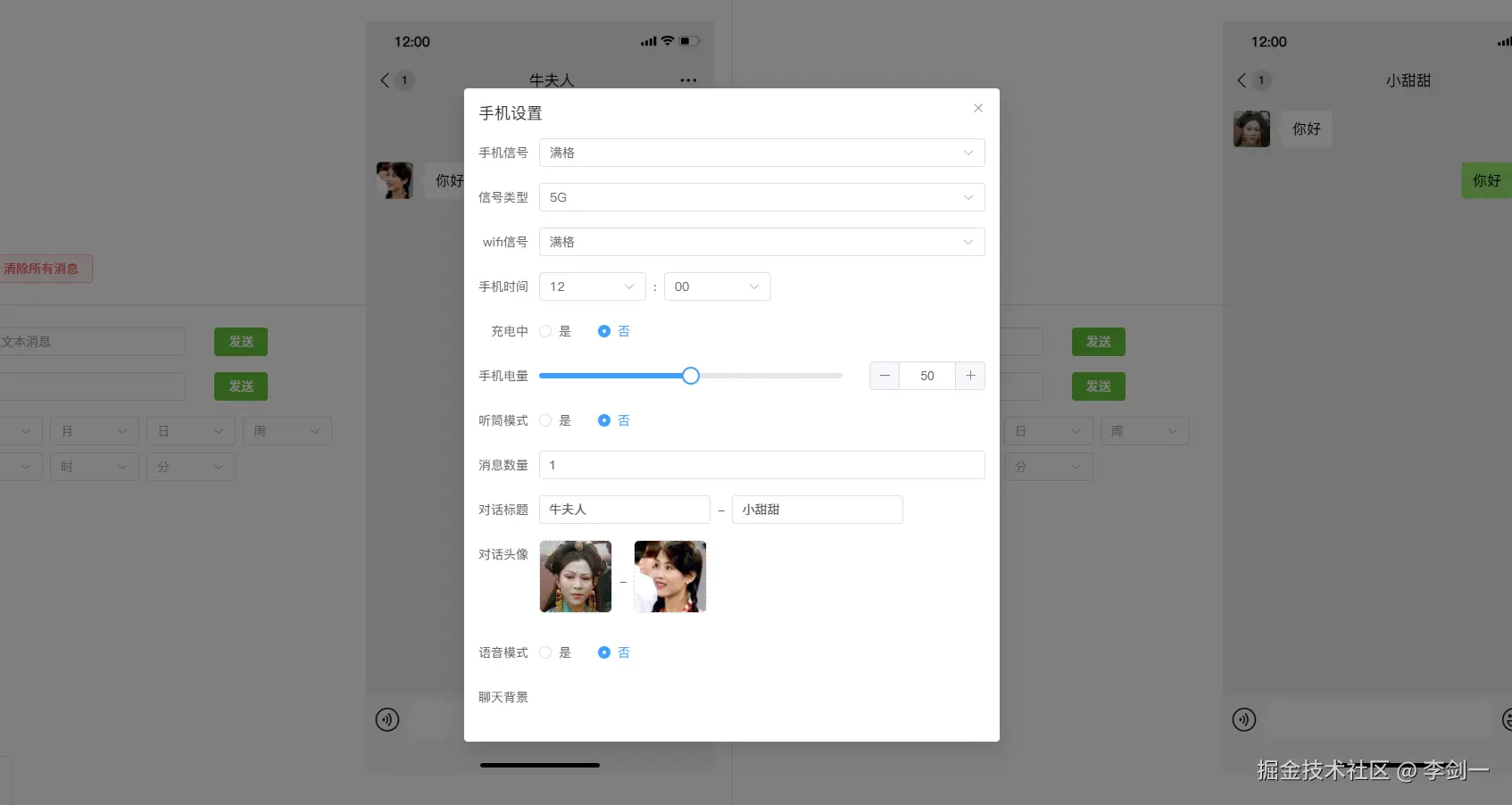
而消息部分以消息类型进行划分,每种消息类型单独切割成组件。
xml
<template>
    <div class="phone-body" ref="chatBoxRef">
        <div class="msg-content">
            <component v-for="item in messageList" :key="item.id" :is="item.component" :msgInfo="item" :position="props.position" />
        </div>
    </div>
</template>

<script setup lang="ts">
import { computed, onMounted, ref } from 'vue'
import MsgText from './MsgText.vue'
import MsgVoice from './MsgVoice.vue'
import MsgTime from './MsgTime.vue'

const components = [
    {
        msgType: 'text',
        component: MsgText
    },
    {
        msgType: 'voice',
        component: MsgVoice
    },
    {
        msgType: 'time',
        component: MsgTime
    }
]

const props = defineProps({
    position: {
        type: String,
        default: () => 'left'
    },
    msgList: {
        type: Array,
        default: () => []
    }
})

const chatBoxRef = ref<HTMLElement>()

const messageList = computed(() => {
    const list = props.msgList.map((item: any) => {
        return {
            ...item,
            // 根据消息类型确定使用哪种组件
            component: components.find((component: any) => component.msgType === item.msgType)?.component || MsgText
        }
    })
    return list
})

onMounted(() => {
    // 监听消息列表变化,滚动到底部
    const chatBox = chatBoxRef.value as HTMLElement;
    const scrollToBottom = () => {
        if (chatBox) {
            chatBox.scrollTop = chatBox.scrollHeight
        }
    }
    const observer = new MutationObserver(scrollToBottom);
    observer.observe(chatBox, {
        childList: true,
        subtree: true
    });
})
</script>
总结
其实这个项目技术上来说不复杂,最困难的地方其实是怎样100%复刻微信的UI样式,还有iPhone的头等等样式。
后面会继续维护这个项目,大家可以关注一波,如果能够点个Start⭐那就最为感谢了!