文本运行类Run的子类型DayShort、DayLong、MonthShort、MonthLong、YearShort及YearLong用于向文本中插入年月日等信息,命名空间为DocumentFormat.OpenXml. Wordprocessing,对应document.xml文件内的元素如下图所示:
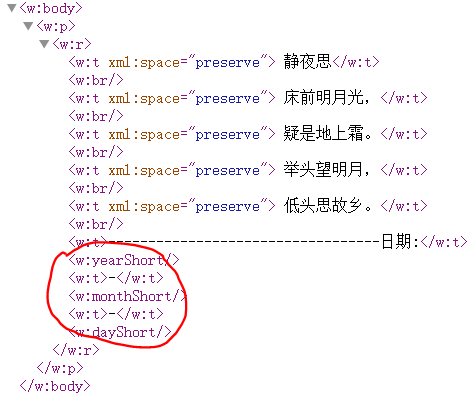
上述六种日期类型继承自EmptyType,不包含任何用于控制格式的属性,其显示格式(如日期的长短格式)完全固定。六种日期类型的说明如下表所示:
| 序号 | 名称 | 说明 |
|---|---|---|
| 1 | DayShort | 插入短日期(两位数日期),如12,xml文件中对应的标签为<w:dayShort /> |
| 2 | DayLong | 插入长日期(星期几的完整名称),如Tuesday,xml文件中对应的标签为<w:dayLong /> |
| 3 | MonthShort | 插入短月份(数字),如4,xml文件中对应的标签为<w:monthShort /> |
| 4 | MonthLong | 插入长月份(月份完整名称)如April,xml文件中对应的标签为<w:monthLong /> |
| 5 | YearShort | 插入短年份(两位数年份),如26,xml文件中对应的标签为<w:yearShort /> |
| 6 | YearLong | 插入长年份(四位数年份),如2026 ,xml文件中对应的标签为<w:yearLong /> |
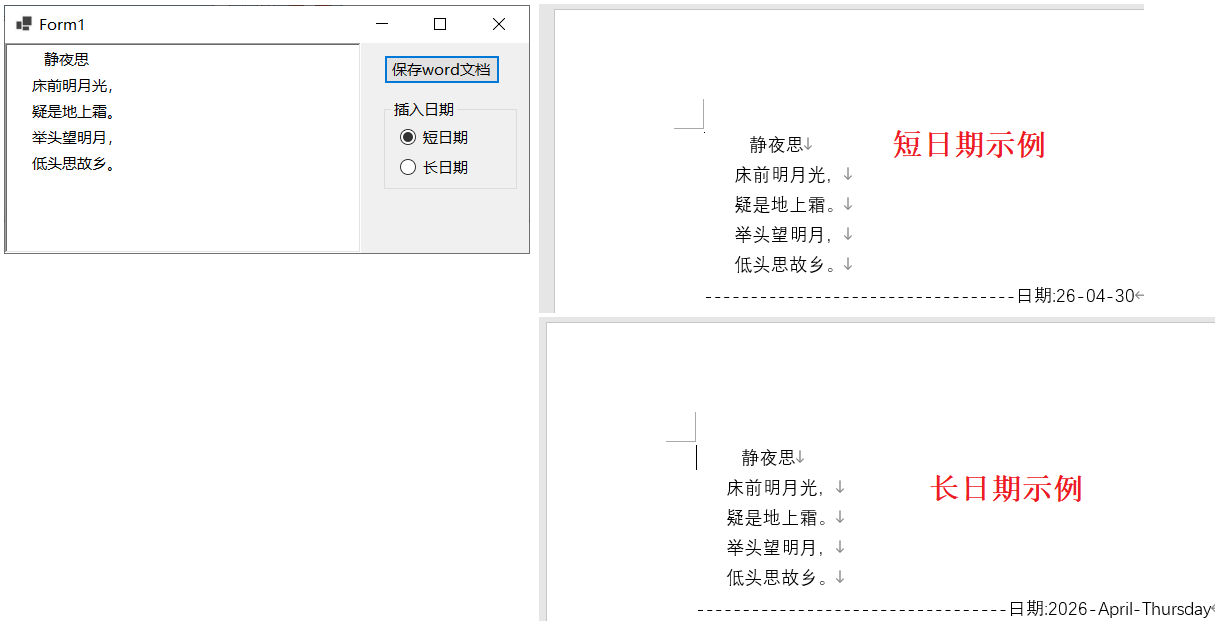
最后是使用示例及运行效果,如下所示:
csharp
using (WordprocessingDocument wordDocument = WordprocessingDocument.Create(sfd.FileName, WordprocessingDocumentType.Document))
{
    MainDocumentPart mainPart = wordDocument.AddMainDocumentPart();
    mainPart.Document = new Document();
    Body body = mainPart.Document.AppendChild(new Body());

    Paragraph paragraph = body.AppendChild(new Paragraph());
    Run run = paragraph.AppendChild(new Run());

    for (int i = 0; i < txtContent.Lines.Length; i++)
    {
        Text text = new Text();
        text.Space = SpaceProcessingModeValues.Preserve;
        text.Text = txtContent.Lines[i];
        run.AppendChild(text);

        run.Append(new Break());
    }

    run.Append(new Text("----------------------------------日期:"));

    if(rbShortDate.Checked)
    {
        run.Append(new YearShort());
        run.Append(new Text("-"));
        run.Append(new MonthShort());
        run.Append(new Text("-"));
        run.Append(new DayShort());
    }

    if (rbLongDate.Checked)
    {
        run.Append(new YearLong());
        run.Append(new Text("-"));
        run.Append(new MonthLong());
        run.Append(new Text("-"));
        run.Append(new DayLong());
    }
}
参考文献
1https://github.com/dotnet/Open-XML-SDK
2https://learn.microsoft.com/zh-cn/office/open-xml/open-xml-sdk