大家好,我是Java1234_小锋老师,分享一套锋哥原创的SpringBoot4+Vue3会议室预约管理系统。
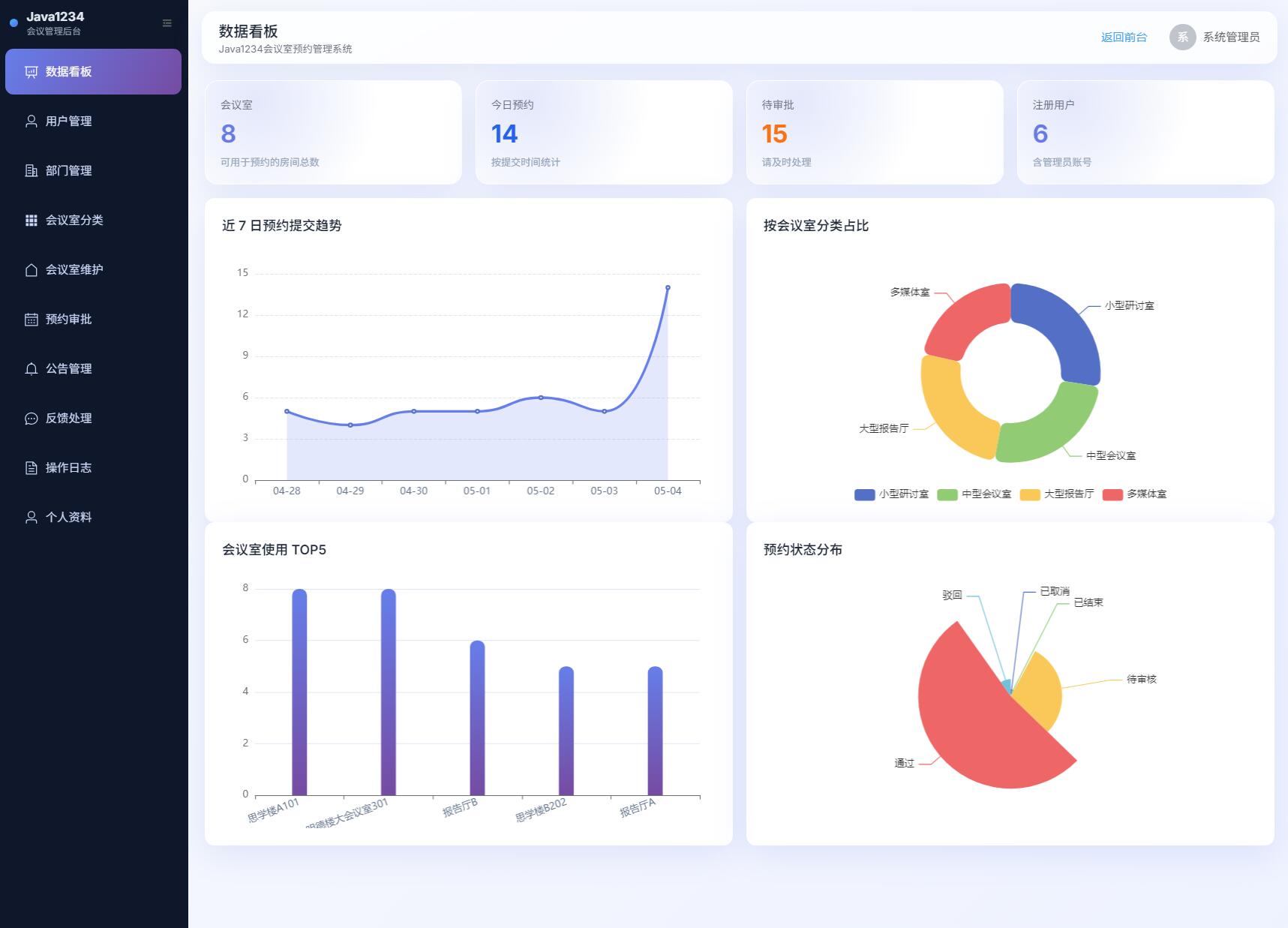
项目介绍
随着高校信息化建设的深入推进,会议室、研讨室、报告厅等公共空间资源日趋紧张,传统人工登记、电话预约的方式已难以满足师生高频次、多样化的使用需求。如何借助互联网与软件工程方法构建一套规范、高效、易用的会议室预约管理系统,已成为各类组织和高校信息化建设的迫切课题。
本文以校园内会议室资源使用场景为研究对象,采用 B/S 架构和前后端分离模式,设计并实现了一套基于 SpringBoot 的会议室预约管理系统。系统服务端采用 SpringBoot 框架,结合 MyBatis 持久层、PageHelper 分页插件、JWT 鉴权和 Spring Security 进行整体构建;前端基于 Vue 3 与 Element Plus 组件库,使用 Vite 构建工具进行打包,通过 Axios 与后端进行数据交互;数据存储采用 MySQL 8.x 关系型数据库。
系统主要包括用户管理、部门管理、会议室分类管理、会议室管理、预约提交、预约审批、公告通告、用户反馈、操作日志、数据统计等功能模块;通过对预约时段冲突、会议室状态、审批流转等业务规则的处理,实现了对会议室资源的可视化、规范化和精细化管理。经过完整的功能测试和接口测试,系统运行稳定,操作流畅,能够较好地满足会议室预约管理的实际业务需求,具有较强的实用价值。
源码下载
链接:https://pan.baidu.com/s/1KaXIKMBQAnqG5ldWY-PtIw?pwd=1234
提取码:1234
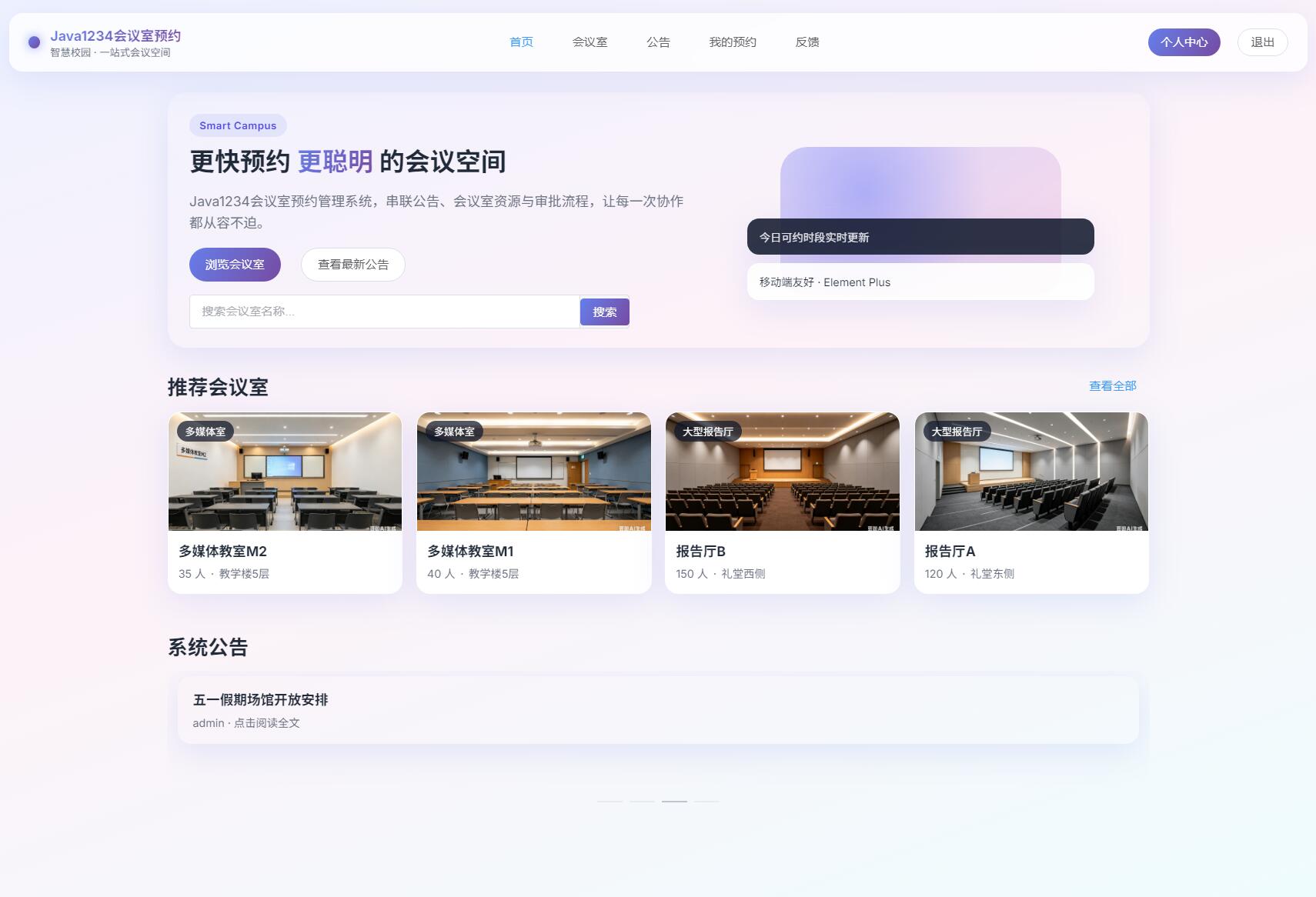
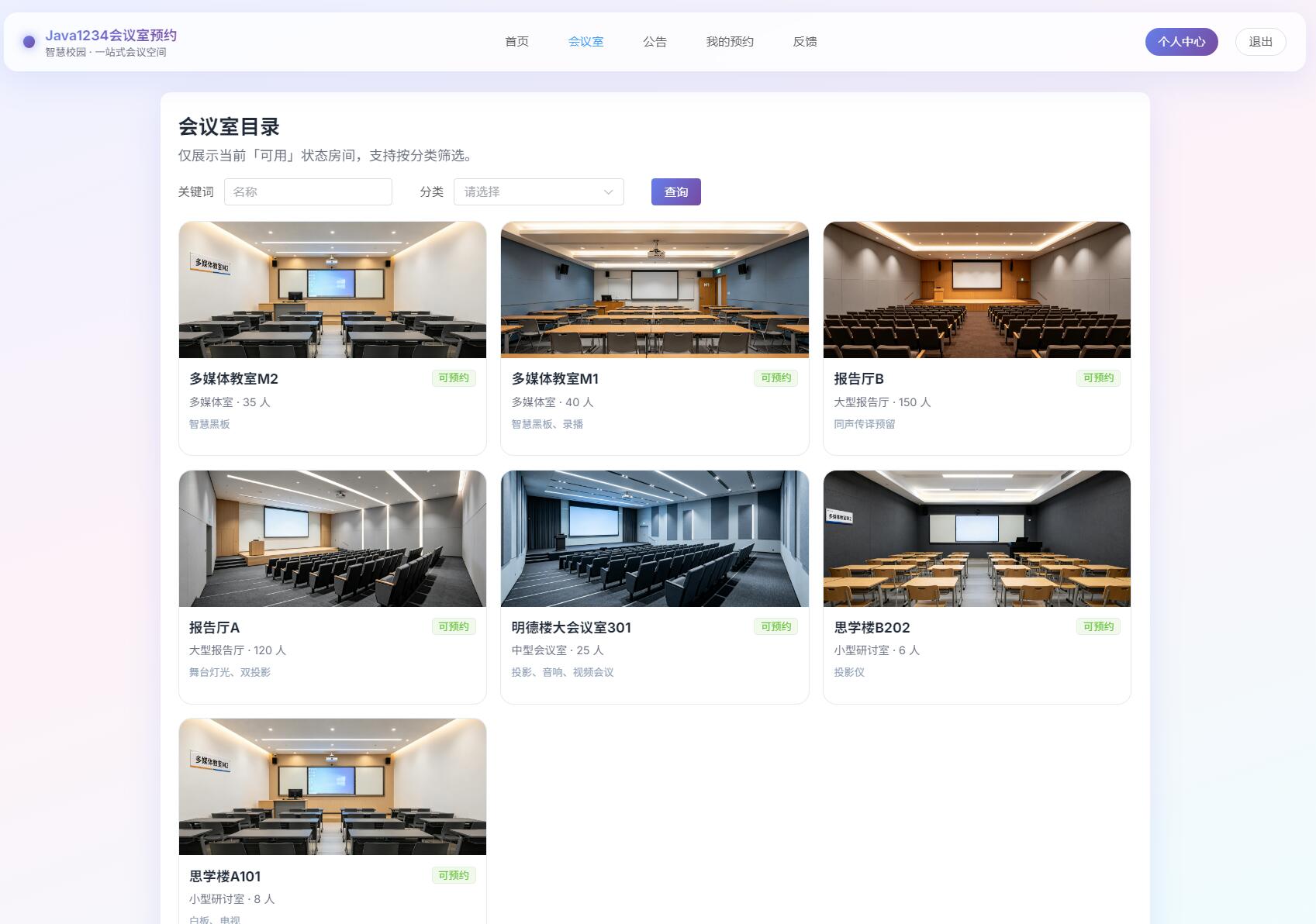
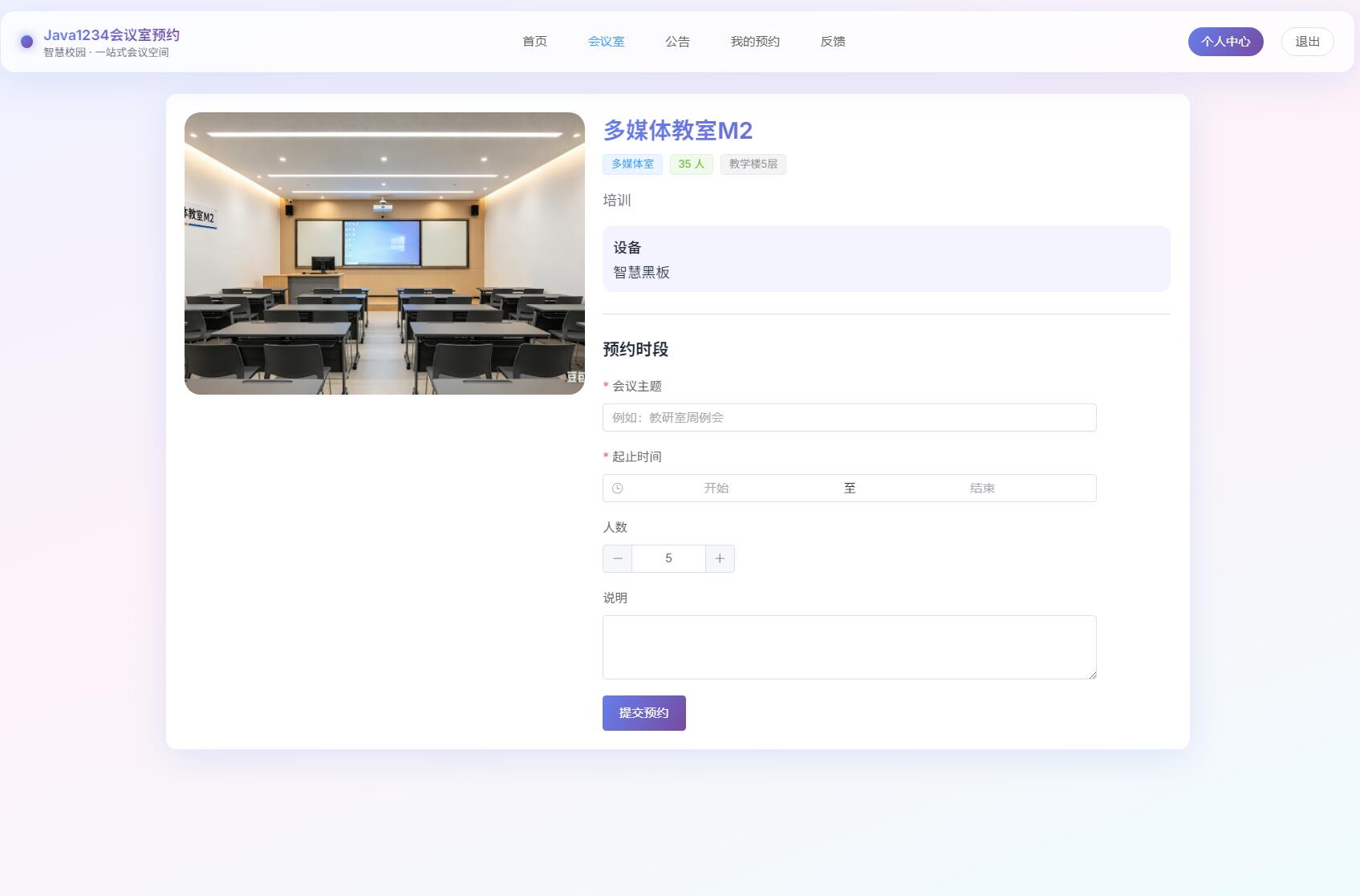
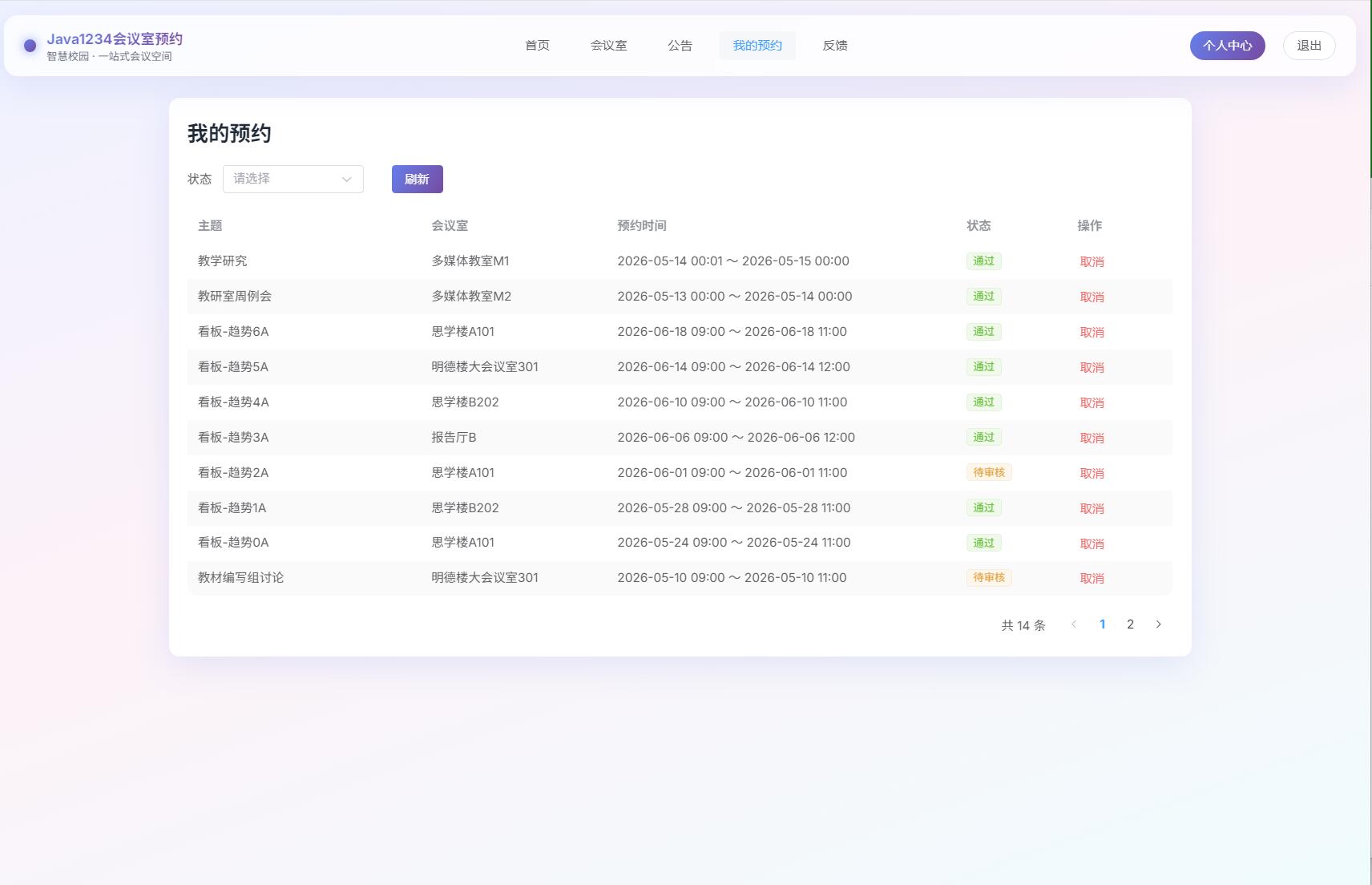
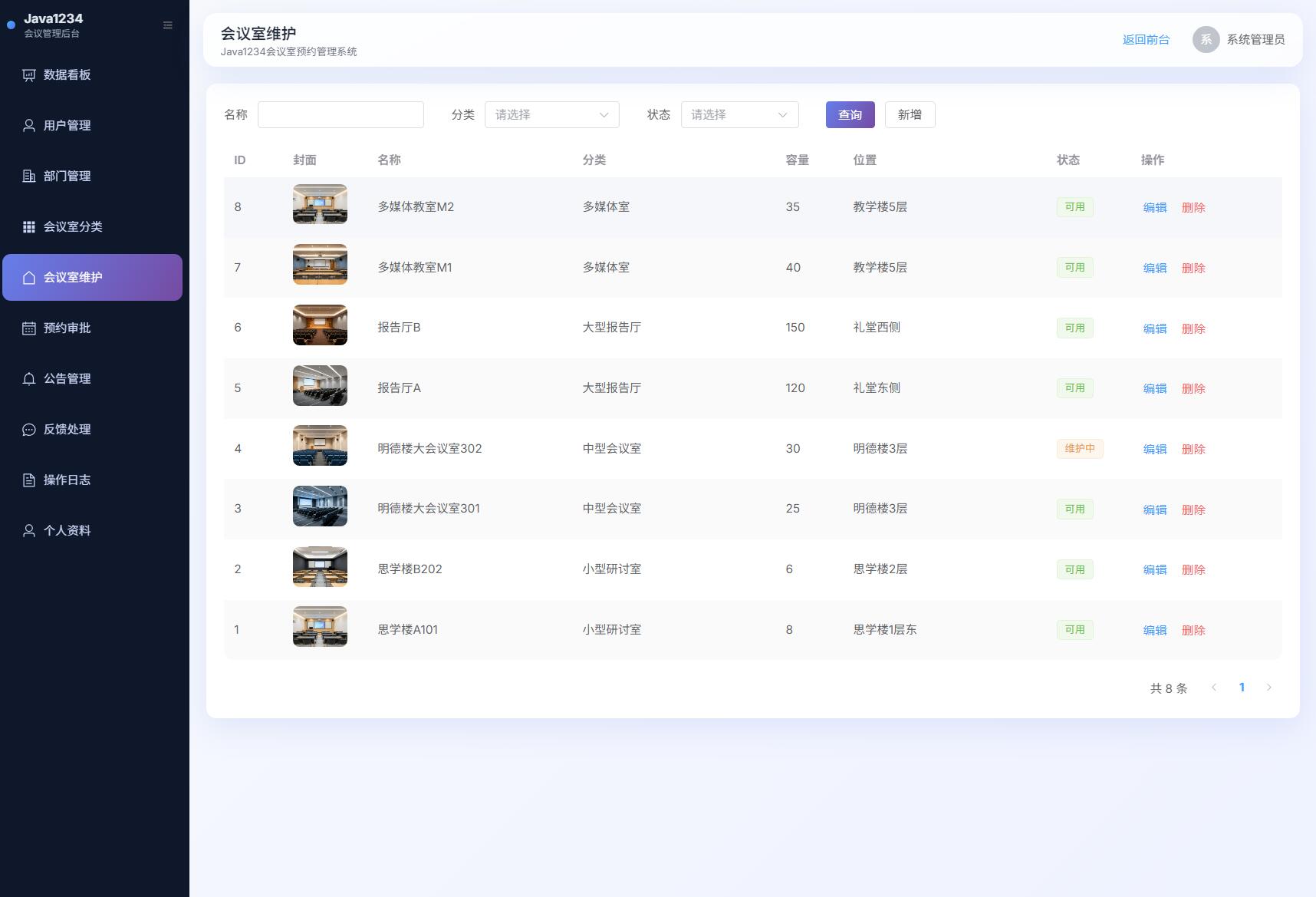
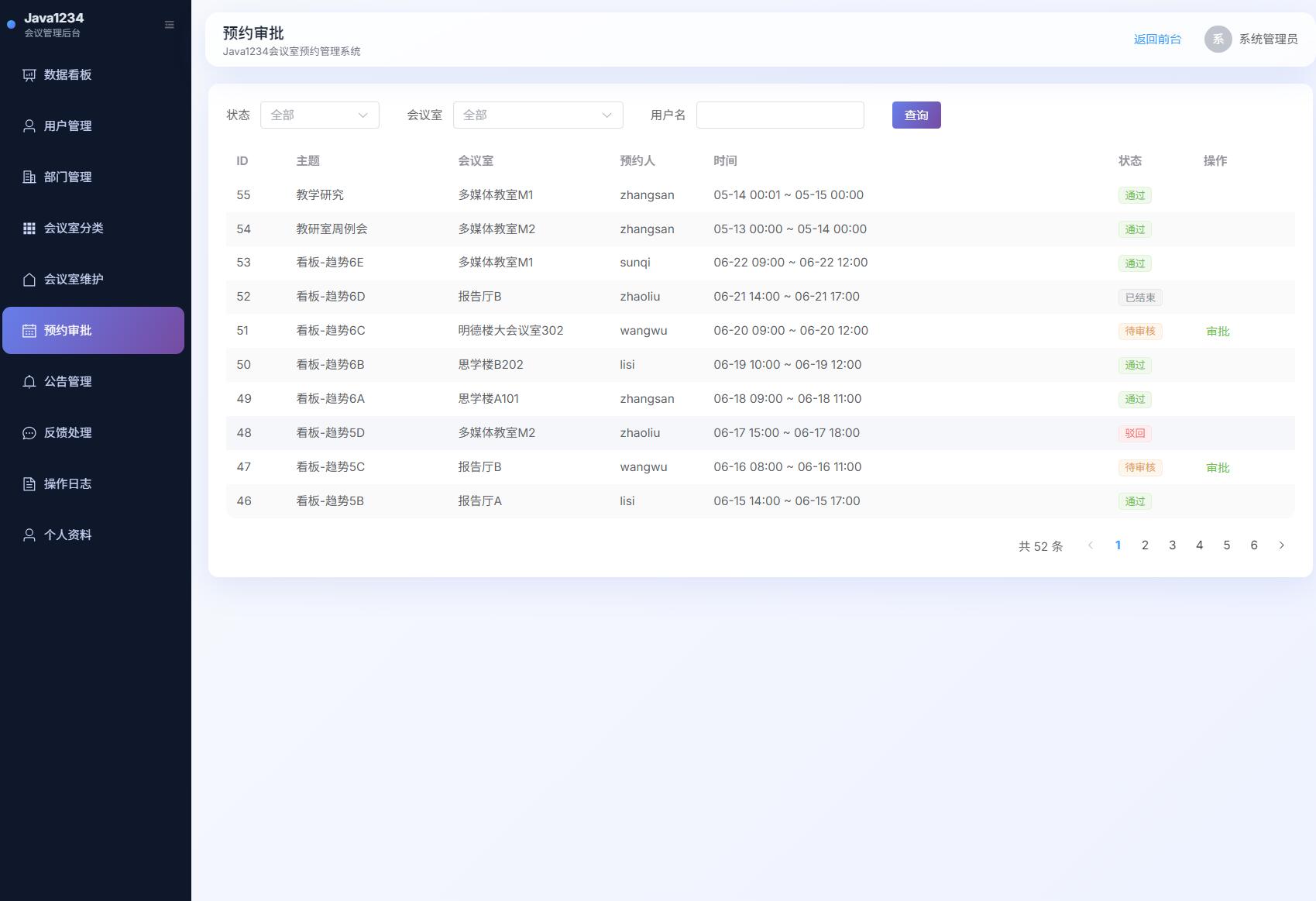
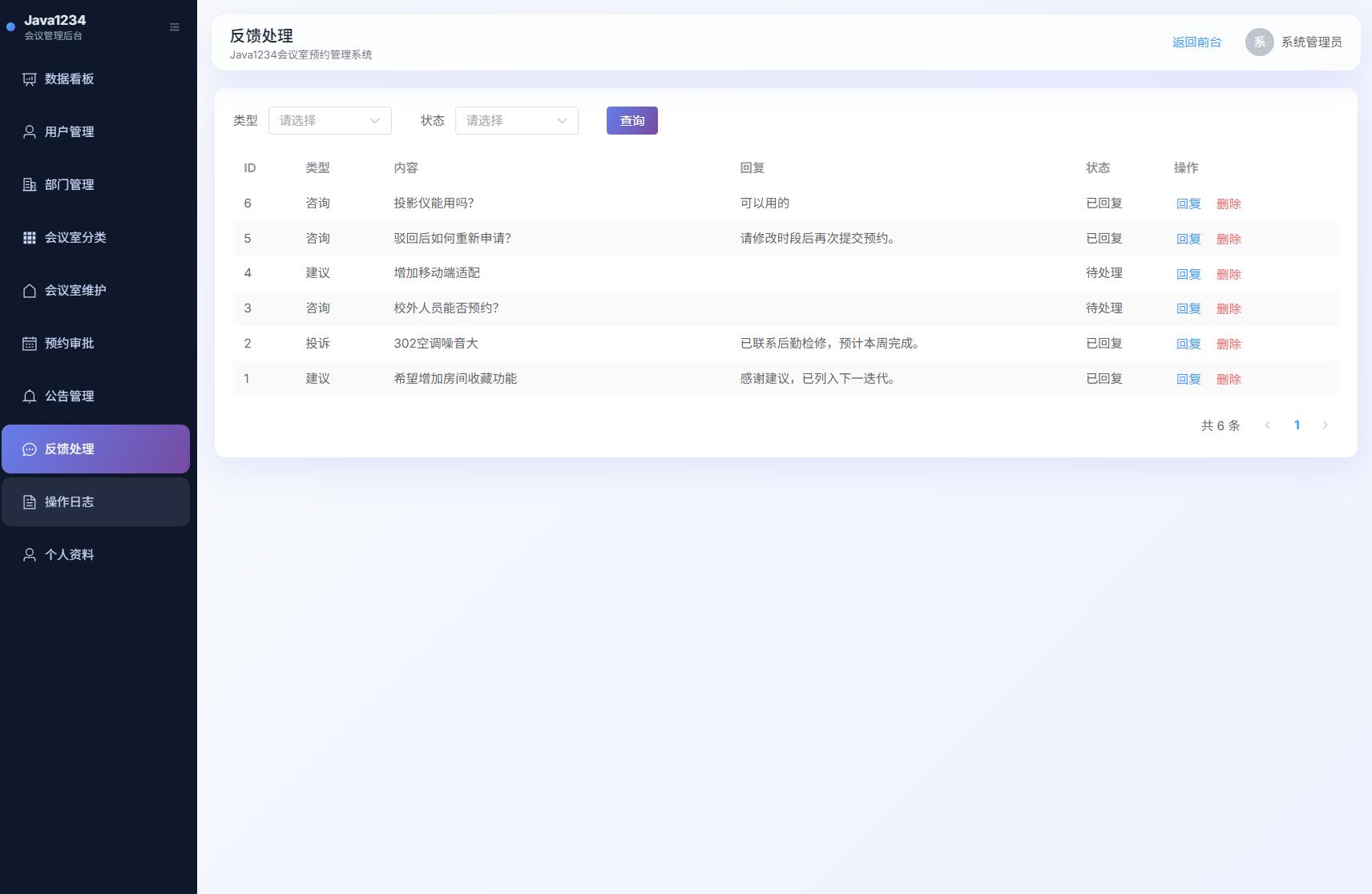
系统展示
核心代码
java
package com.java1234.controller;

import com.java1234.common.R;
import com.java1234.common.exception.BusinessException;
import com.java1234.entity.Category;
import com.java1234.service.CategoryService;
import com.java1234.service.OperationLogService;
import com.java1234.utils.UserContext;
import lombok.RequiredArgsConstructor;
import org.springframework.web.bind.annotation.*;

import java.util.List;

/**
 * 会议室分类管理
 */
@RestController
@RequestMapping("/api/category")
@RequiredArgsConstructor
public class CategoryController {

    private final CategoryService categoryService;
    private final OperationLogService operationLogService;

    @GetMapping("/list")
    public R<List<Category>> list() {
        return R.ok(categoryService.list());
    }

    @PostMapping
    public R<Void> save(@RequestBody Category c) {
        requireAdmin();
        categoryService.save(c);
        operationLogService.record("分类", "保存分类 " + c.getName());
        return R.ok();
    }

    @DeleteMapping("/{id}")
    public R<Void> delete(@PathVariable Long id) {
        requireAdmin();
        categoryService.delete(id);
        operationLogService.record("分类", "删除分类ID=" + id);
        return R.ok();
    }

    private void requireAdmin() {
        if (!UserContext.isAdmin()) {
            throw new BusinessException(403, "需要管理员权限");
        }
    }
}
java
<script setup>
import { onMounted, reactive, ref } from 'vue'
import { ElMessageBox } from 'element-plus'
import { fetchCategories, saveCategory, deleteCategory } from '@/api/category'

const list = ref([])
const dialog = ref(false)
const form = reactive({ id: null, name: '', sort: 0, remark: '' })

async function load() {
  list.value = await fetchCategories()
}

function open(row) {
  if (row) Object.assign(form, row)
  else Object.assign(form, { id: null, name: '', sort: 0, remark: '' })
  dialog.value = true
}

async function save() {
  await saveCategory(form)
  dialog.value = false
  await load()
}

async function remove(row) {
  await ElMessageBox.confirm(`删除分类「${row.name}」?`, '提示', { type: 'warning' })
  await deleteCategory(row.id)
  await load()
}

onMounted(load)
</script>

<template>
  <div class="page-card">
    <div class="toolbar">
      <el-button type="primary" class="gradient-btn" @click="open(null)">新增分类</el-button>
    </div>
    <el-table :data="list" stripe>
      <el-table-column prop="id" label="ID" width="70" />
      <el-table-column prop="name" label="名称" />
      <el-table-column prop="sort" label="排序" width="90" />
      <el-table-column prop="remark" label="备注" />
      <el-table-column label="操作" width="160">
        <template #default="{ row }">
          <el-button link type="primary" @click="open(row)">编辑</el-button>
          <el-button link type="danger" @click="remove(row)">删除</el-button>
        </template>
      </el-table-column>
    </el-table>

    <el-dialog v-model="dialog" title="会议室分类" width="480px">
      <el-form label-width="80px">
        <el-form-item label="名称" required>
          <el-input v-model="form.name" />
        </el-form-item>
        <el-form-item label="排序">
          <el-input-number v-model="form.sort" :min="0" />
        </el-form-item>
        <el-form-item label="备注">
          <el-input v-model="form.remark" />
        </el-form-item>
      </el-form>
      <template #footer>
        <el-button @click="dialog = false">取消</el-button>
        <el-button type="primary" class="gradient-btn" @click="save">保存</el-button>
      </template>
    </el-dialog>
  </div>
</template>

<style scoped>
.toolbar {
  margin-bottom: 12px;
}
</style>