github地址:
https://github.com/NousResearch/hermes-agent
wsl 安装hermes
因为我是 win,官方的原装方案是安装 wsl
建议还是看英文文档,中文文档里去掉了 win 原生安装。实际上我打算两个都搞
Run this in PowerShell:
iex (irm https://raw.githubusercontent.com/NousResearch/hermes-agent/main/scripts/install.ps1)The installer handles everything: uv, Python 3.11, Node.js, ripgrep, ffmpeg, and a portable Git Bash (MinGit, unpacked to
%LOCALAPPDATA%\hermes\git--- no admin required, completely isolated from any system Git install). Hermes uses this bundled Git Bash to run shell commands.If you already have Git installed, the installer detects it and uses that instead. Otherwise a ~45MB MinGit download is all you need --- it won't touch or interfere with any system Git.
wsl 安装我觉得不用写在教程里了,不会的就去问deepseek好了。我用的 Ubuntu 环境
装完wsl也就是一句话:
curl -fsSL https://raw.githubusercontent.com/NousResearch/hermes-agent/main/scripts/install.sh | bash装完我习惯在 windows terminal 中运行:
先 wsl -> sudo -i (需要root权限)-> hermes 就可以进去了。
配置 Hermes
不过首先要运行的是 hermes setup
这里我建议 quick 就行

如果是自定义的模型(列表里没有,那么就要选 custom)
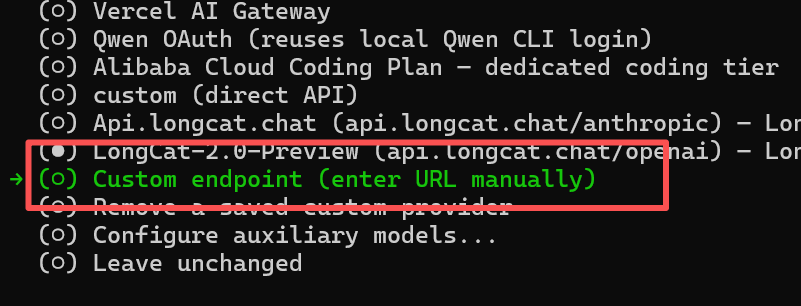
里面输入url ,这里要注意,你的地址要和你的格式相对应。我这里选用 openai的格式
- OpenAI格式 :
https://api.xx.chat/openai - Anthropic格式 :
https://api.xx.chat/anthropic
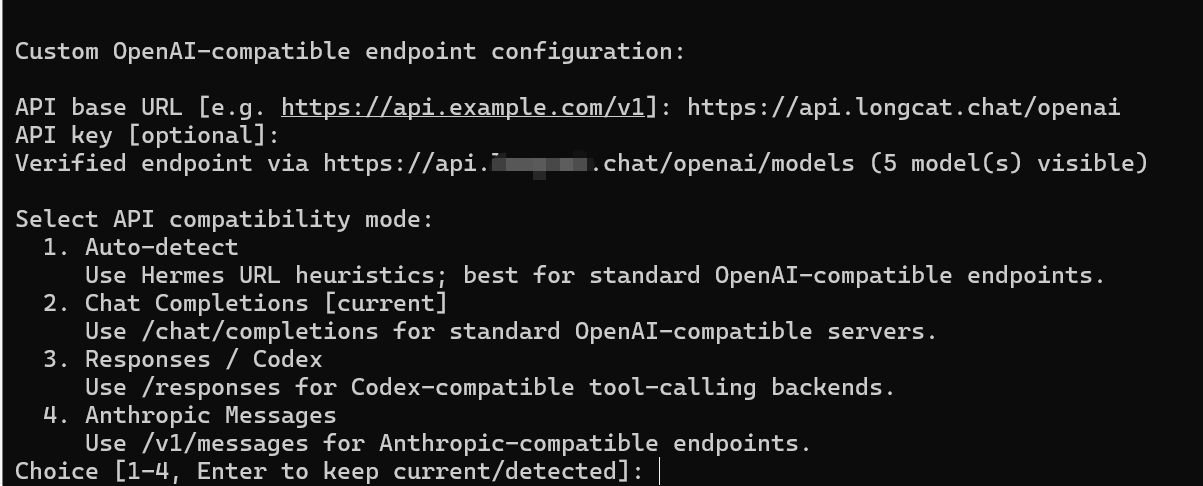
上面的key输进去是没反应的,直接确认即可。
这里的api模型就重要了,要和上面对应。因为选的 openai 格式地址,所以要选2
后面是模型的选择,以及上下文,这里不能错,错了上下文就小了。
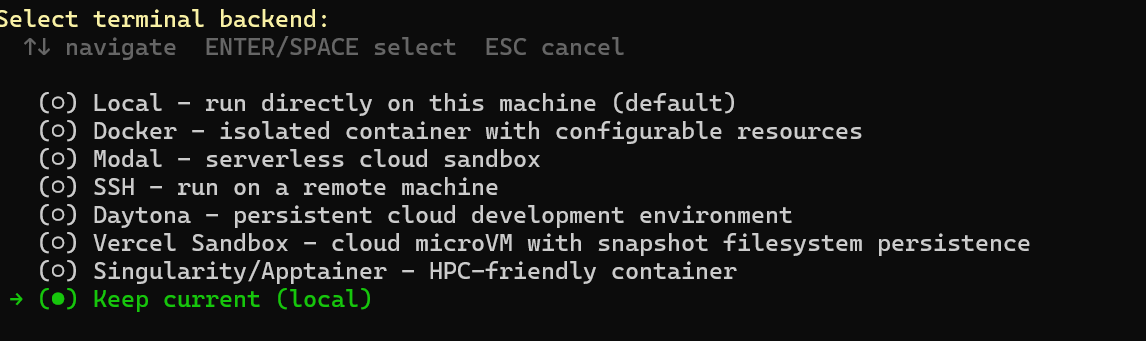
1000000这里本地就是 local
快捷方式
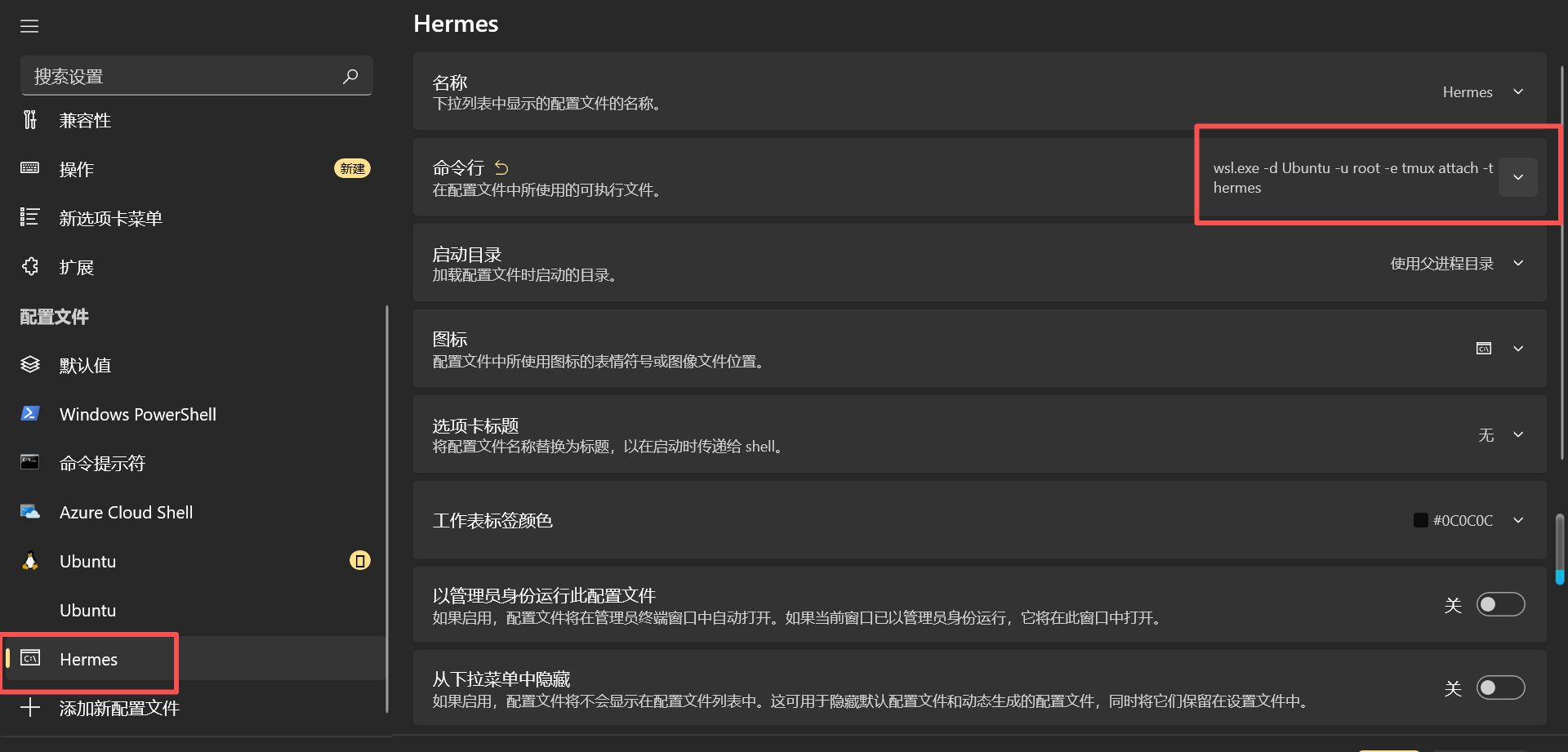
如果要 wsl,那么建议生成个bat快捷方式,用terminal打开:
bash
@echo off
start "" "C:\Users\Administrator\AppData\Local\Microsoft\WindowsApps\wt.exe" -p Hermes
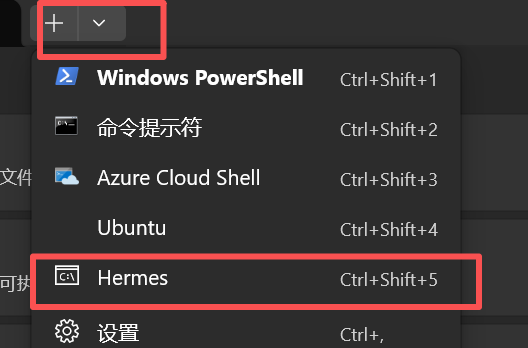
terminal 中也可以加个
原生安装
使用 wsl 他最多的就是和你说缺失工具 or权限要你帮忙运行,所以如果主力是win还是得原生安装。
因为网络原因所以先把一部分能装的先装了:
uv
irm https://astral.sh/uv/install.ps1 | iexpython 3.11 -- 他写死检测这个版本
$env:UV_PYTHON_INSTALL_MIRROR = "https://github.com/astral-sh/python-build-standalone/releases/download"
uv python install 3.11
如果还不行就上代理:
$env:HTTPS_PROXY = "http://127.0.0.1:10808"
$env:HTTP_PROXY = "http://127.0.0.1:10808"
uv python install 3.11
然后装 装 ripgrep 和 ffmpeg
irm -Proxy http://127.0.0.1:10808 get.scoop.sh | iex
scoop install ripgrep ffmpeg
然后跑命令就行。
配置
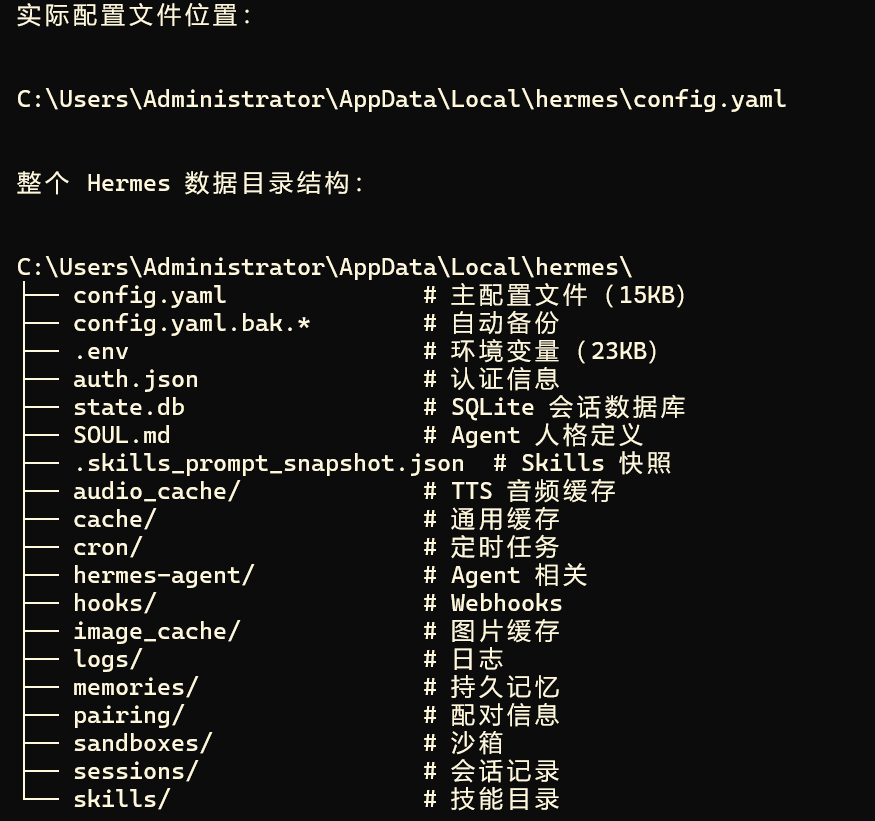
可以先用 hermes setup配。配通了也就后面让他自己想办法即可。