文章目录
CSS @layer总结
概述
@layer 用于给 CSS 样式分层级,谁的等级高,就使用谁的样式。
@layer 不受选择器权重影响,除了!important和内联样式。
@layer 低等级,中等级,高等级;优先级:!import > 内联样式 > 高等级 > 中等级 > 低层级
简单使用
受等级影响
第1步:定义层的顺序。
第2步:定义层里的样式。
html
<!DOCTYPE html>
<html>
<head>
    <meta charset="utf-8">
    <title>块元素居中一</title>
    <style>
        @layer A, B;

        div {
            width: 100px;
            height: 100px;
        }

        @layer A {
            .box {
                background-color: blue;
            }
        }

        @layer B {
            .box {
                background-color: red;
            }
        }
    </style>
</head>
<body>
<div class="box"></div>
</body>
</html>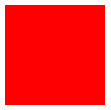
说明:B 层级比较高,因此使用 B 的样式。
不受权重影响
html
<!DOCTYPE html>
<html>
<head>
    <meta charset="utf-8">
    <title>块元素居中一</title>
    <style>
        @layer A, B;

        div {
            width: 100px;
            height: 100px;
        }

        @layer A {
            #box {
                background-color: blue;
            }
        }

        @layer B {
            .box {
                background-color: red;
            }
        }
    </style>
</head>
<body>
<div class="box" id="box"></div>
</body>
</html>
项目中使用
html
<!DOCTYPE html>
<html>
<head>
    <meta charset="utf-8">
    <title>块元素居中一</title>
    <style>
        /* =====================================
   第一步:定义全局层顺序(整个项目只写一次)
   顺序:越靠后,优先级越高
===================================== */
        @layer reset, base, theme, components, utilities;

        /* =====================================
           第二层:样式重置(最低优先级)
        ===================================== */
        @layer reset {
            * {
                margin: 0;
                padding: 0;
                box-sizing: border-box;
            }

            ul, ol {
                list-style: none;
            }

            a {
                text-decoration: none;
            }
        }

        /* =====================================
           第三层:基础标签样式
        ===================================== */
        @layer base {
            body {
                font-family: system-ui, sans-serif;
                line-height: 1.6;
                color: #333;
                background: #fff;
            }

            img {
                max-width: 100%;
                display: block;
            }
        }

        /* =====================================
           第四层:主题变量
        ===================================== */
        @layer theme {
            :root {
                --primary: #42b983;
                --danger: #f56565;
                --radius: 6px;
            }
        }

        /* =====================================
           第五层:业务组件(按钮、卡片、导航)
        ===================================== */
        @layer components {
            .btn {
                padding: 8px 16px;
                border-radius: var(--radius);
                background: var(--primary);
                color: white;
                border: none;
                cursor: pointer;
            }

            .card {
                padding: 20px;
                border-radius: var(--radius);
                box-shadow: 0 2px 10px #0001;
            }
        }

        /* =====================================
           第六层:工具类(最高优先级)
        ===================================== */
        @layer utilities {
            .text-center {
                text-align: center;
            }

            .mt-10 {
                margin-top: 10px;
            }

            .mt-20 {
                margin-top: 20px;
            }

            .bg-danger {
                background: var(--danger) !important;
            }
        }
    </style>
</head>
<body>
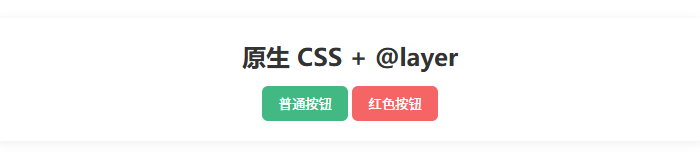
<div class="card text-center mt-20">
    <h2>原生 CSS + @layer</h2>
    <button class="btn mt-10">普通按钮</button>
    <button class="btn bg-danger mt-10">红色按钮</button>
</div>
</body>
</html>