目录
一、功能目标
在第一篇的基础上,边沿检测会输出:
text
msg.edgeType = rising 或 falling本篇根据这个字段构造企业微信文本消息:
- 上升沿:提示设备运行,禁止进入。
- 下降沿:提示设备停机,并显示运行时长。
整体流程:
text
边沿检测
    ↓
消息构造
    ↓
消息队列
    ↓
企业微信HTTP发送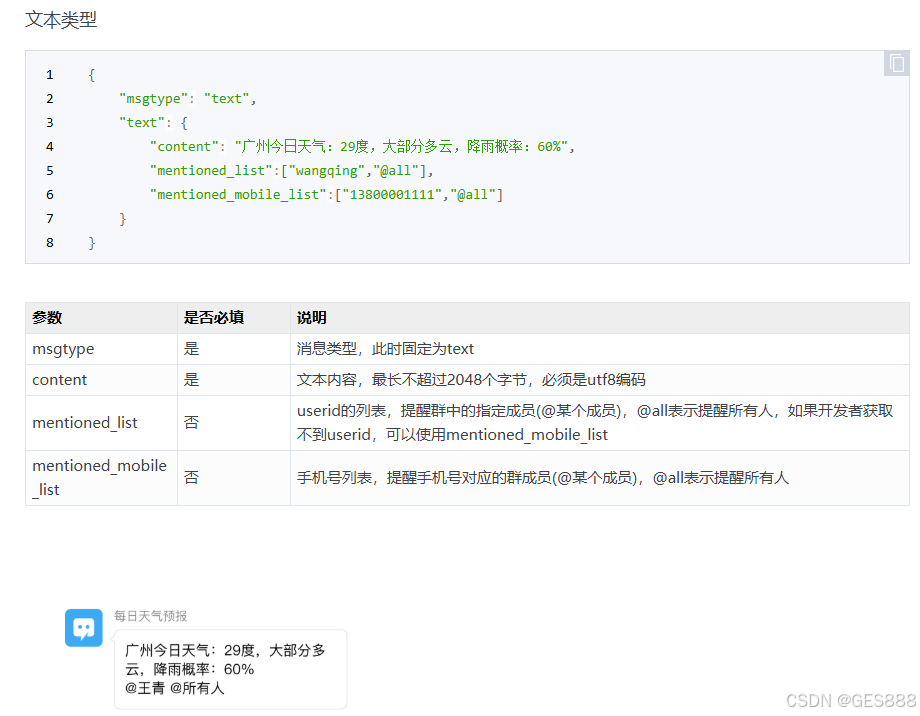
二、模式值转中文
PLC 输出的模式一般是数字,企业微信消息中应转换为可读文字。
示例:
js
function getModeName(mode) {
    const modeNum = parseInt(mode);
    switch (modeNum) {
        case 11: return "<模式名称A>";
        case 12: return "<模式名称B>";
        case 21: return "<模式名称C>";
        case 22: return "<模式名称D>";
        default: return `未知模式(${mode})`;
    }
}
注意:这里的模式名称也属于现场业务信息,写公开文章时建议用 <模式名称A> 代替。
三、构造消息模板
根据边沿类型选择模板:
js
const messageTemplates = {
    rising: {
        template: (location, time) =>
            `【设备区域】设备运行\n` +
            `当前模式: ${location}\n` +
            `启动时间: ${time}\n` +
            `正在运行,请勿进入现场区域。\n`
    },
    falling: {
        template: (location, time, duration) =>
            `【设备区域】设备停机\n` +
            `运行时长: ${duration}\n` +
            `停机时间: ${time}\n`
    }
};
构造企业微信消息体:
js
const edgeType = msg.edgeType || "rising";
const duration = msg.duration || "暂未记录";
const modeValue = flow.get('mode') || 0;
const location = getModeName(modeValue);
const timeStr = formatDateTime(new Date());

let content;
if (edgeType === "rising") {
    content = messageTemplates.rising.template(location, timeStr);
} else {
    content = messageTemplates.falling.template(location, timeStr, duration);
}

msg.payload = {
    msgtype: "text",
    text: {
        content: content,
        mentioned_mobile_list: ["@all"]
    }
};

return msg;
四、消息队列
文本消息进入 q-gate 消息队列。
作用:
- 给企业微信发送加缓冲。
- 避免瞬间多条消息连续冲击接口。
- 后续需要暂停、排队、清空消息时,有统一控制点。
配置示例:
text
defaultState:open
maxQueueLength:20
keepNewest:true
persist:true
五、企业微信HTTP发送
使用 http request 节点:
text
Method:POST
URL:https://qyapi.weixin.qq.com/cgi-bin/webhook/send?key=<企业微信机器人KEY>
Return:text
六、本篇小结
本篇完成了企业微信文本报警:
text
rising  -> 设备运行消息
falling -> 设备停机消息
架构上保留了消息队列,后续 PDF 文件消息也可以复用同一个发送出口。