Base - 模型接入
py
import os
from agno.models.openai import OpenAIChat

API_KEY = os.environ.get('API_KEY', '' )
MODEL_NAME = os.environ.get('MODEL_NAME', '' )
BASE_URL = os.environ.get('BASE_URL', '' )

print(MODEL_NAME,  API_KEY[-5:],  BASE_URL)

glm_model = OpenAIChat(
    id=MODEL_NAME,
    api_key=API_KEY,
    base_url=BASE_URL
)
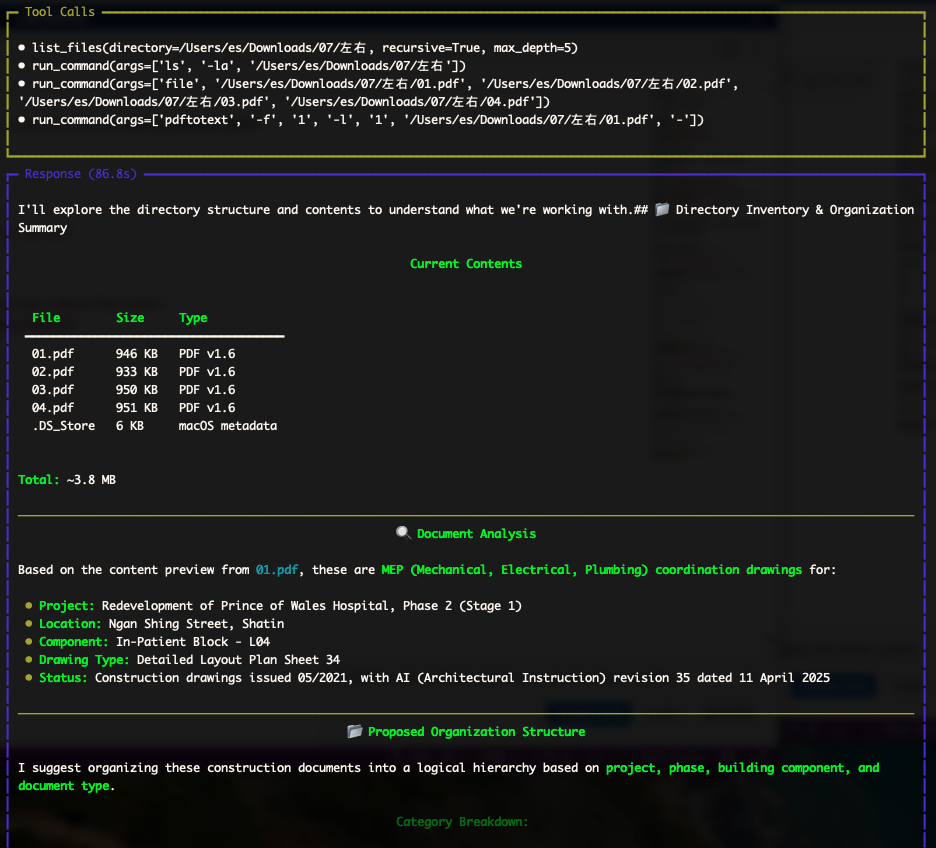
用智能体查看本地文件夹
py
from base import glm_model
from agno.agent import Agent

agent = Agent(
    name = "助手",
    model = glm_model,
    # instructions = "你是我的人工智能助手,协助我完成各种任务。"
    description="一个友好的AI助手",
    markdown=True
)


agent.print_response("你好,助手!请介绍一下你自己。", stream=True) 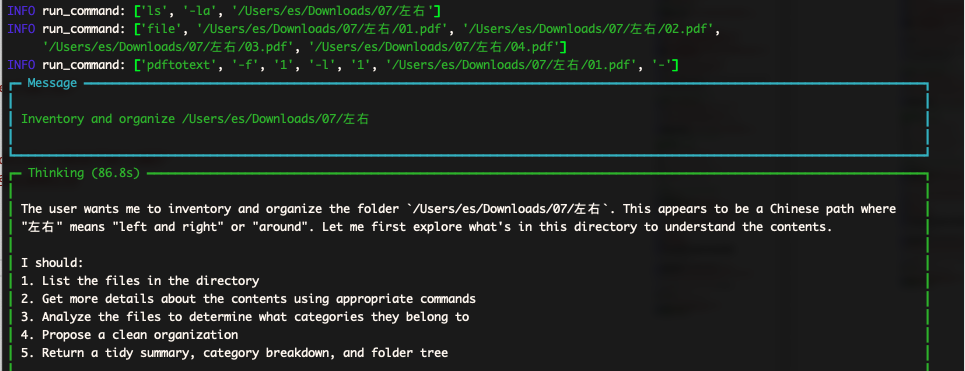
使用 ddg 联网查询
shell
pip install ddgs
py
from agno.agent import Agent
from agno.tools.duckduckgo import DuckDuckGoTools

from base import glm_model

# 创建具备搜索能力的智能体
web_agent = Agent(
    name= "网络搜索助手",
    model= glm_model,
    tools=[DuckDuckGoTools()], # 添加搜索工具

    instructions=[
        "使用搜索工具查找最新信息 ",
        "始终提供信息来源链接 ",
        "以Markdown格式输出结果 "
    ],

    #show_tool_calls=True, # 显示工具调用过程
    markdown= True
)

# 询问实时信息
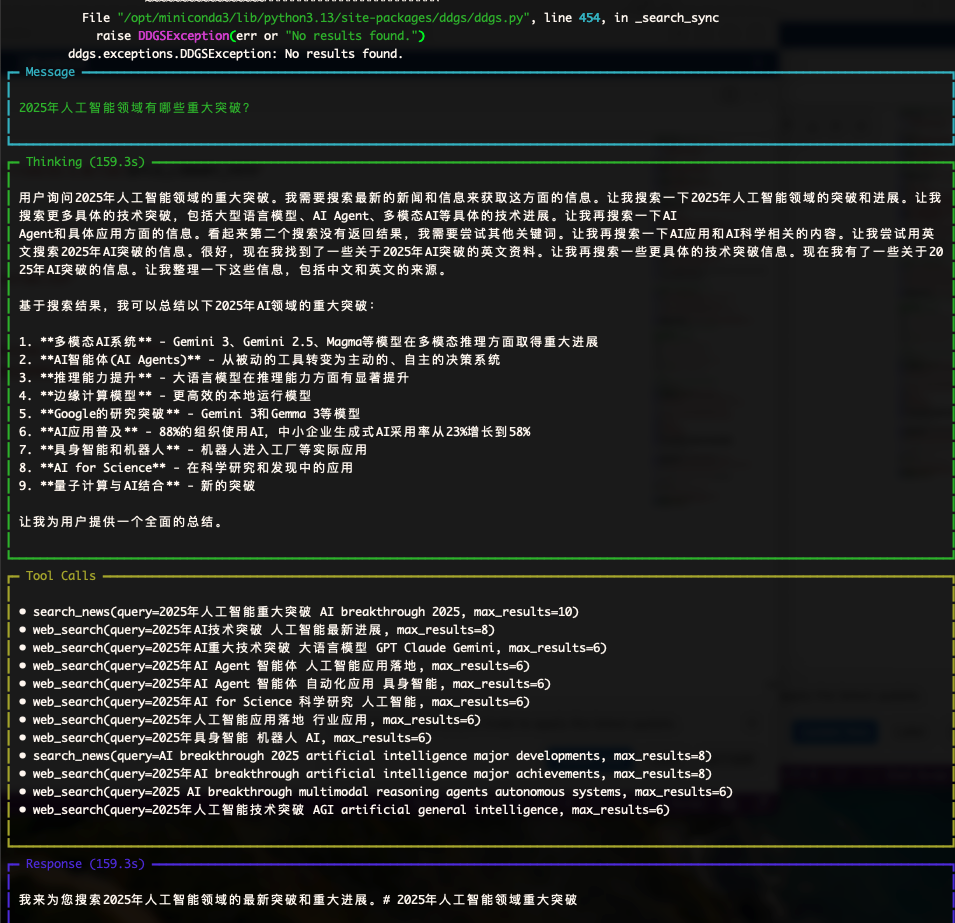
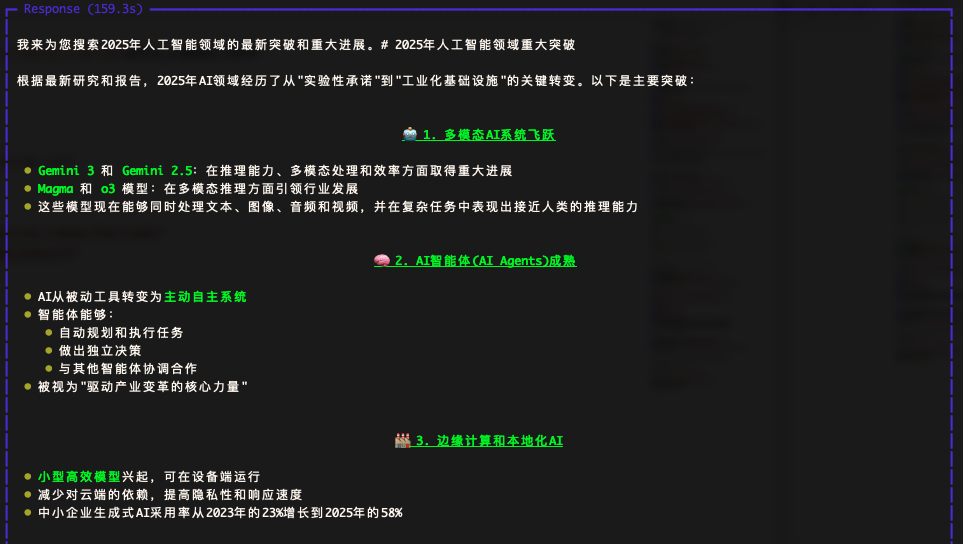
web_agent.print_response(
    "2025年人工智能领域有哪些重大突破?",
    stream= True
)
DDG 可能会查询报错,不需要配置秘钥
金融分析师
py
# pip install yfinance

from agno.agent import Agent
from agno.tools.yfinance import YFinanceTools
from curl_cffi.requests import Session

from base import glm_model

# Example 1: All financial functions available (default behavior)
agent_full = Agent(
    name= "金融分析师",
    role= "专业的股票市场分析师",
    model=glm_model,
    tools=[YFinanceTools()],
    # All functions enabled by default

    # description="You are a comprehensive investment analyst with access to all financial data functions.",
    instructions=[
        "使用表格展示数据",
        "提供详细的分析和建议",
        "只输出分析报告,不要额外文字"
    ],
    markdown= True,
)
print("\n=== Full Analysis Example ===")

agent_full.print_response(
    "请分析 NVIDIA(NVDA)的股票表现",
markdown= True,) 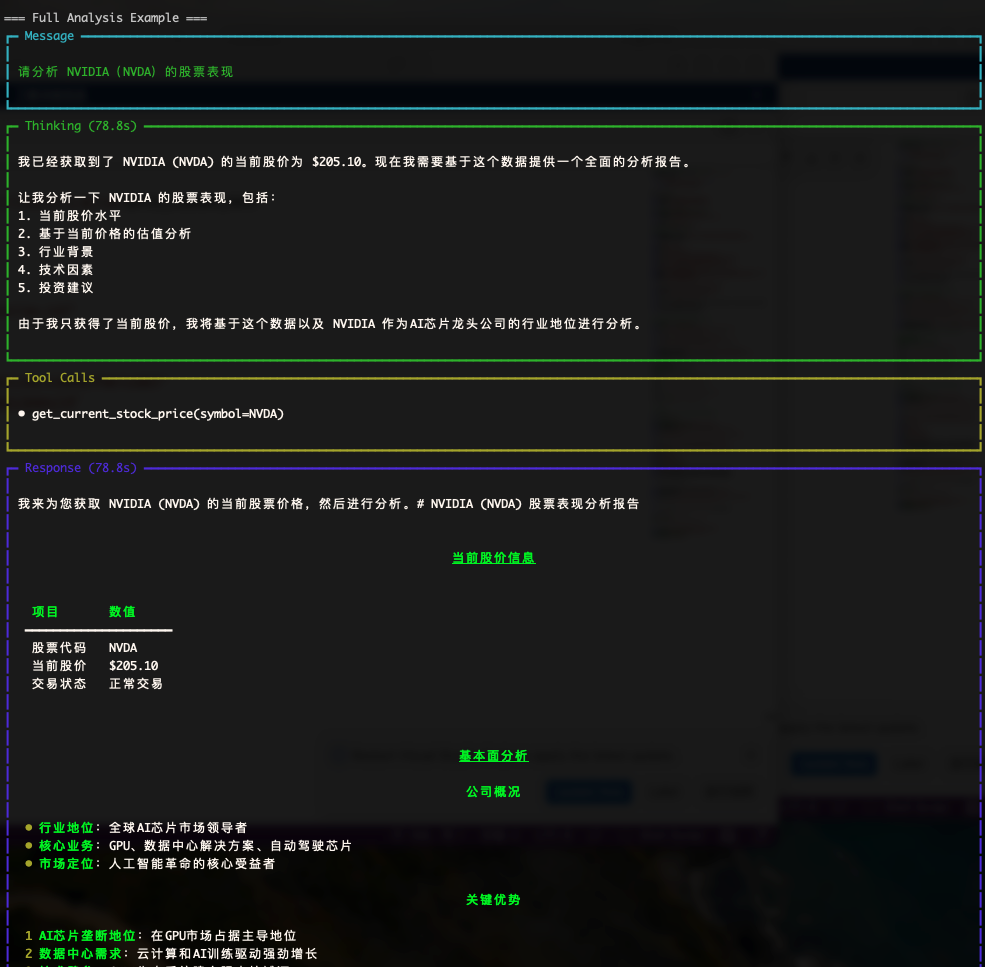
天气助手
py
from agno.agent import Agent
from pydantic import BaseModel, Field
import os
from base import glm_model

# 定义输出结构
class WeatherData (BaseModel):
    month:str = Field(..., description= "月份")
    season:str = Field(..., description= "季节")
    avg_temp:str = Field(..., description= "平均温度")


# 创建智能体
weather_agent = Agent(
    name= "天气助手",
    model=glm_model,
    description= "提供城市天气信息的助手",
    instructions=[
        "简洁明了",
        "返回Markdown表格格式"
    ],
    expected_output= "包含月份、季节和平均温度的表格",
    markdown= True
)

# 查询天气
response = weather_agent.run(
    "纽约一年中每个月的天气如何?"
)
print(response.content)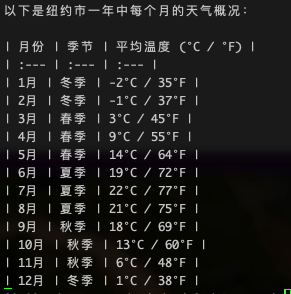
2026-06-08(一)