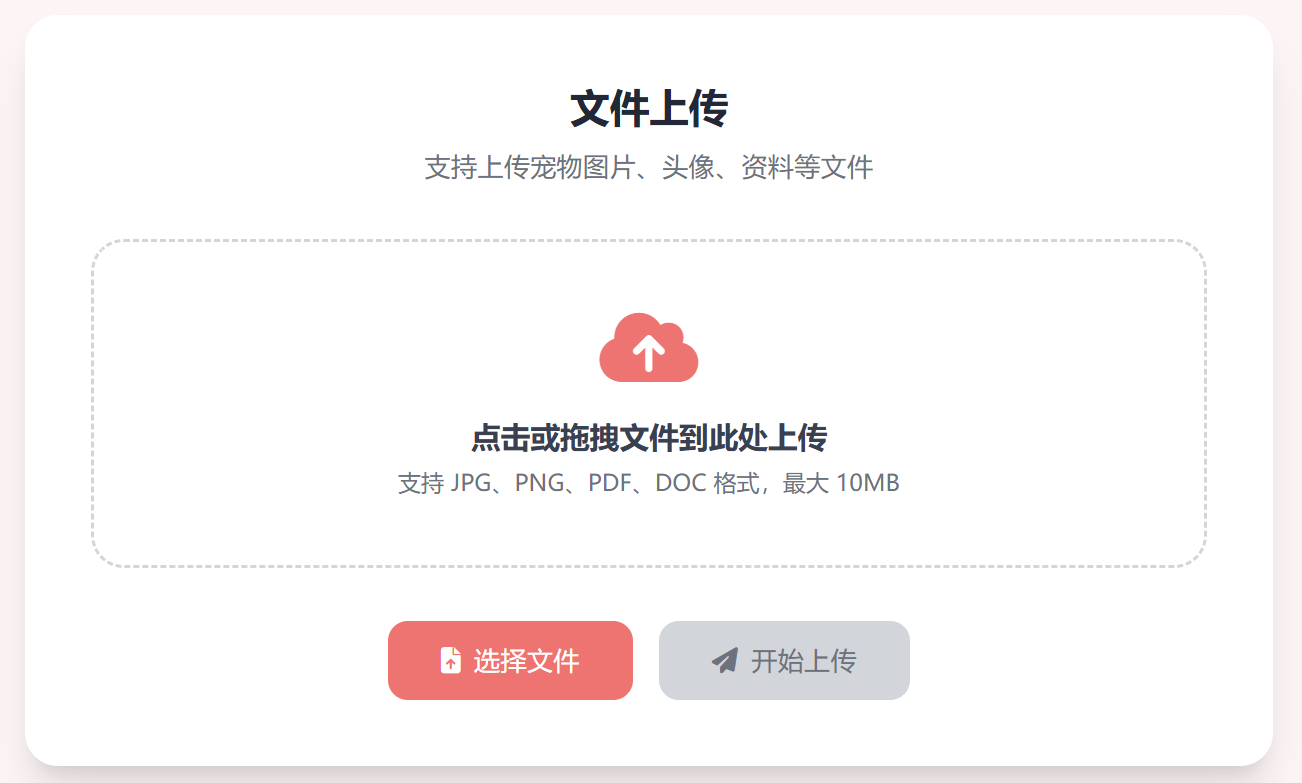
文件上传页面
🚀 一、单文件上传
核心逻辑
- 获取单个上传文件
- 校验文件是否存在
- 生成唯一文件名(纳秒时间戳)
- 保存文件到本地目录
- 返回标准化响应
Handler 代码
// SingleFileUpload 单文件上传
// 前端form表单key:file
func SingleFileUpload(c *gin.Context) {
	// 1. 获取单个文件
	file, err := c.FormFile("file")
	if err != nil {
		c.JSON(http.StatusBadRequest, gin.H{
			"code": 400,
			"msg":  "获取上传文件失败",
			"err":  err.Error(),
		})
		return
	}

	// 2. 生成唯一文件名,防止重名覆盖
	ext := filepath.Ext(file.Filename) // 获取文件后缀
	fileName := fmt.Sprintf("%d%s", time.Now().UnixNano(), ext)
	savePath := "./upload/" + fileName // 保存路径

	// 3. 保存文件到服务器
	err = c.SaveUploadedFile(file, savePath)
	if err != nil {
		c.JSON(http.StatusInternalServerError, gin.H{
			"code": 500,
			"msg":  "文件保存失败",
			"err":  err.Error(),
		})
		return
	}

	// 4. 返回成功结果
	c.JSON(http.StatusOK, gin.H{
		"code":     200,
		"msg":      "单文件上传成功",
		"file_name": fileName,
		"file_size": file.Size,
	})
}
文件信息保存数据库
	fileInfo := model.File{}
	fileInfo.Name = file.Filename
	fileInfo.Size = fmt.Sprintf("%.2f MB", float64(file.Size)/1024/1024)
	fileInfo.Type = strings.TrimLeft(ext, ".")
	fileInfo.Time = time.Now().Format(time.DateOnly)
	fileInfo.Url = filename
	err = service.SaveFile(fileInfo)
	if err != nil {
		c.JSON(http.StatusInternalServerError, gin.H{
			"code": 500,
			"msg":  "文件信息保存失败",
		})
		return
	}
📂 二、多文件上传
核心逻辑
- 解析多文件表单
- 获取文件列表并校验
- 遍历文件批量保存
- 统计上传结果
- 返回完整响应数据
Handler 代码
// MultiFileUpload 多文件上传
// 前端form表单key:file(支持多选)
func MultiFileUpload(c *gin.Context) {
	// 1. 解析multipart表单
	form, err := c.MultipartForm()
	if err != nil {
		c.JSON(http.StatusBadRequest, gin.H{
			"code": 400,
			"msg":  "解析上传表单失败",
			"err":  err.Error(),
		})
		return
	}

	// 2. 获取所有上传文件
	files := form.File["file"]
	if len(files) == 0 {
		c.JSON(http.StatusBadRequest, gin.H{
			"code": 400,
			"msg":  "未选择任何上传文件",
		})
		return
	}

	// 存储成功的文件名
	var successFiles []string

	// 3. 遍历保存所有文件
	for _, file := range files {
		ext := filepath.Ext(file.Filename)
		fileName := fmt.Sprintf("%d%s", time.Now().UnixNano(), ext)
		savePath := "./upload/" + fileName

		// 保存单个文件
		if err := c.SaveUploadedFile(file, savePath); err == nil {
			successFiles = append(successFiles, fileName)
		}
	}

	// 4. 返回上传结果
	c.JSON(http.StatusOK, gin.H{
		"code":          200,
		"msg":           "多文件上传完成",
		"total_count":   len(files),       // 总文件数
		"success_count": len(successFiles), // 成功上传数
		"files":         successFiles,      // 成功文件名列表
	})
}
✅ 三、核心知识点总结
- 单文件 :
c.FormFile("file") 获取文件 + c.SaveUploadedFile() 保存
- 多文件 :
c.MultipartForm() 解析表单 + 遍历批量保存
- 唯一命名 :
time.Now().UnixNano() 生成纳秒时间戳,彻底避免文件覆盖
四、文件下载

HTML关键代码
<a href="/download/${file.url}" download >
    <i class="fas fa-download"></i>
</a>
Handler 代码
func GetDownloadFile(c *gin.Context) {
	url := c.Param("url")
	c.FileAttachment("C:/Users/87417/Desktop/2/"+url, url)
}