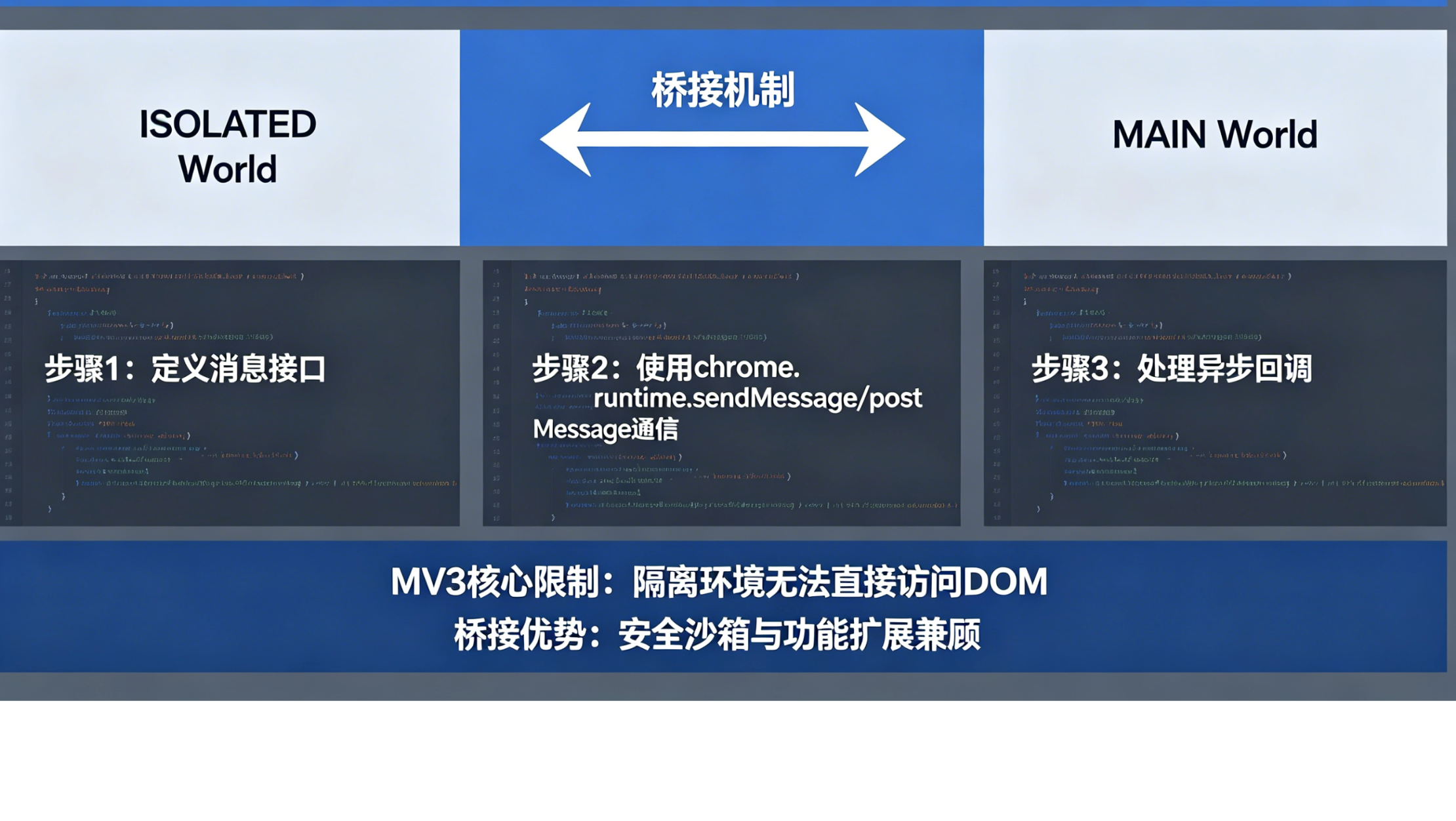
破解 Chrome 扩展的「两世界难题」:MV3 下的 ISOLATED 与 MAIN World 桥接之道
你的 Content Script 能调用
chrome.storage,却摸不到网页的window.data;你的页面脚本能读取任何 DOM 和 JS 对象,却喊不动任何扩展 API。
这就是 Manifest V3 中最经典的 两世界难题 。而它的解法,叫做 Bridge。
1. 两个世界,两种能力
在 Chrome 扩展的 MV3 架构中,每个标签页里至少存在两个完全隔离的 JavaScript 执行环境:
- ISOLATED World :扩展默认的"沙盒世界"。这里的脚本(即 Content Script)拥有完整的
chrome.*API 权限,可以操作 DOM,但无法访问 网页自身定义的任何 JavaScript 变量、函数或对象(例如window.myApp、window.$)。 - MAIN World :网页本身的"原生世界"。这里的脚本就是页面加载的 JS,能与页面的所有 JS 对象深度交互,但无法调用任何扩展 API (如
chrome.storage、chrome.runtime)。
这种设计是出于安全和隔离的考虑:既防止恶意网页污染扩展的特权上下文,也避免扩展的变量意外覆盖网页的逻辑。
#mermaid-svg-368Vi4sipYPalouW{font-family:"trebuchet ms",verdana,arial,sans-serif;font-size:16px;fill:#333;}@keyframes edge-animation-frame{from{stroke-dashoffset:0;}}@keyframes dash{to{stroke-dashoffset:0;}}#mermaid-svg-368Vi4sipYPalouW .edge-animation-slow{stroke-dasharray:9,5!important;stroke-dashoffset:900;animation:dash 50s linear infinite;stroke-linecap:round;}#mermaid-svg-368Vi4sipYPalouW .edge-animation-fast{stroke-dasharray:9,5!important;stroke-dashoffset:900;animation:dash 20s linear infinite;stroke-linecap:round;}#mermaid-svg-368Vi4sipYPalouW .error-icon{fill:#552222;}#mermaid-svg-368Vi4sipYPalouW .error-text{fill:#552222;stroke:#552222;}#mermaid-svg-368Vi4sipYPalouW .edge-thickness-normal{stroke-width:1px;}#mermaid-svg-368Vi4sipYPalouW .edge-thickness-thick{stroke-width:3.5px;}#mermaid-svg-368Vi4sipYPalouW .edge-pattern-solid{stroke-dasharray:0;}#mermaid-svg-368Vi4sipYPalouW .edge-thickness-invisible{stroke-width:0;fill:none;}#mermaid-svg-368Vi4sipYPalouW .edge-pattern-dashed{stroke-dasharray:3;}#mermaid-svg-368Vi4sipYPalouW .edge-pattern-dotted{stroke-dasharray:2;}#mermaid-svg-368Vi4sipYPalouW .marker{fill:#333333;stroke:#333333;}#mermaid-svg-368Vi4sipYPalouW .marker.cross{stroke:#333333;}#mermaid-svg-368Vi4sipYPalouW svg{font-family:"trebuchet ms",verdana,arial,sans-serif;font-size:16px;}#mermaid-svg-368Vi4sipYPalouW p{margin:0;}#mermaid-svg-368Vi4sipYPalouW .label{font-family:"trebuchet ms",verdana,arial,sans-serif;color:#333;}#mermaid-svg-368Vi4sipYPalouW .cluster-label text{fill:#333;}#mermaid-svg-368Vi4sipYPalouW .cluster-label span{color:#333;}#mermaid-svg-368Vi4sipYPalouW .cluster-label span p{background-color:transparent;}#mermaid-svg-368Vi4sipYPalouW .label text,#mermaid-svg-368Vi4sipYPalouW span{fill:#333;color:#333;}#mermaid-svg-368Vi4sipYPalouW .node rect,#mermaid-svg-368Vi4sipYPalouW .node circle,#mermaid-svg-368Vi4sipYPalouW .node ellipse,#mermaid-svg-368Vi4sipYPalouW .node polygon,#mermaid-svg-368Vi4sipYPalouW .node path{fill:#ECECFF;stroke:#9370DB;stroke-width:1px;}#mermaid-svg-368Vi4sipYPalouW .rough-node .label text,#mermaid-svg-368Vi4sipYPalouW .node .label text,#mermaid-svg-368Vi4sipYPalouW .image-shape .label,#mermaid-svg-368Vi4sipYPalouW .icon-shape .label{text-anchor:middle;}#mermaid-svg-368Vi4sipYPalouW .node .katex path{fill:#000;stroke:#000;stroke-width:1px;}#mermaid-svg-368Vi4sipYPalouW .rough-node .label,#mermaid-svg-368Vi4sipYPalouW .node .label,#mermaid-svg-368Vi4sipYPalouW .image-shape .label,#mermaid-svg-368Vi4sipYPalouW .icon-shape .label{text-align:center;}#mermaid-svg-368Vi4sipYPalouW .node.clickable{cursor:pointer;}#mermaid-svg-368Vi4sipYPalouW .root .anchor path{fill:#333333!important;stroke-width:0;stroke:#333333;}#mermaid-svg-368Vi4sipYPalouW .arrowheadPath{fill:#333333;}#mermaid-svg-368Vi4sipYPalouW .edgePath .path{stroke:#333333;stroke-width:2.0px;}#mermaid-svg-368Vi4sipYPalouW .flowchart-link{stroke:#333333;fill:none;}#mermaid-svg-368Vi4sipYPalouW .edgeLabel{background-color:rgba(232,232,232, 0.8);text-align:center;}#mermaid-svg-368Vi4sipYPalouW .edgeLabel p{background-color:rgba(232,232,232, 0.8);}#mermaid-svg-368Vi4sipYPalouW .edgeLabel rect{opacity:0.5;background-color:rgba(232,232,232, 0.8);fill:rgba(232,232,232, 0.8);}#mermaid-svg-368Vi4sipYPalouW .labelBkg{background-color:rgba(232, 232, 232, 0.5);}#mermaid-svg-368Vi4sipYPalouW .cluster rect{fill:#ffffde;stroke:#aaaa33;stroke-width:1px;}#mermaid-svg-368Vi4sipYPalouW .cluster text{fill:#333;}#mermaid-svg-368Vi4sipYPalouW .cluster span{color:#333;}#mermaid-svg-368Vi4sipYPalouW div.mermaidTooltip{position:absolute;text-align:center;max-width:200px;padding:2px;font-family:"trebuchet ms",verdana,arial,sans-serif;font-size:12px;background:hsl(80, 100%, 96.2745098039%);border:1px solid #aaaa33;border-radius:2px;pointer-events:none;z-index:100;}#mermaid-svg-368Vi4sipYPalouW .flowchartTitleText{text-anchor:middle;font-size:18px;fill:#333;}#mermaid-svg-368Vi4sipYPalouW rect.text{fill:none;stroke-width:0;}#mermaid-svg-368Vi4sipYPalouW .icon-shape,#mermaid-svg-368Vi4sipYPalouW .image-shape{background-color:rgba(232,232,232, 0.8);text-align:center;}#mermaid-svg-368Vi4sipYPalouW .icon-shape p,#mermaid-svg-368Vi4sipYPalouW .image-shape p{background-color:rgba(232,232,232, 0.8);padding:2px;}#mermaid-svg-368Vi4sipYPalouW .icon-shape .label rect,#mermaid-svg-368Vi4sipYPalouW .image-shape .label rect{opacity:0.5;background-color:rgba(232,232,232, 0.8);fill:rgba(232,232,232, 0.8);}#mermaid-svg-368Vi4sipYPalouW .label-icon{display:inline-block;height:1em;overflow:visible;vertical-align:-0.125em;}#mermaid-svg-368Vi4sipYPalouW .node .label-icon path{fill:currentColor;stroke:revert;stroke-width:revert;}#mermaid-svg-368Vi4sipYPalouW :root{--mermaid-font-family:"trebuchet ms",verdana,arial,sans-serif;} 扩展进程
浏览器标签页
ISOLATED World
MAIN World
chrome.runtime API
window.postMessage
window.postMessage
网页自身脚本
可访问 window、DOM、fetch
扩展注入的 MAIN 脚本
(需通过 manifest 指定 world:'MAIN')
Content Script
(默认 world:'ISOLATED')
Background Service Worker
处理存储、网络、生命周期
✅ 可读取网页任意 JS 变量
❌ 无 chrome API
✅ 完整 chrome API 权限
❌ 看不到网页 JS 对象
2. 两世界难题:为什么非得 Bridge?
假设你要写一个针对 YouTube 的扩展,需要读取 ytInitialData 这个页面内部对象,然后调用 chrome.storage 保存起来。
单独任何一个世界都做不到:
- 在 ISOLATED World 中 :
console.log(window.ytInitialData)→undefined(隔离了) - 在 MAIN World 中 :能读到
ytInitialData,但chrome.storage.local.set(...)→TypeError: Cannot read property 'local' of undefined
于是你必须同时注入两个世界的脚本,并让它们相互通信。这就是 Bridge 模式的由来。
3. Bridge 的核心:window.postMessage
浏览器提供了 postMessage 方法,允许不同执行环境(包括不同 World)之间发送消息。结合自定义事件或直接监听 message 事件,就能搭建一座安全的消息桥。
3.1 基础版:从 MAIN World 发送数据到 ISOLATED World
step 1 :在 manifest.json 中声明同时注入两个脚本(注意 world 字段)
json
{
  "manifest_version": 3,
  "name": "Two Worlds Bridge Demo",
  "content_scripts": [
    {
      "js": ["content.js"],
      "matches": ["<all_urls>"],
      "run_at": "document_idle"
    },
    {
      "js": ["main-world.js"],
      "matches": ["<all_urls>"],
      "run_at": "document_start",
      "world": "MAIN"   // 关键:指定注入到 MAIN World
    }
  ]
}
step 2 :main-world.js 读取页面数据,通过 postMessage 发送
javascript
// main-world.js (运行于 MAIN World)
(function() {
  // 读取网页内部的私有数据
  const pageData = window.__SECRET_DATA__ || { user: "anonymous" };

  window.postMessage({
    source: "my-extension-main",
    type: "PAGE_DATA",
    payload: pageData
  }, "*");
})();
step 3 :content.js(ISOLATED World)监听消息,并调用扩展 API
javascript
// content.js (运行于 ISOLATED World)
window.addEventListener("message", (event) => {
  // 必须验证消息来源,防止恶意网页伪造消息
  if (event.source !== window) return;
  if (event.data?.source !== "my-extension-main") return;

  if (event.data.type === "PAGE_DATA") {
    chrome.storage.local.set({ pageData: event.data.payload }, () => {
      console.log("数据已保存", event.data.payload);
    });
  }
});
3.2 双向通信:ISOLATED World 向 MAIN World 发送请求
有时候我们需要 MAIN World 去做一些事情,比如修改页面上的某个全局变量,或者调用页面提供的一个函数。同样用 postMessage 反向发送即可。
javascript
// content.js (ISOLATED)
chrome.storage.local.get("config", (result) => {
  window.postMessage({
    source: "my-extension-isolated",
    type: "UPDATE_CONFIG",
    payload: result.config
  }, "*");
});
javascript
// main-world.js (MAIN)
window.addEventListener("message", (event) => {
  if (event.source !== window) return;
  if (event.data?.source !== "my-extension-isolated") return;

  if (event.data.type === "UPDATE_CONFIG") {
    // 直接修改页面的全局配置
    window.myAppConfig = event.data.payload;
  }
});
完整的双向 Bridge 流程如下图所示:
Background (Service Worker) ISOLATED World MAIN World Background (Service Worker) ISOLATED World MAIN World #mermaid-svg-RQWSeZVX3ZDuPol7{font-family:"trebuchet ms",verdana,arial,sans-serif;font-size:16px;fill:#333;}@keyframes edge-animation-frame{from{stroke-dashoffset:0;}}@keyframes dash{to{stroke-dashoffset:0;}}#mermaid-svg-RQWSeZVX3ZDuPol7 .edge-animation-slow{stroke-dasharray:9,5!important;stroke-dashoffset:900;animation:dash 50s linear infinite;stroke-linecap:round;}#mermaid-svg-RQWSeZVX3ZDuPol7 .edge-animation-fast{stroke-dasharray:9,5!important;stroke-dashoffset:900;animation:dash 20s linear infinite;stroke-linecap:round;}#mermaid-svg-RQWSeZVX3ZDuPol7 .error-icon{fill:#552222;}#mermaid-svg-RQWSeZVX3ZDuPol7 .error-text{fill:#552222;stroke:#552222;}#mermaid-svg-RQWSeZVX3ZDuPol7 .edge-thickness-normal{stroke-width:1px;}#mermaid-svg-RQWSeZVX3ZDuPol7 .edge-thickness-thick{stroke-width:3.5px;}#mermaid-svg-RQWSeZVX3ZDuPol7 .edge-pattern-solid{stroke-dasharray:0;}#mermaid-svg-RQWSeZVX3ZDuPol7 .edge-thickness-invisible{stroke-width:0;fill:none;}#mermaid-svg-RQWSeZVX3ZDuPol7 .edge-pattern-dashed{stroke-dasharray:3;}#mermaid-svg-RQWSeZVX3ZDuPol7 .edge-pattern-dotted{stroke-dasharray:2;}#mermaid-svg-RQWSeZVX3ZDuPol7 .marker{fill:#333333;stroke:#333333;}#mermaid-svg-RQWSeZVX3ZDuPol7 .marker.cross{stroke:#333333;}#mermaid-svg-RQWSeZVX3ZDuPol7 svg{font-family:"trebuchet ms",verdana,arial,sans-serif;font-size:16px;}#mermaid-svg-RQWSeZVX3ZDuPol7 p{margin:0;}#mermaid-svg-RQWSeZVX3ZDuPol7 .actor{stroke:hsl(259.6261682243, 59.7765363128%, 87.9019607843%);fill:#ECECFF;}#mermaid-svg-RQWSeZVX3ZDuPol7 text.actor>tspan{fill:black;stroke:none;}#mermaid-svg-RQWSeZVX3ZDuPol7 .actor-line{stroke:hsl(259.6261682243, 59.7765363128%, 87.9019607843%);}#mermaid-svg-RQWSeZVX3ZDuPol7 .innerArc{stroke-width:1.5;stroke-dasharray:none;}#mermaid-svg-RQWSeZVX3ZDuPol7 .messageLine0{stroke-width:1.5;stroke-dasharray:none;stroke:#333;}#mermaid-svg-RQWSeZVX3ZDuPol7 .messageLine1{stroke-width:1.5;stroke-dasharray:2,2;stroke:#333;}#mermaid-svg-RQWSeZVX3ZDuPol7 #arrowhead path{fill:#333;stroke:#333;}#mermaid-svg-RQWSeZVX3ZDuPol7 .sequenceNumber{fill:white;}#mermaid-svg-RQWSeZVX3ZDuPol7 #sequencenumber{fill:#333;}#mermaid-svg-RQWSeZVX3ZDuPol7 #crosshead path{fill:#333;stroke:#333;}#mermaid-svg-RQWSeZVX3ZDuPol7 .messageText{fill:#333;stroke:none;}#mermaid-svg-RQWSeZVX3ZDuPol7 .labelBox{stroke:hsl(259.6261682243, 59.7765363128%, 87.9019607843%);fill:#ECECFF;}#mermaid-svg-RQWSeZVX3ZDuPol7 .labelText,#mermaid-svg-RQWSeZVX3ZDuPol7 .labelText>tspan{fill:black;stroke:none;}#mermaid-svg-RQWSeZVX3ZDuPol7 .loopText,#mermaid-svg-RQWSeZVX3ZDuPol7 .loopText>tspan{fill:black;stroke:none;}#mermaid-svg-RQWSeZVX3ZDuPol7 .loopLine{stroke-width:2px;stroke-dasharray:2,2;stroke:hsl(259.6261682243, 59.7765363128%, 87.9019607843%);fill:hsl(259.6261682243, 59.7765363128%, 87.9019607843%);}#mermaid-svg-RQWSeZVX3ZDuPol7 .note{stroke:#aaaa33;fill:#fff5ad;}#mermaid-svg-RQWSeZVX3ZDuPol7 .noteText,#mermaid-svg-RQWSeZVX3ZDuPol7 .noteText>tspan{fill:black;stroke:none;}#mermaid-svg-RQWSeZVX3ZDuPol7 .activation0{fill:#f4f4f4;stroke:#666;}#mermaid-svg-RQWSeZVX3ZDuPol7 .activation1{fill:#f4f4f4;stroke:#666;}#mermaid-svg-RQWSeZVX3ZDuPol7 .activation2{fill:#f4f4f4;stroke:#666;}#mermaid-svg-RQWSeZVX3ZDuPol7 .actorPopupMenu{position:absolute;}#mermaid-svg-RQWSeZVX3ZDuPol7 .actorPopupMenuPanel{position:absolute;fill:#ECECFF;box-shadow:0px 8px 16px 0px rgba(0,0,0,0.2);filter:drop-shadow(3px 5px 2px rgb(0 0 0 / 0.4));}#mermaid-svg-RQWSeZVX3ZDuPol7 .actor-man line{stroke:hsl(259.6261682243, 59.7765363128%, 87.9019607843%);fill:#ECECFF;}#mermaid-svg-RQWSeZVX3ZDuPol7 .actor-man circle,#mermaid-svg-RQWSeZVX3ZDuPol7 line{stroke:hsl(259.6261682243, 59.7765363128%, 87.9019607843%);fill:#ECECFF;stroke-width:2px;}#mermaid-svg-RQWSeZVX3ZDuPol7 :root{--mermaid-font-family:"trebuchet ms",verdana,arial,sans-serif;} 读取网页内部对象 反向流程(扩展主动更新页面) postMessage({type:"PAGE_DATA", data}) chrome.storage.set(data) 存储完成 postMessage({type:"STORED_OK"}) chrome.runtime.sendMessage({cmd:"updateTheme"}) postMessage({type:"THEME_UPDATE", theme:"dark"}) 修改页面 CSS / 全局变量
4. 安全加固:别让你的桥成为后门
window.postMessage 广播的消息,网页自身的恶意脚本也能监听到。反之,恶意网页也可以伪造消息发给你的 Content Script。因此一个安全的 Bridge 必须包含身份验证和消息过滤。
4.1 使用唯一令牌(Token)
在扩展初始化时生成一个随机令牌,并通过安全方式(例如 chrome.storage + 动态注入)传递给 MAIN World 脚本。所有 postMessage 携带这个令牌,接收方首先校验令牌。
javascript
// 简化示例:在 ISOLATED 生成令牌并注入到 MAIN
const token = crypto.randomUUID();
// 通过 DOM 属性传递(MAIN 脚本可以读取)
document.documentElement.dataset.bridgeToken = token;
javascript
// MAIN World 脚本读取令牌并携带在所有消息中
const token = document.documentElement.dataset.bridgeToken;
window.postMessage({ source: "ext", token, type: "DATA", payload }, "*");
javascript
// ISOLATED 监听时校验 token
if (event.data.token !== expectedToken) return;
4.2 严格校验消息结构和类型
使用 TypeScript 或运行时 schema 校验(如 Zod),拒绝任何不符合预期格式的消息。
javascript
const ALLOWED_TYPES = ["PAGE_DATA", "UPDATE_CONFIG", "PING"];
if (!ALLOWED_TYPES.includes(event.data.type)) return;
4.3 最小化 * 目标
postMessage 的第二个参数尽量指定具体的 origin,而不是 "*"。不过由于你的扩展可能运行在任意网站,通常只能写 "*",因此必须加强消息内容校验。
5. 高级技巧:动态注入与 chrome.scripting
除了在 manifest.json 中静态声明 world: "MAIN" 的脚本,你也可以使用 chrome.scripting API 动态注入。这种方式更灵活,适合按需注入的场景。
javascript
// 在 Background 或 Content Script 中执行
async function injectMainWorld() {
  const [tab] = await chrome.tabs.query({ active: true, currentWindow: true });
  await chrome.scripting.executeScript({
    target: { tabId: tab.id },
    func: () => {
      // 这段代码会运行在 MAIN World
      window.customData = { from: "dynamic injection" };
    },
    world: "MAIN"   // 关键参数
  });
}
6. 实战案例:Hook fetch 请求并记录到扩展存储
这个例子展示了 Bridge 解决实际问题的典型流程:
- MAIN World :拦截全局
fetch,获取请求 URL 和响应数据。 - ISOLATED World :接收到数据后调用
chrome.storage保存。 - Background:负责将存储的数据同步到远端服务器。
#mermaid-svg-cunJOxCBCU1cYhcY{font-family:"trebuchet ms",verdana,arial,sans-serif;font-size:16px;fill:#333;}@keyframes edge-animation-frame{from{stroke-dashoffset:0;}}@keyframes dash{to{stroke-dashoffset:0;}}#mermaid-svg-cunJOxCBCU1cYhcY .edge-animation-slow{stroke-dasharray:9,5!important;stroke-dashoffset:900;animation:dash 50s linear infinite;stroke-linecap:round;}#mermaid-svg-cunJOxCBCU1cYhcY .edge-animation-fast{stroke-dasharray:9,5!important;stroke-dashoffset:900;animation:dash 20s linear infinite;stroke-linecap:round;}#mermaid-svg-cunJOxCBCU1cYhcY .error-icon{fill:#552222;}#mermaid-svg-cunJOxCBCU1cYhcY .error-text{fill:#552222;stroke:#552222;}#mermaid-svg-cunJOxCBCU1cYhcY .edge-thickness-normal{stroke-width:1px;}#mermaid-svg-cunJOxCBCU1cYhcY .edge-thickness-thick{stroke-width:3.5px;}#mermaid-svg-cunJOxCBCU1cYhcY .edge-pattern-solid{stroke-dasharray:0;}#mermaid-svg-cunJOxCBCU1cYhcY .edge-thickness-invisible{stroke-width:0;fill:none;}#mermaid-svg-cunJOxCBCU1cYhcY .edge-pattern-dashed{stroke-dasharray:3;}#mermaid-svg-cunJOxCBCU1cYhcY .edge-pattern-dotted{stroke-dasharray:2;}#mermaid-svg-cunJOxCBCU1cYhcY .marker{fill:#333333;stroke:#333333;}#mermaid-svg-cunJOxCBCU1cYhcY .marker.cross{stroke:#333333;}#mermaid-svg-cunJOxCBCU1cYhcY svg{font-family:"trebuchet ms",verdana,arial,sans-serif;font-size:16px;}#mermaid-svg-cunJOxCBCU1cYhcY p{margin:0;}#mermaid-svg-cunJOxCBCU1cYhcY .label{font-family:"trebuchet ms",verdana,arial,sans-serif;color:#333;}#mermaid-svg-cunJOxCBCU1cYhcY .cluster-label text{fill:#333;}#mermaid-svg-cunJOxCBCU1cYhcY .cluster-label span{color:#333;}#mermaid-svg-cunJOxCBCU1cYhcY .cluster-label span p{background-color:transparent;}#mermaid-svg-cunJOxCBCU1cYhcY .label text,#mermaid-svg-cunJOxCBCU1cYhcY span{fill:#333;color:#333;}#mermaid-svg-cunJOxCBCU1cYhcY .node rect,#mermaid-svg-cunJOxCBCU1cYhcY .node circle,#mermaid-svg-cunJOxCBCU1cYhcY .node ellipse,#mermaid-svg-cunJOxCBCU1cYhcY .node polygon,#mermaid-svg-cunJOxCBCU1cYhcY .node path{fill:#ECECFF;stroke:#9370DB;stroke-width:1px;}#mermaid-svg-cunJOxCBCU1cYhcY .rough-node .label text,#mermaid-svg-cunJOxCBCU1cYhcY .node .label text,#mermaid-svg-cunJOxCBCU1cYhcY .image-shape .label,#mermaid-svg-cunJOxCBCU1cYhcY .icon-shape .label{text-anchor:middle;}#mermaid-svg-cunJOxCBCU1cYhcY .node .katex path{fill:#000;stroke:#000;stroke-width:1px;}#mermaid-svg-cunJOxCBCU1cYhcY .rough-node .label,#mermaid-svg-cunJOxCBCU1cYhcY .node .label,#mermaid-svg-cunJOxCBCU1cYhcY .image-shape .label,#mermaid-svg-cunJOxCBCU1cYhcY .icon-shape .label{text-align:center;}#mermaid-svg-cunJOxCBCU1cYhcY .node.clickable{cursor:pointer;}#mermaid-svg-cunJOxCBCU1cYhcY .root .anchor path{fill:#333333!important;stroke-width:0;stroke:#333333;}#mermaid-svg-cunJOxCBCU1cYhcY .arrowheadPath{fill:#333333;}#mermaid-svg-cunJOxCBCU1cYhcY .edgePath .path{stroke:#333333;stroke-width:2.0px;}#mermaid-svg-cunJOxCBCU1cYhcY .flowchart-link{stroke:#333333;fill:none;}#mermaid-svg-cunJOxCBCU1cYhcY .edgeLabel{background-color:rgba(232,232,232, 0.8);text-align:center;}#mermaid-svg-cunJOxCBCU1cYhcY .edgeLabel p{background-color:rgba(232,232,232, 0.8);}#mermaid-svg-cunJOxCBCU1cYhcY .edgeLabel rect{opacity:0.5;background-color:rgba(232,232,232, 0.8);fill:rgba(232,232,232, 0.8);}#mermaid-svg-cunJOxCBCU1cYhcY .labelBkg{background-color:rgba(232, 232, 232, 0.5);}#mermaid-svg-cunJOxCBCU1cYhcY .cluster rect{fill:#ffffde;stroke:#aaaa33;stroke-width:1px;}#mermaid-svg-cunJOxCBCU1cYhcY .cluster text{fill:#333;}#mermaid-svg-cunJOxCBCU1cYhcY .cluster span{color:#333;}#mermaid-svg-cunJOxCBCU1cYhcY div.mermaidTooltip{position:absolute;text-align:center;max-width:200px;padding:2px;font-family:"trebuchet ms",verdana,arial,sans-serif;font-size:12px;background:hsl(80, 100%, 96.2745098039%);border:1px solid #aaaa33;border-radius:2px;pointer-events:none;z-index:100;}#mermaid-svg-cunJOxCBCU1cYhcY .flowchartTitleText{text-anchor:middle;font-size:18px;fill:#333;}#mermaid-svg-cunJOxCBCU1cYhcY rect.text{fill:none;stroke-width:0;}#mermaid-svg-cunJOxCBCU1cYhcY .icon-shape,#mermaid-svg-cunJOxCBCU1cYhcY .image-shape{background-color:rgba(232,232,232, 0.8);text-align:center;}#mermaid-svg-cunJOxCBCU1cYhcY .icon-shape p,#mermaid-svg-cunJOxCBCU1cYhcY .image-shape p{background-color:rgba(232,232,232, 0.8);padding:2px;}#mermaid-svg-cunJOxCBCU1cYhcY .icon-shape .label rect,#mermaid-svg-cunJOxCBCU1cYhcY .image-shape .label rect{opacity:0.5;background-color:rgba(232,232,232, 0.8);fill:rgba(232,232,232, 0.8);}#mermaid-svg-cunJOxCBCU1cYhcY .label-icon{display:inline-block;height:1em;overflow:visible;vertical-align:-0.125em;}#mermaid-svg-cunJOxCBCU1cYhcY .node .label-icon path{fill:currentColor;stroke:revert;stroke-width:revert;}#mermaid-svg-cunJOxCBCU1cYhcY :root{--mermaid-font-family:"trebuchet ms",verdana,arial,sans-serif;} 捕获请求/响应
页面发起 fetch
MAIN World Hook
postMessage 到 ISOLATED
ISOLATED 调用 chrome.storage
Background 同步到云端
核心代码片段(MAIN World):
javascript
// main-world.js
const originalFetch = window.fetch;
window.fetch = async function(...args) {
  const response = await originalFetch.apply(this, args);
  const clone = response.clone();
  const body = await clone.text();
  window.postMessage({
    source: "fetch-hook",
    url: args[0],
    status: response.status,
    body: body.substring(0, 500) // 避免过大
  }, "*");
  return response;
};
7. 总结与最佳实践
| 需求 | 使用哪个 World | Bridge 角色 |
|---|---|---|
调用 chrome.storage、runtime.sendMessage |
ISOLATED | 消息接收者 / 发送者 |
读取 window.ytInitialData、Hook fetch |
MAIN | 数据采集 / 页面操作 |
| 修改页面全局变量或原型链 | MAIN | 执行者 |
| 将页面数据持久化到扩展存储 | 协作 | MAIN采集 → ISOLATED存储 |
| 从扩展存储读取配置并应用到页面 | 协作 | ISOLATED读取 → MAIN应用 |
记住三个核心原则:
- 注入两个世界 -- 通过
world: "MAIN"或chrome.scripting让脚本进入 MAIN World。 - 安全通信 -- 使用令牌 + 来源校验 + schema 验证,防止消息伪造。
- 最小权限 -- 只监听必要的消息类型,及时清理监听器。
掌握了 Bridge 模式,你就拿到了 Chrome 扩展开发中"既要也要"的万能钥匙。无论是爬取动态渲染的页面数据,还是深度定制网站行为,都可以游刃有余。
本文所有代码示例基于 Manifest V3,Chrome 111+ 验证通过。
遇到问题?欢迎留言讨论。
进一步阅读: