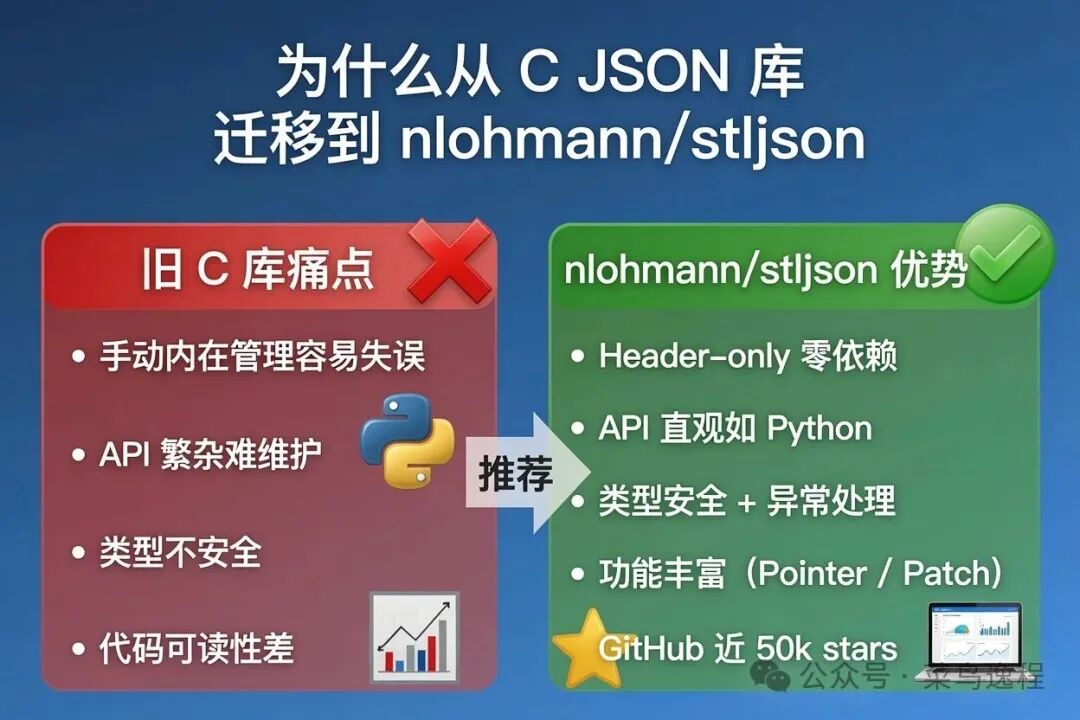
我之前一直用 C 语言的 JSON 库(典型代表是 cJSON)。它虽然轻量,但痛点非常明显:
-
手动内存管理(必须配对 cJSON_Delete,一不小心就内存泄漏或 double-free)
-
API 繁琐,嵌套对象/数组操作写起来像在写"指针体操"
-
类型不安全,全是 cJSON* 指针 + 一堆 cJSON_IsString / cJSON_GetObjectItem 判断
-
在现代 C++ 项目里格格不入,代码可读性和维护性差
后来我切换到 nlohmann::json 后,彻底解放了生产力。它让我真正感受到:JSON 在 C++ 里可以像 Python 的 dict/list 一样自然。
为什么选择 nlohmann/json?(核心理由)
-
Header-only
:只有一个 json.hpp,拖进去就能用,无需编译、无额外依赖。
-
现代 C++ 设计
:利用 C++11/14/17 的特性(初始化列表、范围 for、结构化绑定、模板等),API 极其直观。
-
类型安全 + 异常友好
:get<T>() + contains() + is_null() 组合,远比 C 库安全。
-
功能丰富
:支持 JSON Pointer、JSON Patch、Merge Patch、二进制格式(BSON/CBOR/MessagePack)、自定义类型序列化等。
-
社区与质量
:GitHub 近 50k stars,100% 测试覆盖 + 持续 fuzzing, actively maintained(当前最新 v3.12.0)。
一句话总结 :日常开发选 nlohmann/json,极致性能再考虑 RapidJSON/simdjson。
主流 C++ JSON 库对比(2026 年最新参考)
| 库 | 风格 | 易用性 | 性能 | Header-only | 推荐场景 | 备注 |
|---|---|---|---|---|---|---|
| nlohmann/json | DOM | ★★★★★ | 良好 | 是 | 大多数项目、快速开发 | 最佳平衡 |
| RapidJSON | SAX/DOM | ★★★☆☆ | 极快 | 部分 | 高吞吐解析 | 腾讯出品 |
| Boost.JSON | DOM | ★★★★☆ | 优秀 | 需 Boost | Boost 生态项目 | 性能好但重 |
| jsoncpp | DOM | ★★★☆☆ | 良好 | 否 | 老项目维护 | 较老 |
| simdjson | SAX | ★★☆☆☆ | 极快 | 是 | 超大 JSON、高并发 | 新星 |
结论 :除非你有明确的性能瓶颈(每秒处理百万级 JSON),否则 nlohmann/json 是最优选择。
快速集成方式
cpp
#include "json.hpp"          // 或 <nlohmann/json.hpp>
using json = nlohmann::json;
其他方式:vcpkg、conan、CMake FetchContent 均支持。
nlohmann/json 核心用法实战(完整可运行代码)
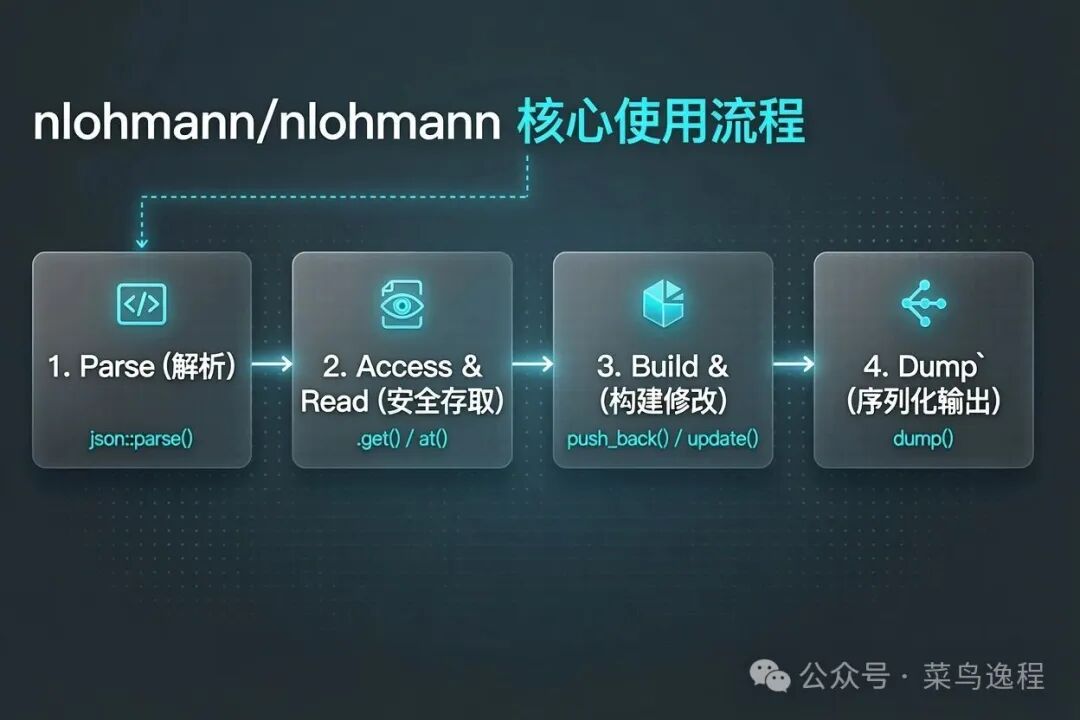
下面直接上生产级代码示例,按功能模块拆解说明。
1. JSON 字符串 ↔ json 对象 转换
cpp
std::string json_str = R"({
    "name": "张三",
    "age": 28,
    "is_student": false,
    "scores": [95.5, 87, 92],
    "address": {
        "city": "上海",
        "detail": null
    }
})";

json j = json::parse(json_str);           // 推荐写法
std::string compact = j.dump();           // 紧凑格式
std::string pretty = j.dump(4); // 4空格美化- 读取数据(安全访问推荐写法)
cpp
// 推荐:get<T>() + contains() 判断
if (j.contains("name") && !j["name"].is_null()) {
    std::string name = j["name"].get<std::string>();
}

int age = j["age"].get<int>();
double first_score = j["scores"][0].get<double>();
std::string city = j["address"]["city"].get<std::string>();

// 类型判断
if (j["scores"].is_array()) { /* ... */ }
if (j["extra"].is_null())   { /* ... */ }

// 遍历对象
for (auto& [key, value] : j.items()) {
    std::cout << key << ": " << value << "\n";
}

// 遍历数组
for (auto& score : j["scores"]) {
    std::cout << score << " ";
}- 组装 JSON(最常用方式)
cpp
json root = {
    {"name", "王五"},
    {"age", 30},
    {"married", false},
    {"children", nullptr},
    {"hobbies", {"游泳", "阅读", "编程"}},
    {"contact", {
        {"email", "wangwu@example.com"},
        {"phone", "13800138000"}
    }},
    {"scores", {98.5, 87.0, 95.0}}
};

std::cout << root.dump(4) << std::endl;
4. 实际项目中的复杂场景:遍历 JSON 数组 + 按 key 提取字段
这是我真实项目中经常遇到的结构(硬件/制造配置类 JSON):
cpp
std::string ai_str = R"([
    {
        "flex": {
            "flex_stackup": "6L_HDI",
            "flex_no_bonding": false,
            "flex_is_multi": true,
            "processbaseoncu": {
                "base_material": "PI",
                "cu_thickness": 18,
                "surface": "ENIG"
            }
        }
    },
    {
        "current": {
            "layer_count": 6,
            "min_line": 0.075,
            "finished_cu": "1oz"
        }
    },
    {
        "meta": {
            "version": "2.1",
            "created": "2026-06-08"
        }
    }
])";

json aiJsonArray = json::parse(ai_str);

std::string flex_stackup;
bool flex_no_bonding = false;
bool flex_is_multi = false;
json processbaseoncu_obj;
json current_obj;

for (const auto& item : aiJsonArray) {
    if (item.contains("flex") && item["flex"].is_object()) {
        const auto& flexObj = item["flex"];
        if (flexObj.contains("flex_stackup"))
            flex_stackup = flexObj["flex_stackup"].get<std::string>();
        if (flexObj.contains("flex_no_bonding"))
            flex_no_bonding = flexObj["flex_no_bonding"].get<bool>();
        if (flexObj.contains("flex_is_multi"))
            flex_is_multi = flexObj["flex_is_multi"].get<bool>();
        if (flexObj.contains("processbaseoncu"))
            processbaseoncu_obj = flexObj["processbaseoncu"];
    }
    if (item.contains("current") && item["current"].is_object()) {
        current_obj = item["current"];
    }
}

// 输出验证
std::cout << "flex_stackup: " << flex_stackup << std::endl;
std::cout << "flex_is_multi: " << flex_is_multi << std::endl;
std::cout << "current layer_count: " << current_obj["layer_count"] << std::endl;
总结与迁移建议
从 C JSON 库迁移到 nlohmann/json 后,我最大的感受是:
-
开发效率提升 3~5 倍
-
Bug 率大幅下降
(尤其是内存和类型相关)
-
代码可读性
像写 Python 一样舒服
迁移小贴士:
-
把所有 cJSON_GetObjectItem 替换成 json"key"
-
把手动 cJSON_Delete 忘掉(RAII 自动管理)
-
多用 contains() + get<T>() + is_xxx() 组合,保证安全
推荐资源:
-
单头文件下载:single_include/nlohmann/json.hpp