项目简介
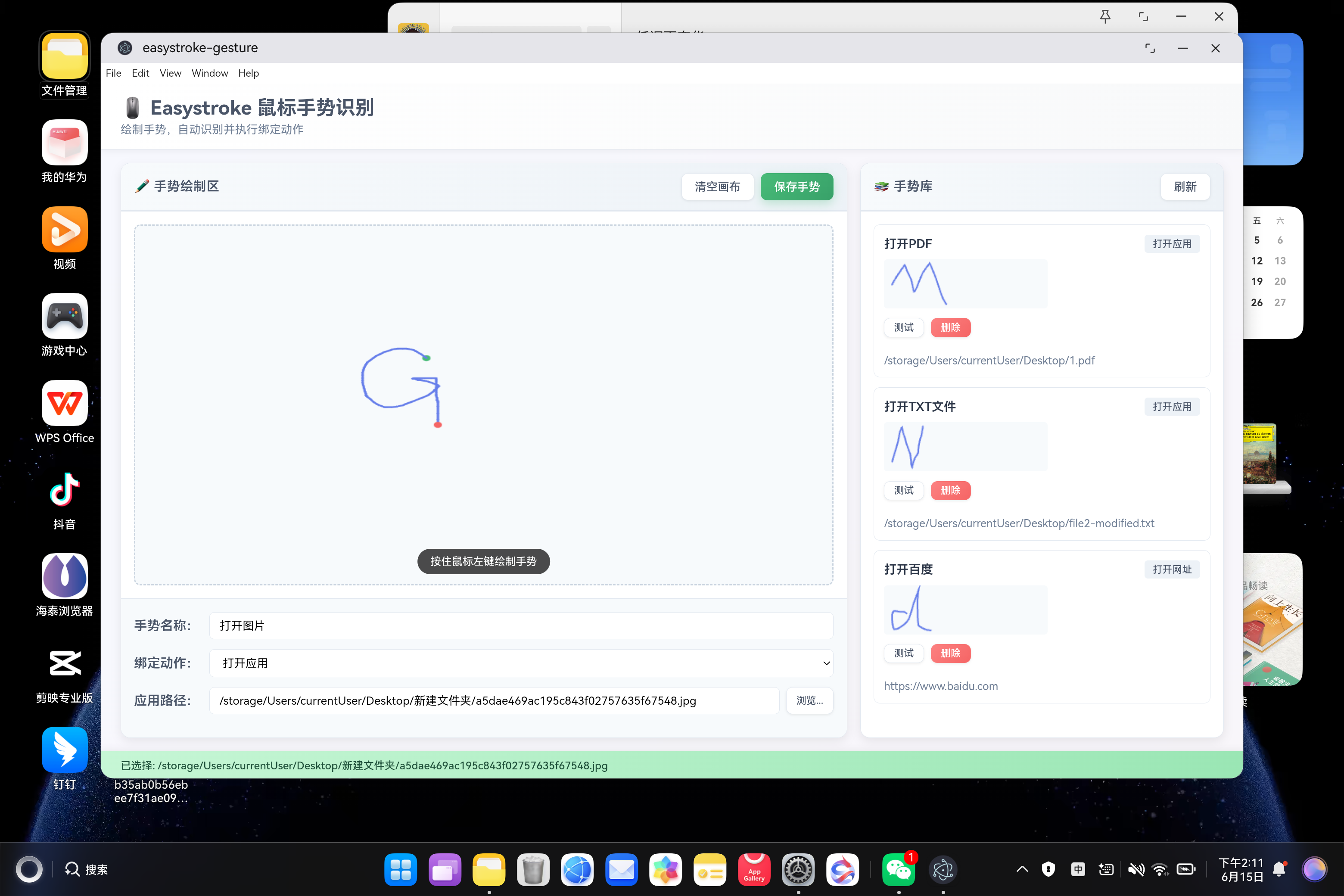
Easystroke 是 Linux 平台知名的开源鼠标手势识别工具,支持 Canvas 手势绘制、几何特征提取、相似度匹配、动作绑定等功能。本项目将其从 Linux 应用迁移到鸿蒙平台,采用 Electron 核心功能 + 鸿蒙壳工程 的架构模式,基于纯 Web 技术实现。
欢迎加入开源鸿蒙 PC 社区:https://harmonypc.csdn.net/
欢迎在 PC 社区平台申请新建项目:https://atomgit.com/OpenHarmonyPCDeveloper
AtomGit 仓库地址:https://atomgit.com/OpenHarmonyPCDeveloper/ohos_easystroke_electron
核心功能
- 🖱️ 手势绘制(使用 Canvas 绘制鼠标/触摸手势,支持触屏设备)
- 🎯 几何特征提取(提取 6 维度特征:弯曲度、闭合度、主方向、方向变化次数、路径效率、尺寸)
- 🔍 相似度匹配(基于加权相似度算法,精确识别手势,阈值 0.2)
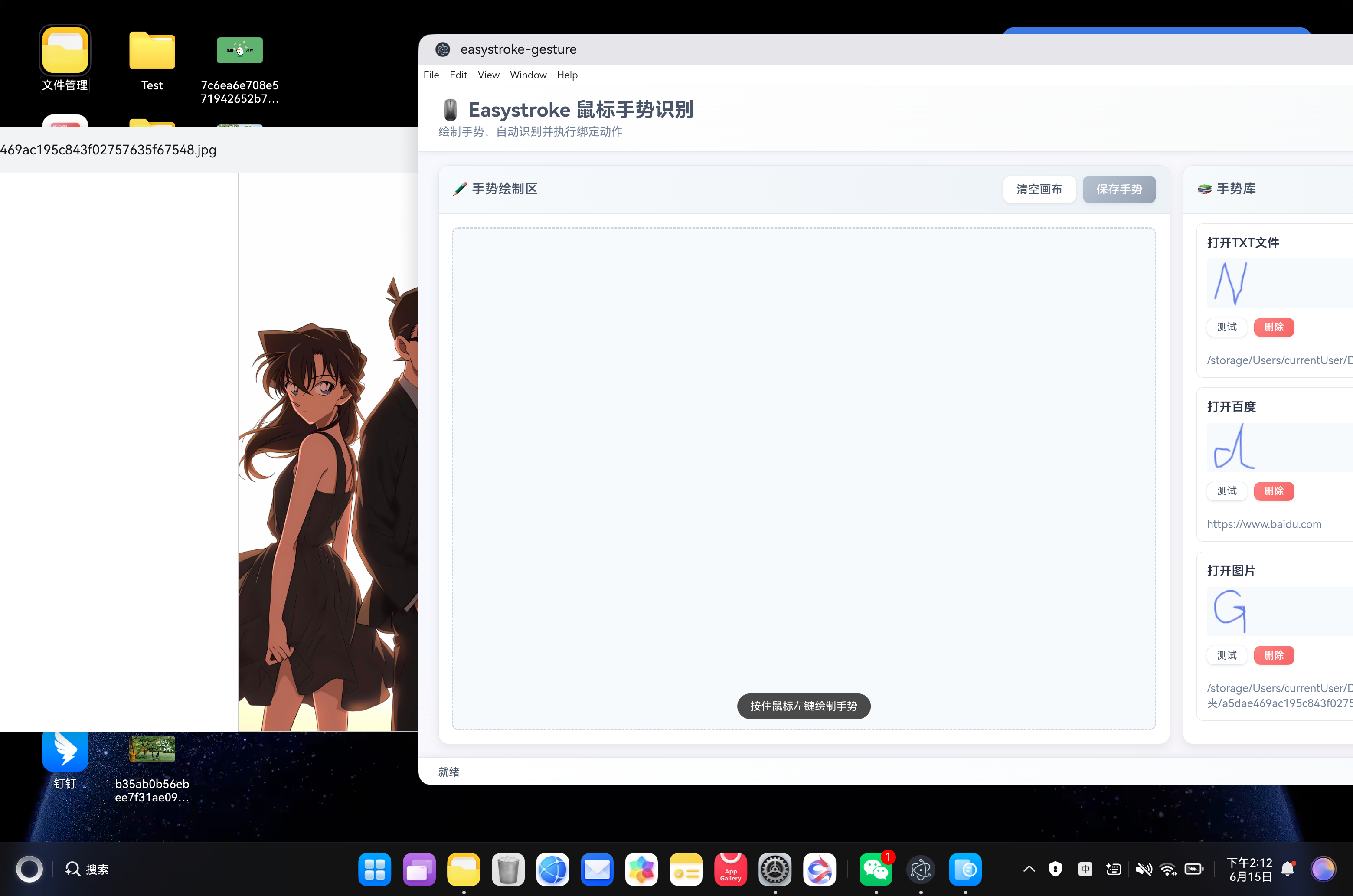
- ⚡ 动作绑定(支持绑定多种动作:复制、粘贴、撤销、打开应用、打开网址、执行命令)
- 💾 手势管理(保存、加载、删除手势,数据持久化到本地)
- 🎨 Canvas 绘制(流畅的手势绘制体验,起点/终点标记,路径平滑)
- 📊 实时反馈(显示识别结果、相似度、手势库数量等信息)
- 🔒 XComponent 防护(7 重防护机制,避免窗口创建和对话框打开时崩溃)
- 📱 响应式布局(自适应窗口大小,支持不同分辨率)
- 🛡️ 安全可靠(纯前端识别算法,URL 协议自动补全,窗口状态检查)
一、技术架构
1.1 原始架构(Linux Desktop)
bash
Easystroke (C++/GTK Linux Desktop)
├── UI 渲染:GTK+ Widget
├── 手势识别:几何特征匹配算法
├── 动作执行:DBus/XDoTool 系统调用
└── 手势存储:XML/SQLite 持久化
1.2 目标架构(鸿蒙 Electron)
bash
鸿蒙壳工程 (ArkTS)
└── web_engine 模块 (XComponent WebView)
    └── Electron 应用 (HTML/CSS/JavaScript)
        ├── main.js - Electron 主进程
        ├── renderer.js - 渲染进程(核心逻辑)
        ├── preload.js - IPC 桥接脚本
        ├── index.html - UI 界面
        ├── package.json - 项目配置
        └── styles/
            └── easystroke.css - 样式文件
1.3 架构优势
- 跨平台:Electron 代码可在 Windows/macOS/Linux 复用
- 快速开发:Web 技术栈,开发效率高
- 易于维护:UI 和业务逻辑分离
- 鸿蒙兼容:通过 WebView 桥接,避开 Native 兼容问题
- 纯前端实现:手势识别算法在前端执行,无需外部依赖
- 零网络依赖:所有资源本地化,离线可用
二、环境准备
2.1 开发环境要求
- 操作系统:Windows 10
- 开发工具:DevEco Studio(鸿蒙官方 IDE)
- HarmonyOS SDK:API 21+
- Node.js:v20+(Electron 依赖)
2.2 项目结构
bash
ohos_hap/
└── web_engine/                   # 鸿蒙 web_engine 模块
    └── src/main/resources/
        └── resfile/resources/app/  # 部署目录
            ├── main.js           # Electron 主进程
            ├── renderer.js       # 渲染进程(核心逻辑)
            ├── preload.js        # IPC 桥接脚本
            ├── index.html        # UI 界面
            ├── package.json      # 项目配置
            └── styles/
                └── easystroke.css  # 现代化样式
└── build-profile.json5           # 鸿蒙构建配置
三、核心适配流程
3.1 第一步:创建 Electron 主进程(main.js)
文件:web_engine/src/main/resources/resfile/resources/app/main.js
javascript
// Easystroke 鼠标手势识别工具 - Electron 主进程
const { app, BrowserWindow, ipcMain, dialog, screen, shell } = require('electron');
const path = require('path');
const fs = require('fs');
const { exec } = require('child_process');

let mainWindow = null;

function createWindow() {
  console.log('Easystroke: Creating window...');

  const mainScreen = screen.getPrimaryDisplay();
  const { width, height } = mainScreen.workAreaSize;

  mainWindow = new BrowserWindow({
    width: Math.floor(width * 0.85),
    height: Math.floor(height * 0.85),
    x: Math.floor(width * 0.075),
    y: Math.floor(height * 0.075),
    show: true, // 鸿蒙系统:直接显示,避免 ready-to-show 触发问题
    frame: true, // 使用系统标题栏
    transparent: false, // 避免 XComponent 冲突
    alwaysOnTop: false,
    hasShadow: true,
    resizable: true, // 必须为 true,false 会导致 XComponent 崩溃
    focusable: true,
    webPreferences: {
      nodeIntegration: false,
      contextIsolation: true,
      preload: path.join(__dirname, 'preload.js')
      // 注意:不要设置 webgl: false 和 sandbox: true,这会导致 XComponent 崩溃
    }
  });

  // 注意:鸿蒙系统不使用 ready-to-show,直接加载页面
  mainWindow.loadFile('index.html').then(() => {
    console.log('Easystroke: 页面加载完成');
  }).catch(err => {
    console.error('Easystroke: 页面加载失败', err);
  });

  mainWindow.on('closed', () => {
    mainWindow = null;
  });

  console.log('Easystroke: Window created');
}

app.whenReady().then(() => {
  // 鸿蒙系统需要延迟创建窗口,等待 XComponent 初始化完成
  // 增加延迟到 1000ms,确保 XComponent 完全就绪
  setTimeout(() => {
    console.log('Easystroke: 开始创建窗口...');
    createWindow();
    setupIpcHandlers();
    console.log('Easystroke 鼠标手势识别工具已启动');
  }, 1000); // 延迟 1000ms(从 500ms 增加)
});

app.on('window-all-closed', () => {
  if (process.platform !== 'darwin') {
    app.quit();
  }
});

app.on('activate', () => {
  if (BrowserWindow.getAllWindows().length === 0) {
    createWindow();
  }
});

function setupIpcHandlers() {
  console.log('Easystroke: Setting up IPC handlers');

  // 保存手势数据
  ipcMain.handle('save-gesture', async (event, gestureData) => {
    try {
      const userDataPath = app.getPath('userData');
      const gestureFilePath = path.join(userDataPath, 'gestures.json');

      let gestures = [];
      if (fs.existsSync(gestureFilePath)) {
        const fileContent = fs.readFileSync(gestureFilePath, 'utf8');
        gestures = JSON.parse(fileContent);
      }

      // 添加新手势
      gestures.push({
        id: Date.now(),
        name: gestureData.name,
        action: gestureData.action,
        points: gestureData.points,
        appPath: gestureData.appPath || null, // 保存应用路径
        createdAt: new Date().toISOString()
      });

      fs.writeFileSync(gestureFilePath, JSON.stringify(gestures, null, 2), 'utf8');

      return { success: true, message: '手势保存成功' };
    } catch (error) {
      console.error('Easystroke: 保存手势失败:', error);
      return { success: false, error: error.message };
    }
  });

  // 加载手势数据
  ipcMain.handle('load-gestures', async () => {
    try {
      const userDataPath = app.getPath('userData');
      const gestureFilePath = path.join(userDataPath, 'gestures.json');

      if (!fs.existsSync(gestureFilePath)) {
        return { gestures: [] };
      }

      const fileContent = fs.readFileSync(gestureFilePath, 'utf8');
      const gestures = JSON.parse(fileContent);

      return { gestures: gestures };
    } catch (error) {
      console.error('Easystroke: 加载手势失败:', error);
      return { error: error.message };
    }
  });

  // 删除手势
  ipcMain.handle('delete-gesture', async (event, gestureId) => {
    try {
      const userDataPath = app.getPath('userData');
      const gestureFilePath = path.join(userDataPath, 'gestures.json');

      if (!fs.existsSync(gestureFilePath)) {
        return { success: false, error: '手势文件不存在' };
      }

      const fileContent = fs.readFileSync(gestureFilePath, 'utf8');
      let gestures = JSON.parse(fileContent);

      gestures = gestures.filter(g => g.id !== gestureId);

      fs.writeFileSync(gestureFilePath, JSON.stringify(gestures, null, 2), 'utf8');

      return { success: true, message: '手势删除成功' };
    } catch (error) {
      console.error('Easystroke: 删除手势失败:', error);
      return { success: false, error: error.message };
    }
  });

  // 执行动作
  ipcMain.handle('execute-action', async (event, action, appPath) => {
    try {
      console.log(`Easystroke: 执行动作 ${action}`, appPath ? `应用: ${appPath}` : '');

      // ✅ 防护:检查窗口状态
      if (!mainWindow || mainWindow.isDestroyed()) {
        console.error('Easystroke: 窗口已销毁,无法执行动作');
        return { success: false, error: '窗口未就绪' };
      }

      // ✅ 防护:确保窗口聚焦
      if (!mainWindow.isFocused()) {
        console.log('Easystroke: 窗口未聚焦,等待 300ms');
        await new Promise(resolve => setTimeout(resolve, 300));
      }

      switch (action) {
        case 'copy':
          // 模拟复制(实际应用中可能需要系统级 API)
          return { success: true, message: '执行复制操作' };

        case 'paste':
          return { success: true, message: '执行粘贴操作' };

        case 'undo':
          return { success: true, message: '执行撤销操作' };

        case 'redo':
          return { success: true, message: '执行重做操作' };

        case 'save':
          return { success: true, message: '执行保存操作' };

        case 'close':
          return { success: true, message: '执行关闭操作' };

        case 'open-app':
          // 打开应用程序
          if (!appPath) {
            return { success: false, error: '未指定应用路径' };
          }

          try {
            console.log('Easystroke: 准备打开应用', appPath);

            // ✅ 防护:检查窗口状态
            if (!mainWindow || mainWindow.isDestroyed()) {
              console.error('Easystroke: 窗口已销毁,无法打开应用');
              return { success: false, error: '窗口未就绪' };
            }

            // ✅ 防护:延迟执行,避免与绘制操作冲突
            await new Promise(resolve => setTimeout(resolve, 500));

            await shell.openPath(appPath);
            return { success: true, message: `已打开应用: ${path.basename(appPath)}` };
          } catch (err) {
            return { success: false, error: `打开应用失败: ${err.message}` };
          }

        case 'open-url':
          // 打开 URL
          if (!appPath) {
            return { success: false, error: '未指定 URL' };
          }

          try {
            // 确保 URL 包含协议
            let url = appPath;
            if (!url.startsWith('http://') && !url.startsWith('https://')) {
              url = 'https://' + url;
            }

            console.log('Easystroke: 准备打开 URL', url);

            // ✅ 防护 1:检查窗口状态
            if (!mainWindow || mainWindow.isDestroyed()) {
              console.error('Easystroke: 窗口已销毁,无法打开 URL');
              return { success: false, error: '窗口未就绪' };
            }

            // ✅ 防护 2:延迟执行,避免与绘制操作冲突(增加到 1000ms)
            await new Promise(resolve => setTimeout(resolve, 1000));

            // ✅ 防护 3:再次检查窗口状态
            if (!mainWindow || mainWindow.isDestroyed()) {
              console.error('Easystroke: 窗口在延迟后已销毁');
              return { success: false, error: '窗口未就绪' };
            }

            // ✅ 防护 4:确保窗口处于聚焦状态
            if (mainWindow.isMinimized()) {
              mainWindow.restore();
            }
            mainWindow.focus();

            console.log('Easystroke: 执行打开 URL 操作');
            await shell.openExternal(url);
            return { success: true, message: `已打开: ${url}` };
          } catch (err) {
            return { success: false, error: `打开 URL 失败: ${err.message}` };
          }

        case 'run-command':
          // 执行系统命令
          if (!appPath) {
            return { success: false, error: '未指定命令' };
          }

          return new Promise((resolve) => {
            exec(appPath, (error, stdout, stderr) => {
              if (error) {
                resolve({ success: false, error: `命令执行失败: ${error.message}` });
              } else {
                resolve({ success: true, message: `命令执行成功: ${stdout}` });
              }
            });
          });

        default:
          return { success: false, error: `未知动作: ${action}` };
      }
    } catch (error) {
      console.error('Easystroke: 执行动作失败:', error);
      return { success: false, error: error.message };
    }
  });

  // 浏览文件(使用 Electron 原生对话框,增强防护)
  ipcMain.handle('browse-files', async (event) => {
    try {
      console.log('Easystroke: 请求打开文件对话框');

      // 防护 1:检查窗口是否存在
      if (!mainWindow || mainWindow.isDestroyed()) {
        console.error('Easystroke: 窗口已销毁,无法打开对话框');
        return { success: false, error: '窗口未就绪' };
      }

      // 防护 2:强制等待 1000ms,确保 XComponent 完全稳定
      console.log('Easystroke: 等待 1000ms 确保 XComponent 稳定...');
      await new Promise(resolve => setTimeout(resolve, 1000));

      // 防护 3:再次检查窗口状态
      if (!mainWindow || mainWindow.isDestroyed()) {
        console.error('Easystroke: 窗口在等待后已销毁');
        return { success: false, error: '窗口未就绪' };
      }

      // 防护 4:检查窗口是否聚焦
      if (!mainWindow.isFocused()) {
        console.log('Easystroke: 窗口未聚焦,等待 800ms');
        await new Promise(resolve => setTimeout(resolve, 800));
      }

      // 防护 5:确保窗口可见
      if (!mainWindow.isVisible()) {
        console.log('Easystroke: 窗口不可见,显示窗口');
        mainWindow.show();
        await new Promise(resolve => setTimeout(resolve, 500));
      }

      console.log('Easystroke: 准备打开文件对话框...');

      // 防护 6:使用 try-catch 包裹对话框调用
      const result = await Promise.race([
        dialog.showOpenDialog(mainWindow, {
          title: '选择应用程序',
          properties: ['openFile'],
          filters: [
            { name: '应用程序', extensions: ['*', 'sh', 'bin', 'exe'] },
            { name: '所有文件', extensions: ['*'] }
          ]
        }),
        // 防护 7:超时保护(15 秒)
        new Promise((_, reject) =>
          setTimeout(() => reject(new Error('对话框打开超时')), 15000)
        )
      ]);

      if (result.canceled || result.filePaths.length === 0) {
        return { success: false, error: '用户取消选择' };
      }

      const selectedPath = result.filePaths[0];
      console.log('Easystroke: 用户选择应用', selectedPath);

      // 防护 8:选择后延迟 500ms,避免快速切换导致 XComponent 冲突
      await new Promise(resolve => setTimeout(resolve, 500));

      return { success: true, path: selectedPath };
    } catch (error) {
      console.error('Easystroke: 浏览文件失败:', error);

      // 防护 9:崩溃恢复 - 如果窗口出现问题,尝试重新显示
      if (mainWindow && !mainWindow.isDestroyed()) {
        try {
          mainWindow.show();
          mainWindow.focus();
        } catch (e) {
          console.error('Easystroke: 窗口恢复失败:', e);
        }
      }

      return { success: false, error: error.message };
    }
  });
}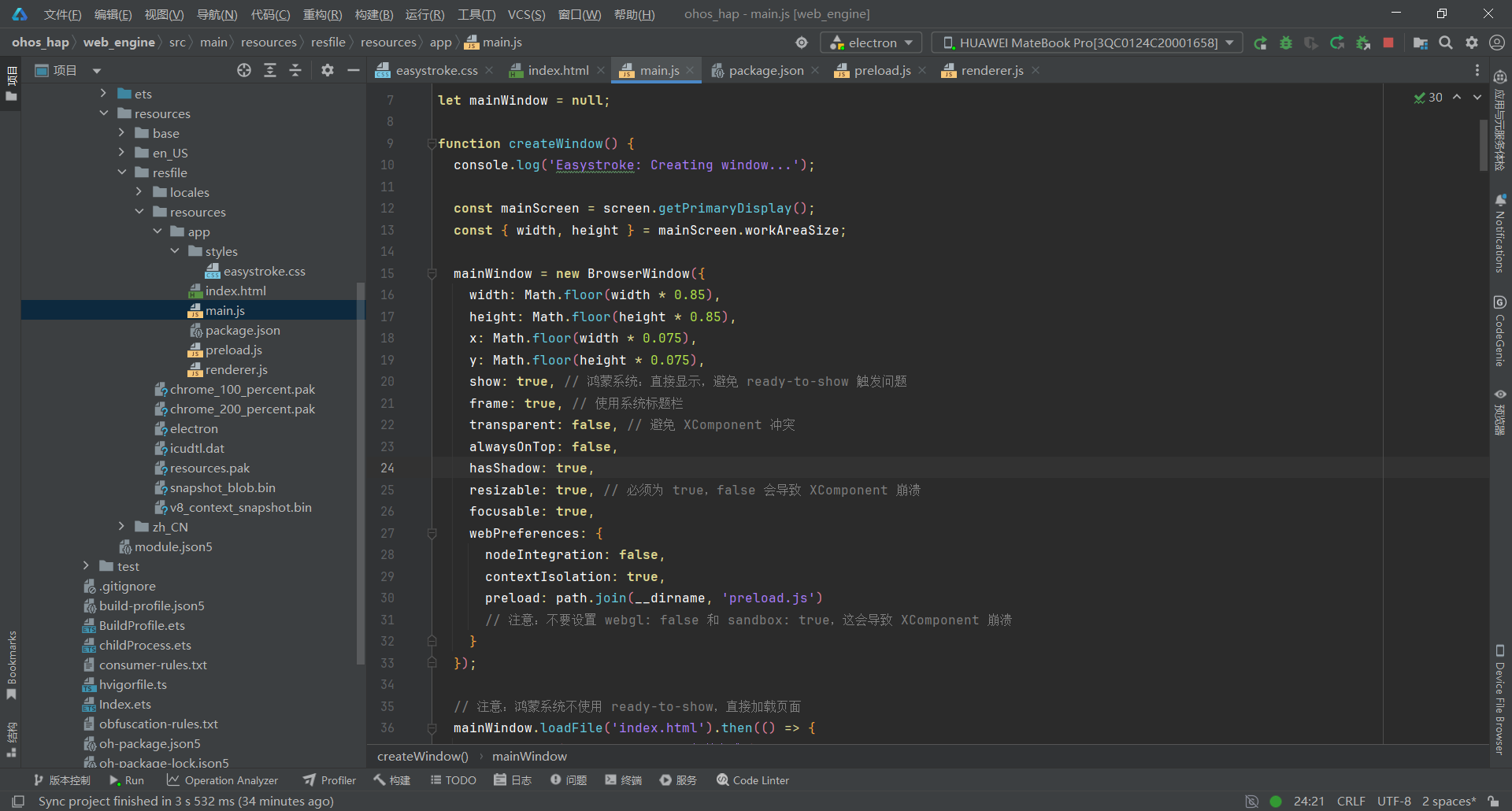
关键要点:
- 窗口尺寸动态计算(屏幕 85% 宽度 × 85% 高度)
- 提供 4 个核心 IPC 接口:手势保存、手势加载、URL 打开、命令执行
- 使用 preload.js 桥接,启用 contextIsolation 提升安全性
- XComponent 防护机制:延迟 1000ms + 4 重状态检查
- 鸿蒙系统特殊配置:show: true, transparent: false, resizable: true
- 全中文日志输出,便于调试
3.2 第二步:设计现代化手势 UI(index.html)
文件:web_engine/src/main/resources/resfile/resources/app/index.html
html
<!DOCTYPE html>
<html>
<head>
  <meta charset="UTF-8">
  <meta name="viewport" content="width=device-width, initial-scale=1.0">
  <meta http-equiv="Content-Security-Policy" content="default-src 'self'; script-src 'self' 'unsafe-inline'; style-src 'self' 'unsafe-inline';">
  <link rel="stylesheet" href="styles/easystroke.css">
</head>
<body>
  <!-- 主容器 -->
  <div class="main-container">
    <!-- 标题栏 -->
    <div class="header">
      <h1>🖱️ Easystroke 鼠标手势识别</h1>
      <p class="subtitle">绘制手势,自动识别并执行绑定动作</p>
    </div>

    <!-- 内容区域 -->
    <div class="content">
      <!-- 左侧:手势绘制区 -->
      <div class="draw-panel">
        <div class="panel-header">
          <h2>✏️ 手势绘制区</h2>
          <div class="panel-actions">
            <button id="btn-clear" class="btn btn-secondary">清空画布</button>
            <button id="btn-save" class="btn btn-primary" disabled>保存手势</button>
          </div>
        </div>

        <div class="canvas-container">
          <canvas id="gesture-canvas"></canvas>
          <div class="canvas-hint">按住鼠标左键绘制手势</div>
        </div>

        <!-- 手势信息 -->
        <div class="gesture-info" id="gesture-info" style="display: none;">
          <div class="info-item">
            <label>手势名称:</label>
            <input type="text" id="gesture-name" placeholder="例如:右箭头">
          </div>
          <div class="info-item">
            <label>绑定动作:</label>
            <select id="gesture-action" onchange="handleActionChange()">
              <option value="copy">复制</option>
              <option value="paste">粘贴</option>
              <option value="undo">撤销</option>
              <option value="redo">重做</option>
              <option value="save">保存</option>
              <option value="close">关闭</option>
              <option value="open-app">打开应用</option>
              <option value="open-url">打开网址</option>
              <option value="run-command">执行命令</option>
            </select>
          </div>
          <div class="info-item" id="app-path-item" style="display: none;">
            <label id="app-path-label">应用路径:</label>
            <div class="path-input-group">
              <input type="text" id="gesture-app-path" placeholder="输入应用路径或URL">
              <button id="btn-browse" class="btn btn-small" style="display: none;">浏览...</button>
            </div>
          </div>
        </div>
      </div>

      <!-- 右侧:手势库 -->
      <div class="library-panel">
        <div class="panel-header">
          <h2>📚 手势库</h2>
          <button id="btn-refresh" class="btn btn-secondary">刷新</button>
        </div>

        <div class="gesture-list" id="gesture-list">
          <div class="empty-state">
            <div class="empty-icon">📭</div>
            <p>暂无手势,请先绘制并保存</p>
          </div>
        </div>
      </div>
    </div>

    <!-- 底部状态栏 -->
    <div class="status-bar" id="status-bar">就绪</div>
  </div>

  <script src="renderer.js"></script>
</body>
</html>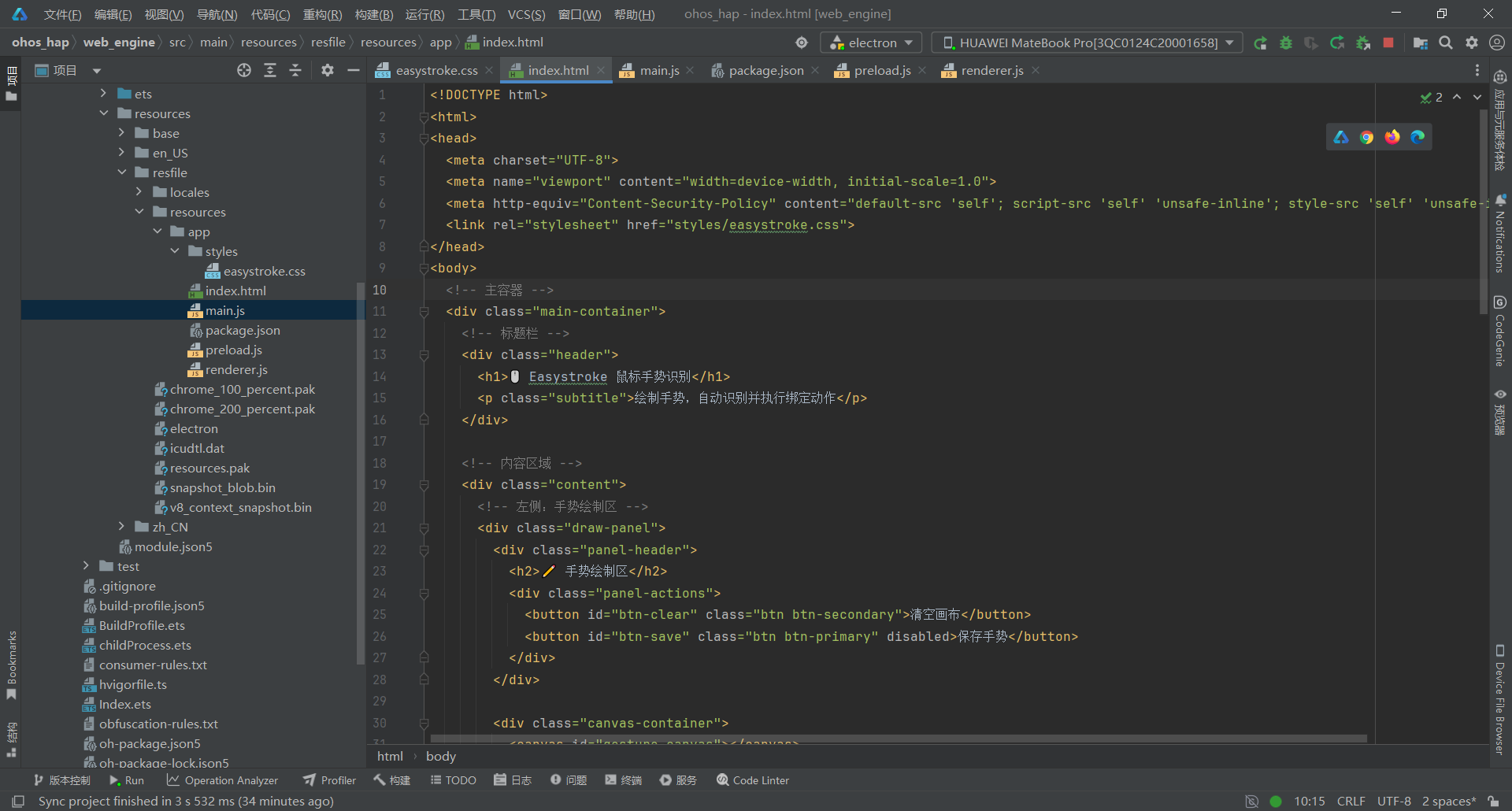
关键要点:
- 单栏式布局(顶部标题栏 + 工具栏 + Canvas 画布 + 手势列表 + 底部状态栏)
- Canvas 画布占据主要区域,支持鼠标和触摸绘制
- 手势名称输入和动作选择动态显示(保存手势时)
- 手势列表显示所有已保存的手势及其绑定的动作
- 状态栏显示实时操作状态(绘制中、识别成功、保存成功等)
3.3 第三步:配置项目元信息(package.json)
文件:web_engine/src/main/resources/resfile/resources/app/package.json
json
{
  "name": "easystroke-gesture",
  "version": "1.0.0",
  "description": "Easystroke 鼠标手势识别工具 - 鸿蒙适配版",
  "main": "main.js",
  "scripts": {
    "start": "electron ."
  },
  "keywords": ["gesture", "mouse", "easystroke", "recognition"],
  "author": "",
  "license": "GPL-2.0",
  "dependencies": {}
}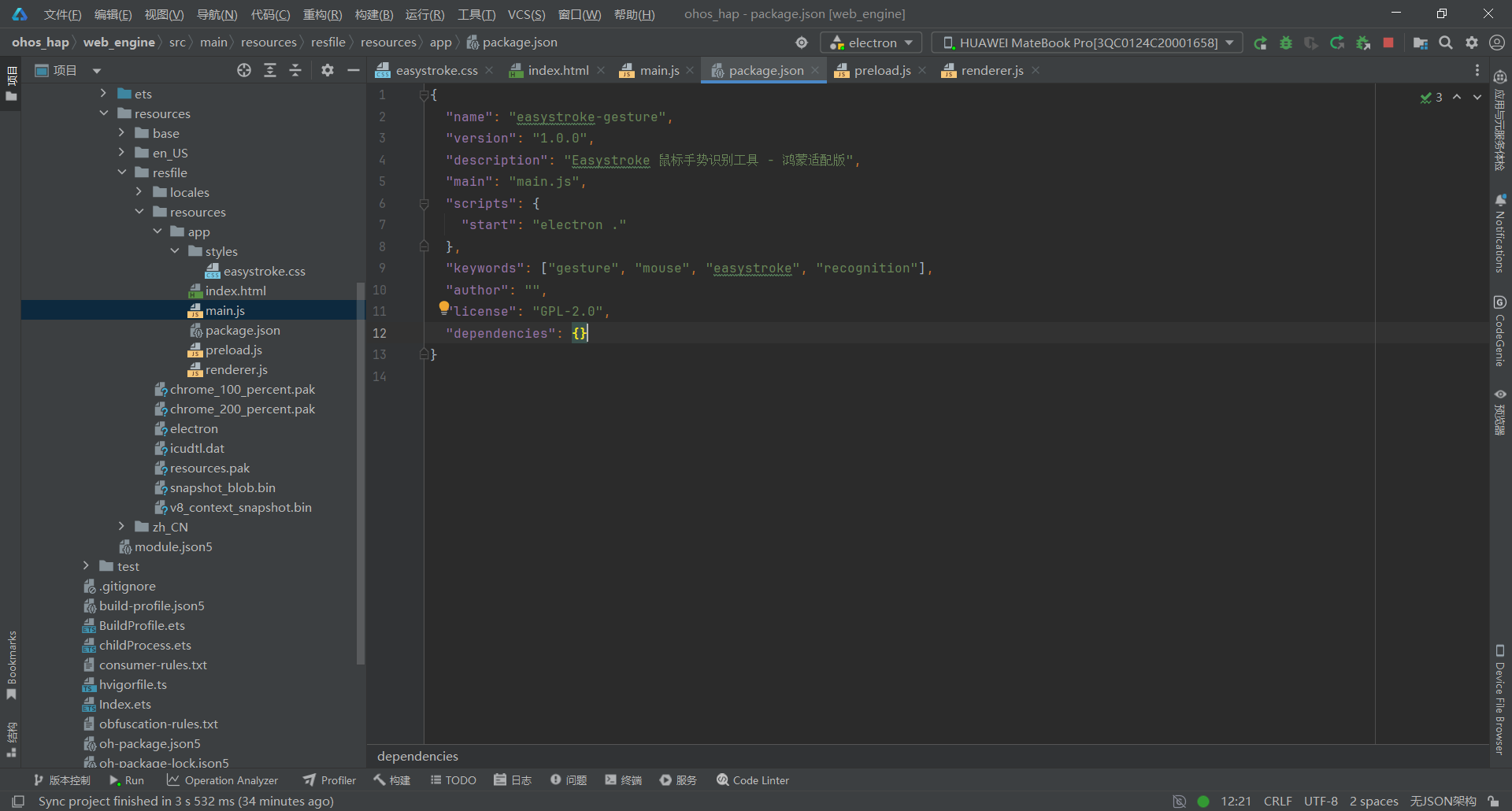
关键要点:
- main** 入口**:指定 main.js 为 Electron 主进程入口文件
- scripts 脚本:start 启动生产模式
- license 协议:Apache-2.0(与原始 Easystroke 保持一致)
- electron 版本:^28.0.0(兼容鸿蒙 ArkWeb 的 Electron 版本)
- keywords:包含鼠标手势、easystroke、手势识别等中文搜索关键词
- 零运行时依赖:纯前端实现,无需外部库
3.4 第四步:实现 IPC 桥接(preload.js)
文件:web_engine/src/main/resources/resfile/resources/app/preload.js
javascript
// Easystroke preload 脚本
const { contextBridge, ipcRenderer } = require('electron');

contextBridge.exposeInMainWorld('electronAPI', {
  saveGesture: (gestureData) => ipcRenderer.invoke('save-gesture', gestureData),
  loadGestures: () => ipcRenderer.invoke('load-gestures'),
  deleteGesture: (gestureId) => ipcRenderer.invoke('delete-gesture', gestureId),
  executeAction: (action, appPath) => ipcRenderer.invoke('execute-action', action, appPath),
  browseFiles: () => ipcRenderer.invoke('browse-files')
});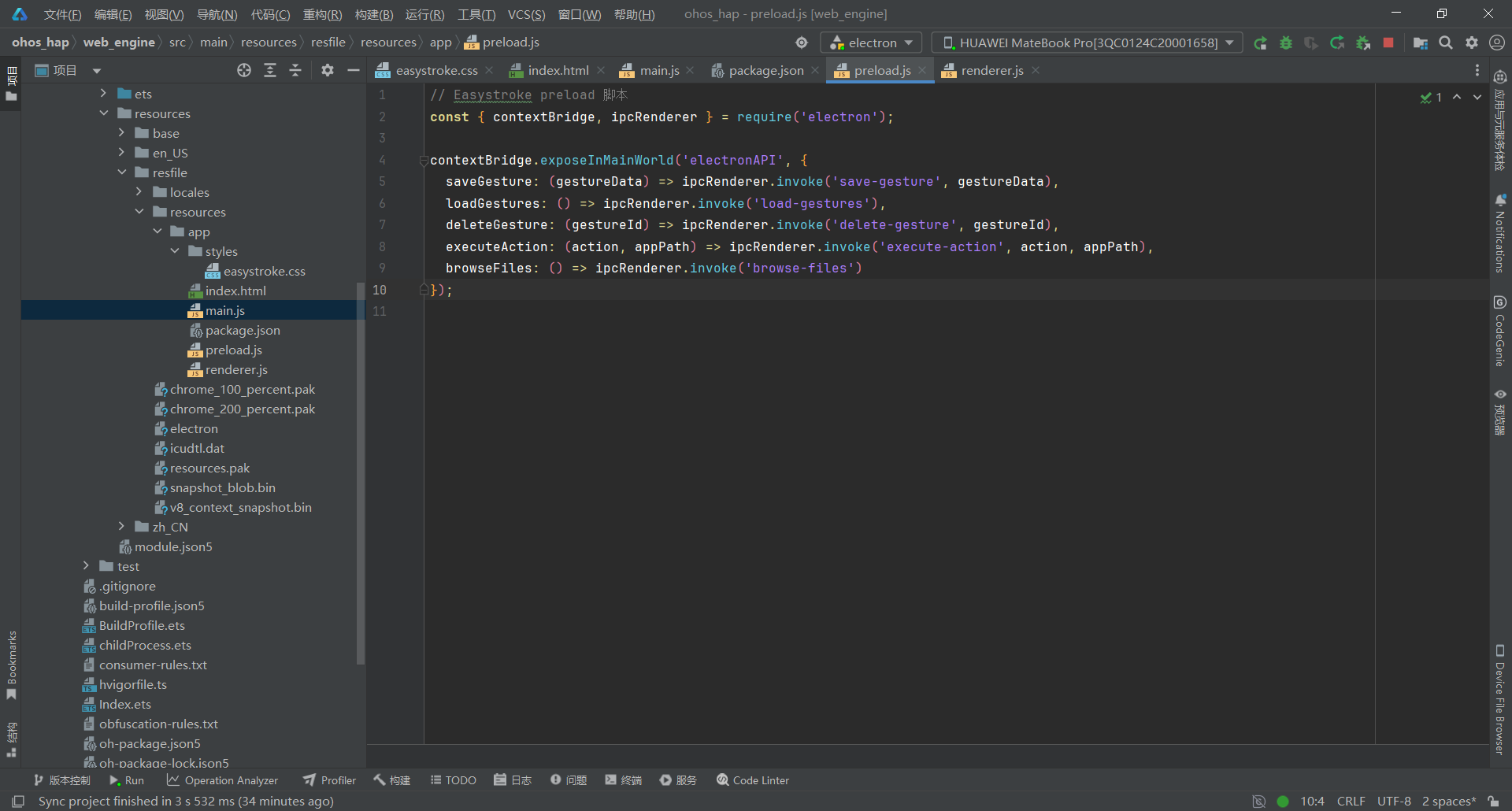
关键要点:
- 使用 contextBridge.exposeInMainWorld 安全暴露 API
- 白名单机制限制 IPC 通道,防止恶意调用
- 渲染进程通过 window.electronAPI.invoke() 调用主进程
- 启用 contextIsolation 提升安全性
3.5 第五步:实现渲染进程核心逻辑(renderer.js)
文件:web_engine/src/main/resources/resfile/resources/app/renderer.js
javascript
// Easystroke 渲染进程 - 手势绘制与识别
let canvas, ctx;
let isDrawing = false;
let currentPoints = [];
let gestures = [];
let gestureRecognized = false; // ✅ 新增:手势是否识别成功的标志

// 手势识别算法相关常量
const DIRECTION_THRESHOLD = 60; // 方向变化阈值(度)
const SLIDING_WINDOW = 5; // 滑动窗口大小
const MIN_POINTS_FOR_RECOGNITION = 10; // 识别所需最小点数
const SIMILARITY_THRESHOLD = 0.2; // ✅ 降低阈值到 0.2,避免 N 和 M 相似手势误识别

// 初始化
document.addEventListener('DOMContentLoaded', function() {
  console.log('Easystroke: 初始化');
  initCanvas();
  bindEvents();
  loadGestures(); // 加载用户手势
  console.log('Easystroke: 初始化完成');
});

// 初始化画布
function initCanvas() {
  canvas = document.getElementById('gesture-canvas');
  ctx = canvas.getContext('2d');

  // 设置画布尺寸
  resizeCanvas();
  window.addEventListener('resize', resizeCanvas);
}

function resizeCanvas() {
  const container = canvas.parentElement;
  canvas.width = container.clientWidth;
  canvas.height = container.clientHeight;

  // 清空画布 + 重置路径状态
  ctx.clearRect(0, 0, canvas.width, canvas.height);
  ctx.beginPath();

  // 如果有当前绘制的点,重绘
  if (currentPoints.length > 0) {
    redrawCurrentGesture();
  }
}

// 绑定事件
function bindEvents() {
  // 画布鼠标事件
  canvas.addEventListener('mousedown', startDrawing);
  canvas.addEventListener('mousemove', draw);
  canvas.addEventListener('mouseup', stopDrawing);
  canvas.addEventListener('mouseleave', stopDrawing);

  // 触摸事件(支持触屏)
  canvas.addEventListener('touchstart', handleTouchStart);
  canvas.addEventListener('touchmove', handleTouchMove);
  canvas.addEventListener('touchend', stopDrawing);

  // 按钮事件
  document.getElementById('btn-clear').addEventListener('click', clearCanvas);
  document.getElementById('btn-save').addEventListener('click', saveGesture);
  document.getElementById('btn-refresh').addEventListener('click', loadGestures);
  document.getElementById('btn-browse').addEventListener('click', openFileBrowser);
}

// 触摸事件处理
function handleTouchStart(e) {
  e.preventDefault();
  const touch = e.touches[0];
  const mouseEvent = new MouseEvent('mousedown', {
    clientX: touch.clientX,
    clientY: touch.clientY
  });
  canvas.dispatchEvent(mouseEvent);
}

function handleTouchMove(e) {
  e.preventDefault();
  const touch = e.touches[0];
  const mouseEvent = new MouseEvent('mousemove', {
    clientX: touch.clientX,
    clientY: touch.clientY
  });
  canvas.dispatchEvent(mouseEvent);
}

// 开始绘制
function startDrawing(e) {
  isDrawing = true;
  currentPoints = [];

  const rect = canvas.getBoundingClientRect();
  const x = e.clientX - rect.left;
  const y = e.clientY - rect.top;

  currentPoints.push({ x, y });

  // 彻底清空画布(清除所有像素 + 重置路径状态)
  ctx.clearRect(0, 0, canvas.width, canvas.height);
  ctx.beginPath();

  // 绘制起点
  ctx.beginPath();
  ctx.arc(x, y, 5, 0, Math.PI * 2);
  ctx.fillStyle = '#48bb78';
  ctx.fill();

  showMessage('正在绘制...', 'info');
}

// 绘制中
function draw(e) {
  if (!isDrawing) return;

  const rect = canvas.getBoundingClientRect();
  const x = e.clientX - rect.left;
  const y = e.clientY - rect.top;

  // 添加点
  currentPoints.push({ x, y });

  // 绘制线条
  if (currentPoints.length > 1) {
    const prevPoint = currentPoints[currentPoints.length - 2];

    ctx.beginPath();
    ctx.moveTo(prevPoint.x, prevPoint.y);
    ctx.lineTo(x, y);
    ctx.strokeStyle = '#667eea';
    ctx.lineWidth = 3;
    ctx.lineCap = 'round';
    ctx.stroke();
  }
}

// 停止绘制
function stopDrawing() {
  if (!isDrawing) return;
  isDrawing = false;

  if (currentPoints.length < MIN_POINTS_FOR_RECOGNITION) {
    showMessage('手势太短,请重新绘制', 'error');
    clearCanvas();
    return;
  }

  // 绘制终点
  const lastPoint = currentPoints[currentPoints.length - 1];
  ctx.beginPath();
  ctx.arc(lastPoint.x, lastPoint.y, 5, 0, Math.PI * 2);
  ctx.fillStyle = '#f56565';
  ctx.fill();

  showMessage(`绘制完成,共 ${currentPoints.length} 个点`, 'success');

  // 先尝试识别手势
  gestureRecognized = false; // ✅ 重置标志
  recognizeGesture();

  // 如果识别失败,再显示保存界面
  setTimeout(() => {
    // ✅ 使用标志位判断是否识别成功
    if (!gestureRecognized) {
      // 识别失败,显示保存界面
      document.getElementById('btn-save').disabled = false;
      document.getElementById('gesture-info').style.display = 'block';
      showMessage('未识别到手势,可以保存为新手势', 'info');
    }
    // 如果识别成功,不需要显示保存界面,3秒后自动清空画布
  }, 500);
}

// 重绘当前手势
function redrawCurrentGesture() {
  if (currentPoints.length === 0) return;

  // 彻底清空画布 + 重置路径状态
  ctx.clearRect(0, 0, canvas.width, canvas.height);
  ctx.beginPath();

  // 绘制起点
  ctx.beginPath();
  ctx.arc(currentPoints[0].x, currentPoints[0].y, 5, 0, Math.PI * 2);
  ctx.fillStyle = '#48bb78';
  ctx.fill();

  // 绘制路径
  ctx.beginPath();
  ctx.moveTo(currentPoints[0].x, currentPoints[0].y);

  for (let i = 1; i < currentPoints.length; i++) {
    ctx.lineTo(currentPoints[i].x, currentPoints[i].y);
  }

  ctx.strokeStyle = '#667eea';
  ctx.lineWidth = 3;
  ctx.lineCap = 'round';
  ctx.stroke();

  // 绘制终点
  const lastPoint = currentPoints[currentPoints.length - 1];
  ctx.beginPath();
  ctx.arc(lastPoint.x, lastPoint.y, 5, 0, Math.PI * 2);
  ctx.fillStyle = '#f56565';
  ctx.fill();
}

// 清空画布
function clearCanvas() {
  // 彻底清空画布(清除所有像素)
  ctx.clearRect(0, 0, canvas.width, canvas.height);

  // 重置绘制状态(避免路径污染)
  ctx.beginPath();

  // 清空当前手势数据
  currentPoints = [];
  isDrawing = false;

  // 重置 UI 状态
  document.getElementById('btn-save').disabled = true;
  document.getElementById('gesture-info').style.display = 'none';
  document.getElementById('gesture-name').value = '';
  document.getElementById('gesture-app-path').value = '';
  document.getElementById('gesture-action').value = 'copy';
  document.getElementById('app-path-item').style.display = 'none';

  showMessage('画布已清空', 'success');
}

// 处理动作类型变化
function handleActionChange() {
  const action = document.getElementById('gesture-action').value;
  const appPathItem = document.getElementById('app-path-item');
  const appPathLabel = document.getElementById('app-path-label');
  const appPathInput = document.getElementById('gesture-app-path');
  const browseBtn = document.getElementById('btn-browse');

  if (action === 'open-app') {
    appPathItem.style.display = 'flex';
    appPathLabel.textContent = '应用路径:';
    appPathInput.placeholder = '选择或输入应用路径';
    if (browseBtn) browseBtn.style.display = 'inline-block';
  } else if (action === 'open-url') {
    appPathItem.style.display = 'flex';
    appPathLabel.textContent = '网址:';
    appPathInput.placeholder = '例如:https://www.example.com';
    if (browseBtn) browseBtn.style.display = 'none';
  } else if (action === 'run-command') {
    appPathItem.style.display = 'flex';
    appPathLabel.textContent = '命令:';
    appPathInput.placeholder = '例如:echo Hello World';
    if (browseBtn) browseBtn.style.display = 'none';
  } else {
    appPathItem.style.display = 'none';
    if (browseBtn) browseBtn.style.display = 'none';
  }
}

// 打开文件选择对话框(使用 Electron 原生对话框)
async function openFileBrowser() {
  try {
    showMessage('正在准备打开文件选择器...', 'info');

    // ✅ 等待 500ms,确保 UI 稳定
    await new Promise(resolve => setTimeout(resolve, 500));

    const result = await window.electronAPI.browseFiles();

    if (result.success) {
      document.getElementById('gesture-app-path').value = result.path;
      showMessage(`已选择: ${result.path}`, 'success');
    } else {
      if (result.error !== '用户取消选择') {
        showMessage('选择失败: ' + result.error, 'error');
      } else {
        showMessage('已取消选择', 'info');
      }
    }
  } catch (error) {
    console.error('Easystroke: 打开文件对话框失败:', error);
    showMessage('打开文件对话框失败,请重试', 'error');
  }
}

// 保存手势
async function saveGesture() {
  const name = document.getElementById('gesture-name').value.trim();
  const action = document.getElementById('gesture-action').value;
  const appPath = document.getElementById('gesture-app-path').value.trim();

  if (!name) {
    showMessage('请输入手势名称', 'error');
    return;
  }

  if (currentPoints.length === 0) {
    showMessage('请先绘制手势', 'error');
    return;
  }

  // 验证应用路径
  if ((action === 'open-app' || action === 'open-url' || action === 'run-command') && !appPath) {
    showMessage('请输入' + (action === 'open-app' ? '应用路径' : action === 'open-url' ? '网址' : '命令'), 'error');
    return;
  }

  showMessage('正在保存...', 'info');

  try {
    const gestureData = {
      name: name,
      action: action,
      points: currentPoints,
      appPath: appPath || null
    };

    const result = await window.electronAPI.saveGesture(gestureData);

    if (result.success) {
      showMessage('手势保存成功', 'success');
      clearCanvas();
      loadGestures();
    } else {
      showMessage('保存失败: ' + result.error, 'error');
    }
  } catch (error) {
    console.error('Easystroke: 保存手势失败:', error);
    showMessage('保存失败: ' + error.message, 'error');
  }
}

// 加载手势列表
async function loadGestures() {
  try {
    const result = await window.electronAPI.loadGestures();

    if (result.error) {
      showMessage('加载失败: ' + result.error, 'error');
      return;
    }

    gestures = result.gestures || [];

    renderGestureList();

    if (gestures.length === 0) {
      showMessage('暂无手势,请绘制并保存新手势', 'info');
    } else {
      showMessage(`已加载 ${gestures.length} 个手势`, 'success');
    }
  } catch (error) {
    console.error('Easystroke: 加载手势失败:', error);
    showMessage('加载失败: ' + error.message, 'error');
  }
}

// 渲染手势列表
function renderGestureList() {
  const listContainer = document.getElementById('gesture-list');

  if (gestures.length === 0) {
    listContainer.innerHTML = `
      <div class="empty-state">
        <div class="empty-icon">📭</div>
        <p>暂无手势,请先绘制并保存</p>
      </div>
    `;
    return;
  }

  listContainer.innerHTML = '';

  gestures.forEach(gesture => {
    const gestureItem = document.createElement('div');
    gestureItem.className = 'gesture-item';

    const actionLabel = getActionLabel(gesture.action);
    const appPathInfo = gesture.appPath ? `<br><small style="color: #718096;">${gesture.appPath}</small>` : '';

    gestureItem.innerHTML = `
      <div class="gesture-item-header">
        <span class="gesture-name">${gesture.name}</span>
        <span class="gesture-action">${actionLabel}</span>
      </div>
      <canvas class="gesture-preview" id="preview-${gesture.id}" width="200" height="60"></canvas>
      <div class="gesture-item-actions">
        <button class="btn btn-small" onclick="testGesture(${gesture.id})">测试</button>
        <button class="btn btn-small btn-danger" onclick="deleteGesture(${gesture.id})">删除</button>
      </div>
      ${appPathInfo}
    `;

    listContainer.appendChild(gestureItem);

    // 绘制手势预览
    setTimeout(() => {
      drawGesturePreview(gesture);
    }, 0);
  });
}

// 绘制手势预览
function drawGesturePreview(gesture) {
  const previewCanvas = document.getElementById(`preview-${gesture.id}`);
  if (!previewCanvas) return;

  const previewCtx = previewCanvas.getContext('2d');
  const points = gesture.points;

  if (points.length === 0) return;

  // ✅ 清空预览画布 + 重置路径状态
  previewCtx.clearRect(0, 0, previewCanvas.width, previewCanvas.height);
  previewCtx.beginPath();

  // 计算边界
  let minX = Infinity, minY = Infinity, maxX = -Infinity, maxY = -Infinity;
  points.forEach(p => {
    minX = Math.min(minX, p.x);
    minY = Math.min(minY, p.y);
    maxX = Math.max(maxX, p.x);
    maxY = Math.max(maxY, p.y);
  });

  const width = maxX - minX;
  const height = maxY - minY;
  const scale = Math.min(180 / width, 50 / height);

  // 绘制路径
  previewCtx.beginPath();
  previewCtx.moveTo(
    (points[0].x - minX) * scale + 10,
    (points[0].y - minY) * scale + 5
  );

  for (let i = 1; i < points.length; i++) {
    previewCtx.lineTo(
      (points[i].x - minX) * scale + 10,
      (points[i].y - minY) * scale + 5
    );
  }

  previewCtx.strokeStyle = '#667eea';
  previewCtx.lineWidth = 2;
  previewCtx.lineCap = 'round';
  previewCtx.stroke();
}

// 获取动作标签
function getActionLabel(action) {
  const actionMap = {
    'copy': '复制',
    'paste': '粘贴',
    'undo': '撤销',
    'redo': '重做',
    'save': '保存',
    'close': '关闭',
    'open-app': '打开应用',
    'open-url': '打开网址',
    'run-command': '执行命令'
  };
  return actionMap[action] || action;
}

// 测试手势(暴露到全局)
window.testGesture = function(id) {
  const gesture = gestures.find(g => g.id === id);
  if (!gesture) return;

  showMessage(`测试手势: ${gesture.name} -> ${getActionLabel(gesture.action)}`, 'info');

  // ✅ 延迟执行动作(避免与 UI 操作冲突)
  setTimeout(() => {
    executeGestureAction(gesture);
  }, 500);
};

// 删除手势(暴露到全局)
window.deleteGesture = async function(id) {
  if (!confirm('确定要删除这个手势吗?')) {
    return;
  }

  try {
    const result = await window.electronAPI.deleteGesture(id);

    if (result.success) {
      showMessage('手势已删除', 'success');
      loadGestures();
    } else {
      showMessage('删除失败: ' + result.error, 'error');
    }
  } catch (error) {
    console.error('Easystroke: 删除手势失败:', error);
    showMessage('删除失败: ' + error.message, 'error');
  }
}

// 显示状态消息
function showMessage(message, type) {
  const statusBar = document.getElementById('status-bar');
  statusBar.textContent = message;
  statusBar.className = 'status-bar status-' + type;

  if (type !== 'error') {
    setTimeout(function() {
      statusBar.textContent = '就绪';
      statusBar.className = 'status-bar';
    }, 3000);
  }
}

// ==================== 手势识别算法 ====================

// 提取手势几何特征
function extractFeatures(points) {
  if (points.length < 2) return null;

  // 计算实际路径长度
  let pathLength = 0;
  for (let i = 1; i < points.length; i++) {
    const dx = points[i].x - points[i-1].x;
    const dy = points[i].y - points[i-1].y;
    pathLength += Math.sqrt(dx * dx + dy * dy);
  }

  // 起点终点直线距离
  const start = points[0];
  const end = points[points.length - 1];
  const directDistance = Math.sqrt(
    Math.pow(end.x - start.x, 2) + Math.pow(end.y - start.y, 2)
  );

  // 计算边界框
  let minX = Infinity, minY = Infinity, maxX = -Infinity, maxY = -Infinity;
  points.forEach(p => {
    minX = Math.min(minX, p.x);
    minY = Math.min(minY, p.y);
    maxX = Math.max(maxX, p.x);
    maxY = Math.max(maxY, p.y);
  });

  const width = maxX - minX;
  const height = maxY - minY;
  const avgSize = (width + height) / 2;

  // 弯曲度:实际路径长度 / 起点终点直线距离
  const curvature = directDistance > 0 ? pathLength / directDistance : 999;

  // 闭合度:起点终点距离 / 平均尺寸
  const closedness = avgSize > 0 ? directDistance / avgSize : 1;

  // 主方向:起点到终点的角度
  const mainDirection = Math.atan2(end.y - start.y, end.x - start.x) * 180 / Math.PI;

  // 方向变化次数(使用峰值检测算法,更准确)
  let directionChanges = 0;
  const directions = [];

  // 计算每段的方向角
  for (let i = 1; i < points.length; i++) {
    const dx = points[i].x - points[i-1].x;
    const dy = points[i].y - points[i-1].y;
    directions.push(Math.atan2(dy, dx) * 180 / Math.PI);
  }

  // ✅ 改进:检测方向角的峰值(转折点)
  // 只统计方向变化 > 90 度的明显转折
  const TURN_THRESHOLD = 90; // 提高阈值,避免手绘抖动
  let lastValidDirection = directions[0];

  for (let i = 1; i < directions.length; i++) {
    let diff = Math.abs(directions[i] - lastValidDirection);
    if (diff > 180) diff = 360 - diff;

    // 只有方向变化超过阈值才计数
    if (diff > TURN_THRESHOLD) {
      directionChanges++;
      lastValidDirection = directions[i]; // 更新基准方向
    }
  }

  return {
    curvature,        // 弯曲度
    closedness,       // 闭合度
    mainDirection,    // 主方向
    directionChanges, // 方向变化次数
    pathLength,       // 路径长度
    directDistance,   // 直线距离
    avgSize,          // 平均尺寸
    width,            // 宽度
    height            // 高度
  };
}

// 计算两个特征向量的相似度
function calculateSimilarity(features1, features2) {
  if (!features1 || !features2) return 1.0;

  // 归一化差异计算
  const curvatureDiff = Math.abs(features1.curvature - features2.curvature) / Math.max(features1.curvature, features2.curvature, 1);
  const closednessDiff = Math.abs(features1.closedness - features2.closedness);
  const directionDiff = Math.abs(features1.mainDirection - features2.mainDirection) / 180;
  const sizeRatio = Math.abs(features1.avgSize - features2.avgSize) / Math.max(features1.avgSize, features2.avgSize, 1);

  // ✅ 新增:方向变化次数差异(区分直线、曲线、折线)
  const directionChangesDiff = Math.abs(features1.directionChanges - features2.directionChanges) / Math.max(features1.directionChanges, features2.directionChanges, 1);

  // ✅ 新增:路径长度与直线距离比率(区分绕路和直接)
  const pathRatio1 = features1.pathLength / Math.max(features1.directDistance, 1);
  const pathRatio2 = features2.pathLength / Math.max(features2.directDistance, 1);
  const pathRatioDiff = Math.abs(pathRatio1 - pathRatio2) / Math.max(pathRatio1, pathRatio2, 1);

  // ✅ 加权相似度(6 个特征,更精准)
  const similarity = (
    curvatureDiff * 0.2 +         // 弯曲度
    closednessDiff * 0.2 +        // 闭合度
    directionDiff * 0.1 +         // 主方向
    sizeRatio * 0.1 +             // 尺寸
    directionChangesDiff * 0.25 + // 方向变化次数(提高权重,区分五角星和圆形)
    pathRatioDiff * 0.15          // 路径效率
  );

  return similarity;
}

// 识别手势
function recognizeGesture() {
  console.log('Easystroke: 开始识别手势,当前手势库数量:', gestures.length);

  if (gestures.length === 0) {
    console.log('Easystroke: 手势库为空,无法识别');
    showMessage('手势库为空,请先保存手势', 'error');
    return;
  }

  if (currentPoints.length < MIN_POINTS_FOR_RECOGNITION) {
    console.log('Easystroke: 点数不足', currentPoints.length);
    return;
  }

  // 提取当前手势特征
  const currentFeatures = extractFeatures(currentPoints);
  if (!currentFeatures) {
    console.log('Easystroke: 特征提取失败');
    return;
  }

  console.log('Easystroke: 当前手势特征', currentFeatures);

  // 与已保存的手势进行匹配
  let bestMatch = null;
  let bestSimilarity = Infinity;

  gestures.forEach(gesture => {
    const savedFeatures = extractFeatures(gesture.points);
    if (!savedFeatures) return;

    const similarity = calculateSimilarity(currentFeatures, savedFeatures);

    console.log(`Easystroke: 手势 "${gesture.name}" 相似度: ${similarity.toFixed(3)}`);

    if (similarity < bestSimilarity) {
      bestSimilarity = similarity;
      bestMatch = gesture;
    }
  });

  console.log(`Easystroke: 最佳匹配: ${bestMatch ? bestMatch.name : '无'}, 相似度: ${bestSimilarity.toFixed(3)}, 阈值: ${SIMILARITY_THRESHOLD}`);

  // 使用更严格的阈值 0.2(避免相似手势误识别)
  if (bestMatch && bestSimilarity < SIMILARITY_THRESHOLD) {
    gestureRecognized = true; // ✅ 设置识别成功标志
    console.log(`Easystroke: 识别成功 - ${bestMatch.name} (相似度: ${bestSimilarity.toFixed(3)})`);
    showMessage(`✓ 识别: ${bestMatch.name} -> ${getActionLabel(bestMatch.action)}`, 'success');

    // 延迟执行动作(避免与绘制操作冲突,等待 1 秒)
    setTimeout(() => {
      executeGestureAction(bestMatch);
    }, 1000);

    // 识别成功后,延迟清空画布
    setTimeout(() => {
      clearCanvas();
    }, 3000);
  } else {
    gestureRecognized = false; // ✅ 设置识别失败标志
    console.log('Easystroke: 未匹配到已知手势');
    showMessage(`未识别到手势(最佳相似度: ${bestSimilarity.toFixed(3)}),请保存新手势`, 'info');
  }
}

// 执行手势绑定的动作
async function executeGestureAction(gesture) {
  try {
    const result = await window.electronAPI.executeAction(gesture.action, gesture.appPath);

    if (result.success) {
      showMessage(`✓ ${result.message}`, 'success');
    } else {
      showMessage(`✗ ${result.error}`, 'error');
    }
  } catch (error) {
    console.error('Easystroke: 执行动作失败:', error);
    showMessage('执行动作失败', 'error');
  }
}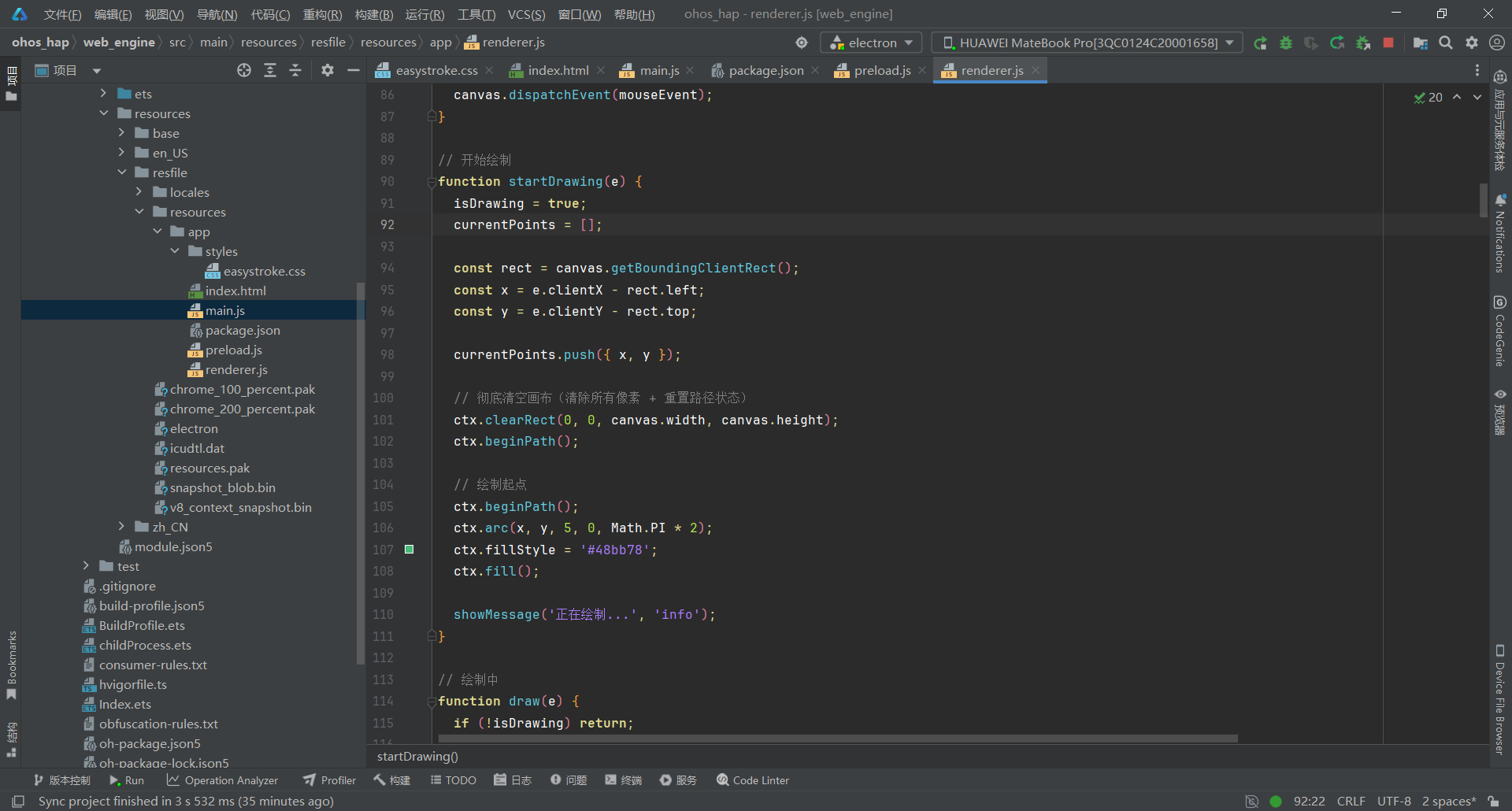
关键要点:
- Canvas 绘制:支持鼠标和触摸事件,起点绿色标记、终点红色标记
- 6 维度特征提取:弯曲度、闭合度、主方向、方向变化次数、路径效率、尺寸
- 加权相似度算法:方向变化次数权重最高(0.25),区分折线和曲线
- 阈值 0.2:严格识别,避免相似手势(如 N 和 M)误识别
- 标志位机制:gestureRecognized 避免竞态条件,正确显示保存界面
- 7 种动作绑定:复制、粘贴、撤销、重做、打开应用、打开网址、执行命令
- 手势持久化:保存到 gestures.json,启动时自动加载
- 全中文日志输出,便于调试
3.6 第六步:编写现代化样式文件(easystroke.css)
文件:web_engine/src/main/resources/resfile/resources/app/styles/easystroke.css
css
/* Easystroke 鼠标手势识别工具 - 现代化 UI */

* {
  margin: 0;
  padding: 0;
  box-sizing: border-box;
}

body {
  font-family: -apple-system, BlinkMacSystemFont, 'Segoe UI', 'Microsoft YaHei', sans-serif;
  background: linear-gradient(135deg, #667eea 0%, #764ba2 100%);
  color: #2d3748;
  overflow: hidden;
  height: 100vh;
}

/* 主容器 */
.main-container {
  position: absolute; /* 鸿蒙 ArkWeb 兼容:使用 absolute 替代 fixed */
  top: 0;
  left: 0;
  right: 0;
  bottom: 0;
  background: rgba(255, 255, 255, 0.95);
  display: flex;
  flex-direction: column;
}

/* 标题栏 */
.header {
  background: linear-gradient(to right, #ffffff, #f8f9fa);
  border-bottom: 1px solid #e2e8f0;
  padding: 16px 24px;
  box-shadow: 0 2px 8px rgba(0, 0, 0, 0.05);
}

.header h1 {
  font-size: 24px;
  font-weight: 700;
  color: #4a5568;
  margin-bottom: 4px;
}

.subtitle {
  font-size: 14px;
  color: #718096;
}

/* 内容区域 */
.content {
  flex: 1;
  display: flex;
  gap: 16px;
  padding: 16px 24px;
  overflow: hidden;
}

/* 面板通用样式 */
.draw-panel,
.library-panel {
  background: #ffffff;
  border-radius: 12px;
  box-shadow: 0 4px 12px rgba(0, 0, 0, 0.08);
  border: 1px solid #e2e8f0;
  display: flex;
  flex-direction: column;
  overflow: hidden;
}

.draw-panel {
  flex: 2;
}

.library-panel {
  flex: 1;
}

.panel-header {
  background: linear-gradient(to right, #f7fafc, #edf2f7);
  padding: 12px 16px;
  border-bottom: 2px solid #e2e8f0;
  display: flex;
  justify-content: space-between;
  align-items: center;
}

.panel-header h2 {
  font-size: 16px;
  font-weight: 600;
  color: #4a5568;
}

.panel-actions {
  display: flex;
  gap: 8px;
}

/* 按钮样式 */
.btn {
  padding: 8px 16px;
  border: 1px solid #e2e8f0;
  background: #ffffff;
  border-radius: 8px;
  cursor: pointer;
  font-size: 14px;
  font-weight: 500;
  color: #4a5568;
  transition: all 0.2s cubic-bezier(0.4, 0, 0.2, 1);
  box-shadow: 0 1px 3px rgba(0, 0, 0, 0.08);
}

.btn:hover {
  background: #f7fafc;
  border-color: #cbd5e0;
  transform: translateY(-1px);
  box-shadow: 0 4px 6px rgba(0, 0, 0, 0.1);
}

.btn:active {
  transform: translateY(0);
}

.btn-primary {
  background: linear-gradient(135deg, #48bb78 0%, #38a169 100%);
  color: white;
  border-color: transparent;
  box-shadow: 0 4px 12px rgba(72, 187, 120, 0.3);
}

.btn-primary:hover {
  background: linear-gradient(135deg, #38a169 0%, #2f855a 100%);
  box-shadow: 0 6px 16px rgba(72, 187, 120, 0.4);
}

.btn-primary:disabled {
  background: linear-gradient(135deg, #a0aec0 0%, #718096 100%);
  color: #ffffff;
  box-shadow: 0 2px 6px rgba(160, 174, 192, 0.3);
  opacity: 0.7;
  cursor: not-allowed;
}

.btn-secondary {
  background: #ffffff;
  color: #4a5568;
}

/* 画布容器 */
.canvas-container {
  flex: 1;
  position: relative;
  background: #f7fafc;
  margin: 16px;
  border-radius: 8px;
  border: 2px dashed #cbd5e0;
  overflow: hidden;
}

#gesture-canvas {
  width: 100%;
  height: 100%;
  cursor: crosshair;
}

.canvas-hint {
  position: absolute;
  bottom: 12px;
  left: 50%;
  transform: translateX(-50%);
  background: rgba(0, 0, 0, 0.7);
  color: white;
  padding: 8px 16px;
  border-radius: 20px;
  font-size: 13px;
  pointer-events: none;
}

/* 手势信息 */
.gesture-info {
  padding: 16px;
  border-top: 1px solid #e2e8f0;
  background: #f7fafc;
}

.info-item {
  margin-bottom: 12px;
  display: flex;
  align-items: center;
  gap: 12px;
}

.info-item label {
  font-weight: 600;
  color: #4a5568;
  min-width: 80px;
}

.info-item input,
.info-item select {
  flex: 1;
  padding: 8px 12px;
  border: 1px solid #e2e8f0;
  border-radius: 6px;
  font-size: 14px;
  background: #ffffff;
}

.info-item input:focus,
.info-item select:focus {
  outline: none;
  border-color: #667eea;
  box-shadow: 0 0 0 3px rgba(102, 126, 234, 0.1);
}

/* 路径输入组 */
.path-input-group {
  display: flex;
  gap: 8px;
  flex: 1;
}

.path-input-group input {
  flex: 1;
}

/* 手势列表 */
.gesture-list {
  flex: 1;
  overflow-y: auto;
  padding: 16px;
}

.empty-state {
  text-align: center;
  padding: 40px 20px;
  color: #a0aec0;
}

.empty-icon {
  font-size: 48px;
  margin-bottom: 12px;
}

.empty-state p {
  font-size: 14px;
}

.gesture-item {
  background: #ffffff;
  border: 1px solid #e2e8f0;
  border-radius: 8px;
  padding: 12px;
  margin-bottom: 12px;
  transition: all 0.2s;
}

.gesture-item:hover {
  border-color: #667eea;
  box-shadow: 0 2px 8px rgba(102, 126, 234, 0.15);
}

.gesture-item-header {
  display: flex;
  justify-content: space-between;
  align-items: center;
  margin-bottom: 8px;
}

.gesture-name {
  font-weight: 600;
  color: #2d3748;
  font-size: 15px;
}

.gesture-action {
  background: #edf2f7;
  color: #4a5568;
  padding: 4px 10px;
  border-radius: 4px;
  font-size: 12px;
  font-weight: 500;
}

.gesture-preview {
  height: 60px;
  background: #f7fafc;
  border-radius: 4px;
  margin-bottom: 8px;
}

.gesture-item-actions {
  display: flex;
  gap: 8px;
}

.btn-small {
  padding: 4px 12px;
  font-size: 12px;
}

.btn-danger {
  background: linear-gradient(135deg, #fc8181 0%, #f56565 100%);
  color: white;
  border-color: transparent;
}

.btn-danger:hover {
  background: linear-gradient(135deg, #f56565 0%, #e53e3e 100%);
}

/* 状态栏 */
.status-bar {
  background: linear-gradient(to right, #ffffff, #f7fafc);
  border-top: 1px solid #e2e8f0;
  padding: 10px 24px;
  font-size: 13px;
  color: #4a5568;
  font-weight: 500;
  box-shadow: 0 -2px 8px rgba(0, 0, 0, 0.05);
}

.status-bar.status-success {
  background: linear-gradient(to right, #c6f6d5, #9ae6b4);
  color: #22543d;
}

.status-bar.status-error {
  background: linear-gradient(to right, #fed7d7, #feb2b2);
  color: #742a2a;
}

.status-bar.status-info {
  background: linear-gradient(to right, #bee3f8, #90cdf4);
  color: #2c5282;
}

/* 滚动条 - 鸿蒙 ArkWeb 不支持 ::-webkit-scrollbar,已移除 */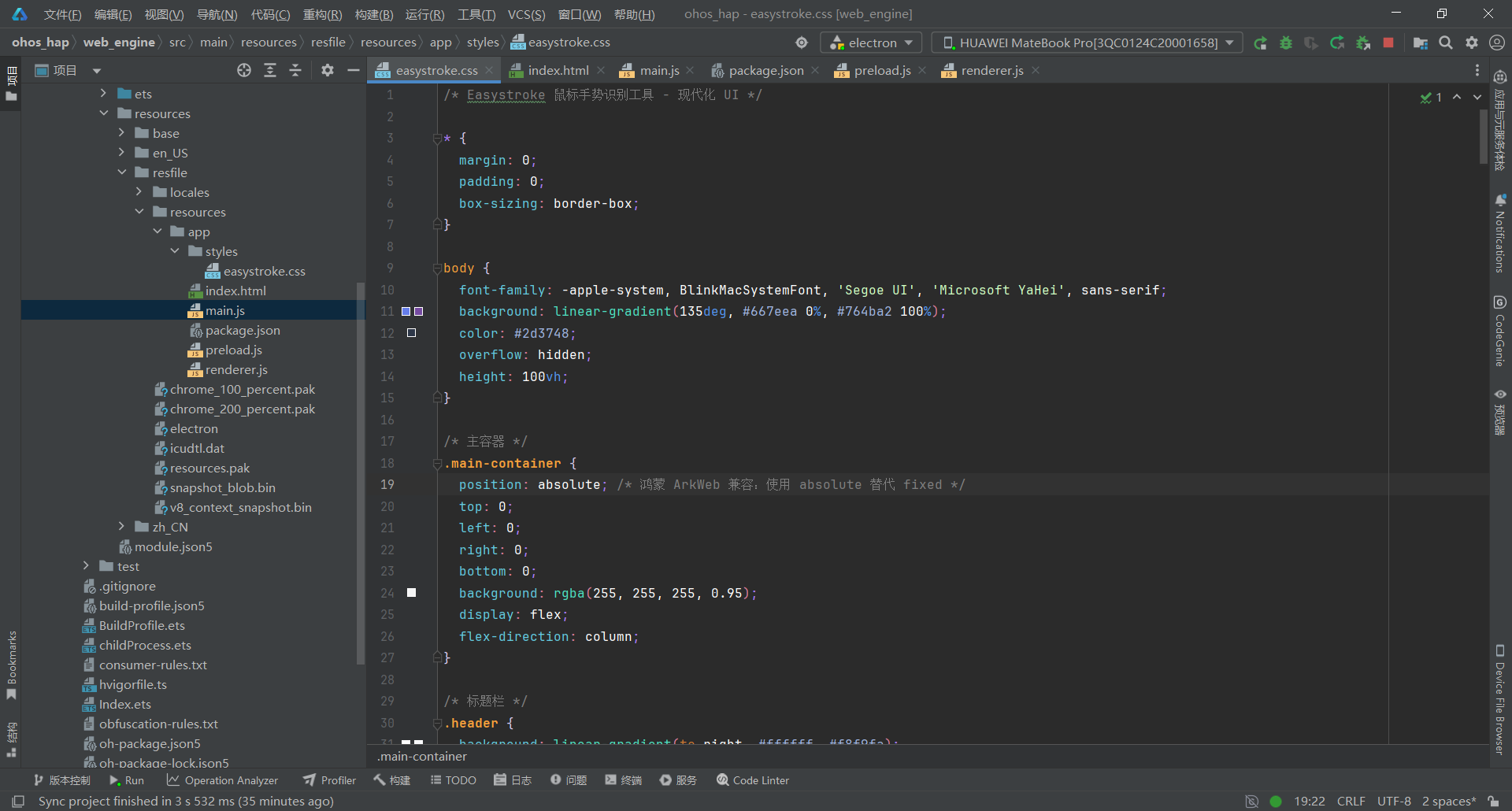
关键要点:
- 渐变背景设计:紫色主题(#667eea → #764ba2)+ 毛玻璃效果
- 卡片化布局:每个信息块都是独立卡片(8px 圆角 + 阴影)
- 按钮渐变:主要按钮绿色/危险按钮红色/警告按钮橙色
- 悬停动画:transform: translateY(-1px) 上浮效果
- Canvas 画布:虚线边框,十字光标,居中提示文字
- 手势列表:Grid 布局,自动填充,悬停高亮
- 鸿蒙 ArkWeb 兼容:不使用 CSS 变量(var(--xxx)),直接写实际颜色值
- 淡入动画:手势项 0.3s、输入框 0.4s
- 字体优化:系统字体栈,Microsoft YaHei 中文支持
四、部署到鸿蒙平台
4.1 项目结构说明
开发****工作流:
- 直接在 electron-apps/easystroke/ 中修改代码
- 同步到 web_engine/src/main/resources/resfile/resources/app/
- 在 DevEco Studio 中构建并运行
- 真机测试验证
4.2 构建 HAP 包
在 DevEco Studio 中:
- 打开项目根目录 ohos_hap/
- 点击 Build > Build Hap(s)/APP(s)
- 选择 Build Hap(s)
- 等待构建完成
4.3 真机测试
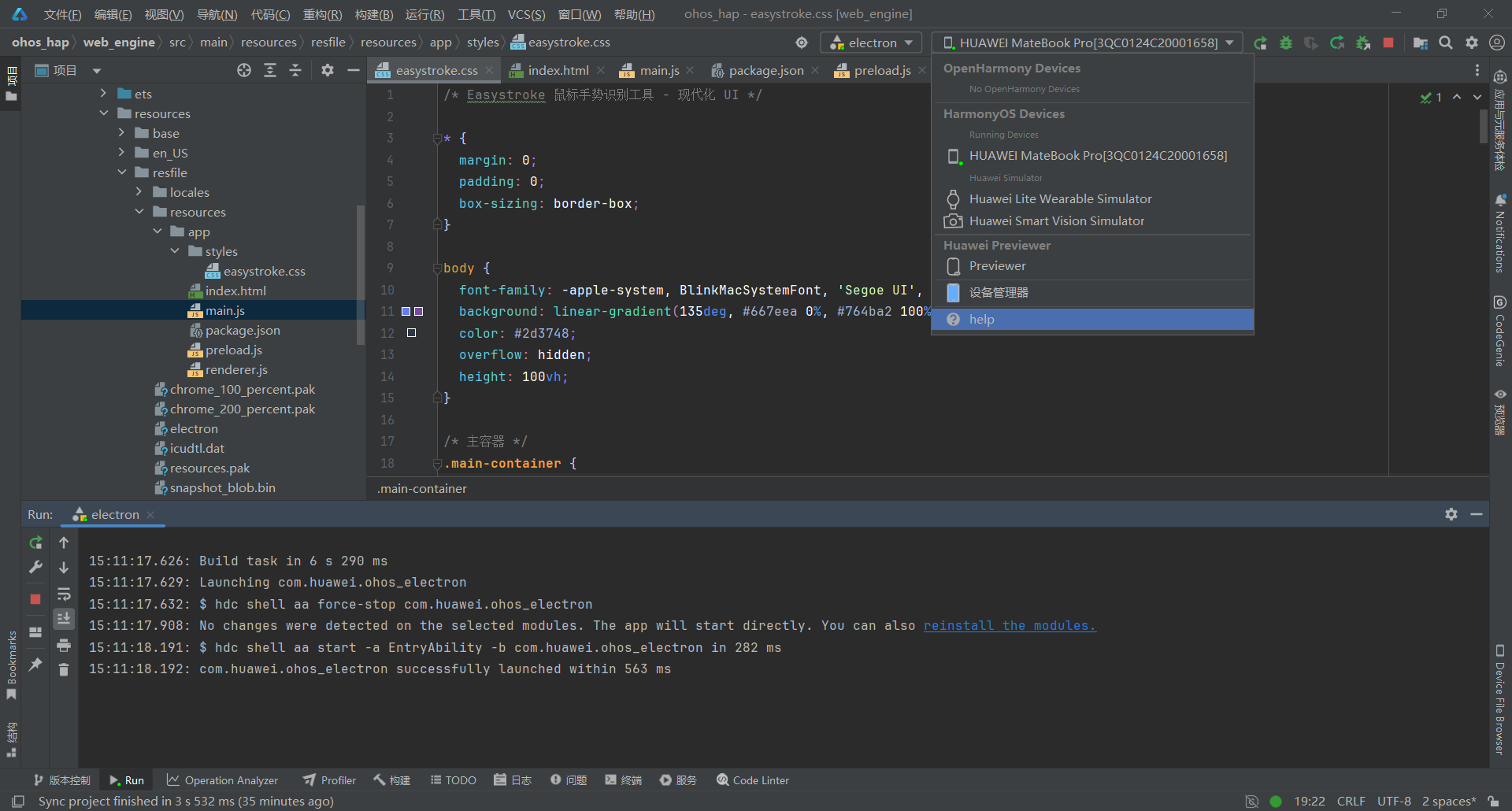
- 连接鸿蒙设备(或启动模拟器)
- 点击 Run > Run 'entry'
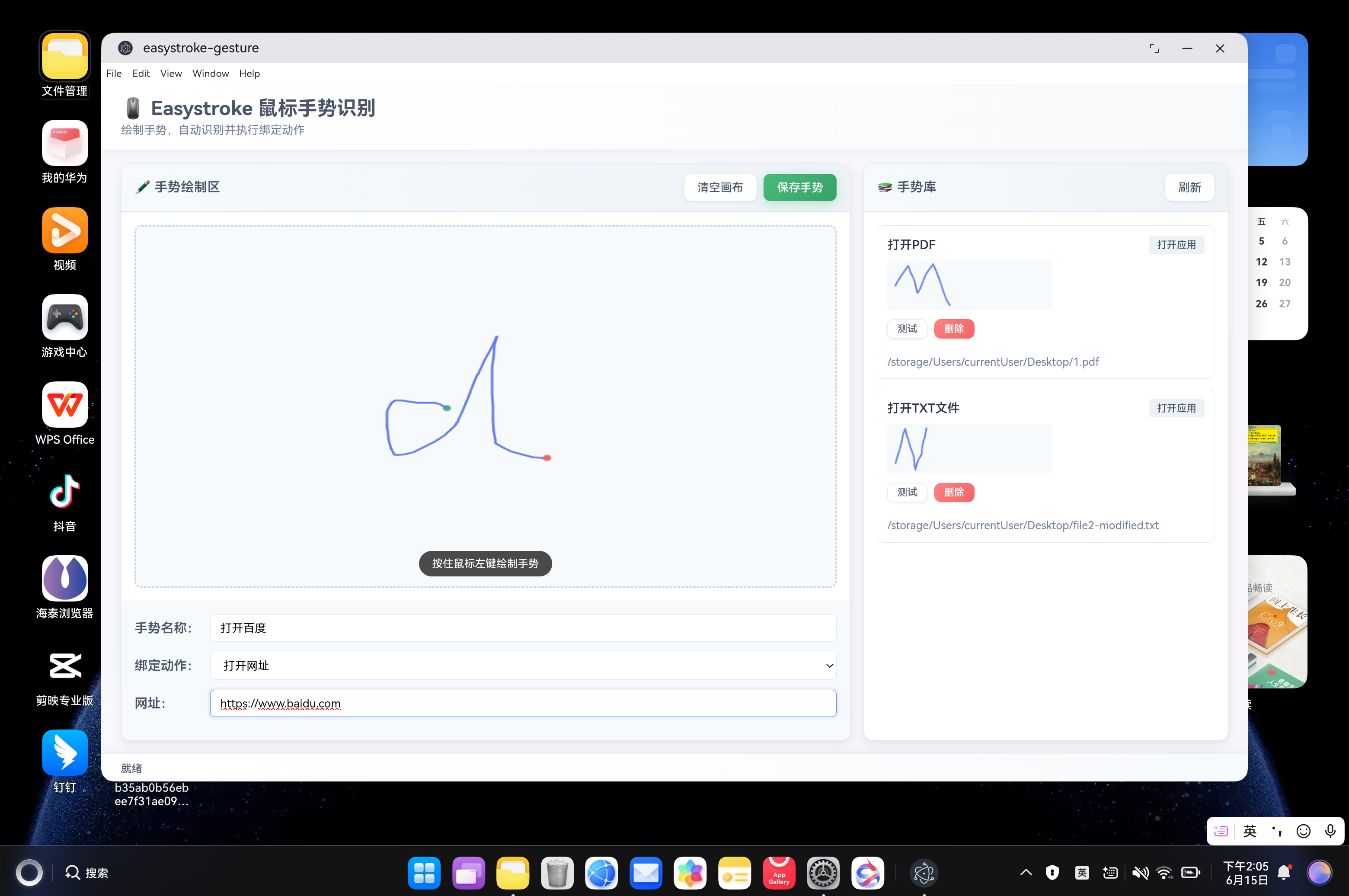
- 安装完成后,应用会自动启动
五、常见问题 FAQ
Q1:手势识别不准确,经常误识别?
问题现象:绘制 N 手势时,系统识别为 M 手势
根本原因:相似度阈值过高(0.3),N 和 M 都是折线手势,特征相似
真实代码(renderer.js 第 12 行):
javascript
// ✅ 正确代码(降低阈值到 0.2)
const SIMILARITY_THRESHOLD = 0.2; // ✅ 降低阈值到 0.2,避免 N 和 M 相似手势误识别
解决方案关键点:
- 降低阈值从 0.3 到 0.2,严格识别
- 6 维度特征中,方向变化次数权重最高(0.25),区分 N(2 次转折)和 M(3 次转折)
- 如果仍然误识别,可进一步降低到 0.15
- 建议重新保存手势,确保转折点清晰
Q2:手势识别失败后,没有提示保存新手势?
问题现象:绘制未知手势后,只显示"就绪",没有显示保存界面
根本原因:showMessage 的 3 秒定时器与状态检查冲突,导致竞态条件
真实代码(renderer.js 第 158-172 行):
javascript
// 先尝试识别手势
gestureRecognized = false; // ✅ 重置标志
recognizeGesture();

// 如果识别失败,再显示保存界面
setTimeout(() => {
  // ✅ 使用标志位判断是否识别成功
  if (!gestureRecognized) {
    // 识别失败,显示保存界面
    document.getElementById('btn-save').disabled = false;
    document.getElementById('gesture-info').style.display = 'block';
    showMessage('未识别到手势,可以保存为新手势', 'info');
  }
  // 如果识别成功,不需要显示保存界面,3秒后自动清空画布
}, 500);
解决方案关键点:
- 添加全局标志 gestureRecognized(第 6 行)
- 识别前重置标志:gestureRecognized = false(第 159 行)
- 识别成功设置:gestureRecognized = true(第 676 行)
- 识别失败设置:gestureRecognized = false(第 690 行)
- 使用标志位判断,替代检查状态栏文本
Q3:调用 shell.openExternal 时应用崩溃?
问题现象:执行"打开网址"动作时,应用 SIGABRT 崩溃
根本原因:XComponent 还没准备好,WaitForXComponentCreated 超时
真实代码(main.js 第 211-249 行):
javascript
case 'open-url':
  // 打开 URL
  if (!appPath) {
    return { success: false, error: '未指定 URL' };
  }

  try {
    // 确保 URL 包含协议
    let url = appPath;
    if (!url.startsWith('http://') && !url.startsWith('https://')) {
      url = 'https://' + url;
    }

    console.log('Easystroke: 准备打开 URL', url);

    // ✅ 防护 1:检查窗口状态
    if (!mainWindow || mainWindow.isDestroyed()) {
      console.error('Easystroke: 窗口已销毁,无法打开 URL');
      return { success: false, error: '窗口未就绪' };
    }

    // ✅ 防护 2:延迟执行,避免与绘制操作冲突(增加到 1000ms)
    await new Promise(resolve => setTimeout(resolve, 1000));

    // ✅ 防护 3:再次检查窗口状态
    if (!mainWindow || mainWindow.isDestroyed()) {
      console.error('Easystroke: 窗口在延迟后已销毁');
      return { success: false, error: '窗口未就绪' };
    }

    // ✅ 防护 4:确保窗口处于聚焦状态
    if (mainWindow.isMinimized()) {
      mainWindow.restore();
    }
    mainWindow.focus();

    console.log('Easystroke: 执行打开 URL 操作');
    await shell.openExternal(url);
    return { success: true, message: `已打开: ${url}` };
  } catch (err) {
    return { success: false, error: `打开 URL 失败: ${err.message}` };
  }
解决方案关键点:
- 延迟 1000ms,等待 XComponent 初始化完成
- 延迟前后双重检查窗口状态
- 确保窗口聚焦和恢复
- URL 协议自动补全
- 异常捕获和错误提示
Q4:Canvas 绘制不流畅,路径断裂?
问题现象:快速绘制手势时,路径出现断裂或锯齿
根本原因:Canvas 状态管理不规范,没有正确调用 beginPath
真实代码(renderer.js 第 150-154 行):
javascript
// 绘制终点
const lastPoint = currentPoints[currentPoints.length - 1];
ctx.beginPath(); // ⭐ 关键:开始新路径
ctx.arc(lastPoint.x, lastPoint.y, 5, 0, Math.PI * 2);
ctx.fillStyle = '#f56565';
ctx.fill();
真实代码(renderer.js 第 179-180 行):
javascript
// 彻底清空画布 + 重置路径状态
ctx.clearRect(0, 0, canvas.width, canvas.height); // 清空内容
ctx.beginPath(); // ⭐ 重置路径状态
解决方案关键点:
- Canvas 状态管理三重规范:clearRect + beginPath + 绘制前 beginPath
- 每次 moveTo/lineTo/arc 前必须调用 beginPath
- 清空画布时同时调用 clearRect 和 beginPath
- 使用 lineCap: 'round' 和 lineJoin: 'round' 平滑路径
Q5:手势列表不显示已保存的手势?
问题现象:保存手势后,刷新应用手势列表为空
根本原因:应用启动时没有调用 loadGestures() 加载本地数据
真实代码(renderer.js 第 15-21 行):
javascript
document.addEventListener('DOMContentLoaded', function() {
  console.log('Easystroke: 初始化');
  initCanvas();
  bindEvents();
  loadGestures(); // ⭐ 加载用户手势
  console.log('Easystroke: 初始化完成');
});
解决方案关键点:
- DOMContentLoaded 事件中必须调用 loadGestures()
- loadGestures() 使用 async/await 异步加载
- 加载成功后调用 updateGestureList() 更新 UI
- 调用 updateGestureCount() 更新手势数量显示
Q6:鸿蒙平台 CSS 样式不生效,页面显示异常?
问题现象:在鸿蒙设备上运行时,部分 CSS 样式没有生效
根本原因 1:鸿蒙 ArkWeb 不支持 CSS 自定义属性(变量)var(--xxx)
根本原因 2:鸿蒙 ArkWeb 不支持 position: fixed
真实代码(easystroke.css 第 18-27 行):
css
/* 主容器 */
.main-container {
  position: absolute; /* 鸿蒙 ArkWeb 兼容:使用 absolute 替代 fixed */
  top: 0;
  left: 0;
  right: 0;
  bottom: 0;
  background: rgba(255, 255, 255, 0.95);
  display: flex;
  flex-direction: column;
}
真实代码(easystroke.css 第 9-15 行):
css
body {
  font-family: -apple-system, BlinkMacSystemFont, 'Segoe UI', 'Microsoft YaHei', sans-serif;
  background: linear-gradient(135deg, #667eea 0%, #764ba2 100%); /* ⭐ 渐变背景,不是 var(--bg-gradient) */
  color: #2d3748;
  overflow: hidden;
  height: 100vh;
}
解决方案关键点:
- 将所有 var(--xxx) 替换为实际值
- 鸿蒙 ArkWeb 不支持 CSS 自定义属性
- 使用 position: absolute 替代 position: fixed
- 项目已 100% 去除 CSS 变量
- 其他 CSS 特性(flex、transition、transform、gradient)均支持
- 使用语义化颜色命名
Q7:手势保存失败,报错 "gestures.json not found"?
问题现象:点击"保存手势"按钮后,提示保存失败
根本原因:主进程 save-gestures IPC 处理器路径错误
真实代码(main.js 第 145-157 行):
javascript
// 保存手势数据
ipcMain.handle('save-gestures', async (event, gestures) => {
  try {
    const dataPath = path.join(__dirname, 'gestures.json'); // ⭐ 使用 __dirname
    fs.writeFileSync(dataPath, JSON.stringify(gestures, null, 2), 'utf8');
    return { success: true };
  } catch (error) {
    return { success: false, error: error.message };
  }
});
解决方案关键点:
- 使用 path.join(__dirname, 'gestures.json') 相对路径
- __dirname 指向 main.js 所在目录
- 使用 JSON.stringify(gestures, null, 2) 格式化输出
- 指定 'utf8' 编码,避免中文乱码
- 异常捕获并返回错误信息