HarmonyOS 分层架构 --- common 模块实战:数据模型、常量与服务封装
效果
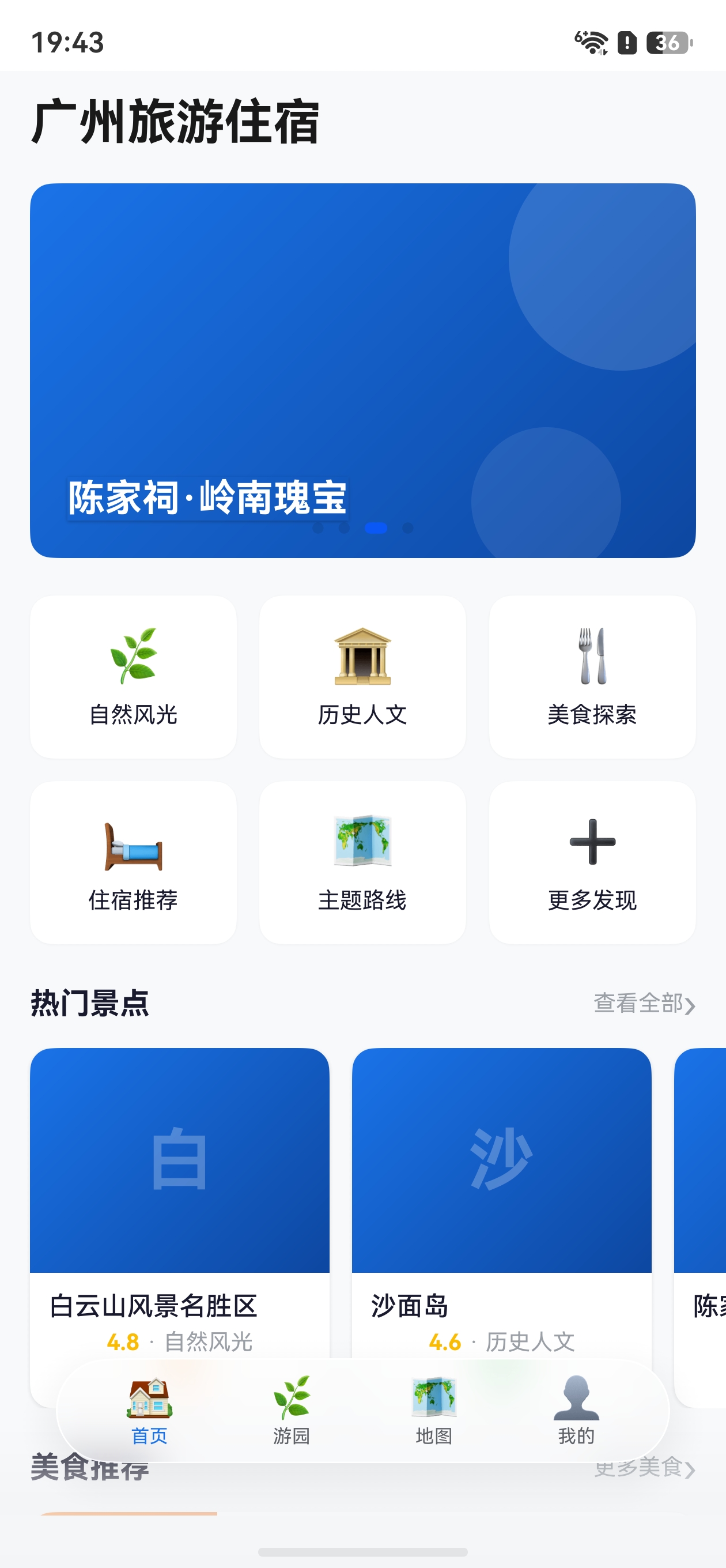
一、common 模块职责
在 HarmonyOS 分层架构中,common 是一个 HAR(Harmony Archive) 静态共享模块,承担整个项目的公共基础设施角色。它为上层业务模块(home、ParkService、MapService、AccountCenter、PersonalCenter)提供统一的数据定义、常量管理和基础服务封装。
| 能力分类 | 说明 | 关键文件 |
|---|---|---|
| 数据模型(Models) | 使用 @ObservedV2 + @Trace + @Computed 构建响应式数据类,支持精准 UI 刷新 |
ScenicSpot、FoodItem、HotelItem、UserInfo、CategoryItem 等 |
| 常量管理(Constants) | 统一管理路由名称、应用配置、主题样式等全局常量,避免硬编码 | RouteConstants、AppConstants、ThemeConstants |
| 服务封装(Services) | 封装 RDB 数据库、路由调度、HTTP 请求、定位服务,对外提供简洁 API | RdbService、RouterService、HttpService、LocationService |
| 通用组件(Components) | 提供 SectionHeader、ScenicCard、FoodCard 等可复用 UI 组件 | SectionHeader、LoadingView、EmptyView 等 |
业务模块只需通过 import { xxx } from 'common' 一行代码即可使用全部公共能力,实现了 "定义在 common,消费在 feature" 的分层设计。
二、模块导出(Index.ets)
common/Index.ets 是模块的统一出口,所有对外暴露的符号在此集中导出:
typescript
// Models
export { ScenicSpot } from './src/main/ets/models/ScenicSpot';
export { FoodItem } from './src/main/ets/models/FoodItem';
export { HotelItem } from './src/main/ets/models/HotelItem';
export { UserInfo } from './src/main/ets/models/UserInfo';
export { CategoryItem, BannerItem, SpotMarker } from './src/main/ets/models/CategoryItem';

// Constants
export { AppConstants } from './src/main/ets/constants/AppConstants';
export { RouteConstants } from './src/main/ets/constants/RouteConstants';
export { ThemeConstants } from './src/main/ets/constants/ThemeConstants';

// Services
export { HttpService } from './src/main/ets/services/HttpService';
export { RdbService, FavoriteRecord, HistoryRecord } from './src/main/ets/services/RdbService';
export { LocationService, LocationData } from './src/main/ets/services/LocationService';
export { RouterService } from './src/main/ets/services/RouterService';

// Components
export { SectionHeader } from './src/main/ets/components/SectionHeader';
export { ScenicCard } from './src/main/ets/components/ScenicCard';
export { FoodCard } from './src/main/ets/components/FoodCard';
export { HotelCard } from './src/main/ets/components/HotelCard';
export { LoadingView } from './src/main/ets/components/LoadingView';
export { EmptyView } from './src/main/ets/components/EmptyView';
export { ImageView } from './src/main/ets/components/ImageView';
设计要点 :通过 Index.ets 做统一出口,业务模块无需关心内部目录结构,只依赖 'common' 这一个包名。这是 HarmonyOS HAR 模块的标准实践。
三、数据模型设计(@ObservedV2 + @Trace + @Computed)
HarmonyOS 6.1 引入了全新的状态管理 V2 方案。本项目的数据模型全部使用 @ObservedV2 装饰器标记为可观测类,配合 @Trace 实现字段级精准追踪,配合 @Computed 自动派生计算属性。
3.1 ScenicSpot 景点模型
景点模型是最复杂的数据模型,包含地理坐标、门票、评分等 15 个字段,以及 3 个计算属性:
typescript
@ObservedV2
export class ScenicSpot {
  @Trace id: string = '';
  @Trace name: string = '';
  @Trace description: string = '';
  @Trace detail: string = '';
  @Trace coverImage: string = '';
  @Trace images: string[] = [];
  @Trace category: string = '';
  @Trace address: string = '';
  @Trace latitude: number = 0;
  @Trace longitude: number = 0;
  @Trace ticketPrice: string = '';
  @Trace openTime: string = '';
  @Trace rating: number = 0;
  @Trace visitDuration: string = '';
  @Trace isFavorite: boolean = false;
  @Trace detailUrl: string = '';

  @Computed
  get hasTicket(): boolean {
    return this.ticketPrice.length > 0 && this.ticketPrice !== '免费';
  }

  @Computed
  get coordinateValid(): boolean {
    return this.latitude !== 0 && this.longitude !== 0;
  }

  @Computed
  get ratingText(): string {
    if (this.rating >= 4.5) {
      return '极力推荐';
    } else if (this.rating >= 4.0) {
      return '值得一去';
    } else if (this.rating >= 3.5) {
      return '还不错';
    }
    return '一般';
  }
}
@Computed 的价值 :hasTicket 根据门票价格自动判断是否需要购票,coordinateValid 校验坐标有效性(地图模块据此决定是否显示导航按钮),ratingText 将数字评分转为中文推荐文案。这三个属性无需手动维护 ,当 @Trace 依赖的源字段变化时自动更新,UI 绑定了 @Computed 属性的组件也会自动刷新。
3.2 FoodItem 美食模型
美食模型围绕"吃什么"场景设计,增加了 tags 标签数组和 priceLevel 消费等级计算属性:
typescript
@ObservedV2
export class FoodItem {
  @Trace id: string = '';
  @Trace name: string = '';
  @Trace description: string = '';
  @Trace coverImage: string = '';
  @Trace restaurant: string = '';
  @Trace address: string = '';
  @Trace priceRange: string = '';
  @Trace rating: number = 0;
  @Trace category: string = '';
  @Trace isFavorite: boolean = false;
  @Trace tags: string[] = [];

  @Computed
  get priceLevel(): string {
    const price = Number(this.priceRange.replace(/[^\d]/g, ''));
    if (price <= 30) {
      return '平价小吃';
    } else if (price <= 80) {
      return '中等消费';
    }
    return '高端餐饮';
  }
}
priceLevel 从 priceRange(如 "¥25/人")中正则提取数字,自动划分为三档消费等级,方便列表页用不同颜色标签展示。
3.3 HotelItem 住宿模型
住宿模型与地图强关联,包含经纬度坐标和价格等级计算:
typescript
@ObservedV2
export class HotelItem {
  @Trace id: string = '';
  @Trace name: string = '';
  @Trace description: string = '';
  @Trace coverImage: string = '';
  @Trace address: string = '';
  @Trace pricePerNight: string = '';
  @Trace rating: number = 0;
  @Trace latitude: number = 0;
  @Trace longitude: number = 0;
  @Trace tags: string[] = [];
  @Trace isFavorite: boolean = false;
  @Trace phone: string = '';

  @Computed
  get priceLevel(): string {
    const price = Number(this.pricePerNight.replace(/[^\d]/g, ''));
    if (price <= 300) {
      return '经济型';
    } else if (price <= 800) {
      return '舒适型';
    }
    return '豪华型';
  }

  @Computed
  get priceNumber(): number {
    return Number(this.pricePerNight.replace(/[^\d]/g, ''));
  }
}
priceLevel 将住宿按价格分为经济型(≤300)、舒适型(≤800)、豪华型三档;priceNumber 提取纯数字用于排序和筛选逻辑。
3.4 UserInfo 用户信息模型
用户信息模型支持登录态切换场景:
typescript
@ObservedV2
export class UserInfo {
  @Trace userId: string = '';
  @Trace nickname: string = '';
  @Trace avatar: string = '';
  @Trace phone: string = '';
  @Trace email: string = '';
  @Trace isLoggedIn: boolean = false;

  @Computed
  get displayNickname(): string {
    return this.isLoggedIn ? this.nickname : '游客用户';
  }

  @Computed
  get maskedPhone(): string {
    if (this.phone.length === 11) {
      return this.phone.substring(0, 3) + '****' + this.phone.substring(7);
    }
    return this.phone;
  }
}
displayNickname 根据登录状态动态显示昵称或"游客用户";maskedPhone 将 11 位手机号中间四位脱敏为 ****,如 138****1234。这些计算属性保证了敏感信息展示的安全性和登录态切换时的 UI 一致性。
3.5 CategoryItem / BannerItem / SpotMarker 辅助模型
这三个轻量模型分别服务于分类导航、首页轮播图和地图标记点场景:
typescript
@ObservedV2
export class CategoryItem {
  @Trace id: string = '';
  @Trace name: string = '';
  @Trace icon: string = '';
  @Trace color: string = '';
}

@ObservedV2
export class BannerItem {
  @Trace id: string = '';
  @Trace title: string = '';
  @Trace imageUrl: string = '';
  @Trace linkType: string = '';
  @Trace linkId: string = '';
}

@ObservedV2
export class SpotMarker {
  @Trace id: string = '';
  @Trace name: string = '';
  @Trace latitude: number = 0;
  @Trace longitude: number = 0;
  @Trace category: string = '';
  @Trace icon: string = '';
  @Trace isSelected: boolean = false;

  constructor(name: string, latitude: number, longitude: number, category: string) {
    this.id = `${category}_${name}`;
    this.name = name;
    this.latitude = latitude;
    this.longitude = longitude;
    this.category = category;
  }
}
SpotMarker 的构造函数通过 category_name 拼接生成唯一 ID,isSelected 字段支持地图标记点的选中态高亮。
四、常量管理
将全局常量集中管理是避免硬编码、提升可维护性的关键。本项目将常量分为路由、应用配置、主题样式三类。
4.1 RouteConstants 路由名称常量
所有页面的路由名称在 RouteConstants 中统一定义,各 feature 模块通过 RouteConstants.HOME_PAGE 引用,杜绝字符串拼写错误:
typescript
export class RouteConstants {
  static readonly HOME_PAGE: string = 'HomePage';
  static readonly PARK_LIST_PAGE: string = 'ParkListPage';
  static readonly PARK_DETAIL_PAGE: string = 'ParkDetailPage';
  static readonly MAP_PAGE: string = 'MapPage';
  static readonly PERSONAL_CENTER_PAGE: string = 'PersonalCenterPage';
  static readonly FAVORITES_PAGE: string = 'FavoritesPage';
  static readonly HISTORY_PAGE: string = 'HistoryPage';
  static readonly LOGIN_PAGE: string = 'LoginPage';
  static readonly REGISTER_PAGE: string = 'RegisterPage';
  static readonly SETTINGS_PAGE: string = 'SettingsPage';
  static readonly WEB_VIEW_PAGE: string = 'WebViewPage';
  static readonly FOOD_DETAIL_PAGE: string = 'FoodDetailPage';
  static readonly HOTEL_DETAIL_PAGE: string = 'HotelDetailPage';
  static readonly PROFILE_EDIT_PAGE: string = 'ProfileEditPage';
}
共定义 14 个页面路由,覆盖了首页、景点列表/详情、地图、个人中心、收藏、历史、登录/注册、设置、WebView、美食详情、住宿详情、资料编辑等全部页面。
4.2 AppConstants 应用配置常量
typescript
export class AppConstants {
  static readonly APP_NAME: string = '广州旅游住宿';
  static readonly DEFAULT_PAGE_SIZE: number = 20;
  static readonly ANIMATION_DURATION: number = 300;
  static readonly BANNER_AUTO_PLAY_INTERVAL: number = 4000;

  // 景点分类
  static readonly CATEGORY_NATURE: string = '自然风光';
  static readonly CATEGORY_CULTURE: string = '历史人文';
  static readonly CATEGORY_PARK: string = '公园广场';
  static readonly CATEGORY_MODERN: string = '现代地标';

  // 美食分类
  static readonly FOOD_DIM_SUM: string = '早茶点心';
  static readonly FOOD_CANTONESE: string = '粤菜';
  static readonly FOOD_SNACK: string = '街头小吃';
  static readonly FOOD_DESSERT: string = '甜品糖水';

  // RDB
  static readonly DB_NAME: string = 'gztourism.db';
  static readonly DB_VERSION: number = 1;
  static readonly TABLE_FAVORITES: string = 'favorites';
  static readonly TABLE_HISTORY: string = 'browse_history';

  // ItemType
  static readonly ITEM_TYPE_SCENIC: string = 'scenic';
  static readonly ITEM_TYPE_FOOD: string = 'food';
  static readonly ITEM_TYPE_HOTEL: string = 'hotel';

  // 地图默认中心(广州市中心)
  static readonly DEFAULT_LATITUDE: number = 23.1291;
  static readonly DEFAULT_LONGITUDE: number = 113.2644;
  static readonly DEFAULT_ZOOM: number = 12;
}
关键配置包括:数据库名称 gztourism.db、两张表名(favorites 收藏表、browse_history 浏览历史表)、三种 ItemType(scenic/food/hotel)、广州地图默认中心坐标 (23.1291, 113.2644) 和默认缩放级别 12。
4.3 ThemeConstants 主题样式常量
typescript
export class ThemeConstants {
  // 品牌主色
  static readonly PRIMARY: string = '#1A73E8';
  static readonly PRIMARY_LIGHT: string = '#E8F0FE';
  static readonly PRIMARY_DARK: string = '#0D47A1';

  // 强调色
  static readonly ACCENT: string = '#FF6D00';
  static readonly ACCENT_LIGHT: string = '#FFF3E0';

  // 功能色
  static readonly SUCCESS: string = '#34A853';
  static readonly WARNING: string = '#FBBC04';
  static readonly ERROR: string = '#EA4335';
  static readonly FAVORITE: string = '#E91E63';

  // 文字色
  static readonly TEXT_PRIMARY: string = '#1A1A2E';
  static readonly TEXT_SECONDARY: string = '#5F6368';
  static readonly TEXT_HINT: string = '#9AA0A6';
  static readonly TEXT_WHITE: string = '#FFFFFF';

  // 背景色
  static readonly PAGE_BG: string = '#F8F9FA';
  static readonly CARD_BG: string = '#FFFFFF';
  static readonly DIVIDER: string = '#E8EAED';

  // 尺寸
  static readonly CARD_RADIUS: number = 12;
  static readonly CARD_PADDING: number = 16;
  static readonly SECTION_MARGIN: number = 20;

  // 字号
  static readonly FONT_SIZE_TITLE: number = 20;
  static readonly FONT_SIZE_SUBTITLE: number = 16;
  static readonly FONT_SIZE_BODY: number = 14;
  static readonly FONT_SIZE_CAPTION: number = 12;
  static readonly FONT_SIZE_SMALL: number = 10;
}
色彩体系采用 品牌色 + 强调色 + 功能色 三层设计:蓝色系 #1A73E8 作为品牌主色,橙色 #FF6D00 作为强调色(用于价格、CTA 按钮),红/绿/黄用于成功/错误/警告等功能场景。尺寸和字号通过统一常量保证全局视觉一致性。
五、服务封装详解
5.1 RdbService --- 关系型数据库封装
RdbService 采用单例模式 管理 HarmonyOS 关系型数据库(@kit.ArkData),维护 favorites(收藏)和 browse_history(浏览历史)两张表,提供完整的 CRUD 操作。
单例初始化与建表:
typescript
export class RdbService {
  private static instance: RdbService | null = null;
  private rdbStore: relationalStore.RdbStore | null = null;

  static getInstance(): RdbService {
    if (!RdbService.instance) {
      RdbService.instance = new RdbService();
    }
    return RdbService.instance;
  }

  async initStore(context: Context): Promise<void> {
    try {
      this.rdbStore = await relationalStore.getRdbStore(context, STORE_CONFIG);
      await this.createTables();
      hilog.info(DOMAIN, TAG, 'RDB store initialized successfully');
    } catch (error) {
      hilog.error(DOMAIN, TAG, 'RDB init failed: %{public}s', JSON.stringify(error));
    }
  }
}表结构设计:
| 字段 | favorites 表 | browse_history 表 |
|---|---|---|
| id | INTEGER PRIMARY KEY AUTOINCREMENT | INTEGER PRIMARY KEY AUTOINCREMENT |
| item_id | TEXT NOT NULL UNIQUE | TEXT NOT NULL |
| item_type | TEXT NOT NULL | TEXT NOT NULL |
| item_name | TEXT NOT NULL | TEXT NOT NULL |
| item_data | TEXT NOT NULL(JSON 序列化) | --- |
| cover_image | TEXT | TEXT |
| 时间戳 | created_at INTEGER | visited_at INTEGER |
注意 favorites 表中 item_id 有 UNIQUE 约束,防止重复收藏;item_data 存储完整的 JSON 数据,用于离线展示。
收藏 CRUD 操作:
typescript
// 添加收藏
async addFavorite(itemId: string, itemType: string, itemName: string,
  itemData: string, coverImage: string): Promise<void> {
  const bucket: relationalStore.ValuesBucket = {
    'item_id': itemId, 'item_type': itemType, 'item_name': itemName,
    'item_data': itemData, 'cover_image': coverImage, 'created_at': Date.now()
  };
  await this.rdbStore.insert(AppConstants.TABLE_FAVORITES, bucket);
}

// 移除收藏
async removeFavorite(itemId: string): Promise<void> {
  const predicates = new relationalStore.RdbPredicates(AppConstants.TABLE_FAVORITES);
  predicates.equalTo('item_id', itemId);
  await this.rdbStore.delete(predicates);
}

// 判断是否已收藏
async isFavorite(itemId: string): Promise<boolean> {
  const predicates = new relationalStore.RdbPredicates(AppConstants.TABLE_FAVORITES);
  predicates.equalTo('item_id', itemId);
  const resultSet = await this.rdbStore.query(predicates);
  const exists = resultSet.rowCount > 0;
  resultSet.close();
  return exists;
}

// 查询收藏列表(支持按类型筛选)
async getFavorites(itemType?: string): Promise<FavoriteRecord[]> { ... }
浏览历史操作 :addBrowseHistory、getBrowseHistory、clearHistory 三个方法覆盖了历史记录的新增、查询和清空功能。
5.2 RouterService --- 路由调度服务
RouterService 是模块间导航的核心,通过封装 NavPathStack 实现业务模块完全解耦:
typescript
export class RouterService {
  private static builderMap: Map<string, WrappedBuilder<[object]>> = new Map();
  private static navPathStack: NavPathStack | null = null;

  static registerNavPathStack(stack: NavPathStack): void {
    RouterService.navPathStack = stack;
  }

  static push(name: string, param?: object): void {
    if (RouterService.navPathStack) {
      RouterService.navPathStack.pushPath({ name: name, param: param ?? {} });
    }
  }

  static pop(): void {
    if (RouterService.navPathStack) {
      RouterService.navPathStack.pop();
    }
  }

  static popToRoot(): void {
    if (RouterService.navPathStack) {
      RouterService.navPathStack.clear();
    }
  }

  static replace(name: string, param?: object): void {
    if (RouterService.navPathStack) {
      RouterService.navPathStack.replacePath({ name: name, param: param ?? {} });
    }
  }

  static getPathName(): string { ... }
}
解耦原理 :各 feature 模块只需调用 RouterService.push(RouteConstants.PARK_DETAIL_PAGE, { id: spotId }) 即可跳转,无需知道目标页面在哪个模块、如何注册。路由 Builder 的注册在 Phone 端入口模块统一完成,实现了页面定义与页面跳转的分离。
核心 API 一览:
| 方法 | 功能 |
|---|---|
registerNavPathStack() |
注册导航栈(Phone 端初始化时调用) |
registerBuilder() |
注册页面 Builder |
push(name, param?) |
压栈跳转 |
pop() |
弹栈返回 |
replace(name, param?) |
替换当前页 |
popToRoot() |
清空导航栈回到根页面 |
getPathName() |
获取当前页面名称 |
5.3 HttpService --- HTTP 请求封装
HttpService 基于 @kit.NetworkKit 的 http 模块,封装了 GET、POST 和图片下载三个静态方法:
typescript
export class HttpService {
  static async get(url: string, params?: Record<string, string>): Promise<string> {
    const httpRequest = http.createHttp();
    try {
      const response = await httpRequest.request(url, {
        method: http.RequestMethod.GET,
        connectTimeout: TIMEOUT,
        readTimeout: TIMEOUT,
        extraData: params,
        expectDataType: http.HttpDataType.STRING
      });
      return response.result as string;
    } catch (error) {
      hilog.error(DOMAIN, TAG, 'GET request failed: %{public}s', JSON.stringify(error));
      throw error;
    } finally {
      httpRequest.destroy();
    }
  }

  static async post(url: string, data: object): Promise<string> { ... }
  static async downloadImage(url: string): Promise<ArrayBuffer> { ... }
}设计亮点:
- try-finally 保证资源释放 :每次请求后在
finally中调用httpRequest.destroy()释放连接 - 统一超时配置:连接超时和读取超时均为 30 秒
- hilog 日志追踪:失败时通过 hilog 记录错误,便于线上排查
5.4 LocationService --- 定位服务
LocationService 基于 @kit.LocationKit 封装了定位和逆地理编码能力:
typescript
@ObservedV2
export class LocationData {
  @Trace latitude: number = 0;
  @Trace longitude: number = 0;
  @Trace address: string = '';
  @Trace isLocated: boolean = false;
}

export class LocationService {
  static async getCurrentLocation(): Promise<geoLocationManager.Location> {
    const request: geoLocationManager.SingleLocationRequest = {
      locatingPriority: geoLocationManager.LocatingPriority.PRIORITY_ACCURACY,
      locatingTimeoutMs: 10000
    };
    const location = await geoLocationManager.getCurrentLocation(request);
    return location;
  }

  static async reverseGeocode(latitude: number, longitude: number): Promise<string> {
    const request: geoLocationManager.ReverseGeoCodeRequest = {
      locale: 'zh', latitude: latitude, longitude: longitude, maxItems: 1
    };
    const results = await geoLocationManager.getAddressesFromLocation(request);
    if (results.length > 0) {
      return results[0].placeName ?? '';
    }
    return '';
  }

  static async isLocationEnabled(): Promise<boolean> {
    return await geoLocationManager.isLocationEnabled();
  }
}
LocationData 本身也是一个 @ObservedV2 响应式模型,可直接绑定到 UI 组件,当位置更新时自动刷新界面。reverseGeocode 将经纬度转换为中文地名(locale: 'zh'),用于地图页显示当前位置文字。
六、设计原则总结
6.1 @ObservedV2 + @Trace 精准响应
HarmonyOS 6.1 的状态管理 V2 方案相比 V1 的 @Observed/@ObjectLink,实现了字段级别的精准追踪 。只有被 @Trace 装饰的属性变化才会触发绑定了该属性的组件刷新,避免了不必要的整树重渲染。
6.2 @Computed 自动计算派生状态
通过 @Computed 装饰器,hasTicket、priceLevel、displayNickname 等派生属性无需手动维护同步逻辑,源字段变化时自动重算,UI 自动更新。这消除了大量冗余的"手动同步"代码,也让业务逻辑更加内聚。
6.3 单例模式管理数据库
RdbService 通过单例模式保证全局只有一个数据库连接实例,避免多实例导致的数据不一致和资源浪费。调用方通过 RdbService.getInstance() 获取实例后即可执行 CRUD 操作。
6.4 RouterService 实现模块间完全解耦
RouterService 是整个分层架构的关键胶水层。feature 模块之间不直接依赖 ,所有页面跳转都通过 RouterService.push(RouteConstants.XXX) 完成。路由名称在 RouteConstants 中集中定义,路由 Builder 在 Phone 入口模块统一注册------任何模块都可以独立开发、独立测试,只要遵循路由契约即可。