Vite 8
多环境配置 .env 文件
vue3-vite-cube/.env.development
js
VITE_MODE=development
VITE_PAGE_TIRTLE=开发环境
VITE_URL=http://localhost:8080
vue3-vite-cube/.env.production
js
VITE_MODE=production
VITE_PAGE_TIRTLE=生产环境
js
<template>
  <div>
    <h1>EnvA</h1>
    <p>当前环境:{{ mode }} - {{ pageTitle }}</p>
  </div>
</template>

<script setup lang="ts">
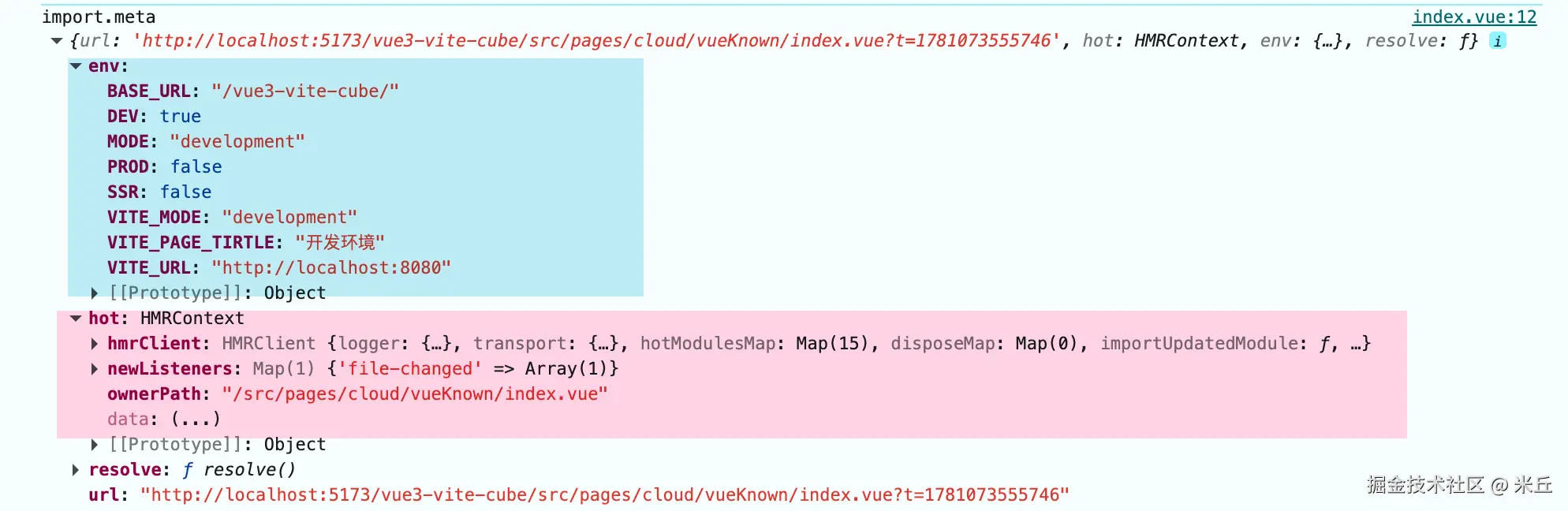
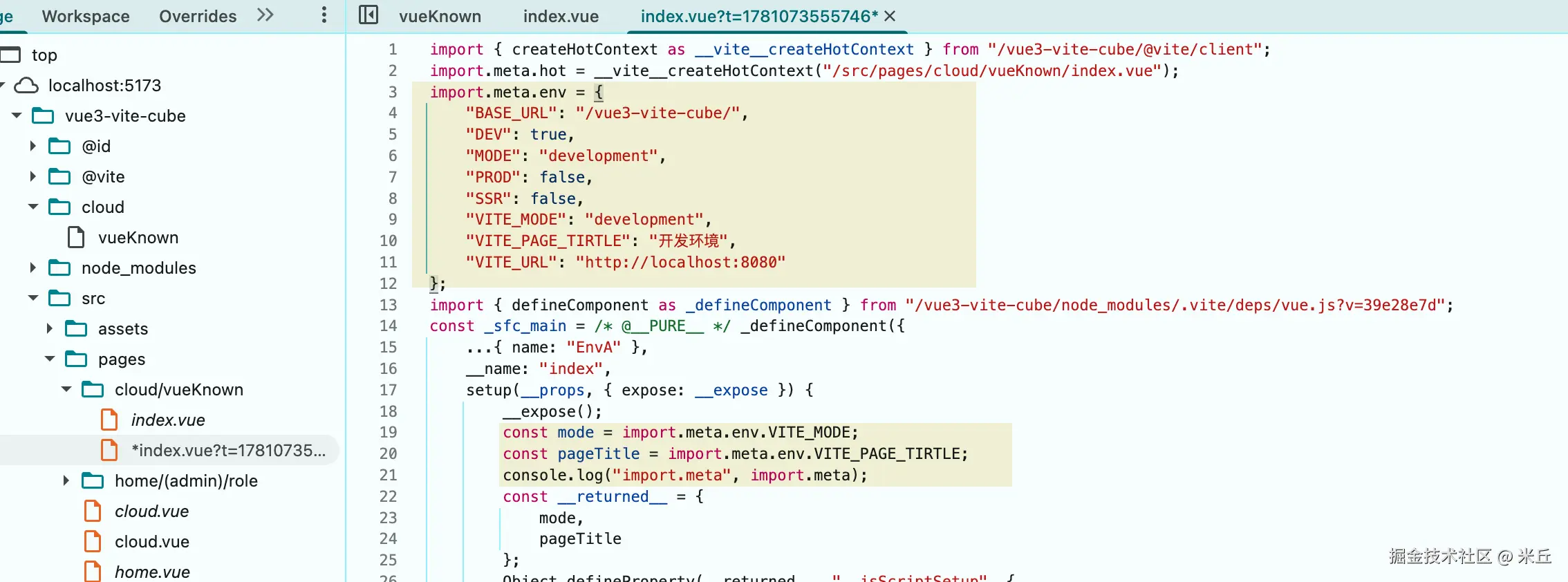
const mode = import.meta.env.VITE_MODE;
const pageTitle = import.meta.env.VITE_PAGE_TIRTLE;
defineOptions({
  name: "EnvA",
});
</script>
本地开发环境
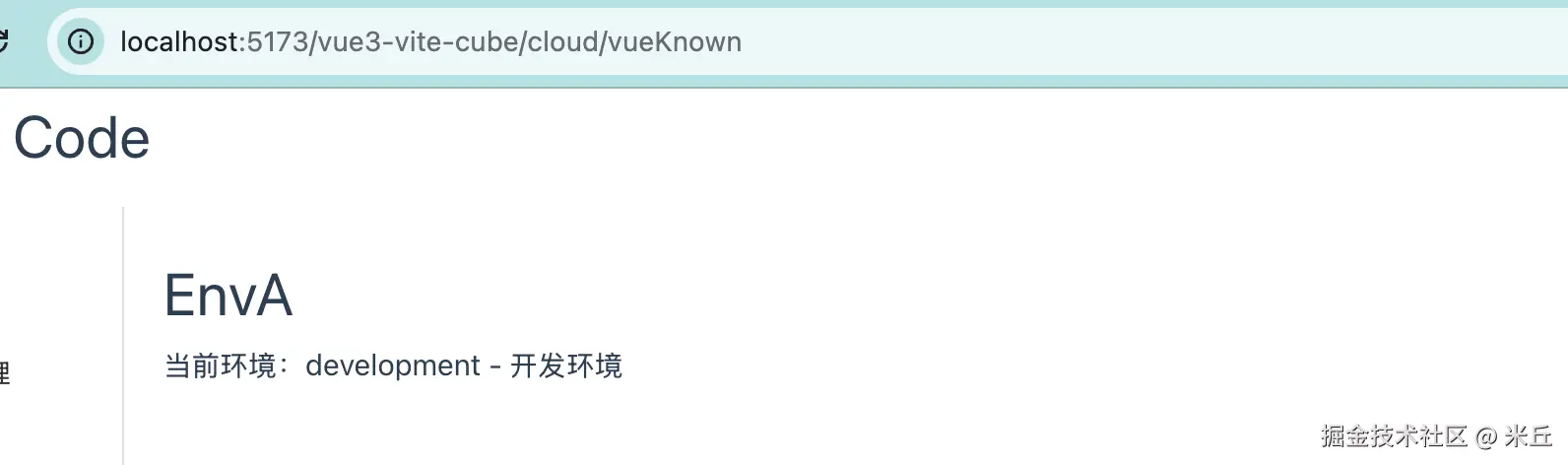
打印 import.meta 结果
编译文件
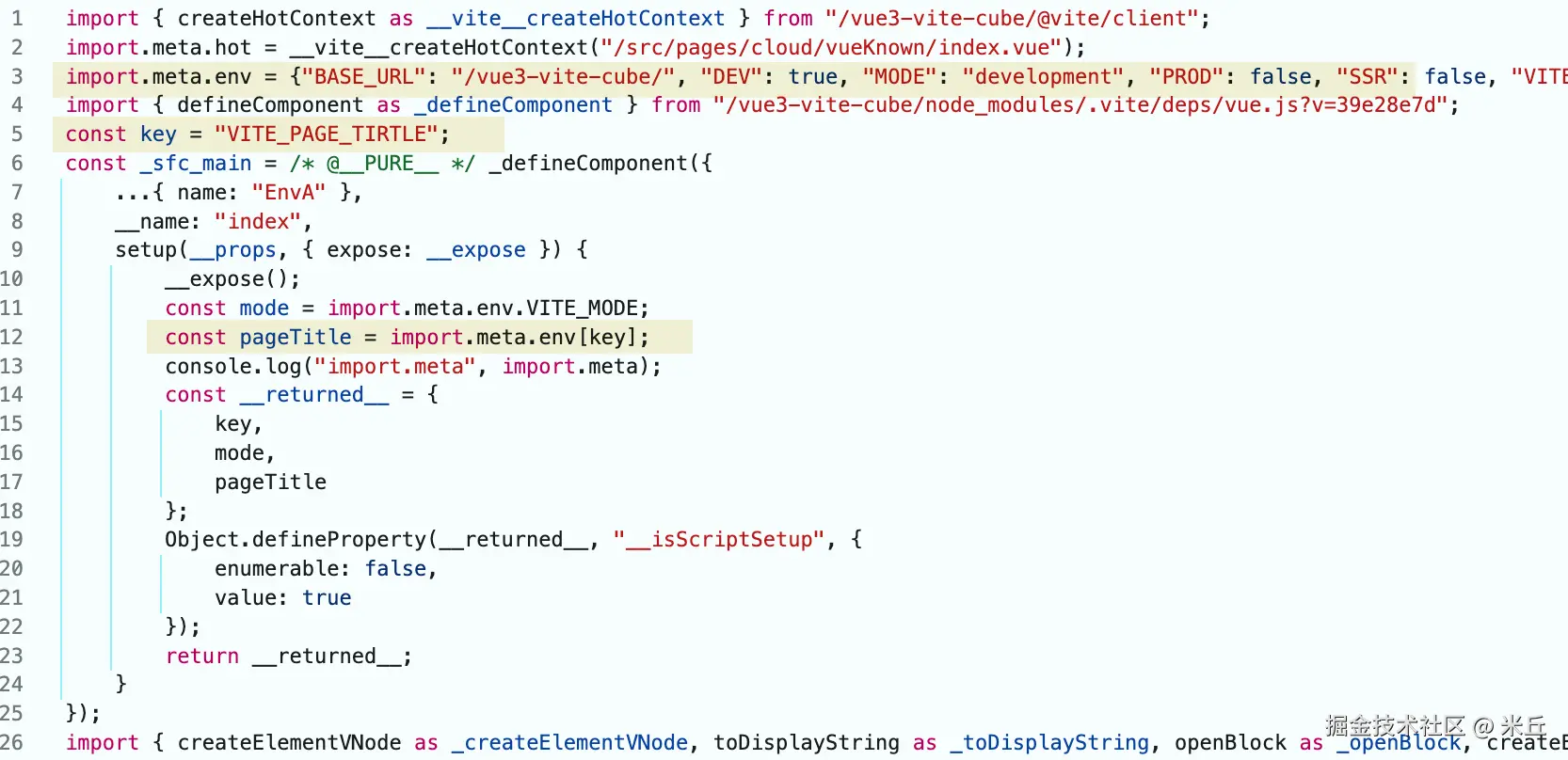
example
js
const key = "VITE_PAGE_TIRTLE";
const mode = import.meta.env.VITE_MODE;
const pageTitle = import.meta.env[key];
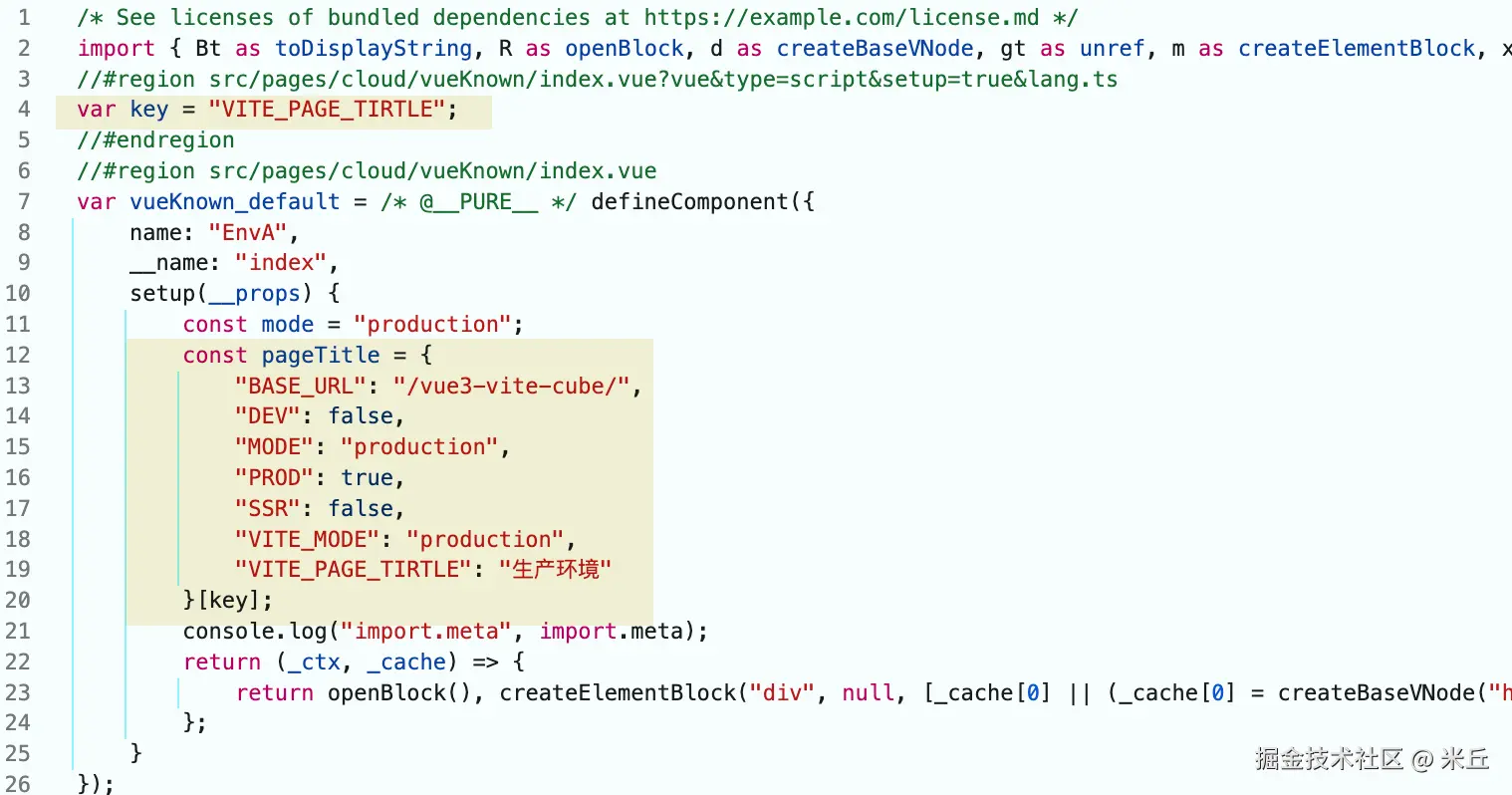
编译文件
生产开发环境
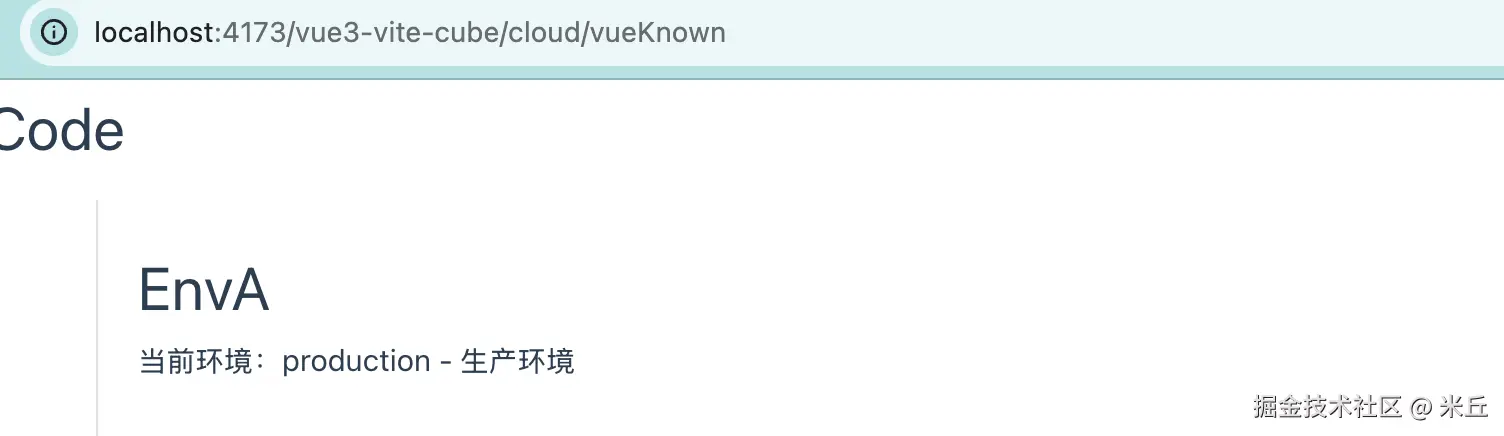
打印 import.meta 结果

打包后文件
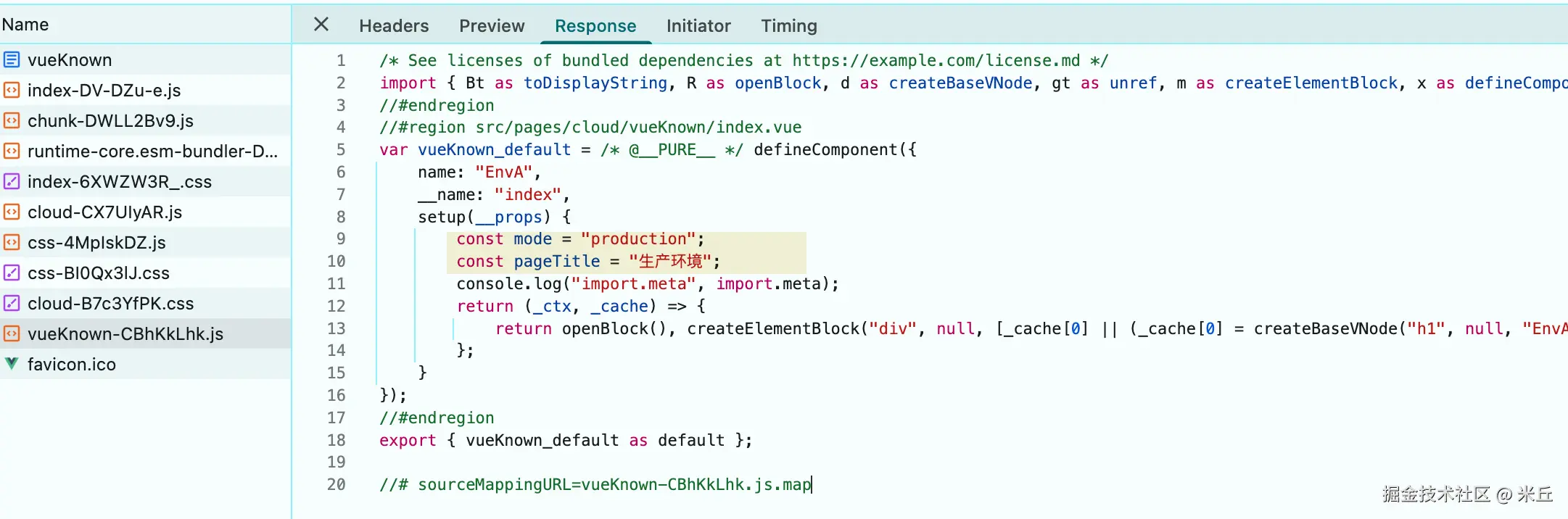
example
js
const key = "VITE_PAGE_TIRTLE";
const mode = import.meta.env.VITE_MODE;
const pageTitle = import.meta.env[key];
打包后文件
开发服务器 server
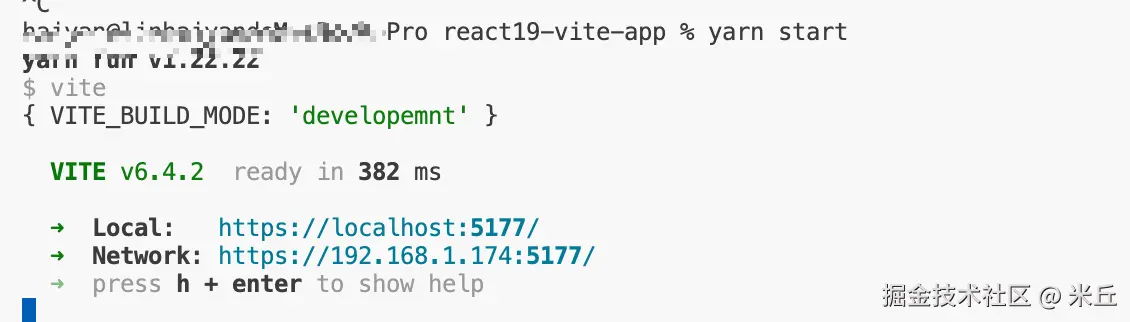
https 访问项目 (启用 TLS + HTTP/2)
1、 利用 server.https 配置证书
server.https 该值是传递给 https.createServer() 的 options 对象。
js
 server: {
      https: {
        key: fs.readFileSync(path.join(__dirname, './ssl/private-key.pem')),
        cert: fs.readFileSync(path.join(__dirname, './ssl/certificate.pem'))
      },
 }

2、利用 @vitejs/plugin-basic-ssl 插件, 插件地址
js
import basicSsl from '@vitejs/plugin-basic-ssl';

plugins: [
  basicSsl()
]
代理 https 后端
1、前端利用 http 访问 (http1.1 协议)
前端项目 http://localhost:5173/vue3-vite-cube/cloud/vueKnown
后端项目 https://localhost:8443/api (express + https HTTP1.1)
js
proxy: {
  // 对象配置
  '/api1': {
    target: 'https://localhost:8443/api',
    changeOrigin: true,
    secure: false,
    rewrite: (path) => path.replace(/^\/api1/, ''),
  },
 }
js
const fetchData = async () => {
  const response = await fetch("https://localhost:8443/api/user");
  console.log("response", response);
};

const fetchData2 = async () => {
  const response = await fetch("/api1/user");
  console.log("response2", response);
};
跨域请求,用了 https 方案 ; 同源请求, 使用 http 方案; 都是使用了 http1.1 写

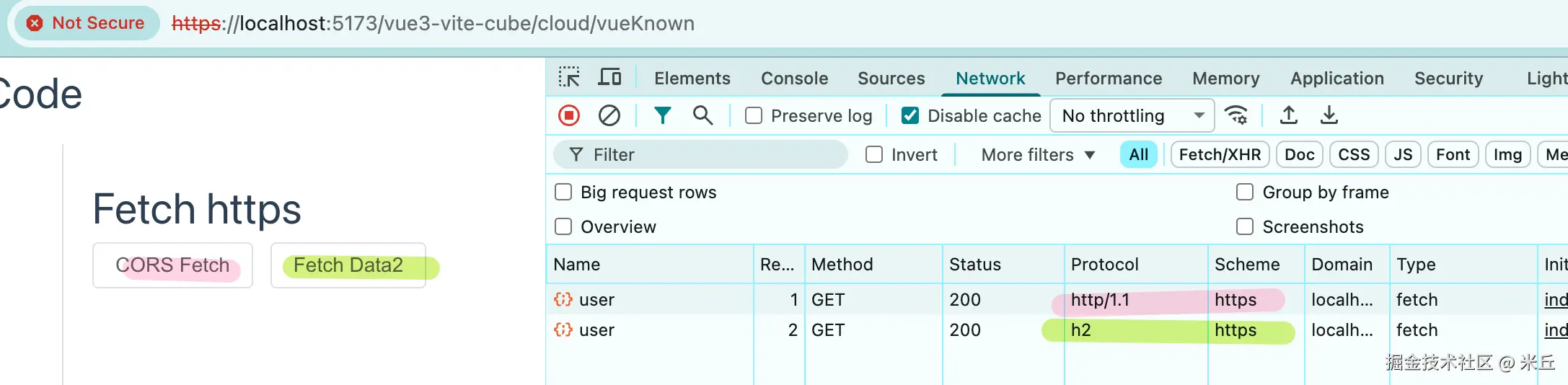
2、 前端使用 https 访问 (h2 协议)
前端项目 https://localhost:5173/vue3-vite-cube/cloud/vueKnown
后端项目 https://localhost:8443/api (express + https HTTP.1)
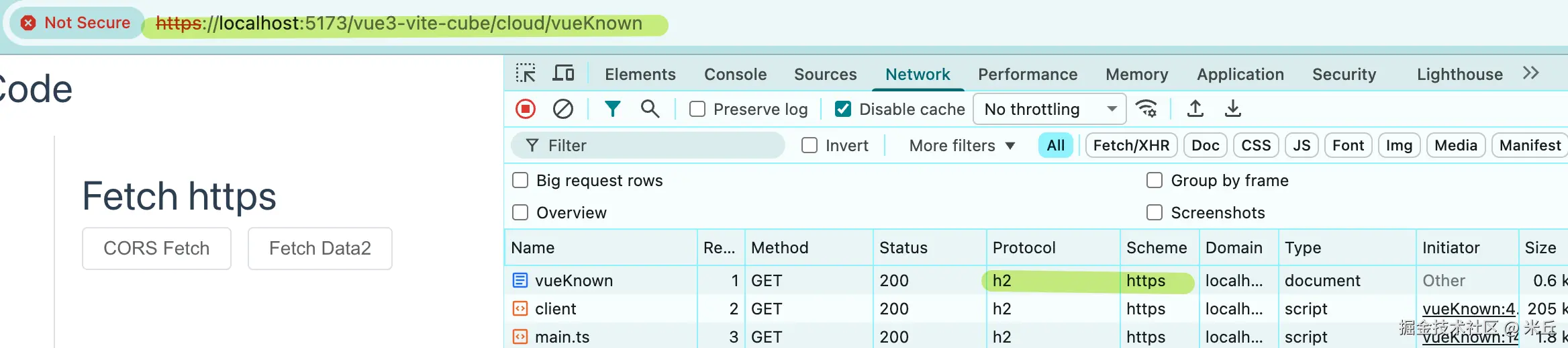
js
const fetchData = async () => {
  const response = await fetch("https://localhost:8443/api/user");
  console.log("response", response);
};

const fetchData2 = async () => {
  const response = await fetch("/api1/user");
  console.log("response2", response);
};
跨域和同源访问都使用了 https 方案。 跨域实例了 http1.1 协议 , 同源使用了 h2 协议
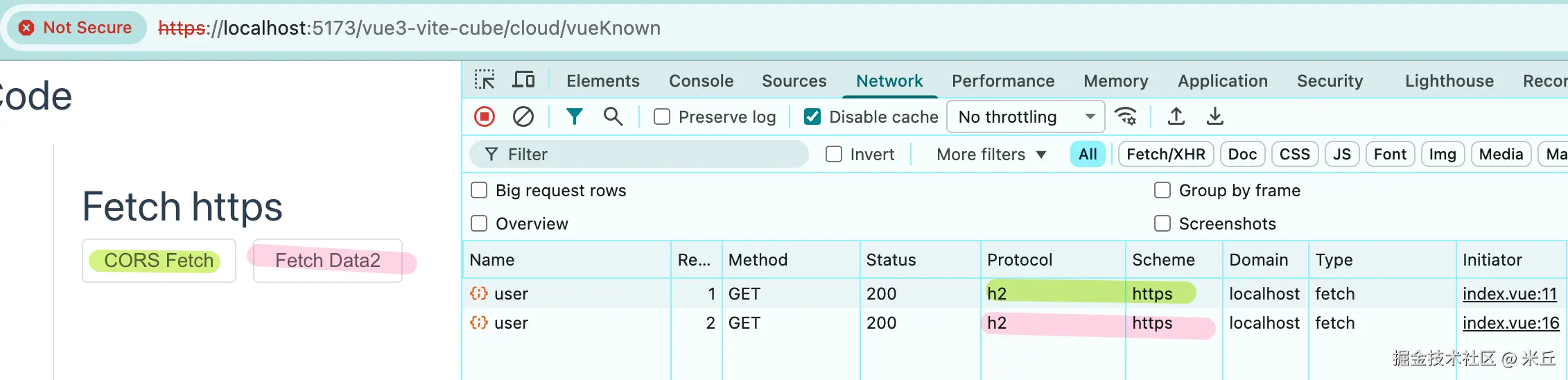
代理 http/2 后端 (node http/2)
前端项目 https://localhost:5173/vue3-vite-cube/cloud/vueKnown
后端项目 https://localhost:8843/api (HTTP/2)
前端请求 http/2 后端接口,解决跨域配置代理,需要使用 vite-plugin-proxy-http2, 由于 在开发环境下,同时开启 https 服务和 proxy 代理时,请求会被降级为 HTTP/1.1。
js
import proxyHttp2 from 'vite-plugin-proxy-http2'

plugins:[
    proxyHttp2({
      proxy: {
        '/api2': {
          target: 'https://localhost:8843/api', // http/2
          changeOrigin: true,
          secure: false,
          rewrite: (path) => path.replace(/^\/api2/, '/api'),
        },
      },
    }),
 ]
js
curl -k https://localhost:8443/api/user
curl -k https://localhost:8843/api/user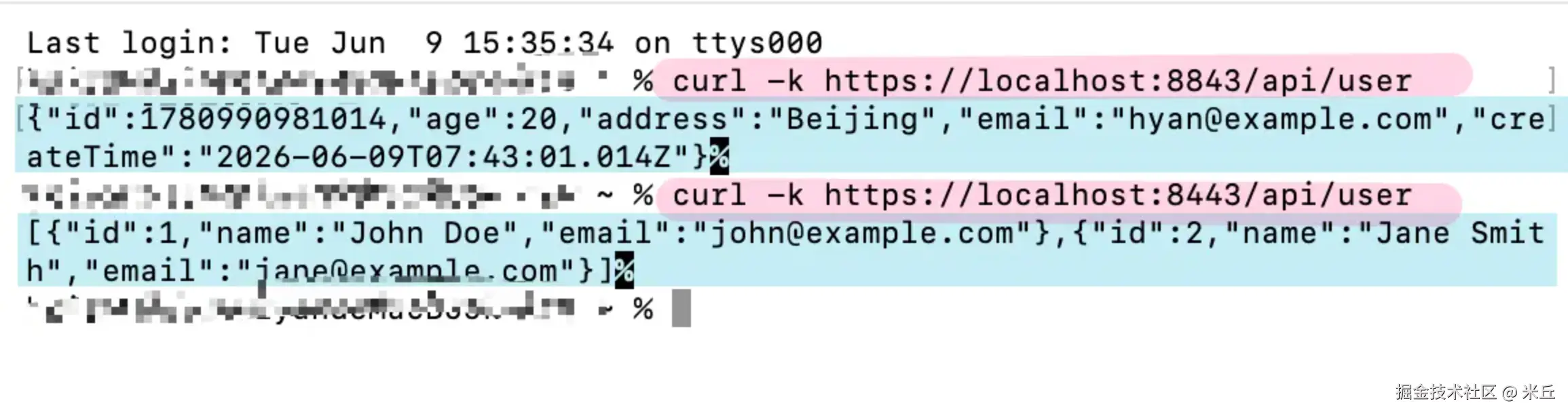
预览配置 preview
命令参数
js
cli
  .command('preview [root]', 'locally preview production build')
  .option('--host [host]', `[string] specify hostname`, { type: [convertHost] })
  .option('--port <port>', `[number] specify port`)
  .option('--strictPort', `[boolean] exit if specified port is already in use`)
  .option('--open [path]', `[boolean | string] open browser on startup`)
  .option('--outDir <dir>', `[string] output directory (default: dist)`)
  .action(){
  }
配置文件配置项
ts
interface CommonServerOptions {

  port?: number;

  strictPort?: boolean;

  host?: string | boolean;

  allowedHosts?: string[] | true;

  https?: HttpsServerOptions;

  open?: boolean | string;
  /**
  * Configure custom proxy rules for the dev server. Expects an object
  * of `{ key: options }` pairs.
  * Uses [`http-proxy-3`](https://github.com/sagemathinc/http-proxy-3).
  * Full options [here](https://github.com/sagemathinc/http-proxy-3#options).
  *
  * Example `vite.config.js`:
  * ``` js
  * module.exports = {
  *   proxy: {
  *     // string shorthand: /foo -> http://localhost:4567/foo
  *     '/foo': 'http://localhost:4567',
  *     // with options
  *     '/api': {
  *       target: 'http://jsonplaceholder.typicode.com',
  *       changeOrigin: true,
  *       rewrite: path => path.replace(/^\/api/, '')
  *     }
  *   }
  * }
  * ```
  */
  proxy?: Record<string, string | ProxyOptions>;
  /**
  * Configure CORS for the dev server.
  * Uses https://github.com/expressjs/cors.
  *
  * When enabling this option, **we recommend setting a specific value
  * rather than `true`** to avoid exposing the source code to untrusted origins.
  *
  * Set to `true` to allow all methods from any origin, or configure separately
  * using an object.
  *
  * @default false
  */
  cors?: CorsOptions | boolean;

  headers?: OutgoingHttpHeaders;
}
Vite 5
示例 element-plus 全局注册 & 按需加载
全局注册(首页加载)
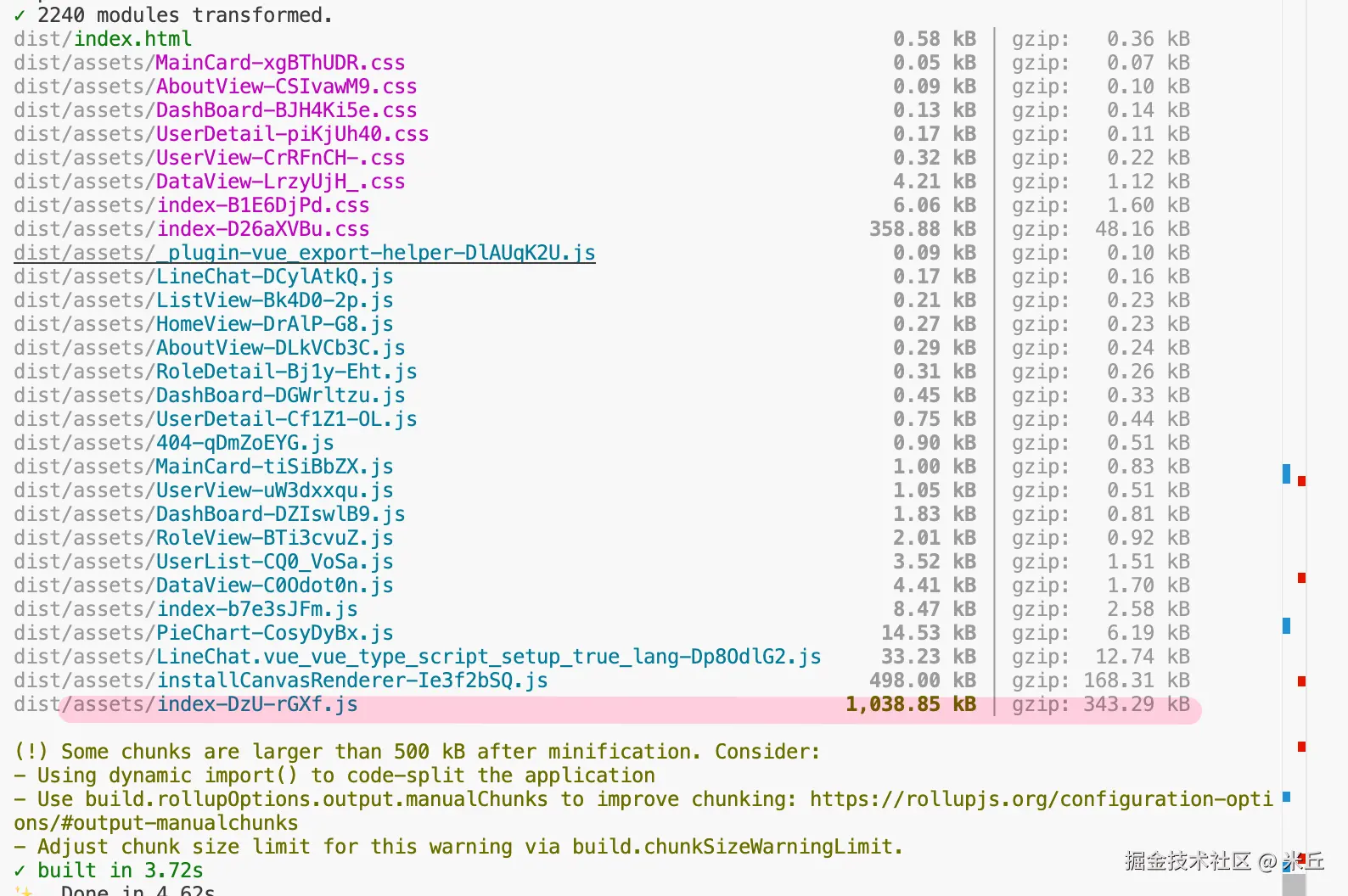
vue3-mananger/vite.config.ts build 使用 vite 默认配置
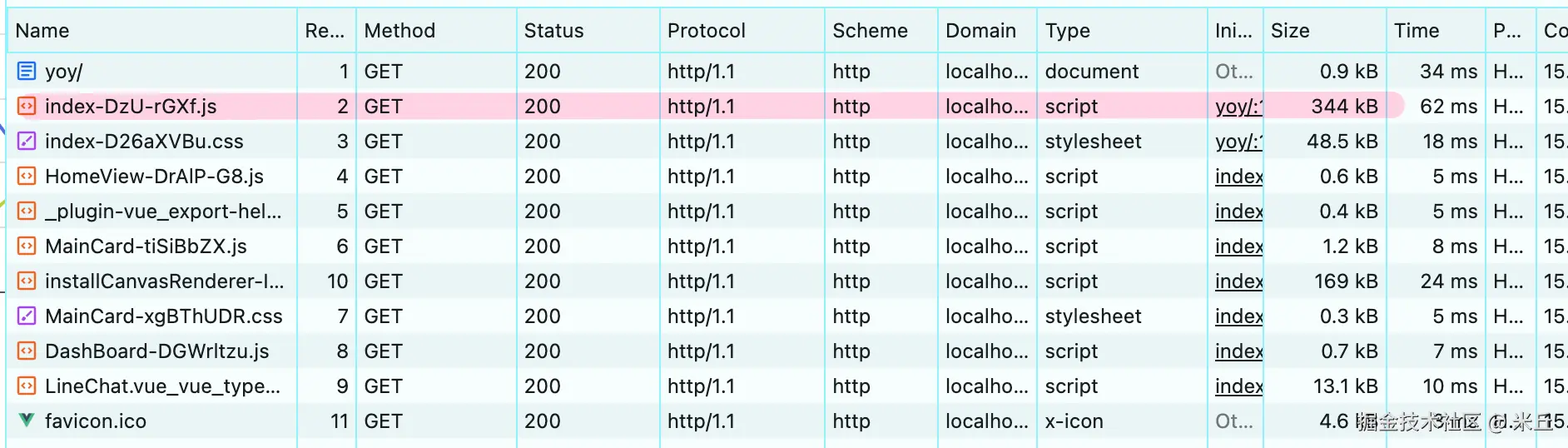
构建结果
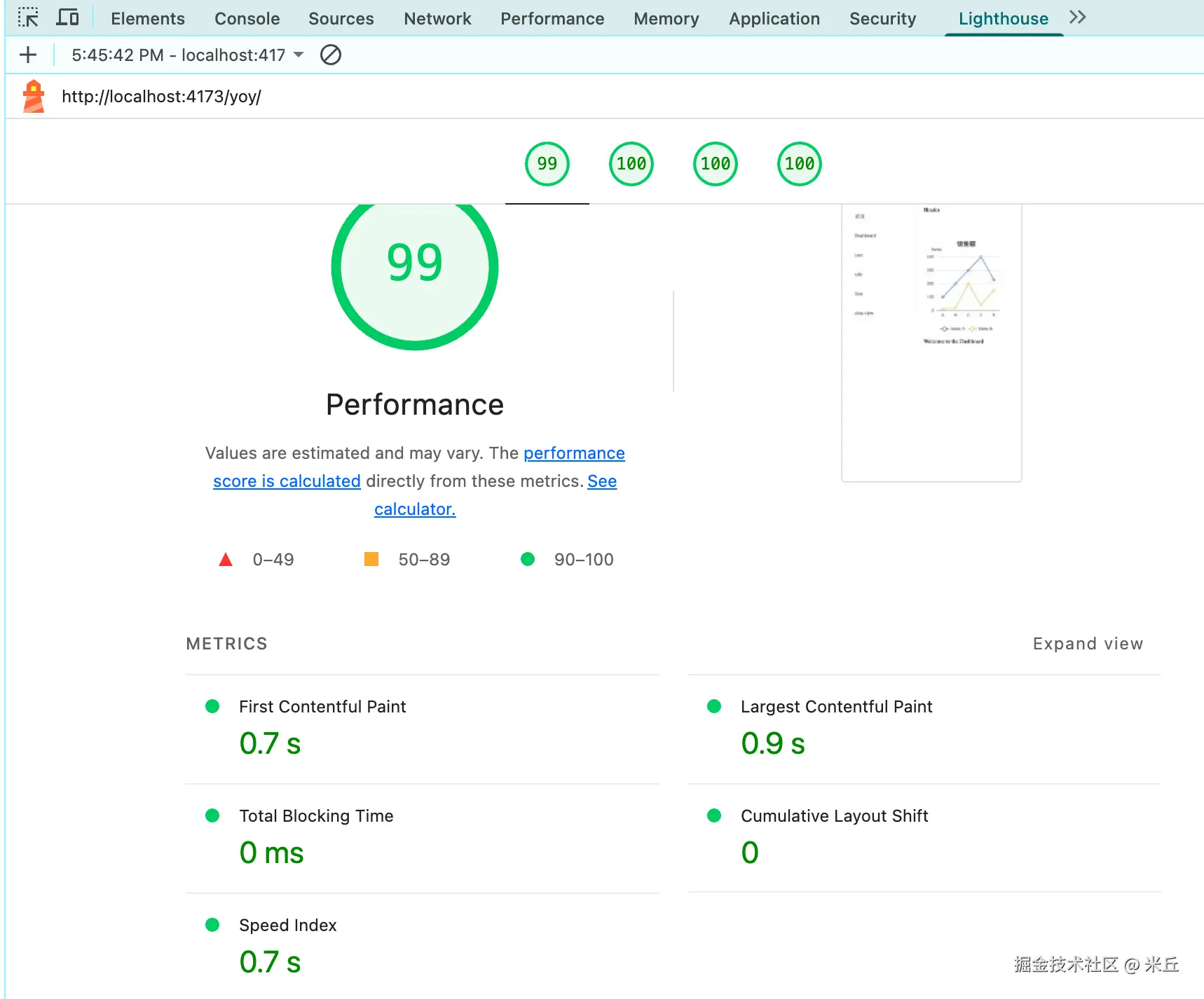
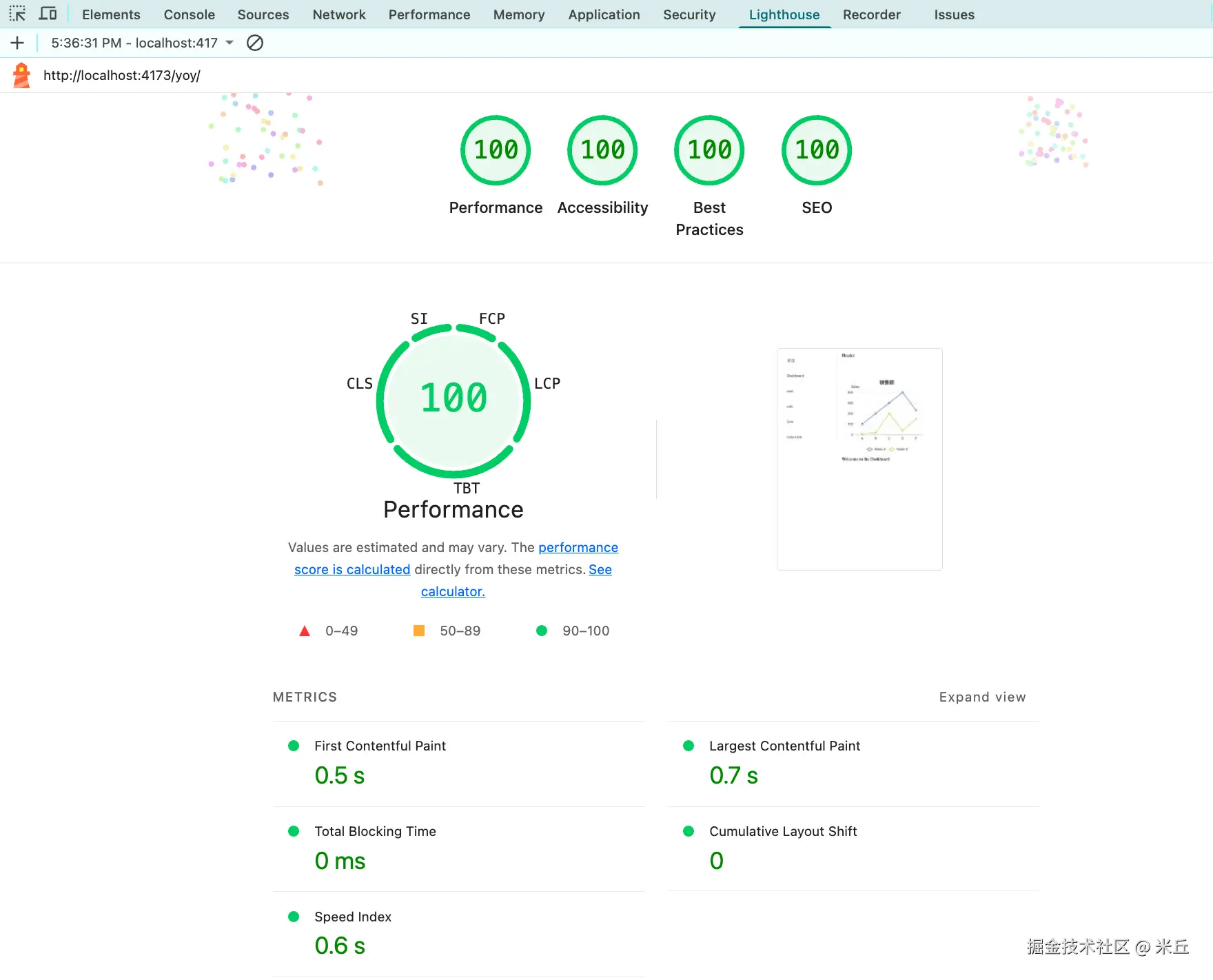
首页 lighthouse 结果
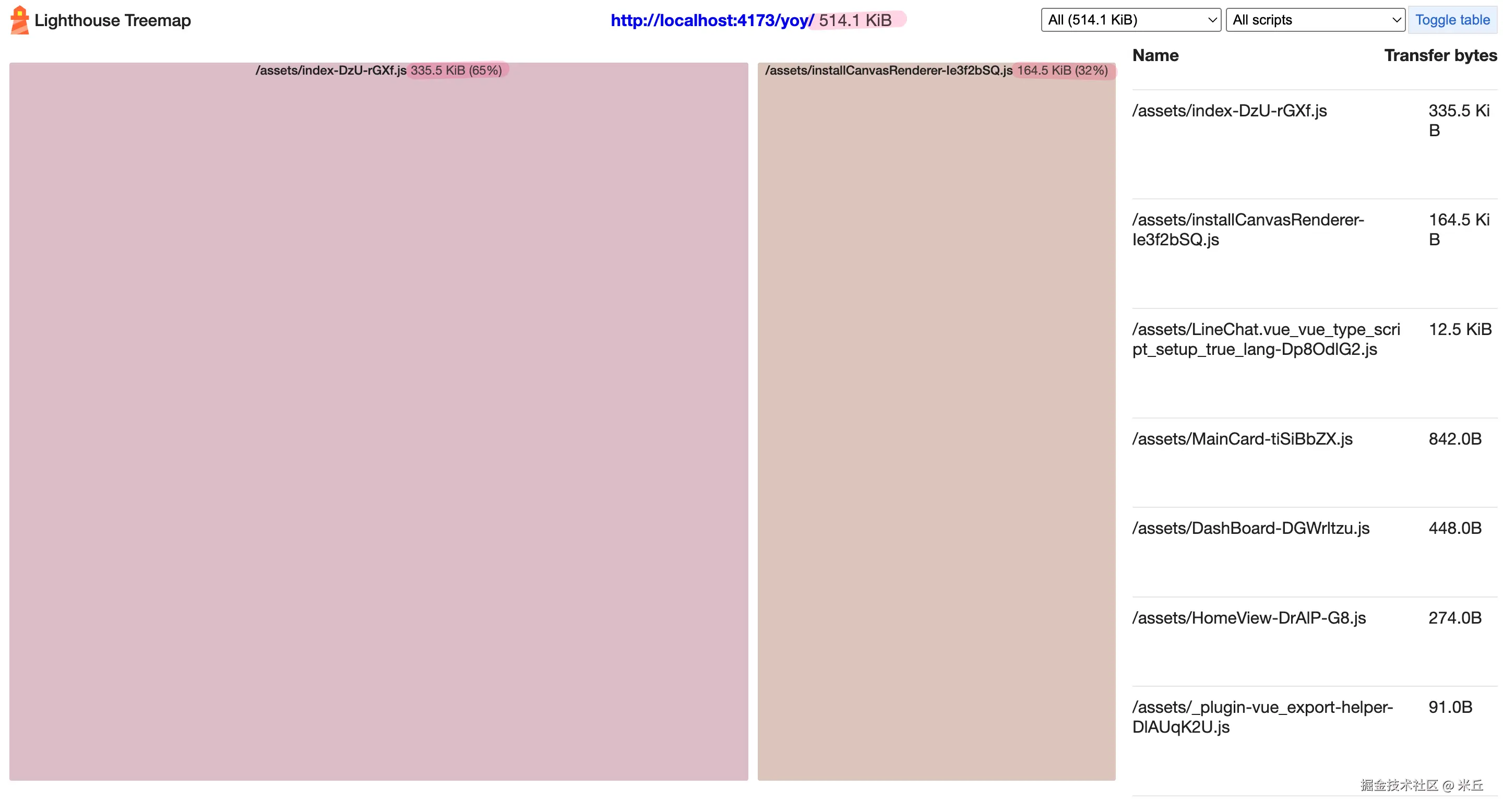
element-plus 按需引用 (首页加载)
首页加载
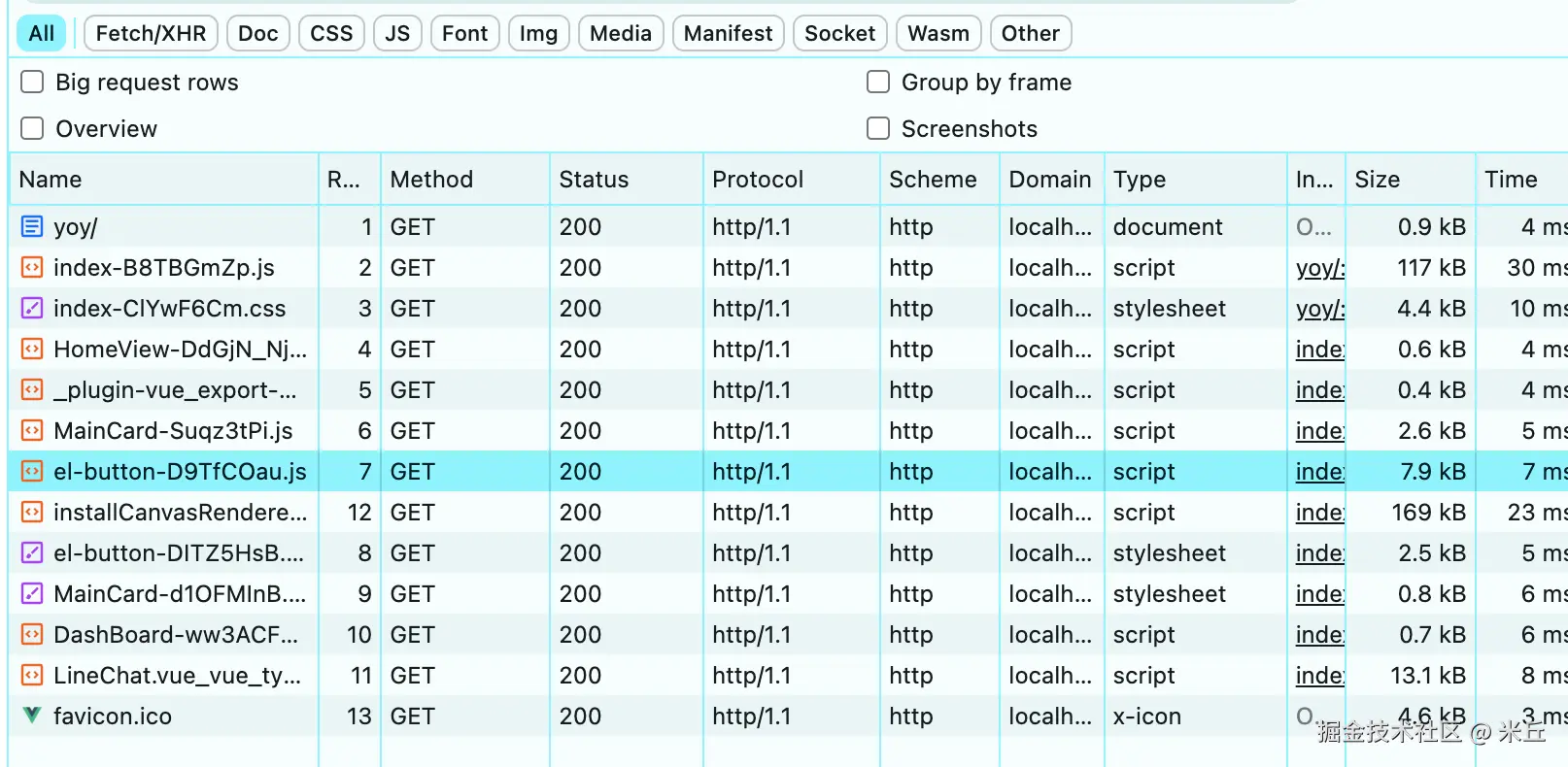
构建结果
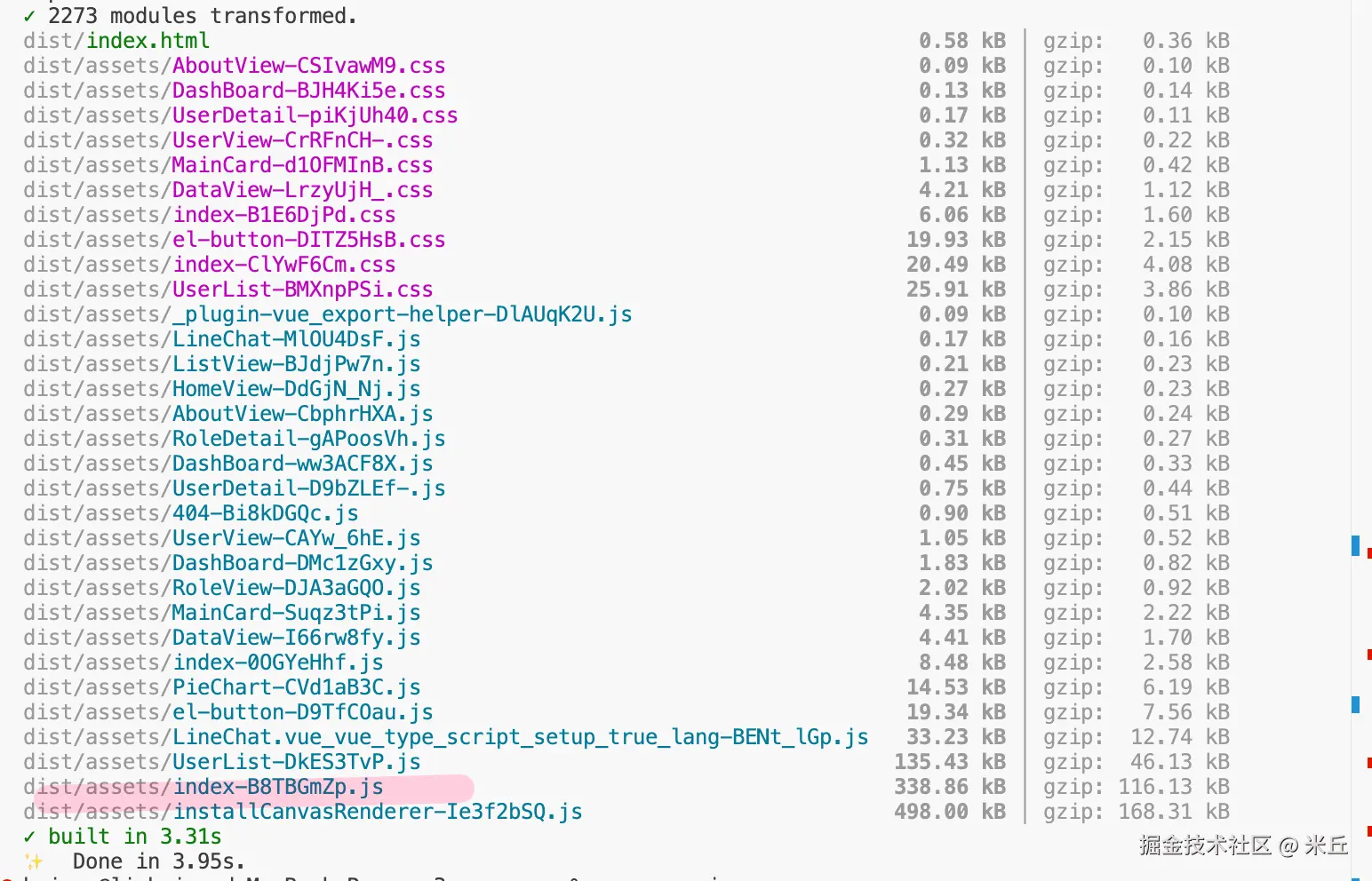
lighthouse
示例 富文本组件 & UI组件库
全局注册UI组件
vue3-td-vite3/vite.config.ts 使用 vite 默认配置
组件全局注册,富文本只有一个组件使用
构建结果
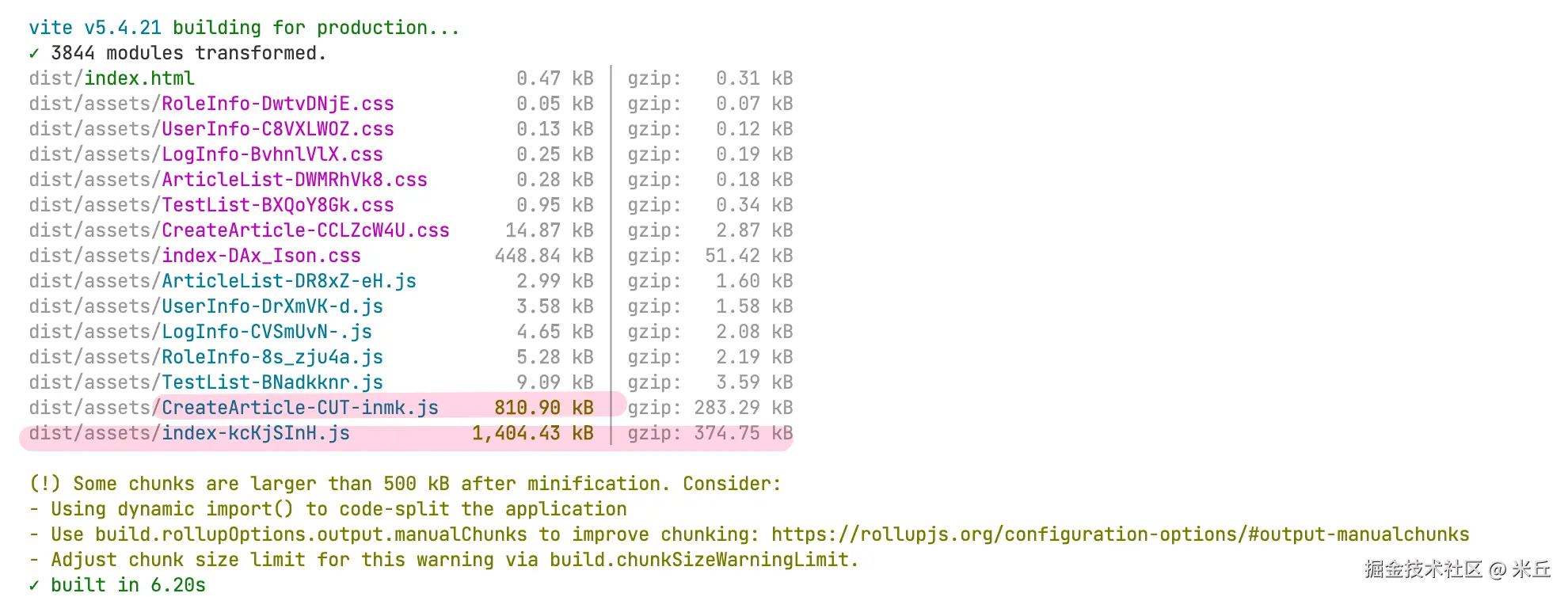
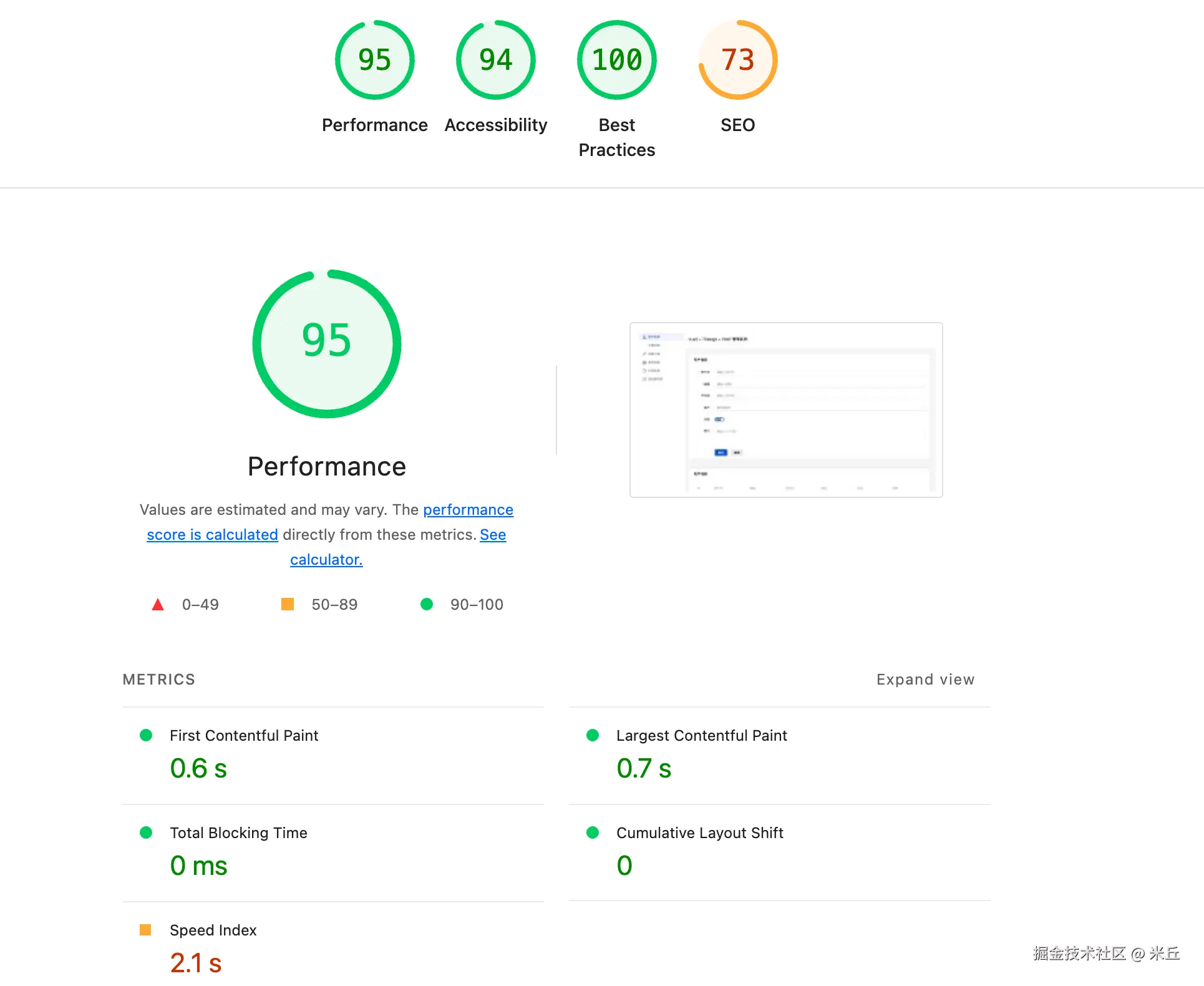
lighthouse
Lighthouse Treemap
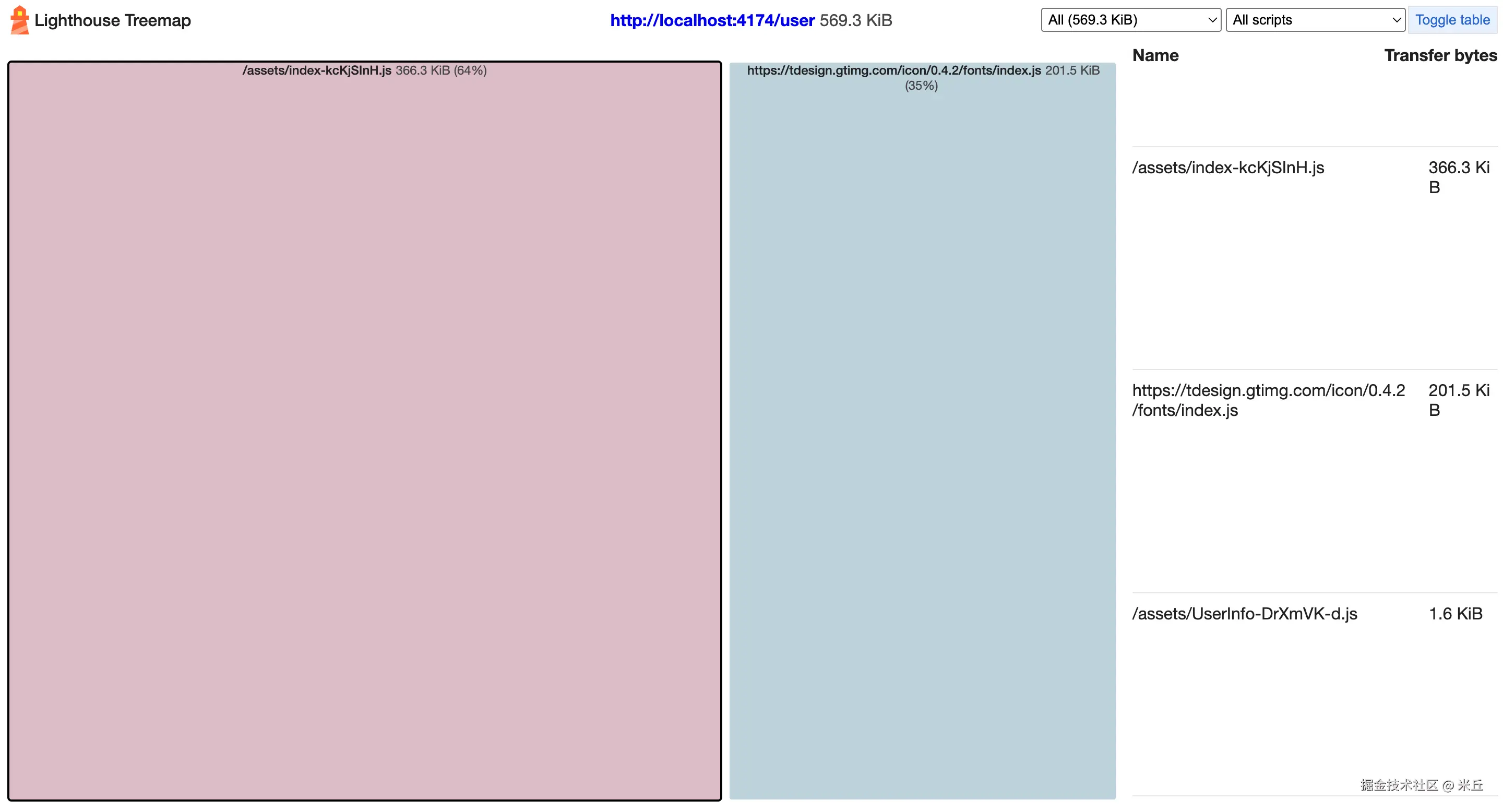
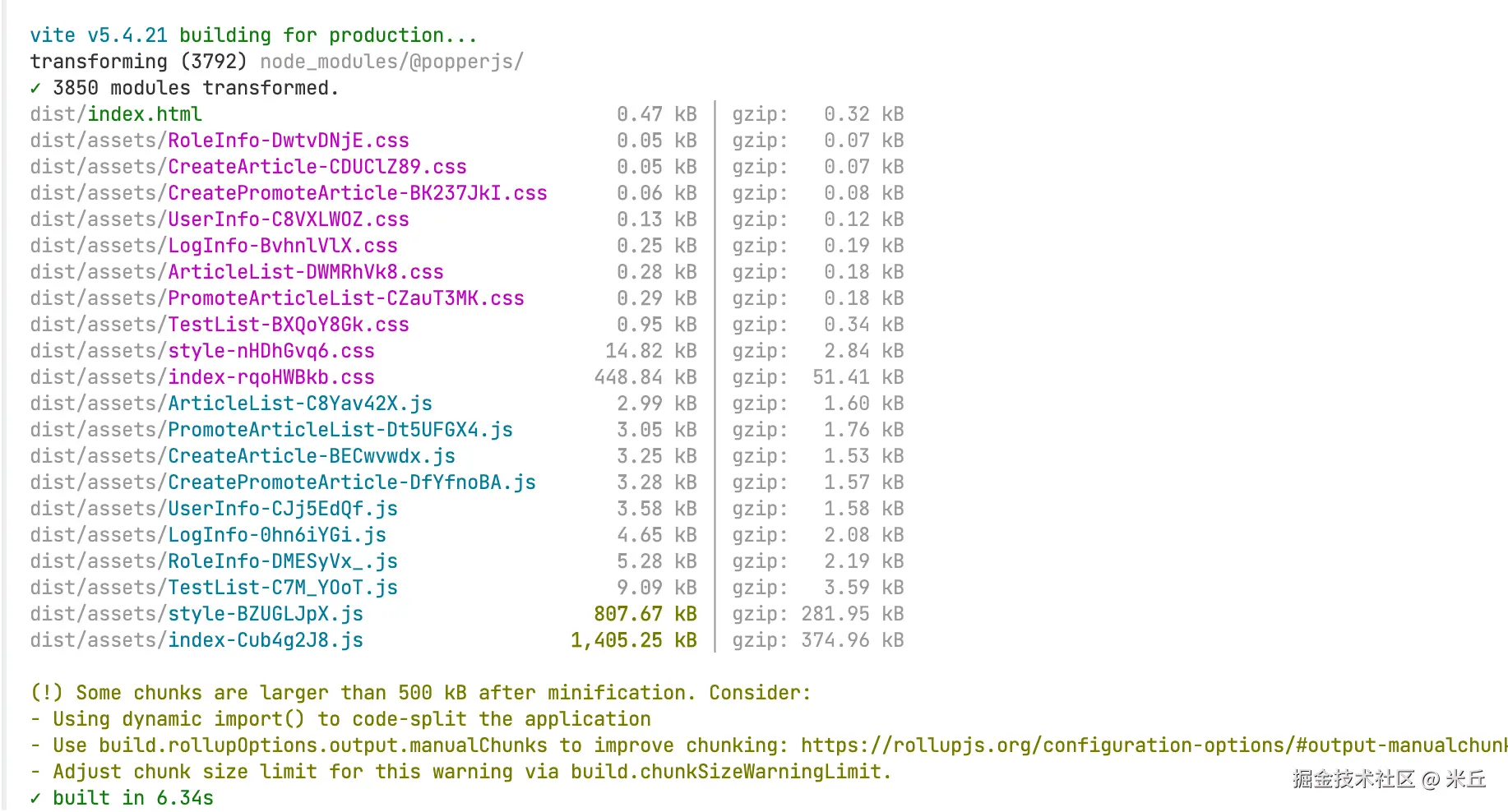
多个组件使用富文本插件后
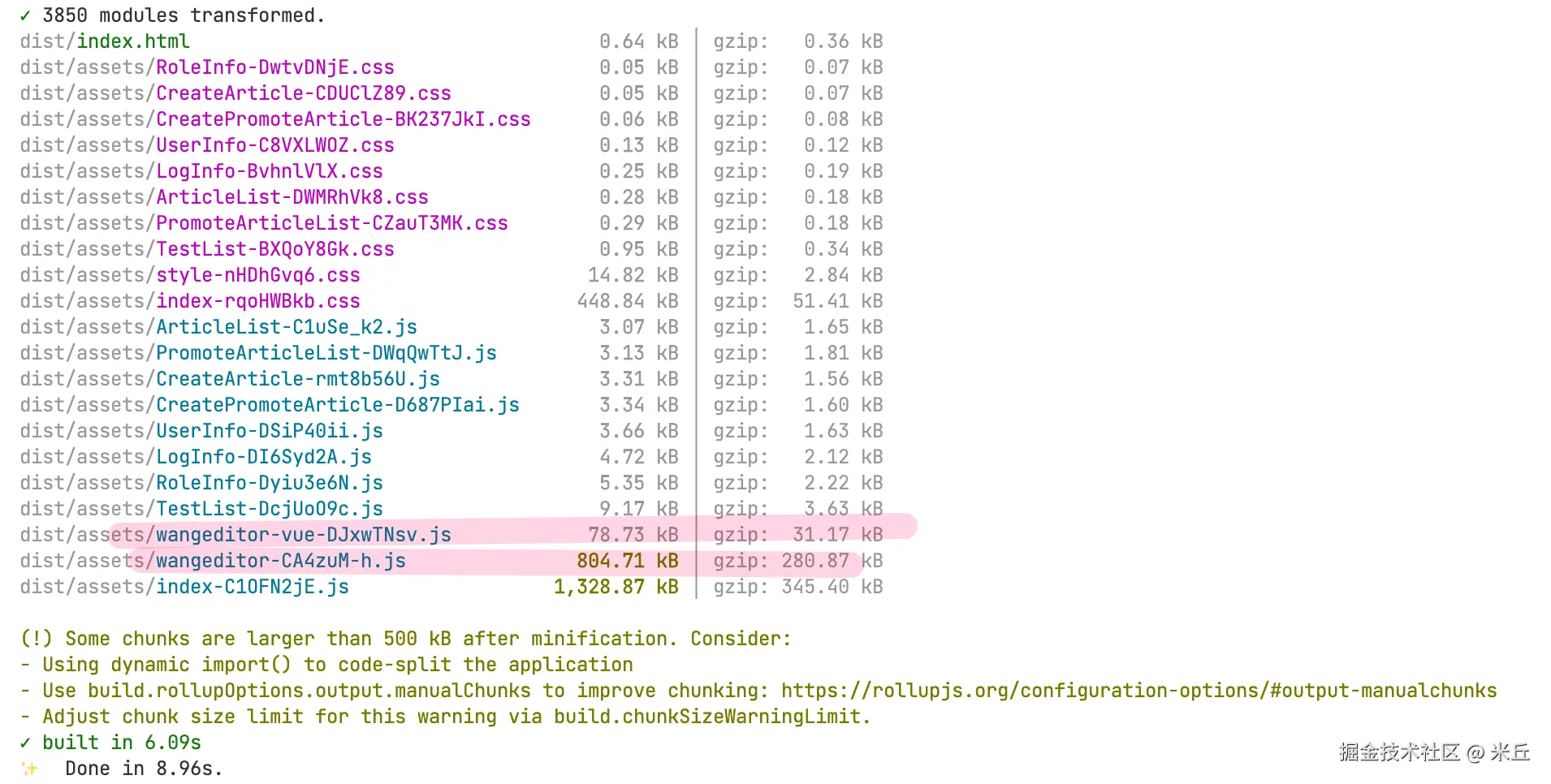
UI组件还是 全局注册组件,可以看出 富文本插件 @wangeditor/editor和@wangeditor/editor-for-vue 打包成一个文件。
之前 创建文章页面资源加载
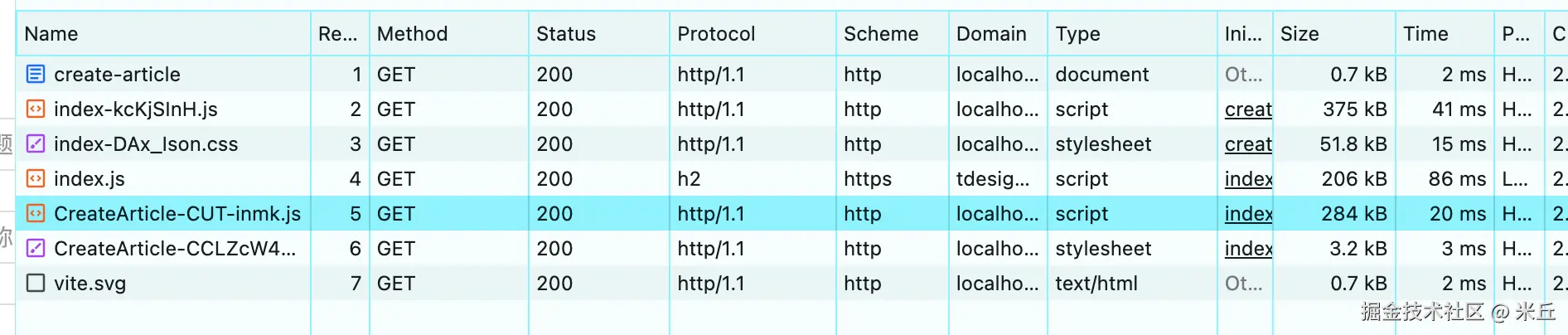
多个组件使用富文本组件,再看创建文章页面加载
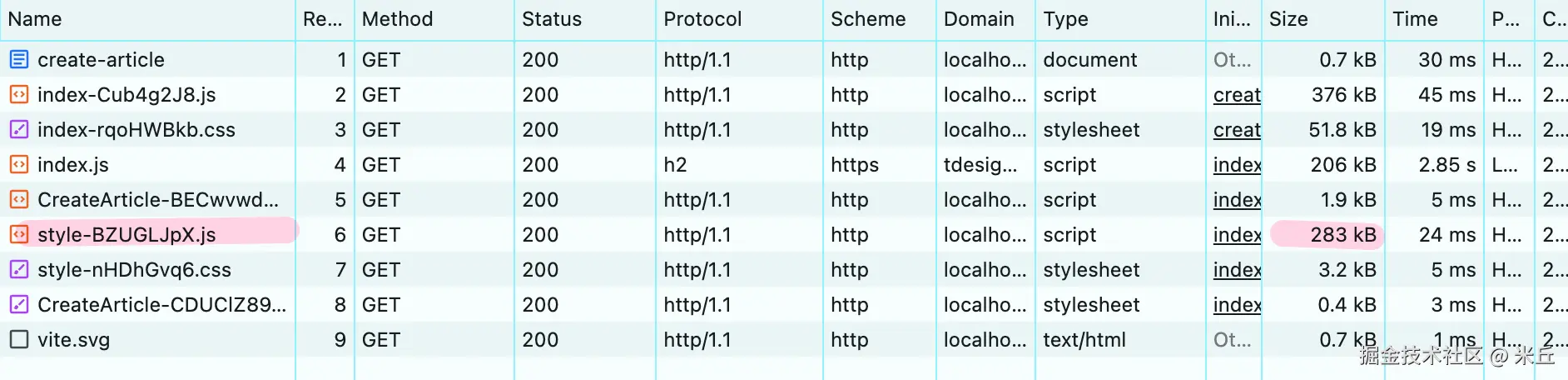
- Vite 会自动 去重 ,将所有相同的 CSS 合并到一个文件中
- 最终只输出一份 style.css ,不会重复打包
富文本插件按需加载
js
// 动态导入富文本编辑器,减少首屏加载
const Editor = defineAsyncComponent(() =>
  import('@wangeditor/editor-for-vue').then((m) => m.Editor)
)
const Toolbar = defineAsyncComponent(() =>
  import('@wangeditor/editor-for-vue').then((m) => m.Toolbar)
)
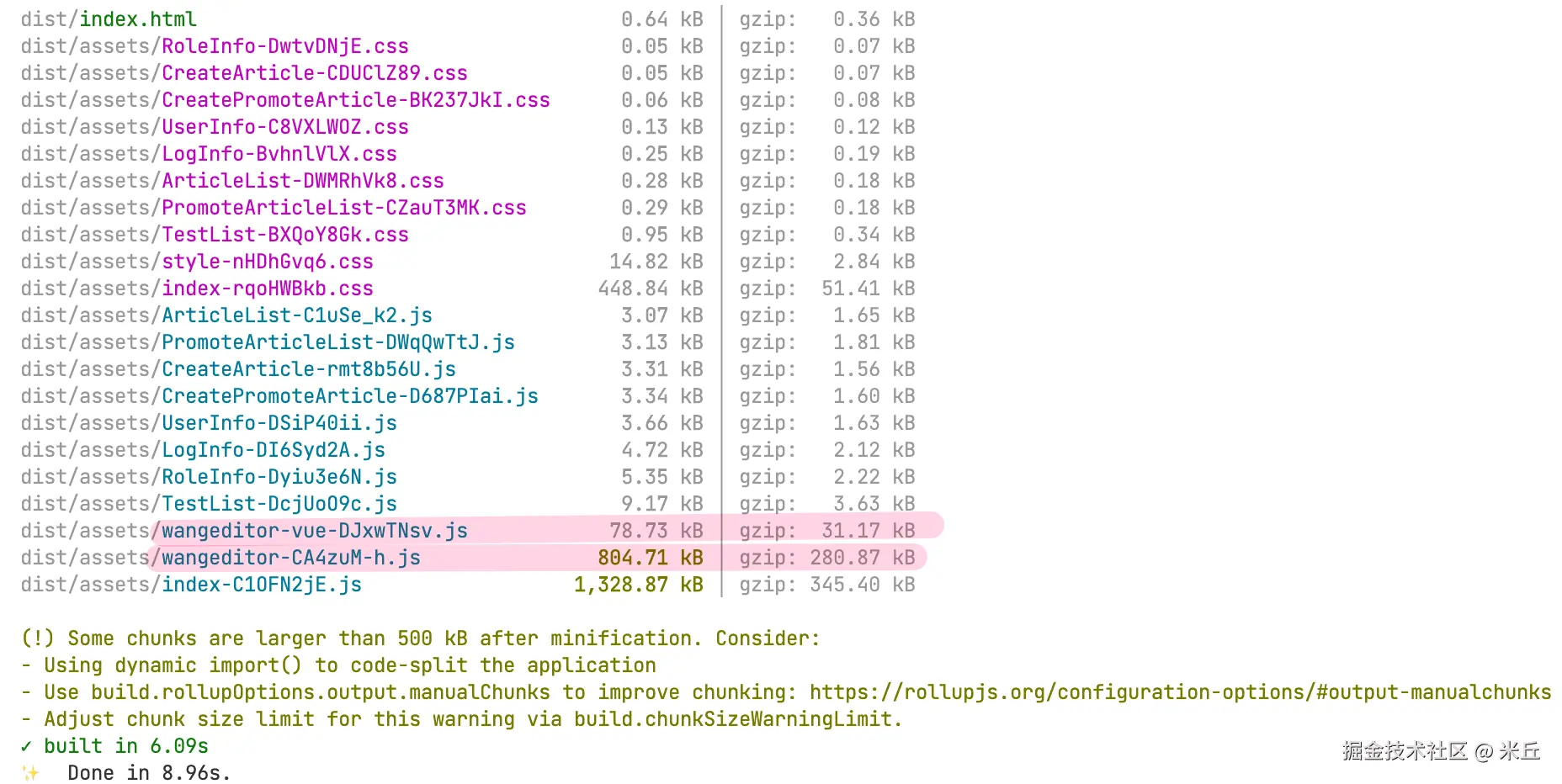
构建结果
示例 手动拆分富文本插件
js
  build: {
    rollupOptions: {
      output: {
        manualChunks: {
          // wangEditor 富文本编辑器
          'wangeditor': ['@wangeditor/editor' ],
          'wangeditor-vue': ['@wangeditor/editor-for-vue']
        }
      }
    }
  }
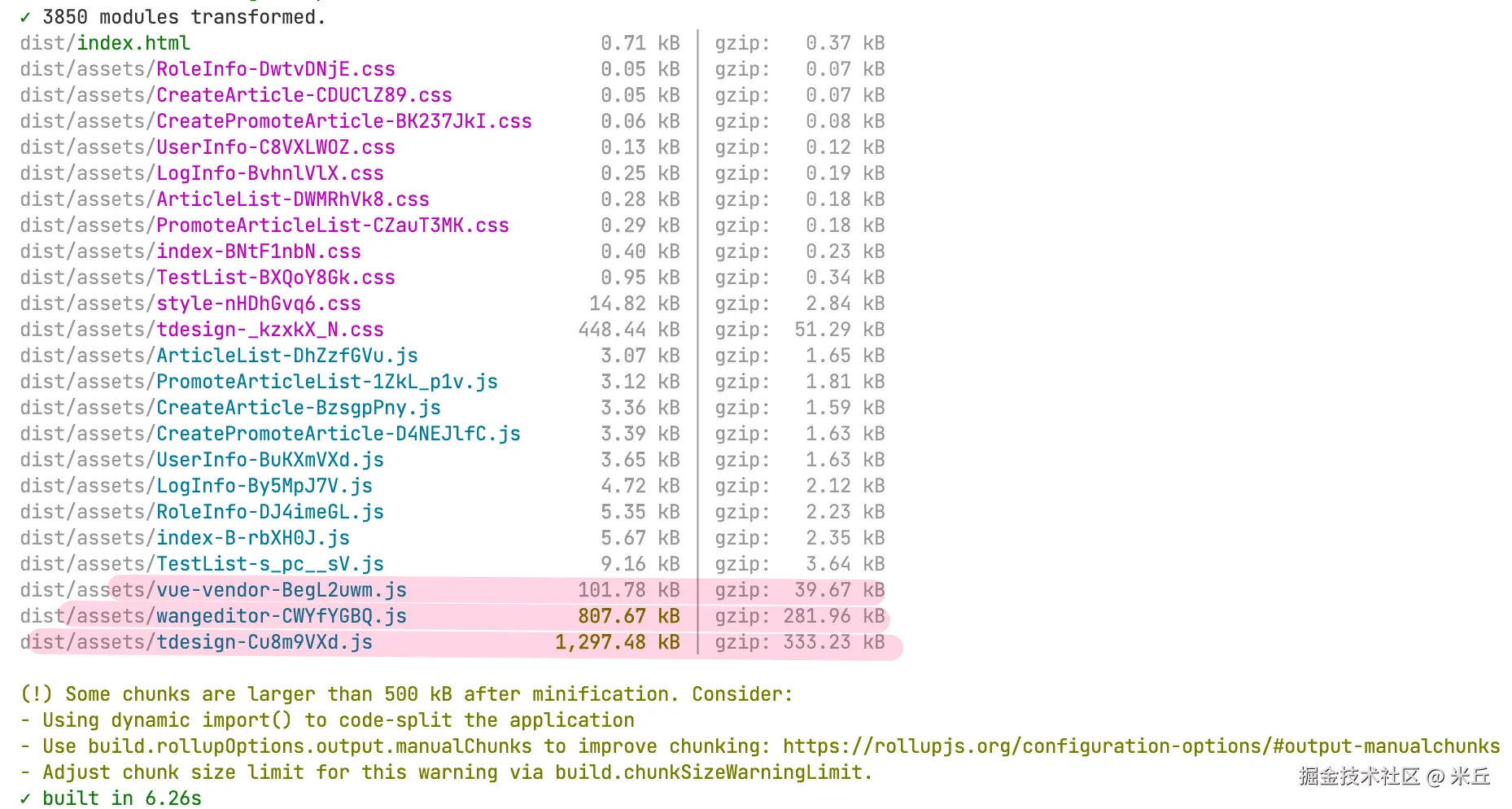
手动指定拆分包
build.rollupOption.manualChunks
js
manualChunks: {
  // Vue 全家桶
  'vue-vendor': ['vue', 'vue-router', 'pinia'],
  // TDesign UI 组件库
  'tdesign': ['tdesign-vue-next', 'tdesign-icons-vue'],
  // wangEditor 富文本编辑器
  'wangeditor': ['@wangeditor/editor', '@wangeditor/editor-for-vue']
}
@wangeditor/editor 核心包(804 kB)本身是预打包的库,无法在 Vite 层面进一步拆分。
js
  build: {
    rollupOptions: {
      output: {
        manualChunks(id) {
          // Vue 核心库
          if (id.includes('node_modules/vue/') || id.includes('node_modules/vue-router/')) {
            return 'vue-vendor'
          }
          // TDesign UI 组件库
          if (id.includes('node_modules/tdesign-vue-next/')) {
            return 'tdesign'
          }
          // wangEditor 富文本编辑器核心
          if (id.includes('node_modules/@wangeditor/editor/')) {
            return 'wangeditor'
          }
          // wangEditor Vue 组件
          if (id.includes('node_modules/@wangeditor/editor-for-vue/')) {
            return 'wangeditor-vue'
          }
          // 其他第三方库
          if (id.includes('node_modules/')) {
            return 'vendor'
          }
        }
      }
    }
  }
模块信息
js
interface ModuleInfo extends ModuleOptions {
	ast: ProgramNode | null;
	code: string | null;
   // 谁动态引用了当前模块? 如果列表不为空,说明该模块是懒加载的(import()),应归类为非首屏资源
	dynamicImporters: readonly string[];
	dynamicallyImportedIdResolutions: readonly ResolvedId[];
	dynamicallyImportedIds: readonly string[];
	exportedBindings: Record<string, string[]> | null;
   // 如果导出列表为空但体积很大,说明该模块没有 ESM 导出,无法 Tree Shaking
	exports: string[] | null;
	safeVariableNames: Record<string, string> | null;
	hasDefaultExport: boolean | null; //是否有 export default
	id: string; // 模块id ,绝对路径
	implicitlyLoadedAfterOneOf: readonly string[];
	implicitlyLoadedBefore: readonly string[];
	importedIdResolutions: readonly ResolvedId[];
	importedIds: readonly string[]; // 当前模块同步/异步引用了哪些模块
	importers: readonly string[]; // 哪些模块引用了当前模块
	isEntry: boolean;// 是否入口文件,true代表一定要首屏包内
	isExternal: boolean;// 是否外部文件
    //  true,代码会进入最终的 .js
    // false,说明 Vite/Rollup 通过 Tree Shaking 判定它没有被使用,已被丢
	isIncluded: boolean | null;
}