安装ROS2 humble
参照ros2 humble 教程安装即可
参考官方教程
https://docs.isaacsim.omniverse.nvidia.com/5.1.0/installation/install_ros.html
isaac sim 配置 ROS2 humble
source /opt/ros/humble/setup.bash
cd ~/isaacsim
./isaac-sim.sh
进入isaac sim后,点击
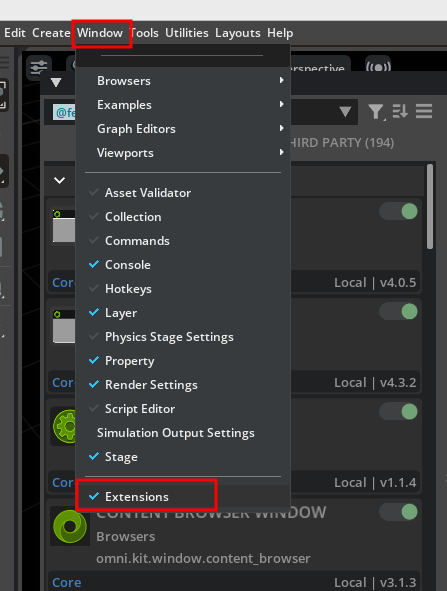
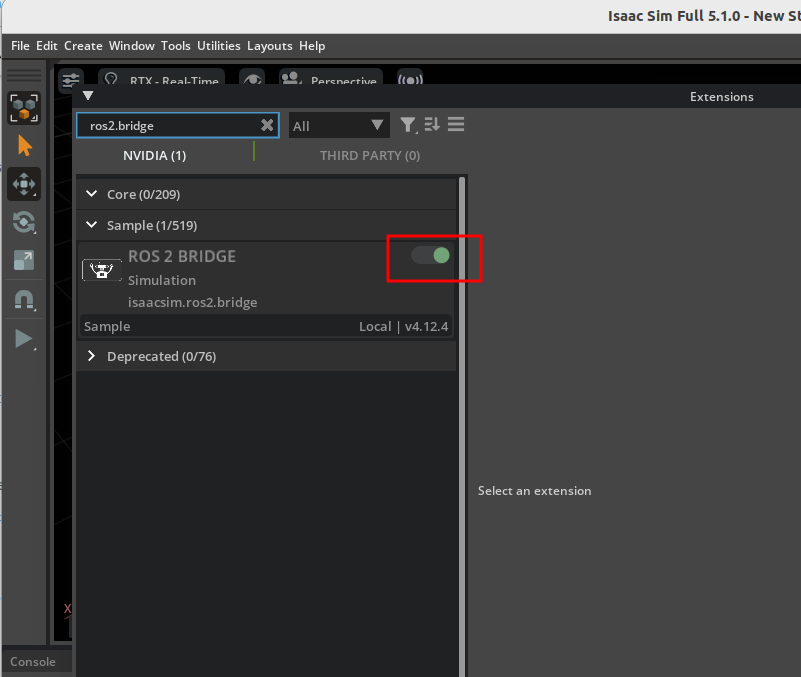
clone isaac 给ros2配置的workspace
git clone https://github.com/isaac-sim/IsaacSim-ros_workspaces.git可能需要装一下ros2编译的工具,我这边已经配置好了,就不需要装了
# For rosdep install command
sudo apt install python3-rosdep build-essential
# For colcon build command
sudo apt install python3-colcon-common-extensions

source /opt/ros/humble/setup.bash

cd IsaacSim-ros_workspaces
cd humble_ws
git submodule update --init --recursive
rosdep install -i --from-path src --rosdistro humble -y
colcon build
如何验证isaac sim已经配置好ros2 humble 了
打开isaac sim
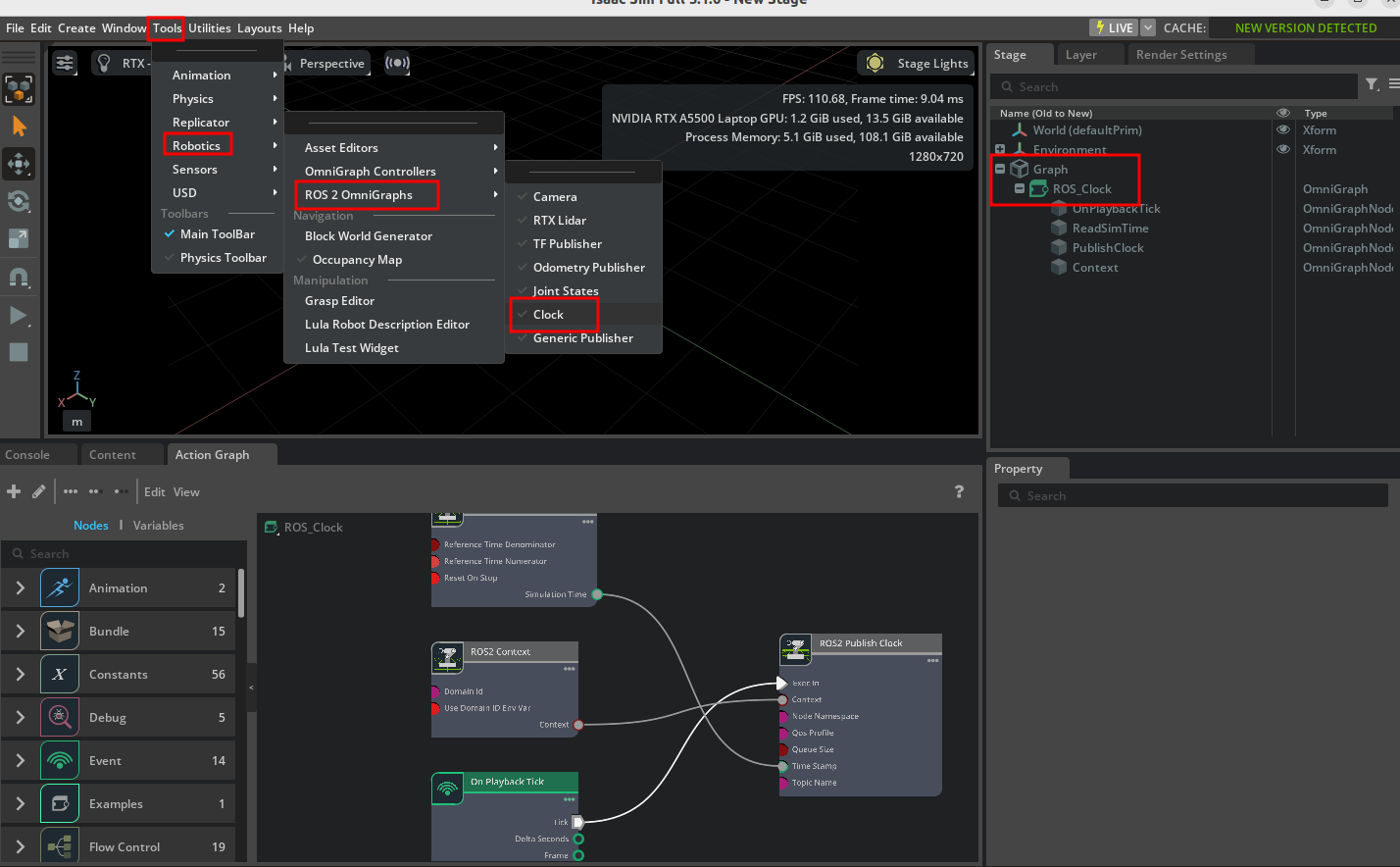
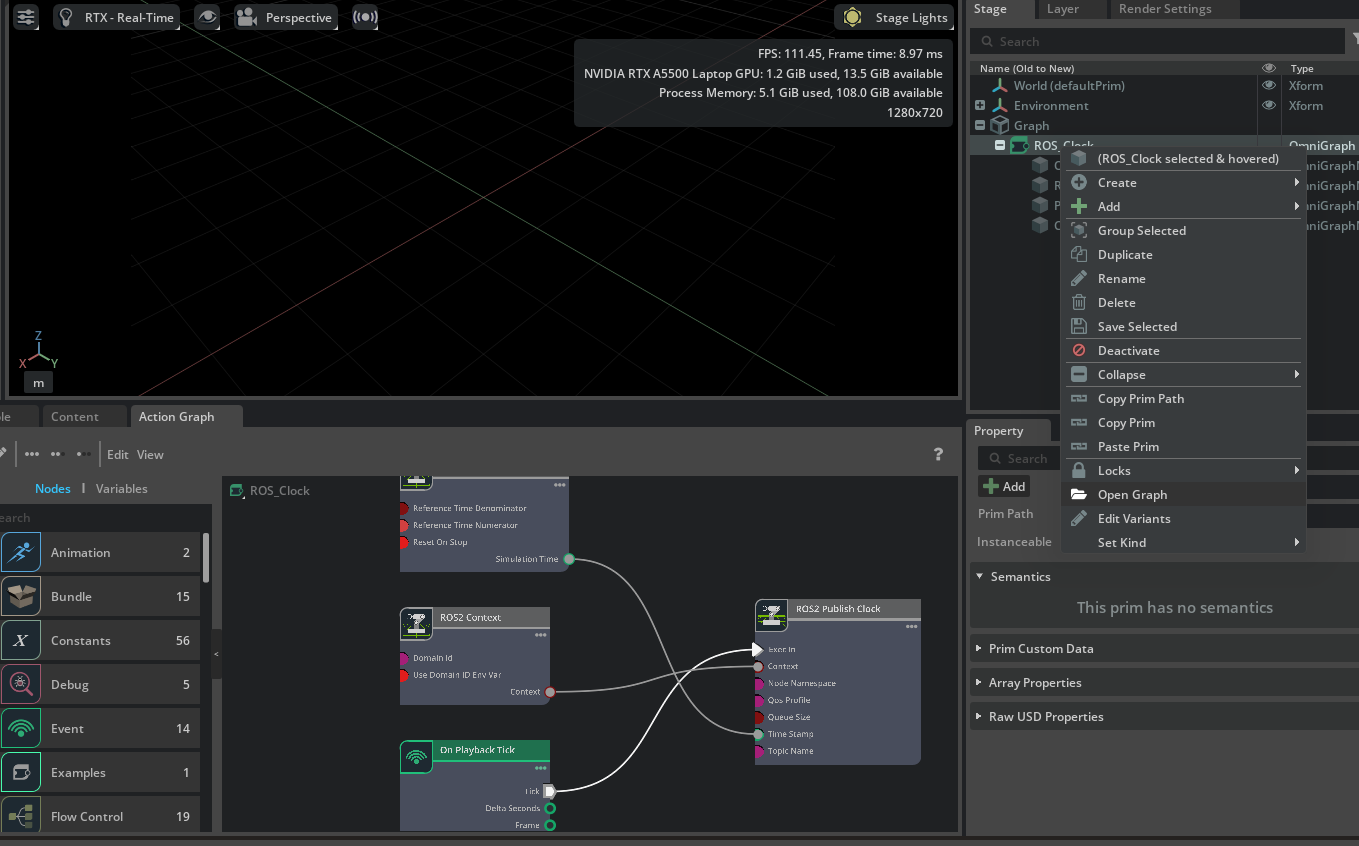
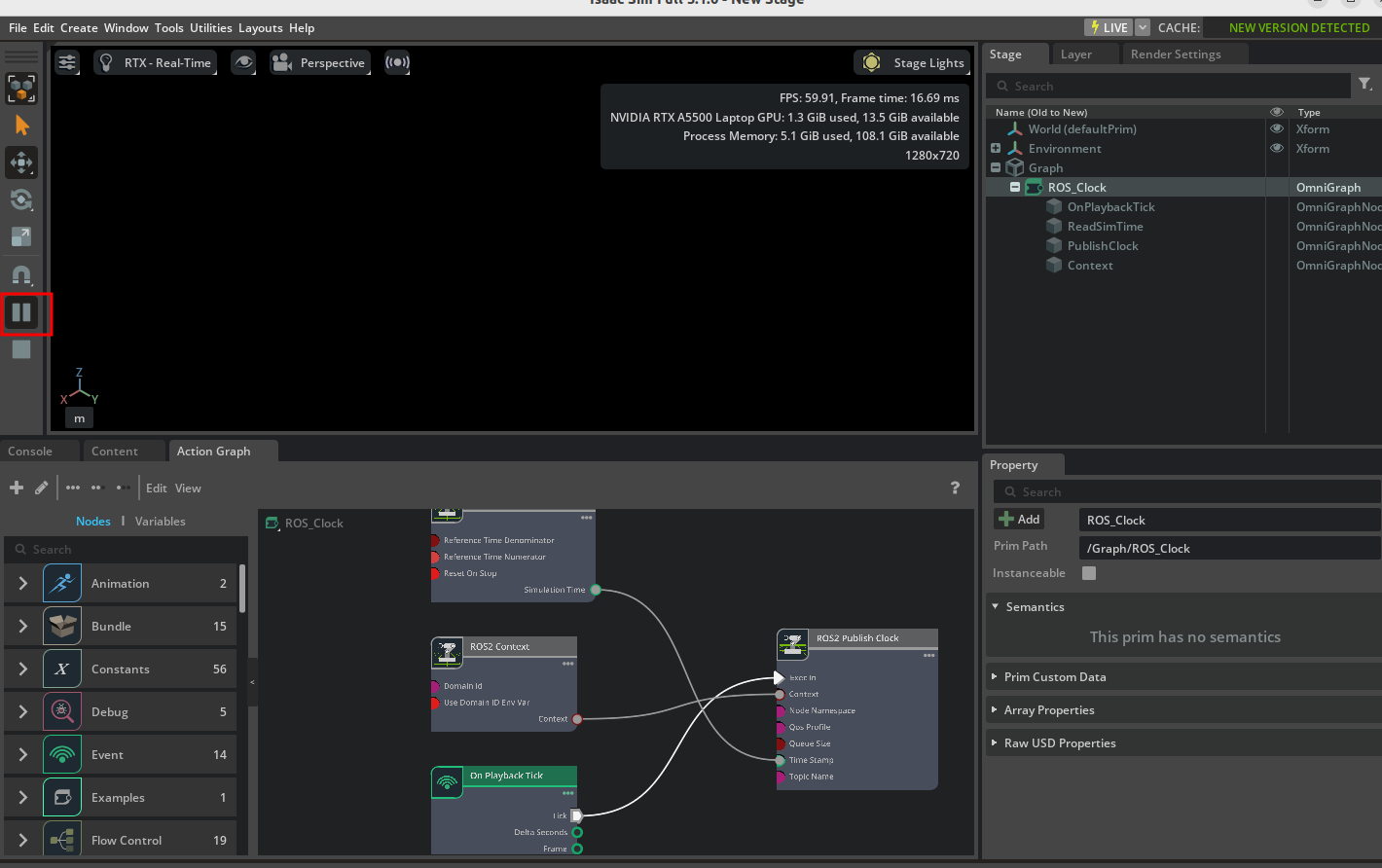
在终端输入
ros2 topic list
可以看到/clock 话题
输入
ros2 topic echo /clock
可以看到时间戳在打印
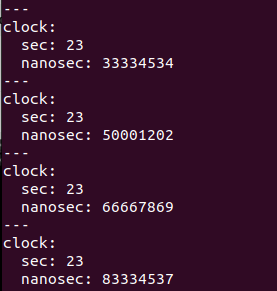
关闭isaac sim 中的play开关,时间戳停止打印
这样issac sim 和 ros2的配置就完成了