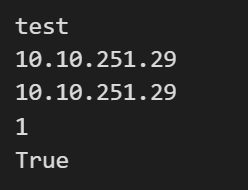
本文介绍了两个Python函数read_json和write_json,用于安全地读写JSON文件。write_json函数能自动创建目录并以UTF-8编码保存带缩进的JSON数据,read_json函数则能处理多种读取异常。示例展示了如何将字典写入JSON文件并读取其中数据,包括嵌套字段的访问。两个函数都包含错误处理机制,失败时会打印错误信息并返回默认值(read_json)或False(write_json)。
1. 函数
python
import json
import os
from pathlib import Path

def read_json(file_path, default=None):
    try:
        with open(file_path, "r", encoding="utf-8") as f:
            return json.load(f)
    except (json.JSONDecodeError, UnicodeDecodeError, FileNotFoundError, PermissionError) as e:
        print(f"Error reading JSON file: {e}")
        return default


def write_json(file_path, data):
    try:
        path = Path(file_path)
        path.parent.mkdir(parents=True, exist_ok=True)
        with path.open("w", encoding="utf-8") as f:
            json.dump(data, f, ensure_ascii=False , indent = 2) # ensure_ascii显示中文 ;indent 保存缩进
            return True
    except (json.JSONDecodeError, UnicodeDecodeError, FileNotFoundError, PermissionError) as e:
        print(f"Error writing JSON file: {e}")
        return False
2. 例子
(1)写json文件
pthon
test_dict = {
    "mode": "test",
    "info": {
        "target_ip": "10.10.251.29",
        "source_ip": "10.10.251.29",
        "value": 1,
        "status": True,
    }
}

path_file = "test_dict.json"
write_json(path_file, test_dict)
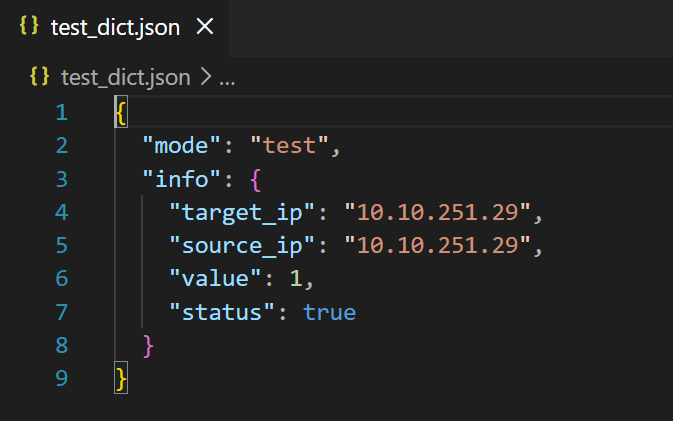
文件保存结果:
(2)读json文件
pthon
path_file = "test_dict.json"
config_json = read_json(path_file)
if config_json is not None:
    mode = config_json["mode"]
    print(mode)
    info = config_json["info"]
    target_ip = info["target_ip"]
    print(target_ip)
    source_ip = info["source_ip"]
    print(source_ip)
    value = info["value"]
    print(value)
    status = info["status"]
    print(status)
文件读取结果: