本文将使用isaac sim 导入SO101 机械臂并使用ROS2进行控制和获取机械臂状态
在github上下载SO101机械臂,里面有其urdf文件
导入SO101机械臂
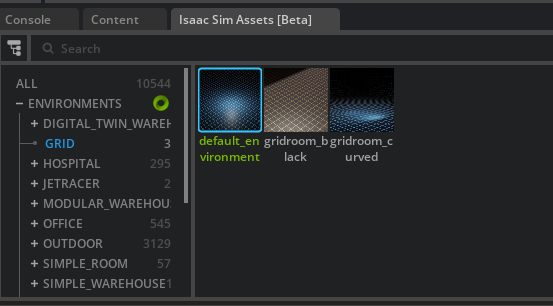
导入网格
file -> import
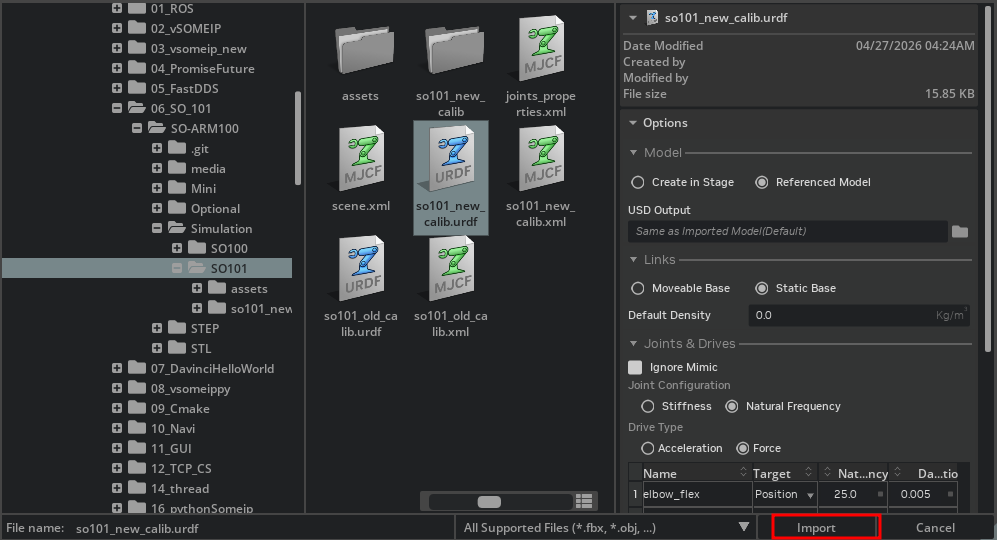
随后点yes
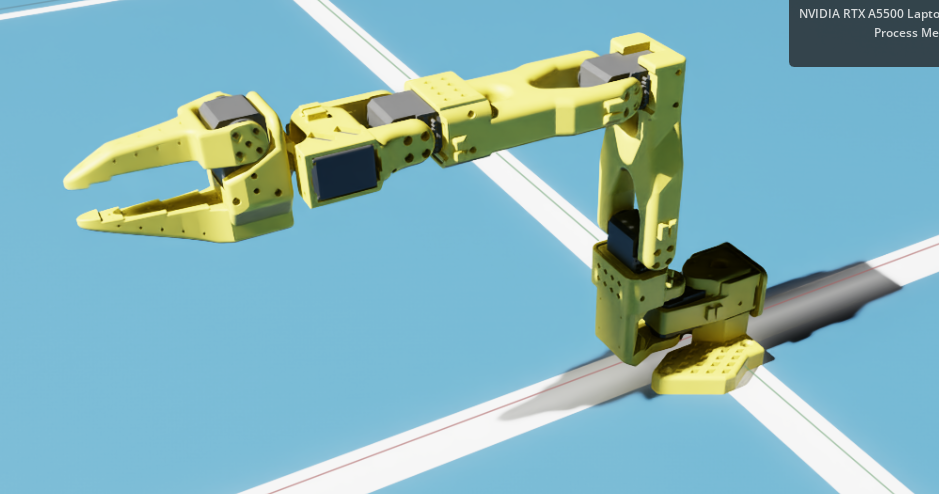
机械臂就load 进来了
打开physical inspector 让其动起来
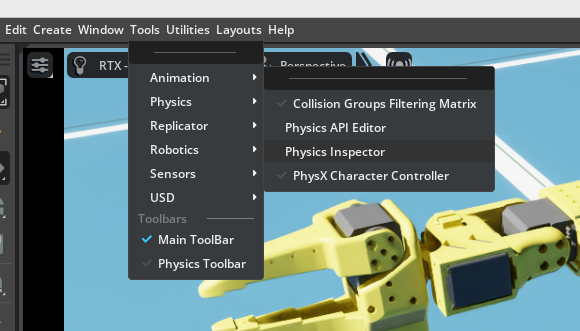
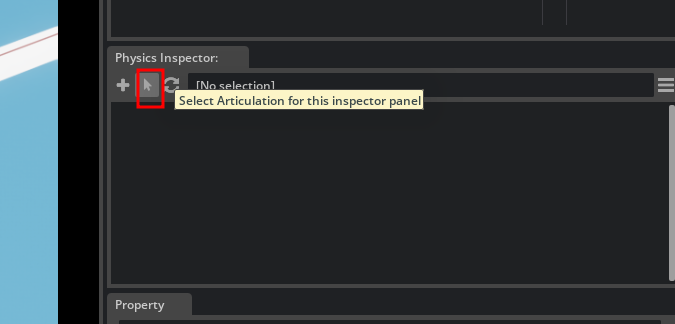
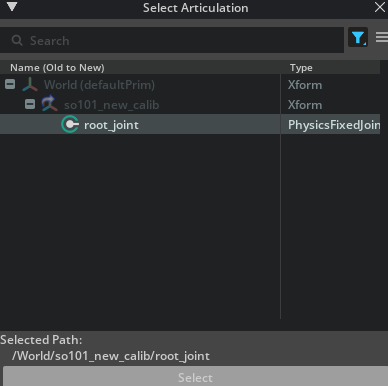
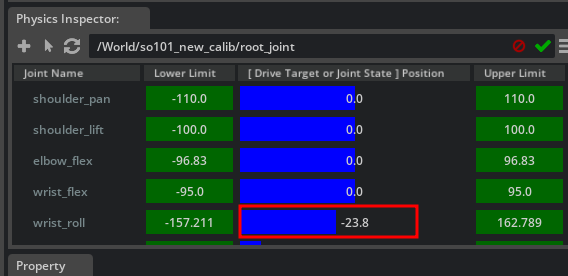
拖动蓝色bar就可以让机械臂动起来了
用ROS2控制机械臂
选择机械臂
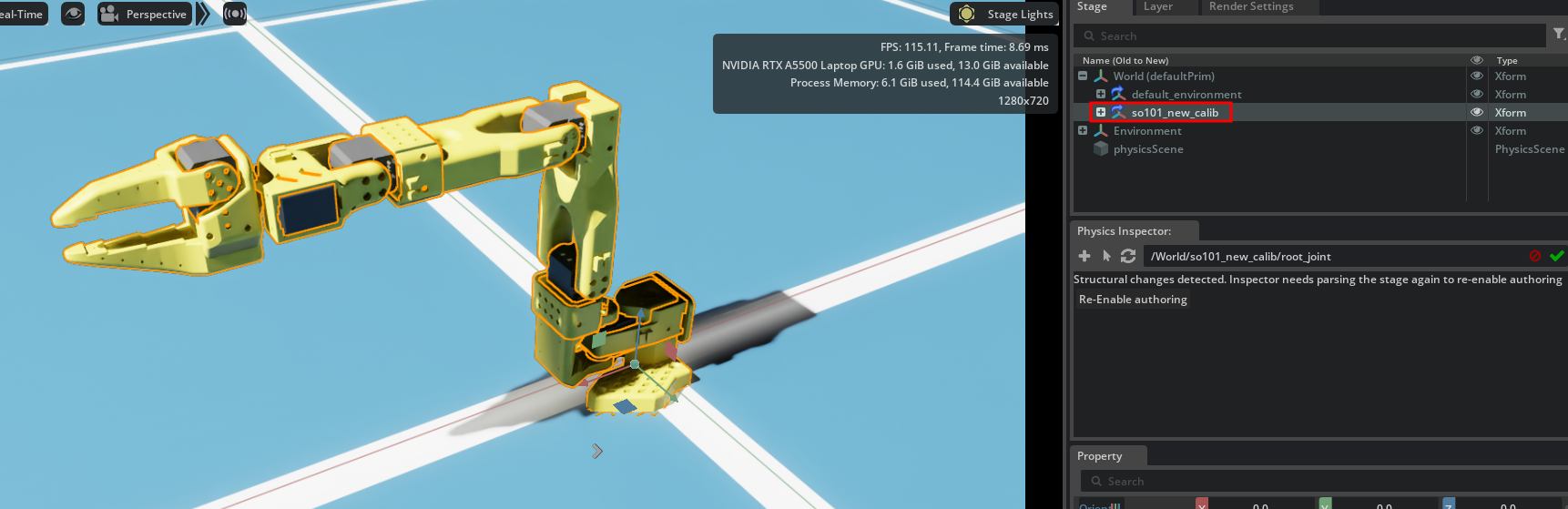
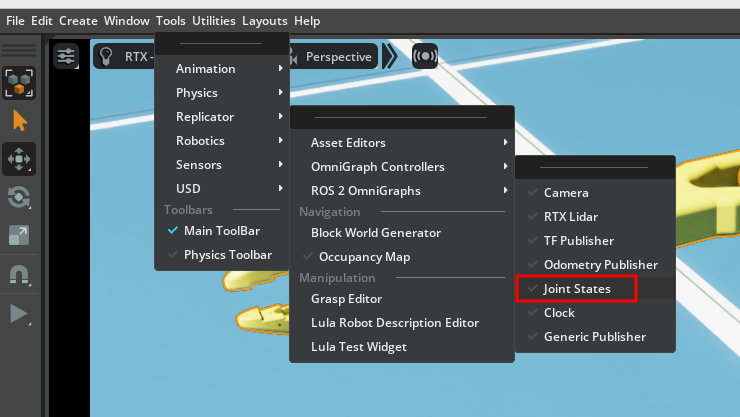
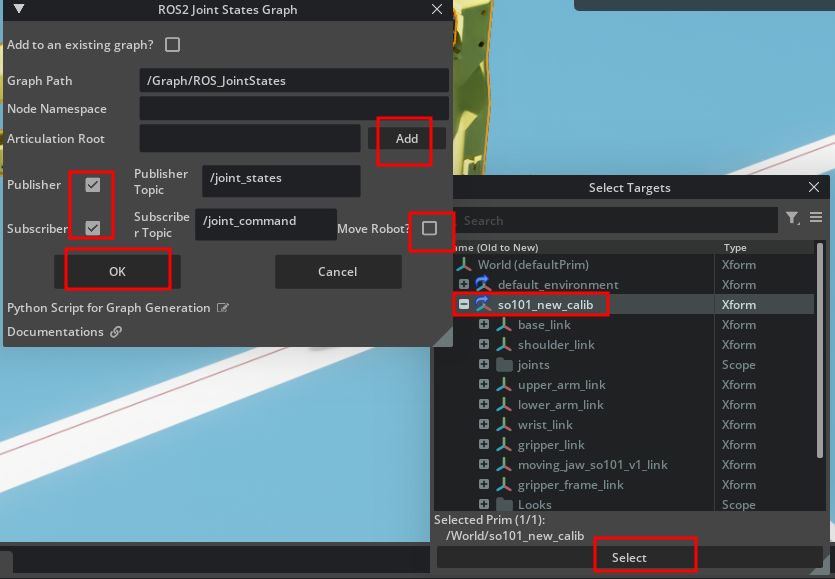
在右边的就能看到其graph了
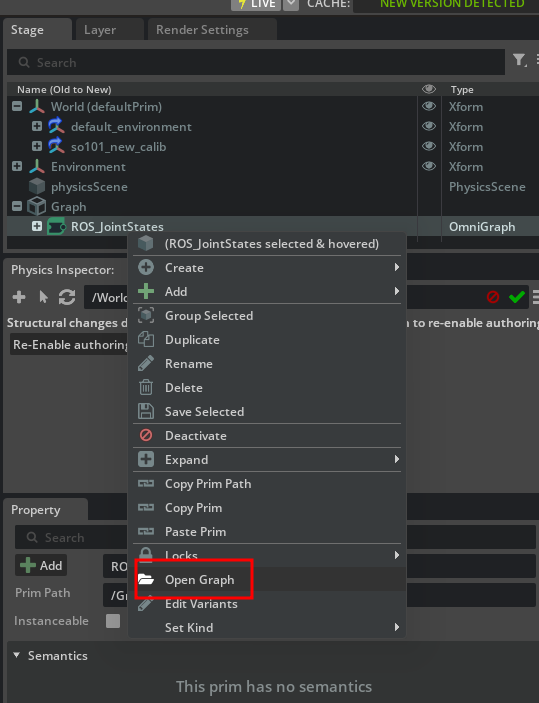
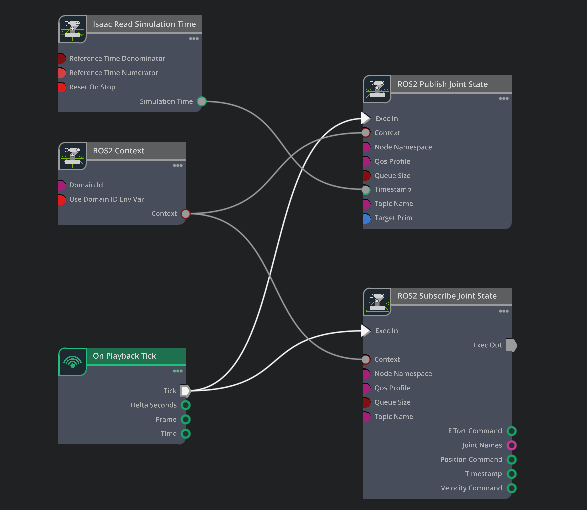
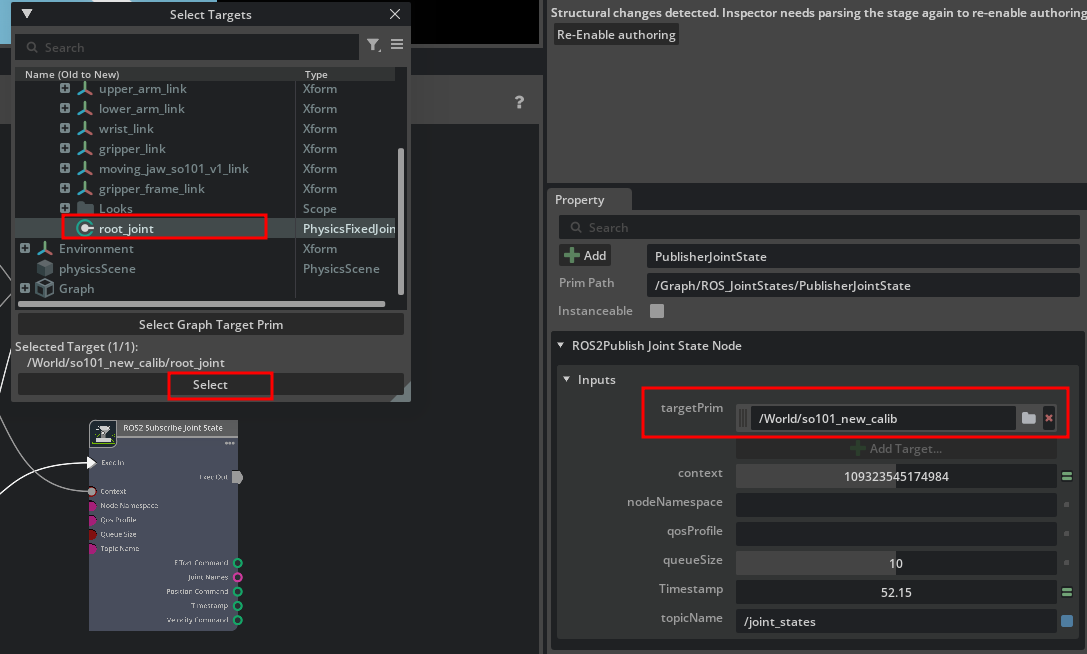
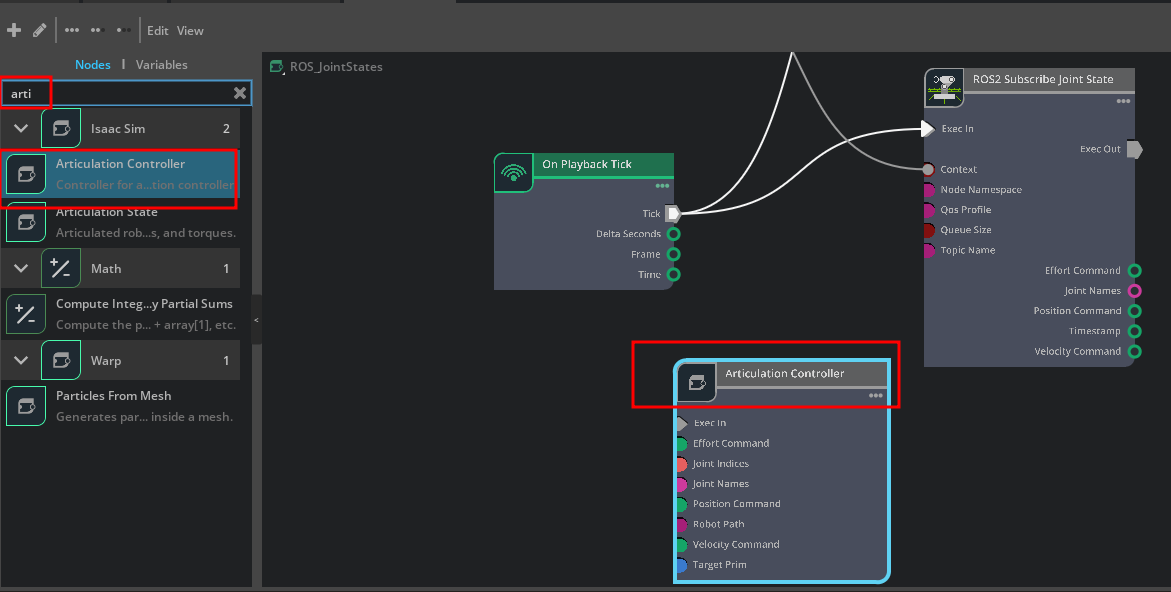
把articulation Controller加进来
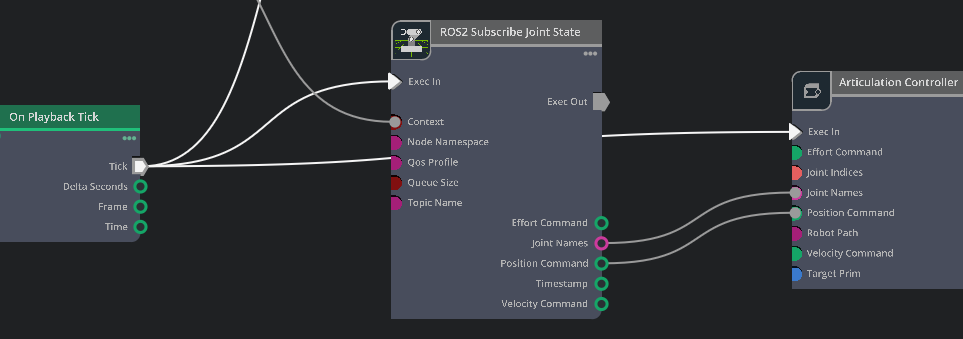
连接节点的各topic
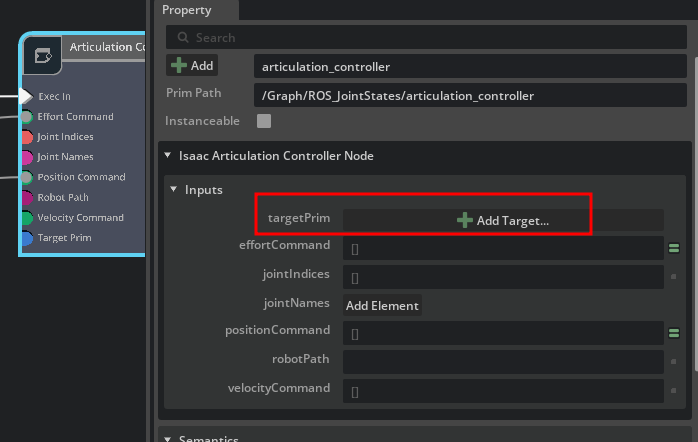
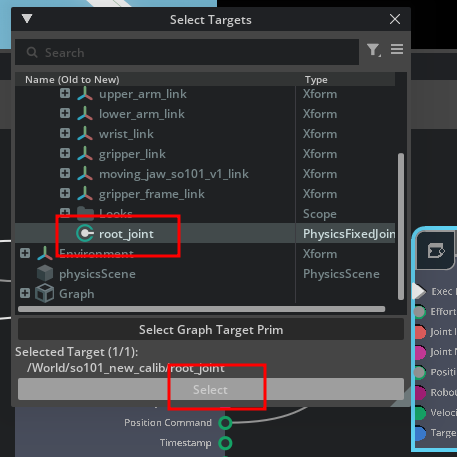
在终端输入
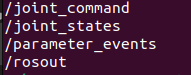
ros2 topic list能看到两个话题
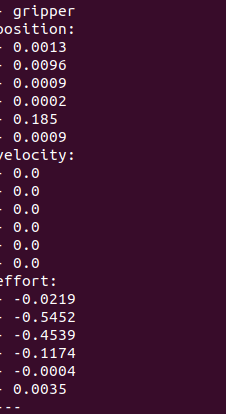
ros2 topic echo /joint_states能看到发布的消息,在isaacsim里拖动机械臂,可以看到joint states 消息在变化
同样也可以自己写一个publish节点,让isaac sim里面的机械臂动起来
用千问写了个publisher的代码:
提示词如下:
已知节点名称为/joint_command
节点接口的定义如下
std_msgs/Header header
	builtin_interfaces/Time stamp
		int32 sec
		uint32 nanosec
	string frame_id

string[] name
float64[] position
float64[] velocity
float64[] effort


要求:
分别用键盘上的数字控制各个joint:
1: shoulder_pan
2: shoulder_lift
3: elbow_flex
4: wrist_flex
5: wrist_roll
6: gripper

分别用键盘上的字母控制关节位置:
a: 减小
d: 增大

按键盘上的q键退出程序

这段代码使用控制Lerobot SO101机械臂,写代码时需要考虑这一块

以此写一段ROS2 的python代码,代码需要在python 3.11 上运行(需要在代码里明确,因为ubuntu22.04默认使用3.10)
python
#!/usr/bin/python3.11
# -*- coding: utf-8 -*-

"""
LeRobot SO-101 Keyboard Joint Controller for ROS 2
明确要求:需要在 Python 3.11 环境下运行
"""

import sys
import termios
import tty
import select
import threading

# 强制检查 Python 版本
if sys.version_info < (3, 10):
    print(f"\033[91m[ERROR] This script requires Python 3.11+, but current version is {sys.version_info.major}.{sys.version_info.minor}\033[0m")
    print("Please run with: python3.11 so101_keyboard_control.py")
    sys.exit(1)

import rclpy
from rclpy.node import Node
from sensor_msgs.msg import JointState

class SO101KeyboardControl(Node):
    def __init__(self):
        super().__init__('so101_keyboard_control')

        # 1. 创建发布者,话题为 /joint_command
        self.publisher = self.create_publisher(JointState, '/joint_command', 10)

        # 2. 关节名称映射(数字键 -> 关节名)
        self.key_to_joint = {
            '1': 'shoulder_pan',
            '2': 'shoulder_lift',
            '3': 'elbow_flex',
            '4': 'wrist_flex',
            '5': 'wrist_roll',
            '6': 'gripper'
        }

        # 3. SO-101 关节限位保护(单位:弧度 rad)
        # 根据 SO-101 的物理结构,舵机通常在 -180° 到 180° 之间,这里设置安全范围
        self.joint_limits = {
            'shoulder_pan': (-3.14, 3.14),
            'shoulder_lift': (-2.0, 2.0),
            'elbow_flex': (-2.0, 2.0),
            'wrist_flex': (-1.57, 1.57),
            'wrist_roll': (-3.14, 3.14),
            'gripper': (0.0, 1.0)
        }

        # 4. 初始化当前关节位置(单位:弧度 rad)
        self.current_positions = {name: 0.0 for name in self.key_to_joint.values()}

        # 步长设置(每次按键增加/减小的弧度值,约 2.8度)
        self.step_size = 0.05

        # 当前选中的关节
        self.active_joint = None
        self.running = True

        # 5. 启动键盘监听线程
        self.keyboard_thread = threading.Thread(target=self.keyboard_listener)
        self.keyboard_thread.daemon = True
        self.keyboard_thread.start()

        # 6. 启动定时器,以 50Hz 的频率持续发布当前关节状态
        self.timer = self.create_timer(0.02, self.publish_joint_state)

        self.get_logger().info("\033[92mSO-101 Keyboard Controller Started.\033[0m")
        self.get_logger().info("Press 1-6 to select joint, 'a' to decrease, 'd' to increase, 'q' to quit.")

    def keyboard_listener(self):
        """非阻塞键盘监听线程"""
        old_settings = termios.tcgetattr(sys.stdin)
        try:
            tty.setcbreak(sys.stdin.fileno())
            while self.running:
                ready, _, _ = select.select([sys.stdin], [], [], 0.1)
                if ready:
                    key = sys.stdin.read(1)
                    self.process_key(key)
        finally:
            termios.tcsetattr(sys.stdin, termios.TCSADRAIN, old_settings)

    def process_key(self, key):
        """处理按键逻辑"""
        if key == 'q':
            self.get_logger().info("Exiting...")
            self.running = False
            rclpy.shutdown()
            sys.exit(0)
        elif key in self.key_to_joint:
            self.active_joint = self.key_to_joint[key]
            self.get_logger().info(f"\033[93mActive Joint: {self.active_joint}\033[0m")
        elif key == 'a' and self.active_joint:
            new_pos = self.current_positions[self.active_joint] - self.step_size
            min_lim, max_lim = self.joint_limits[self.active_joint]
            self.current_positions[self.active_joint] = max(min_lim, min(max_lim, new_pos))
        elif key == 'd' and self.active_joint:
            new_pos = self.current_positions[self.active_joint] + self.step_size
            min_lim, max_lim = self.joint_limits[self.active_joint]
            self.current_positions[self.active_joint] = max(min_lim, min(max_lim, new_pos))

    def publish_joint_state(self):
        """构建并发布 JointState 消息"""
        msg = JointState()
        msg.header.stamp = self.get_clock().now().to_msg()
        msg.header.frame_id = "base_link"

        joint_names = list(self.key_to_joint.values())
        msg.name = joint_names
        msg.position = [self.current_positions[name] for name in joint_names]
        msg.velocity = []
        msg.effort = []

        self.publisher.publish(msg)

def main(args=None):
    rclpy.init(args=args)
    node = SO101KeyboardControl()
    try:
        rclpy.spin(node)
    except KeyboardInterrupt:
        pass
    finally:
        node.destroy_node()
        rclpy.shutdown()

if __name__ == '__main__':
    main()