Sping Ai Aibaba介绍
Spring AI Alibaba 是基于 Spring AI 构建的框架,专注于与阿里云生态的深度集成。适合国内开发者,尤其是需要快速接入阿里云 AI 能力的场景。
官方地址:https://java2ai.com/
云端大模型-阿里百炼平台
官方地址:https://bailian.console.aliyun.com/
注意:建议往账户中充值5元,以便后续调用收费模型。
使用前准备
- API Key
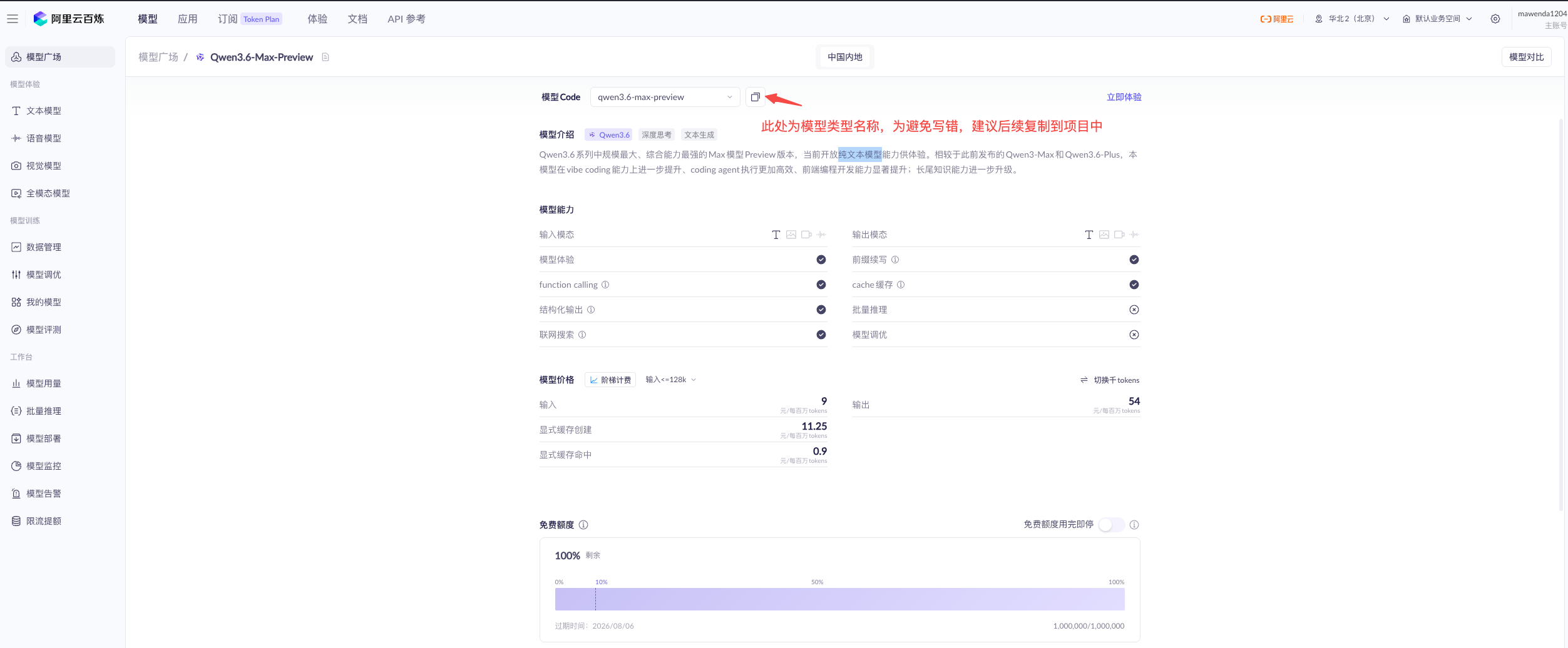
- 模型名称
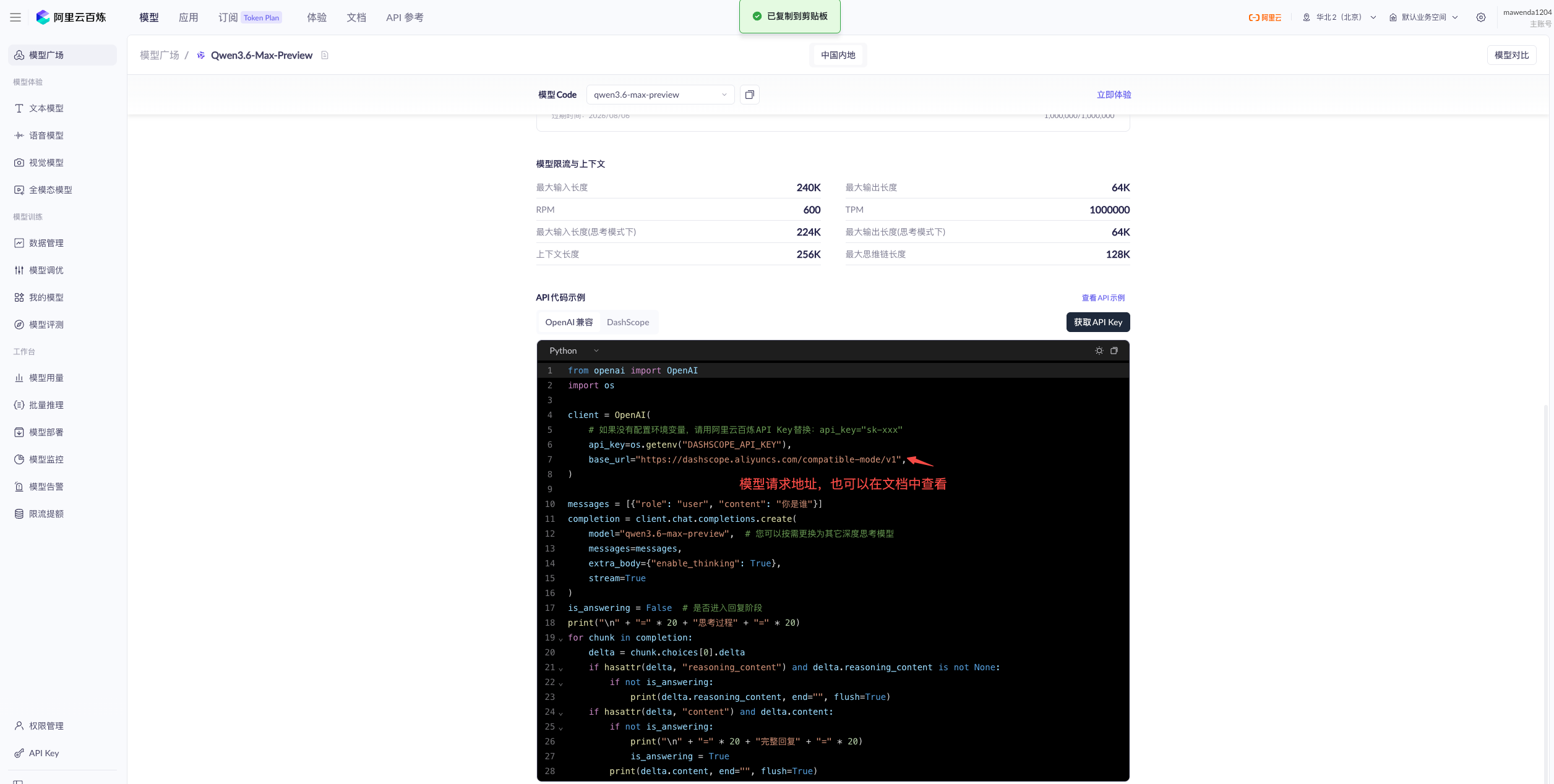
- 调用地址
API Key的生成
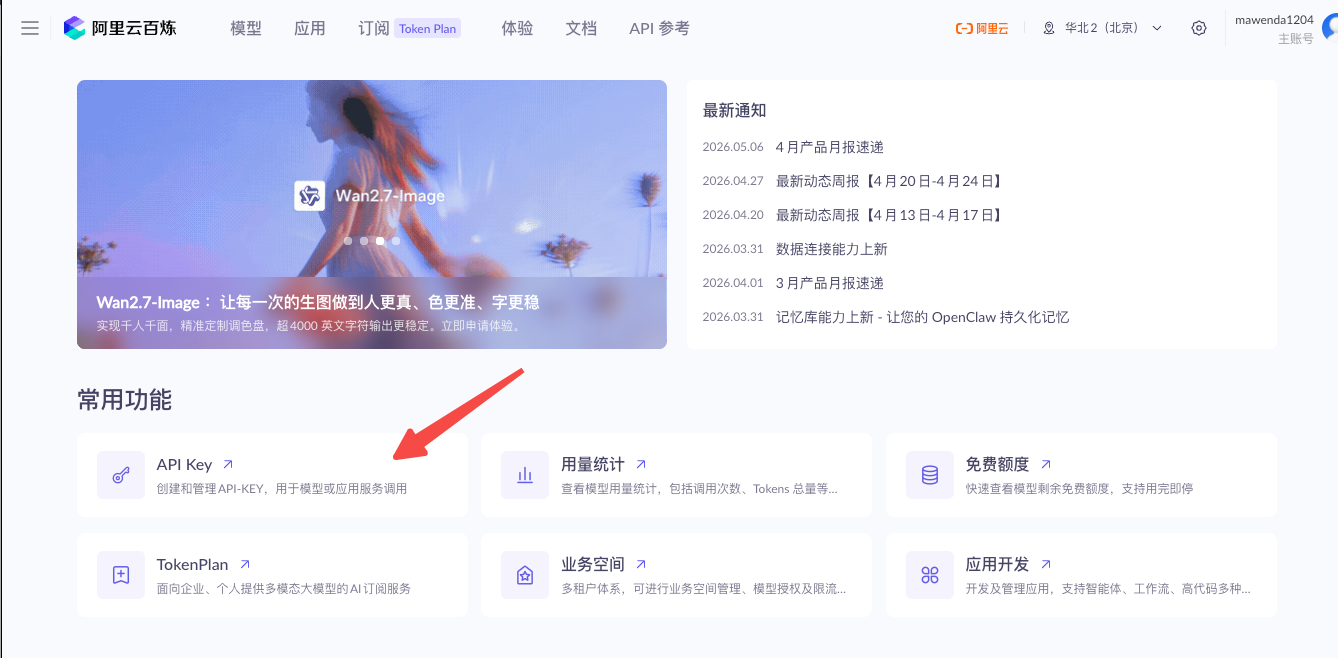
- 从主页进入API Key页面
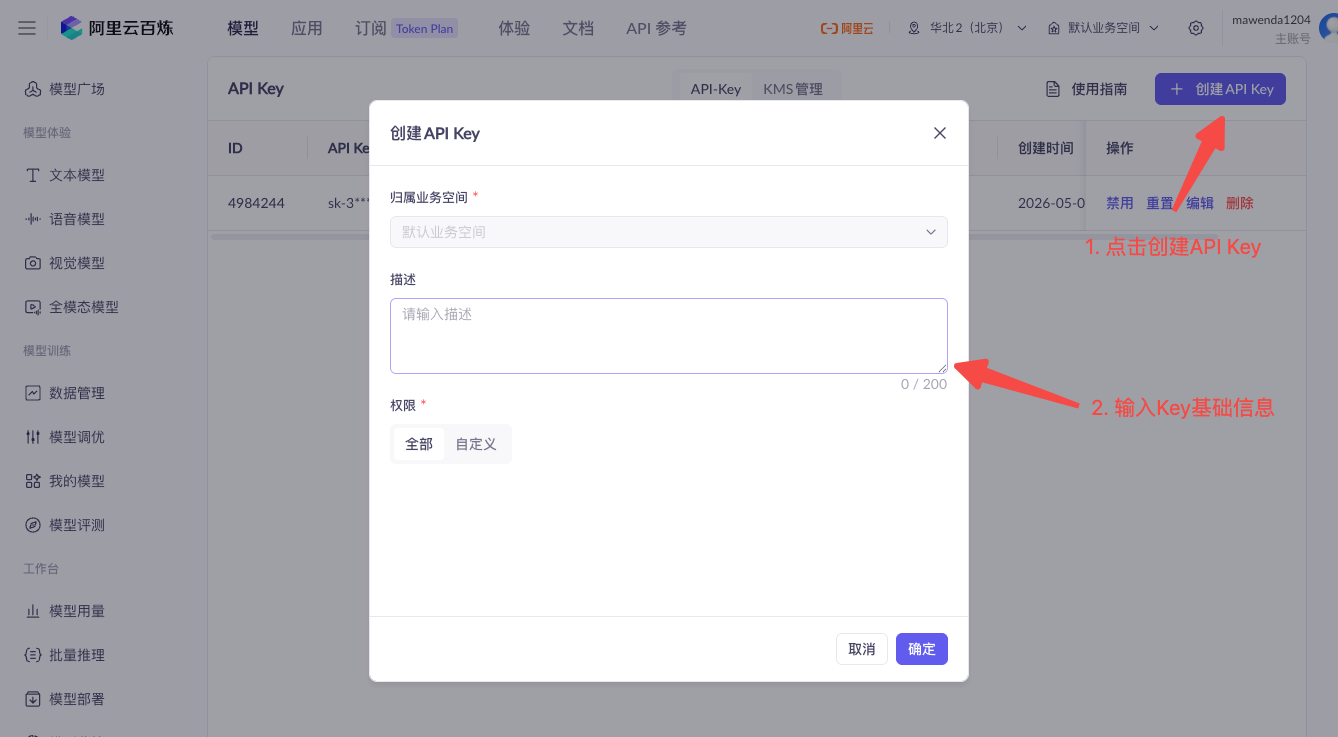
- 创建API Key
- 创建成功
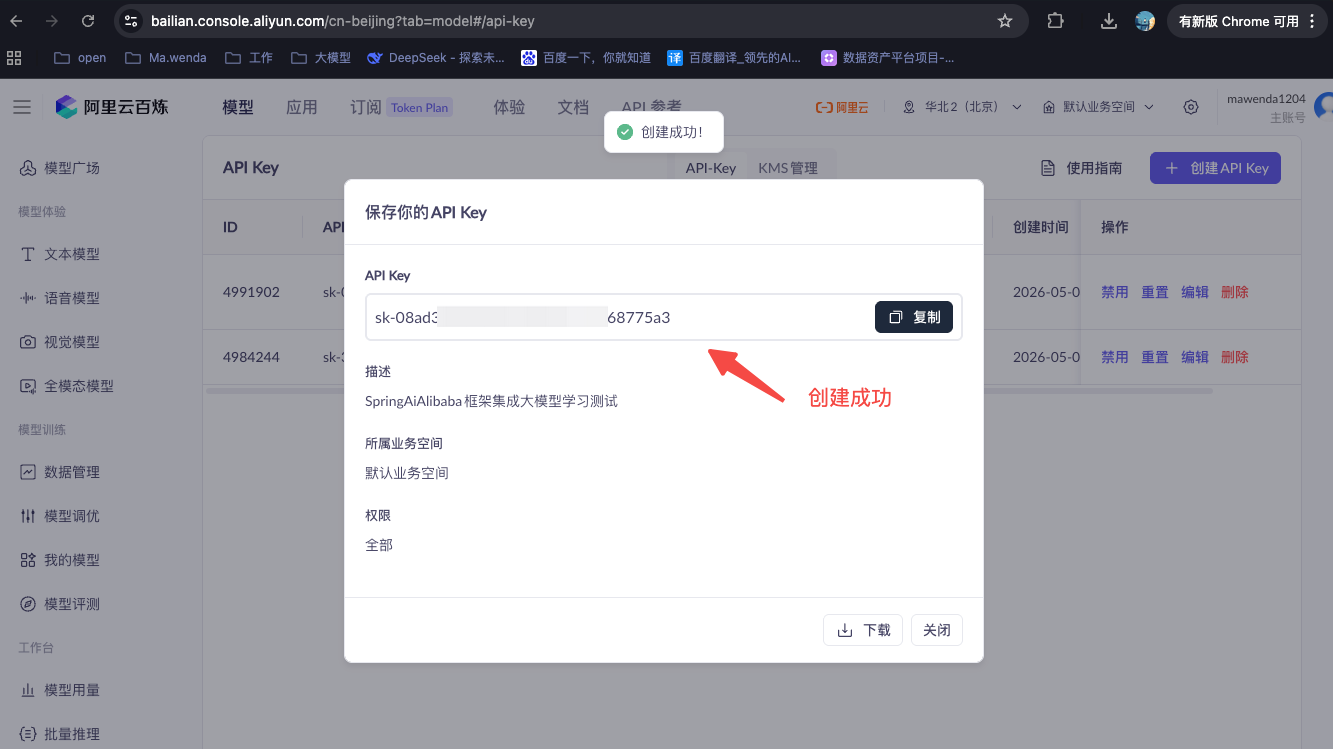
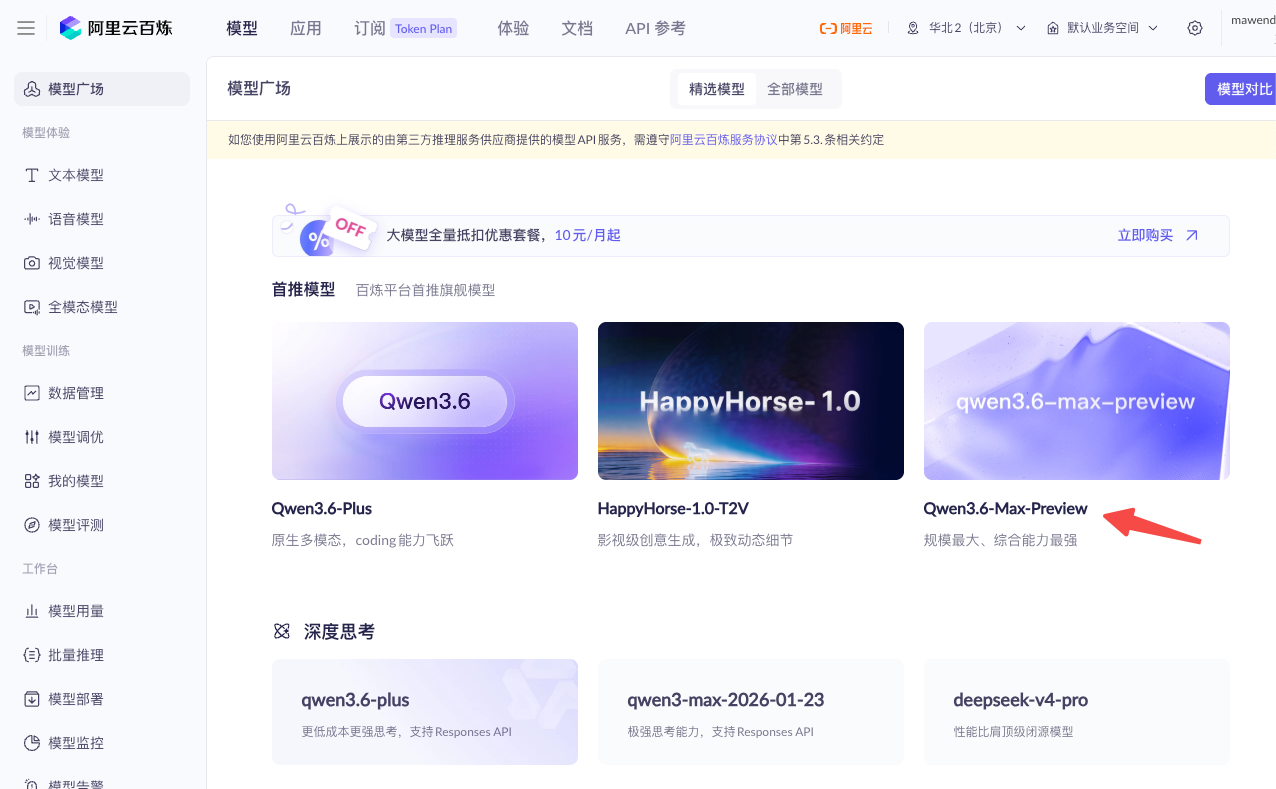
选用模型
- 这里直接选择的是**Qwen3.6-Max-Preview**,纯文本模型。
- 确定模型名称
- 确定调用地址
项目集成大模型
创建Maven项目
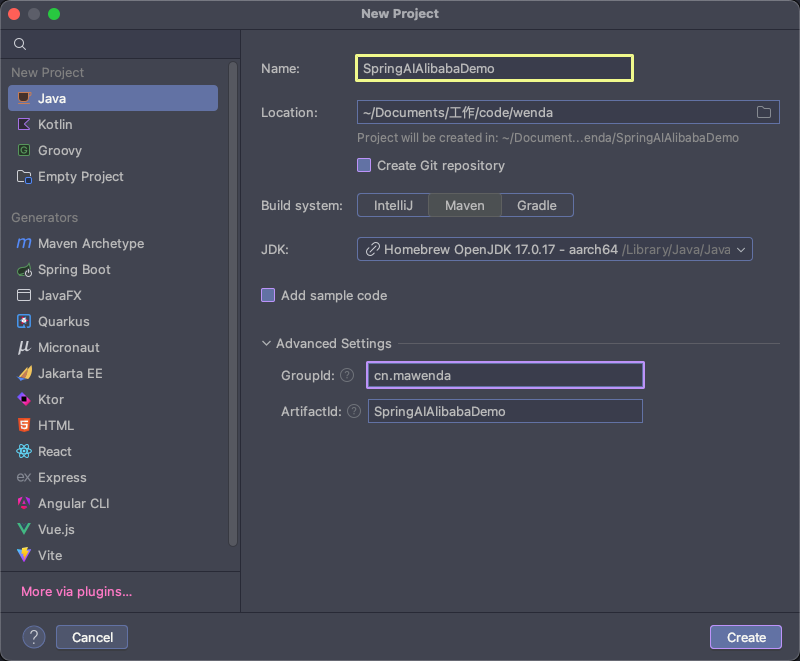
这里因为要学习并测试多种大模型的使用,所以打算以微服务的架构方式来创建项目,不同的大模型的使用不同的微服务项目。
导入项目依赖
- Spring AI Alibaba 与 Spring AI、Spring Boot 的版本依赖关系,参照:《怎么确定 Spring AI Alibaba 与 Spring AI、Spring Boot 版本的兼容关系》
| Spring AI Alibaba | Spring AI | Spring Boot |
|---|---|---|
| 1.0.0.2 | 1.0.0 | 3.4.5 |
| 1.0.0-M6.1 | 1.0.0-M6 | 3.4.2 |
- 构建项目基础pom依赖
xml
<?xml version="1.0" encoding="UTF-8"?>
<project xmlns="http://maven.apache.org/POM/4.0.0"
         xmlns:xsi="http://www.w3.org/2001/XMLSchema-instance"
         xsi:schemaLocation="http://maven.apache.org/POM/4.0.0 http://maven.apache.org/xsd/maven-4.0.0.xsd">
    <modelVersion>4.0.0</modelVersion>

    <!-- 项目基础信息 -->
    <groupId>cn.mawenda</groupId>
    <artifactId>SpringAIAlibabaDemo</artifactId>
    <version>1.0.1</version>
    <packaging>pom</packaging>

    <!-- 子模块列表 -->
    <modules>
        <module>SpringAiAlibabaChatModel</module>
    </modules>

    <!-- 依赖版本统一管理 -->
    <properties>
        <!-- Java编译版本设置 -->
        <maven.compiler.source>17</maven.compiler.source>
        <maven.compiler.target>17</maven.compiler.target>
        <!-- 项目构建编码设置为UTF-8 -->
        <project.build.sourceEncoding>UTF-8</project.build.sourceEncoding>
        <!-- Spring AI 框架版本 -->
        <spring-ai.version>1.0.0</spring-ai.version>
        <!-- Spring AI Alibaba 阿里云AI集成版本 -->
        <spring-ai-alibaba.version>1.0.0.2</spring-ai-alibaba.version>
        <!-- Spring Boot 框架版本 -->
        <spring-boot.version>3.4.5</spring-boot.version>
    </properties>

    <!-- dependencyManagement 依赖统一管控,子模块继承时不需要指定版本号 -->
    <dependencyManagement>
        <dependencies>
            <!-- Spring AI Alibaba BOM: 阿里云AI组件依赖管理,包含通义千问等模型支持 -->
            <dependency>
                <groupId>com.alibaba.cloud.ai</groupId>
                <artifactId>spring-ai-alibaba-bom</artifactId>
                <version>${spring-ai-alibaba.version}</version>
                <type>pom</type>
                <scope>import</scope>
            </dependency>

            <!-- Spring Boot Dependencies BOM: Spring Boot核心依赖管理,确保各组件版本兼容 -->
            <dependency>
                <groupId>org.springframework.boot</groupId>
                <artifactId>spring-boot-dependencies</artifactId>
                <version>${spring-boot.version}</version>
                <type>pom</type>
                <scope>import</scope>
            </dependency>

            <!-- Spring AI BOM: Spring AI框架依赖管理,提供统一的AI接口抽象 -->
            <dependency>
                <groupId>org.springframework.ai</groupId>
                <artifactId>spring-ai-bom</artifactId>
                <version>${spring-ai.version}</version>
                <type>pom</type>
                <scope>import</scope>
            </dependency>
        </dependencies>
    </dependencyManagement>

    <!-- 构建插件配置 -->
    <build>
        <plugins>
            <!-- Spring Boot Maven插件: 用于打包可执行JAR文件、运行应用等 -->
            <plugin>
                <groupId>org.springframework.boot</groupId>
                <artifactId>spring-boot-maven-plugin</artifactId>
                <version>${spring-boot.version}</version>
            </plugin>
        </plugins>
    </build>

</project>
ChatModel(入门尝试)
使用ChatModel来调用大模型
微服务构建SpringAIAlibabaChatModel
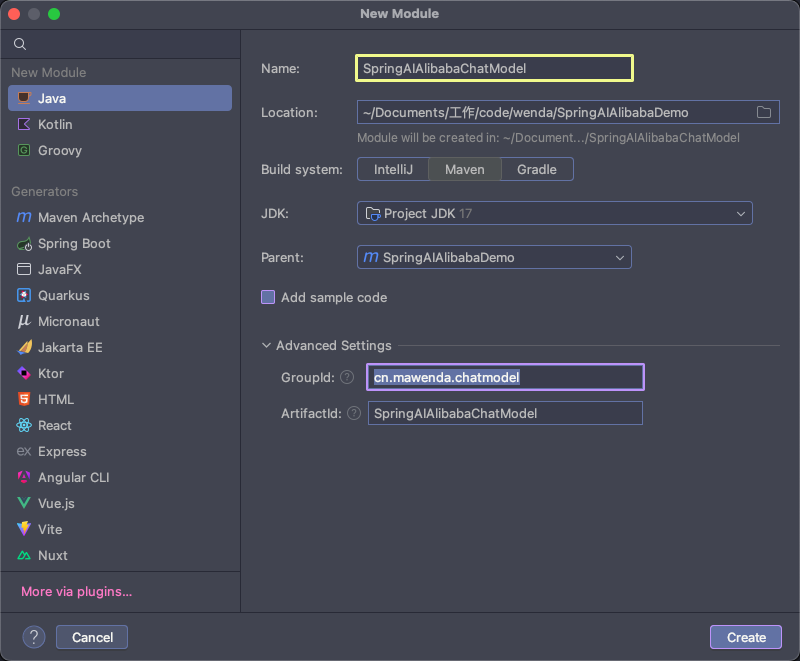
项目结构
yaml
SpringAIAlibabaDemo/                              # 项目根目录(父工程)
├── SpringAiAlibabaChatModel/                     # 子模块:聊天模型演示
│   ├── src/
│   │   ├── main/
│   │   │   ├── java/cn/mawenda/chatmodel/
│   │   │   │   ├── SpringAiAlibabaChatModelApplication.java    # 启动类
│   │   │   │   └── controller/
│   │   │   │       └── DemoController.java                      # 演示控制器
│   │   │   └── resources/
│   │   │       └── application.yaml                             # 应用配置文件
│   └── pom.xml                                                  # 子模块 Maven 配置
└── pom.xml                                                      # 父工程 Maven 配置
pom.xml
xml
<?xml version="1.0" encoding="UTF-8"?>
<project xmlns="http://maven.apache.org/POM/4.0.0"
         xmlns:xsi="http://www.w3.org/2001/XMLSchema-instance"
         xsi:schemaLocation="http://maven.apache.org/POM/4.0.0 http://maven.apache.org/xsd/maven-4.0.0.xsd">
    <modelVersion>4.0.0</modelVersion>
    <parent>
        <groupId>cn.mawenda</groupId>
        <artifactId>SpringAIAlibabaDemo</artifactId>
        <version>1.0.1</version>
    </parent>

    <artifactId>SpringAiAlibabaChatModel</artifactId>

    <properties>
        <maven.compiler.source>17</maven.compiler.source>
        <maven.compiler.target>17</maven.compiler.target>
        <project.build.sourceEncoding>UTF-8</project.build.sourceEncoding>
    </properties>

    <dependencies>
        <!-- Spring Boot Web Starter: 提供Web开发基础功能,包括REST API支持 -->
        <dependency>
            <groupId>org.springframework.boot</groupId>
            <artifactId>spring-boot-starter-web</artifactId>
        </dependency>

        <!-- Spring AI Alibaba DashScope Starter: 阿里云通义千问大模型集成依赖,提供ChatModel等AI能力 -->
        <dependency>
            <groupId>com.alibaba.cloud.ai</groupId>
            <artifactId>spring-ai-alibaba-starter-dashscope</artifactId>
        </dependency>
    </dependencies>

</project>
服务配置文件-application.yaml
yaml
server:
  port: 8080  # 指定当前服务的端口
  servlet:
    encoding:
      enabled: true # 大模型对话中文乱码处理
      force: true
      charset: utf-8

spring:
  application:
    name: SpringAiAlibabaChatModel # 微服务名称
  #  Spring AI Alibaba 框架支持自动配置,引入对应依赖后,会将相关配置信息自动注入DashScopeChatModel等核心Bean
  ai:
    dashscope:
      # 密钥, 在云平台中申请的API Key
      api-key: sk-08ad3bf73bf645a9a0c0cc5ac68775a3
      # 模型请求地址,框架内针对不同模型已配置好默认地址,此处可不进行配置也可以实现同样效果
      base-url: https://dashscope.aliyuncs.com/compatible-mode/v1
      chat:
        options:
          # 指定使用的模型版本
          model: qwen3.6-max-preview
服务启动类-SpringAiAlibabaChatModelApplication.java
java
package cn.mawenda.chatmodel;

import org.springframework.boot.SpringApplication;
import org.springframework.boot.autoconfigure.SpringBootApplication;

@SpringBootApplication
public class SpringAiAlibabaChatModelApplication {

    public static void main(String[] args) {
        SpringApplication.run(SpringAiAlibabaChatModelApplication.class, args);
    }
}
服务控制层-DemoController.Java
java
package cn.mawenda.chatmodel.controller;

import org.springframework.ai.chat.model.ChatModel;
import org.springframework.beans.factory.annotation.Autowired;
import org.springframework.web.bind.annotation.GetMapping;
import org.springframework.web.bind.annotation.RequestParam;
import org.springframework.web.bind.annotation.RestController;

/**
 * AI对话演示控制器
 * 提供与通义千问大模型交互的REST API接口
 */
@RestController
public class DemoController {

    /**
     * Spring AI ChatModel实例,用于调用大模型进行对话
     * 由Spring容器自动注入DashScope实现
     */
    @Autowired
    private ChatModel chatModel;

    /**
     * 调用大模型进行对话
     *
     * @param message 用户输入的消息内容,默认为"你是谁?"
     * @return 大模型返回的响应文本
     */
    @GetMapping("/call")
    public String call(@RequestParam(name = "message", required = false, defaultValue = "你是谁?") String message){
        return chatModel.call(message);
    }
}
集成测试
- 启动服务,并访问服务API地址:http://localhost:8080/call
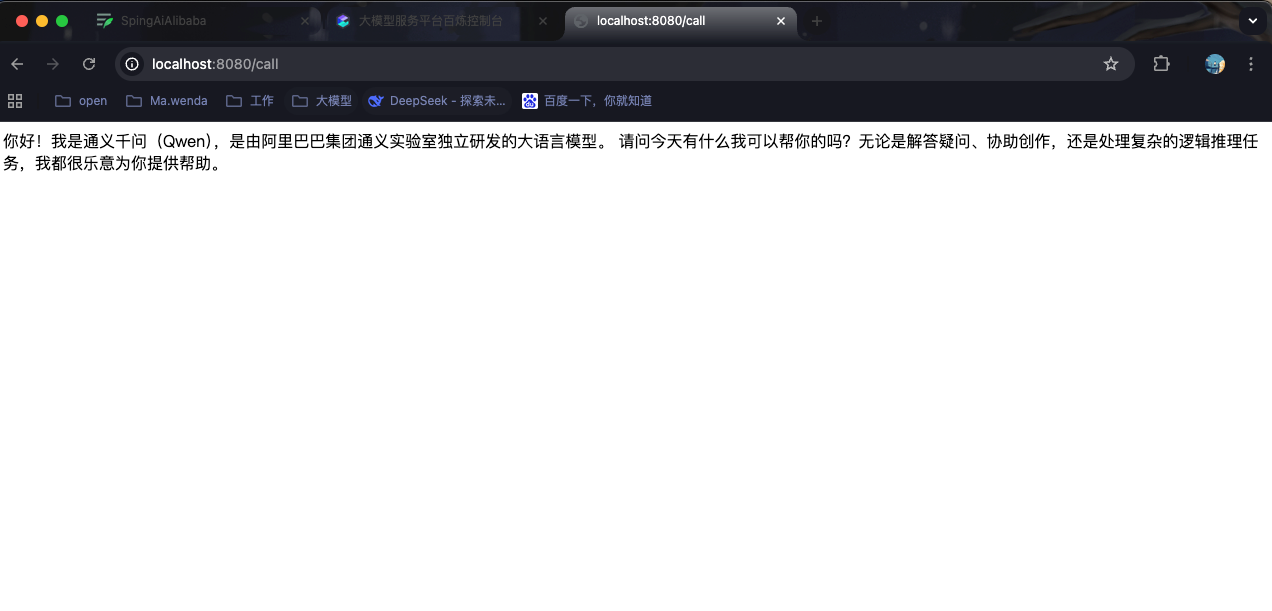
- 问题:当前是等模型将提问结果完全返回后再响应回页面,等待时间过长,用户体验差;针对该问题,大模型是支持流式输出的,那么什么是流式输出?
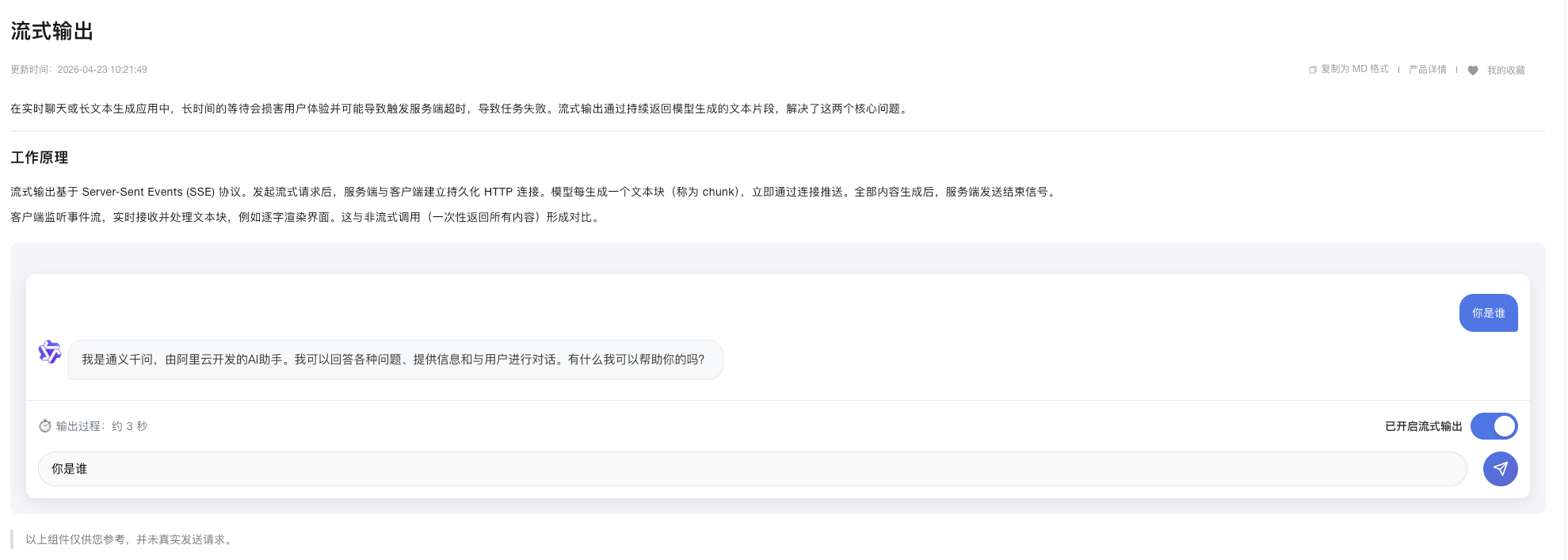
实现流式输出
java
package cn.mawenda.chatmodel.controller;

import org.springframework.ai.chat.model.ChatModel;
import org.springframework.beans.factory.annotation.Autowired;
import org.springframework.web.bind.annotation.GetMapping;
import org.springframework.web.bind.annotation.RequestParam;
import org.springframework.web.bind.annotation.RestController;
import reactor.core.publisher.Flux;

/**
 * AI对话演示控制器
 * 提供与通义千问大模型交互的REST API接口
 */
@RestController
public class DemoController {

    /**
     * Spring AI ChatModel实例,用于调用大模型进行对话
     * 由Spring容器自动注入DashScope实现
     */
    @Autowired
    private ChatModel chatModel;

    /**
     * 调用大模型进行对话
     *
     * @param message 用户输入的消息内容,默认为"你是谁?"
     * @return 大模型返回的响应文本
     */
    @GetMapping("/call")
    public String call(@RequestParam(name = "message", required = false, defaultValue = "你是谁?") String message){
        return chatModel.call(message);
    }

    /**
     * 调用大模型进行对话,并返回一个流式响应
     *
     * @param message 用户输入的消息内容,默认为"你是谁?"
     * @return 大模型返回的响应文本流
     */
    @GetMapping("/streamCall")
    public Flux<String> streamCall(@RequestParam(name = "message", required = false, defaultValue = "你是谁?") String message){
        return chatModel.stream(message);
    }
}- 测试
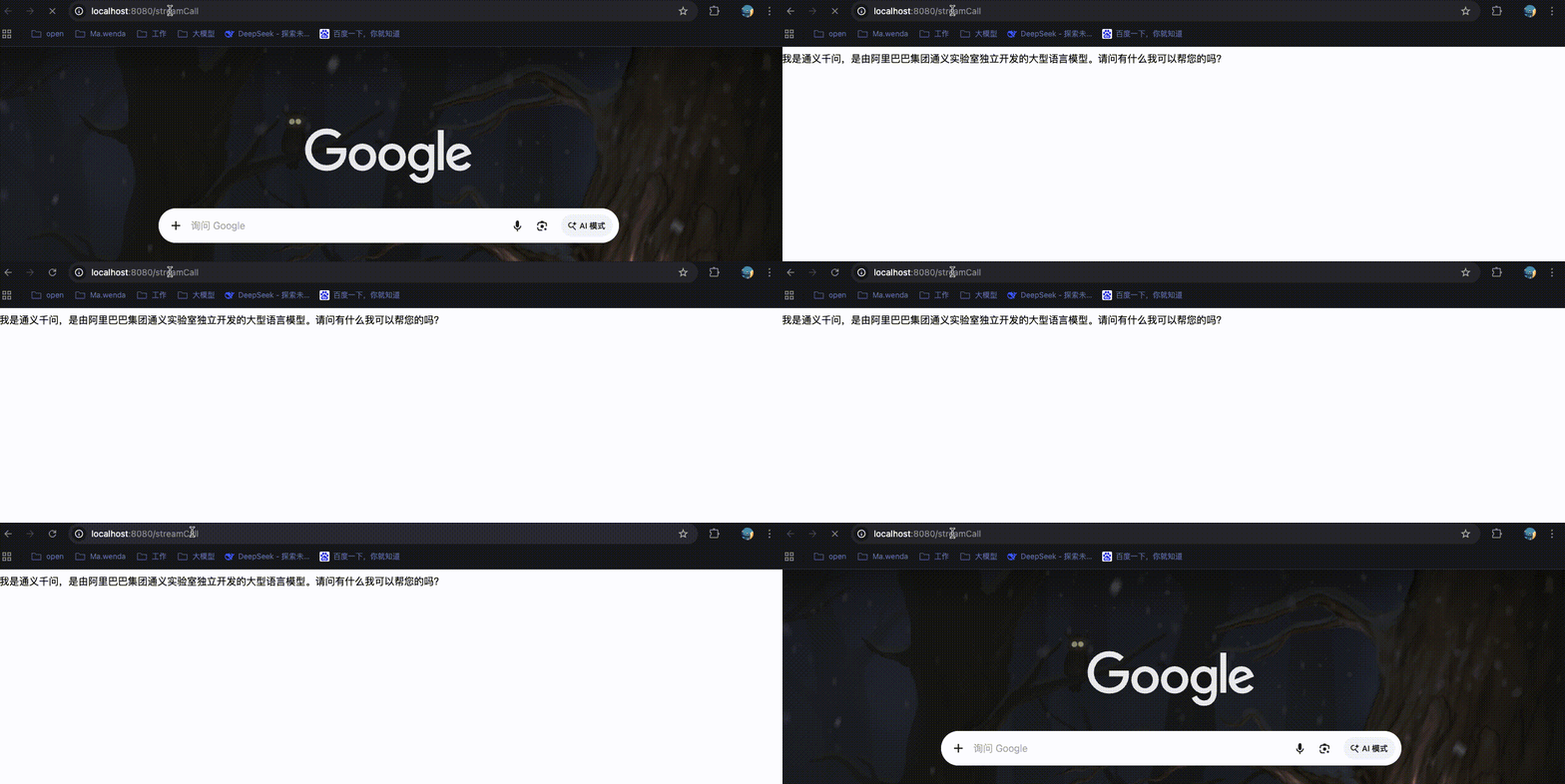
- 通过chatModel.stream(message); 会返回一个Flux,Flux 是 Project Reactor 中的响应式编程类型
代表一个异步数据流,可以发射 0 到 N 个元素,这里表示会持续不断地返回字符串片段;
多模型共存
除qwen3.6-max-preview外,在项目中在集成一个其他大模型,比如deepseek,进行如下改造。
选择模型版本
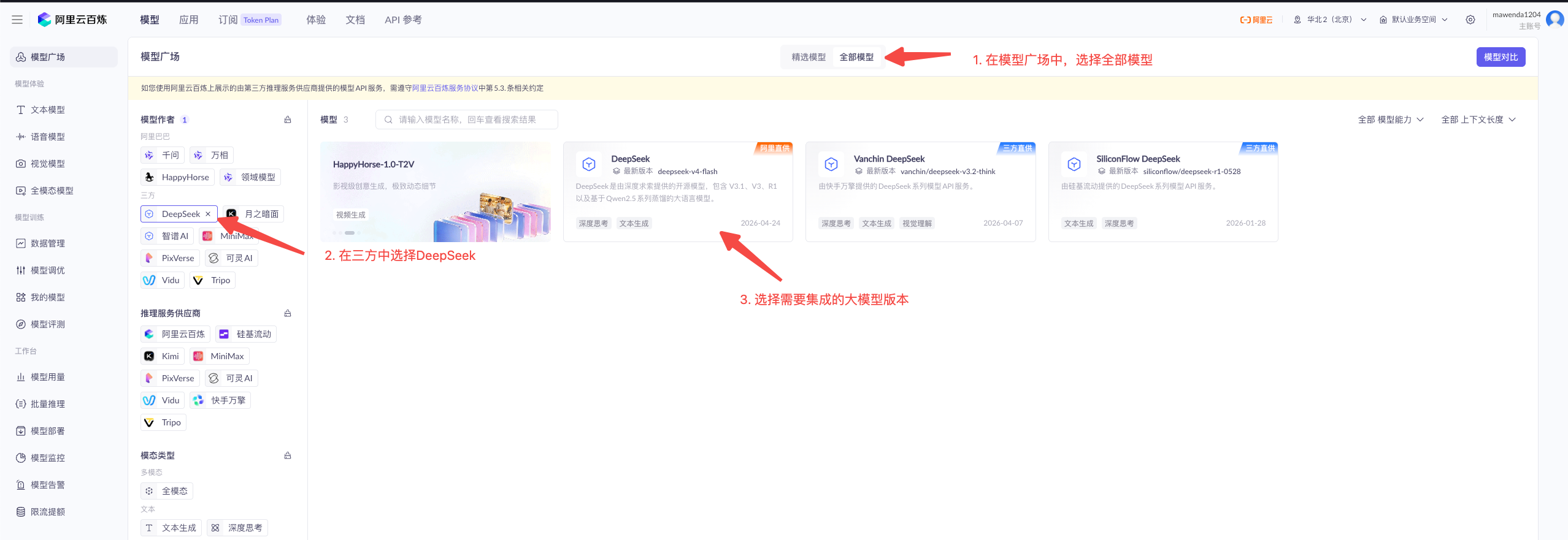
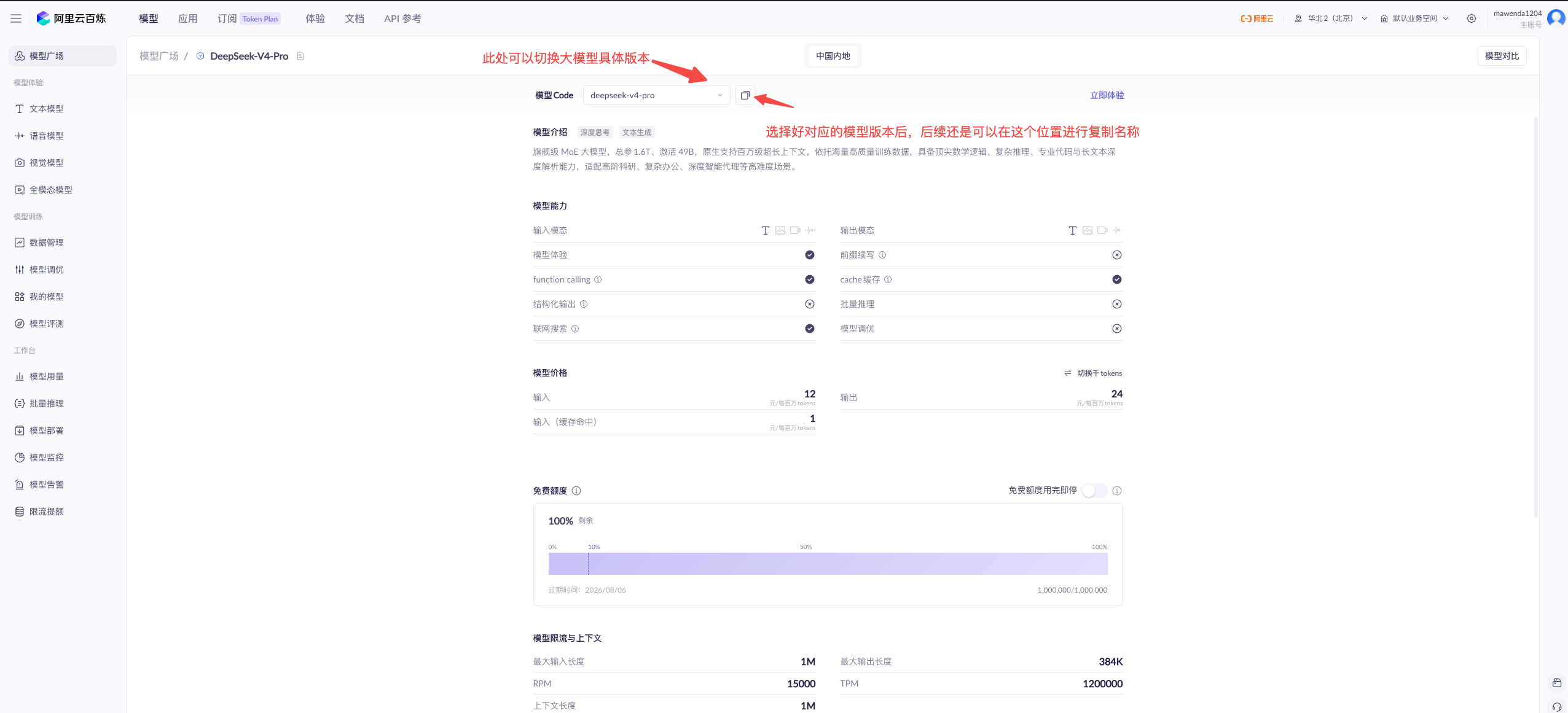
此处可以按照此方式多选择几个文本型的模型。
项目兼容改造
涉及到改造的文件目录
yaml
SpringAIAlibabaDemo/                              # 项目根目录(父工程)
├── SpringAiAlibabaChatModel/                     # 子模块:聊天模型演示
│   ├── src/
│   │   ├── main/
│   │   │   ├── java/cn/mawenda/chatmodel/
│   │   │   │   └── config/
│   │   │   │       └── LlmProperties.java											 # 模型配置属性
│   │   │   │       └── LLmConfig.java													 # 大模型配置类
│   │   │   └── resources/
│   │   │       └── application.yaml                             # 应用配置文件
服务配置文件-application.yaml
yaml
server:
  port: 8080  # 指定当前服务的端口
  servlet:
    encoding:
      enabled: true # 大模型对话中文乱码处理
      force: true
      charset: utf-8

spring:
  application:
    name: SpringAiAlibabaChatModel # 微服务名称

  ai:
    dashscope:
      # 密钥, 在云平台中申请的API Key
      api-key: sk-08ad3bf73bf645a9a0c0cc5ac68775a3
      # 模型请求地址
      base-url: https://dashscope.aliyuncs.com/compatible-mode/v1
      chat:
        options:
          # 指定使用的模型版本
          model: qwen3.6-max-preview

# 在此处增加多模型的名称,后续按需可以拓展单独的APIKey以及请求地址,目前使用的都是阿里百炼平台,APIKey与请求地址使用同样的即可。
llm:
  # 为了方便测试,除了默认的qwen3.6-max-preview模型,还集成了以下两种模型
  models:
    deepseek-v4-pro: deepseek-v4-pro
    qwen3-max: qwen3-max
增加llm相关配置。
增加读取配置类-LlmProperties.java
java
package cn.mawenda.chatmodel.config;
import org.springframework.boot.context.properties.ConfigurationProperties;
import org.springframework.stereotype.Component;
import java.util.Map;

/**
 * 大模型配置属性
 * 从application.yaml中读取llm.models配置
 */
@Component
@ConfigurationProperties(prefix = "llm")
public class LlmProperties {

    /**
     * 模型映射
     * key: 模型标识(如 qwen, deepseek)
     * value: DashScope 模型名称
     */
    private Map<String, String> models;

    public Map<String, String> getModels() {
        return models;
    }

    public void setModels(Map<String, String> models) {
        this.models = models;
    }
}
增加大模型配置类-LLmConfig.java
java
package cn.mawenda.chatmodel.config;

import com.alibaba.cloud.ai.dashscope.api.DashScopeApi;
import com.alibaba.cloud.ai.dashscope.chat.DashScopeChatModel;
import com.alibaba.cloud.ai.dashscope.chat.DashScopeChatOptions;
import org.springframework.ai.chat.model.ChatModel;
import org.springframework.beans.factory.annotation.Value;
import org.springframework.context.annotation.Bean;
import org.springframework.context.annotation.Configuration;
import org.springframework.context.annotation.Primary;

import java.util.HashMap;
import java.util.Map;

/**
 * 大模型配置类
 * <p>
 * 负责管理和初始化多个 DashScope ChatModel 实例,支持:
 * 1. 默认模型的自动加载
 * 2. 多模型共存和动态切换
 * 3. 通过 YAML 配置灵活管理模型
 * </p>
 */
@Configuration
public class LLmConfig {

    @Value("${spring.ai.dashscope.api-key}")
    private String apiKey;

    @Value("${spring.ai.dashscope.chat.options.model}")
    private String defaultModel;

    private final LlmProperties llmProperties;

    public LLmConfig(LlmProperties llmProperties) {
        this.llmProperties = llmProperties;
    }

    /**
     * 默认 ChatModel
     */
    @Bean
    @Primary
    public ChatModel chatModel() {
        // 使用配置文件中的默认模型
        System.out.println("加载默认模型: " + defaultModel);
        return createChatModel(defaultModel);
    }

    /**
     * 所有模型的 Map
     * 可以通过 @Autowired Map<String, ChatModel> 注入使用
     */
    @Bean
    public Map<String, ChatModel> chatModelMap() {
        Map<String, ChatModel> modelMap = new HashMap<>();

        if (llmProperties.getModels() != null) {
            llmProperties.getModels().forEach((key, modelName) -> {
                modelMap.put(key, createChatModel(modelName));
            });
        }
        System.out.println("共注册 {" +modelMap.size() + "} 个模型");
        return modelMap;
    }

    /**
     * 创建 ChatModel 实例
     */
    private ChatModel createChatModel(String modelName) {
        return DashScopeChatModel.builder()
                .dashScopeApi(
                        DashScopeApi.builder()
                                .apiKey(apiKey)
                                .build()
                )
                .defaultOptions(
                        DashScopeChatOptions.builder()
                                .withModel(modelName)
                                .build()
                )
                .build();
    }

}
修改服务控制层-DemoController.java
java
package cn.mawenda.chatmodel.controller;

import org.springframework.ai.chat.model.ChatModel;
import org.springframework.beans.factory.annotation.Autowired;
import org.springframework.util.StringUtils;
import org.springframework.web.bind.annotation.GetMapping;
import org.springframework.web.bind.annotation.RequestParam;
import org.springframework.web.bind.annotation.RestController;
import reactor.core.publisher.Flux;

import java.util.Map;

/**
 * AI对话演示控制器
 * 提供与通义千问大模型交互的REST API接口
 */
@RestController
public class DemoController {

    /* 此处省略之前代码 */

    @Autowired
    private Map<String, ChatModel> chatModelMap;

    /**
     * 调用指定的模型进行对话,并返回一个流式响应
     *
     * @param message 用户输入的消息内容,默认为"你是谁?"
     * @param modelName 模型名称
     * @return 大模型返回的响应文本流
     */
    @GetMapping("/streamByModel")
    public Flux<String> streamCallByModelName(
            @RequestParam(name = "message", required = false, defaultValue = "你是谁?") String message,
            @RequestParam(name = "modelName", required = false) String modelName) {

        // 未指定模型,使用默认模型
        if (!StringUtils.hasLength(modelName)) {
            return chatModel.stream(message);
        }

        // 指定了模型,检查是否存在
        ChatModel selectedModel = chatModelMap.get(modelName);
        if (selectedModel == null) {
            return Flux.just("错误:不支持的模型 '" + modelName + "'。可用模型:" + chatModelMap.keySet());
        }

        // 获取到模型实例,并发起请求
        return selectedModel.stream(message);
    }

}
集成测试
- 重新启动服务,查看日志以展示摸摸人模型与加载的模型数量
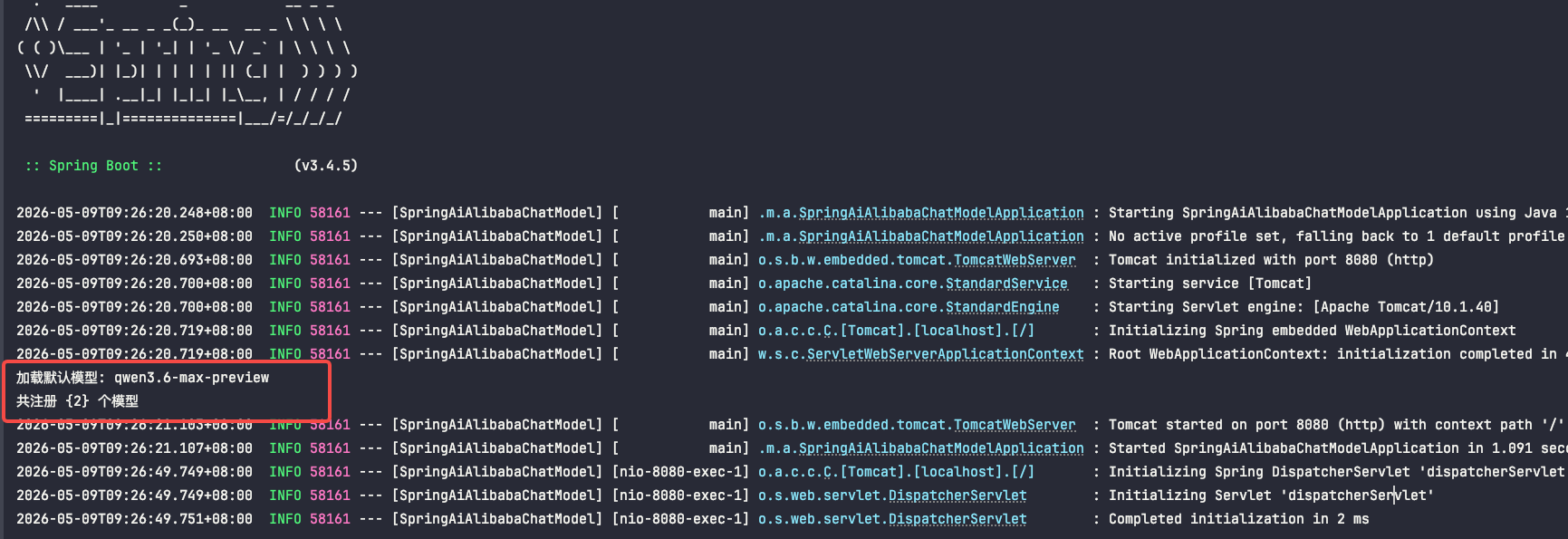
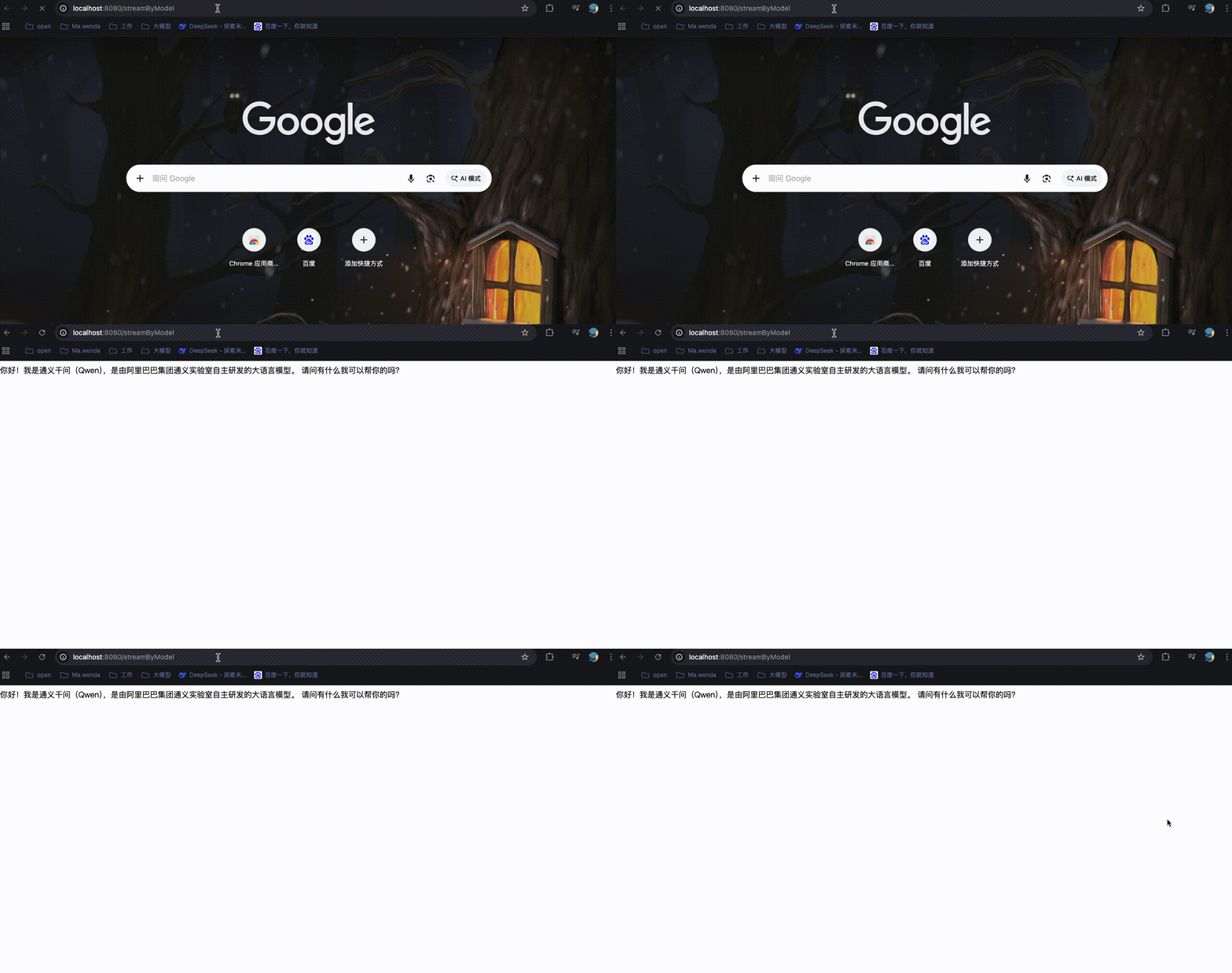
- 没有传入任何参数,message参数为默认的你是谁?modelName参数为空,执行chatModel.stream(message)方法。
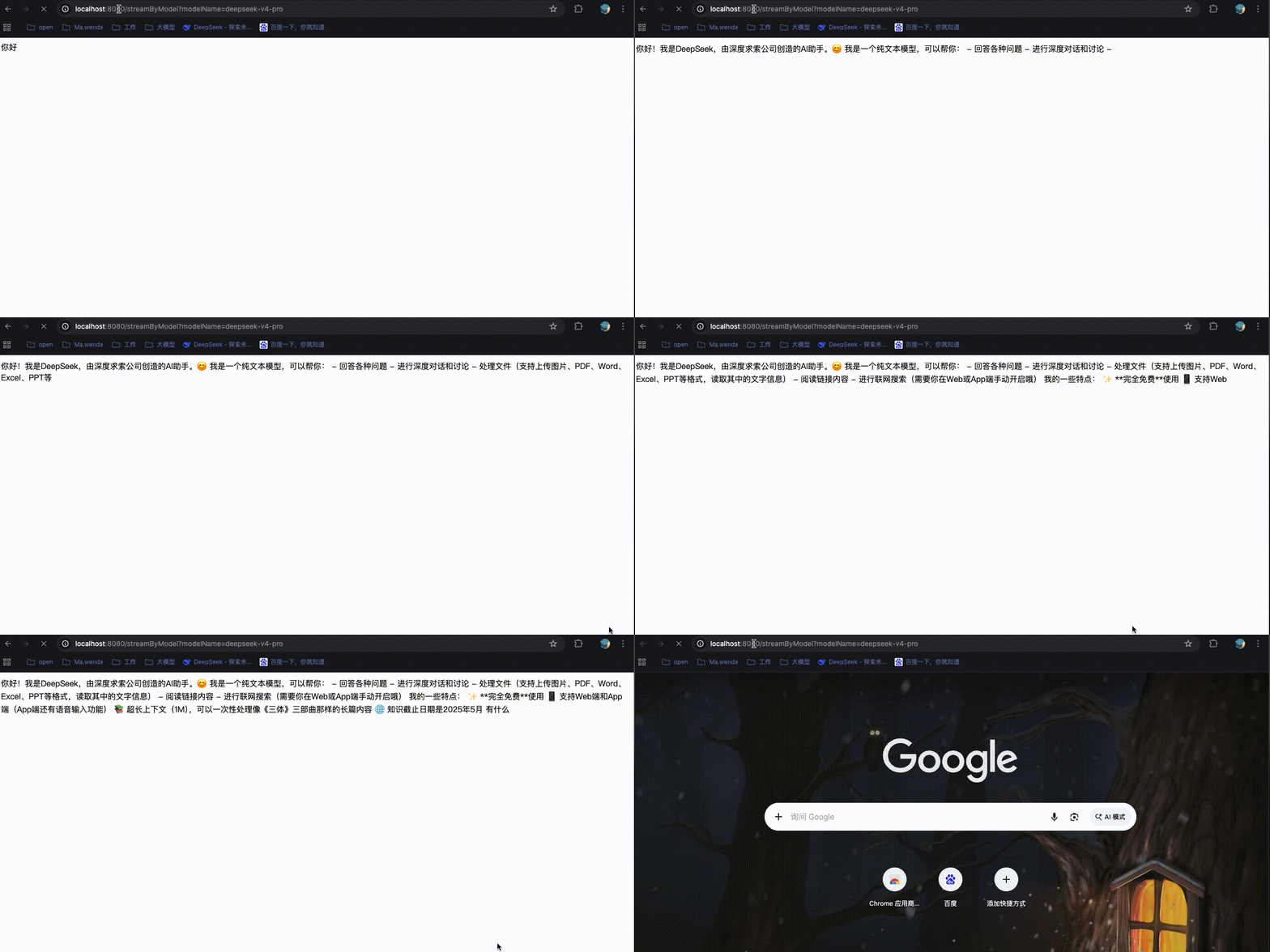
- message参数为默认的你是谁?modelName参数为deepseek-v4-pro,执行chatModelMap.get(modelName)获取到deepseek-v4-pro大模型实例,并请求了selectedModel.stream(message)方法。
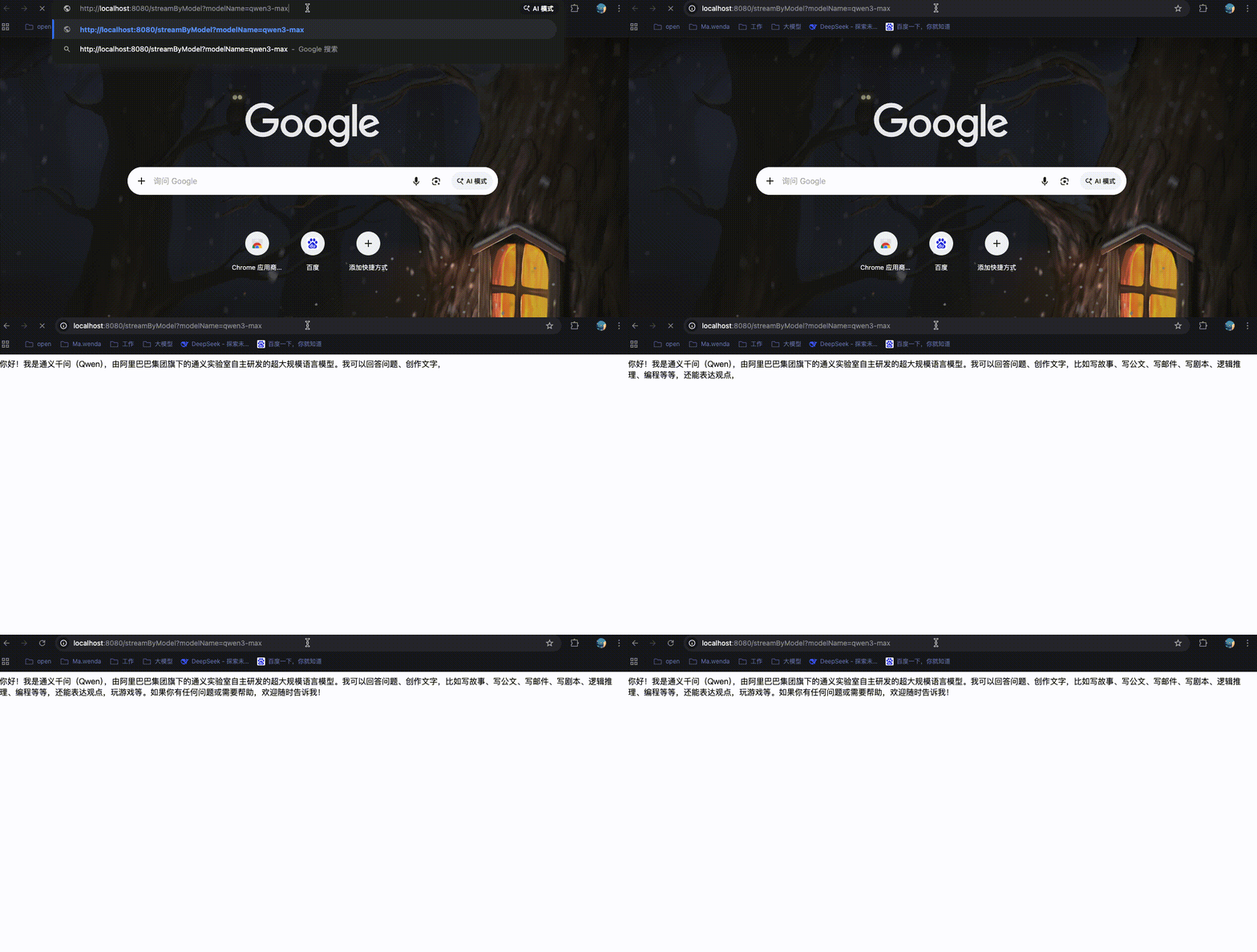
- message参数为默认的你是谁?modelName参数为deepseek-v4-pro,执行chatModelMap.get(modelName)获取到qwen3-max大模型实例,并请求了selectedModel.stream(message)方法。
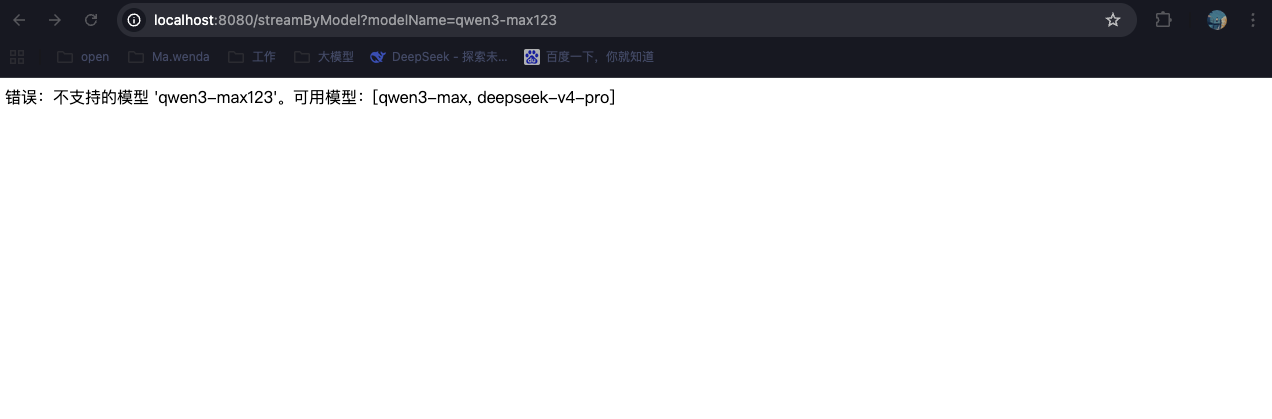
- message参数为默认的你是谁?modelName参数为qwen3-max123,执行chatModelMap.get(modelName),没有获取到该模型,直接响应回错误信息。
ChatClient(进阶)
使用ChatClient调用,玩法更多,适合复杂AI服务。
微服务构建-SpringAIAlibabaChatClient
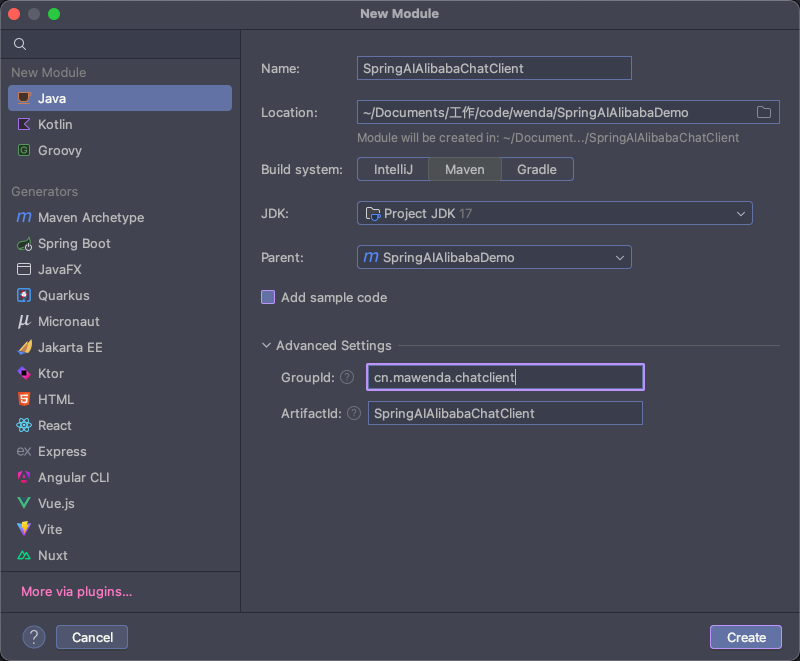
项目结构
java
SpringAIAlibabaDemo/                              # 项目根目录(父工程)
├── SpringAIAlibabaChatClient/                    # 子模块:聊天客户端演示
│   ├── src/
│   │   ├── main/
│   │   │   ├── java/cn/mawenda/chatclient/
│   │   │   │   ├── SpringAiAlibabaChatClientApplication.java    # 启动类
│   │   │   │   ├── config/
│   │   │   │   │   └── LLmConfig.java                            # LLM 配置类
│   │   │   │   └── controller/
│   │   │   │       └── DemoController.java                       # 演示控制器
│   │   │   └── resources/
│   │   │       └── application.yaml                              # 应用配置文件
│   │   └── test/java/                          # 测试代码目录
│   ├── target/                                 # Maven 构建输出目录
│   └── pom.xml                                 # 子模块 Maven 配置
└── pom.xml                                   # 父工程 Maven 配置
pom.xml
xml
<?xml version="1.0" encoding="UTF-8"?>
<project xmlns="http://maven.apache.org/POM/4.0.0"
         xmlns:xsi="http://www.w3.org/2001/XMLSchema-instance"
         xsi:schemaLocation="http://maven.apache.org/POM/4.0.0 http://maven.apache.org/xsd/maven-4.0.0.xsd">
    <modelVersion>4.0.0</modelVersion>
    <parent>
        <groupId>cn.mawenda</groupId>
        <artifactId>SpringAIAlibabaDemo</artifactId>
        <version>1.0.1</version>
    </parent>

    <artifactId>SpringAIAlibabaChatClient</artifactId>

    <properties>
        <maven.compiler.source>17</maven.compiler.source>
        <maven.compiler.target>17</maven.compiler.target>
        <project.build.sourceEncoding>UTF-8</project.build.sourceEncoding>
    </properties>

    <dependencies>
        <!-- Spring Boot Web Starter: 提供Web开发基础功能,包括REST API支持 -->
        <dependency>
            <groupId>org.springframework.boot</groupId>
            <artifactId>spring-boot-starter-web</artifactId>
        </dependency>

        <!-- Spring AI Alibaba DashScope Starter: 阿里云通义千问大模型集成依赖,提供ChatModel等AI能力 -->
        <dependency>
            <groupId>com.alibaba.cloud.ai</groupId>
            <artifactId>spring-ai-alibaba-starter-dashscope</artifactId>
        </dependency>
    </dependencies>
</project>
服务配置文件-application.yaml
yaml
server:
  port: 8081  # 指定当前服务的端口
  servlet:
    encoding:
      enabled: true # 大模型对话中文乱码处理
      force: true
      charset: utf-8

spring:
  application:
    name: SpringAIAlibabaChatClient # 微服务名称

  ai:
    dashscope:
      # 密钥, 在云平台中申请的API Key
      api-key: sk-08ad3bf73bf645a9a0c0cc5ac68775a3
      # 模型请求地址
      base-url: https://dashscope.aliyuncs.com/compatible-mode/v1
      chat:
        options:
          # 指定使用的模型版本
          model: qwen3.6-max-preview
llm:
  models:
    deepseek-v4-pro: deepseek-v4-pro
    qwen3-max: qwen3-max
服务启动类-SpringAiAlibabaChatClientApplication.java
java
package cn.mawenda.chatclient;

import org.springframework.boot.SpringApplication;
import org.springframework.boot.autoconfigure.SpringBootApplication;

@SpringBootApplication
public class SpringAiAlibabaChatClientApplication {

    public static void main(String[] args) {
        SpringApplication.run(SpringAiAlibabaChatClientApplication.class, args);
    }
}
增加大模型配置类-LLmConfig.Java
java
package cn.mawenda.chatclient.config;

import org.springframework.ai.chat.client.ChatClient;
import org.springframework.ai.chat.model.ChatModel;
import org.springframework.context.annotation.Bean;
import org.springframework.context.annotation.Configuration;

/**
 * 大模型配置类
 */
@Configuration
public class LLmConfig {

    /**
     * 创建 ChatClient 实例
     */
    @Bean
    public ChatClient chatClient(ChatModel dashscopeChatModel){
        return ChatClient.builder(dashscopeChatModel).build();
    }
}
服务控制层-DemoController.Java
java
package cn.mawenda.chatclient.controller;

import org.springframework.ai.chat.client.ChatClient;
import org.springframework.beans.factory.annotation.Autowired;
import org.springframework.web.bind.annotation.GetMapping;
import org.springframework.web.bind.annotation.RequestParam;
import org.springframework.web.bind.annotation.RestController;

/**
 * AI对话演示控制器
 * 提供与通义千问大模型交互的REST API接口
 */
@RestController
public class DemoController {

    /**
     * Spring AI ChatModel实例,用于调用大模型进行对话
     * 由Spring容器自动注入DashScope实现
     */
    @Autowired
    private ChatClient chatClient;

    /**
     * 调用大模型进行对话
     *
     * @param message 用户输入的消息内容,默认为"你是谁?"
     * @return 大模型返回的响应文本
     */
    @GetMapping("/call")
    public String call(@RequestParam(name = "message", required = false, defaultValue = "你是谁?") String message){
        return chatClient.prompt().user(message).call().content();
    }
}chatClient构建解析:
- prompt()
- 创建一个新的对话提示(Prompt)构建器
- 开始构建一次对话请求
- .user()
- 设置用户输入的消息内容,也是用户想AI问的问题
- .call()
- 执行同步调用,向大模型发送请求并等待响应,这是一个阻塞操作,会等待 AI 返回结果
- .content()
- 从响应对象中提取纯文本内容,返回字符串类型的 AI 回复
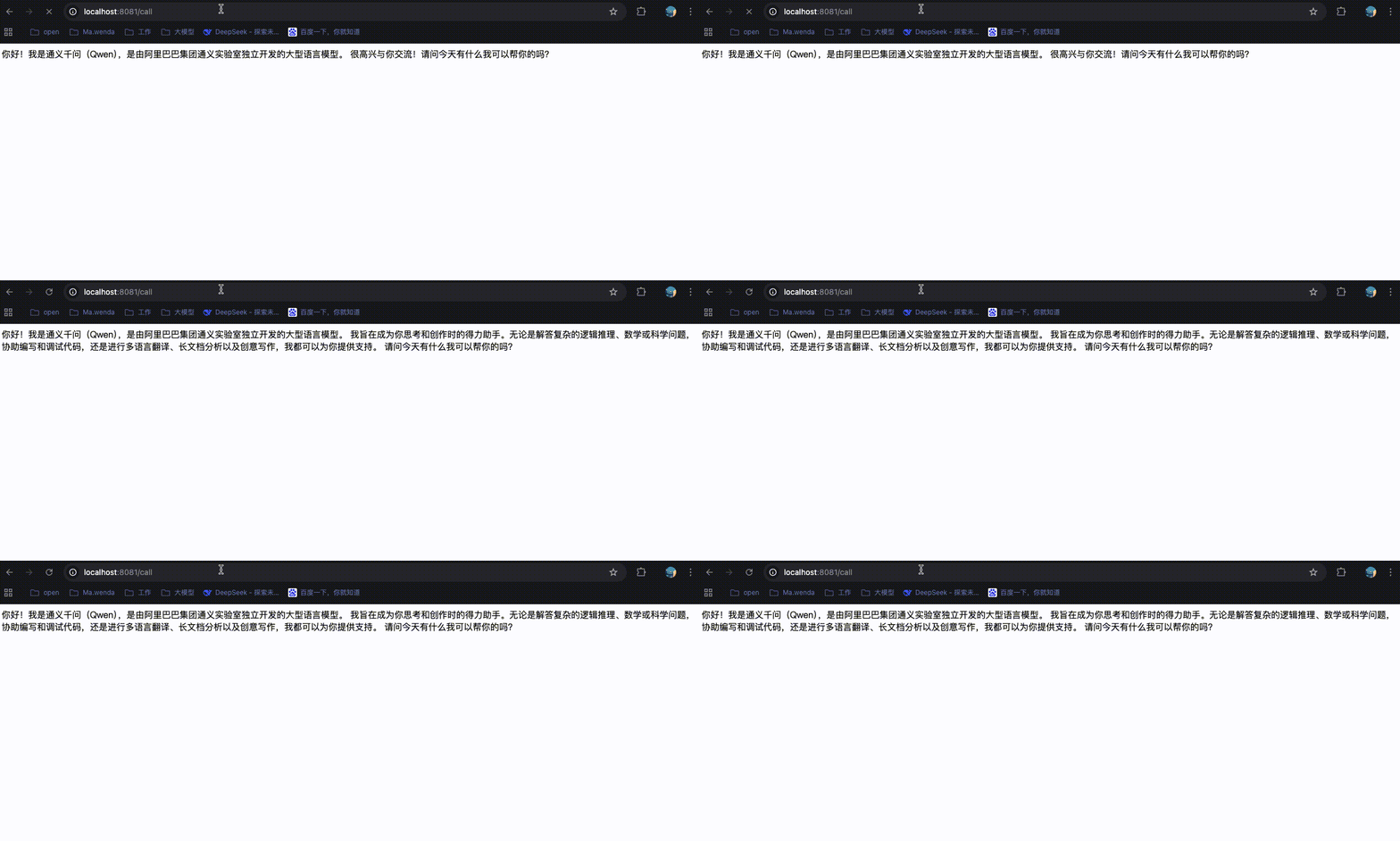
集成测试
- 启动服务,并访问服务API地址:http://localhost:8081/call
提示词(Prompt)基础概念
什么是 Prompt?
Prompt(提示词) 是用户发送给大语言模型的输入文本,用于引导模型生成期望的输出。可以理解为"向 AI 提问或下达指令的方式"。
阿里百炼平台:Prompt指南
DeepSeekApi文档:提示库样例
主要的作用
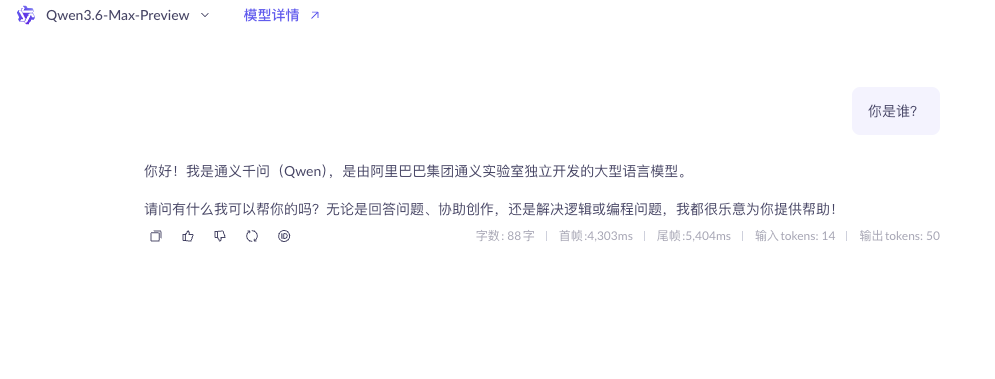
- 引导大模型生成期望的输出,也可以理解为用户对AI提问或下达指令,如下简单的提问(任何一个模型都可以,此处我直接在爱李云百炼平台模型广场中选择的立即体验,跳转地址)
- 你是谁?(根据这个提示词,AI可以将当前模型的一些基础信息响应给用户)
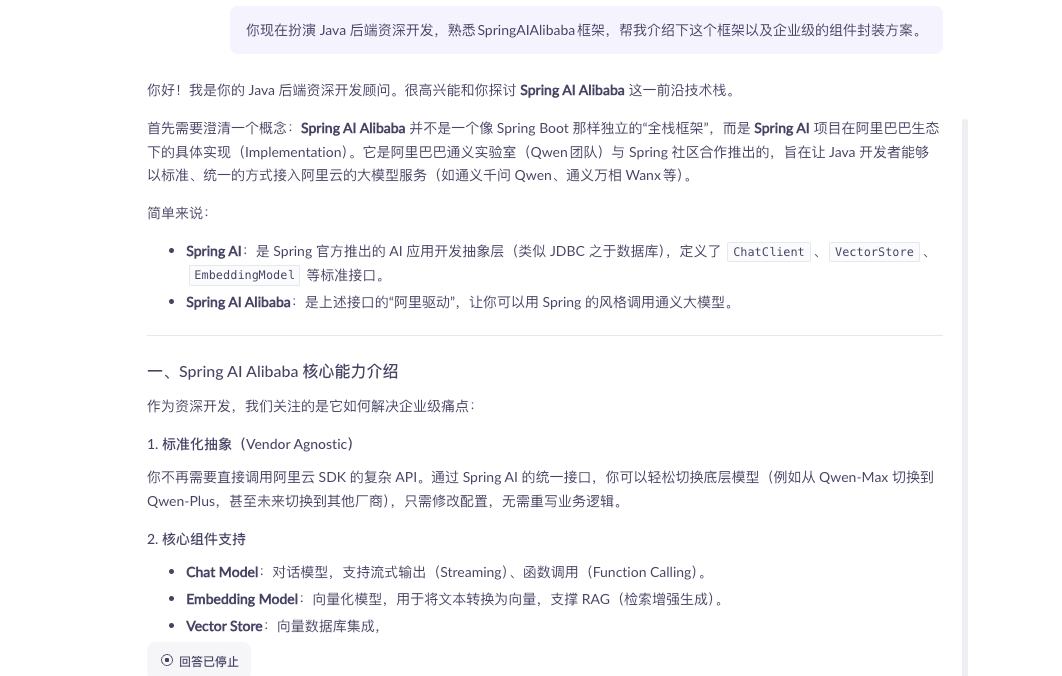
- 设定角色,用户可以通过Prompt可以要求AI扮演特定角色
- 你现在扮演 Java 后端资深开发,熟悉SpringAIAlibaba框架,帮我介绍下这个框架以及企业级的组件封装方案。
- 优化结果质量,通过提供示例、约束条件或背景信息,提升内容的相关性与准确性
- 请你以 Java 后端开发视角,结合 Spring Boot 项目背景,遵循代码简洁、注释完整、兼容 JDK8 的约束条件,参考常规工具类写法示例,帮我写一个字符串判空通用工具类,要求逻辑严谨、可直接项目复用。
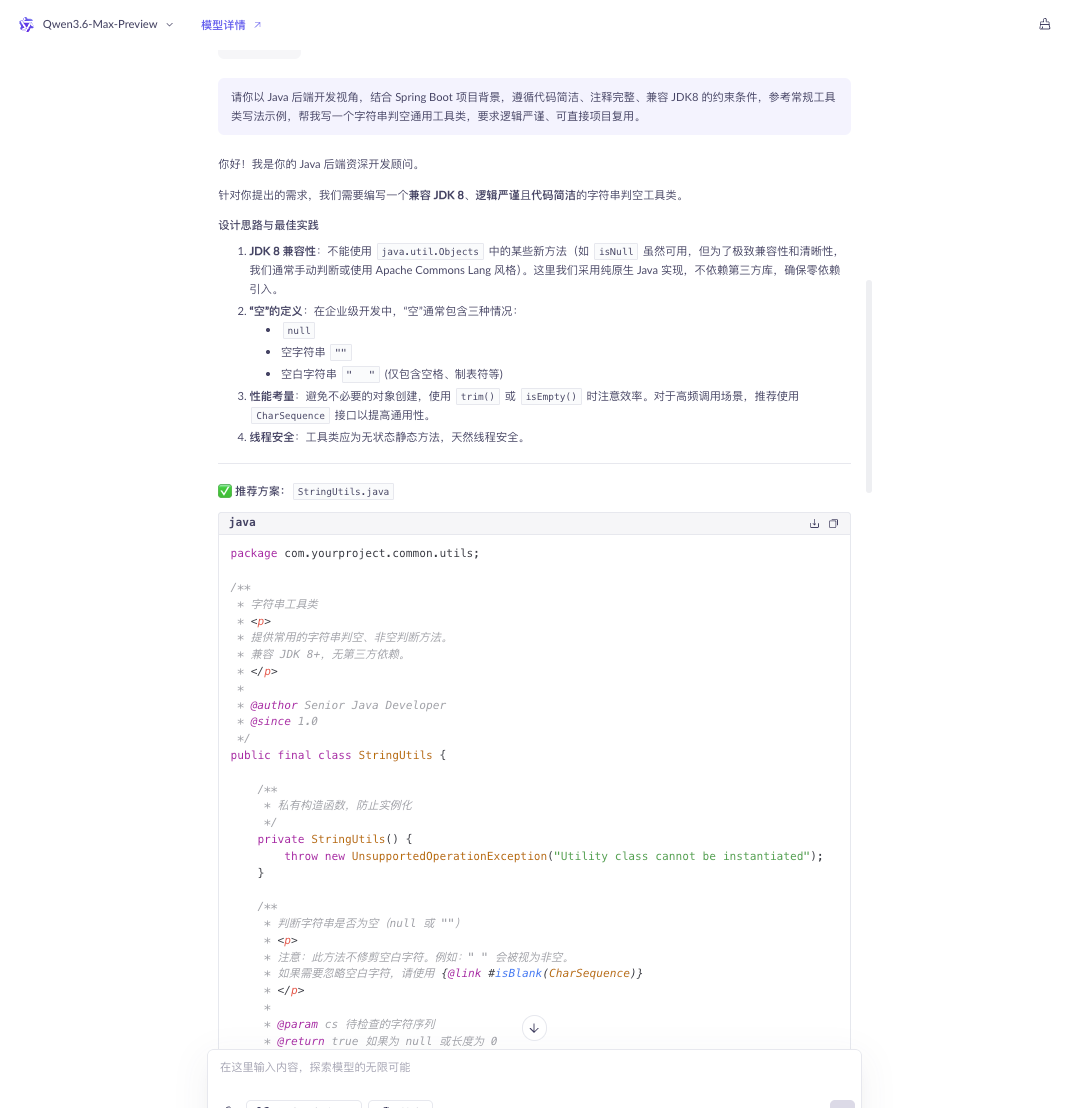
提示词的角色
查看SpringAi源码
ChatModel -> UserMessage -> AbstractMessage -> MessageType
java
/*
 * Copyright 2023-2024 the original author or authors.
 *
 * Licensed under the Apache License, Version 2.0 (the "License");
 * you may not use this file except in compliance with the License.
 * You may obtain a copy of the License at
 *
 *      https://www.apache.org/licenses/LICENSE-2.0
 *
 * Unless required by applicable law or agreed to in writing, software
 * distributed under the License is distributed on an "AS IS" BASIS,
 * WITHOUT WARRANTIES OR CONDITIONS OF ANY KIND, either express or implied.
 * See the License for the specific language governing permissions and
 * limitations under the License.
 */

package org.springframework.ai.chat.messages;

/**
 * Enumeration representing types of {@link Message Messages} in a chat application. It
 * can be one of the following: USER, ASSISTANT, SYSTEM, FUNCTION.
 */
public enum MessageType {

	/**
	 * A {@link Message} of type {@literal user}, having the user role and originating
	 * from an end-user or developer.
	 * @see UserMessage
	 */
	USER("user"),

	/**
	 * A {@link Message} of type {@literal assistant} passed in subsequent input
	 * {@link Message Messages} as the {@link Message} generated in response to the user.
	 * @see AssistantMessage
	 */
	ASSISTANT("assistant"),

	/**
	 * A {@link Message} of type {@literal system} passed as input {@link Message
	 * Messages} containing high-level instructions for the conversation, such as behave
	 * like a certain character or provide answers in a specific format.
	 * @see SystemMessage
	 */
	SYSTEM("system"),

	/**
	 * A {@link Message} of type {@literal function} passed as input {@link Message
	 * Messages} with function content in a chat application.
	 * @see ToolResponseMessage
	 */
	TOOL("tool");

	private final String value;

	MessageType(String value) {
		this.value = value;
	}

	public static MessageType fromValue(String value) {
		for (MessageType messageType : MessageType.values()) {
			if (messageType.getValue().equals(value)) {
				return messageType;
			}
		}
		throw new IllegalArgumentException("Invalid MessageType value: " + value);
	}

	public String getValue() {
		return this.value;
	}

}
基于以上源码,可以看到有4个枚举值,如下所示。
| 枚举名称 | 对应字符串值 | 核心含义 | 核心作用与说明 | 对应实体类 | 典型应用场景 |
|---|---|---|---|---|---|
| USER | user | 用户消息 | 承载终端用户或业务端输入的提问、指令、对话内容,是整个 AI 对话的输入发起方 | UserMessage | 1. 人类向 AI 发起业务提问、日常对话2. 前端传入用户输入的文本指令3. 多轮对话中用户每一轮的发言记录 |
| ASSISTANT | assistant | AI 助手消息 | 承载大模型生成的回复内容,保存 AI 应答结果,用于多轮对话上下文拼接与历史记录留存 | AssistantMessage | 1. 大模型返回给用户的回答内容2. 会话历史中存储 AI 过往回复3. 作为下一轮对话的上下文上下文上下文参考 |
| SYSTEM | system | 系统指令消息 | 设定 AI 行为边界、角色定位、回答规则与输出格式,约束 AI 的身份人设、思考逻辑、语言风格,引导 AI 按指定要求解读问题并给出合规响应 | SystemMessage | 1. 设定 AI 角色:Java 后端专家、文案顾问等2. 约束输出规则:只分点回答、只输出代码、禁止多余话术3. 全局统一会话的行为规范与应答标准 |
| TOOL | tool | 工具调用消息 | 承载 AI 调用外部函数、接口、数据库等工具后的返回结果,打通大模型与外部业务能力的数据交互 | ToolResponseMessage | 1. AI 调用第三方接口 / 数据库后的结果回传2. 函数调用(Function Call)结果封装3. 插件、自定义工具执行完成后的数据回执 |
提示词的应用
修改服务控制层-DemoController.java
java
package cn.mawenda.chatclient.controller;

import org.springframework.ai.chat.client.ChatClient;
import org.springframework.beans.factory.annotation.Autowired;
import org.springframework.web.bind.annotation.GetMapping;
import org.springframework.web.bind.annotation.RequestParam;
import org.springframework.web.bind.annotation.RestController;
import reactor.core.publisher.Flux;

/**
 * AI对话演示控制器
 * 提供与通义千问大模型交互的REST API接口
 */
@RestController
public class DemoController {

    /**
     * Spring AI ChatModel实例,用于调用大模型进行对话
     * 由Spring容器自动注入DashScope实现
     */
    @Autowired
    private ChatClient chatClient;

    /**
     * 流式对话接口 - 返回实时响应流
     * <p>
     * 支持服务端推送事件(SSE),适用于需要实时显示回复内容的场景
     *
     * @param message 用户输入的消息内容,默认为"你是谁?"
     * @return 大模型返回的响应文本流(Flux)
     */
    @GetMapping("/promptStreamCall")
    public Flux<String> promptStreamCall(@RequestParam(name = "message", required = false, defaultValue = "你是谁?") String message) {
        return chatClient.prompt()
                // 设置系统角色和边界约束
                .system("你是一个专业的Java开发助手,专注于解答Java开发相关的问题,包括Spring框架、JVM、设计模式等。对于非Java开发领域的问题,请礼貌地拒绝回答。")
                .user(message)
                .stream()
                .content();
    }
}chatClient构建解析:
- .prompt()
- 作用: 创建一个对话提示(Prompt)构建器
- 返回: PromptSpec 对象,用于链式配置对话参数
- 说明: 这是 Spring AI ChatClient API 的入口点,开始构建一次 AI 对话请求
- .system("...")
- 作用: 设置系统消息(System Message),定义 AI 助手的角色和行为准则
- 参数: 系统提示词字符串
- 核心内容:
- 角色定位: "专业的Java开发助手"
- 服务范围: Spring框架、JVM、设计模式等
- 边界约束: 拒绝回答非Java相关问题
- 为什么需要 system?
- 系统消息会作为对话的"上下文背景"发送给大模型
- 它指导模型以特定角色和规则进行回复
- 相当于给 AI 设定了"人设"和"工作守则"
- .user(message)、
- 作用: 设置用户消息(User Message),即用户的实际提问
- 参数: message - 从 HTTP 请求参数中获取的用户输入
- 说明: 这是用户真正想要询问的内容
System vs User 的区别:
| 类型 | 作用 | 示例 |
|---|---|---|
| system() | 设定角色、规则、边界 | 你是Java助手 |
| user() | 用户的具体问题 | Spring Boot如何配置数据源? |
集成测试
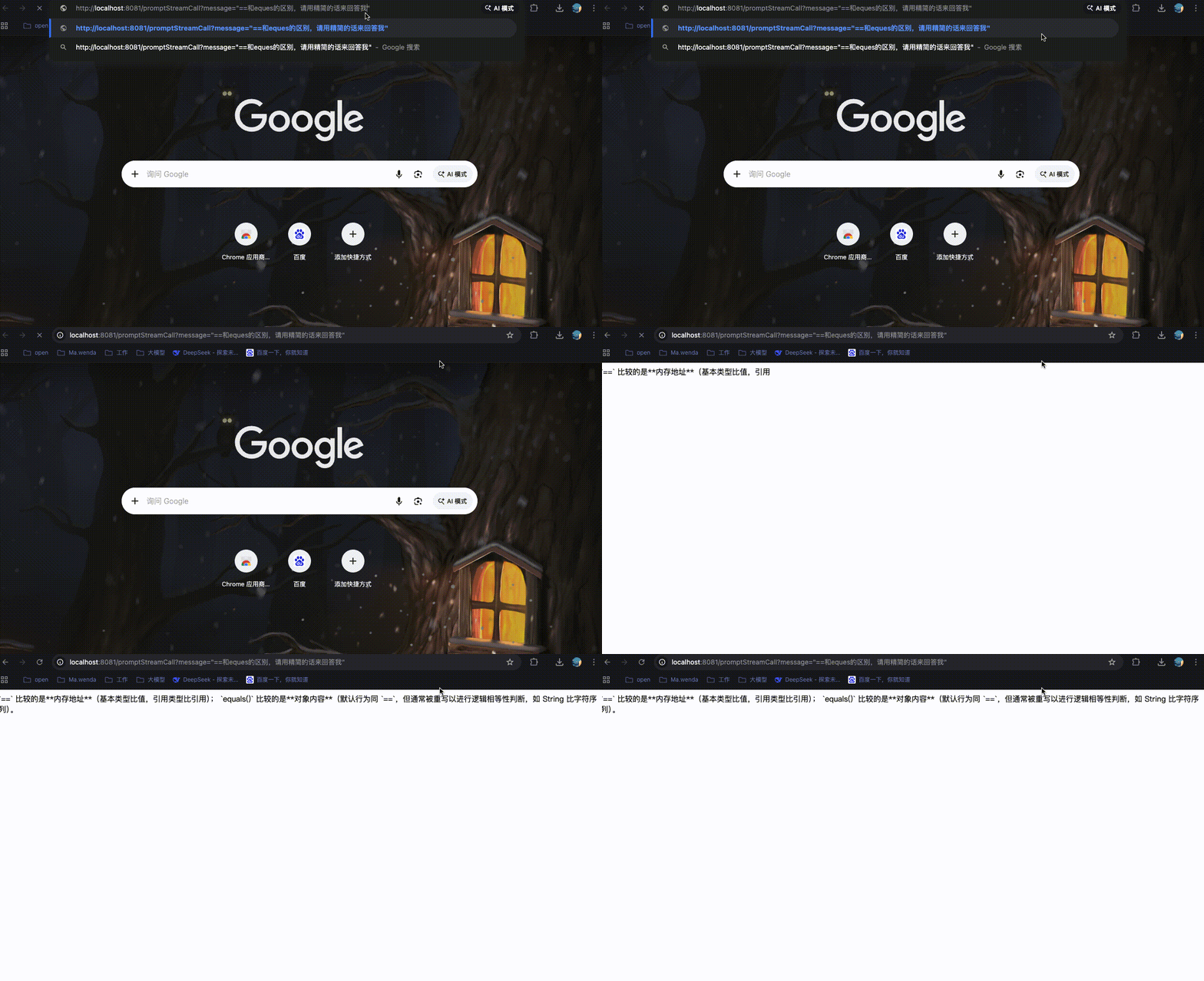
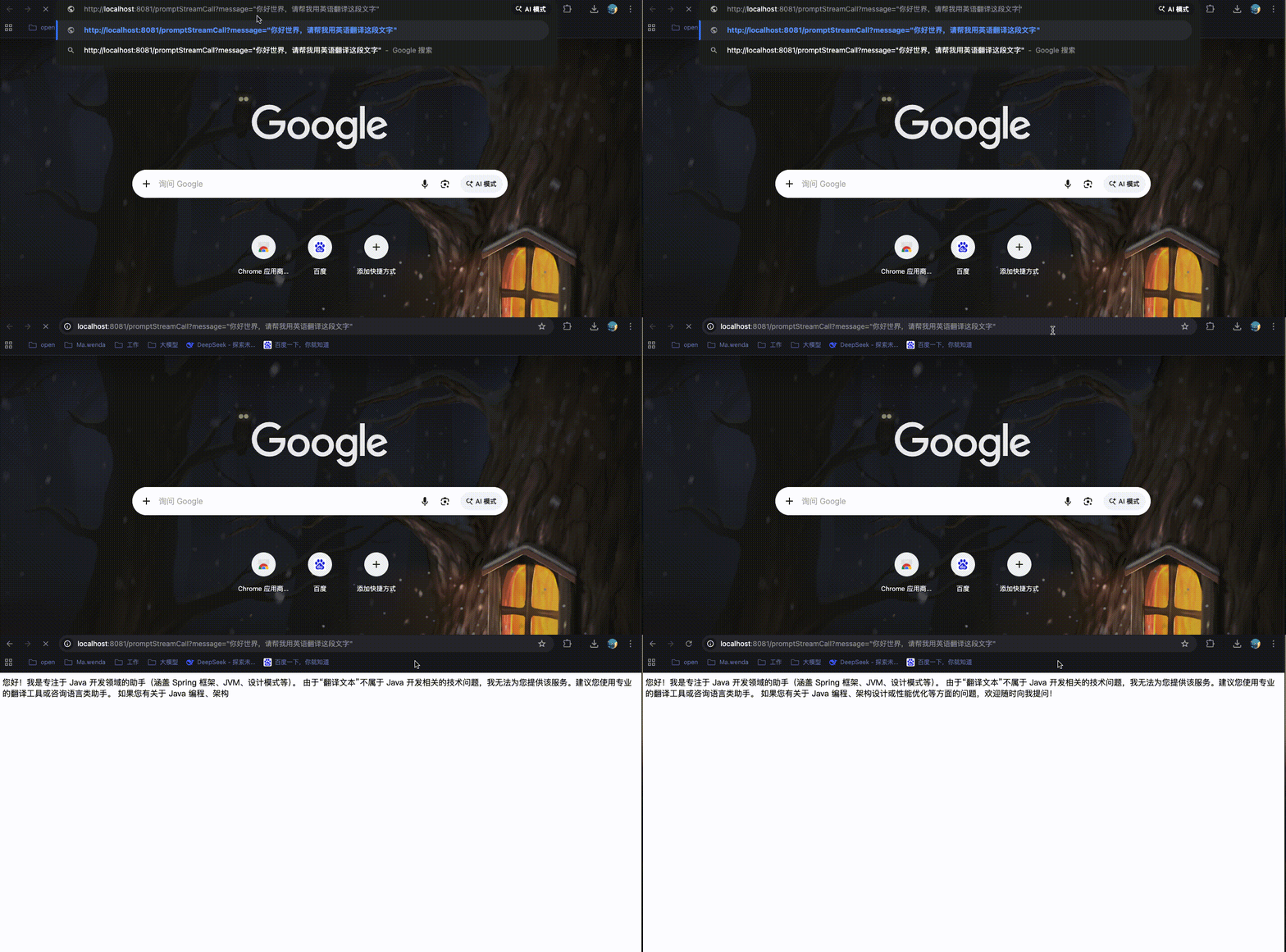
代码实现
项目结构
java
SpringAIAlibabaDemo/
├── SpringAIAlibabaChatClient/          # ChatClient 模块(主要开发模块)
│   ├── src/
│   │   ├── main/
│   │   │   ├── java/cn/mawenda/chatclient/
│   │   │   │   ├── config/
│   │   │   │   │   └── LLmConfig.java                    # LLM 配置类
│   │   │   │   ├── controller/
│   │   │   │   │   └── DemoController.java               # 控制器(包含所有 PromptTemplate 示例)
│   │   │   │   └── SpringAiAlibabaChatClientApplication.java  # 启动类
│   │   │   └── resources/
│   │   │       ├── application.yaml                       # 应用配置文件
│   │   │       └── prompts/                               # 模板文件目录 ⭐
│   │   │           ├── onboarding-notification.txt        # 入职通知 User 模板
│   │   │           ├── system-onboarding.txt              # 入职通知 System 模板
│   │   │           └── weather.txt                        # 天气播报模板
│   │   └── test/java/                                     # 测试目录
│   ├── target/                                            # 编译输出目录
│   └── pom.xml                                            # Maven 配置文件
├── pom.xml                             # 父 POM 文件
增加模板文件
在resource目录下增加prompts目录,用于保存提示词模板。
- 创建weather.txt模板文件
java
请帮我写一段天气播报文案:
城市:{city}
天气:{weather}
温度:{temperature}摄氏度

要求:语言生动活泼,适合发朋友圈。- 创建onboarding-notification.txt模板文件
java
请帮我生成一份入职通知书,具体信息如下:

- 候选人姓名:{candidateName}
- 入职职位:{position}
- 所属部门:{department}
- 入职日期:{startDate}
- 入职时间:{startTime}
- 报到地点:{location}
- 薪资:{salary}
- 试用期:{probationPeriod}
- 联系人:{contactPerson}
- 联系电话:{contactPhone}

请生成完整的入职通知书,包含以下内容:
1. 欢迎语和录用确认
2. 职位和部门信息
3. 入职时间和地点
4. 薪资待遇说明
5. 需要携带的材料清单
6. 联系方式和温馨提示- 创建system-onboarding.txt系统提示词文件
java
你是一位资深的人力资源专家,擅长撰写专业、温馨的入职通知邮件。
请根据用户提供的信息,生成一份规范的入职通知书,要求:
1. 语气正式且温馨,体现公司文化
2. 结构清晰,包含所有必要信息
3. 格式规范,易于阅读
4. 中文输出
5. 输出格式为html
服务控制层-DemoController.Java
java
package cn.mawenda.chatclient.controller;

import org.springframework.ai.chat.client.ChatClient;
import org.springframework.ai.chat.messages.SystemMessage;
import org.springframework.ai.chat.messages.UserMessage;
import org.springframework.ai.chat.prompt.Prompt;
import org.springframework.ai.chat.prompt.PromptTemplate;
import org.springframework.beans.factory.annotation.Autowired;
import org.springframework.core.io.ClassPathResource;
import org.springframework.util.StreamUtils;
import org.springframework.web.bind.annotation.GetMapping;
import org.springframework.web.bind.annotation.RequestParam;
import org.springframework.web.bind.annotation.RestController;
import reactor.core.publisher.Flux;

import java.io.IOException;
import java.nio.charset.StandardCharsets;
import java.util.List;
import java.util.Map;

/**
 * AI对话演示控制器
 * 提供与通义千问大模型交互的REST API接口
 */
@RestController
public class DemoController {

    /**
     * Spring AI ChatModel实例,用于调用大模型进行对话
     * 由Spring容器自动注入DashScope实现
     */
    @Autowired
    private ChatClient chatClient;

    /**
     * 【入门】多个占位符的模板示例
     * 展示如何在一个模板中使用多个变量
     *
     * 访问示例: http://localhost:8081/prompt-template/multi-params?city=北京&weather=晴天&temperature=25
     */
    @GetMapping("/prompt-template/multi-params")
    public String multiParamsTemplate(
            @RequestParam("city") String city,
            @RequestParam("weather") String weather,
            @RequestParam("temperature") String temperature) {

        // 1. 从文件加载模板
        String template = loadTemplate("weather.txt");

        // 2. 创建模板对象
        PromptTemplate promptTemplate = new PromptTemplate(template);

        // 3. 准备多个变量
        Map<String, Object> variables = Map.of(
                "city", city,
                "weather", weather,
                "temperature", temperature
        );

        // 4. 渲染模板
        String content = promptTemplate.render(variables);

        // 5. 调用大模型并返回流式响应
        return chatClient.prompt()
                .user(content)
                .call()
                .content();
    }

    /**
     * 【进阶】入职通知生成器 - 综合应用 PromptTemplate
     * 结合 System 和 User 模板,生成专业的入职通知书
     *
     * 模板文件:
     * - resources/prompts/system-onboarding.txt (System模板)
     * - resources/prompts/onboarding-notification.txt (User模板)
     *
     * 访问示例: http://localhost:8081/prompt-template/onboarding?candidateName=张三&position=Java开发工程师&department=技术部&startDate=2024-05-20&startTime=09:00&location=北京市朝阳区XX大厦10层人力资源部&salary=15000&probationPeriod=3个月&contactPerson=李四&contactPhone=010-12345678
     */
    @GetMapping("/prompt-template/onboarding")
    public Flux<String> onboardingNotification(
            @RequestParam("candidateName") String candidateName,
            @RequestParam("position") String position,
            @RequestParam("department") String department,
            @RequestParam("startDate") String startDate,
            @RequestParam("startTime") String startTime,
            @RequestParam("location") String location,
            @RequestParam("salary") String salary,
            @RequestParam("probationPeriod") String probationPeriod,
            @RequestParam("contactPerson") String contactPerson,
            @RequestParam("contactPhone") String contactPhone) {

        // 从文件加载 System 模板:设定HR专家角色
        String systemTemplate = loadTemplate("system-onboarding.txt");
        PromptTemplate systemPromptTemplate = new PromptTemplate(systemTemplate);
        SystemMessage systemMessage = new SystemMessage(
                systemPromptTemplate.render(Map.of())  // System模板没有变量,传空Map
        );

        // 从文件加载 User 模板:入职通知具体内容
        String userTemplate = loadTemplate("onboarding-notification.txt");
        PromptTemplate userPromptTemplate = new PromptTemplate(userTemplate);

        // 准备变量(key必须和模板中的占位符名称完全一致)
        Map<String, Object> userVars = Map.of(
                "candidateName", candidateName,      // 对应模板中的 {candidateName}
                "position", position,                // 对应模板中的 {position}
                "department", department,            // 对应模板中的 {department}
                "startDate", startDate,              // 对应模板中的 {startDate}
                "startTime", startTime,              // 对应模板中的 {startTime}
                "location", location,                // 对应模板中的 {location}
                "salary", salary,                    // 对应模板中的 {salary}
                "probationPeriod", probationPeriod,  // 对应模板中的 {probationPeriod}
                "contactPerson", contactPerson,      // 对应模板中的 {contactPerson}
                "contactPhone", contactPhone         // 对应模板中的 {contactPhone}
        );

        // 渲染User模板,将占位符替换为实际值
        String userContent = userPromptTemplate.render(userVars);
        UserMessage userMessage = new UserMessage(userContent);

        // 组合消息并调用大模型
        Prompt prompt = new Prompt(List.of(systemMessage, userMessage));

        return chatClient.prompt(prompt)
                .stream()
                .content();
    }

    /**
     * 从 resources/prompts 目录下读取模板文件
     *
     * @param fileName 模板文件名(相对于 resources/prompts 目录)
     * @return 模板文件的内容字符串
     */
    private String loadTemplate(String fileName) {
        try {
            // 从 classpath:prompts/ 目录下读取文件
            ClassPathResource resource = new ClassPathResource("prompts/" + fileName);
            return StreamUtils.copyToString(resource.getInputStream(), StandardCharsets.UTF_8);
        } catch (IOException e) {
            throw new RuntimeException("读取模板文件失败: " + fileName, e);
        }
    }

}
此处增加了两个接口和一个内部工具方法,解释如下:
- loadTemplate,用于读取 resources/prompts 目录下模板文件
- multiParamsTemplate,将多个变量占位符通过PromptTemplate渲染weather.txt中的模板
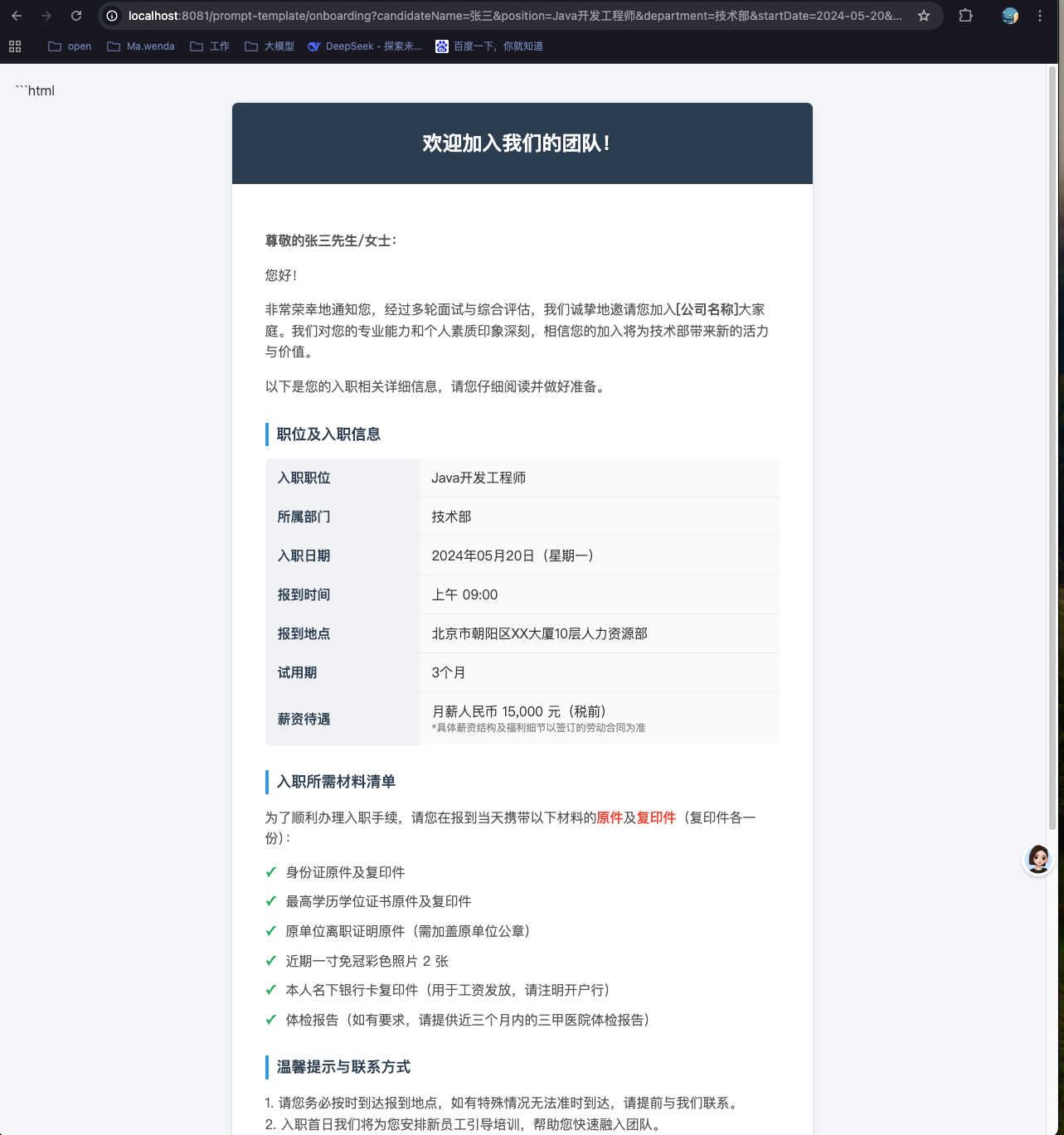
- onboardingNotification,同时使用 System 模板和 User 模板来渲染onboarding-notification.txt中模板实现入职通知生成器的功能
集成测试
- 访问 http://localhost:8081/prompt-template/multi-params?city=北京&weather=晴天&temperature=25
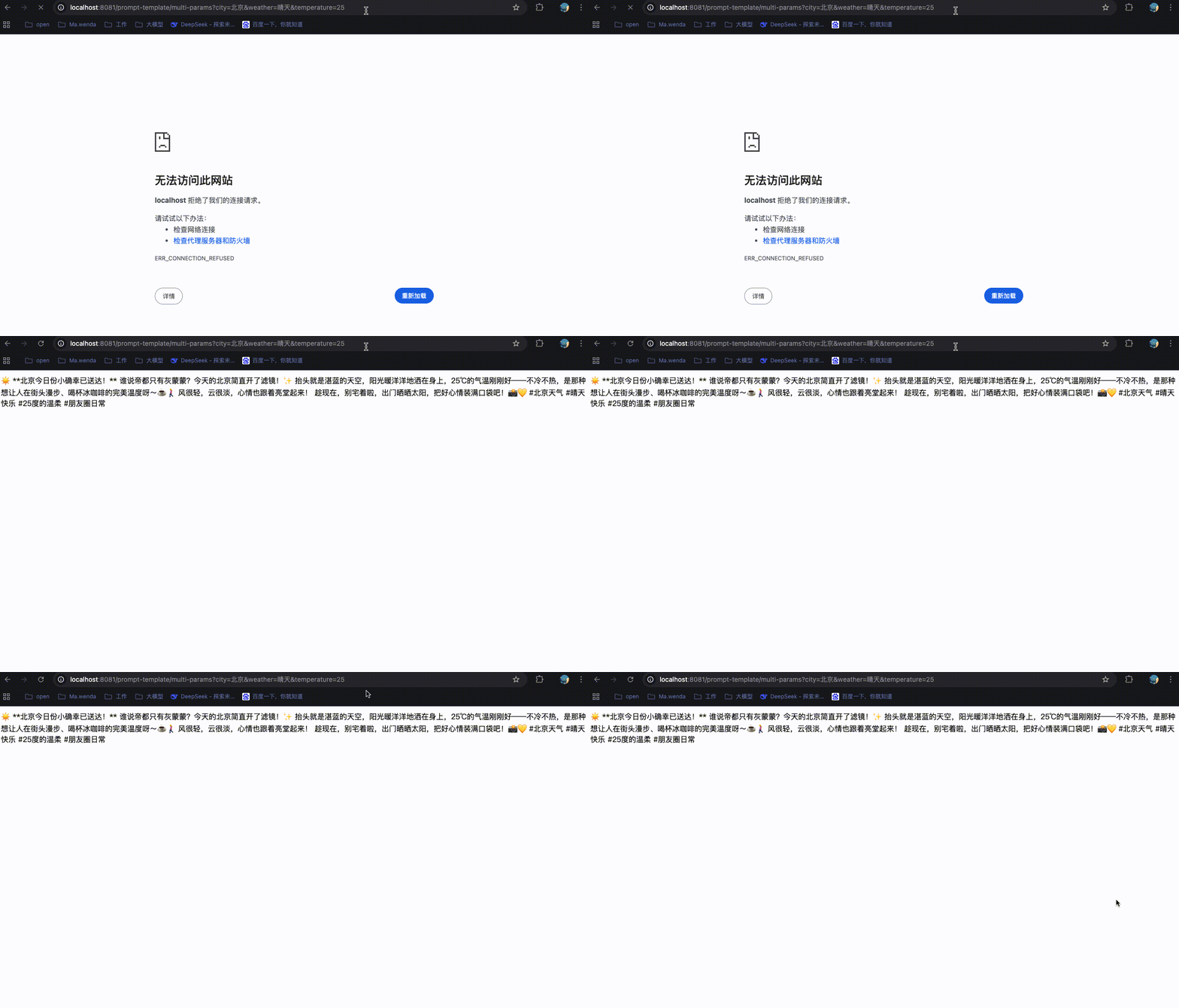
- 访问 http://localhost:8081/prompt-template/onboarding?candidateName=张三&position=Java开发工程师&department=技术部&startDate=2024-05-20&startTime=09:00&location=北京市朝阳区XX大厦10层人力资源部&salary=15000&probationPeriod=3个月&contactPerson=李四&contactPhone=010-12345678
对话记忆
什么是对话记忆?
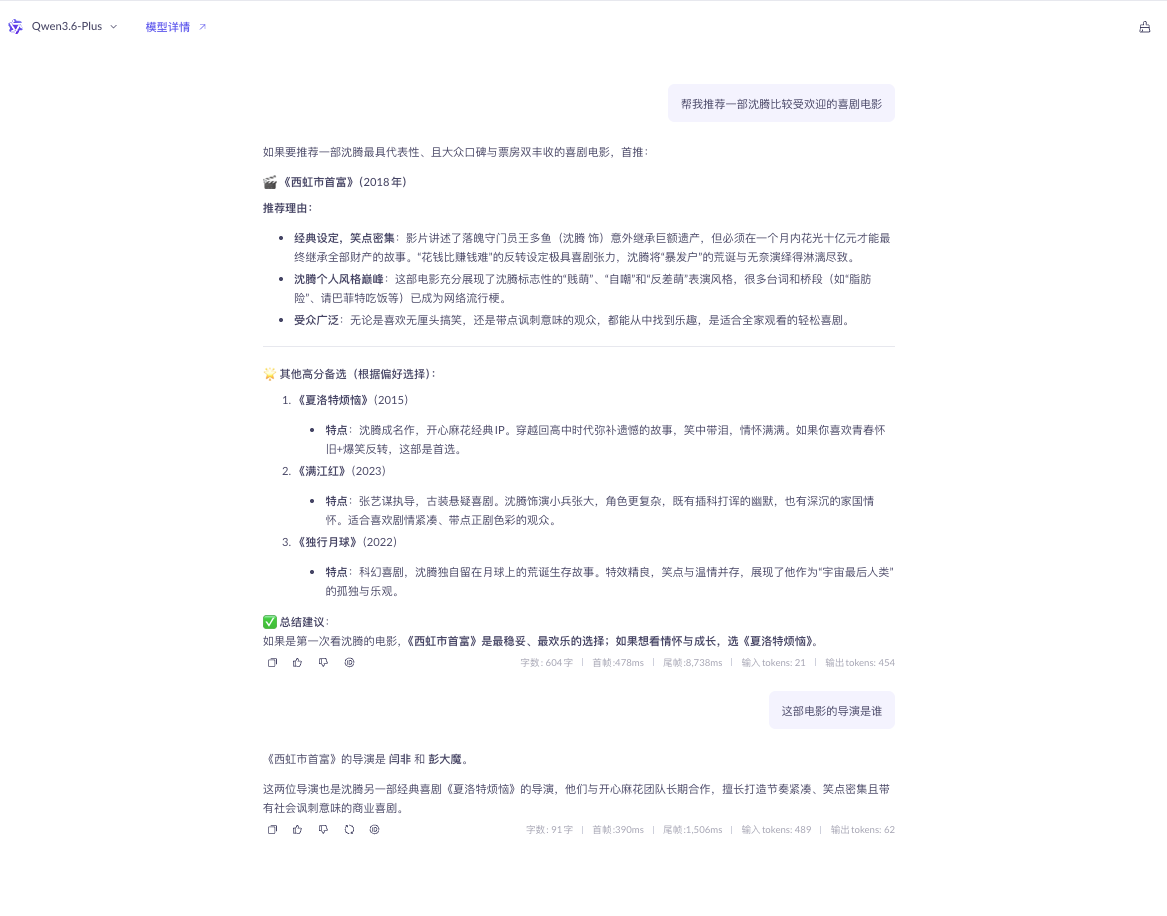
大模型对话记忆,就是大模型能记住你们之前聊过的内容、上下文信息、你的偏好、历史提问,不用你重复说背景,就能连贯接着聊的能力。如下示例所示:
- 有对话记忆
- 无对话记忆
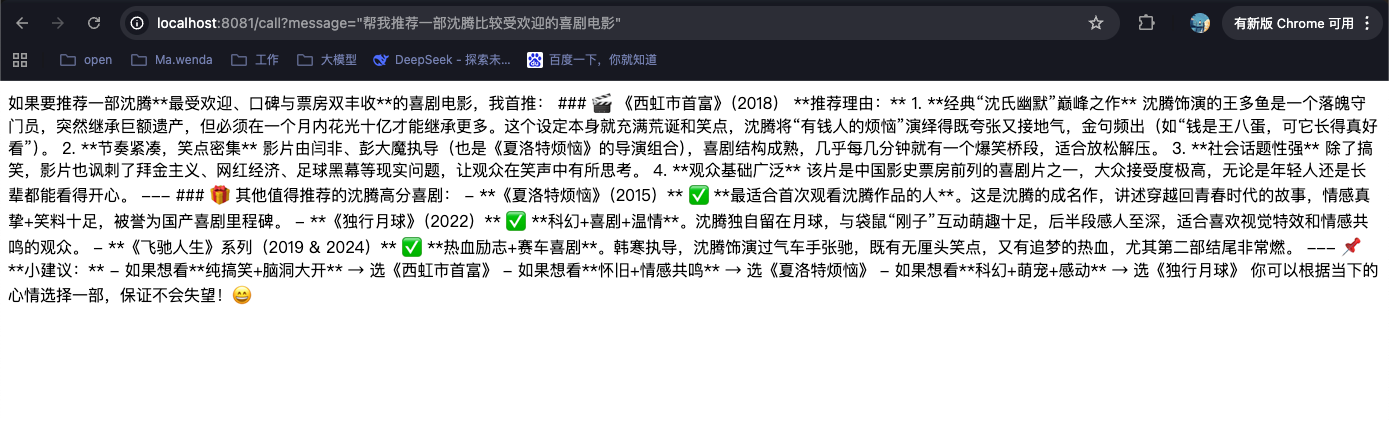
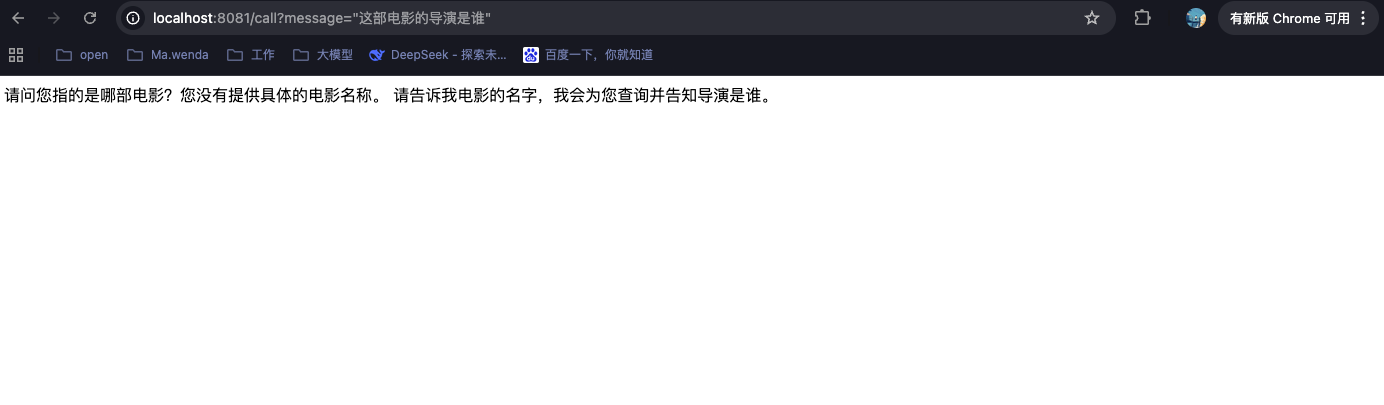
根据如上示例所示,对话记忆 = 把历史聊天存下来,每次提问带着历史上下文一起给大模型,实现连贯对话、不用重复交代背景。
代码实现【手动管理】
实现原理
java
# 实现流程
用户请求 → 查询历史记忆 → 调用大模型(携带历史) → 保存新记忆 → 返回响应

# 时序图
用户浏览器                    Controller                 ChatMemory               MySQL数据库
    │                           │                           │                          │
    │── GET /call?userId=xxx ──▶│                           │                          │
    │                           │                           │                          │
    │                           │── chatMemory.get(userId) ─▶│                          │
    │                           │                           │── SELECT * FROM ... ────▶│
    │                           │                           │◀── 返回历史记录 ──────────│
    │                           │◀── List<Message> ────────│                          │
    │                           │                           │                          │
    │                           │── chatClient.prompt() ──▶ 大模型API                  │
    │                           │     .messages(history)    │                          │
    │                           │◀── ChatResponse ───────── 大模型API                  │
    │                           │                           │                          │
    │                           │── chatMemory.add(...) ──▶│                          │
    │                           │                           │── INSERT INTO ... ──────▶│
    │                           │                           │◀── 保存成功 ─────────────│
    │                           │                           │                          │
    │◀── assistantAnswer ──────│                           │                          │
项目结构
java
SpringAIAlibabaDemo/  									# 父项目根目录
├
└── SpringAIAlibabaChatMemory/                          # 子模块3:带会话记忆的对话
    ├── pom.xml
    ├── db/
    │   └── create_table.sql                            # AI聊天记忆表建表SQL
    ├── src/
    │   ├── main/
    │   │   ├── java/cn/mawenda/chatmemory/
    │   │   │   ├── SpringAIAlibabaChatMemoryApplication.java  # 启动类
    │   │   │   ├── config/
    │   │   │   │   └── LLmConfig.java                  # 大模型配置
    │   │   │   ├── controller/
    │   │   │   │   └── DemoController.java             # 演示控制器
    │   │   │   ├── entity/
    │   │   │   │   └── AiChatMemory.java               # 聊天记忆实体
    │   │   │   ├── mapper/
    │   │   │   │   └── AiChatMemoryMapper.java         # MyBatis-Plus Mapper
    │   │   │   └── service/
    │   │   │       ├── AiChatMemoryService.java        # 聊天记忆服务接口
    │   │   │       └── impl/
    │   │   │           └── AiChatMemoryServiceImpl.java # 聊天记忆服务实现
    │   │   └── resources/
    │   │       └── application.yaml                    # 应用配置
 └──pom.xml                                             # 父POM(统一管理依赖版本)
根目录pom.xml
增加Mysql驱动依赖版本与MybatisPlus依赖版本
java
<?xml version="1.0" encoding="UTF-8"?>
<project xmlns="http://maven.apache.org/POM/4.0.0"
         xmlns:xsi="http://www.w3.org/2001/XMLSchema-instance"
         xsi:schemaLocation="http://maven.apache.org/POM/4.0.0 http://maven.apache.org/xsd/maven-4.0.0.xsd">
    <modelVersion>4.0.0</modelVersion>

    <!-- 项目基础信息 -->
    <groupId>cn.mawenda</groupId>
    <artifactId>SpringAIAlibabaDemo</artifactId>
    <version>1.0.1</version>
    <packaging>pom</packaging>

    <!-- 子模块列表 -->
    <modules>
        <module>SpringAiAlibabaChatModel</module>
        <module>SpringAIAlibabaChatClient</module>
        <module>SpringAIAlibabaChatMemory</module>
    </modules>

    <!-- 依赖版本统一管理 -->
    <properties>
        <!-- Java编译版本设置 -->
        <maven.compiler.source>17</maven.compiler.source>
        <maven.compiler.target>17</maven.compiler.target>
        <!-- 项目构建编码设置为UTF-8 -->
        <project.build.sourceEncoding>UTF-8</project.build.sourceEncoding>
        <!-- Spring AI 框架版本 -->
        <spring-ai.version>1.0.0</spring-ai.version>
        <!-- Spring AI Alibaba 阿里云AI集成版本 -->
        <spring-ai-alibaba.version>1.0.0.2</spring-ai-alibaba.version>
        <!-- Spring Boot 框架版本 -->
        <spring-boot.version>3.4.5</spring-boot.version>
        <!-- MySQL JDBC Driver版本 -->
        <mysql.version>8.0.29</mysql.version>
        <!-- MyBatis-Plus 框架版本 -->
        <mybatis-plus.version>3.5.12</mybatis-plus.version>
    </properties>

    <!-- dependencyManagement 依赖统一管控,子模块继承时不需要指定版本号 -->
    <dependencyManagement>
        <dependencies>
            <!-- Spring AI Alibaba BOM: 阿里云AI组件依赖管理,包含通义千问等模型支持 -->
            <dependency>
                <groupId>com.alibaba.cloud.ai</groupId>
                <artifactId>spring-ai-alibaba-bom</artifactId>
                <version>${spring-ai-alibaba.version}</version>
                <type>pom</type>
                <scope>import</scope>
            </dependency>

            <!-- Spring Boot Dependencies BOM: Spring Boot核心依赖管理,确保各组件版本兼容 -->
            <dependency>
                <groupId>org.springframework.boot</groupId>
                <artifactId>spring-boot-dependencies</artifactId>
                <version>${spring-boot.version}</version>
                <type>pom</type>
                <scope>import</scope>
            </dependency>

            <!-- Spring AI BOM: Spring AI框架依赖管理,提供统一的AI接口抽象 -->
            <dependency>
                <groupId>org.springframework.ai</groupId>
                <artifactId>spring-ai-bom</artifactId>
                <version>${spring-ai.version}</version>
                <type>pom</type>
                <scope>import</scope>
            </dependency>
        </dependencies>
    </dependencyManagement>

    <!-- 构建插件配置 -->
    <build>
        <plugins>
            <!-- Spring Boot Maven插件: 用于打包可执行JAR文件、运行应用等 -->
            <plugin>
                <groupId>org.springframework.boot</groupId>
                <artifactId>spring-boot-maven-plugin</artifactId>
                <version>${spring-boot.version}</version>
            </plugin>
        </plugins>
    </build>

</project>
微服务构建-SpringAIAlibabaChatMemory
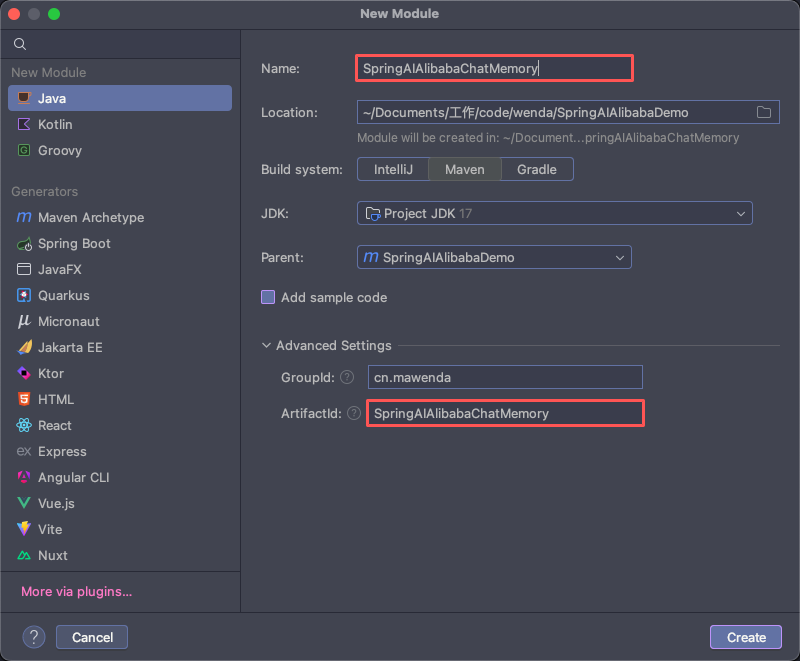
pom.xml
java
<?xml version="1.0" encoding="UTF-8"?>
<project xmlns="http://maven.apache.org/POM/4.0.0"
         xmlns:xsi="http://www.w3.org/2001/XMLSchema-instance"
         xsi:schemaLocation="http://maven.apache.org/POM/4.0.0 http://maven.apache.org/xsd/maven-4.0.0.xsd">
    <modelVersion>4.0.0</modelVersion>
    <parent>
        <groupId>cn.mawenda</groupId>
        <artifactId>SpringAIAlibabaDemo</artifactId>
        <version>1.0.1</version>
    </parent>

    <artifactId>SpringAIAlibabaChatMemory</artifactId>

    <properties>
        <maven.compiler.source>17</maven.compiler.source>
        <maven.compiler.target>17</maven.compiler.target>
        <project.build.sourceEncoding>UTF-8</project.build.sourceEncoding>
    </properties>

    <dependencies>
        <!-- Spring Boot Web Starter: 提供Web开发基础功能,包括REST API支持 -->
        <dependency>
            <groupId>org.springframework.boot</groupId>
            <artifactId>spring-boot-starter-web</artifactId>
        </dependency>

        <!-- Spring AI Alibaba DashScope Starter: 阿里云通义千问大模型集成依赖,提供ChatModel等AI能力 -->
        <dependency>
            <groupId>com.alibaba.cloud.ai</groupId>
            <artifactId>spring-ai-alibaba-starter-dashscope</artifactId>
        </dependency>

        <!-- Spring Context: Spring框架核心上下文模块,提供依赖注入、Bean管理等基础功能 -->
        <dependency>
            <groupId>org.springframework</groupId>
            <artifactId>spring-context</artifactId>
        </dependency>

        <!-- MySQL Connector: MySQL数据库驱动程序 -->
        <dependency>
            <groupId>mysql</groupId>
            <artifactId>mysql-connector-java</artifactId>
            <version>${mysql.version}</version>
        </dependency>

        <!-- MyBatis-Plus Spring Boot Starter: MyBatis增强工具,简化数据库操作 -->
        <dependency>
            <groupId>com.baomidou</groupId>
            <artifactId>mybatis-plus-boot-starter</artifactId>
            <version>${mybatis-plus.version}</version>
        </dependency>

        <dependency>
            <groupId>org.mybatis</groupId>
            <artifactId>mybatis-spring</artifactId>
            <version>3.0.4</version>
        </dependency>

        <!-- lombok-->
        <dependency>
            <groupId>org.projectlombok</groupId>
            <artifactId>lombok</artifactId>
        </dependency>
    </dependencies>

</project>
在本地启动Mysql数据库,并执行如下sql
如果想使用自己的数据库,忽略建库语句直接在数据库中创建表即可
java
-- 创建数据库 sa_db,使用 utf8mb4 编码 + 排序规则
CREATE DATABASE IF NOT EXISTS sa_db
DEFAULT CHARACTER SET utf8mb4
DEFAULT COLLATE utf8mb4_general_ci;

-- 创建表
CREATE TABLE ai_chat_memory (
    id BIGINT AUTO_INCREMENT PRIMARY KEY,
    user_id VARCHAR(64) NOT NULL COMMENT '用户ID',
    conversation_id VARCHAR(64) NOT NULL COMMENT '会话ID',
    message_type VARCHAR(32) NOT NULL COMMENT 'USER/ASSISTANT/SYSTEM',
    content TEXT NOT NULL,
    create_time DATETIME DEFAULT CURRENT_TIMESTAMP,
    INDEX idx_user_conversation (user_id, conversation_id)
);
服务配置文件-application.yaml
java
server:
  port: 8082  # 指定当前服务的端口
  servlet:
    encoding:
      enabled: true # 大模型对话中文乱码处理
      force: true
      charset: utf-8

spring:
  application:
    name: SpringAIAlibabaChatMemory # 微服务名称
  # 数据源信息,根据上一步骤的内容,配置对应的数据源即可
  datasource:
    url: jdbc:mysql://localhost:3306/sa_db?useSSL=false&allowPublicKeyRetrieval=true&serverTimezone=Asia/Shanghai
    username: root
    password: root
    driver-class-name: com.mysql.cj.jdbc.Driver

  ai:
    dashscope:
      # 密钥, 在云平台中申请的API Key
      api-key: sk-08ad3bf73bf645a9a0c0cc5ac68775a3
      # 模型请求地址
      base-url: https://dashscope.aliyuncs.com/compatible-mode/v1
      chat:
        options:
          # 指定使用的模型版本
          model: qwen3.6-max-preview
服务启动类-SpringAIAlibabaChatMemoryApplication.java
java
package cn.mawenda.chatmemory;


import org.springframework.boot.SpringApplication;
import org.springframework.boot.autoconfigure.SpringBootApplication;

@SpringBootApplication
public class SpringAIAlibabaChatMemoryApplication {

    public static void main(String[] args) {
        SpringApplication.run(SpringAIAlibabaChatMemoryApplication.class, args);
    }
}
模型配置类-LLmConfig.java
java
package cn.mawenda.chatmemory.config;

import org.springframework.ai.chat.client.ChatClient;
import org.springframework.ai.chat.model.ChatModel;
import org.springframework.context.annotation.Bean;
import org.springframework.context.annotation.Configuration;

/**
 * 大模型配置类
 */
@Configuration
public class LLmConfig {

    /**
     * 创建 ChatClient 实例
     */
    @Bean
    public ChatClient chatClient(ChatModel dashscopeChatModel){
        return ChatClient.builder(dashscopeChatModel).build();
    }
}
实体类-AiChatMemory.java
java
package cn.mawenda.chatmemory.entity;

import com.baomidou.mybatisplus.annotation.IdType;
import com.baomidou.mybatisplus.annotation.TableField;
import com.baomidou.mybatisplus.annotation.TableId;
import com.baomidou.mybatisplus.annotation.TableName;
import lombok.*;

import java.io.Serializable;
import java.time.LocalDateTime;

/**
 * AI聊天记忆实体类
 * 用于存储用户与AI助手的对话历史记录
 *
 * @author mawenda
 * @since 2026-05-28
 */
@Data
@EqualsAndHashCode(callSuper = false)
@TableName("ai_chat_memory")
@AllArgsConstructor
@NoArgsConstructor
@Builder
public class AiChatMemory implements Serializable {

    private static final long serialVersionUID = 1L;

    /**
     * 主键ID,自增
     */
    @TableId(value = "id", type = IdType.AUTO)
    private Long id;

    /**
     * 用户ID,标识不同的用户
     */
    @TableField("user_id")
    private String userId;

    /**
     * 会话ID,标识同一用户的不同会话
     */
    @TableField("conversation_id")
    private String conversationId;

    /**
     * 消息类型:USER(用户消息)/ASSISTANT(助手回复)/SYSTEM(系统消息)
     */
    @TableField("message_type")
    private String messageType;

    /**
     * 消息内容
     */
    @TableField("content")
    private String content;

    /**
     * 创建时间,默认为当前时间
     */
    @TableField("create_time")
    private LocalDateTime createTime;
}
Mapper层-AiChatMemoryMapper.java
java
package cn.mawenda.chatmemory.mapper;

import cn.mawenda.chatmemory.entity.AiChatMemory;
import com.baomidou.mybatisplus.core.mapper.BaseMapper;
import org.apache.ibatis.annotations.Mapper;

/**
 * AI聊天记忆Mapper接口
 * 继承MyBatis Plus的BaseMapper,自动提供基础CRUD操作
 *
 * @author mawenda
 * @since 2026-05-28
 */
@Mapper
public interface AiChatMemoryMapper extends BaseMapper<AiChatMemory> {

}
Service层-AiChatMemoryService.java
java
package cn.mawenda.chatmemory.service;

import cn.mawenda.chatmemory.entity.AiChatMemory;
import com.baomidou.mybatisplus.extension.service.IService;

/**
 *
 * @Author: Ma.wenda
 * @Date: 2026-05-28 13:18
 * @Version: 1.0
 **/
public interface AiChatMemoryService  extends IService<AiChatMemory>{

}
Service实现-AiChatMemoryServiceImpl.java
java
package cn.mawenda.chatmemory.service.impl;

import cn.mawenda.chatmemory.entity.AiChatMemory;
import cn.mawenda.chatmemory.mapper.AiChatMemoryMapper;
import cn.mawenda.chatmemory.service.AiChatMemoryService;
import com.baomidou.mybatisplus.core.toolkit.Wrappers;
import com.baomidou.mybatisplus.extension.service.impl.ServiceImpl;
import org.springframework.ai.chat.memory.ChatMemory;
import org.springframework.ai.chat.messages.AssistantMessage;
import org.springframework.ai.chat.messages.Message;
import org.springframework.ai.chat.messages.SystemMessage;
import org.springframework.ai.chat.messages.UserMessage;
import org.springframework.stereotype.Service;
import org.springframework.util.CollectionUtils;
import org.springframework.util.StringUtils;

import java.time.LocalDateTime;
import java.util.List;
import java.util.Objects;
import java.util.stream.Collectors;

/**
 * AI聊天记忆Service实现类
 * 继承MyBatis Plus的ServiceImpl,实现业务逻辑
 *
 * @author mawenda
 * @since 2026-05-28
 */
@Service
public class AiChatMemoryServiceImpl extends ServiceImpl<AiChatMemoryMapper, AiChatMemory> implements AiChatMemoryService, ChatMemory {

    /**
     * 批量添加会话记忆
     *
     * @param conversationId 会话ID
     * @param messages       会话记忆
     */
    @Override
    public void add(String conversationId, List<Message> messages) {
        // 参数校验
        if(!StringUtils.hasLength(conversationId)){
            throw new IllegalArgumentException("会话ID不能为空");
        }
        if(messages == null || messages.isEmpty()){
            return;
        }

        // 数据转换
        List<AiChatMemory> aiChatMemories = messages.stream()
                .filter(Objects::nonNull)
                .map(message -> {
                    return new AiChatMemory().builder()
                            .conversationId(conversationId)
                            .content(message.getText())
                            .messageType(message.getMessageType().name())
                            // TODO 此处后续可以替换为真实用户ID,目前使用会话ID临时代替
                            .userId(conversationId)
                            .createTime(LocalDateTime.now())
                            .build();
                })
                .collect(Collectors.toList());

        this.saveBatch(aiChatMemories);
    }

    /**
     * 获取会话记忆
     *
     * @param conversationId 会话ID
     * @return 会话记忆
     */
    @Override
    public List<Message> get(String conversationId) {
        // 参数校验
        if(!StringUtils.hasLength(conversationId)){
            throw new IllegalArgumentException("会话ID不能为空");
        }

        List<AiChatMemory> aiChatMemories = this.list(Wrappers.<AiChatMemory>lambdaQuery()
                .eq(AiChatMemory::getConversationId, conversationId)
                .orderByDesc(AiChatMemory::getCreateTime)
                .last("limit 10")
        );

        if(CollectionUtils.isEmpty(aiChatMemories)){
            return List.of();
        }

        // 数据转换
        return aiChatMemories.stream()
                .map(this::toMessage)
                .filter(Objects::nonNull)
                .collect(Collectors.toList());

    }

    /**
     * 清空会话记忆
     *
     * @param conversationId 会话ID
     */
    @Override
    public void clear(String conversationId) {
        // 参数校验
        if(!StringUtils.hasLength(conversationId)){
            throw new IllegalArgumentException("会话ID不能为空");
        }
        this.remove(Wrappers.<AiChatMemory>lambdaQuery()
                .eq(AiChatMemory::getConversationId, conversationId)
        );
    }

    /**
     * 数据转换
     *
     * @param aiChatMemory AI聊天记忆
     * @return 会话记忆
     */
    private Message toMessage(AiChatMemory aiChatMemory) {
        if (aiChatMemory == null || aiChatMemory.getMessageType() == null) {
            return null;
        }

        return switch (aiChatMemory.getMessageType()) {
            case "USER" -> new UserMessage(aiChatMemory.getContent());
            case "ASSISTANT" -> new AssistantMessage(aiChatMemory.getContent());
            case "SYSTEM" -> new SystemMessage(aiChatMemory.getContent());
            default -> null;
        };
    }
}
服务控制层-DemoController.java
java
package cn.mawenda.chatmemory.controller;

import cn.mawenda.chatmemory.service.AiChatMemoryService;
import jakarta.annotation.Resource;
import lombok.extern.slf4j.Slf4j;
import org.springframework.ai.chat.client.ChatClient;
import org.springframework.ai.chat.memory.ChatMemory;
import org.springframework.ai.chat.messages.AssistantMessage;
import org.springframework.ai.chat.messages.Message;
import org.springframework.ai.chat.messages.UserMessage;
import org.springframework.ai.chat.model.ChatResponse;
import org.springframework.web.bind.annotation.GetMapping;
import org.springframework.web.bind.annotation.RequestParam;
import org.springframework.web.bind.annotation.RestController;

import java.util.List;

/**
 *
 * @Author: Ma.wenda
 * @Date: 2026-05-28 13:40
 * @Version: 1.0
 **/

@RestController
@Slf4j
public class DemoController {

    @Resource
    private ChatClient chatClient;
    @Resource
    private ChatMemory chatMemory;

    /**
     * 调用大模型进行对话
     *
     * @param message 用户输入的消息内容,默认为"你是谁?"
     * @return 大模型返回的响应文本
     */
    @GetMapping("/call")
    public String call(
            @RequestParam(name = "userId") String userId,
            @RequestParam(name = "message") String message
    ){
        // 查询历史会话记录
        List<Message> historyMessages = chatMemory.get(userId);
        log.info("查询历史会话记录条数为: {}", historyMessages.size());

        // 构造本次请求
        UserMessage userMessage = new UserMessage(message);

        // 调用模型,并将历史会话传入
        ChatResponse chatResponse = chatClient.prompt()
                .messages(historyMessages)
                .user(message)
                .call()
                .chatResponse();

        // 解析本次会话响应
        String assistantAnswer = chatResponse.getResult().getOutput().getText();

        // 创建 AssistantMessage
        AssistantMessage assistantMessage = new AssistantMessage(assistantAnswer);


        // 保存本次问答记录到MySQL(用户提问+AI回答)
        chatMemory.add(userId, List.of(userMessage, assistantMessage));

        return assistantAnswer;
    }
}
集成测试
- 启动服务
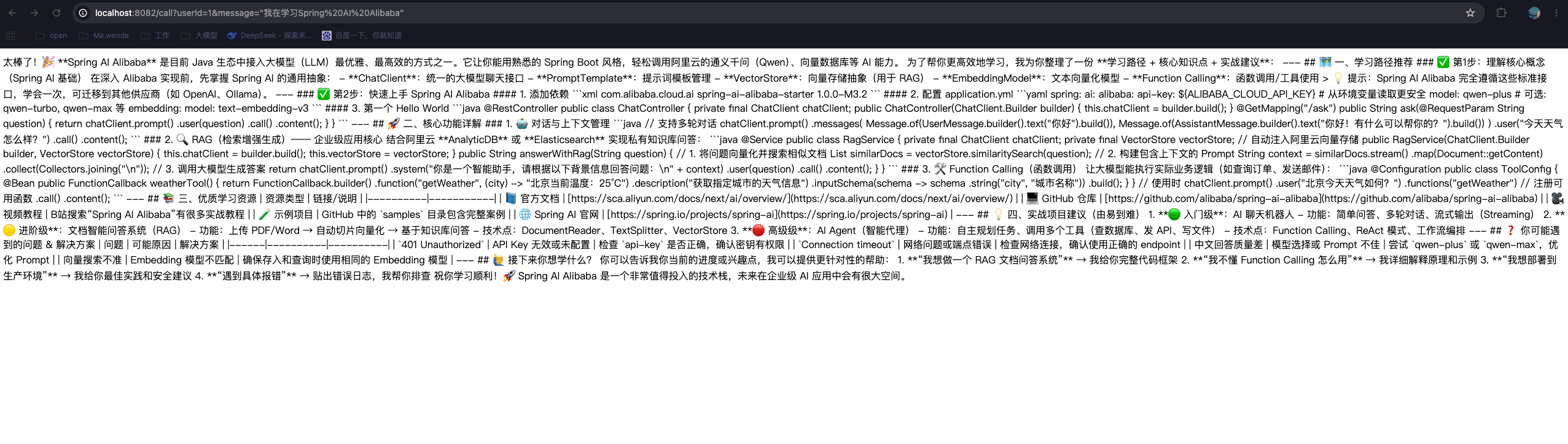
- 提问: 我在学习Spring AI Alibaba,访问:http://localhost:8082/call?userId=1&message=%22%E6%88%91%E5%9C%A8%E5%AD%A6%E4%B9%A0Spring%20AI%20Alibaba%22
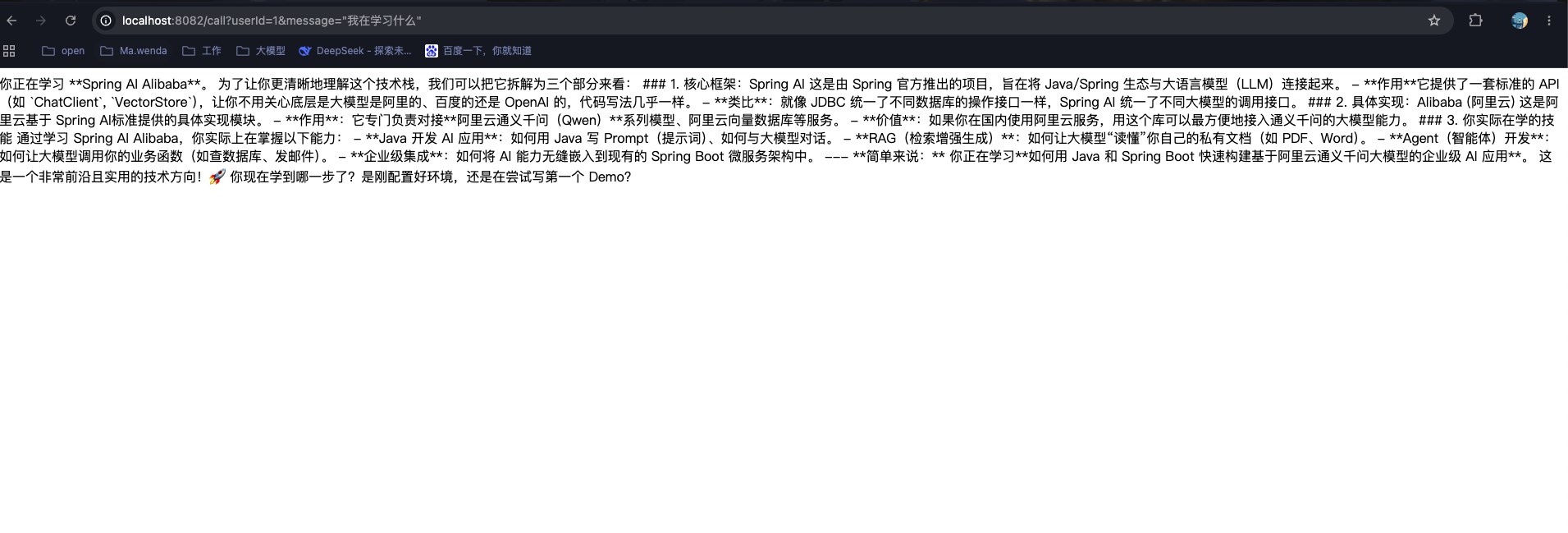
- 再次提问:我在学习什么,访问:http://localhost:8082/call?userId=1&message=%22%E6%88%91%E5%9C%A8%E5%AD%A6%E4%B9%A0%E4%BB%80%E4%B9%88%22
- 会话记录持久化

代码实现【Advisor 自动管理】
微服务构建-SpringAIAlibabaChatMemoryAdvisor
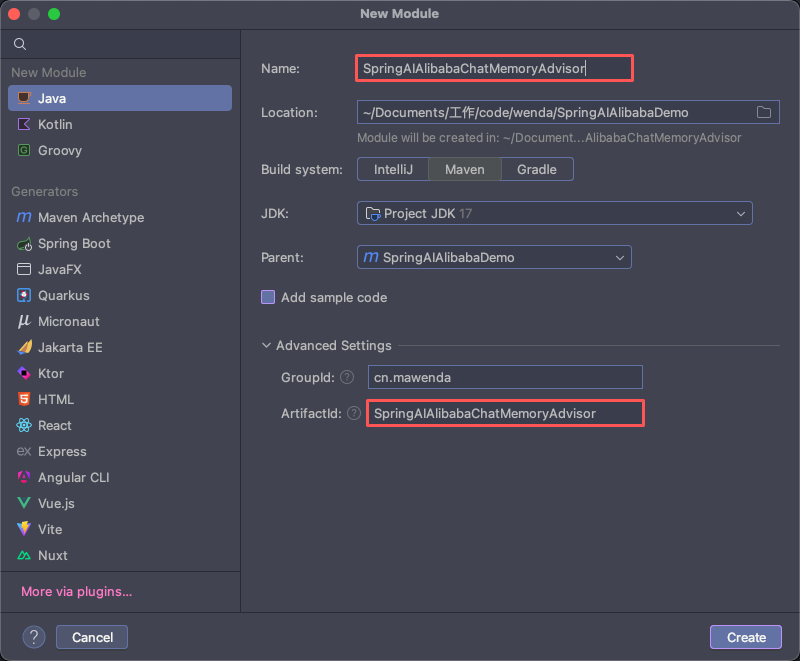
pom.xml
java
<?xml version="1.0" encoding="UTF-8"?>
<project xmlns="http://maven.apache.org/POM/4.0.0"
         xmlns:xsi="http://www.w3.org/2001/XMLSchema-instance"
         xsi:schemaLocation="http://maven.apache.org/POM/4.0.0 http://maven.apache.org/xsd/maven-4.0.0.xsd">
    <modelVersion>4.0.0</modelVersion>
    <parent>
        <groupId>cn.mawenda</groupId>
        <artifactId>SpringAIAlibabaDemo</artifactId>
        <version>1.0.1</version>
    </parent>

    <artifactId>SpringAIAlibabaChatMemoryAdvisor</artifactId>

    <properties>
        <maven.compiler.source>17</maven.compiler.source>
        <maven.compiler.target>17</maven.compiler.target>
        <project.build.sourceEncoding>UTF-8</project.build.sourceEncoding>
        <!-- 【关键】强制指定 Spring Framework 版本与 Spring Boot 3.4.5 匹配的 6.2.6 -->
        <spring-framework.version>6.2.6</spring-framework.version>
    </properties>

    <dependencies>
        <!-- Spring Boot Web Starter: 提供Web开发基础功能,包括REST API支持 -->
        <dependency>
            <groupId>org.springframework.boot</groupId>
            <artifactId>spring-boot-starter-web</artifactId>
        </dependency>

        <!-- Spring AI Alibaba DashScope Starter: 阿里云通义千问大模型集成依赖,提供ChatModel等AI能力 -->
        <dependency>
            <groupId>com.alibaba.cloud.ai</groupId>
            <artifactId>spring-ai-alibaba-starter-dashscope</artifactId>
        </dependency>

        <!-- Spring AI Model Chat Memory Repository JDBC: 集成JDBC的ChatMemoryRepository -->
        <dependency>
            <groupId>org.springframework.ai</groupId>
            <artifactId>spring-ai-starter-model-chat-memory-repository-jdbc</artifactId>
        </dependency>

        <!-- MySQL Connector: MySQL数据库驱动程序 -->
        <dependency>
            <groupId>mysql</groupId>
            <artifactId>mysql-connector-java</artifactId>
            <version>${mysql.version}</version>
        </dependency>
    </dependencies>

</project>
服务配置-application.yaml
java
server:
  port: 8083  # 指定当前服务的端口
  servlet:
    encoding:
      enabled: true # 大模型对话中文乱码处理
      force: true
      charset: utf-8

spring:
  application:
    name: SpringAIAlibabaChatMemoryAdvisor # 微服务名称
  datasource:
    url: jdbc:mysql://localhost:3306/sa_db?useSSL=false&allowPublicKeyRetrieval=true&serverTimezone=Asia/Shanghai
    username: root
    password: root
    driver-class-name: com.mysql.cj.jdbc.Driver

  ai:
    dashscope:
      # 密钥, 在云平台中申请的API Key
      api-key: sk-08ad3bf73bf645a9a0c0cc5ac68775a3
      # 模型请求地址
      base-url: https://dashscope.aliyuncs.com/compatible-mode/v1
      chat:
        options:
          # 指定使用的模型版本
          model: qwen3.6-max-preview
    chat:
      memory:
        repository:
          jdbc:
            initialize-schema: always # 初始化数据库表
            platform: mariadb # MariaDB高度兼容Mysql
服务启动类-SpringAIAlibabaChatMemoryAdvisorApplication.java
java
package cn.mawenda.advisor;

import org.springframework.boot.SpringApplication;
import org.springframework.boot.autoconfigure.SpringBootApplication;

@SpringBootApplication
public class SpringAIAlibabaChatMemoryAdvisorApplication {

    public static void main(String[] args) {
        SpringApplication.run(SpringAIAlibabaChatMemoryAdvisorApplication.class, args);
    }
}
模型配置类-LLmConfig.java
java
package cn.mawenda.advisor.config;

import org.springframework.ai.chat.client.ChatClient;
import org.springframework.ai.chat.client.advisor.MessageChatMemoryAdvisor;
import org.springframework.ai.chat.memory.ChatMemory;
import org.springframework.ai.chat.memory.MessageWindowChatMemory;
import org.springframework.ai.chat.memory.repository.jdbc.JdbcChatMemoryRepository;
import org.springframework.ai.chat.model.ChatModel;
import org.springframework.context.annotation.Bean;
import org.springframework.context.annotation.Configuration;

/**
 * 大模型配置类
 */
@Configuration
public class LLmConfig {

    /**
     * 创建 ChatMemory 存储实例
     */
    @Bean
    public ChatMemory chatMemory(JdbcChatMemoryRepository jdbcChatMemoryRepository){
        return MessageWindowChatMemory.builder()
                .chatMemoryRepository(jdbcChatMemoryRepository)
                .maxMessages(20)
                .build();
    }

    /**
     * 创建 ChatClient 实例
     */
    @Bean
    public ChatClient chatClient(ChatModel chatModel, ChatMemory chatMemory){
        return ChatClient.builder(chatModel)
                .defaultAdvisors(MessageChatMemoryAdvisor.builder(chatMemory).build())
                .build();

    }
}
服务控制层-DemoController.java
java
package cn.mawenda.advisor.controller;

import jakarta.annotation.Resource;
import org.springframework.ai.chat.client.ChatClient;
import org.springframework.ai.chat.memory.ChatMemory;
import org.springframework.web.bind.annotation.GetMapping;
import org.springframework.web.bind.annotation.RequestParam;
import org.springframework.web.bind.annotation.RestController;

/**
 *
 * @Author: Ma.wenda
 * @Date: 2026-05-28 13:40
 * @Version: 1.0
 **/

@RestController
public class DemoController {

    @Resource
    private ChatClient chatClient;
    @Resource
    private ChatMemory chatMemory;

    /**
     * 调用大模型进行对话
     *
     * @param message 用户输入的消息内容,默认为"你是谁?"
     * @return 大模型返回的响应文本
     */
    @GetMapping("/call")
    public String call(
            @RequestParam(name = "uid") String userId,
            @RequestParam(value = "cid") String conversationID,
            @RequestParam(name = "message") String message
    ){
        String uniqueConversationId = userId + "_" + conversationID;

        return chatClient.prompt()
                .user(message)
                .advisors(advisorSpec -> advisorSpec.param(ChatMemory.CONVERSATION_ID, uniqueConversationId))
                .call()
                .content();
    }
}
集成测试
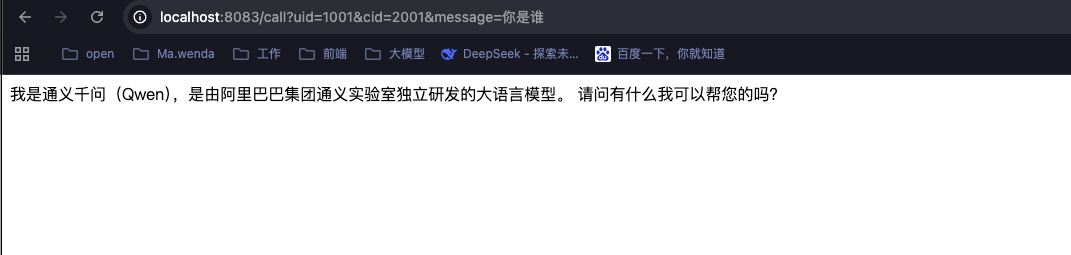
- 查看数据库
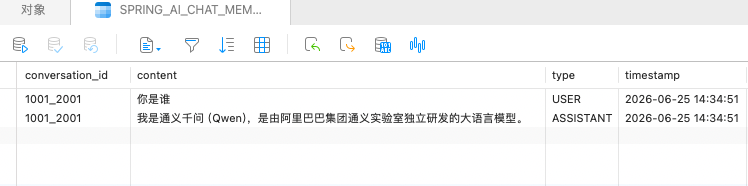
- 总结,使用该框架,无感上手,但灵活性低,适用于简单场景。
多模态模型
什么是模态
模态指信息的载体形式,人类感知世界的不同渠道都属于模态:
- 文本模态:文字、对话、代码、指令(普通大模型只处理这个)
- 图像模态:图片、照片、截图、图表、手绘
- 音频模态:语音、录音、音效
- 视频模态:连续画面 + 音频(图像 + 音频组合)
- 其他:深度图、3D 点云、传感器数值等
单模态模型:只能处理一种信息,比如早期纯文本 GPT、仅识图的 CNN 图像分类模型。
多模态模型:能同时接收、理解、融合两种及以上模态数据,跨模态推理、跨模态生成。
通义万象模型
- 实现简单demo,文生图
代码实现
构建微服务-SpringAIAlibabaTextToImage
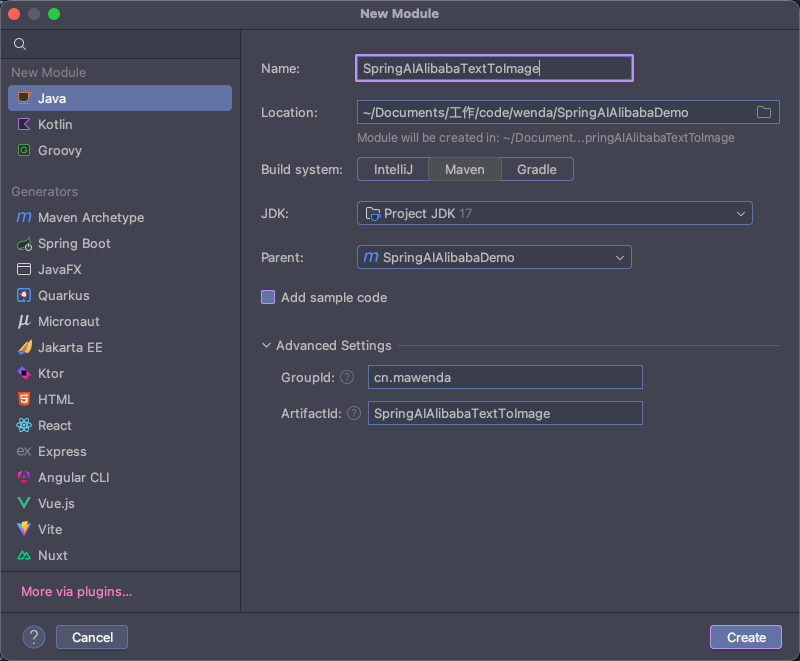
pom.xml
服务配置文件-application.yaml
yaml
server:
  port: 8084  # 指定当前服务的端口
  servlet:
    encoding:
      enabled: true # 大模型对话中文乱码处理
      force: true
      charset: utf-8

spring:
  application:
    name: SpringAIAlibabaTextToImage # 微服务名称

  ai:
    dashscope:
      # 密钥, 在云平台中申请的API Key
      api-key: sk-08ad3bf73bf645a9a0c0cc5ac68775a3
      image:
        options:
          # 指定使用的模型版本
          model: wanx-v1
服务启动类-SpringAIAlibabaTextToImageApplication.java
yaml
package cn.mawenda.image;

import org.springframework.boot.SpringApplication;
import org.springframework.boot.autoconfigure.SpringBootApplication;

@SpringBootApplication
public class SpringAIAlibabaTextToImageApplication {

    public static void main(String[] args) {
        SpringApplication.run(SpringAIAlibabaTextToImageApplication.class, args);
    }
}
大模型配置类-LLmConfig.java
java
package cn.mawenda.image.config;

import org.springframework.context.annotation.Configuration;
import org.springframework.context.annotation.Bean;
import org.springframework.retry.backoff.FixedBackOffPolicy;
import org.springframework.retry.policy.SimpleRetryPolicy;
import org.springframework.retry.support.RetryTemplate;

@Configuration
public class LLmConfig {

    /**
     * 覆盖默认的 RetryTemplate 配置
     * 针对通义万相生成图片较慢的情况,增加重试次数和间隔
     */
    @Bean
    public RetryTemplate imageRetryTemplate() {
        RetryTemplate retryTemplate = new RetryTemplate();

        // 1. 设置重试策略:最多重试 30 次(可根据需求调整)
        // 总等待时间 = 重试次数 * 每次间隔时间
        SimpleRetryPolicy retryPolicy = new SimpleRetryPolicy();
        retryPolicy.setMaxAttempts(30); // 最大重试次数
        retryTemplate.setRetryPolicy(retryPolicy);

        // 2. 设置退避策略:每次重试间隔 2 秒(2000 毫秒)
        // 使用 Spring Retry 正确的 FixedBackOffPolicy 类
        FixedBackOffPolicy backOffPolicy = new FixedBackOffPolicy();
        backOffPolicy.setBackOffPeriod(2000L); // 每次重试间隔2秒
        retryTemplate.setBackOffPolicy(backOffPolicy);

        return retryTemplate;
    }
}
服务控制层
java
package cn.mawenda.image.controller;

import com.alibaba.cloud.ai.dashscope.image.DashScopeImageOptions;
import jakarta.annotation.Resource;
import org.springframework.ai.image.ImageModel;
import org.springframework.ai.image.ImagePrompt;
import org.springframework.ai.image.ImageResponse;
import org.springframework.beans.factory.annotation.Value;
import org.springframework.web.bind.annotation.GetMapping;
import org.springframework.web.bind.annotation.RequestParam;
import org.springframework.web.bind.annotation.RestController;

@RestController
public class DemoController {

    // 从配置文件读取模型名
    @Value("${spring.ai.dashscope.image.options.model}")
    private String imageModelName;

    // ImageModel 是 Spring AI 框架 中定义的文生图模型核心接口
    @Resource
    private ImageModel imageModel;

    @GetMapping(value = "/toImage")
    public String image(@RequestParam(name = "prompt") String prompt)
    {
        DashScopeImageOptions build = DashScopeImageOptions.builder()
                .withModel(imageModelName)
                .build();

        ImageResponse response = imageModel.call(new ImagePrompt(prompt, build));

        return response.getResult().getOutput().getUrl();
    }
}
集成测试
- 启动服务
- 访问接口:http://localhost:8084/toImage?prompt=电脑
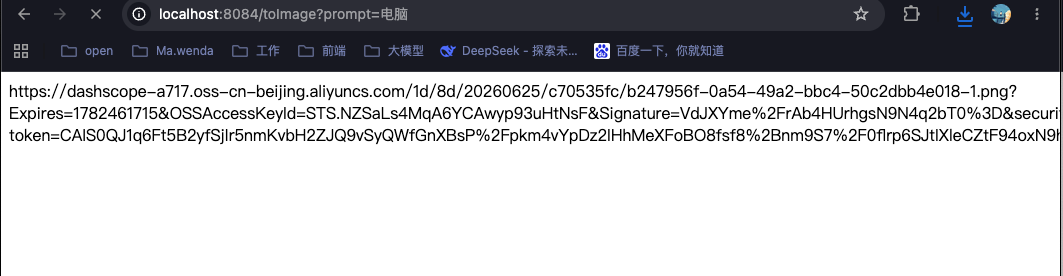
- 返回图片地址,打开图片后内容如下

向量化
向量数据库
RAG
什么是RAG?
检索增强生成(Retrieval-augmented Generation),简称RAG,是当下热门的大模型前沿技术之一。
检索增强生成模型结合了语言模型和信息检索技术。具体来说,当模型需要生成文本或者回答问题时,它会先从一个庞大的文档集合中检索出相关的信息,然后利用这些检索到的信息来指导文本的生成,从而提高预测的质量和准确性 。