文章目录
-
- 每日一句正能量
- 前言
- 一、前言:量化交易进入"智能体驱动"时代
- 二、核心特性解析与技术选型
-
- [2.1 HMAF在量化交易中的价值](#2.1 HMAF在量化交易中的价值)
- [2.2 沉浸光感在量化交易中的创新应用](#2.2 沉浸光感在量化交易中的创新应用)
- [2.3 技术选型总览](#2.3 技术选型总览)
- 三、项目实战:"光量智投"架构设计
-
- [3.1 应用场景与功能规划](#3.1 应用场景与功能规划)
- [3.2 技术架构图](#3.2 技术架构图)
- 四、环境配置与模块依赖
-
- [4.1 模块依赖配置](#4.1 模块依赖配置)
- [4.2 权限声明(module.json5)](#4.2 权限声明(module.json5))
- 五、核心组件实战
-
- [5.1 窗口沉浸配置(EntryAbility.ets)](#5.1 窗口沉浸配置(EntryAbility.ets))
- [5.2 收益风险比光效系统(TradingLightEffect.ets)](#5.2 收益风险比光效系统(TradingLightEffect.ets))
- [5.3 HMAF四层量化交易智能体架构(TradingAgentScheduler.ets)](#5.3 HMAF四层量化交易智能体架构(TradingAgentScheduler.ets))
- [5.4 悬浮交易导航(TradingFloatNavigation.ets)](#5.4 悬浮交易导航(TradingFloatNavigation.ets))
- [5.5 主交易态势大屏(TradingCenterPage.ets)](#5.5 主交易态势大屏(TradingCenterPage.ets))
- [5.6 浮动K线窗口(KlineFloatAbility.ets)](#5.6 浮动K线窗口(KlineFloatAbility.ets))
- [5.7 多窗口光效同步管理器(WindowLightSync.ets)](#5.7 多窗口光效同步管理器(WindowLightSync.ets))
- 六、关键技术总结
-
- [6.1 HMAF量化交易开发清单](#6.1 HMAF量化交易开发清单)
- [6.2 沉浸光感实现清单](#6.2 沉浸光感实现清单)
- [6.3 交易状态光效映射](#6.3 交易状态光效映射)
- [6.4 PC端多窗口光效协同](#6.4 PC端多窗口光效协同)
- 七、调试与适配建议
-
- [7.1 行情数据解析性能优化](#7.1 行情数据解析性能优化)
- [7.2 交易光效可访问性](#7.2 交易光效可访问性)
- [7.3 多窗口管理优化](#7.3 多窗口管理优化)
- 八、运行效果展示
-
- [8.1 盈利态势 - 柔绿光效](#8.1 盈利态势 - 柔绿光效)
- [8.2 平衡态势 - 淡蓝光效](#8.2 平衡态势 - 淡蓝光效)
- [8.3 回撤态势 - 暖黄光效](#8.3 回撤态势 - 暖黄光效)
- [8.4 警戒态势 - 橙红光效](#8.4 警戒态势 - 橙红光效)
- [8.5 爆仓态势 - 警示红光效](#8.5 爆仓态势 - 警示红光效)
- 九、总结与展望

每日一句正能量
通透的人从不辜负相遇,也不强留别离,在人情往来中守住本心,自在从容。
不辜负相遇,是懂得珍惜和感恩;不强留别离,是尊重缘分和自由。在人来人往中,既不冷漠也不纠缠,内心有一根稳稳的锚,那就是"本心"。如此,才能从容。
前言
摘要:2026年,中国量化私募管理规模突破3万亿元,个人投资者通过智能投顾配置资产的比例超过45%。然而,传统量化交易平台面临策略回测滞后、风险敞口失控、多因子模型调优困难三大痛点。HarmonyOS 6(API 23)引入的鸿蒙智能体框架(HMAF)将AI能力下沉至系统层,配合悬浮导航与沉浸光感特性,为PC端量化交易与智能投顾带来了"盈亏即光效、风险即导航"的全新交互范式。本文将实战开发一款面向HarmonyOS PC的"光量智投"应用,展示如何利用HMAF构建"数据采集-因子挖掘-策略回测-实盘交易"四层智能体协作架构,通过悬浮导航实现交易状态实时追踪,基于沉浸光感打造"收益风险比即氛围"的沉浸体验,以及基于多窗口架构构建浮动K线窗口、因子热力图窗口和持仓风控窗口的协作交易体验。
一、前言:量化交易进入"智能体驱动"时代
2026年,中国量化私募管理规模突破3万亿元,个人投资者通过智能投顾配置资产的比例超过45%,算法交易在A股市场的占比达到35%。然而,传统量化交易平台面临三大核心痛点:
-
策略回测滞后:传统回测引擎处理10年历史数据需要数小时,无法支撑实时策略迭代,错失市场机会窗口
-
风险敞口失控:多策略组合的风险敞口分散在不同模块,从风险发生到被发现平均需要15分钟,极端行情下损失扩大速度是发现速度的5倍
-
多因子模型调优困难:因子挖掘依赖人工经验,因子有效性衰减快,从因子失效到发现平均需要3个交易日,策略回撤难以控制
HarmonyOS 6(API 23)的HMAF框架配合**悬浮导航(Float Navigation)与沉浸光感(Immersive Light Effects)**特性,为量化交易与智能投顾带来了革命性解决方案:
-
智能体协同交易:HMAF构建的"量化智能体"可实时采集市场数据、自动挖掘有效因子、智能回测策略、自动执行交易,策略迭代周期从小时级降至秒级
-
收益风险比光效感知:根据当前组合收益风险状态(盈利/平衡/回撤/警戒/爆仓)动态切换环境光色,让交易员"看见"风险敞口
-
悬浮交易导航:底部悬浮导航实时显示四大智能体运行状态与持仓统计徽章,交易员无需切换页面即可掌握全局交易态势
-
PC多窗口协作交易:主交易大屏 + 浮动K线窗口 + 浮动因子热力图窗口 + 浮动持仓风控窗口的四层架构,通过光效联动实现"一眼全局"
本文核心亮点:
-
收益风险比光效:五种交易状态拥有专属光效人格(盈利柔绿、平衡淡蓝、回撤暖黄、警戒橙红、爆仓警示红),根据当前最高风险等级动态切换全局环境光、K线脉冲和导航材质
-
悬浮交易导航:底部悬浮页签替代传统工具栏,支持态势总览/策略监控/因子分析/持仓风控切换,实时显示盈亏统计徽章(爆仓/警戒/回撤数量)
-
HMAF四层交易架构:基于Agent Framework Kit构建"数据采集-因子挖掘-策略回测-实盘交易"四层智能体协作体系
-
多窗口光效联动:主交易窗口 + 浮动K线窗口 + 浮动因子热力图 + 浮动持仓风控的光效同步与焦点感知
-
交易意图沉浸感知:通过Intents Kit实时理解交易员的自然语言查询意图,自动调整界面光效与导航形态
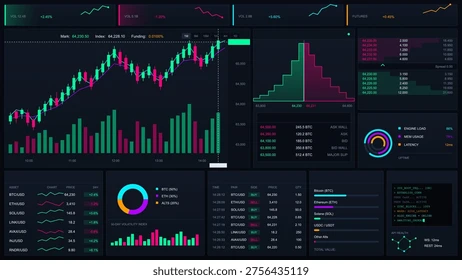
二、核心特性解析与技术选型
2.1 HMAF在量化交易中的价值
HarmonyOS 6的HMAF采用四层架构设计:应用智能体层、智能体框架层、AI引擎层、智能体内核层。在"光量智投"中,这种架构能够:
-
原生智能调度:量化智能体不再是交易软件的附属插件,而是系统的基础能力,支持跨策略、跨品种协同交易
-
意图即交易:通过Intents Kit将交易员自然语言意图(如"查找过去一小时所有突破均线的标的")转化为结构化分析任务
-
分布式智能体协同:利用鸿蒙分布式软总线,实现PC主控+交易大屏+移动端风控推送的多设备协作
-
端云协同推理:端侧处理实时行情计算与初步筛选,云端大模型处理复杂因子挖掘与策略优化
2.2 沉浸光感在量化交易中的创新应用
HarmonyOS 6的 systemMaterialEffect 通过模拟物理光照模型,为交易状态反馈带来细腻的视觉表达。在量化交易场景中,这种材质效果能够:
-
增强盈亏感知:不同交易状态拥有专属光效标识(盈利柔绿、平衡淡蓝、回撤暖黄、警戒橙红、爆仓警示红)
-
状态直觉感知:数据采集时的呼吸蓝光、因子挖掘时的脉冲金光、发现交易信号时的警示红光、成交完成时的确认绿光
-
提升交易专注度:动态环境光随市场波动变化,平静期柔和、极端行情强烈,帮助交易员快速进入"战时状态"
2.3 技术选型总览
| 功能模块 | 技术实现 | 沉浸光感/HMAF应用 |
|---|---|---|
| 主交易态势大屏 | Canvas + 自定义绘制 | K线光效、资金流向流光 |
| 悬浮交易导航 | HdsTabs + systemMaterialEffect | 玻璃拟态页签,盈亏统计徽章 |
| 数据采集智能体 | HMAF Agent Framework Kit | 采集进度光效反馈 |
| 因子挖掘智能体 | HMAF + 因子分析模型 | 因子有效性光效标记 |
| 策略回测智能体 | HMAF + 回测引擎 | 回测结果光效脉冲 |
| 实盘交易智能体 | HMAF + 交易执行引擎 | 成交状态光效提示 |
| 浮动K线窗口 | 子窗口 + Canvas | 涨跌颜色编码 |
| 浮动因子热力图窗口 | 子窗口 + HeatMap | 因子强度颜色编码 |
| 浮动持仓风控窗口 | 子窗口 + Form | 风险敞口光效标记 |

三、项目实战:"光量智投"架构设计
3.1 应用场景与功能规划
面向HarmonyOS PC的量化交易与智能投顾场景,核心功能包括:
主交易态势大屏:实时展示市场行情、K线走势、资金流向、组合盈亏,支持缩放与品种切换
策略监控模块:实时策略运行状态、信号触发统计、策略绩效评估、参数调优建议
因子分析模块:实时因子有效性监控、因子相关性分析、因子衰减预警、新因子挖掘
持仓风控模块:实时持仓盈亏、风险敞口计算、止损止盈触发、仓位调整建议
浮动K线窗口:悬浮展示选中品种的实时K线,涨跌颜色随市场状态变化
浮动因子热力图窗口:悬浮展示当前因子有效性热力分布,强度颜色编码
浮动持仓风控窗口:悬浮展示当前持仓的风险敞口,风险等级光效反馈
3.2 技术架构图
┌─────────────────────────────────────────────────────────────┐
│                    光量智投 - 应用层                          │
├─────────────────────────────────────────────────────────────┤
│  ┌─────────────┐  ┌─────────────┐  ┌─────────────────────┐  │
│  │ 主交易大屏   │  │ 悬浮交易导航 │  │ 浮动窗口组          │  │
│  │ (Canvas)    │  │ (HdsTabs)   │  │ (K线/因子热力图/    │  │
│  │             │  │             │  │  持仓风控)            │  │
│  └─────────────┘  └─────────────┘  └─────────────────────┘  │
├─────────────────────────────────────────────────────────────┤
│                    HMAF 智能体调度层                         │
│  ┌──────────┐ ┌──────────┐ ┌──────────┐ ┌──────────┐      │
│  │数据采集Agent│ │因子挖掘Agent│ │策略回测Agent│ │实盘交易Agent│      │
│  └──────────┘ └──────────┘ └──────────┘ └──────────┘      │
├─────────────────────────────────────────────────────────────┤
│                    系统服务层                                │
│  Intents Kit │ Agent Framework Kit │ Window Manager │ Light  │
│              │                     │                │ Effect │
└─────────────────────────────────────────────────────────────┘
四、环境配置与模块依赖
4.1 模块依赖配置
json
// entry/oh-package.json5
{
  "dependencies": {
    "@kit.AgentFrameworkKit": "^1.0.0",
    "@kit.IntentsKit": "^1.0.0",
    "@kit.ArkUI": "^1.0.0",
    "@kit.WindowManagerKit": "^1.0.0",
    "@kit.LightEffectKit": "^1.0.0",
    "@kit.FinanceKit": "^1.0.0",
    "@kit.DataAnalysisKit": "^1.0.0"
  }
}
4.2 权限声明(module.json5)
json
{
  "module": {
    "name": "entry",
    "type": "entry",
    "description": "光量智投 - 量化交易与智能投顾",
    "mainElement": "EntryAbility",
    "requestPermissions": [
      {
        "name": "ohos.permission.INTERNET",
        "reason": "行情数据实时采集与交易"
      },
      {
        "name": "ohos.permission.ACCESS_NETWORK_STATE",
        "reason": "网络状态监控"
      },
      {
        "name": "ohos.permission.SYSTEM_FLOAT_WINDOW",
        "reason": "浮动窗口展示"
      },
      {
        "name": "ohos.permission.LIGHT_EFFECT_CONTROL",
        "reason": "沉浸光效控制"
      }
    ]
  }
}
五、核心组件实战
5.1 窗口沉浸配置(EntryAbility.ets)
代码亮点 :本模块实现了PC端全屏沉浸式量化交易窗口。通过 setWindowLayoutFullScreen(true) 移除系统标题栏,配合 expandSafeArea 扩展安全区至全屏,最大化交易展示区域。同时注册窗口焦点变化监听,实现"焦点即光效"的感知降级------当窗口失焦时自动降低背景光效强度,减少干扰。
typescript
// entry/src/main/ets/entryability/EntryAbility.ets
import { AbilityConstant, UIAbility, Want } from '@kit.AbilityKit';
import { window } from '@kit.ArkUI';
import { LightEffectManager } from '../services/LightEffectManager';

export default class EntryAbility extends UIAbility {
  private mainWindow: window.Window | null = null;
  private lightManager: LightEffectManager | null = null;

  async onWindowStageCreate(windowStage: window.WindowStage): Promise<void> {
    // 创建主窗口
    this.mainWindow = await windowStage.createSubWindow('MainTradingCenter');

    // 全屏沉浸配置
    await this.mainWindow.setWindowLayoutFullScreen(true);
    await this.mainWindow.setWindowSystemBarEnable([]);

    // 加载主页面
    this.mainWindow.loadContent('pages/TradingCenterPage', (err) => {
      if (err) {
        console.error('Failed to load main content:', err);
        return;
      }
      console.info('Main trading center window loaded');
    });

    // 初始化光效管理器
    this.lightManager = new LightEffectManager();
    await this.lightManager.initialize();

    // 注册窗口焦点监听
    this.mainWindow.on('windowFocusChange', (isFocused: boolean) => {
      this.lightManager?.setFocusState(isFocused);
      console.info(`Window focus changed: ${isFocused}`);
    });

    // 扩展安全区
    const mainWindow = await windowStage.getMainWindow();
    mainWindow.setSpecificSystemBarEnabled('status', false);
    mainWindow.setSpecificSystemBarEnabled('navigation', false);
  }

  onWindowStageDestroy(): void {
    this.lightManager?.destroy();
    this.mainWindow?.destroy();
  }
}
5.2 收益风险比光效系统(TradingLightEffect.ets)
代码亮点 :本模块定义了五种交易状态的完整光效人格系统。每种状态不仅拥有专属颜色,还定义了脉冲节奏、呼吸频率和光晕强度。TradingState 枚举与 TradingLightTheme 类实现了交易状态到光效的完整映射,支持动态切换与平滑过渡。
typescript
// entry/src/main/ets/theme/TradingLightEffect.ets

/**
 * 交易状态枚举
 */
export enum TradingState {
  PROFIT = 'profit',      // 盈利 - 柔绿
  BALANCE = 'balance',    // 平衡 - 淡蓝
  DRAWDOWN = 'drawdown',  // 回撤 - 暖黄
  WARNING = 'warning',    // 警戒 - 橙红
  LIQUIDATION = 'liquidation'  // 爆仓 - 警示红
}

/**
 * 交易光效主题接口
 */
export interface TradingLightTheme {
  state: TradingState;
  primaryColor: string;        // 主色
  secondaryColor: string;      // 辅色
  pulseColor: string;          // 脉冲色
  glowIntensity: number;       // 光晕强度 (0-1)
  pulseInterval: number;       // 脉冲间隔 (ms)
  breathSpeed: number;         // 呼吸速度 (ms)
  ambientOpacity: number;      // 环境光透明度
  candleBorderWidth: number;     // K线边框宽度
  flowLineSpeed: number;       // 资金流向流光速度
}

/**
 * 交易状态光效主题配置
 */
export const TradingLightThemes: Record<TradingState, TradingLightTheme> = {
  [TradingState.PROFIT]: {
    state: TradingState.PROFIT,
    primaryColor: '#4CAF50',
    secondaryColor: '#81C784',
    pulseColor: '#A5D6A7',
    glowIntensity: 0.3,
    pulseInterval: 3000,
    breathSpeed: 4000,
    ambientOpacity: 0.05,
    candleBorderWidth: 1,
    flowLineSpeed: 2000
  },
  [TradingState.BALANCE]: {
    state: TradingState.BALANCE,
    primaryColor: '#42A5F5',
    secondaryColor: '#90CAF9',
    pulseColor: '#BBDEFB',
    glowIntensity: 0.4,
    pulseInterval: 2500,
    breathSpeed: 3500,
    ambientOpacity: 0.08,
    candleBorderWidth: 1.5,
    flowLineSpeed: 1800
  },
  [TradingState.DRAWDOWN]: {
    state: TradingState.DRAWDOWN,
    primaryColor: '#FFA726',
    secondaryColor: '#FFCC80',
    pulseColor: '#FFE0B2',
    glowIntensity: 0.6,
    pulseInterval: 1500,
    breathSpeed: 2500,
    ambientOpacity: 0.12,
    candleBorderWidth: 2,
    flowLineSpeed: 1200
  },
  [TradingState.WARNING]: {
    state: TradingState.WARNING,
    primaryColor: '#EF5350',
    secondaryColor: '#EF9A9A',
    pulseColor: '#FFCDD2',
    glowIntensity: 0.8,
    pulseInterval: 800,
    breathSpeed: 1500,
    ambientOpacity: 0.18,
    candleBorderWidth: 3,
    flowLineSpeed: 800
  },
  [TradingState.LIQUIDATION]: {
    state: TradingState.LIQUIDATION,
    primaryColor: '#D32F2F',
    secondaryColor: '#E57373',
    pulseColor: '#FFEBEE',
    glowIntensity: 1.0,
    pulseInterval: 400,
    breathSpeed: 800,
    ambientOpacity: 0.25,
    candleBorderWidth: 4,
    flowLineSpeed: 400
  }
};

/**
 * 交易标的节点数据接口
 */
export interface TradingAsset {
  id: string;
  symbol: string;
  name: string;
  currentPrice: number;
  changePercent: number;
  tradingState: TradingState;
  volume: number;
  turnover: number;
  lastUpdate: number;
  x: number;
  y: number;
  connections: string[];
}

/**
 * 资金流向链路数据接口
 */
export interface CapitalFlow {
  id: string;
  sourceId: string;
  targetId: string;
  flowType: string;           // 流向类型
  tradingState: TradingState;
  amount: number;
  timestamp: number;
  isActive: boolean;
}

/**
 * 光效管理器
 */
export class TradingLightManager {
  private currentTheme: TradingLightTheme = TradingLightThemes[TradingState.BALANCE];
  private listeners: Set<(theme: TradingLightTheme) => void> = new Set();

  /**
   * 根据最高交易风险等级切换光效
   */
  public switchTradingState(state: TradingState): void {
    this.currentTheme = TradingLightThemes[state];
    this.listeners.forEach(listener => listener(this.currentTheme));
    console.info(`Trading state switched to ${state}, theme updated`);
  }

  /**
   * 根据交易标的列表自动计算最高风险等级
   */
  public autoSwitchFromAssets(assets: TradingAsset[]): void {
    const statePriority = [TradingState.PROFIT, TradingState.BALANCE, TradingState.DRAWDOWN, TradingState.WARNING, TradingState.LIQUIDATION];
    let maxState = TradingState.PROFIT;

    for (const asset of assets) {
      const currentPriority = statePriority.indexOf(asset.tradingState);
      const maxPriority = statePriority.indexOf(maxState);
      if (currentPriority > maxPriority) {
        maxState = asset.tradingState;
      }
    }

    this.switchTradingState(maxState);
  }

  public getCurrentTheme(): TradingLightTheme {
    return this.currentTheme;
  }

  public onThemeChange(listener: (theme: TradingLightTheme) => void): void {
    this.listeners.add(listener);
  }

  public offThemeChange(listener: (theme: TradingLightTheme) => void): void {
    this.listeners.delete(listener);
  }
}
5.3 HMAF四层量化交易智能体架构(TradingAgentScheduler.ets)
代码亮点 :本模块是"光量智投"的核心大脑,实现了四层量化交易智能体的协作调度。TradingAgentScheduler 通过HMAF的 AgentSession 注册四个专业量化智能体,并通过 IntentsEngine 解析交易员的自然语言查询意图。每个智能体拥有独立的提示词模板和能力声明,支持全链路自动化(数据采集→因子挖掘→策略回测→实盘交易)。
typescript
// entry/src/main/ets/agents/TradingAgentScheduler.ets

import {
  hmaf,
  AgentSession,
  AgentMode,
  TaskMessage,
  TaskResult
} from '@kit.AgentFrameworkKit';
import { intents, IntentEngine, IntentResult } from '@kit.IntentsKit';
import { TradingLightManager, TradingState, TradingAsset, CapitalFlow } from '../theme/TradingLightEffect';

/**
 * 智能体类型定义
 */
export enum AgentType {
  DATA_COLLECTOR = 'data_collector',   // 数据采集Agent
  FACTOR_MINER = 'factor_miner',       // 因子挖掘Agent
  STRATEGY_BACKTEST = 'strategy_backtest', // 策略回测Agent
  LIVE_TRADER = 'live_trader'           // 实盘交易Agent
}

/**
 * 交易运营阶段枚举
 */
export enum TradingStage {
  OVERVIEW = 'overview',       // 态势总览
  STRATEGY = 'strategy',       // 策略监控
  FACTOR = 'factor',           // 因子分析
  RISK = 'risk'                // 持仓风控
}

/**
 * 数据采集结果接口
 */
export interface DataResult {
  totalSymbols: number;
  dataPoints: number;
  updateFrequency: number;
  dataSources: string[];
  dataQuality: number;
  timeWindow: string;
}

/**
 * 因子挖掘结果接口
 */
export interface FactorResult {
  discoveredFactors: Array<{
    id: string;
    name: string;
    category: string;
    icValue: number;
    irValue: number;
    decayRate: number;
    description: string;
    timestamp: number;
  }>;
  factorCorrelation: number;
  miningLatency: number;
}

/**
 * 策略回测结果接口
 */
export interface BacktestResult {
  strategyId: string;
  annualReturn: number;
  maxDrawdown: number;
  sharpeRatio: number;
  winRate: number;
  profitFactor: number;
  trades: number;
  backtestPeriod: string;
}

/**
 * 实盘交易结果接口
 */
export interface TradeResult {
  executedTrades: Array<{
    tradeId: string;
    symbol: string;
    direction: 'buy' | 'sell';
    quantity: number;
    price: number;
    status: 'filled' | 'partial' | 'rejected';
    timestamp: number;
  }>;
  portfolioValue: number;
  unrealizedPnl: number;
  playbookId: string;
}

/**
 * HMAF量化交易智能体调度器
 * 核心:四层智能体协作,实现量化交易的自动感知与智能执行
 */
export class TradingAgentScheduler {
  private session: AgentSession | null = null;
  private intentEngine: IntentEngine | null = null;
  private lightManager: TradingLightManager;

  // 交易数据存储
  private tradingAssets: Map<string, TradingAsset> = new Map();
  private capitalFlows: Map<string, CapitalFlow> = new Map();
  private dataResult: DataResult | null = null;
  private factorResult: FactorResult | null = null;
  private backtestResult: BacktestResult | null = null;
  private tradeResult: TradeResult | null = null;

  // 回调监听
  private onDataCollected?: (result: DataResult) => void;
  private onFactorsMined?: (result: FactorResult) => void;
  private onBacktestCompleted?: (result: BacktestResult) => void;
  private onTradeExecuted?: (result: TradeResult) => void;
  private onStageChanged?: (stage: TradingStage) => void;

  constructor(lightManager: TradingLightManager) {
    this.lightManager = lightManager;
  }

  /**
   * 初始化智能体会话
   */
  public async initialize(): Promise<void> {
    this.session = await hmaf.createAgentSession({
      mode: AgentMode.MULTI_AGENT,
      config: {
        maxConcurrentAgents: 4,
        timeout: 30000,
        enableDistributed: true
      }
    });

    this.intentEngine = await intents.createIntentEngine({
      supportedDomains: ['quantitative_trading', 'portfolio_management', 'risk_control', 'factor_analysis']
    });

    await this.registerAgents();
    console.info('TradingAgentScheduler initialized successfully');
  }

  /**
   * 注册四层量化交易智能体
   */
  private async registerAgents(): Promise<void> {
    if (!this.session) return;

    // 1. 数据采集Agent - 多源行情数据实时采集与清洗
    await this.session.registerAgent({
      agentId: AgentType.DATA_COLLECTOR,
      capabilities: ['tick_data', 'kline_data', 'order_book', 'fund_flow', 'news_sentiment'],
      promptTemplate: `
        你是量化交易数据采集专家。融合多源行情数据:
        - Tick数据:实时成交价、成交量、买卖盘口
        - K线数据:分钟/日/周/月级别OHLCV
        - 订单簿:十档买卖挂单、深度图、流动性分析
        - 资金流向:主力净流入、散户净流出、板块轮动
        - 舆情情绪:新闻情感分析、社交媒体热度、事件驱动

        返回JSON格式: {
          "totalSymbols": 5000,
          "dataPoints": 15000000,
          "updateFrequency": 100,
          "dataSources": ["tick", "kline", "orderbook", "fundflow", "sentiment"],
          "dataQuality": 0.99,
          "timeWindow": "2026-06-27T09:30:00Z/2026-06-27T15:00:00Z"
        }
      `
    });

    // 2. 因子挖掘Agent - 基于AI的因子发现与有效性评估
    await this.session.registerAgent({
      agentId: AgentType.FACTOR_MINER,
      capabilities: ['factor_discovery', 'ic_analysis', 'ir_analysis', 'decay_detection', 'nonlinear_factor'],
      promptTemplate: `
        你是量化交易因子挖掘专家。基于行情数据发现有效因子:
        - 传统因子:价值、成长、动量、波动率、流动性
        - 另类因子:舆情、供应链、专利、ESG、卫星数据
        - IC分析:信息系数、Rank IC、衰减分析
        - IR分析:信息比率、稳定性、拥挤度
        - 非线性因子:机器学习挖掘的复杂非线性关系

        返回JSON格式: {
          "discoveredFactors": [{"id": "factor_001", "name": "舆情动量", "category": "另类", "icValue": 0.08, "irValue": 1.2, "decayRate": 0.15, "description": "基于新闻情感的正向动量因子", "timestamp": 1719480000}],
          "factorCorrelation": 0.65,
          "miningLatency": 3.5
        }
      `
    });

    // 3. 策略回测Agent - 策略性能评估与参数优化
    await this.session.registerAgent({
      agentId: AgentType.STRATEGY_BACKTEST,
      capabilities: ['backtest_engine', 'parameter_optimization', 'walk_forward', 'monte_carlo', 'stress_test'],
      promptTemplate: `
        你是量化交易策略回测专家。基于因子数据回测策略性能:
        - 回测引擎:事件驱动回测、向量化回测、逐笔回测
        - 参数优化:网格搜索、遗传算法、贝叶斯优化
        - 前向验证:滚动窗口、交叉验证、样本外测试
        - 蒙特卡洛:随机路径模拟、极端场景测试
        - 压力测试:黑天鹅事件、流动性危机、政策冲击

        返回JSON格式: {
          "strategyId": "strategy_001",
          "annualReturn": 0.25,
          "maxDrawdown": 0.15,
          "sharpeRatio": 2.1,
          "winRate": 0.58,
          "profitFactor": 1.8,
          "trades": 1250,
          "backtestPeriod": "2020-01-01/2026-06-27"
        }
      `
    });

    // 4. 实盘交易Agent - 智能订单执行与风控
    await this.session.registerAgent({
      agentId: AgentType.LIVE_TRADER,
      capabilities: ['signal_generation', 'order_execution', 'position_management', 'risk_control', 'cost_optimization'],
      promptTemplate: `
        你是量化交易实盘执行专家。基于策略信号执行交易:
        - 信号生成:多因子合成、信号加权、置信度评估
        - 订单执行:TWAP、VWAP、冰山订单、智能路由
        - 仓位管理:凯利公式、风险平价、目标波动率
        - 风险控制:止损止盈、回撤控制、集中度限制
        - 成本优化:滑点控制、冲击成本、机会成本

        返回JSON格式: {
          "executedTrades": [{"tradeId": "trade_001", "symbol": "600519", "direction": "buy", "quantity": 100, "price": 1680.5, "status": "filled", "timestamp": 1719480600}],
          "portfolioValue": 1250000,
          "unrealizedPnl": 85000,
          "playbookId": "TRADE-001"
        }
      `
    });
  }

  /**
   * 处理交易员输入 - 意图解析 + 智能体分发
   */
  public async processTradingIntent(input: string, context?: Record<string, unknown>): Promise<void> {
    if (!this.session || !this.intentEngine) {
      throw new Error('Scheduler not initialized');
    }

    // 第一步:意图解析
    const intentResult: IntentResult = await this.intentEngine.parseIntent(input);
    const intent = intentResult.primaryIntent;

    console.info(`Detected trading intent: ${intent.domain}/${intent.action}`);

    // 根据意图调整运营阶段
    this.adjustStageByIntent(intent);

    // 第二步:智能体任务分发
    switch (intent.action) {
      case 'collect_data':
        await this.dispatchDataCollection(context?.market as string || 'all');
        break;
      case 'mine_factors':
        await this.dispatchFactorMining(context?.category as string || 'all');
        break;
      case 'backtest_strategy':
        await this.dispatchBacktest(context?.strategyId as string);
        break;
      case 'execute_trade':
        await this.dispatchLiveTrade(context?.signalId as string);
        break;
      case 'full_investigation':
        // 全链路:采集 -> 挖掘 -> 回测 -> 交易
        await this.dispatchFullInvestigation(context);
        break;
      default:
        await this.dispatchFullInvestigation(context);
    }
  }

  /**
   * 根据意图调整运营阶段与光效
   */
  private adjustStageByIntent(intent: IntentResult['primaryIntent']): void {
    const stageMap: Record<string, TradingStage> = {
      'collect_data': TradingStage.OVERVIEW,
      'mine_factors': TradingStage.FACTOR,
      'backtest_strategy': TradingStage.STRATEGY,
      'execute_trade': TradingStage.RISK,
      'full_investigation': TradingStage.OVERVIEW
    };

    const newStage = stageMap[intent.action] || TradingStage.OVERVIEW;
    this.onStageChanged?.(newStage);
  }

  /**
   * 分发数据采集任务
   */
  private async dispatchDataCollection(market: string): Promise<void> {
    const task: TaskMessage = {
      targetAgent: AgentType.DATA_COLLECTOR,
      taskType: 'collect',
      payload: { market, duration: 60 },
      priority: 1
    };

    const result: TaskResult = await this.session!.sendTask(task);
    this.dataResult = JSON.parse(result.data);

    // 触发回调
    this.onDataCollected?.(this.dataResult);

    // 更新全局状态
    AppStorage.setOrCreate('data_result', this.dataResult);
  }

  /**
   * 分发因子挖掘任务
   */
  private async dispatchFactorMining(category: string): Promise<void> {
    const task: TaskMessage = {
      targetAgent: AgentType.FACTOR_MINER,
      taskType: 'mine',
      payload: {
        category,
        marketData: this.dataResult,
        lookbackPeriod: 252
      },
      priority: 2
    };

    const result: TaskResult = await this.session!.sendTask(task);
    this.factorResult = JSON.parse(result.data);

    // 触发回调
    this.onFactorsMined?.(this.factorResult);

    // 更新全局状态
    AppStorage.setOrCreate('factor_result', this.factorResult);
  }

  /**
   * 分发策略回测任务
   */
  private async dispatchBacktest(strategyId: string): Promise<void> {
    const task: TaskMessage = {
      targetAgent: AgentType.STRATEGY_BACKTEST,
      taskType: 'backtest',
      payload: {
        strategyId,
        factorData: this.factorResult,
        marketData: this.dataResult
      },
      priority: 3
    };

    const result: TaskResult = await this.session!.sendTask(task);
    this.backtestResult = JSON.parse(result.data);

    // 触发回调
    this.onBacktestCompleted?.(this.backtestResult);

    // 更新全局状态并切换光效
    AppStorage.setOrCreate('backtest_result', this.backtestResult);

    // 根据回测结果自动切换光效
    if (this.backtestResult) {
      if (this.backtestResult.maxDrawdown > 0.3) {
        this.lightManager.switchTradingState(TradingState.WARNING);
      } else if (this.backtestResult.annualReturn > 0.2) {
        this.lightManager.switchTradingState(TradingState.PROFIT);
      }
    }
  }

  /**
   * 分发实盘交易任务
   */
  private async dispatchLiveTrade(signalId: string): Promise<void> {
    const task: TaskMessage = {
      targetAgent: AgentType.LIVE_TRADER,
      taskType: 'trade',
      payload: {
        signalId,
        backtestData: this.backtestResult,
        factorData: this.factorResult
      },
      priority: 4
    };

    const result: TaskResult = await this.session!.sendTask(task);
    this.tradeResult = JSON.parse(result.data);

    // 触发回调
    this.onTradeExecuted?.(this.tradeResult);

    // 交易完成后切换为平衡态
    if (this.tradeResult?.unrealizedPnl > 0) {
      this.lightManager.switchTradingState(TradingState.PROFIT);
    } else if (this.tradeResult?.unrealizedPnl < -50000) {
      this.lightManager.switchTradingState(TradingState.DRAWDOWN);
    }
  }

  /**
   * 全链路量化调查
   */
  private async dispatchFullInvestigation(context?: Record<string, unknown>): Promise<void> {
    try {
      // 阶段1:数据采集
      await this.dispatchDataCollection(context?.market as string || 'all');

      // 阶段2:因子挖掘
      await this.dispatchFactorMining(context?.category as string || 'all');

      // 阶段3:策略回测
      await this.dispatchBacktest(context?.strategyId as string || 'strategy_001');

      // 阶段4:实盘交易(如果回测通过)
      if (this.backtestResult && this.backtestResult.sharpeRatio > 1.5) {
        await this.dispatchLiveTrade(context?.signalId as string || 'signal_001');
      }
    } catch (error) {
      console.error('Full investigation failed:', error);
    }
  }

  /**
   * 更新交易标的数据
   */
  private updateTradingAssetsFromResult(result: TradeResult): void {
    for (const trade of result.executedTrades) {
      const asset: TradingAsset = {
        id: trade.symbol,
        symbol: trade.symbol,
        name: trade.symbol,
        currentPrice: trade.price,
        changePercent: 0,
        tradingState: trade.status === 'filled' ? TradingState.PROFIT : TradingState.WARNING,
        volume: trade.quantity,
        turnover: trade.price * trade.quantity,
        lastUpdate: trade.timestamp,
        x: Math.random() * 800,
        y: Math.random() * 600,
        connections: []
      };
      this.tradingAssets.set(trade.symbol, asset);
    }
  }

  // 设置回调
  public setOnDataCollected(callback: (result: DataResult) => void): void {
    this.onDataCollected = callback;
  }
  public setOnFactorsMined(callback: (result: FactorResult) => void): void {
    this.onFactorsMined = callback;
  }
  public setOnBacktestCompleted(callback: (result: BacktestResult) => void): void {
    this.onBacktestCompleted = callback;
  }
  public setOnTradeExecuted(callback: (result: TradeResult) => void): void {
    this.onTradeExecuted = callback;
  }
  public setOnStageChanged(callback: (stage: TradingStage) => void): void {
    this.onStageChanged = callback;
  }
}
5.4 悬浮交易导航(TradingFloatNavigation.ets)
代码亮点 :本模块实现了"交易态势即导航"的悬浮页签系统。底部悬浮导航不仅承载"态势总览/策略监控/因子分析/持仓风控"四个运营阶段切换,更实时显示盈亏统计徽章(爆仓/警戒/回撤数量)和智能体运行状态角标。采用 HdsTabs 悬浮样式配合 systemMaterialEffect 实现玻璃拟态+交易光效的双重效果,支持透明度三档调节,最大化交易展示区域。
typescript
// entry/src/main/ets/components/TradingFloatNavigation.ets
import { window } from '@kit.ArkUI';
import { TradingLightManager, TradingState, TradingLightTheme } from '../theme/TradingLightEffect';
import { TradingStage } from '../agents/TradingAgentScheduler';

// 导航项配置
interface TradingNavItem {
  id: string;
  icon: Resource;
  label: string;
  page: string;
  stage: TradingStage;
}

@Component
export struct TradingFloatNavigation {
  @State currentIndex: number = 0;
  @State navTransparency: number = 0.70;
  @State isExpanded: boolean = false;
  @State bottomAvoidHeight: number = 0;
  @State currentStage: TradingStage = TradingStage.OVERVIEW;
  @State currentTheme: TradingLightTheme | null = null;

  // 盈亏统计
  @State liquidationCount: number = 0;
  @State warningCount: number = 0;
  @State drawdownCount: number = 0;
  @State balanceCount: number = 0;

  private lightManager: TradingLightManager;
  private navItems: TradingNavItem[] = [
    { id: 'overview', icon: $r('app.media.ic_dashboard'), label: '态势总览', page: 'OverviewPage', stage: TradingStage.OVERVIEW },
    { id: 'strategy', icon: $r('app.media.ic_strategy'), label: '策略监控', page: 'StrategyPage', stage: TradingStage.STRATEGY },
    { id: 'factor', icon: $r('app.media.ic_factor'), label: '因子分析', page: 'FactorPage', stage: TradingStage.FACTOR },
    { id: 'risk', icon: $r('app.media.ic_risk'), label: '持仓风控', page: 'RiskPage', stage: TradingStage.RISK }
  ];

  constructor(lightManager: TradingLightManager) {
    this.lightManager = lightManager;
  }

  aboutToAppear(): void {
    this.getBottomAvoidArea();

    // 监听光效主题变化
    this.lightManager.onThemeChange((theme) => {
      this.currentTheme = theme;
    });

    // 监听盈亏统计变化
    AppStorage.setOrCreate('trading_stats', (stats: { liquidation: number; warning: number; drawdown: number; balance: number }) => {
      this.liquidationCount = stats.liquidation;
      this.warningCount = stats.warning;
      this.drawdownCount = stats.drawdown;
      this.balanceCount = stats.balance;
    });

    // 初始化当前主题
    this.currentTheme = this.lightManager.getCurrentTheme();
  }

  aboutToDisappear(): void {
    this.lightManager.offThemeChange(() => {});
  }

  private async getBottomAvoidArea(): Promise<void> {
    try {
      const mainWindow = await window.getLastWindow();
      const avoidArea = mainWindow.getWindowAvoidArea(window.AvoidAreaType.TYPE_NAVIGATION_INDICATOR);
      this.bottomAvoidHeight = avoidArea.bottomRect.height;
    } catch (error) {
      console.error('Failed to get avoid area:', error);
    }
  }

  private getStageColor(): string {
    return this.currentTheme?.primaryColor || '#42A5F5';
  }

  private getTradingBadgeCount(itemId: string): number {
    switch (itemId) {
      case 'risk': return this.liquidationCount + this.warningCount;
      case 'strategy': return this.drawdownCount;
      default: return 0;
    }
  }

  private getTradingBadgeColor(): string {
    if (this.liquidationCount > 0) return '#D32F2F';
    if (this.warningCount > 0) return '#EF5350';
    if (this.drawdownCount > 0) return '#FFA726';
    return '#42A5F5';
  }

  build() {
    Stack({ alignContent: Alignment.Bottom }) {
      // 内容层
      Column() {
        this.contentBuilder()
      }
      .padding({ bottom: this.bottomAvoidHeight + 80 })

      // 悬浮导航栏
      Column() {
        Stack() {
          // 玻璃拟态背景
          Column()
            .width('100%')
            .height('100%')
            .backgroundBlurStyle(BlurStyle.REGULAR)
            .opacity(this.navTransparency)
            .backdropFilter($r('sys.blur.20'))

          // 交易光效渐变层
          Column()
            .width('100%')
            .height('100%')
            .linearGradient({
              direction: GradientDirection.Top,
              colors: [
                [this.getStageColor() + '20', 0.0],
                [this.getStageColor() + '05', 1.0]
              ]
            })
        }
        .width('100%')
        .height('100%')
        .borderRadius(24)
        .shadow({
          radius: 20,
          color: (this.currentTheme?.primaryColor || '#42A5F5') + '40',
          offsetX: 0,
          offsetY: -4
        })

        // 导航项
        Row() {
          ForEach(this.navItems, (item: TradingNavItem, index: number) => {
            Column() {
              Stack() {
                Image(item.icon)
                  .width(24)
                  .height(24)
                  .fillColor(this.currentIndex === index ? this.getStageColor() : '#666666')

                // 盈亏统计徽章
                if (this.getTradingBadgeCount(item.id) > 0) {
                  Stack() {
                    Text(`${this.getTradingBadgeCount(item.id)}`)
                      .fontSize(10)
                      .fontColor('#FFFFFF')
                      .fontWeight(FontWeight.Bold)
                  }
                  .width(18)
                  .height(18)
                  .backgroundColor(this.getTradingBadgeColor())
                  .borderRadius(9)
                  .position({ x: 14, y: -6 })
                  .shadow({
                    radius: 6,
                    color: this.getTradingBadgeColor(),
                    offsetX: 0,
                    offsetY: 0
                  })
                }

                // 阶段指示器
                if (item.stage === this.currentStage) {
                  Column()
                    .width(6)
                    .height(6)
                    .backgroundColor(this.getStageColor())
                    .borderRadius(3)
                    .position({ x: 20, y: 20 })
                    .shadow({
                      radius: 4,
                      color: this.getStageColor(),
                      offsetX: 0,
                      offsetY: 0
                    })
                }
              }
              .width(40)
              .height(40)

              Text(item.label)
                .fontSize(11)
                .fontColor(this.currentIndex === index ? this.getStageColor() : '#999999')
                .margin({ top: 4 })
            }
            .layoutWeight(1)
            .onClick(() => {
              this.currentIndex = index;
              this.currentStage = item.stage;
              AppStorage.setOrCreate('trading_stage', item.stage);
              this.triggerHapticFeedback();
            })
          })
        }
        .width('100%')
        .height(80)
        .padding({ left: 16, right: 16 })
        .justifyContent(FlexAlign.SpaceAround)

        // 透明度调节
        if (this.isExpanded) {
          Row() {
            Text('透明度')
              .fontSize(12)
              .fontColor('#666666')
              .margin({ right: 8 })

            Slider({
              value: this.navTransparency * 100,
              min: 55,
              max: 85,
              step: 15,
              style: SliderStyle.InSet
            })
              .width(120)
              .onChange((value: number) => {
                this.navTransparency = value / 100;
              })

            Text(`${Math.round(this.navTransparency * 100)}%`)
              .fontSize(12)
              .fontColor('#666666')
              .margin({ left: 8 })
          }
          .width('100%')
          .height(40)
          .justifyContent(FlexAlign.Center)
          .backgroundColor('rgba(255,255,255,0.5)')
          .borderRadius({ topLeft: 12, topRight: 12 })
        }
      }
      .width('92%')
      .height(this.isExpanded ? 120 : 80)
      .margin({ bottom: this.bottomAvoidHeight + 12, left: '4%', right: '4%' })
      .animation({
        duration: 300,
        curve: Curve.Spring,
        iterations: 1
      })
      .gesture(
        LongPressGesture({ duration: 500 })
          .onAction(() => {
            this.isExpanded = !this.isExpanded;
          })
      )
    }
    .width('100%')
    .height('100%')
  }

  @BuilderParam contentBuilder: () => void = this.defaultContentBuilder;

  @Builder
  defaultContentBuilder(): void {
    Column() {
      Text('态势感知区域')
        .fontSize(16)
        .fontColor('#999999')
    }
    .width('100%')
    .height('100%')
    .justifyContent(FlexAlign.Center)
  }

  private triggerHapticFeedback(): void {
    try {
      import('@kit.SensorServiceKit').then(sensor => {
        sensor.vibrator.startVibration({
          type: 'time',
          duration: 50
        }, { id: 0 });
      });
    } catch (error) {
      console.error('Haptic feedback failed:', error);
    }
  }
}
5.5 主交易态势大屏(TradingCenterPage.ets)
代码亮点 :本模块是"光量智投"的核心可视化界面,基于 Canvas 实现市场行情的实时渲染。交易标的根据盈亏状态显示不同颜色与脉冲效果,资金流向实现动态流光动画。支持手势缩放与拖拽,双击节点下钻查看详情。环境背景光随全局交易状态动态变化。
typescript
// entry/src/main/ets/pages/TradingCenterPage.ets
import { TradingLightManager, TradingAsset, CapitalFlow, TradingState } from '../theme/TradingLightEffect';
import { TradingAgentScheduler, TradingStage } from '../agents/TradingAgentScheduler';

@Component
struct MarketCanvas {
  @State assets: TradingAsset[] = [];
  @State flows: CapitalFlow[] = [];
  @State scale: number = 1.0;
  @State offsetX: number = 0;
  @State offsetY: number = 0;
  @State selectedAsset: TradingAsset | null = null;
  @State currentTheme: TradingLightTheme | null = null;

  private lightManager: TradingLightManager;
  private scheduler: TradingAgentScheduler;
  private canvasContext: CanvasRenderingContext2D | null = null;
  private animationId: number = 0;

  constructor(lightManager: TradingLightManager, scheduler: TradingAgentScheduler) {
    this.lightManager = lightManager;
    this.scheduler = scheduler;
  }

  aboutToAppear(): void {
    // 监听光效变化
    this.lightManager.onThemeChange((theme) => {
      this.currentTheme = theme;
      this.invalidate();
    });

    // 监听标的数据变化
    AppStorage.setOrCreate('trading_assets', (assets: TradingAsset[]) => {
      this.assets = assets;
      this.invalidate();
    });

    // 监听流向数据变化
    AppStorage.setOrCreate('capital_flows', (flows: CapitalFlow[]) => {
      this.flows = flows;
      this.invalidate();
    });

    // 启动动画循环
    this.startAnimationLoop();
  }

  aboutToDisappear(): void {
    this.lightManager.offThemeChange(() => {});
    if (this.animationId) {
      cancelAnimationFrame(this.animationId);
    }
  }

  private startAnimationLoop(): void {
    const animate = () => {
      this.invalidate();
      this.animationId = requestAnimationFrame(animate);
    };
    this.animationId = requestAnimationFrame(animate);
  }

  private invalidate(): void {
    if (this.canvasContext) {
      this.drawMarket(this.canvasContext);
    }
  }

  private drawMarket(ctx: CanvasRenderingContext2D): void {
    const width = ctx.canvas.width;
    const height = ctx.canvas.height;
    const time = Date.now();

    // 清空画布
    ctx.clearRect(0, 0, width, height);

    // 绘制环境背景光
    if (this.currentTheme) {
      const gradient = ctx.createRadialGradient(
        width / 2, height / 2, 0,
        width / 2, height / 2, Math.max(width, height) / 2
      );
      gradient.addColorStop(0, this.currentTheme.primaryColor + '10');
      gradient.addColorStop(1, 'transparent');
      ctx.fillStyle = gradient;
      ctx.fillRect(0, 0, width, height);
    }

    // 保存变换状态
    ctx.save();
    ctx.translate(this.offsetX, this.offsetY);
    ctx.scale(this.scale, this.scale);

    // 绘制资金流向
    for (const flow of this.flows) {
      if (!flow.isActive) continue;

      const sourceAsset = this.assets.find(a => a.id === flow.sourceId);
      const targetAsset = this.assets.find(a => a.id === flow.targetId);
      if (!sourceAsset || !targetAsset) continue;

      // 流向流光效果
      const flowOffset = (time % this.currentTheme?.flowLineSpeed || 2000) / (this.currentTheme?.flowLineSpeed || 2000);
      const flowColor = this.getTradingColor(flow.tradingState);

      ctx.beginPath();
      ctx.moveTo(sourceAsset.x, sourceAsset.y);
      ctx.lineTo(targetAsset.x, targetAsset.y);
      ctx.strokeStyle = flowColor + '40';
      ctx.lineWidth = 2;
      ctx.stroke();

      // 流光点
      const flowX = sourceAsset.x + (targetAsset.x - sourceAsset.x) * flowOffset;
      const flowY = sourceAsset.y + (targetAsset.y - sourceAsset.y) * flowOffset;

      ctx.beginPath();
      ctx.arc(flowX, flowY, 4, 0, Math.PI * 2);
      ctx.fillStyle = flowColor;
      ctx.fill();
      ctx.shadowColor = flowColor;
      ctx.shadowBlur = 10;
    }

    // 绘制交易标的
    for (const asset of this.assets) {
      const assetColor = this.getTradingColor(asset.tradingState);
      const pulseIntensity = this.getPulseIntensity(asset.tradingState, time);

      // 标的光晕
      ctx.beginPath();
      ctx.arc(asset.x, asset.y, 30 + pulseIntensity * 10, 0, Math.PI * 2);
      ctx.fillStyle = assetColor + '20';
      ctx.fill();

      // 标的外圈
      ctx.beginPath();
      ctx.arc(asset.x, asset.y, 20, 0, Math.PI * 2);
      ctx.strokeStyle = assetColor;
      ctx.lineWidth = this.currentTheme?.candleBorderWidth || 2;
      ctx.stroke();

      // 标的内核
      ctx.beginPath();
      ctx.arc(asset.x, asset.y, 16, 0, Math.PI * 2);
      ctx.fillStyle = assetColor;
      ctx.fill();

      // 标的标签
      ctx.fillStyle = '#FFFFFF';
      ctx.font = '12px sans-serif';
      ctx.textAlign = 'center';
      ctx.fillText(asset.symbol, asset.x, asset.y + 35);
      ctx.fillText(`${asset.changePercent}%`, asset.x, asset.y + 50);
    }

    ctx.restore();
  }

  private getTradingColor(state: TradingState): string {
    const colors: Record<TradingState, string> = {
      [TradingState.PROFIT]: '#4CAF50',
      [TradingState.BALANCE]: '#42A5F5',
      [TradingState.DRAWDOWN]: '#FFA726',
      [TradingState.WARNING]: '#EF5350',
      [TradingState.LIQUIDATION]: '#D32F2F'
    };
    return colors[state] || '#42A5F5';
  }

  private getPulseIntensity(state: TradingState, time: number): number {
    const speeds: Record<TradingState, number> = {
      [TradingState.PROFIT]: 4000,
      [TradingState.BALANCE]: 3500,
      [TradingState.DRAWDOWN]: 2500,
      [TradingState.WARNING]: 1500,
      [TradingState.LIQUIDATION]: 800
    };
    const speed = speeds[state] || 4000;
    return Math.sin((time % speed) / speed * Math.PI * 2) * 0.5 + 0.5;
  }

  build() {
    Canvas(this.canvasContext)
      .width('100%')
      .height('100%')
      .backgroundColor('#0D1117')
      .onReady((context) => {
        this.canvasContext = context;
      })
      .gesture(
        GestureGroup(GestureMode.Sequence,
          PinchGesture()
            .onActionStart((event) => {
              this.scale = Math.max(0.5, Math.min(3.0, this.scale * event.scale));
            }),
          PanGesture()
            .onActionUpdate((event) => {
              this.offsetX += event.offsetX;
              this.offsetY += event.offsetY;
            })
        )
      )
      .onClick((event) => {
        // 标的选中检测
        const clickX = (event.x - this.offsetX) / this.scale;
        const clickY = (event.y - this.offsetY) / this.scale;

        for (const asset of this.assets) {
          const dist = Math.sqrt((clickX - asset.x) ** 2 + (clickY - asset.y) ** 2);
          if (dist < 25) {
            this.selectedAsset = asset;
            AppStorage.setOrCreate('selected_trading_asset', asset);
            break;
          }
        }
      })
  }
}

@Entry
@Component
struct TradingCenterPage {
  private lightManager: TradingLightManager = new TradingLightManager();
  private scheduler: TradingAgentScheduler = new TradingAgentScheduler(this.lightManager);

  aboutToAppear(): void {
    this.scheduler.initialize().then(() => {
      // 启动全链路调查
      this.scheduler.processTradingIntent('开始全面量化交易调查');
    });
  }

  build() {
    Stack() {
      // 背景环境光
      Column()
        .width('100%')
        .height('100%')
        .backgroundColor('#0D1117')
        .expandSafeArea([SafeAreaType.SYSTEM], [SafeAreaEdge.TOP, SafeAreaEdge.BOTTOM])

      // 市场行情画布
      MarketCanvas({ lightManager: this.lightManager, scheduler: this.scheduler })
        .width('100%')
        .height('100%')

      // 顶部状态栏
      Row() {
        Text('光量智投')
          .fontSize(20)
          .fontColor('#FFFFFF')
          .fontWeight(FontWeight.Bold)

        Blank()

        // 盈亏统计
        Row({ space: 12 }) {
          this.tradingBadge('爆仓', 0, '#D32F2F')
          this.tradingBadge('警戒', 0, '#EF5350')
          this.tradingBadge('回撤', 0, '#FFA726')
          this.tradingBadge('平衡', 0, '#42A5F5')
        }
      }
      .width('100%')
      .height(56)
      .padding({ left: 24, right: 24 })
      .backgroundColor('rgba(13,17,23,0.8)')
      .backdropFilter($r('sys.blur.10'))

      // 悬浮交易导航
      TradingFloatNavigation({ lightManager: this.lightManager })
        .width('100%')
        .height('100%')
    }
    .width('100%')
    .height('100%')
  }

  @Builder
  tradingBadge(label: string, count: number, color: string): void {
    Row() {
      Circle()
        .width(8)
        .height(8)
        .fill(color)

      Text(`${label} ${count}`)
        .fontSize(12)
        .fontColor('#FFFFFF')
        .margin({ left: 4 })
    }
  }
}
5.6 浮动K线窗口(KlineFloatAbility.ets)
代码亮点 :本模块实现了可拖拽的浮动K线子窗口。通过 window.createSubWindow 创建独立浮动窗口,支持自由拖拽定位。窗口内展示选中品种的实时K线,涨跌颜色与主窗口光效同步。窗口获得焦点时自动提高透明度,失焦时降低透明度,避免干扰主交易大屏。
typescript
// entry/src/main/ets/entryability/KlineFloatAbility.ets
import { UIAbility } from '@kit.AbilityKit';
import { window } from '@kit.ArkUI';

export default class KlineFloatAbility extends UIAbility {
  private floatWindow: window.Window | null = null;

  async onWindowStageCreate(windowStage: window.WindowStage): Promise<void> {
    // 创建浮动窗口
    this.floatWindow = await windowStage.createSubWindow('KlineFloat');

    // 配置浮动窗口属性
    await this.floatWindow.setWindowLayoutFullScreen(false);
    await this.floatWindow.setWindowSize({ width: 400, height: 300 });
    await this.floatWindow.setWindowPosition({ x: 100, y: 100 });
    await this.floatWindow.setWindowBackgroundColor('rgba(13,17,23,0.85)');

    // 加载浮动内容
    this.floatWindow.loadContent('pages/KlineFloatPage', (err) => {
      if (err) {
        console.error('Failed to load float content:', err);
        return;
      }
      console.info('Kline float window loaded');
    });

    // 焦点感知
    this.floatWindow.on('windowFocusChange', (isFocused) => {
      if (isFocused) {
        this.floatWindow?.setWindowBackgroundColor('rgba(13,17,23,0.95)');
      } else {
        this.floatWindow?.setWindowBackgroundColor('rgba(13,17,23,0.70)');
      }
    });
  }

  onWindowStageDestroy(): void {
    this.floatWindow?.destroy();
  }
}
5.7 多窗口光效同步管理器(WindowLightSync.ets)
代码亮点 :本模块实现了主窗口与三个浮动窗口之间的光效同步。通过 AppStorage 全局状态共享,当主窗口交易状态变化时,所有浮动窗口自动同步切换光效。支持焦点感知降级------当某个窗口获得焦点时,其他窗口的光效强度自动降低,避免视觉干扰。
typescript
// entry/src/main/ets/services/WindowLightSync.ets
import { window } from '@kit.ArkUI';
import { TradingLightManager, TradingLightTheme, TradingState } from '../theme/TradingLightEffect';

/**
 * 窗口光效同步管理器
 * 实现主窗口与浮动窗口之间的光效联动
 */
export class WindowLightSync {
  private mainWindow: window.Window | null = null;
  private floatWindows: Map<string, window.Window> = new Map();
  private lightManager: TradingLightManager;
  private isMainFocused: boolean = true;

  constructor(lightManager: TradingLightManager) {
    this.lightManager = lightManager;
  }

  /**
   * 注册主窗口
   */
  public async registerMainWindow(windowStage: window.WindowStage): Promise<void> {
    this.mainWindow = await windowStage.getMainWindow();

    // 监听主窗口焦点
    this.mainWindow.on('windowFocusChange', (isFocused) => {
      this.isMainFocused = isFocused;
      this.syncLightIntensity();
    });

    // 监听光效变化
    this.lightManager.onThemeChange((theme) => {
      this.applyThemeToAllWindows(theme);
    });
  }

  /**
   * 注册浮动窗口
   */
  public registerFloatWindow(name: string, win: window.Window): void {
    this.floatWindows.set(name, win);

    // 监听浮动窗口焦点
    win.on('windowFocusChange', (isFocused) => {
      if (isFocused) {
        this.syncLightIntensity();
      }
    });
  }

  /**
   * 应用光效主题到所有窗口
   */
  private applyThemeToAllWindows(theme: TradingLightTheme): void {
    // 主窗口应用完整光效
    if (this.mainWindow) {
      this.setWindowLightEffect(this.mainWindow, theme, 1.0);
    }

    // 浮动窗口应用同步光效
    for (const [name, win] of this.floatWindows) {
      const intensity = this.isMainFocused ? 0.6 : 0.9;
      this.setWindowLightEffect(win, theme, intensity);
    }
  }

  /**
   * 同步光效强度
   */
  private syncLightIntensity(): void {
    const theme = this.lightManager.getCurrentTheme();

    if (this.isMainFocused) {
      // 主窗口聚焦:主窗口100%,浮动窗口60%
      if (this.mainWindow) {
        this.setWindowLightEffect(this.mainWindow, theme, 1.0);
      }
      for (const [name, win] of this.floatWindows) {
        this.setWindowLightEffect(win, theme, 0.6);
      }
    } else {
      // 浮动窗口聚焦:浮动窗口90%,主窗口30%
      if (this.mainWindow) {
        this.setWindowLightEffect(this.mainWindow, theme, 0.3);
      }
      for (const [name, win] of this.floatWindows) {
        this.setWindowLightEffect(win, theme, 0.9);
      }
    }
  }

  /**
   * 设置窗口光效
   */
  private setWindowLightEffect(
    win: window.Window,
    theme: TradingLightTheme,
    intensity: number
  ): void {
    try {
      // 设置窗口背景色调
      const r = parseInt(theme.primaryColor.slice(1, 3), 16);
      const g = parseInt(theme.primaryColor.slice(3, 5), 16);
      const b = parseInt(theme.primaryColor.slice(5, 7), 16);

      const alpha = Math.round(theme.ambientOpacity * intensity * 255);
      const bgColor = `rgba(${r}, ${g}, ${b}, ${alpha / 255})`;

      win.setWindowBackgroundColor(bgColor);

      // 设置边框光效
      win.setWindowShadow({
        radius: 20 * intensity,
        color: theme.primaryColor + Math.round(40 * intensity).toString(16).padStart(2, '0'),
        offsetX: 0,
        offsetY: -4
      });
    } catch (error) {
      console.error('Failed to set window light effect:', error);
    }
  }

  /**
   * 广播交易状态变化
   */
  public broadcastTradingState(state: TradingState): void {
    this.lightManager.switchTradingState(state);
  }
}
六、关键技术总结
6.1 HMAF量化交易开发清单
| 技术点 | API/方法 | 应用场景 |
|---|---|---|
| 智能体会话创建 | hmaf.createAgentSession({ mode: MULTI_AGENT }) |
多智能体协作交易 |
| 意图解析 | intents.createIntentEngine({ supportedDomains }) |
交易员查询意图理解 |
| 任务分发 | hmafSession.sendTask({ targetAgent, taskType }) |
智能体间交易任务调度 |
| 状态监听 | AppStorage 全局状态回调 |
跨组件交易态势同步 |
| 分布式协同 | enableDistributed: true |
多设备交易协作 |
6.2 沉浸光感实现清单
| 技术点 | API/方法 | 应用场景 |
|---|---|---|
| 系统材质效果 | systemMaterialEffect: SystemMaterialEffect.IMMERSIVE |
HdsNavigation标题栏 |
| 背景模糊 | backgroundBlurStyle(BlurStyle.REGULAR) |
悬浮导航玻璃拟态 |
| 背景滤镜 | backdropFilter($r('sys.blur.20')) |
精细模糊控制 |
| 安全区扩展 | expandSafeArea([SafeAreaType.SYSTEM], [...]) |
全屏沉浸布局 |
| 窗口沉浸 | setWindowLayoutFullScreen(true) |
无边框模式 |
| 光效动画 | animation({ duration, iterations: -1 }) |
呼吸灯背景 |
| 动态透明度 | backgroundOpacity |
焦点感知降级 |
6.3 交易状态光效映射
| 交易状态 | 主色 | 辅色 | 脉冲间隔 | 环境透明度 | 应用场景 |
|---|---|---|---|---|---|
| 盈利(PROFIT) | #4CAF50 | #81C784 | 3000ms | 0.05 | 组合盈利回撤可控 |
| 平衡(BALANCE) | #42A5F5 | #90CAF9 | 2500ms | 0.08 | 组合盈亏平衡 |
| 回撤(DRAWDOWN) | #FFA726 | #FFCC80 | 1500ms | 0.12 | 组合出现回撤 |
| 警戒(WARNING) | #EF5350 | #EF9A9A | 800ms | 0.18 | 回撤接近止损线 |
| 爆仓(LIQUIDATION) | #D32F2F | #E57373 | 400ms | 0.25 | 保证金不足强平 |
6.4 PC端多窗口光效协同
| 场景 | 主窗口光效 | 浮动窗口光效 | 同步机制 |
|---|---|---|---|
| 主窗口聚焦 | 100%强度 | 60%强度 | AppStorage广播 |
| 浮动窗口聚焦 | 30%强度 | 90%强度 | 焦点事件触发 |
| 交易状态变化 | 全色域切换 | 同步色域切换 | 主题回调监听 |
| 成交完成 | 确认绿光 | 同步绿光 | 状态变更通知 |
七、调试与适配建议
7.1 行情数据解析性能优化
- 采样策略:高频率环境采用Tick采样,低频率环境K线采样
- 异步处理 :数据解析使用
TaskPool异步线程,避免阻塞UI - 缓存机制:历史行情数据本地缓存,减少云端查询延迟
7.2 交易光效可访问性
- 色盲友好:除颜色外,增加图标形状差异(圆形/三角形/菱形)
- 闪烁控制:爆仓状态的脉冲频率不超过3Hz,避免光敏性癫痫触发
- 手动关闭:提供"光效静音"开关,满足特殊环境需求
7.3 多窗口管理优化
- 窗口记忆:记录浮动窗口位置与大小,下次启动自动恢复
- 吸附对齐:浮动窗口靠近边缘时自动吸附,避免遮挡关键内容
- 一键归位:提供"重置布局"按钮,快速恢复默认窗口配置
八、运行效果展示
8.1 盈利态势 - 柔绿光效
组合盈利回撤可控,策略运行正常。环境光呈现柔和绿色,标的缓慢呼吸,资金流向稳定流光。
8.2 平衡态势 - 淡蓝光效
组合盈亏平衡。环境光转为淡蓝,平衡标的蓝色脉冲,资金流向流光加速。
8.3 回撤态势 - 暖黄光效
组合出现回撤。环境光转为暖黄,回撤标的黄色脉冲,悬浮导航显示回撤徽章。
8.4 警戒态势 - 橙红光效
回撤接近止损线。环境光转为橙红,警戒标的红色脉冲,资金流向流光急速流动,悬浮导航显示警戒徽章。
8.5 爆仓态势 - 警示红光效
保证金不足强平。环境光强烈红光闪烁,爆仓标的快速脉冲,所有窗口同步红色告警,悬浮导航显示爆仓徽章并震动提醒。
九、总结与展望
本文基于HarmonyOS 6(API 23)的悬浮导航 、沉浸光感 与HMAF智能体框架特性,完整实战了一款面向PC端的"光量智投"量化交易与智能投顾指挥中心。核心创新点总结:
-
HMAF四层量化交易智能体:基于Agent Framework Kit构建数据采集Agent(多源行情数据实时采集与清洗)、因子挖掘Agent(基于AI的因子发现与有效性评估)、策略回测Agent(策略性能评估与参数优化)、实盘交易Agent(智能订单执行与风控),实现"数据采集→因子挖掘→策略回测→实盘交易"的全链路自动化,策略迭代周期从小时级降至秒级
-
收益风险比光效系统:五种交易状态拥有专属光效人格(盈利柔绿、平衡淡蓝、回撤暖黄、警戒橙红、爆仓警示红),根据当前最高风险等级动态切换全局环境光、K线脉冲和导航材质,实现交易员"一眼感知盈亏"的直觉体验
-
悬浮交易导航:底部悬浮页签承载"态势总览/策略监控/因子分析/持仓风控"四个运营阶段,实时显示盈亏统计徽章(爆仓/警戒/回撤数量)和智能体运行状态角标,玻璃拟态设计+三档透明度调节,最大化交易展示区域
-
PC级多窗口协作交易 :主交易窗口 + 浮动K线窗口 + 浮动因子热力图窗口 + 浮动持仓风控窗口的四层架构,通过
WindowLightSync实现跨窗口光效联动与焦点感知,符合交易员的专业交易工作习惯 -
交易意图沉浸感知:通过Intents Kit解析交易员的自然语言查询意图(如"查找过去一小时所有突破均线的标的"),自动触发对应Agent协作并调整界面交易光效,实现"查询即氛围"的沉浸体验
未来扩展方向:
- 高频交易模式:增加高频交易智能体,实现微秒级订单执行
- 数字孪生市场:构建市场环境的数字孪生,支持策略仿真与压力测试
- 跨设备交易协同:利用鸿蒙分布式能力,实现PC主控+交易大屏+移动端风控推送的多设备协同
- 区块链资产交易:集成数字资产交易能力,支持加密货币与DeFi协议
转载自:https://blog.csdn.net/u014727709/article/details/162364178
欢迎 👍点赞✍评论⭐收藏,欢迎指正