很久没玩ComfyUI了,今天打开的时候问我是不是要升级。这个习以为常了,顺手选了现在就升级。然后杯具了,出现了一个没见过的界面,就像是在重新安装一样。感觉有大版本更新了?不管它,反正根据提示选实际情况,然后就卡在了这里:
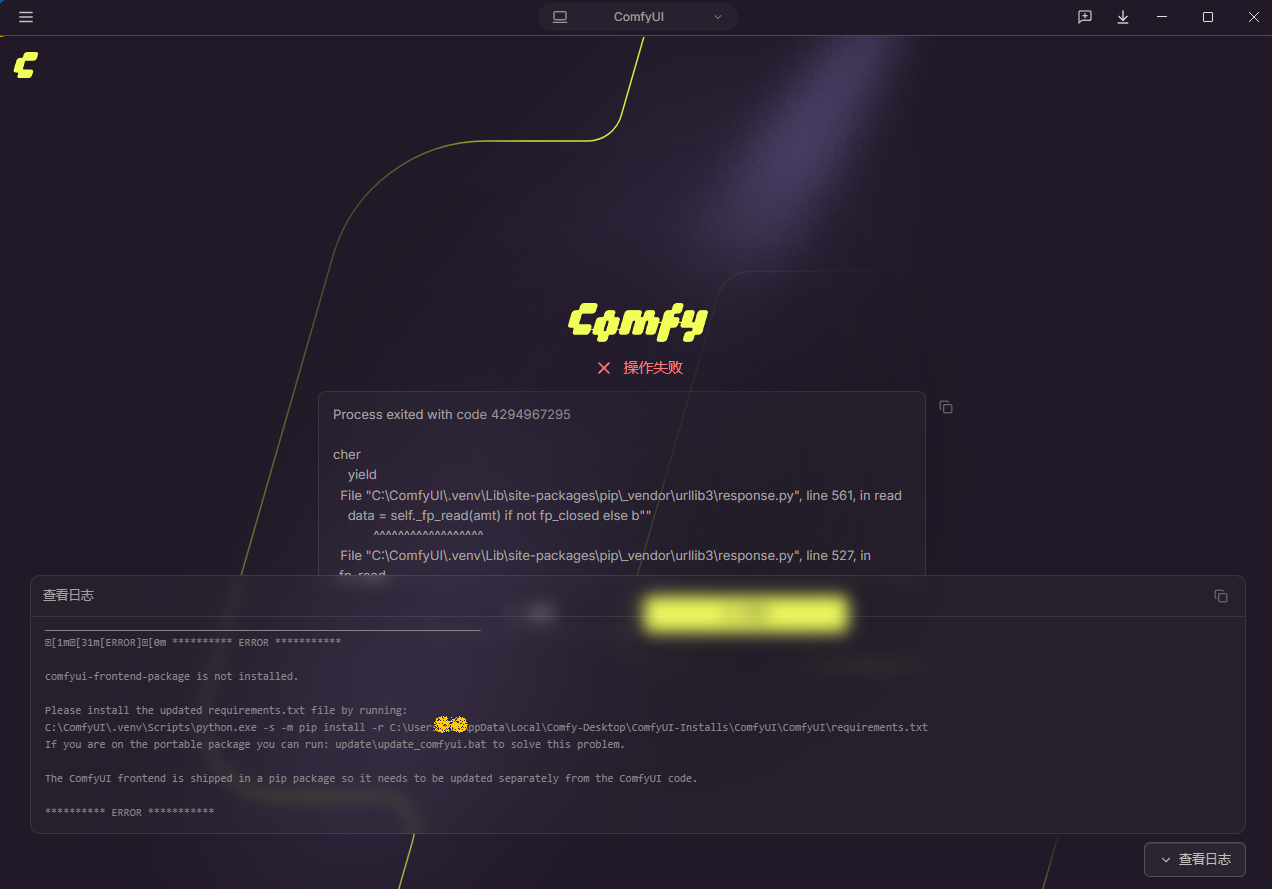
看日志,最后几行给到的建议是:
Please install the updated requirements.txt file by running:
C:\ComfyUI\.venv\Scripts\python.exe -s -m pip install -r C:\Users\****\AppData\Local\Comfy-Desktop\ComfyUI-Installs\ComfyUI\ComfyUI\requirements.txt
If you are on the portable package you can run: update\update_comfyui.bat to solve this problem.
The ComfyUI frontend is shipped in a pip package so it needs to be updated separately from the ComfyUI code.
感觉是有依赖项没装上,网络又抽风了。如果只是这样那倒真好办,手动再试着装一次。当然,加上走国内镜像的参数。所以复制了上述的建议内容中的运行代码,加上-i 参数后黏贴进cmd窗口中:
python
C:\ComfyUI\.venv\Scripts\python.exe -s -m pip install -r C:\Users\KI\AppData\Local\Comfy-Desktop\ComfyUI-Installs\ComfyUI\ComfyUI\requirements.txt -i https://pypi.tuna.tsinghua.edu.cn/simple成功。