介绍
开源库地址:https://github.com/vpenades/SharpGLTF
SharpGLTF是100%的.NET标准库,旨在支持Khronos Group glTF 2.0文件格式。
示例
创建项目
- 创建控制台项目
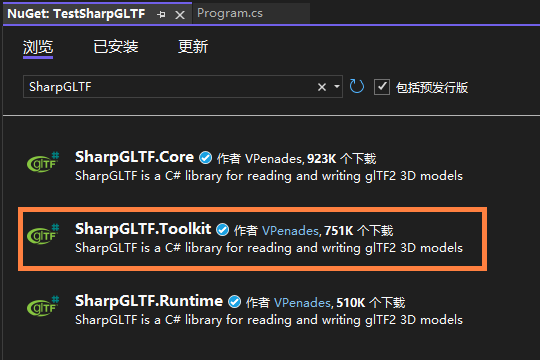
- 在NuGet搜索并添加
SharpGLTF.Toolkit库(会自动添加依赖的Core和Runtime库)
代码示例
csharp
using System.Numerics;

using SharpGLTF.Geometry;
using SharpGLTF.Materials;
using SharpGLTF.Schema2;

using VERTEX = SharpGLTF.Geometry.VertexTypes.VertexPosition;

namespace TestSharpGLTF
{
    internal class Program
    {
        static void Main(string[] args)
        {
            // create two materials

            var material1 = new MaterialBuilder()
                .WithDoubleSide(true)
                .WithMetallicRoughnessShader()
                .WithChannelParam(KnownChannel.BaseColor, KnownProperty.RGBA, new Vector4(1, 0, 0, 1));

            var material2 = new MaterialBuilder()
                .WithDoubleSide(true)
                .WithMetallicRoughnessShader()
                .WithChannelParam(KnownChannel.BaseColor, KnownProperty.RGBA, new Vector4(1, 0, 1, 1));

            // create a mesh with two primitives, one for each material

            var mesh = new MeshBuilder<VERTEX>("mesh");

            var prim = mesh.UsePrimitive(material1);
            prim.AddTriangle(new VERTEX(-10, 0, 0), new VERTEX(10, 0, 0), new VERTEX(0, 10, 0));
            prim.AddTriangle(new VERTEX(10, 0, 0), new VERTEX(-10, 0, 0), new VERTEX(0, -10, 0));

            prim = mesh.UsePrimitive(material2);
            prim.AddQuadrangle(new VERTEX(-5, 0, 3), new VERTEX(0, -5, 3), new VERTEX(5, 0, 3), new VERTEX(0, 5, 3));

            // create a scene

            var scene = new SharpGLTF.Scenes.SceneBuilder();

            scene.AddRigidMesh(mesh, Matrix4x4.Identity);

            // save the model in different formats

            var model = scene.ToGltf2();
            model.SaveAsWavefront("mesh.obj");
            model.SaveGLB("mesh.glb");
            model.SaveGLTF("mesh.gltf");
        }
    }
}- 创建了两个纯色的材质
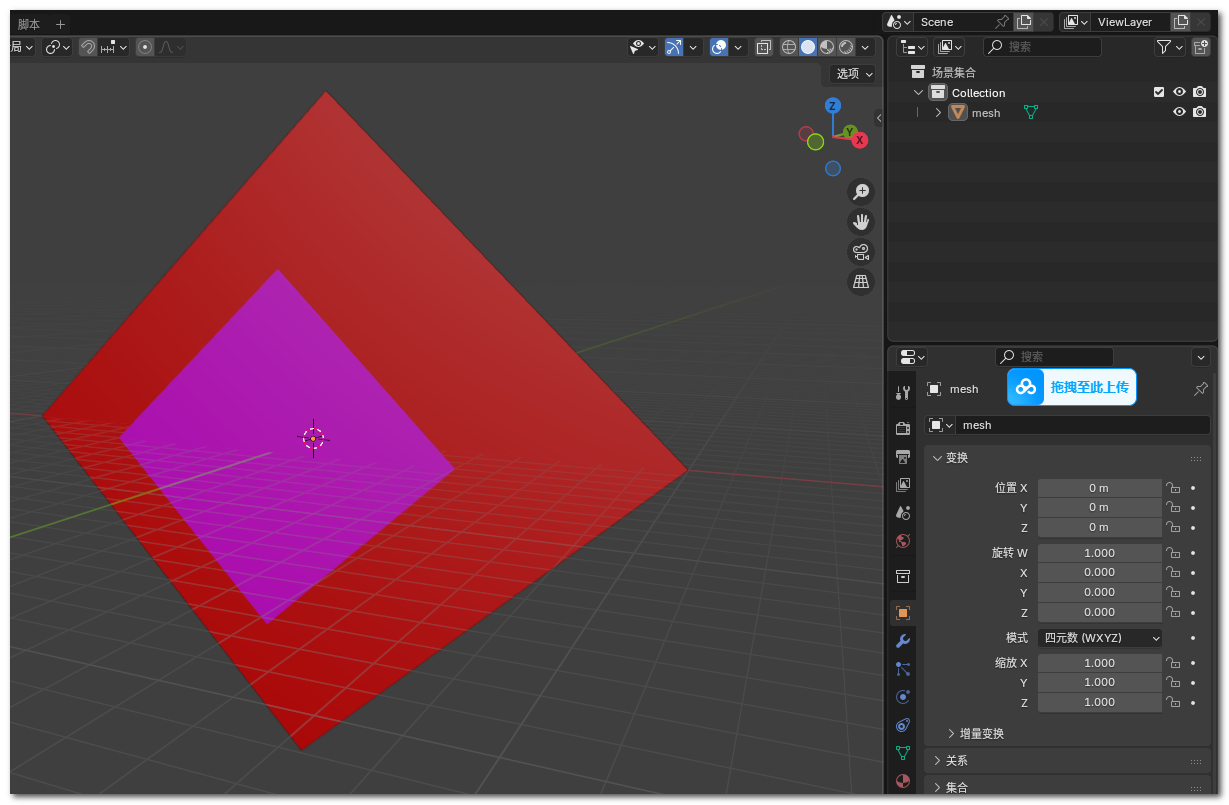
- 创建mesh,并使用前面创建的材质。一个mesh是两个三角形,另一个是一个四边形
- 创建Scene
- 导出模型
三维预览
在blender打开生成的gltf文件。
总结
通览整个库,目前没有数据格式转换的功能(其他格式转gltf,gltf转其他格式)。
该库主要是支持gltf数据的读写,所以适合使用该库的API定制gltf文件的内容。