CentOS-Stream-8模板制作
摘要:本文详细介绍了在VMware环境中制作最小化CentOS-Stream-8系统模板的完整流程。从网络配置、虚拟机创建、系统安装、基础配置到最终模板封装,涵盖了制作模板所需的关键步骤,包括:调整vmnet8网络、创建虚拟机并安装CentOS-Stream-8、配置阿里云yum源、关闭selinux安全模块、清除SSH主机密钥、清空Machine ID以及拍摄虚拟机快照。通过本教程,您可以快速创建一个干净、可复用的CentOS-Stream-8基础模板,便于后续批量部署使用。
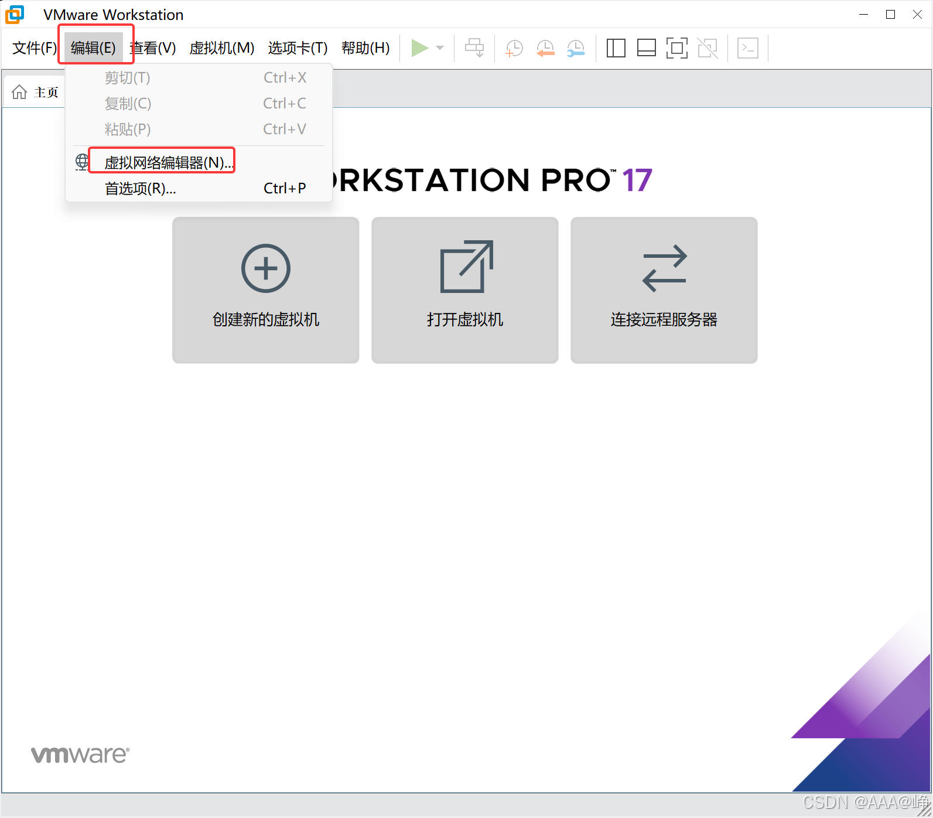
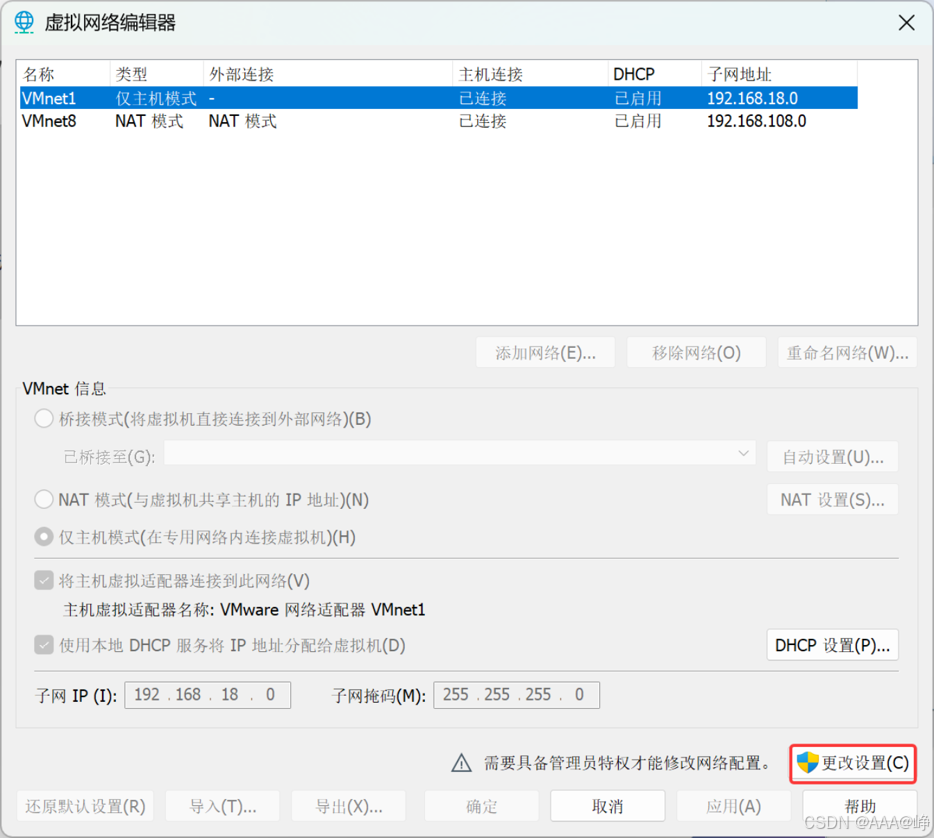
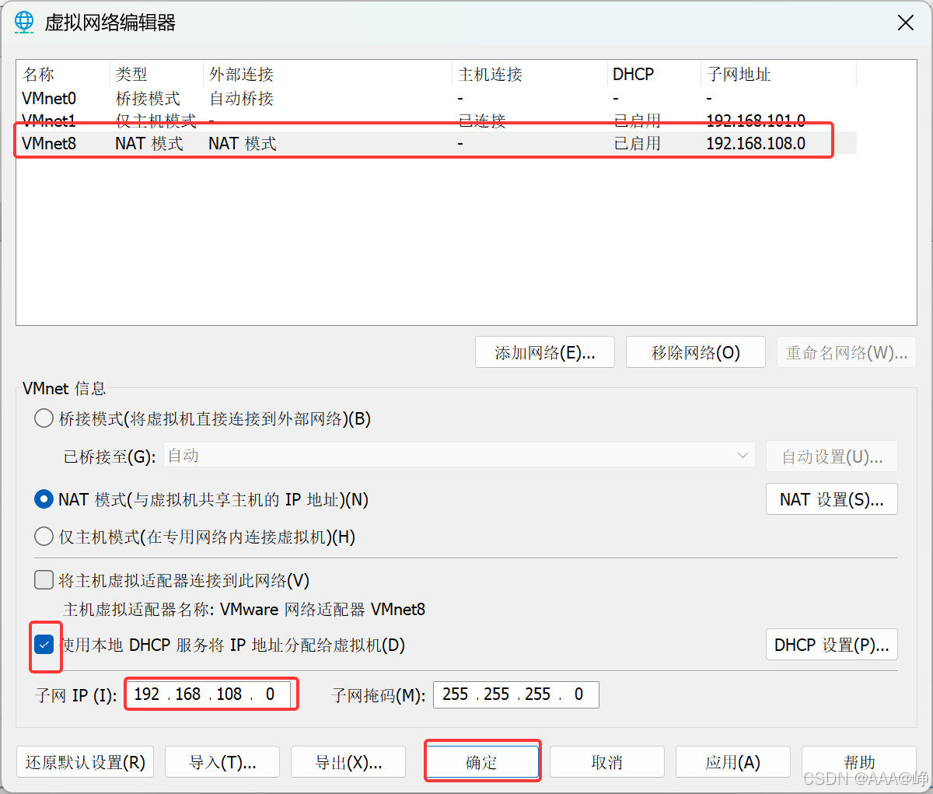
调整vmnet8网络
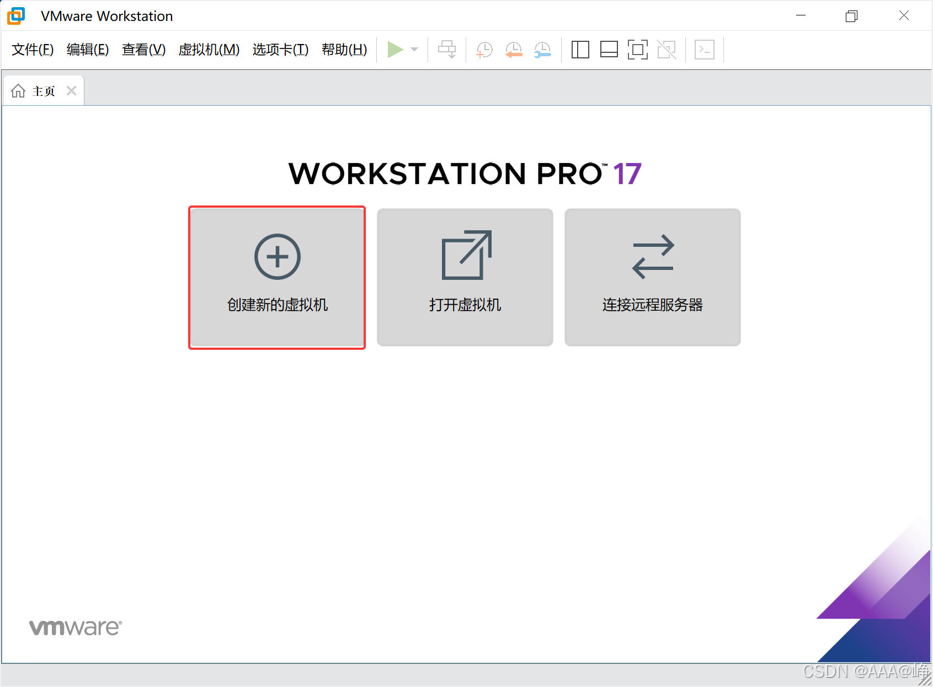
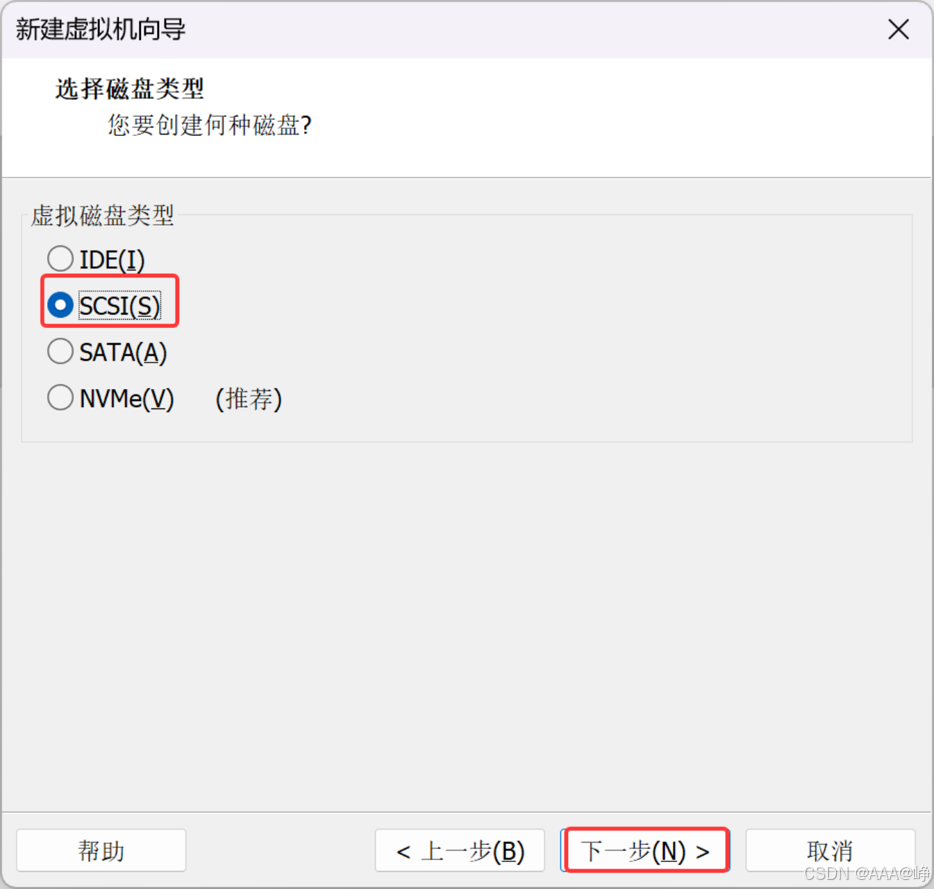
创建新虚拟机
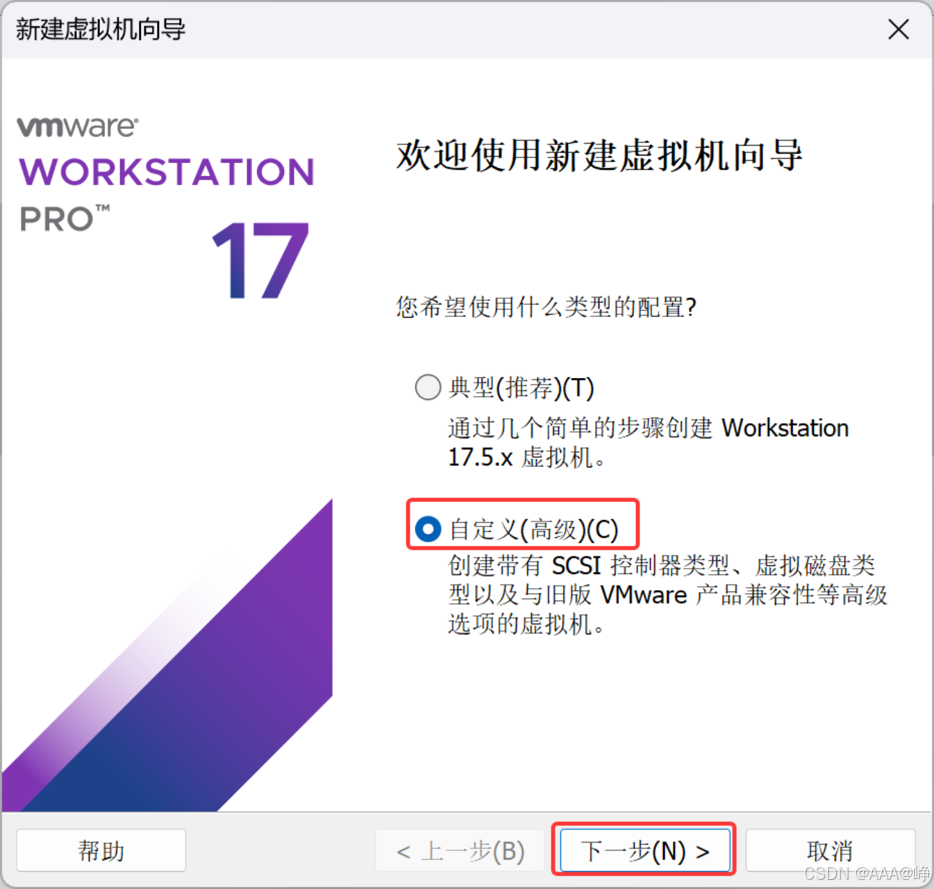
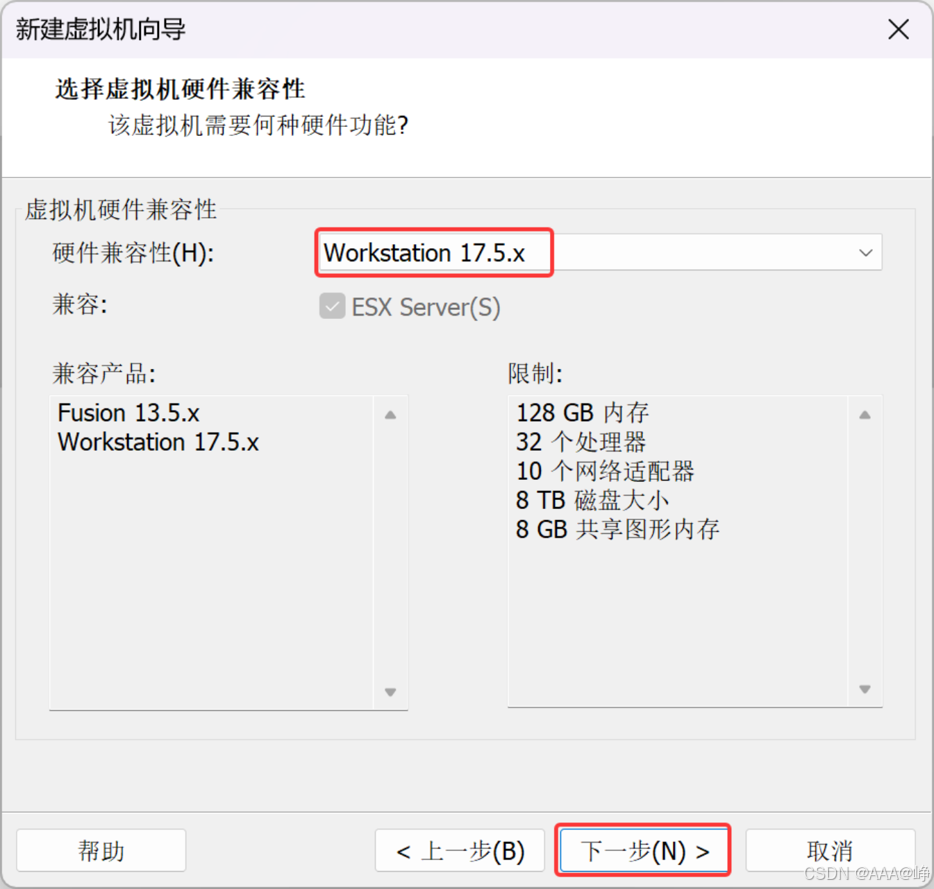
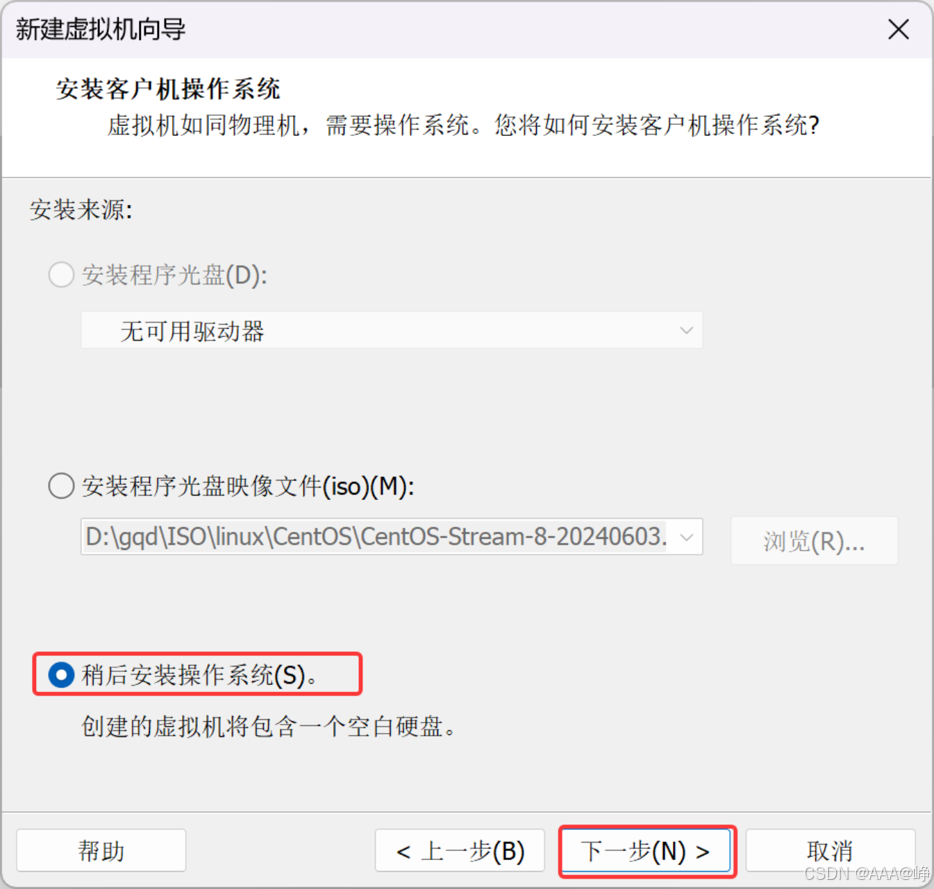
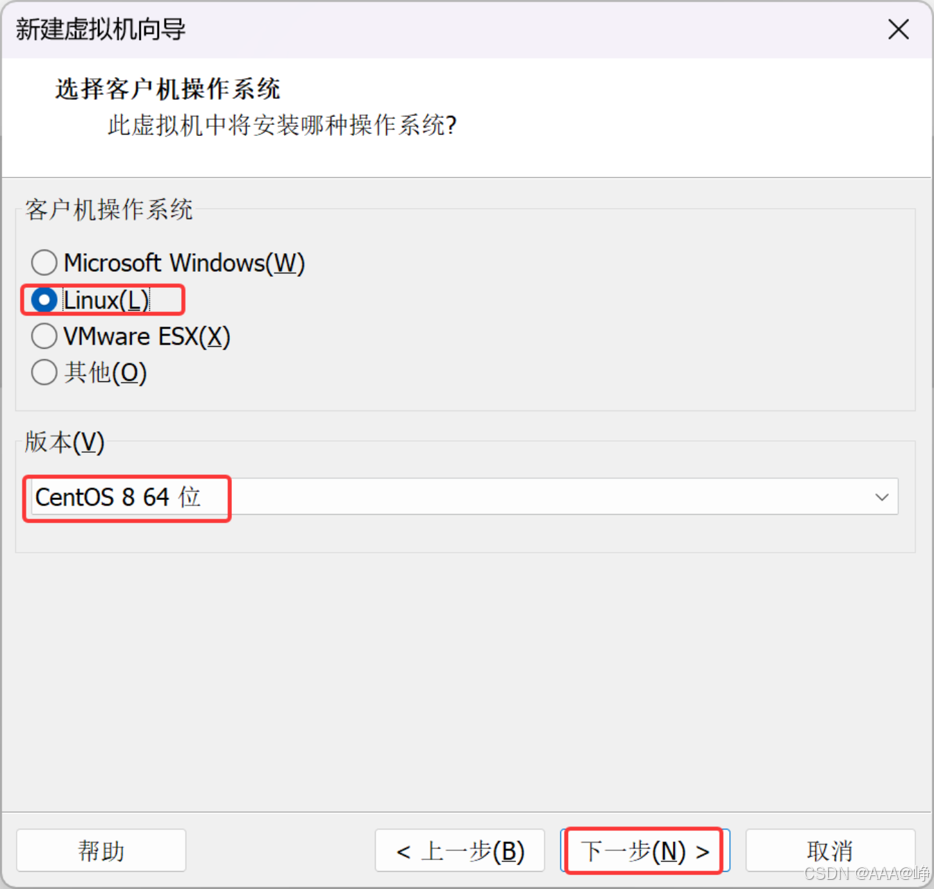
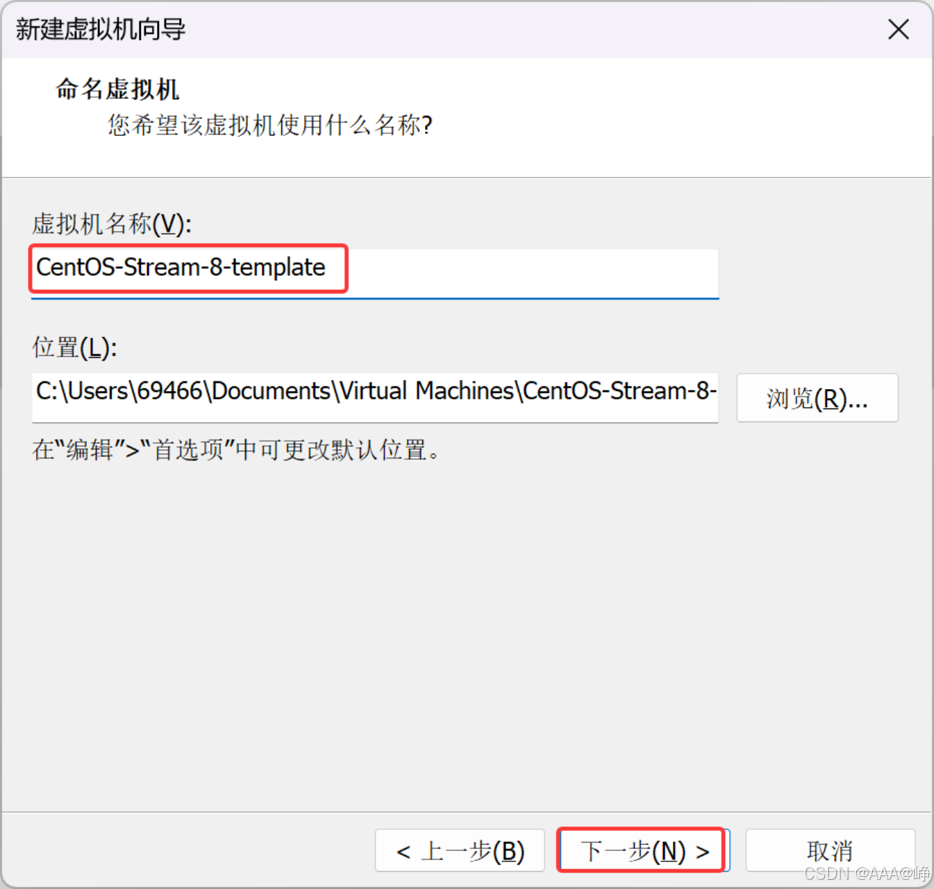
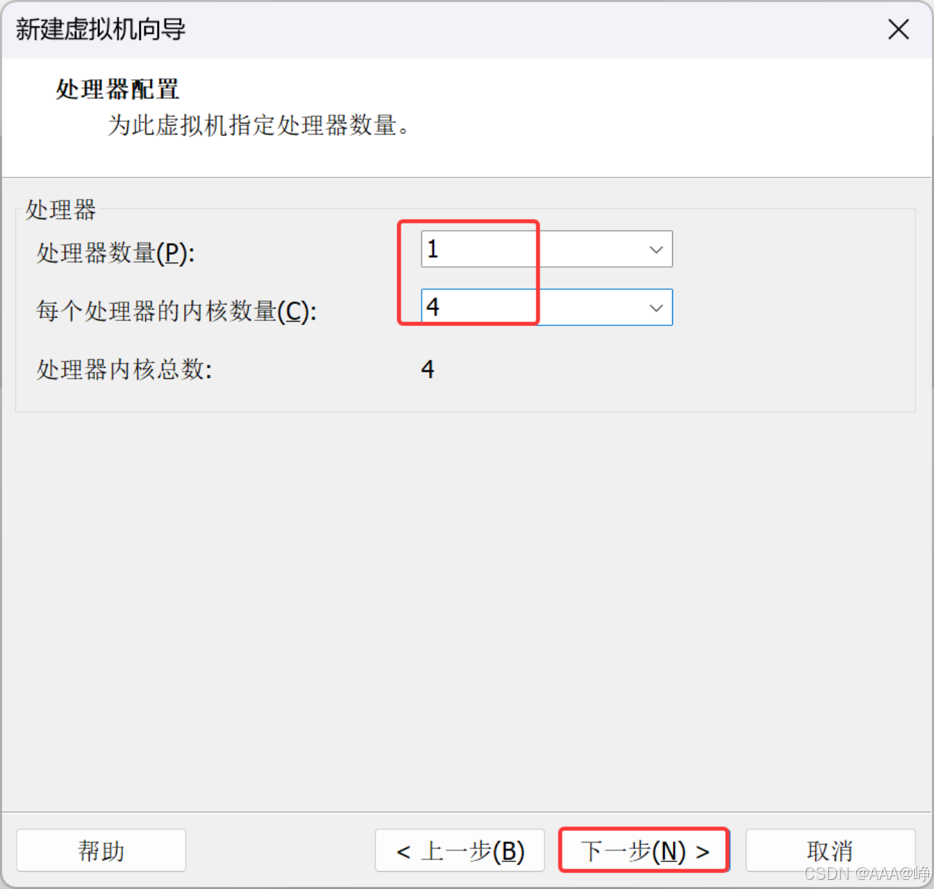
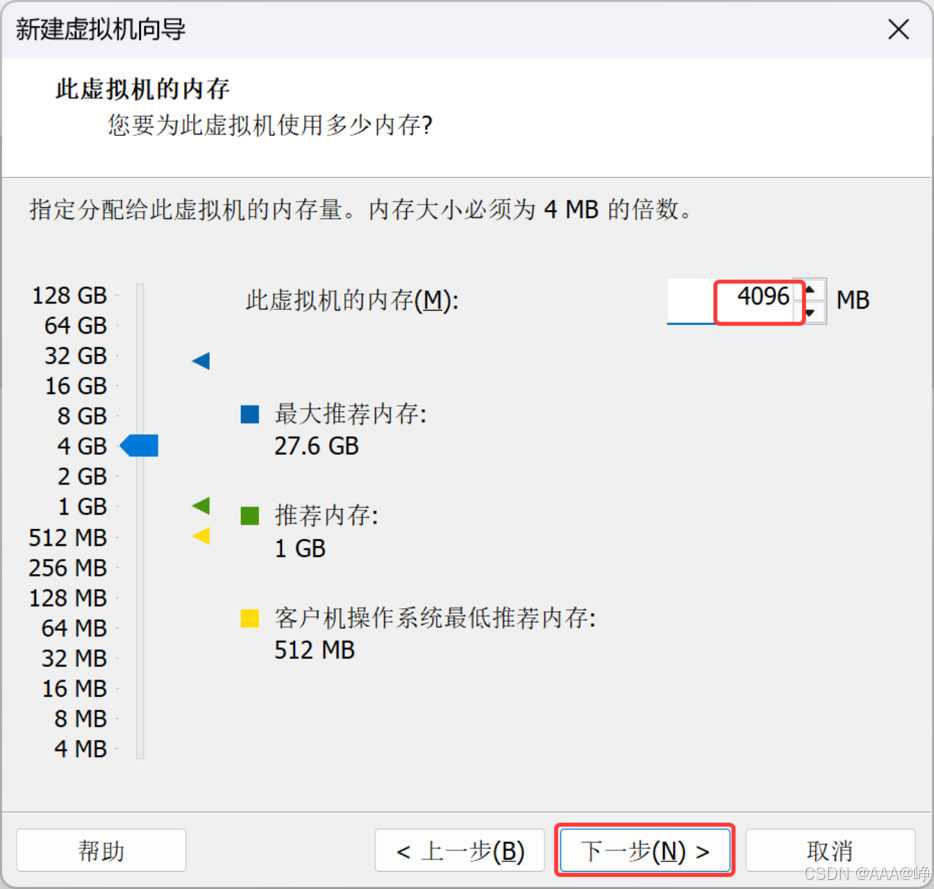
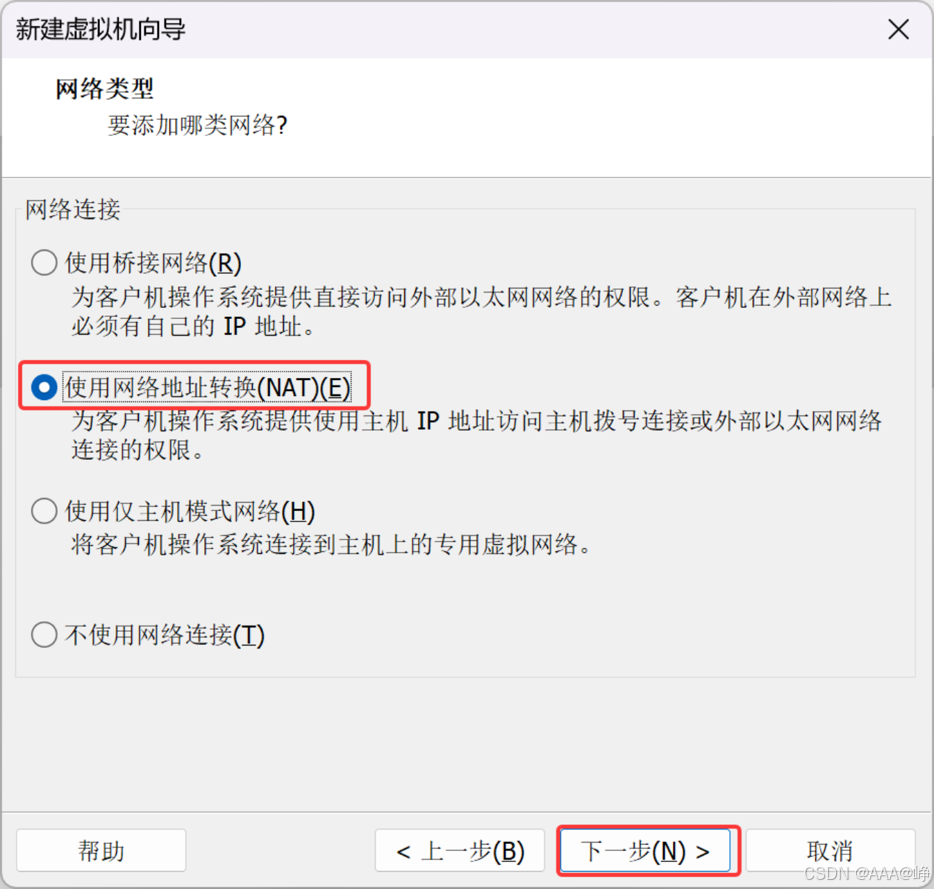
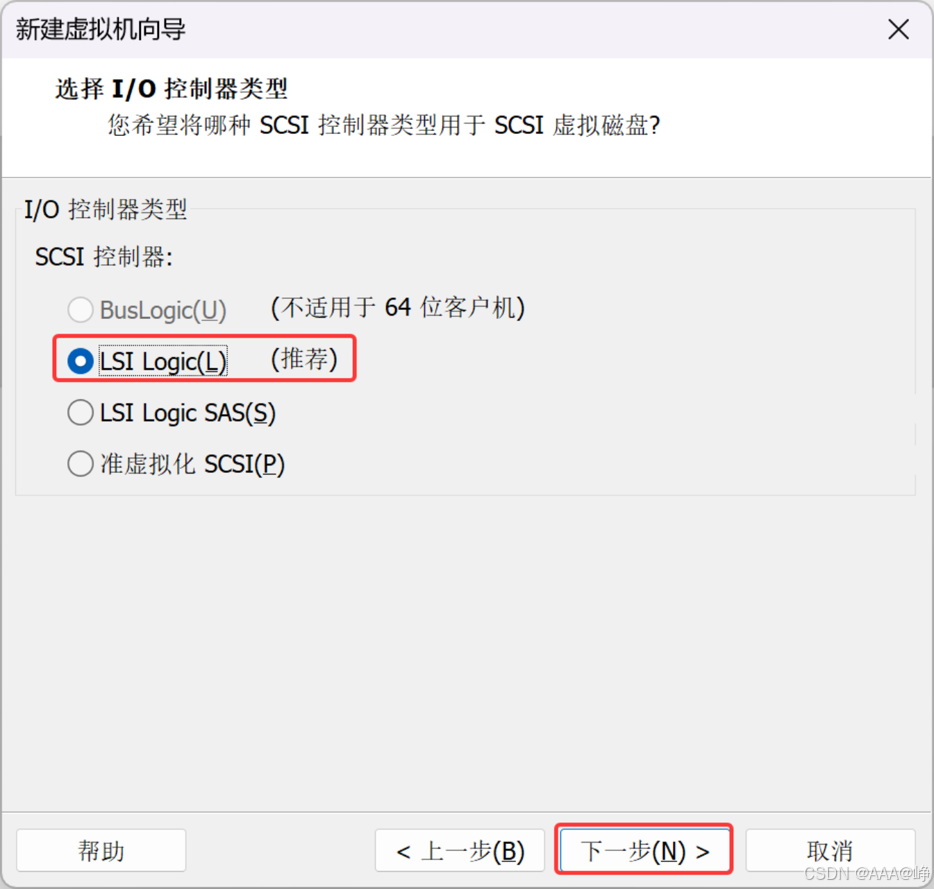
选择SCSI
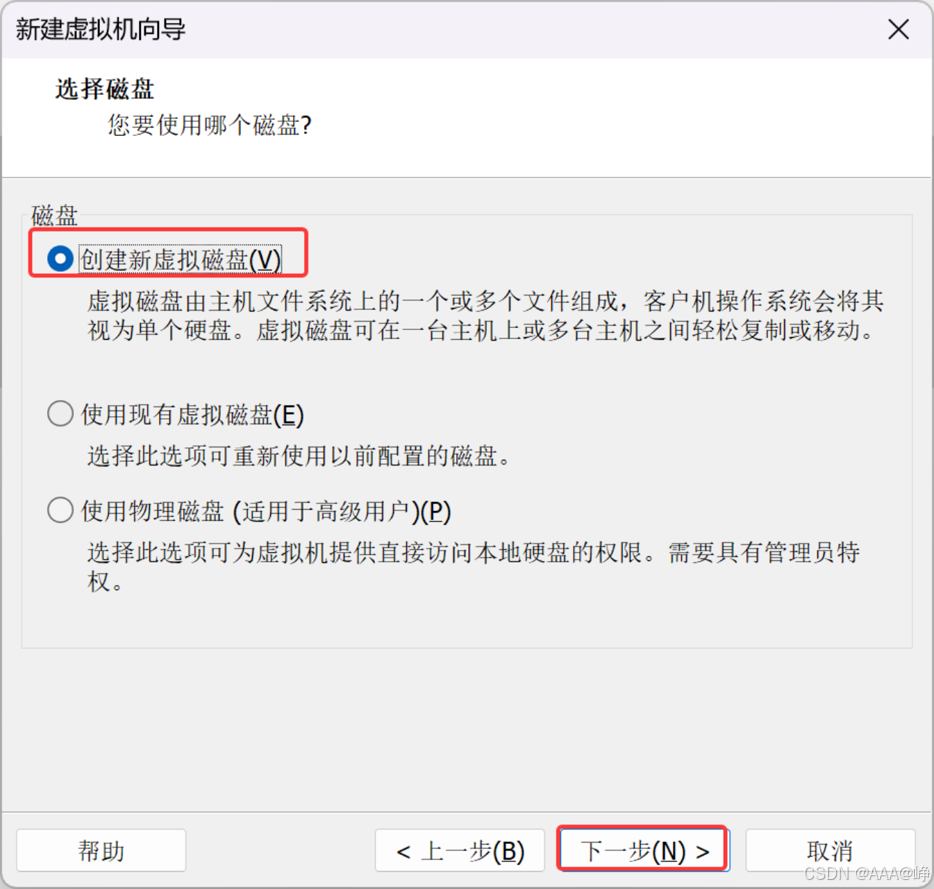
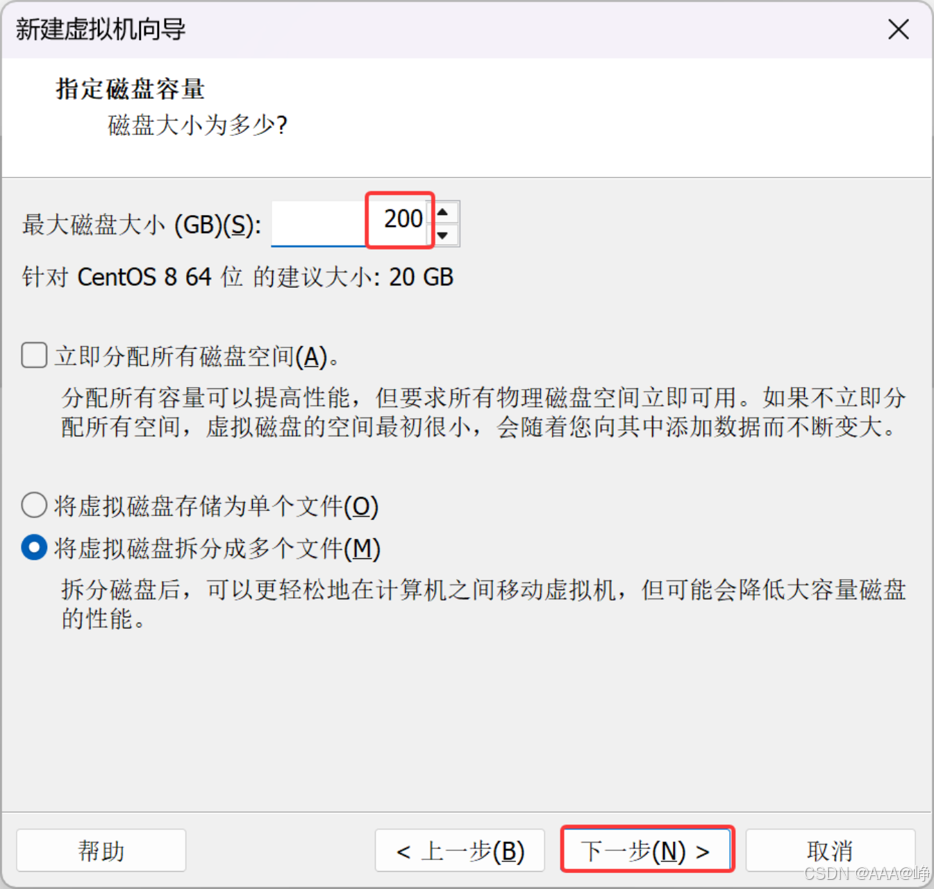
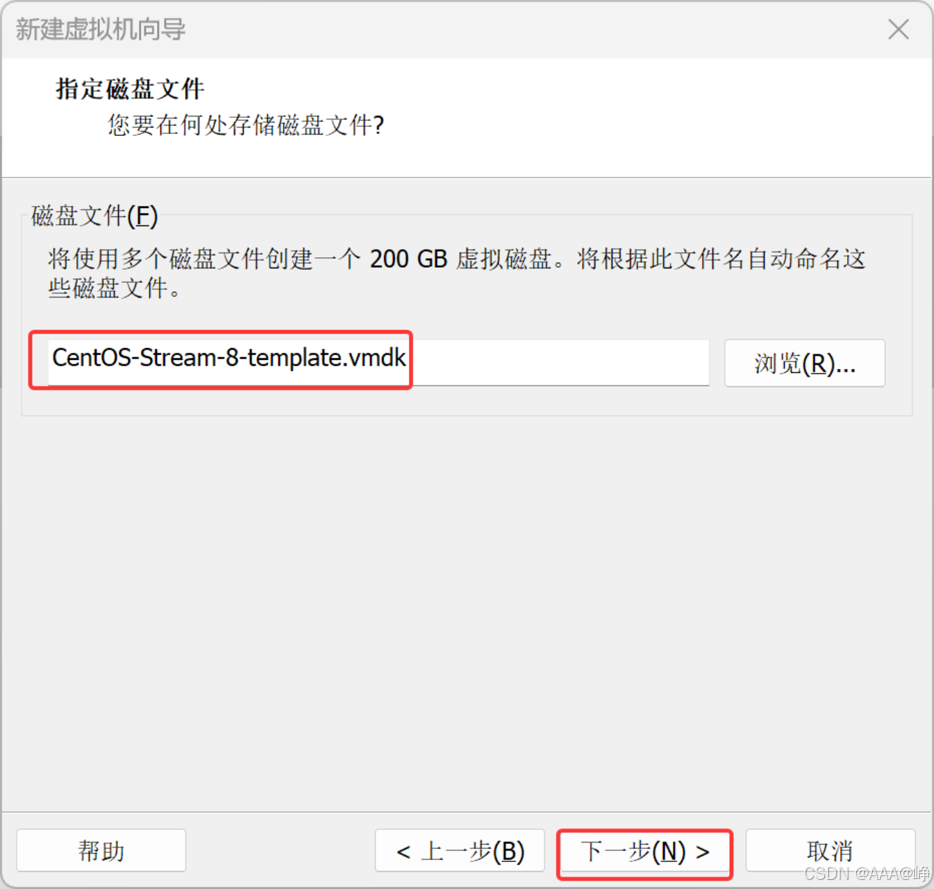
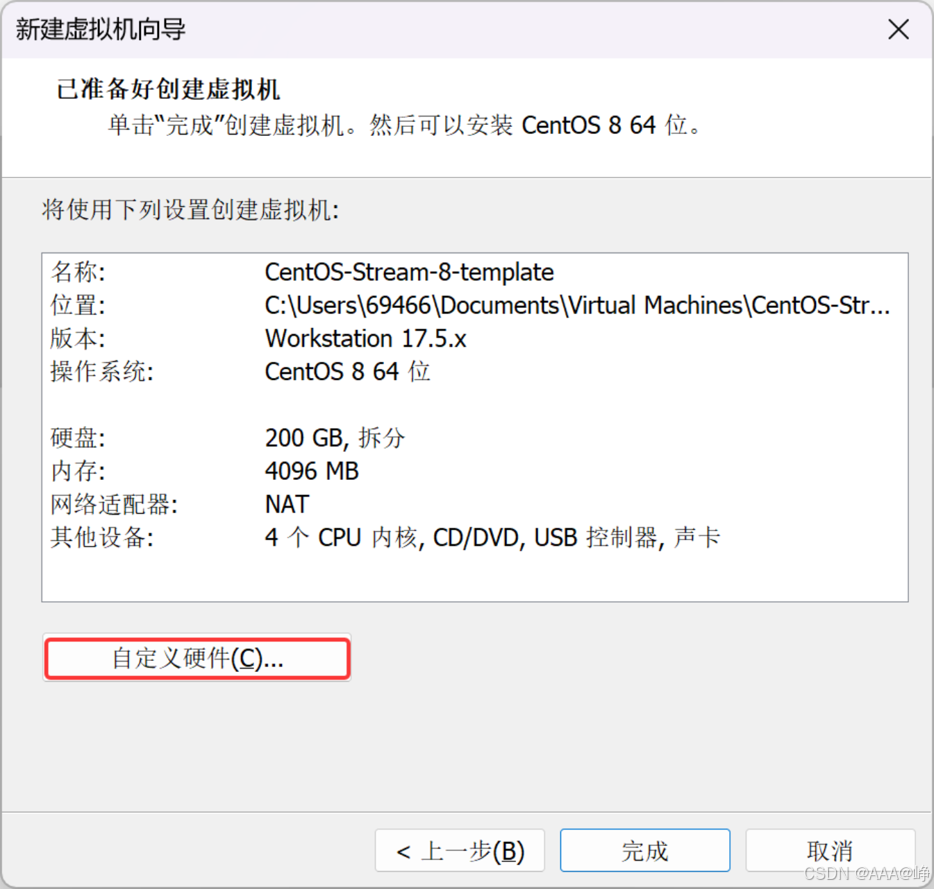
选择镜像文件
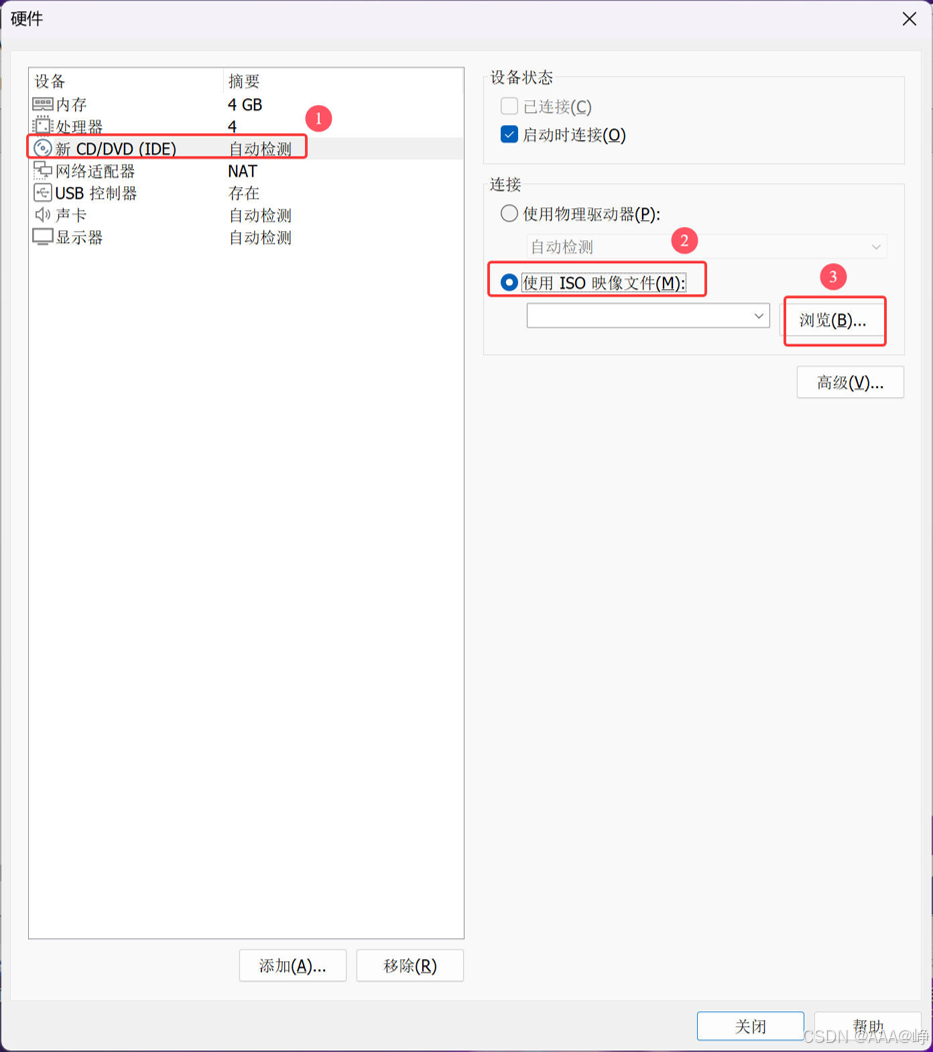
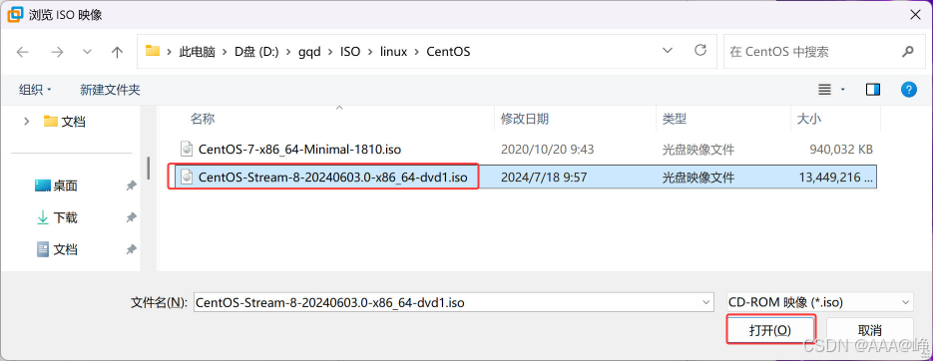
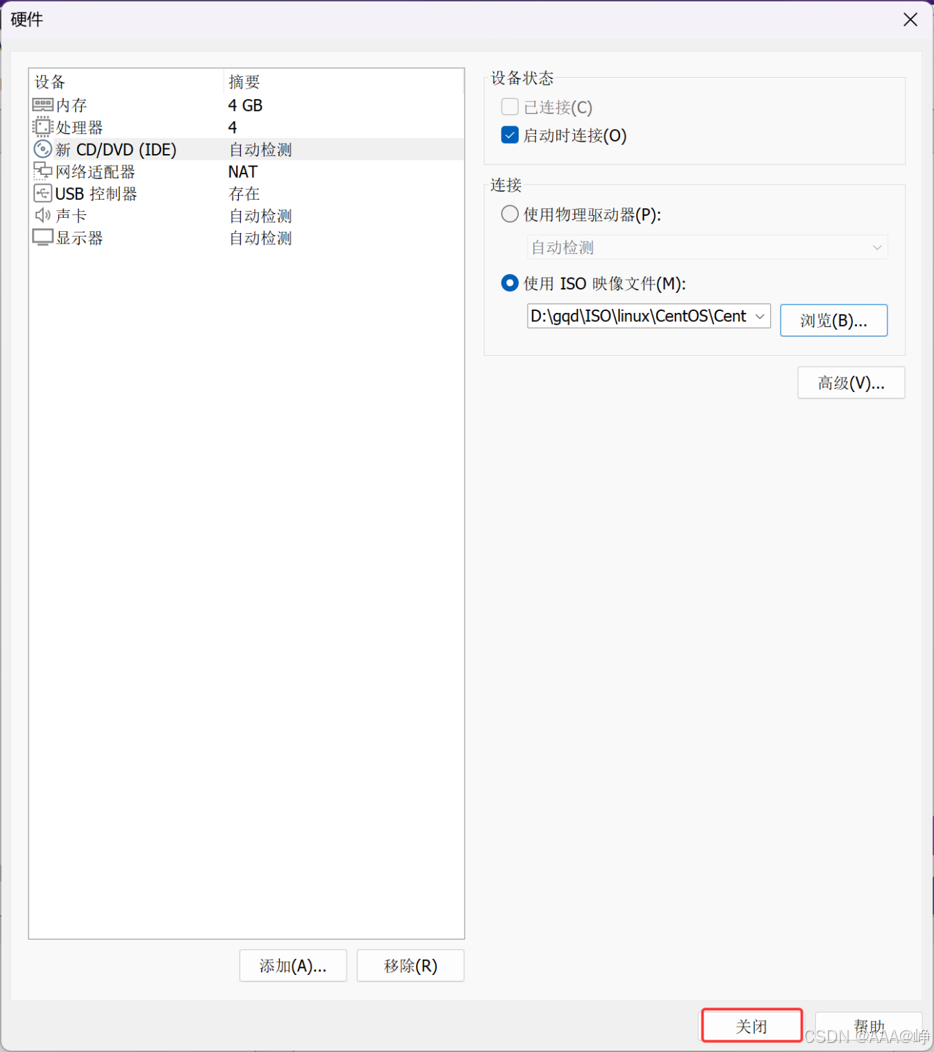
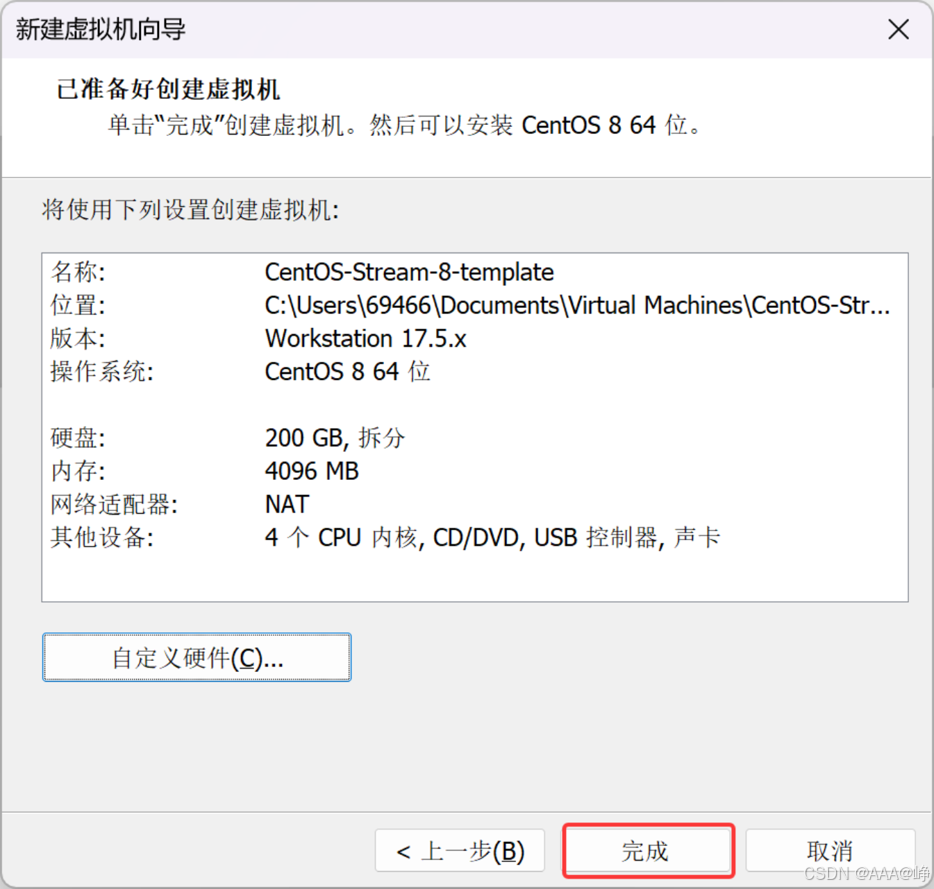
开启虚拟机
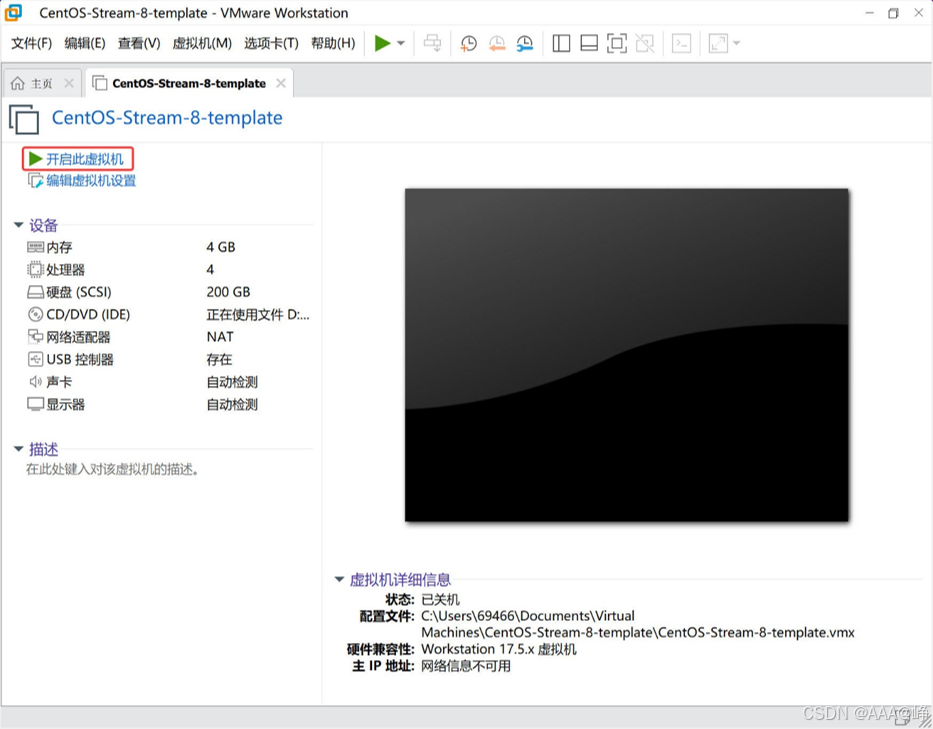
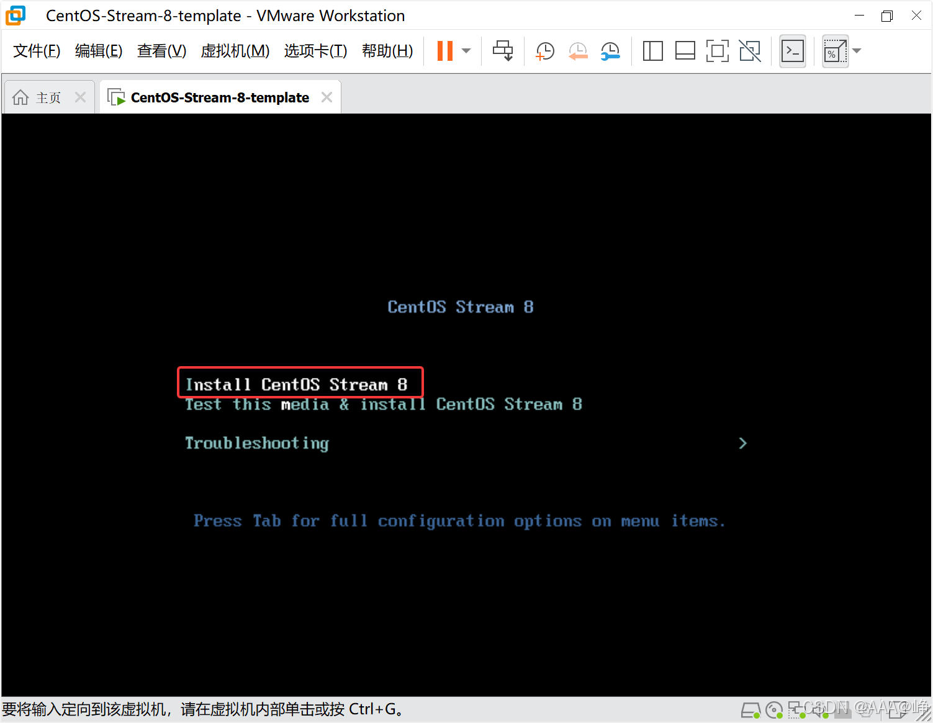
选择第一项安装
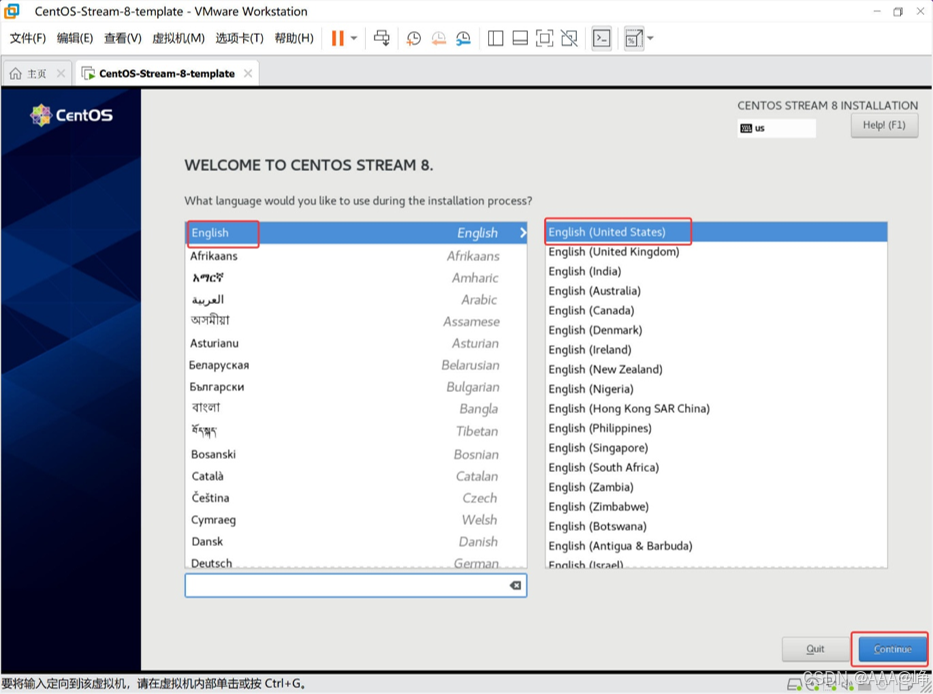
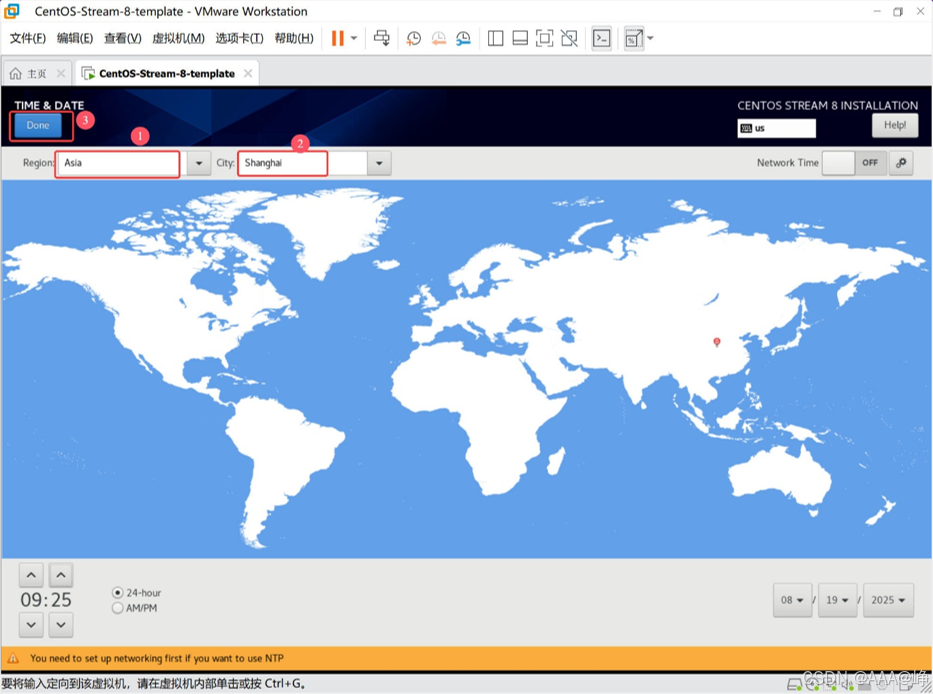
选择安装语言
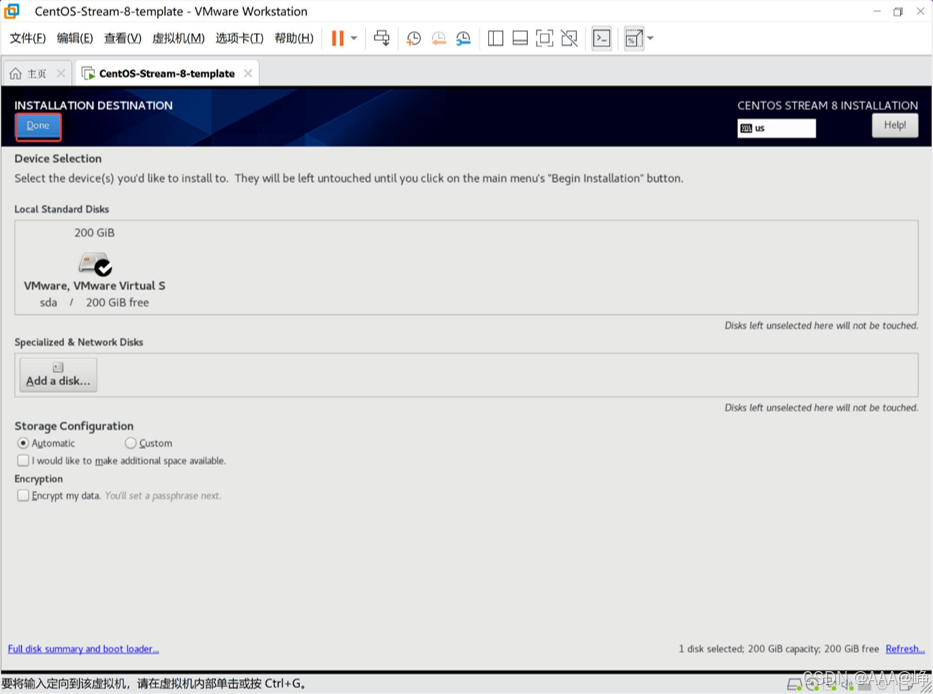
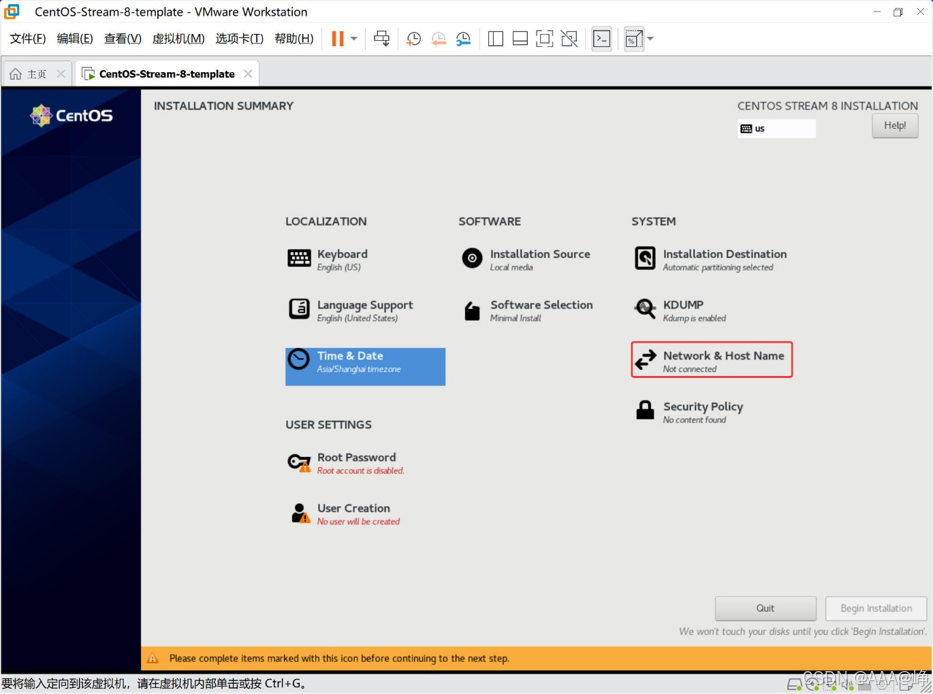
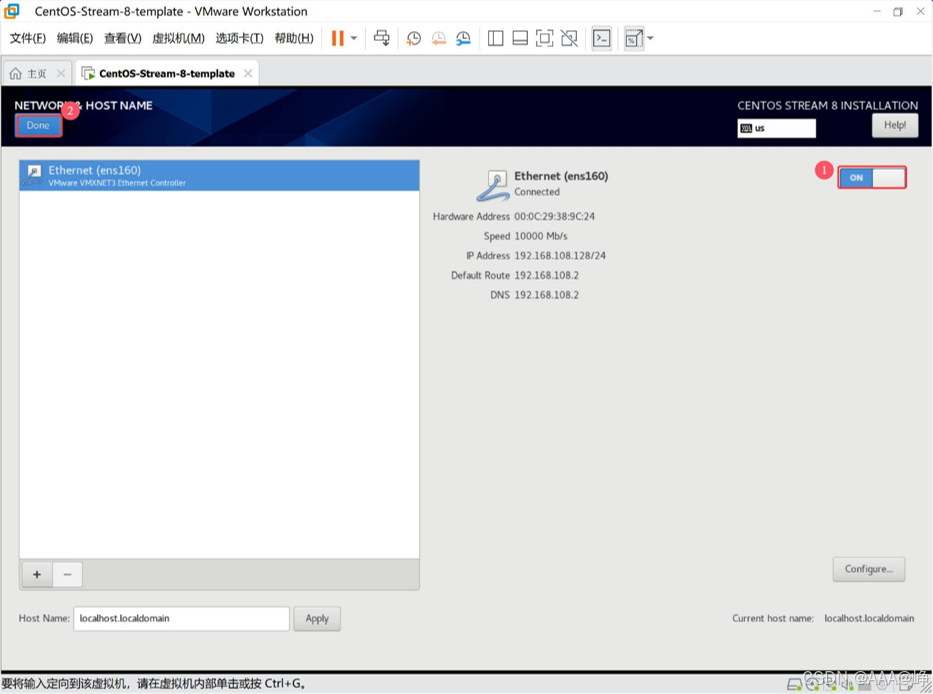
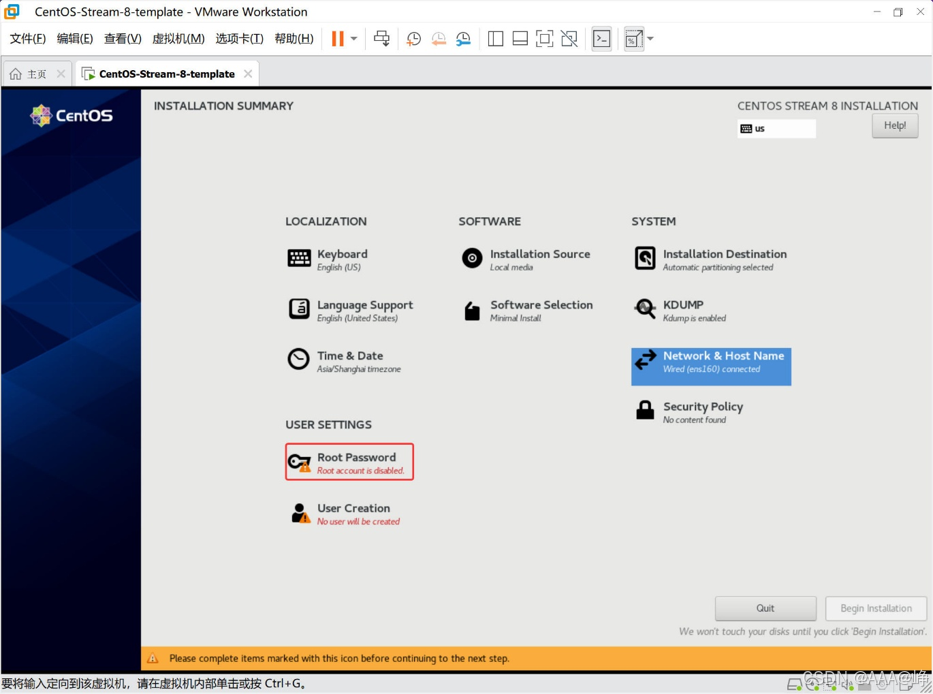
选择安装位置
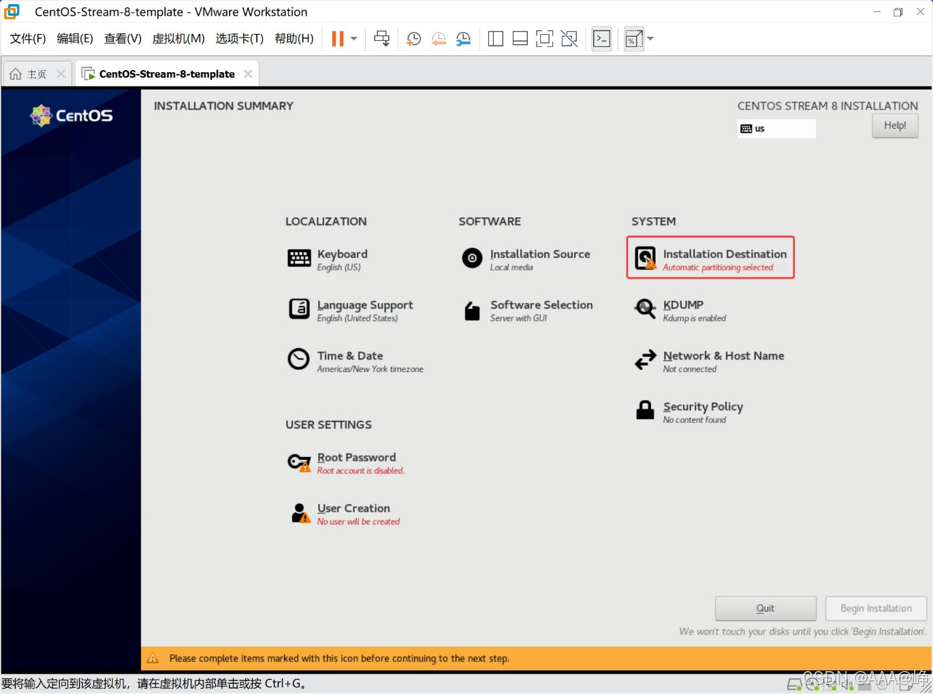
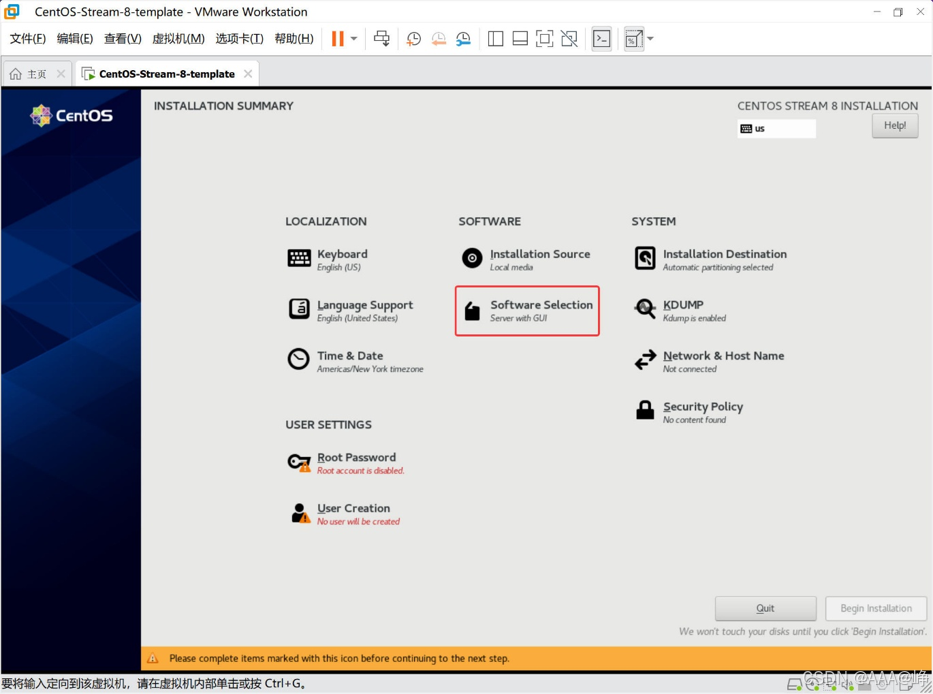
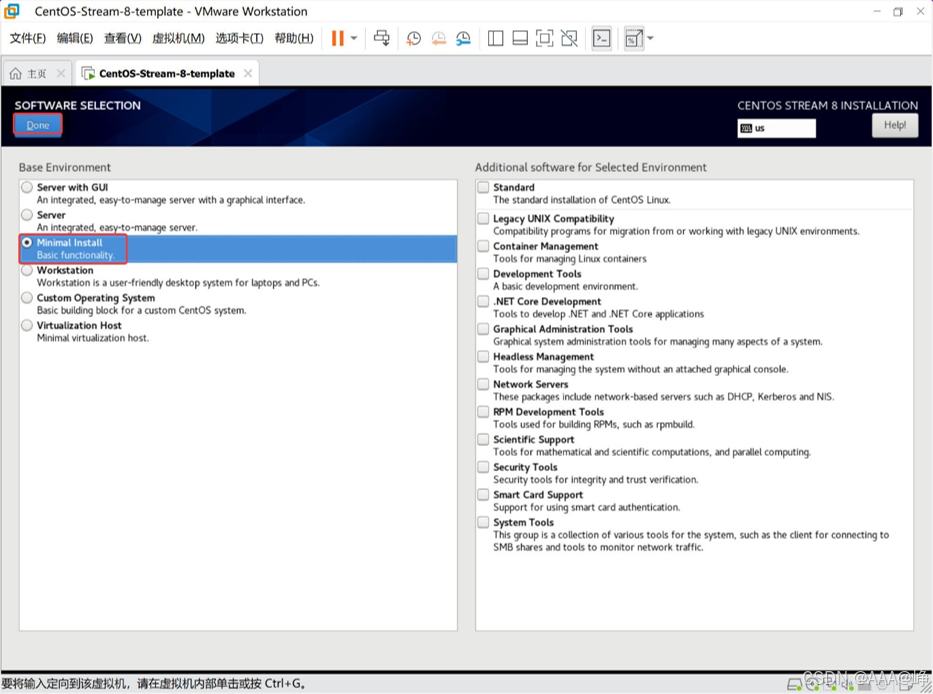
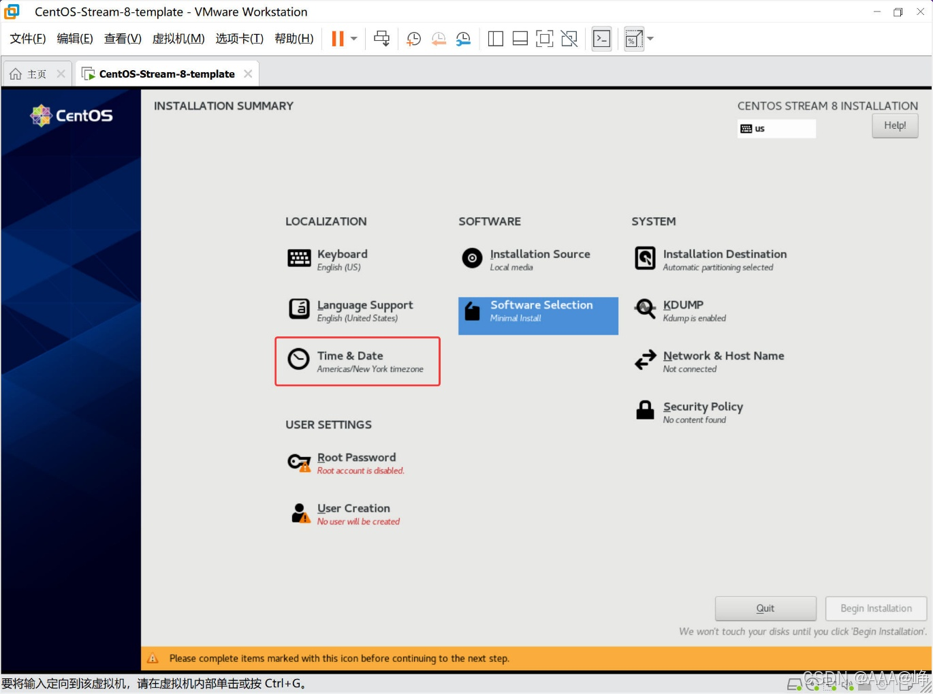
选择安装的软件包
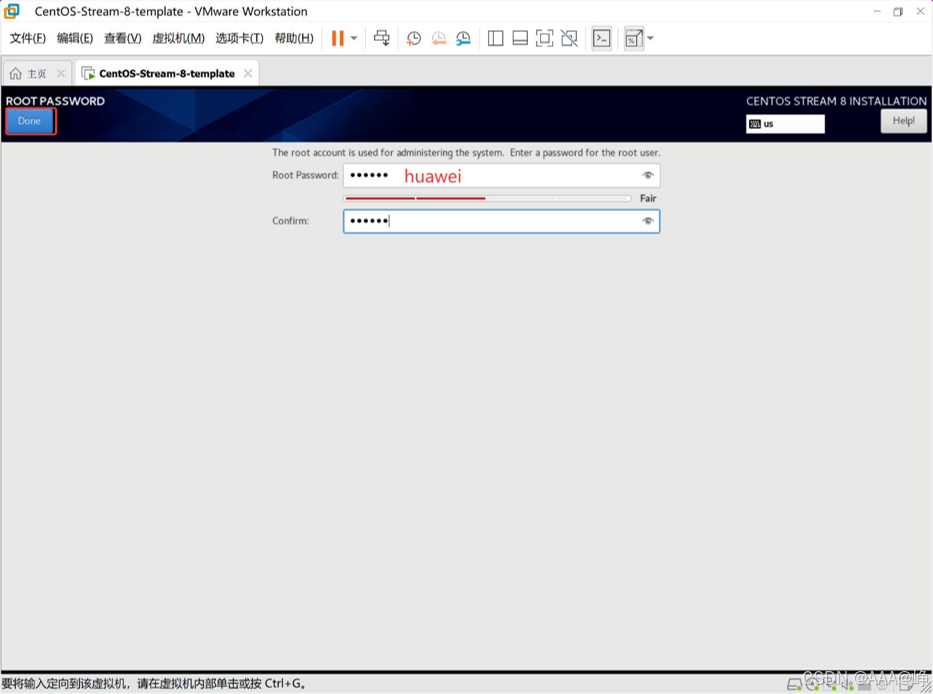
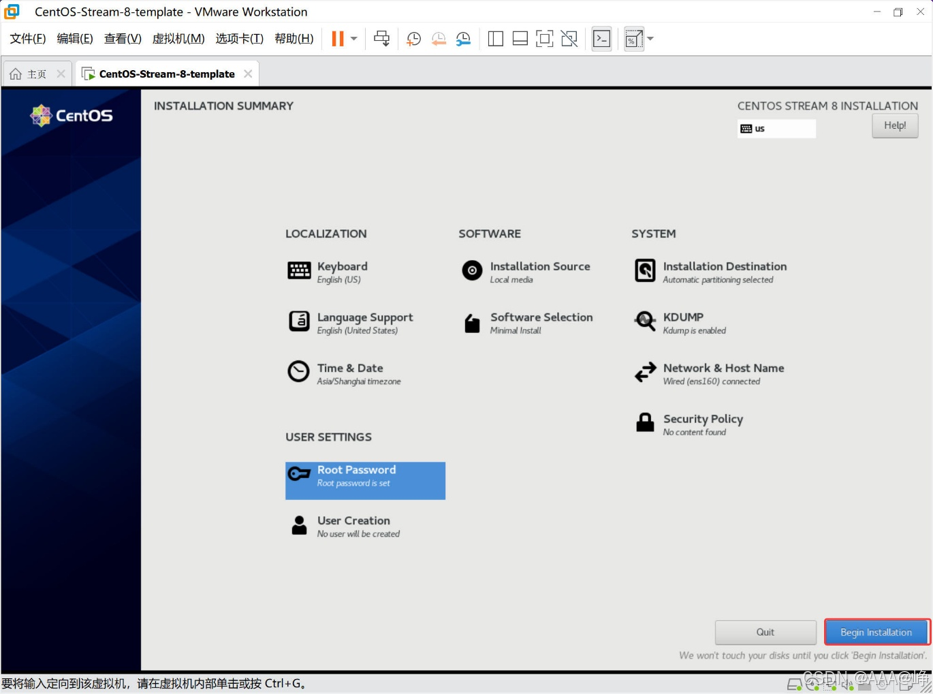
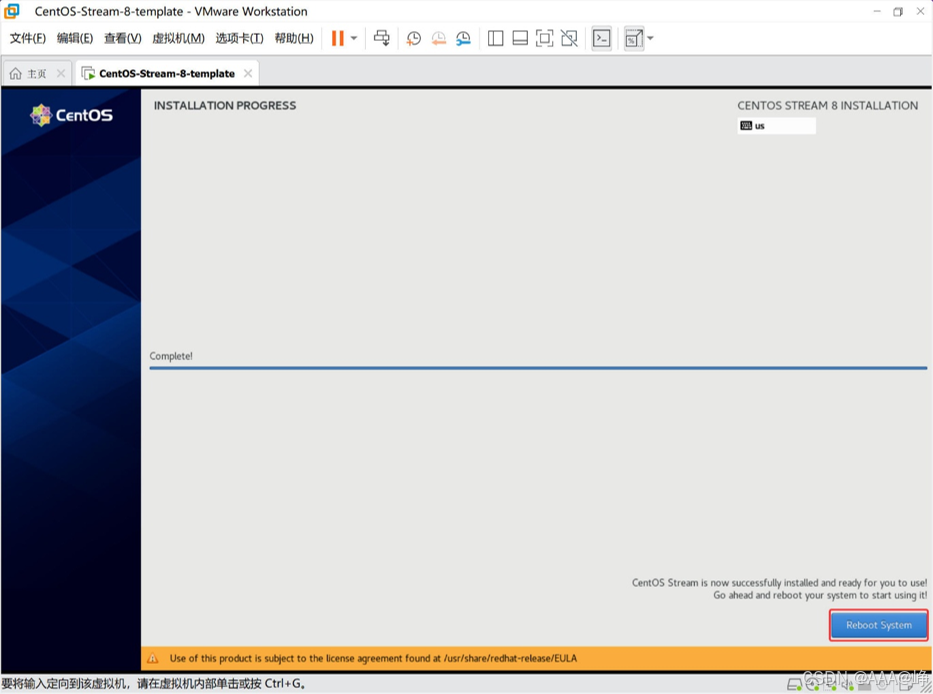
配置yum源
bash
[root@localhost ~]# rm -rf /etc/yum.repos.d/*

[root@localhost ~]# cat <<EOF > /etc/yum.repos.d/os.repo
[baseos]
name=CentOS Stream 8 - BaseOS
baseurl=https://mirrors.aliyun.com/centos-vault/8-stream/BaseOS/x86_64/os/
gpgcheck=0
enabled=1

[appstream]
name=CentOS Stream 8 - AppStream
baseurl=https://mirrors.aliyun.com/centos-vault/8-stream/AppStream/x86_64/os/
gpgcheck=0
enabled=1
EOF

[root@localhost ~]# dnf clean all
0 files removed
[root@localhost ~]# dnf makecache
关闭selinux
bash
[root@localhost ~]# sed -i '/^SELINUX=/cSELINUX=disabled' /etc/selinux/config清除密钥信息
bash
[root@localhost ~]# cd /etc/ssh/
[root@localhost ssh]# rm -rf ssh_host_*
清除Machine ID
bash
[root@localhost ~]# cat /dev/null > /etc/machine-id
[root@localhost ~]# cat /etc/machine-id
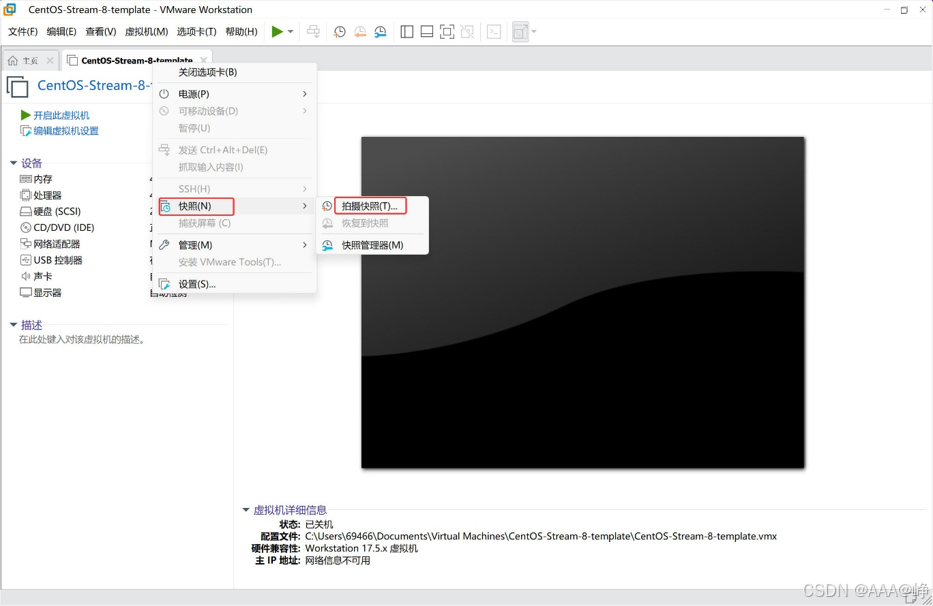
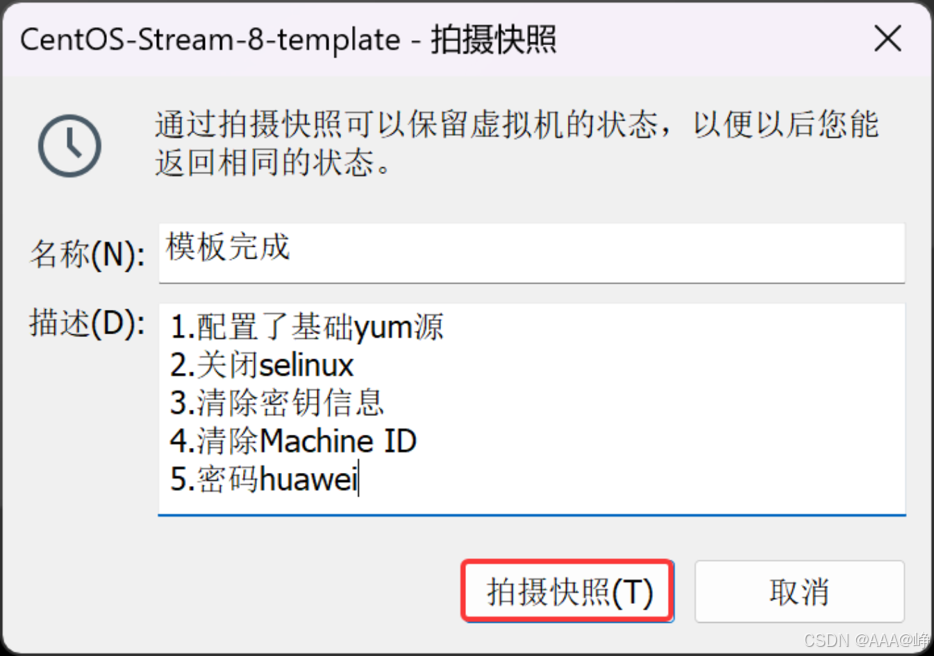
关闭操作系统
bash
[root@localhost ~]# poweroff 拍摄快照