在 AI 大模型(如 ChatGPT)时代,流式数据传输(Streaming)变得越来越普遍。
而在前端实现 SSE 实时接收服务器推送数据,主要有以下三种方式。本文将按照推荐程度从高到低 进行排列。
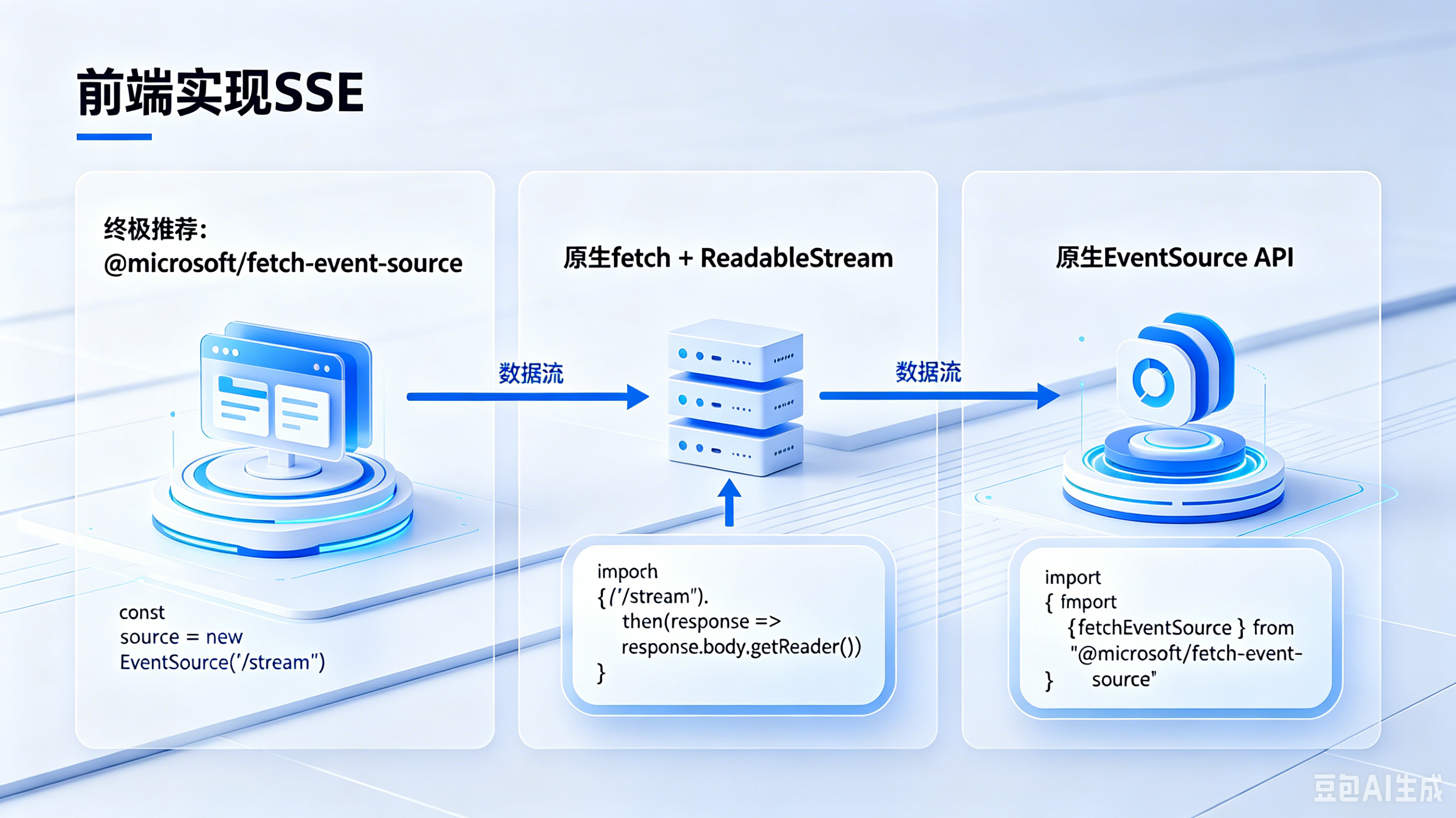
📊 三种SSE实现方式对比概览
#mermaid-svg-5Lp0mhABKsDx9tSh{font-family:"trebuchet ms",verdana,arial,sans-serif;font-size:16px;fill:#333;}@keyframes edge-animation-frame{from{stroke-dashoffset:0;}}@keyframes dash{to{stroke-dashoffset:0;}}#mermaid-svg-5Lp0mhABKsDx9tSh .edge-animation-slow{stroke-dasharray:9,5!important;stroke-dashoffset:900;animation:dash 50s linear infinite;stroke-linecap:round;}#mermaid-svg-5Lp0mhABKsDx9tSh .edge-animation-fast{stroke-dasharray:9,5!important;stroke-dashoffset:900;animation:dash 20s linear infinite;stroke-linecap:round;}#mermaid-svg-5Lp0mhABKsDx9tSh .error-icon{fill:#552222;}#mermaid-svg-5Lp0mhABKsDx9tSh .error-text{fill:#552222;stroke:#552222;}#mermaid-svg-5Lp0mhABKsDx9tSh .edge-thickness-normal{stroke-width:1px;}#mermaid-svg-5Lp0mhABKsDx9tSh .edge-thickness-thick{stroke-width:3.5px;}#mermaid-svg-5Lp0mhABKsDx9tSh .edge-pattern-solid{stroke-dasharray:0;}#mermaid-svg-5Lp0mhABKsDx9tSh .edge-thickness-invisible{stroke-width:0;fill:none;}#mermaid-svg-5Lp0mhABKsDx9tSh .edge-pattern-dashed{stroke-dasharray:3;}#mermaid-svg-5Lp0mhABKsDx9tSh .edge-pattern-dotted{stroke-dasharray:2;}#mermaid-svg-5Lp0mhABKsDx9tSh .marker{fill:#333333;stroke:#333333;}#mermaid-svg-5Lp0mhABKsDx9tSh .marker.cross{stroke:#333333;}#mermaid-svg-5Lp0mhABKsDx9tSh svg{font-family:"trebuchet ms",verdana,arial,sans-serif;font-size:16px;}#mermaid-svg-5Lp0mhABKsDx9tSh p{margin:0;}#mermaid-svg-5Lp0mhABKsDx9tSh .label{font-family:"trebuchet ms",verdana,arial,sans-serif;color:#333;}#mermaid-svg-5Lp0mhABKsDx9tSh .cluster-label text{fill:#333;}#mermaid-svg-5Lp0mhABKsDx9tSh .cluster-label span{color:#333;}#mermaid-svg-5Lp0mhABKsDx9tSh .cluster-label span p{background-color:transparent;}#mermaid-svg-5Lp0mhABKsDx9tSh .label text,#mermaid-svg-5Lp0mhABKsDx9tSh span{fill:#333;color:#333;}#mermaid-svg-5Lp0mhABKsDx9tSh .node rect,#mermaid-svg-5Lp0mhABKsDx9tSh .node circle,#mermaid-svg-5Lp0mhABKsDx9tSh .node ellipse,#mermaid-svg-5Lp0mhABKsDx9tSh .node polygon,#mermaid-svg-5Lp0mhABKsDx9tSh .node path{fill:#ECECFF;stroke:#9370DB;stroke-width:1px;}#mermaid-svg-5Lp0mhABKsDx9tSh .rough-node .label text,#mermaid-svg-5Lp0mhABKsDx9tSh .node .label text,#mermaid-svg-5Lp0mhABKsDx9tSh .image-shape .label,#mermaid-svg-5Lp0mhABKsDx9tSh .icon-shape .label{text-anchor:middle;}#mermaid-svg-5Lp0mhABKsDx9tSh .node .katex path{fill:#000;stroke:#000;stroke-width:1px;}#mermaid-svg-5Lp0mhABKsDx9tSh .rough-node .label,#mermaid-svg-5Lp0mhABKsDx9tSh .node .label,#mermaid-svg-5Lp0mhABKsDx9tSh .image-shape .label,#mermaid-svg-5Lp0mhABKsDx9tSh .icon-shape .label{text-align:center;}#mermaid-svg-5Lp0mhABKsDx9tSh .node.clickable{cursor:pointer;}#mermaid-svg-5Lp0mhABKsDx9tSh .root .anchor path{fill:#333333!important;stroke-width:0;stroke:#333333;}#mermaid-svg-5Lp0mhABKsDx9tSh .arrowheadPath{fill:#333333;}#mermaid-svg-5Lp0mhABKsDx9tSh .edgePath .path{stroke:#333333;stroke-width:2.0px;}#mermaid-svg-5Lp0mhABKsDx9tSh .flowchart-link{stroke:#333333;fill:none;}#mermaid-svg-5Lp0mhABKsDx9tSh .edgeLabel{background-color:rgba(232,232,232, 0.8);text-align:center;}#mermaid-svg-5Lp0mhABKsDx9tSh .edgeLabel p{background-color:rgba(232,232,232, 0.8);}#mermaid-svg-5Lp0mhABKsDx9tSh .edgeLabel rect{opacity:0.5;background-color:rgba(232,232,232, 0.8);fill:rgba(232,232,232, 0.8);}#mermaid-svg-5Lp0mhABKsDx9tSh .labelBkg{background-color:rgba(232, 232, 232, 0.5);}#mermaid-svg-5Lp0mhABKsDx9tSh .cluster rect{fill:#ffffde;stroke:#aaaa33;stroke-width:1px;}#mermaid-svg-5Lp0mhABKsDx9tSh .cluster text{fill:#333;}#mermaid-svg-5Lp0mhABKsDx9tSh .cluster span{color:#333;}#mermaid-svg-5Lp0mhABKsDx9tSh div.mermaidTooltip{position:absolute;text-align:center;max-width:200px;padding:2px;font-family:"trebuchet ms",verdana,arial,sans-serif;font-size:12px;background:hsl(80, 100%, 96.2745098039%);border:1px solid #aaaa33;border-radius:2px;pointer-events:none;z-index:100;}#mermaid-svg-5Lp0mhABKsDx9tSh .flowchartTitleText{text-anchor:middle;font-size:18px;fill:#333;}#mermaid-svg-5Lp0mhABKsDx9tSh rect.text{fill:none;stroke-width:0;}#mermaid-svg-5Lp0mhABKsDx9tSh .icon-shape,#mermaid-svg-5Lp0mhABKsDx9tSh .image-shape{background-color:rgba(232,232,232, 0.8);text-align:center;}#mermaid-svg-5Lp0mhABKsDx9tSh .icon-shape p,#mermaid-svg-5Lp0mhABKsDx9tSh .image-shape p{background-color:rgba(232,232,232, 0.8);padding:2px;}#mermaid-svg-5Lp0mhABKsDx9tSh .icon-shape .label rect,#mermaid-svg-5Lp0mhABKsDx9tSh .image-shape .label rect{opacity:0.5;background-color:rgba(232,232,232, 0.8);fill:rgba(232,232,232, 0.8);}#mermaid-svg-5Lp0mhABKsDx9tSh .label-icon{display:inline-block;height:1em;overflow:visible;vertical-align:-0.125em;}#mermaid-svg-5Lp0mhABKsDx9tSh .node .label-icon path{fill:currentColor;stroke:revert;stroke-width:revert;}#mermaid-svg-5Lp0mhABKsDx9tSh :root{--mermaid-font-family:"trebuchet ms",verdana,arial,sans-serif;} 前端SSE实现方式
🥇 终极推荐
@microsoft/fetch-event-source
🥈 次推荐
原生fetch + ReadableStream
🥉 特定场景
原生EventSource API
✅ 支持POST请求
✅ 自定义Headers
✅ 自动重连
✅ 完善异常处理
✅ 支持POST请求
✅ 自定义Headers
❌ 手动解析SSE
❌ 手动重连
❌ 仅GET请求
❌ 无法自定义Headers
✅ 原生自动重连
✅ 浏览器原生支持
推荐场景:AI聊天、复杂业务
推荐场景:轻量级、无依赖
推荐场景:单向通知、监控看板
一、 🥇 终极推荐:使用 @microsoft/fetch-event-source 库
这是目前在 AI 聊天等复杂业务场景中最推荐、最主流 的实现方式。它由微软官方开源,本质上是基于原生的 fetch 进行了封装。
为什么最推荐?
- 支持 POST 请求: 原生 API 只支持 GET,而 AI 场景通常需要传复杂的 JSON(如 Prompt 历史记录、模型参数),用 POST 极为方便。
- 支持自定义 Headers: 可以像普通 fetch 一样直接在请求头里携带
AuthorizationToken,完美解决鉴权痛点。 - 内置自动重连: 继承了 SSE 的优良传统,网络断开时会自动重连。
- 异常处理更完善: 允许你捕获 HTTP 状态码错误(如 401、500)并决定是否停止连接。
🛠️ 核心实现代码
首先需要安装依赖:
bash
npm install @microsoft/fetch-event-source前端调用代码:
javascript
import { fetchEventSource } from '@microsoft/fetch-event-source';

async function startStream() {
    await fetchEventSource('/api/chat', {
        method: 'POST',
        headers: {
            'Content-Type': 'application/json',
            'Authorization': 'Bearer YOUR_TOKEN' // 完美支持 Token 鉴权
        },
        body: JSON.stringify({
            model: "gpt-4",
            messages: [{ role: "user", content: "你好!" }]
        }),
        onmessage(msg) {
            // 库会自动解析好 SSE 格式,直接通过 msg.data 拿到文本
            if (msg.data === '[DONE]') {
                console.log('数据流传输结束');
                return;
            }
            console.log('收到数据:', msg.data);
            // 在此处更新你的 UI 视图
        },
        onclose() {
            console.log('连接正常关闭');
        },
        onerror(err) {
            console.error('发生错误:', err);
            // 可以在这里 return 阻止它自动重连
        }
    });
}
二、 🥈 次推荐:使用原生 fetch + ReadableStream 纯手动解析
如果你不想引入第三方依赖,或者项目环境受限,可以使用现代浏览器自带的 fetch API 来手动读取底层的二进制数据流。
优缺点分析
-
优点: 摆脱了原生 EventSource 的限制,支持 POST 请求,支持自定义 Headers,不需要安装任何 npm 包。
-
缺点: 需要自己使用 TextDecoder 解码二进制流,并且需要自己写循环去解析 data: ... 文本,还要处理长文本被截断、切碎成多个 Chunk 时的粘包/碎包问题。此外,断线重连需要自己写代码实现。
🛠️ 核心实现代码
javascript
async function startFetchStream() {
    const response = await fetch('/api/chat', {
        method: 'POST',
        headers: {
            'Content-Type': 'application/json',
            'Authorization': 'Bearer YOUR_TOKEN'
        },
        body: JSON.stringify({ prompt: '你好' })
    });

    // 1. 获取响应体的读取器 (Reader)
    const reader = response.body.getReader();
    const decoder = new TextDecoder('utf-8');

    // 2. 开启循环,不断读取流数据
    while (true) {
        const { done, value } = await reader.read();
        if (done) {
            break;
        }

        // 3. 将 Uint8Array 转换为文本
        const chunkText = decoder.decode(value);

        // 4. 手动解析 SSE 的字符串格式
        const lines = chunkText.split('\n');
        for (const line of lines) {
            if (line.startsWith('data:')) {
                const dataContent = line.replace('data:', '').trim();
                console.log('收到解析后的数据:', dataContent);
            }
        }
    }
}
三、 🥉 仅特定场景推荐:使用浏览器原生 EventSource API
这是 HTML5 标准中自带的 API。如果你的业务非常简单,不需要复杂的鉴权,也不需要发 POST 请求,可以使用它。
为什么不推荐作为首选?
-
致命痛点 1:只支持 GET 请求。 无法发送复杂的 Body 体。
-
致命痛点 2:无法自定义请求头(Headers)。 这意味着你不能在 Header 里加 Authorization,只能通过 URL 传参(如 /sse?token=xxx)将 Token 暴露在外,存在安全隐患。
它的闪光点:
-
浏览器原生自带,不需要任何包装。
-
内置极其强悍的自动重连机制,断线后不仅能自动重连,还会自动通过 Last-Event-ID 请求头告诉后端它上次听到哪了,方便后端补发消息。
🛠️ 核心实现代码
javascript
function startNativeSSE() {
    // 只能发送 GET 请求,Token 只能憋屈地挂在 URL 上
    const eventSource = new EventSource('/api/sse/stream?token=YOUR_TOKEN');

    // 监听默认的 message 事件
    eventSource.onmessage = function(event) {
        console.log("收到新数据:", event.data);
    };

    // 监听连接建立
    eventSource.onopen = function() {
        console.log("SSE 长连接建立成功");
    };

    // 监听错误
    eventSource.onerror = function(error) {
        console.error("连接出错或断开", er    // 如果中途想主动关闭:
    // eventSource.close();
    }
}

## 🔄 三种方案数据流对比## 🔄 三种方案数据流对比
## 💡 总结与选型指南

 1. AI 聊天、需要 Token 认证、需要传复杂参数: 毫不犹豫选择 @microsoft/fetch-event-source。

2. 轻量级、无需依赖、不怕麻烦想硬核手撕: 选择 原生 fetch + 可读流 方案。

3. 传统单向大屏通知、后台监控看板、不需要复杂鉴权: 选择 原生 EventSource。