1.修改~/.ssh/config:
Host remotessh
  HostName {host}
  User {username}
  IdentityFile ~/.ssh/id_rsa
将这一段写入到config文件
2.测试连接
bash
ssh remotessh3.在远程机器上安装codex cli
bash
curl -fsSL https://chatgpt.com/codex/install.sh | sh通常情况下会被安装到~/.local/bin目录下
安装后测试
bash
command -v codex
codex --version
4.在远程机器上登录codex
登录命令
bash
codex login --device-auth退出登录命令
bash
codex logout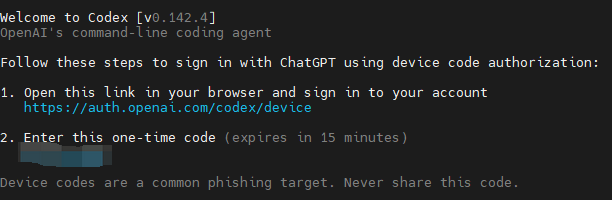
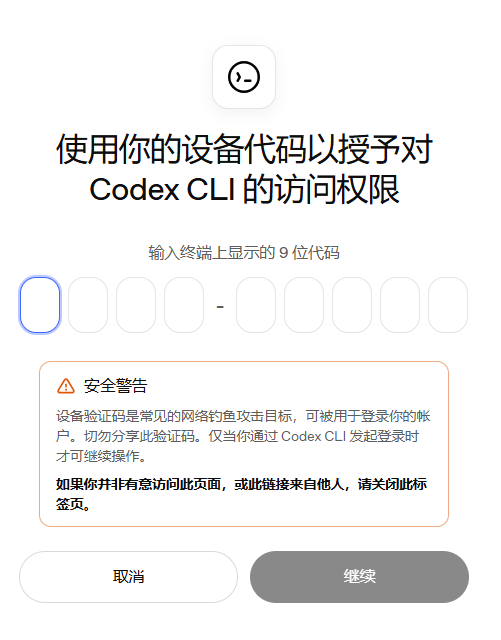
运行后,会输出如上信息,在浏览器中打开,输入code,即可登录
5.在codex上打开远程项目
5.1 添加ssh连接到codex
打开设置->连接->SSH。点击添加,选择刚刚在~/.ssh/config文件中添加的ssh连接
5.2 打开远程项目
新建对话时在对话框左下角选择New remote project,找到你想要的项目文件夹即可打开远程项目
6.问题解决
假如你在本机的codex打开远程项目提问,但是提示报错,报错信息如下
txt
Your access token could not be refreshed because your refresh token was revoked. Please log out and sign in again.说明你远程机器的codex退出登录了,需要重新登录
登录命令
bash
codex login --device-auth