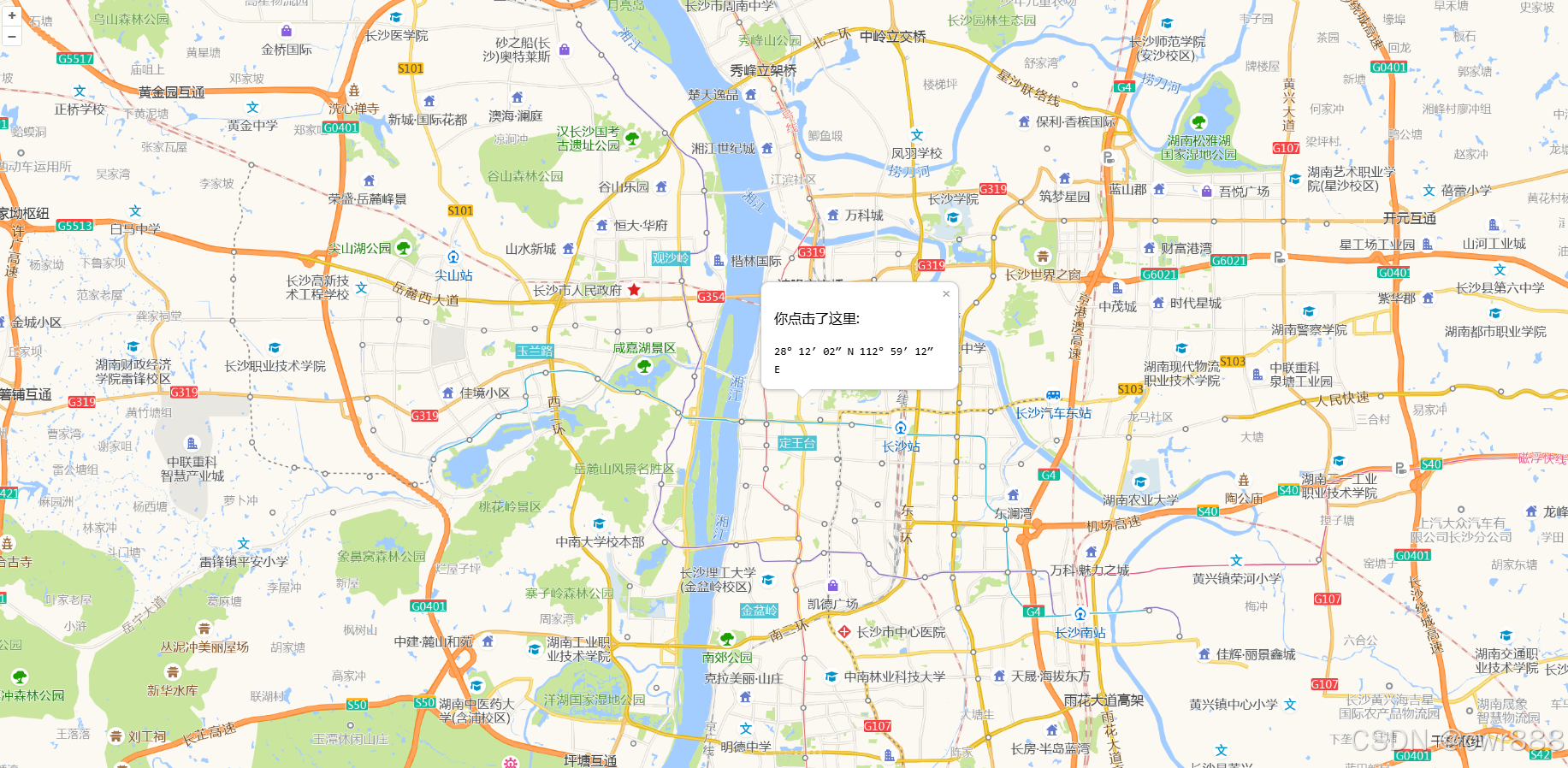
OpenLayers+html5 Overlay 示例
<!DOCTYPE html>
<html lang="zh">
<head>
    <meta charset="UTF-8">
    <title>OpenLayers Overlay 示例</title>
    <!-- 引入 OL 样式 -->
    <link rel="stylesheet" href="https://cdn.jsdelivr.net/npm/ol@7.4.0/ol.css">
    <style>
        body { margin: 0; padding: 0; }
        #map { width: 100%; height: 100vh; }

        /* 弹窗样式 */
        .ol-popup {
            position: absolute;
            background-color: white;
            box-shadow: 0 1px 4px rgba(0,0,0,0.2);
            padding: 15px;
            border-radius: 10px;
            border: 1px solid #cccccc;
            bottom: 12px;
            left: -50px;
            min-width: 200px;
            display: none; /* 默认隐藏 */
        }
        .ol-popup:after, .ol-popup:before {
            top: 100%;
            border: solid transparent;
            content: " ";
            height: 0;
            width: 0;
            position: absolute;
            pointer-events: none;
        }
        .ol-popup:after {
            border-top-color: white;
            border-width: 10px;
            left: 48px;
            margin-left: -10px;
        }
        .ol-popup:before {
            border-top-color: #cccccc;
            border-width: 11px;
            left: 48px;
            margin-left: -11px;
        }
        .closer {
            text-decoration: none;
            position: absolute;
            top: 2px;
            right: 8px;
            color: #999;
        }
    </style>
</head>
<body>
    <div id="map"></div>

    <!-- 弹窗 DOM 结构 -->
    <div id="popup" class="ol-popup">
        <a href="#" id="popup-closer" class="closer">×</a>
        <div id="popup-content"></div>
    </div>

    <!-- 引入 OL JS -->
    <script src="https://cdn.jsdelivr.net/npm/ol@7.4.0/dist/ol.js"></script>
    <script>
        // 1. 获取 DOM 元素
        const container = document.getElementById('popup');
        const content = document.getElementById('popup-content');
        const closer = document.getElementById('popup-closer');

        // 2. 创建 Overlay 实例
        const overlay = new ol.Overlay({
            element: container,
            autoPan: true, // 弹窗超出视野时自动平移地图
            positioning: 'bottom-center',
            stopEvent: true, // 【关键】阻止点击弹窗时事件穿透到地图
            offset: [0, 0]
        });

        // 3. 初始化地图
        const map = new ol.Map({
            target: 'map',
            layers: [
            ],
            overlays: [overlay], // 将 Overlay 加入地图
            view: new ol.View({
                center: ol.proj.fromLonLat([112.9, 28.2]), // 长沙附近
                zoom: 10
            })
        });

        // 4. 加载高德底图
        const gaodeLayer = new ol.layer.Tile({
            source: new ol.source.XYZ({
                title:"高德",
                url:"http://wprd0{1-4}.is.autonavi.com/appmaptile?lang=zh_cn&size=1&style=7&x={x}&y={y}&z={z}"
            })
        })
        map.addLayer(gaodeLayer)

        // 5. 点击关闭弹窗
        closer.onclick = function() {
            overlay.setPosition(undefined);
            closer.blur();
            return false;
        };

        // 6. 监听地图单击事件
        map.on('singleclick', function(evt) {
            // 设置弹窗内容
            const coordinate = evt.coordinate;
            const hdms = ol.coordinate.toStringHDMS(ol.proj.toLonLat(coordinate));

            content.innerHTML = '<p>你点击了这里:</p><code>' + hdms + '</code>';

            // 设置弹窗位置并显示
            overlay.setPosition(coordinate);
            container.style.display = 'block'; // 确保显示
        });
    </script>
</body>
</html>