1. uniapp canvas流程图
1.1. 文档
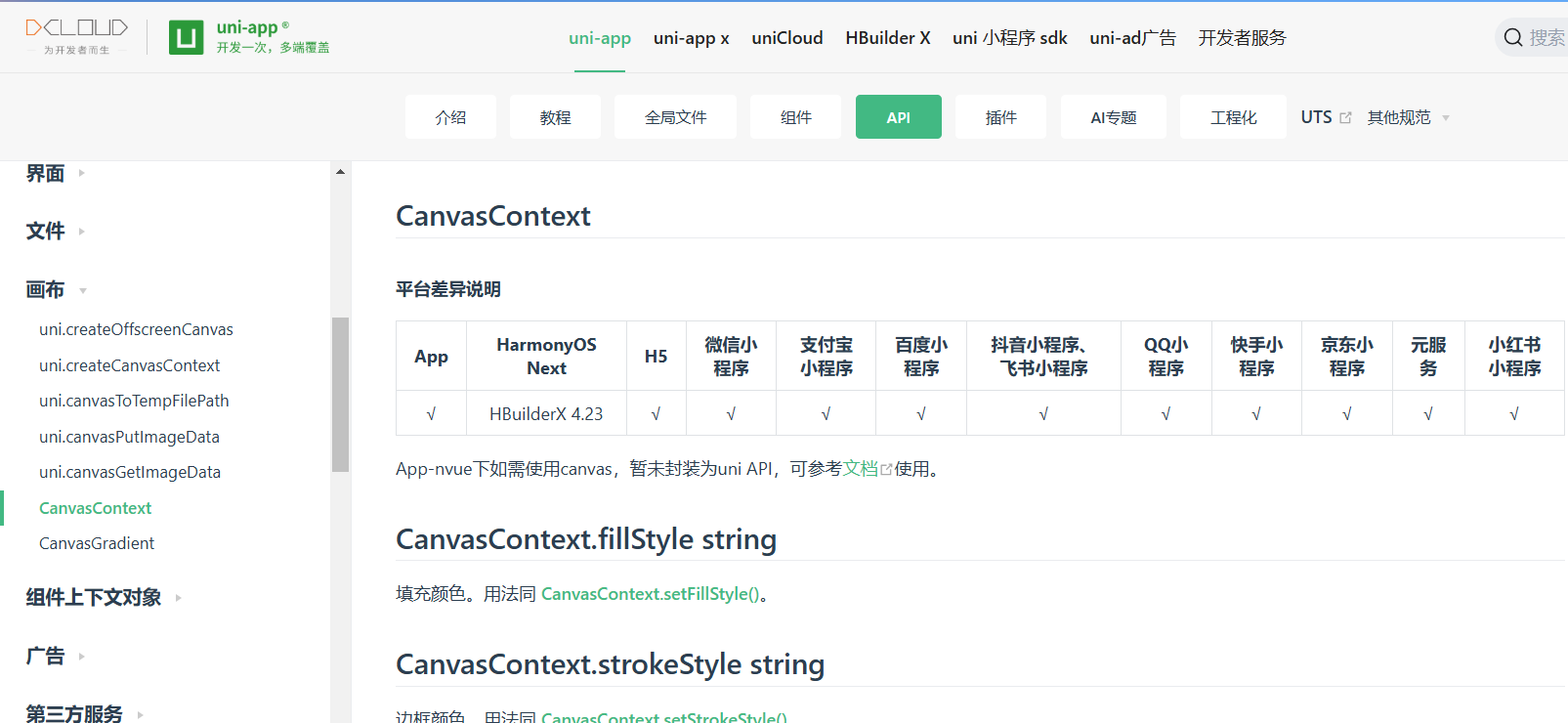
(1)官网API文档:Canvas API
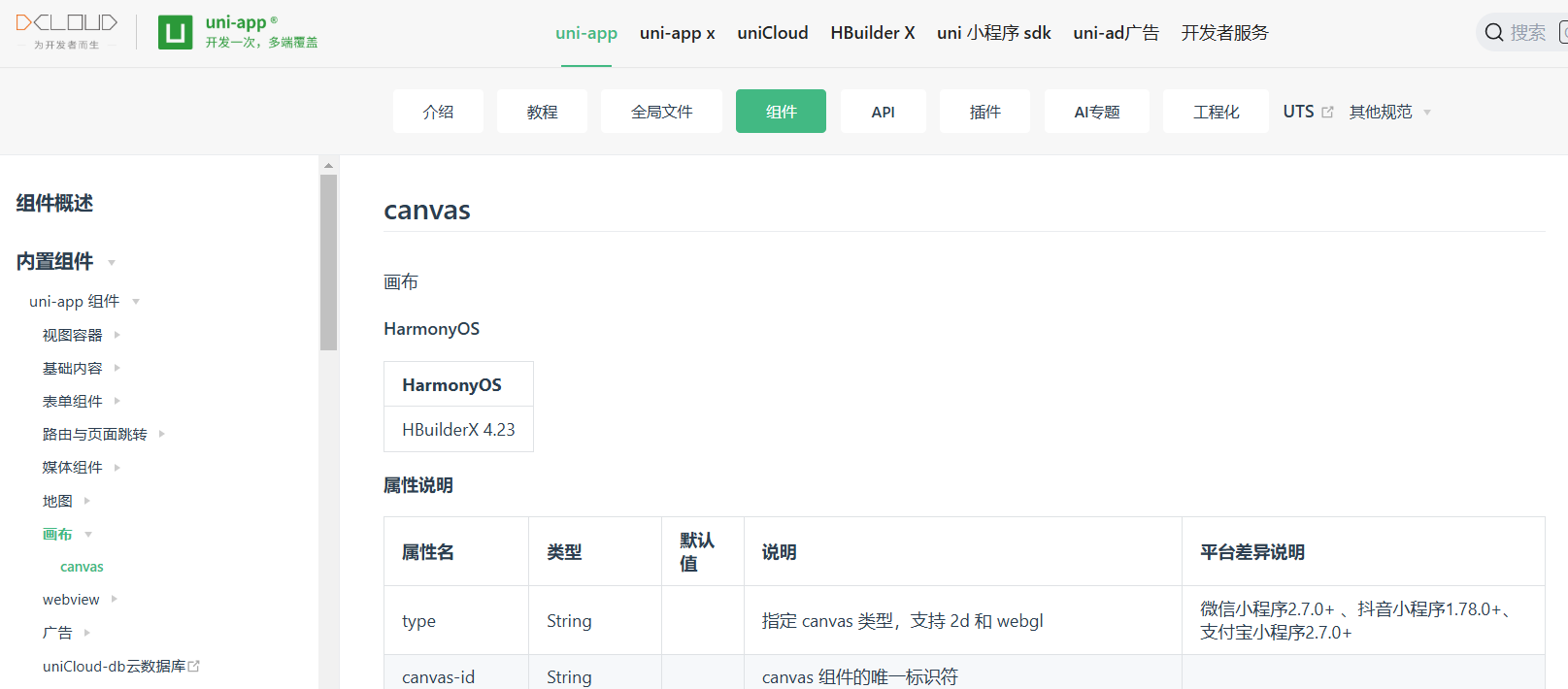
(2)Canvas组件文档:Canvas
1.2. 场景
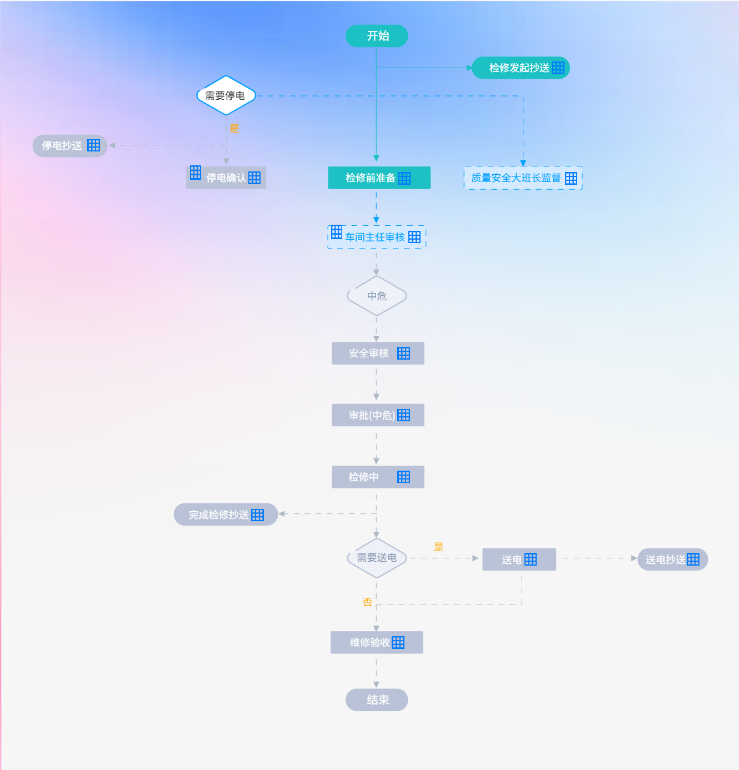
场景:自定义流程图并且能够根据后端返回数据,实现动态流程图(节点状态、流程线状态、节点数量等动态变化)。通过uni-app中canvas api,基于设计稿,先行绘制出了静态图。并且,基于movable-area和movable-view组件,对流程图添加了手势缩放与拖拽功能。不过到目前,该需求也没有在项目中实际落实。本文将将基于该静态流程图,对uni-app中canvas基本使用做一个介绍。
设计图原图展示:
1.3. 开发步骤
1.3.1. 视图层
首先是视图层代码,主要的是Canvas的一些配置,其中canvas-id必须配置,且要唯一;并且如果不设置宽高,默认宽高是300px与225px,我这边是根据设计图大小设置的。此外,Canvas开发最佳、最简便的是在vue页面开发,nvue页面需要兼容,并且性能可能不佳。具体见官网Canvas组件介绍。
c
<template>
	<view>
		<scroll-view :scroll-x="true" :scroll-left="srcollTo" :scroll-with-animation="true">
			<movable-area :scale-area="true" style="width: 750rpx;height: 1257px;">
				<movable-view direction="all" :scale-min="0.5" :scale-max="1"  :scale="true"
					 @scale="scaleChange" :disabled="true">
					 <!--这边关闭了拖拽-->
					<!-- <scroll-view :scroll-x="true" :scroll-left="srcollTo" :scroll-with-animation="true"> -->
					<canvas id="myCanvas" canvas-id="myCanvas" style="width: 1200px;height: 1257px;"
						@touchstart="touchstart" />
						<!-- </scroll-view> -->
				</movable-view>
			</movable-area>
		</scroll-view>
	</view>
</template>
1.3.2. 注意事项
(1)绘制顺序要注意,比如我画一个流程节点,要先画背景,然后画字,否则字会被遮挡。
(2) Canvas的draw()方法只需在所有元素绘制完成后调用一次就行。
(3)其余还没想到。
1.3.3. 绘制函
(1)drawImage:图片绘制,入参:Canvas 上下文、x、y、宽、高;
c
drawImage(ctx, path, x, y, dWidth, dHeight) {
				ctx.drawImage(path, x, y, dWidth, dHeight)
			},
(2) oundNode:圆角矩形节点绘制,入参:Canvas 上下文、x、y、宽、高、弧度、填充色值;主要原理是通过arcTo方法绘制圆弧,最后填充颜色;
c
//圆角矩形
			roundNode(ctx, x, y, width, height, radius, color) {
				ctx.beginPath()
				if (width < 2 * radius) radius = width / 2;
				if (height < 2 * radius) radius = height / 2;
				ctx.moveTo(x + radius, y);
				ctx.arcTo(x + width, y, x + width, y + height, radius);
				ctx.arcTo(x + width, y + height, x, y + height, radius);
				ctx.arcTo(x, y + height, x, y, radius);
				ctx.arcTo(x, y, x + width, y, radius);
				ctx.setFillStyle(color)
				ctx.fill()
			},
(3)diamondNode:菱形节点绘制,入参:Canvas 上下文、x、y、宽、高、线宽、填充色值;菱形节点绘制是基于圆角节点进行的,arcTo方法相当于一阶贝塞尔曲线,通过控制控制点的位置实现圆弧位置变动。但这个方法绘制出来有个缺口,存在一点瑕疵,后续项目正式将该需求提上计划后再优化。
c
//菱形绘制
			diamondNode(ctx, x, y, width, height, lineColor, bgColor) {
				ctx.beginPath()
				ctx.setLineDash([])
				ctx.setLineWidth(4)

				ctx.moveTo(x + 20, y + 20);
				ctx.arcTo(x + width / 2, y, x + width, y + height / 2, 5);
				ctx.arcTo(x + width, y + height / 2, x + width / 2, y + height, 8);
				ctx.arcTo(x + width / 2, y + height, x, y + height / 2, 5);
				ctx.arcTo(x, y + height / 2, x + width / 2, y, 8);

				ctx.setStrokeStyle(lineColor)
				ctx.stroke()
				ctx.setFillStyle(bgColor)
				ctx.fill()
			},
(4)drawTriangle:三角形绘制,该方法与线段绘制组合使用,入参:Canvas 上下文、x、y、填充色、箭头方向;这边为了方便起见,箭头大小是写死的,我这边的箭头绘制原理是:基于指定点,绘制线段填充实现。
c
//绘制三角形  type:箭头朝向:bottom、right、left
			drawTriangle(ctx, x, y, color, type) {
				ctx.beginPath()
				let height = 10 //计算等边三角形的高
				ctx.moveTo(x, y); //x y开始

				switch (type) {
					case 'bottom':
						ctx.lineTo(x - height / 2, y)
						ctx.lineTo(x, y + height)
						ctx.moveTo(x, y)
						ctx.lineTo(x + height / 2, y)
						ctx.lineTo(x, y + height)
						break;
					case 'left':
						ctx.lineTo(x, y - height / 2)
						ctx.lineTo(x - height, y)
						ctx.moveTo(x, y)
						ctx.lineTo(x, y + height / 2)
						ctx.lineTo(x - height, y)
						break;
					case 'right':
						ctx.lineTo(x, y - height / 2)
						ctx.lineTo(x + height, y)
						ctx.moveTo(x, y)
						ctx.lineTo(x, y + height / 2)
						ctx.lineTo(x + height, y)
						break;
					default:
						break;
				}
				ctx.setFillStyle(color) //以纯色绿色填充
				ctx.fill();
			}
(5)drawText:文字绘制,入参:Canvas 上下文、x、y、填充色、文字大小;这边文字绘制在水平方向,通过measureText计算文字宽度,进行了适配;而文字竖直方向适配,试了几种网上的方法,一直没有成功,暂时做了统一偏移量处理。
c
drawText(ctx, text, x, y, color, size) {
				//文字部分
				ctx.beginPath()
				ctx.setTextAlign('center')
				ctx.setFillStyle(color)
				ctx.setFontSize(size)
				const metrics = ctx.measureText(text)
				console.log(metrics.width)
				//文字统一偏移
				ctx.fillText(text, x + metrics.width / 2, y + 17)
			},
(6)drawLine : 绘制线段,入参:Canvas 上下文、起始点x、起始点y、目标点x、目标点y、填充色、文字大小、箭头朝向、是否带箭头、是否虚线;线段绘制方法比较简单。
c
drawLine(ctx, fromX, fromY, toX, toY, color, type, isArrow = true, isDash = false) {
				ctx.beginPath()
				if (isDash) {
					ctx.setLineDash([10]);
				} else {
					ctx.setLineDash([]);
				}
				ctx.moveTo(fromX, fromY)
				ctx.lineTo(toX, toY)
				ctx.setLineWidth(1)
				ctx.setStrokeStyle(color)
				ctx.stroke()

				//是否绘制箭头
				if (isArrow) {
					this.drawTriangle(ctx, toX, toY, color, type)
				}
			},
(7) touchstart:Canvas触摸事件监听,用于实现流程图中节点的点击。实际使用需要记录每个节点的x、y坐标点、宽、高,通过这些参数对点击区域进行计算与判断,并且还要考虑缩放而带来的坐标点变化。
c
touchstart(e) {
				//点击事件有点复杂,要根据点击点、绘制位置、缩放比例判断点击了哪个节点,
				let x = e.touches[0].x
				let y = e.touches[0].y
				this.node.forEach(item => {
					// console.log("item.x * this.scale:"+item.x * this.scale)
					// console.log("item.y * this.scale:"+item.y * this.scale)
					if (x > item.x * this.scale && x < (item.x + item.w) * this.scale
						&& y > item.y * this.scale && y < (item.y + item.h) * this.scale) {
						//在范围内,根据标记定义节点类型
						console.log(item.targe)
						uni.showToast({
							icon:'none',
							title:item.name
						})
					}
				})
				console.log("x:"+x + "    y:"+y)
			},
1.3.4. 逻辑层
逻辑层代码量比较多,略微复杂,这边全部贴出来,供参考。部分静态图片资源就不提供了,运行的时候替换一下或注释掉都行。
c
<script>
	export default {
		data() {
			return {
				context: null,
				srcollTo: 0,
				scale: 1, //缩放比例
				node:[],//节点坐标与长宽
			}
		},
		onLoad(e) {
			//上个页面传递的数据
		},
		onReady() {
			this.srcollTo = 0
			this.$nextTick(() => {
				this.srcollTo = 435
			})
			this.context = uni.createCanvasContext('myCanvas')

			//画背景
			this.drawImage(this.context, '/static/bg.png', 0, 0, 1200, 1257)

			//画节点
			//开始节点
			this.roundNode(this.context, 553, 38, 100, 36, 26, '#1EC1C3')
			this.node.push({
				x:553,
				y:38,
				w:100,
				h:36,
				targe:0
			})
			//检修发起抄送
			this.roundNode(this.context, 755, 89, 157, 36, 26, '#1EC1C3')
			//检修前准备
			this.roundNode(this.context, 525, 265, 164, 36, 2, '#1EC1C3')
			//车间主任审核
			this.roundDashNode(this.context, 525, 360, 156, 36, 2)
			//质量大班长
			this.roundDashNode(this.context, 743, 265, 188, 36, 2)
			//是否停电
			this.diamondNode(this.context, 308, 120, 108, 62, '#00A1FF', '#FFFFFF')
			//停电确认
			this.roundNode(this.context, 52, 214, 120, 36, 26, '#B9C2D6')
			//停电抄送
			this.roundNode(this.context, 298, 265, 128, 36, 2, '#B9C2D6')
			//风险等级
			this.diamondNode(this.context, 549, 441, 108, 62, '#B9C2D6', '#EEF1F7')
			//安全审核
			this.roundNode(this.context, 531, 546, 148, 36, 2, '#B9C2D6')
			//审批
			this.roundNode(this.context, 531, 645, 148, 36, 2, '#B9C2D6')
			//检修中
			this.roundNode(this.context, 531, 744, 148, 36, 2, '#B9C2D6')
			//需要送电
			this.diamondNode(this.context, 549, 861, 108, 62, '#B9C2D6', '#EEF1F7')
			//完成检修抄送
			this.roundNode(this.context, 278, 804, 167, 36, 26, '#B9C2D6')
			//送电
			this.roundNode(this.context, 772, 876, 118, 36, 2, '#B9C2D6')
			//送电抄送
			this.roundNode(this.context, 1020, 876, 113, 36, 26, '#B9C2D6')
			//维修验收
			this.roundNode(this.context, 529, 1009, 148, 36, 2, '#B9C2D6')
			//结束节点
			this.roundNode(this.context, 553, 1101, 100, 36, 26, '#B9C2D6')


			//画线
			//开始 to  检修发起抄送
			this.drawLine(this.context, 602, 75, 602, 247, '#1EC1C3', 'bottom')
			//to  检修前准备
			this.drawLine(this.context, 602, 107, 747, 107, '#1EC1C3', 'right')
			//to 车间主任审批
			this.drawLine(this.context, 602, 306, 602, 346, '#00A1FF', 'bottom', true, true)
			//to 质量安全大班长
			this.drawLine(this.context, 411, 152, 837, 152, '#00A1FF', '', false, true)
			this.drawLine(this.context, 837, 153, 837, 255, '#00A1FF', 'bottom', true, true)

			//to 停电确认
			this.drawLine(this.context, 362, 182, 362, 252, '#AFB9C5', 'bottom', true, true)
			//to 停电抄送
			this.drawLine(this.context, 361, 231, 184, 231, '#AFB9C5', 'left', true, true)
			//to 风险等级
			this.drawLine(this.context, 602, 403, 602, 430, '#AFB9C5', 'bottom', true, true)
			//to 安全审核
			this.drawLine(this.context, 602, 506, 602, 536, '#AFB9C5', 'bottom', true, true)
			//to 审批
			this.drawLine(this.context, 602, 589, 602, 629, '#AFB9C5', 'bottom', true, true)
			//to 检修中
			this.drawLine(this.context, 602, 692, 602, 732, '#AFB9C5', 'bottom', true, true)
			//to 需要送电
			this.drawLine(this.context, 602, 790, 602, 850, '#AFB9C5', 'bottom', true, true)
			//to 完成检修抄送
			this.drawLine(this.context, 603, 821, 455, 821, '#AFB9C5', 'left', true, true)
			//to 送电
			this.drawLine(this.context, 656, 892, 756, 892, '#AFB9C5', 'right', true, true)
			//to 送电抄送
			this.drawLine(this.context, 900, 892, 1010, 892, '#AFB9C5', 'right', true, true)
			// 送电 to 维修验收
			this.drawLine(this.context, 835, 921, 835, 966, '#AFB9C5', '', false, true)
			this.drawLine(this.context, 602, 966, 835, 966, '#AFB9C5', '', false, true)

			//to 维修验收
			this.drawLine(this.context, 602, 931, 602, 1000, '#AFB9C5', 'bottom', true, true)
			//to 结束
			this.drawLine(this.context, 602, 1054, 602, 1090, '#AFB9C5', 'bottom', true, true)

			//画文字、图标
			this.drawText(this.context, '开始', 587, 45, '#FFFFFF', 18)

			this.drawText(this.context, '检修发起抄送', 783, 96, '#FFFFFF', 16)
			this.drawIcon('complete', 883, 97)

			this.drawText(this.context, '检修前准备', 553, 272, '#FFFFFF', 16)
			this.drawIcon('complete', 637, 274)

			this.drawText(this.context, '车间主任审核', 552, 367, '#00A1FF', 16)
			this.drawIcon('loading', 653, 368)
			this.drawIcon('me', 530, 358)

			this.drawText(this.context, '质量安全大班长监督', 754, 272, '#00A1FF', 16)
			this.drawIcon('loading', 904, 274)

			this.drawText(this.context, '需要停电', 328, 140, '#333333', 16)
			this.drawText(this.context, '是', 367, 193, '#FFAD10', 16)

			this.drawText(this.context, '停电确认', 330, 272, '#FFFFFF', 16)
			this.drawIcon('unstart', 397, 273)
			this.drawIcon('me', 304, 263)

			this.drawText(this.context, '停电抄送', 67, 220, '#FFFFFF', 16)
			this.drawIcon('unstart', 140, 221)

			this.drawText(this.context, '中危', 587, 461, '#8695AE', 16)

			this.drawText(this.context, '安全审核', 558, 553, '#FFFFFF', 16)
			this.drawIcon('unstart', 636, 554)

			this.drawText(this.context, '审批(中危)', 558, 652, '#FFFFFF', 16)
			this.drawIcon('unstart', 636, 653)

			this.drawText(this.context, '检修中', 558, 751, '#FFFFFF', 16)
			this.drawIcon('unstart', 636, 752)

			this.drawText(this.context, '需要送电', 571, 880, '#8695AE', 16)
			this.drawText(this.context, '是', 694, 863, '#FFAD10', 16)
			this.drawText(this.context, '否', 580, 951, '#FFAD10', 16)

			this.drawText(this.context, '完成检修抄送', 302, 811, '#FFFFFF', 16)
			this.drawIcon('unstart', 402, 813)

			this.drawText(this.context, '送电', 803, 883, '#FFFFFF', 16)
			this.drawIcon('unstart', 839, 884)

			this.drawText(this.context, '送电抄送', 1033, 883, '#FFFFFF', 16)
			this.drawIcon('unstart', 1099, 884)

			this.drawText(this.context, '维修验收', 560, 1016, '#FFFFFF', 16)
			this.drawIcon('unstart', 627, 1017)

			this.drawText(this.context, '结束', 587, 1108, '#FFFFFF', 18)

			//画
			this.context.draw()
		},
		methods: {
			drawImage(ctx, path, x, y, dWidth, dHeight) {
				ctx.drawImage(path, x, y, dWidth, dHeight)
			},

			//type loading, unstart, complete, me
			drawIcon(type, x, y) {
				switch (type) {
					case 'loading':
						this.drawImage(this.context, '/static/loading.png', x, y, 20, 20)
						break;
					case 'unstart':
						this.drawImage(this.context, '/static/unstart.png', x, y, 20, 20)
						break;
					case 'complete':
						this.drawImage(this.context, '/static/finish.png', x, y, 20, 20)
						break;
					case 'me':
						this.drawImage(this.context, '/static/me.png', x, y, 18, 23)
						break;
					default:
						break;
				}
			},

			//圆角矩形
			roundNode(ctx, x, y, width, height, radius, color) {

				//圆角矩形部分
				ctx.beginPath()
				if (width < 2 * radius) radius = width / 2;
				if (height < 2 * radius) radius = height / 2;
				ctx.moveTo(x + radius, y);
				ctx.arcTo(x + width, y, x + width, y + height, radius);
				ctx.arcTo(x + width, y + height, x, y + height, radius);
				ctx.arcTo(x, y + height, x, y, radius);
				ctx.arcTo(x, y, x + width, y, radius);
				ctx.setFillStyle(color)
				ctx.fill()
			},
			//虚线圆角矩形 样式固定
			roundDashNode(ctx, x, y, width, height, radius) {
				ctx.beginPath()
				if (width < 2 * radius) radius = width / 2;
				if (height < 2 * radius) radius = height / 2;
				ctx.setLineDash([10])
				ctx.setLineWidth(2)


				ctx.moveTo(x + radius, y);
				ctx.arcTo(x + width, y, x + width, y + height, radius);
				ctx.arcTo(x + width, y + height, x, y + height, radius);
				ctx.arcTo(x, y + height, x, y, radius);
				ctx.arcTo(x, y, x + width, y, radius);

				ctx.setStrokeStyle('#00A1FF')
				ctx.stroke()
				ctx.setFillStyle('#D5EAFE')
				ctx.fill()
			},
			//菱形绘制
			diamondNode(ctx, x, y, width, height, lineColor, bgColor) {
				ctx.beginPath()
				ctx.setLineDash([])
				ctx.setLineWidth(4)

				ctx.moveTo(x + 20, y + 20);
				ctx.arcTo(x + width / 2, y, x + width, y + height / 2, 5);
				ctx.arcTo(x + width, y + height / 2, x + width / 2, y + height, 8);
				ctx.arcTo(x + width / 2, y + height, x, y + height / 2, 5);
				ctx.arcTo(x, y + height / 2, x + width / 2, y, 8);

				ctx.setStrokeStyle(lineColor)
				ctx.stroke()
				ctx.setFillStyle(bgColor)
				ctx.fill()
			},

			//绘制三角形  type:箭头朝向:bottom、right、left
			drawTriangle(ctx, x, y, color, type) {
				ctx.beginPath()
				let height = 10 //计算等边三角形的高
				ctx.moveTo(x, y); //x y开始

				switch (type) {
					case 'bottom':
						ctx.lineTo(x - height / 2, y)
						ctx.lineTo(x, y + height)
						ctx.moveTo(x, y)
						ctx.lineTo(x + height / 2, y)
						ctx.lineTo(x, y + height)
						break;
					case 'left':
						ctx.lineTo(x, y - height / 2)
						ctx.lineTo(x - height, y)
						ctx.moveTo(x, y)
						ctx.lineTo(x, y + height / 2)
						ctx.lineTo(x - height, y)
						break;
					case 'right':
						ctx.lineTo(x, y - height / 2)
						ctx.lineTo(x + height, y)
						ctx.moveTo(x, y)
						ctx.lineTo(x, y + height / 2)
						ctx.lineTo(x + height, y)
						break;
					default:
						break;
				}


				ctx.setFillStyle(color) //以纯色绿色填充
				ctx.fill();
			},

			drawText(ctx, text, x, y, color, size) {
				//文字部分
				ctx.beginPath()
				ctx.setTextAlign('center')
				ctx.setFillStyle(color)
				ctx.setFontSize(size)
				const metrics = ctx.measureText(text)
				console.log(metrics.width)
				//文字统一偏移
				ctx.fillText(text, x + metrics.width / 2, y + 17)
			},
			// 绘制带箭头线 type:箭头朝向:bottom、right、left
			drawLine(ctx, fromX, fromY, toX, toY, color, type, isArrow = true, isDash = false) {
				ctx.beginPath()
				if (isDash) {
					ctx.setLineDash([10]);
				} else {
					ctx.setLineDash([]);
				}
				ctx.moveTo(fromX, fromY)
				ctx.lineTo(toX, toY)
				ctx.setLineWidth(1)
				ctx.setStrokeStyle(color)
				ctx.stroke()

                //是否绘制箭头
				if (isArrow) {
					this.drawTriangle(ctx, toX, toY, color, type)
				}
			},
			touchstart(e) {
				//点击事件有点复杂,要根据点击点、绘制位置、缩放比例判断点击了哪个节点,
				let x = e.touches[0].x
				let y = e.touches[0].y
				this.node.forEach(item => {
					// console.log("item.x * this.scale:"+item.x * this.scale)
					// console.log("item.y * this.scale:"+item.y * this.scale)
					if (x > item.x * this.scale && x < (item.x + item.w) * this.scale
						&& y > item.y * this.scale && y < (item.y + item.h) * this.scale) {
						//在范围内,根据标记定义节点类型
						console.log(item.targe)
					}
				})
				console.log("x:"+x + "    y:"+y)
			},
			scaleChange(e) {
				this.scale = e.detail.scale
				console.log(this.scale)
			}
		}
	}
</script>
1.4. 完整代码
c
<template>
  <view>
    <scroll-view :scroll-x="true"
                 :scroll-left="srcollTo"
                 :scroll-with-animation="true">
      <movable-area :scale-area="true"
                    style="width: 750rpx;height: 1257px;">
        <movable-view direction="all"
                      :scale-min="0.5"
                      :scale-max="1"
                      :scale="true"
                      @scale="scaleChange"
                      :disabled="true">
          <!--这边关闭了拖拽-->
          <!-- <scroll-view :scroll-x="true" :scroll-left="srcollTo" :scroll-with-animation="true"> -->
          <canvas id="myCanvas"
                  canvas-id="myCanvas"
                  style="width: 1200px;height: 1257px;"
                  @touchstart="touchstart" />
          <!-- </scroll-view> -->
        </movable-view>
      </movable-area>
    </scroll-view>
  </view>
</template>
<script>
export default {
  data() {
    return {
      context: null,
      srcollTo: 0,
      scale: 1, //缩放比例
      node:[],//节点坐标与长宽
    }
  },
  onLoad(e) {
    //上个页面传递的数据
  },
  onReady() {
    this.srcollTo = 0
    this.$nextTick(() => {
      this.srcollTo = 435
    })
    this.context = uni.createCanvasContext('myCanvas')

    //画背景
    this.drawImage(this.context, '/static/img/img_bg.png', 0, 0, 1200, 1257)

    //画节点
    //开始节点
    this.roundNode(this.context, 553, 38, 100, 36, 26, '#1EC1C3')
    this.node.push({
      x:553,
      y:38,
      w:100,
      h:36,
      targe:0
    })
    //检修发起抄送
    this.roundNode(this.context, 755, 89, 157, 36, 26, '#1EC1C3')
    //检修前准备
    this.roundNode(this.context, 525, 265, 164, 36, 2, '#1EC1C3')
    //车间主任审核
    this.roundDashNode(this.context, 525, 360, 156, 36, 2)
    //质量大班长
    this.roundDashNode(this.context, 743, 265, 188, 36, 2)
    //是否停电
    this.diamondNode(this.context, 308, 120, 108, 62, '#00A1FF', '#FFFFFF')
    //停电确认
    this.roundNode(this.context, 52, 214, 120, 36, 26, '#B9C2D6')
    //停电抄送
    this.roundNode(this.context, 298, 265, 128, 36, 2, '#B9C2D6')
    //风险等级
    this.diamondNode(this.context, 549, 441, 108, 62, '#B9C2D6', '#EEF1F7')
    //安全审核
    this.roundNode(this.context, 531, 546, 148, 36, 2, '#B9C2D6')
    //审批
    this.roundNode(this.context, 531, 645, 148, 36, 2, '#B9C2D6')
    //检修中
    this.roundNode(this.context, 531, 744, 148, 36, 2, '#B9C2D6')
    //需要送电
    this.diamondNode(this.context, 549, 861, 108, 62, '#B9C2D6', '#EEF1F7')
    //完成检修抄送
    this.roundNode(this.context, 278, 804, 167, 36, 26, '#B9C2D6')
    //送电
    this.roundNode(this.context, 772, 876, 118, 36, 2, '#B9C2D6')
    //送电抄送
    this.roundNode(this.context, 1020, 876, 113, 36, 26, '#B9C2D6')
    //维修验收
    this.roundNode(this.context, 529, 1009, 148, 36, 2, '#B9C2D6')
    //结束节点
    this.roundNode(this.context, 553, 1101, 100, 36, 26, '#B9C2D6')


    //画线
    //开始 to  检修发起抄送
    this.drawLine(this.context, 602, 75, 602, 247, '#1EC1C3', 'bottom')
    //to  检修前准备
    this.drawLine(this.context, 602, 107, 747, 107, '#1EC1C3', 'right')
    //to 车间主任审批
    this.drawLine(this.context, 602, 306, 602, 346, '#00A1FF', 'bottom', true, true)
    //to 质量安全大班长
    this.drawLine(this.context, 411, 152, 837, 152, '#00A1FF', '', false, true)
    this.drawLine(this.context, 837, 153, 837, 255, '#00A1FF', 'bottom', true, true)

    //to 停电确认
    this.drawLine(this.context, 362, 182, 362, 252, '#AFB9C5', 'bottom', true, true)
    //to 停电抄送
    this.drawLine(this.context, 361, 231, 184, 231, '#AFB9C5', 'left', true, true)
    //to 风险等级
    this.drawLine(this.context, 602, 403, 602, 430, '#AFB9C5', 'bottom', true, true)
    //to 安全审核
    this.drawLine(this.context, 602, 506, 602, 536, '#AFB9C5', 'bottom', true, true)
    //to 审批
    this.drawLine(this.context, 602, 589, 602, 629, '#AFB9C5', 'bottom', true, true)
    //to 检修中
    this.drawLine(this.context, 602, 692, 602, 732, '#AFB9C5', 'bottom', true, true)
    //to 需要送电
    this.drawLine(this.context, 602, 790, 602, 850, '#AFB9C5', 'bottom', true, true)
    //to 完成检修抄送
    this.drawLine(this.context, 603, 821, 455, 821, '#AFB9C5', 'left', true, true)
    //to 送电
    this.drawLine(this.context, 656, 892, 756, 892, '#AFB9C5', 'right', true, true)
    //to 送电抄送
    this.drawLine(this.context, 900, 892, 1010, 892, '#AFB9C5', 'right', true, true)
    // 送电 to 维修验收
    this.drawLine(this.context, 835, 921, 835, 966, '#AFB9C5', '', false, true)
    this.drawLine(this.context, 602, 966, 835, 966, '#AFB9C5', '', false, true)

    //to 维修验收
    this.drawLine(this.context, 602, 931, 602, 1000, '#AFB9C5', 'bottom', true, true)
    //to 结束
    this.drawLine(this.context, 602, 1054, 602, 1090, '#AFB9C5', 'bottom', true, true)

    //画文字、图标
    this.drawText(this.context, '开始', 587, 45, '#FFFFFF', 18)

    this.drawText(this.context, '检修发起抄送', 783, 96, '#FFFFFF', 16)
    this.drawIcon('complete', 883, 97)

    this.drawText(this.context, '检修前准备', 553, 272, '#FFFFFF', 16)
    this.drawIcon('complete', 637, 274)

    this.drawText(this.context, '车间主任审核', 552, 367, '#00A1FF', 16)
    this.drawIcon('loading', 653, 368)
    this.drawIcon('me', 530, 358)

    this.drawText(this.context, '质量安全大班长监督', 754, 272, '#00A1FF', 16)
    this.drawIcon('loading', 904, 274)

    this.drawText(this.context, '需要停电', 328, 140, '#333333', 16)
    this.drawText(this.context, '是', 367, 193, '#FFAD10', 16)

    this.drawText(this.context, '停电确认', 330, 272, '#FFFFFF', 16)
    this.drawIcon('unstart', 397, 273)
    this.drawIcon('me', 304, 263)

    this.drawText(this.context, '停电抄送', 67, 220, '#FFFFFF', 16)
    this.drawIcon('unstart', 140, 221)

    this.drawText(this.context, '中危', 587, 461, '#8695AE', 16)

    this.drawText(this.context, '安全审核', 558, 553, '#FFFFFF', 16)
    this.drawIcon('unstart', 636, 554)

    this.drawText(this.context, '审批(中危)', 558, 652, '#FFFFFF', 16)
    this.drawIcon('unstart', 636, 653)

    this.drawText(this.context, '检修中', 558, 751, '#FFFFFF', 16)
    this.drawIcon('unstart', 636, 752)

    this.drawText(this.context, '需要送电', 571, 880, '#8695AE', 16)
    this.drawText(this.context, '是', 694, 863, '#FFAD10', 16)
    this.drawText(this.context, '否', 580, 951, '#FFAD10', 16)

    this.drawText(this.context, '完成检修抄送', 302, 811, '#FFFFFF', 16)
    this.drawIcon('unstart', 402, 813)

    this.drawText(this.context, '送电', 803, 883, '#FFFFFF', 16)
    this.drawIcon('unstart', 839, 884)

    this.drawText(this.context, '送电抄送', 1033, 883, '#FFFFFF', 16)
    this.drawIcon('unstart', 1099, 884)

    this.drawText(this.context, '维修验收', 560, 1016, '#FFFFFF', 16)
    this.drawIcon('unstart', 627, 1017)

    this.drawText(this.context, '结束', 587, 1108, '#FFFFFF', 18)

    //画
    this.context.draw()
  },
  methods: {
    drawImage(ctx, path, x, y, dWidth, dHeight) {
      ctx.drawImage(path, x, y, dWidth, dHeight)
    },

    //type loading, unstart, complete, me
    drawIcon(type, x, y) {
      switch (type) {
        case 'loading':
          this.drawImage(this.context, '/static/icon/icon-grid.png', x, y, 20, 20)
          break;
        case 'unstart':
          this.drawImage(this.context, '/static/icon/icon-grid.png', x, y, 20, 20)
          break;
        case 'complete':
          this.drawImage(this.context, '/static/icon/icon-grid.png', x, y, 20, 20)
          break;
        case 'me':
          this.drawImage(this.context, '/static/icon/icon-grid.png', x, y, 18, 23)
          break;
        default:
          break;
      }
    },

    //圆角矩形
    roundNode(ctx, x, y, width, height, radius, color) {

      //圆角矩形部分
      ctx.beginPath()
      if (width < 2 * radius) radius = width / 2;
      if (height < 2 * radius) radius = height / 2;
      ctx.moveTo(x + radius, y);
      ctx.arcTo(x + width, y, x + width, y + height, radius);
      ctx.arcTo(x + width, y + height, x, y + height, radius);
      ctx.arcTo(x, y + height, x, y, radius);
      ctx.arcTo(x, y, x + width, y, radius);
      ctx.setFillStyle(color)
      ctx.fill()
    },
    //虚线圆角矩形 样式固定
    roundDashNode(ctx, x, y, width, height, radius) {
      ctx.beginPath()
      if (width < 2 * radius) radius = width / 2;
      if (height < 2 * radius) radius = height / 2;
      ctx.setLineDash([10])
      ctx.setLineWidth(2)


      ctx.moveTo(x + radius, y);
      ctx.arcTo(x + width, y, x + width, y + height, radius);
      ctx.arcTo(x + width, y + height, x, y + height, radius);
      ctx.arcTo(x, y + height, x, y, radius);
      ctx.arcTo(x, y, x + width, y, radius);

      ctx.setStrokeStyle('#00A1FF')
      ctx.stroke()
      ctx.setFillStyle('#D5EAFE')
      ctx.fill()
    },
    //菱形绘制
    diamondNode(ctx, x, y, width, height, lineColor, bgColor) {
      ctx.beginPath()
      ctx.setLineDash([])
      ctx.setLineWidth(4)

      ctx.moveTo(x + 20, y + 20);
      ctx.arcTo(x + width / 2, y, x + width, y + height / 2, 5);
      ctx.arcTo(x + width, y + height / 2, x + width / 2, y + height, 8);
      ctx.arcTo(x + width / 2, y + height, x, y + height / 2, 5);
      ctx.arcTo(x, y + height / 2, x + width / 2, y, 8);

      ctx.setStrokeStyle(lineColor)
      ctx.stroke()
      ctx.setFillStyle(bgColor)
      ctx.fill()
    },

    //绘制三角形  type:箭头朝向:bottom、right、left
    drawTriangle(ctx, x, y, color, type) {
      ctx.beginPath()
      let height = 10 //计算等边三角形的高
      ctx.moveTo(x, y); //x y开始

      switch (type) {
        case 'bottom':
          ctx.lineTo(x - height / 2, y)
          ctx.lineTo(x, y + height)
          ctx.moveTo(x, y)
          ctx.lineTo(x + height / 2, y)
          ctx.lineTo(x, y + height)
          break;
        case 'left':
          ctx.lineTo(x, y - height / 2)
          ctx.lineTo(x - height, y)
          ctx.moveTo(x, y)
          ctx.lineTo(x, y + height / 2)
          ctx.lineTo(x - height, y)
          break;
        case 'right':
          ctx.lineTo(x, y - height / 2)
          ctx.lineTo(x + height, y)
          ctx.moveTo(x, y)
          ctx.lineTo(x, y + height / 2)
          ctx.lineTo(x + height, y)
          break;
        default:
          break;
      }


      ctx.setFillStyle(color) //以纯色绿色填充
      ctx.fill();
    },

    drawText(ctx, text, x, y, color, size) {
      //文字部分
      ctx.beginPath()
      ctx.setTextAlign('center')
      ctx.setFillStyle(color)
      ctx.setFontSize(size)
      const metrics = ctx.measureText(text)
      console.log(metrics.width)
      //文字统一偏移
      ctx.fillText(text, x + metrics.width / 2, y + 17)
    },
    // 绘制带箭头线 type:箭头朝向:bottom、right、left
    drawLine(ctx, fromX, fromY, toX, toY, color, type, isArrow = true, isDash = false) {
      ctx.beginPath()
      if (isDash) {
        ctx.setLineDash([10]);
      } else {
        ctx.setLineDash([]);
      }
      ctx.moveTo(fromX, fromY)
      ctx.lineTo(toX, toY)
      ctx.setLineWidth(1)
      ctx.setStrokeStyle(color)
      ctx.stroke()

      //是否绘制箭头
      if (isArrow) {
        this.drawTriangle(ctx, toX, toY, color, type)
      }
    },
    touchstart(e) {
      //点击事件有点复杂,要根据点击点、绘制位置、缩放比例判断点击了哪个节点,
      let x = e.touches[0].x
      let y = e.touches[0].y
      this.node.forEach(item => {
        // console.log("item.x * this.scale:"+item.x * this.scale)
        // console.log("item.y * this.scale:"+item.y * this.scale)
        if (x > item.x * this.scale && x < (item.x + item.w) * this.scale
            && y > item.y * this.scale && y < (item.y + item.h) * this.scale) {
          //在范围内,根据标记定义节点类型
          console.log(item.targe)
        }
      })
      console.log("x:"+x + "    y:"+y)
    },
    scaleChange(e) {
      this.scale = e.detail.scale
      console.log(this.scale)
    }
  }
}
</script>
<style>
</style>
1.5. 总结
uni-app端的canvas,与Android原生相比,核心原理都是找点,找到点位后执行相关绘制方法进行绘制,只不过部分方法有所不同。作为一个Android开发 者,虽然暂时没具体使用过原生canvas,但对其也有了大致的了解。此外,Canvas还能实现各种效果的动画。