OpenCode Memory 插件 + Go 套餐:安装、配置、使用全指南
概述
OpenCode Memory (opencode-mem)是 OpenCode 的长期记忆插件。它自动捕捉对话中的关键信息,构建用户画像,并通过向量数据库实现跨会话记忆检索。结合 Go 套餐,无需自备 API Key,开箱即用。
一、前置条件
-
已安装 OpenCode CLI
-
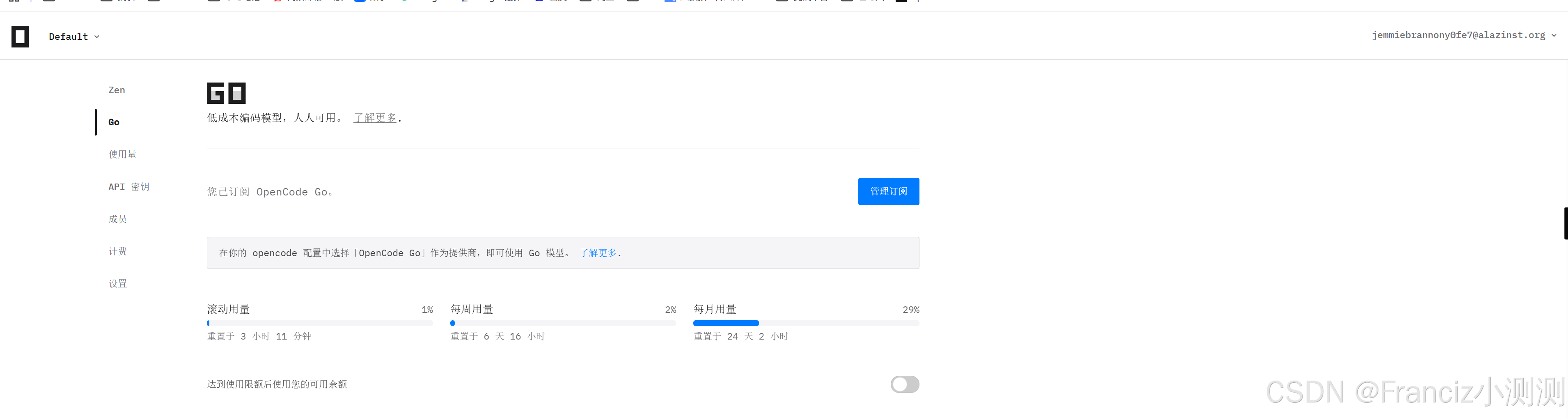
已开通 Go 套餐 (访问 opencode.ai/auth 查看计划)
-
Node.js 18+
二、安装
2.1 安装 opencode-mem 插件
bash
# 通过 opencode 插件市场安装
opencode plugin opencode-mem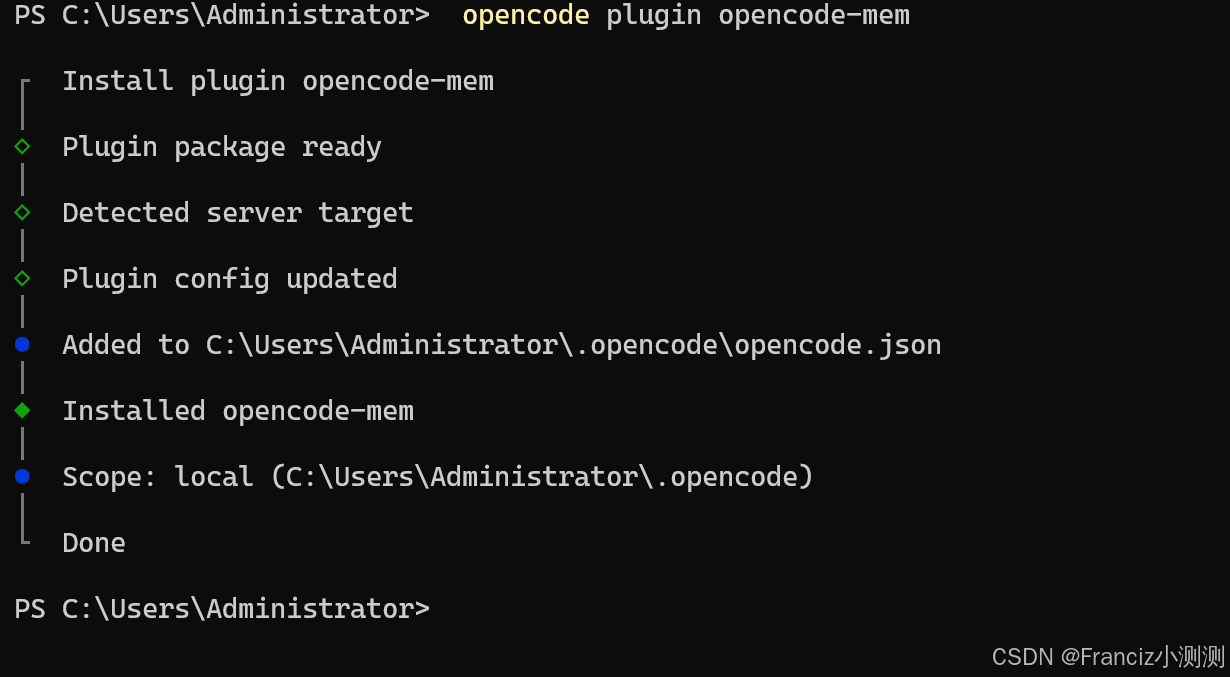
2.2 验证安装
bash
# 查看配置文件中的插件列表
cat ~/.config/opencode/opencode.json
# "plugin" 数组应包含 "opencode-mem"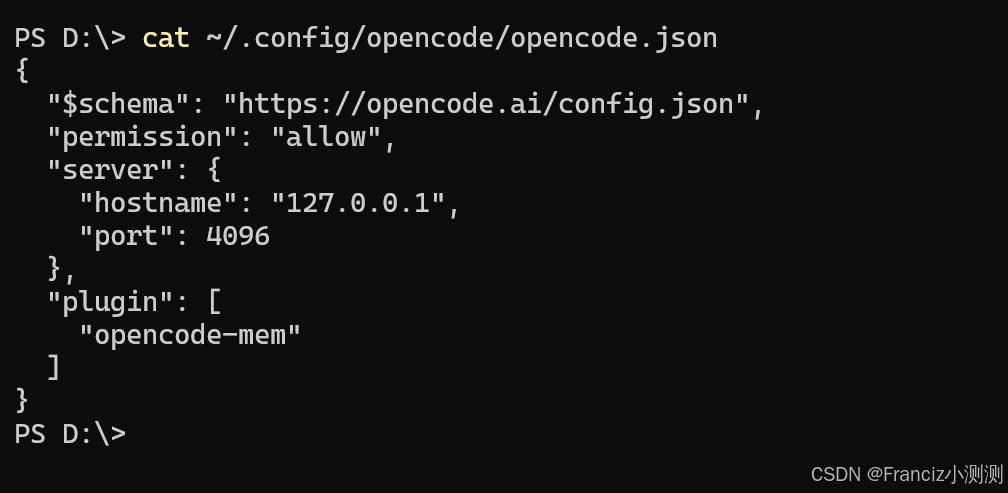
2.3 确认 Go 套餐登录
bash
opencode auth status
# 应显示已登录及 Go 套餐信息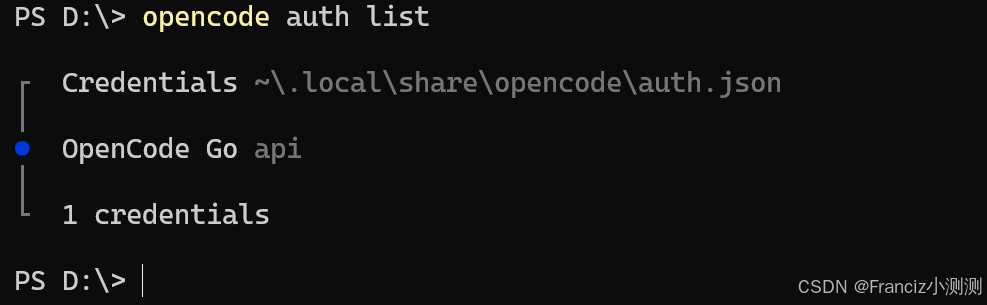
三、配置
3.1 启用插件
编辑 ~/.config/opencode/opencode.json:
json
{
  "$schema": "https://opencode.ai/config.json",
  "permission": "allow",
  "server": {
    "hostname": "127.0.0.1",
    "port": 4096
  },
  "plugin": [
    "opencode-mem"
  ]
}
三、配置
3.1 启用插件
编辑 ~/.config/opencode/opencode.json:
json
{
  "$schema": "https://opencode.ai/config.json",
  "permission": "allow",
  "server": {
    "hostname": "127.0.0.1",
    "port": 4096
  },
  "plugin": [
    "opencode-mem"
  ]
}
3.2 配置 opencode-mem(Go 套餐原生方式,推荐)
编辑 ~/.config/opencode/opencode-mem.jsonc:
jsonc
{
  // ---- 存储 ----
  "storagePath": "~/.opencode-mem/data",

  // ---- 嵌入模型(本地运行,无需联网) ----
  "embeddingModel": "Xenova/nomic-embed-text-v1",

  // ---- Go 套餐原生 Provider(推荐) ----
  // 无需硬编码 API Key,opencode 负责认证
  "opencodeProvider": "opencode-go",
  "opencodeModel": "opencode-go/deepseek-v4-flash",

  // ---- 自动记忆捕捉 ----
  "autoCaptureEnabled": true,
  "autoCaptureMaxRetries": 3,
  "autoCaptureIterationTimeout": 30000,

  // ---- Web 管理界面 ----
  "webServerEnabled": true,
  "webServerPort": 4747,
  "webServerHost": "127.0.0.1",

  // ---- 去重与清理 ----
  "deduplicationEnabled": true,
  "deduplicationSimilarityThreshold": 0.90,
  "autoCleanupEnabled": true,
  "autoCleanupRetentionDays": 30,

  // ---- 用户画像 ----
  "injectProfile": true,
  "userProfileAnalysisInterval": 10,

  // ---- 搜索 ----
  "similarityThreshold": 0.6,
  "maxMemories": 10
}
3.3 配置 opencode-mem(手动 API Key 方式,备选)
如果你偏好显式指定 API Key 而非使用 Go Provider:
jsonc
{
  // 注释掉 Go Provider 相关行
  // "opencodeProvider": "opencode-go",
  // "opencodeModel": "opencode-go/deepseek-v4-flash",

  // 使用手动配置
  "memoryProvider": "openai-chat",
  "memoryModel": "deepseek-v4-flash",
  "memoryApiUrl": "https://opencode.ai/zen/go/v1",
  "memoryApiKey": "你的 Go 套餐 API Key"
}
text
推荐使用方式 3.2(Go Provider),更安全简洁,Key 变更时无需修改配置文件。四、重启生效
修改配置文件后,需重启 opencode:
bash
# 重启 opencode 终端会话即可重新加载插件
# (opencode 配置变更后新会话自动生效)
重启后插件自动加载,日志路径:
bash
tail -f ~/.opencode-mem/opencode-mem.log五、使用
5.1 自动记忆捕捉(Auto-Capture)
配置项:
jsonc
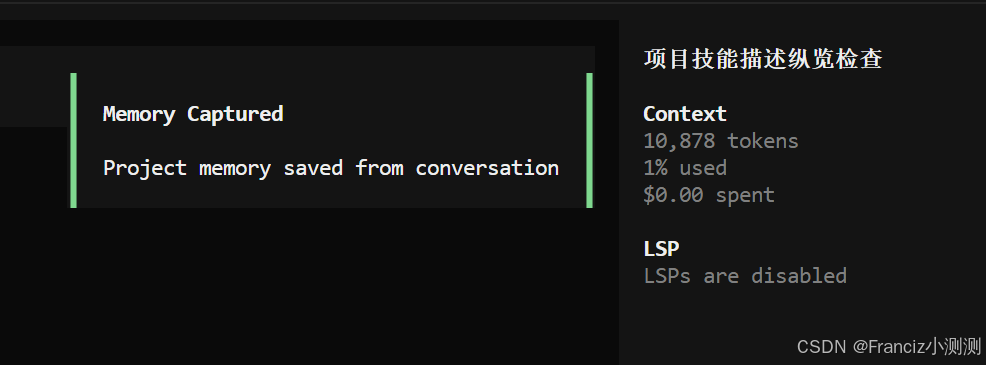
"autoCaptureEnabled": true插件会在每次对话空闲约 10 秒后自动分析当前会话内容,提取关键信息存入向量数据库。无需手动干预。
示例
5.2 Web 管理界面
浏览器打开 http://localhost:4747,或命令行一键打开:
bash
# Windows
Start-Process "http://127.0.0.1:4747"

# macOS
open http://127.0.0.1:4747

# Linux
xdg-open http://127.0.0.1:4747
Web 界面可:
text
- 浏览所有记忆条目
- 按项目/时间筛选
- 搜索记忆
- 手动添加/编辑/删除记忆
- 查看用户画像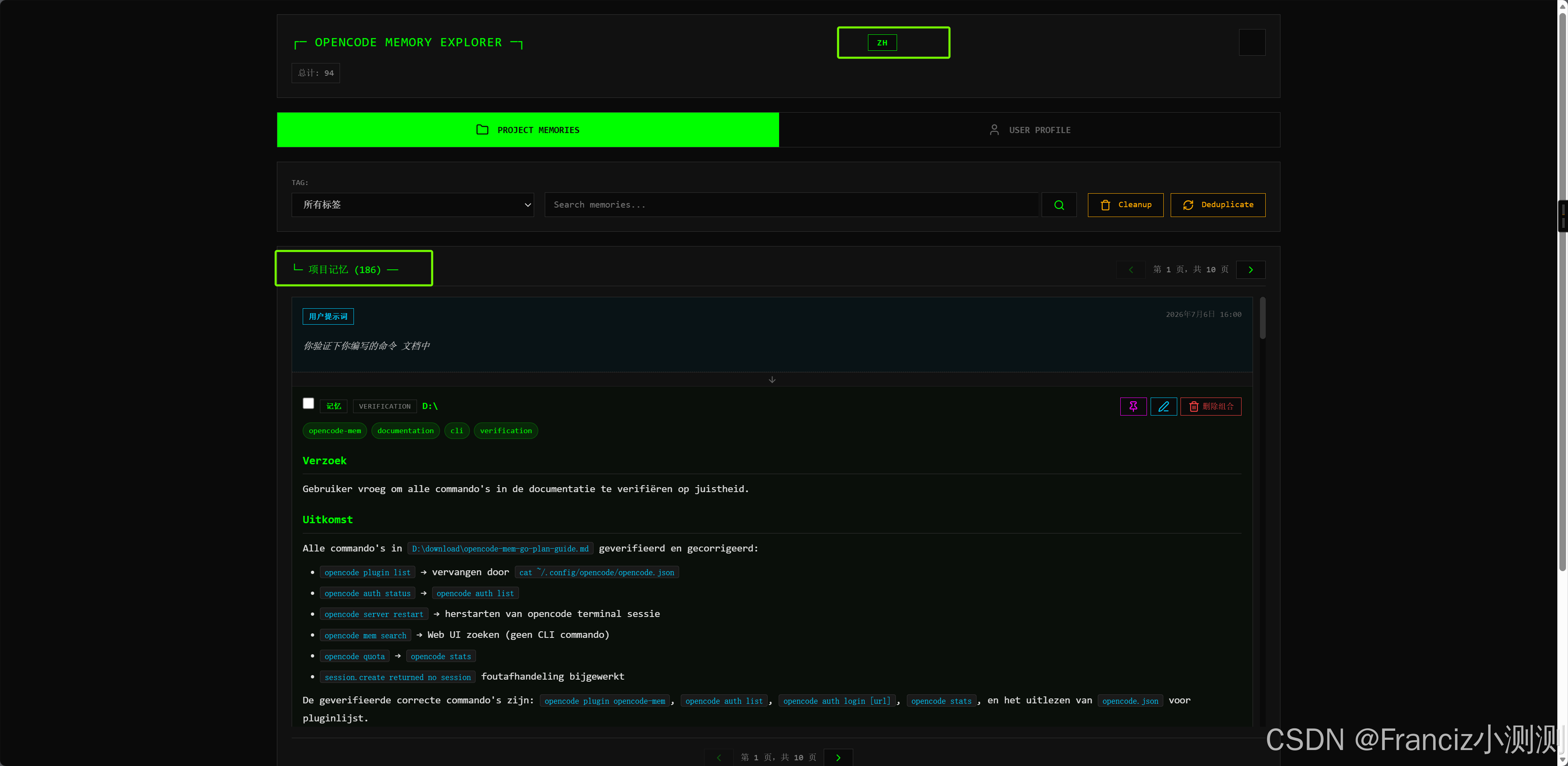
5.3 在对话中使用记忆
OpenCode 会自动将相关记忆注入 AI 上下文。你也可以通过 injectProfile 功能让 AI 了解你的偏好。
配置项:
jsonc
"injectProfile": true5.4 记忆搜索
记忆搜索通过 Web UI(http://localhost:4747)完成,支持关键词检索和项目筛选。
六、测试与验证
6.1 检查 API 连通性
bash
# Go Provider 方式(无需 Key)
curl -s -X POST "https://opencode.ai/zen/go/v1/chat/completions" \
  -H "Content-Type: application/json" \
  -d '{
    "model": "deepseek-v4-flash",
    "messages": [{"role": "user", "content": "Hello"}]
  }'
text
Go Provider 方式下,opencode 自动处理认证,curl 测试仅用于验证端点可达。6.2 验证插件加载
bash
# 查看配置文件中的插件列表
cat ~/.config/opencode/opencode.json
# "plugin" 数组应包含 "opencode-mem"
6.3 检查日志确认无报错
bash
Get-Content ~/.opencode-mem/opencode-mem.log -Tail 30正常日志示例:
log
[INFO] Auto-capture session: xxx
[INFO] Memory stored successfully: xxx
[INFO] Web server started on http://127.0.0.1:4747
异常排查:
text
错误                                   原因                    解决
401 Incorrect API key                 API Key 无效            切换到 Go Provider 方式或更新 Key
session.create returned no session id Go Provider 未连接       检查 opencode auth list
API request timeout                   网络波动                增大 autoCaptureIterationTimeout
opencode provider is not connected    opencode 未登录         执行 opencode auth login
6.4 验证 Web UI
powershell
curl -s http://127.0.0.1:4747 | Select-String -Pattern "opencode"
# 应返回 HTML 页面内容
6.5 完整端到端测试
text
1. 在 opencode 中执行一条对话(如"我的名字是张三")
2. 等待约 10-15 秒(auto-capture 触发)
3. 查看日志确认记忆已存储
4. 打开 http://127.0.0.1:4747 确认该条记忆出现在列表中
七、常见问题
Q: 如何查看 Go 套餐用量?
bash
opencode stats
# 或浏览器访问 https://opencode.ai/auth
Q: 如何切换到不同的模型?
Go 套餐支持以下模型:
text
- deepseek-v4-flash
- mimo-v2.5
- qwen3.7-plus
修改 opencodeModel 即可。
Q: 记忆数据存在哪里?
text
本地路径: ~/.opencode-mem/data/
存储方式: SQLite 向量数据库
网络依赖: 无需外部服务
项目隔离: 每个项目自动分片存放
Q: 可以关闭自动捕捉吗?
jsonc
// 设为 false 即可关闭
"autoCaptureEnabled": false
关闭后仅通过 Web UI 或 API 手动管理记忆。
八、总结
text
opencode-mem + Go 套餐 = 🎯
  - 零外部依赖(嵌入模型本地运行)
  - 零 API Key 管理(Go Provider 自动认证)
  - 全自动记忆捕捉
  - 本地向量数据库,数据不出域
  - Web UI 可视化管理
Go 套餐下配置 opencode-mem 仅需两步:
bash
# 1. 配置 Go Provider
"opencodeProvider": "opencode-go"

# 2. 重启 opencode 终端会话使配置生效
text
就这么简单。