1. 什么场景
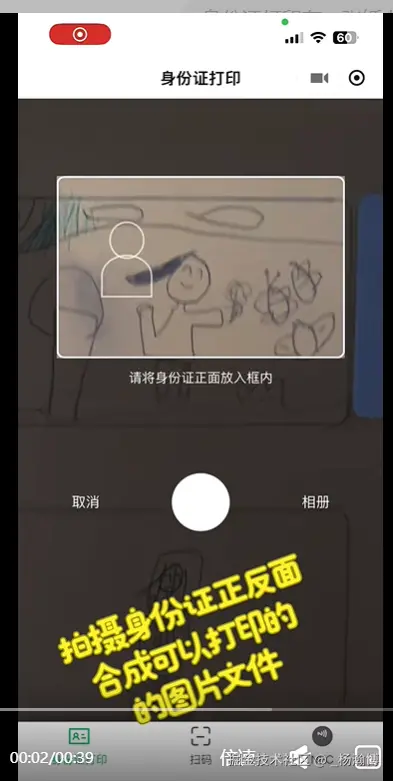
身份证拍照打印的小程序工具,对拍摄照片要做局部裁剪,只保留身份证的部分.要实现的效果如下:
2. 实现思路
拍照页面,生成一个圆角矩形边框.拍照时,移动手机,让身份证刚好铺满矩形框.此时点击拍照,就可以通过公式,计算出实际照片中,身份证所在位置以及宽高.利用这些信息,结合cavans就可以实现裁剪.裁剪后的图片,再重新绘制到A4规格cavans上.
3. 计算依据
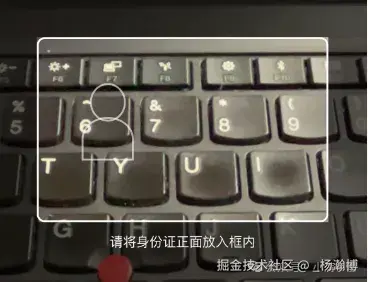
使用wx.getSystemInfoSync(),获取手机屏幕的宽高screenWidth和screenHeight.小程序的camera组件,使用query.select('#cameraEl').boundingClientRect(),获取手机相机的宽高width和height.相机组件之上,覆盖一个半透明遮罩,在遮罩上层显示一个圆角矩形框,使用query.select('#idcardHole').boundingClientRect()获取圆角矩形框的位置和宽高(left,top,width,height).拍照完成后, wx.getImageInfo可以获取到照片的宽高和拍摄方向.在裁剪前,我们知道以下信息
- A4尺寸: 210mm x 297mm
- 身份证: 85.6mm x 54mm
- 屏幕尺寸:{ w: screenW, h: screenH },
- 相机信息:{ w: camW,h: camH,left: camera.left,top: camera.top }
- 边框信息:{ x: holeX, y: holeY, w: holeW, h: holeH }
- 照片信息:{ w: photoW, h: photoH, orientation }
拍照时,照片与手机屏幕中显示大小,是有一定缩放比例的,如下图所示:
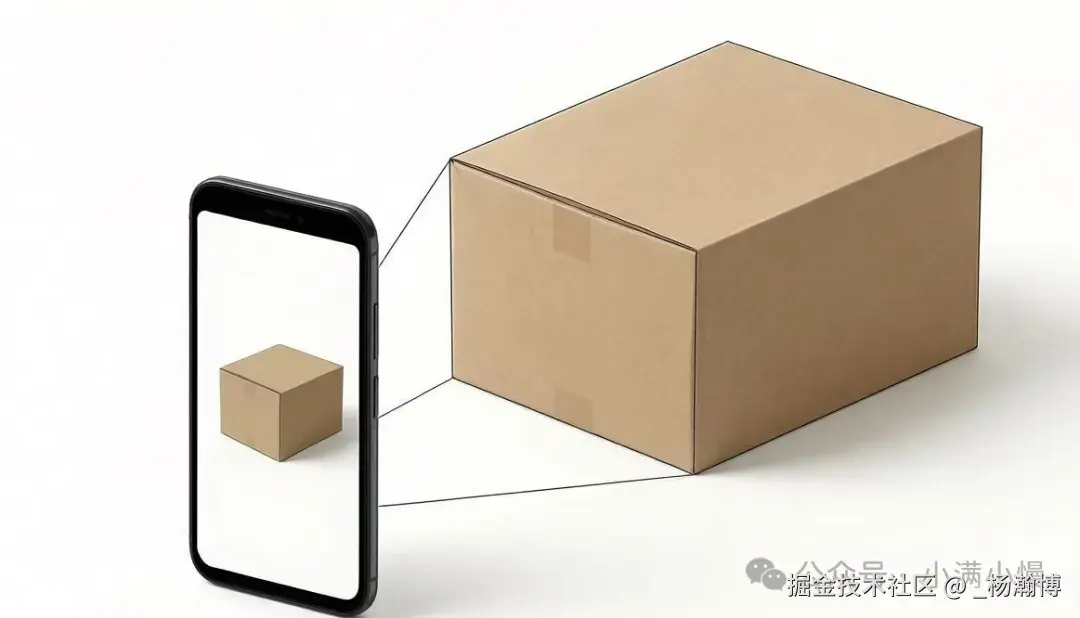
要完成裁剪,总的来说,要以下三个步骤1. 计算照片和手机屏幕之间缩放比例
ini
scale = max(照片宽度/屏幕宽度,照片高度/屏幕高度)- 以屏幕上边框为参考,结合缩放比例,计算实际需要裁剪的坐标信息
javascript
cropX= (holeX-cameraRect.left) *scale;
cropY= (holeY-cameraRect.top) *scale;
cropW=holeW*scale;
cropH=holeH*scale;- 使用canvas绘制图片,完成裁剪
ini
const ctx=canvas.getContext('2d');
ctx.drawImage(img, 0, 0, photoW, photoH);
wx.canvasToTempFilePath({...})
4. 裁剪完整代码
wxml 布局信息如下
xml
<!-- 自定义相机弹层 -->
<view class="camera-overlay" wx:if="{{showCamera}}">
  <camera
    id="cameraEl"
    class="camera"
    device-position="back"
    flash="auto"
    resolution="high"
  ></camera>
  <!-- 遮罩层 -->
  <view class="camera-mask">
    <view class="mask-top"></view>
    <view class="mask-middle">
      <view class="mask-side"></view>
      <view class="mask-hole" id="idcardHole">
        <view class="hole-border">
          <view class="hole-portrait">
            <view class="hole-portrait-head"></view>
            <view class="hole-portrait-body"></view>
          </view>
        </view>
      </view>
      <view class="mask-side"></view>
    </view>
    <view class="mask-bottom">
      <text class="mask-tip">
        {{cameraSide === 'front' ? '请将身份证正面放入框内' : '请将身份证反面放入框内'}}
      </text>
      <view class="camera-actions">
        <view class="btn-cancel" bindtap="closeCamera">取消</view>
        <view class="btn-shoot" bindtap="shootPhoto"></view>
        <view class="btn-album" bindtap="chooseFromAlbum">相册</view>
      </view>
    </view>
  </view>
</view>
JS计算裁剪信息,并完成裁剪
javascript
cropImage(imagePath) {
  const that = this;

  return new Promise((resolve, reject) => {
    // 1. 获取设备屏幕信息
    const systemInfo = wx.getSystemInfoSync();
    const screenW = systemInfo.screenWidth;
    const screenH = systemInfo.screenHeight;

    // 2. 获取相机预览层和裁剪框在屏幕上的实际位置
    const query = wx.createSelectorQuery();
    query.select('#cameraEl').boundingClientRect();
    query.select('#idcardHole').boundingClientRect();

    query.exec((rectRes) => {
      const cameraRect = rectRes;
      const holeRect = rectRes;

      // 校验节点是否存在
      if (!cameraRect || !holeRect) {
        reject(new Error('无法获取相机或框的位置'));
        return;
      }

      // 提取相机和裁剪框的几何信息
      const camW = cameraRect.width;
      const camH = cameraRect.height;
      const holeX = holeRect.left;
      const holeY = holeRect.top;
      const holeW = holeRect.width;
      const holeH = holeRect.height;
      wx.getImageInfo({
        src: imagePath,
        success: (imgInfo) => {
          const photoW = imgInfo.width;
          const photoH = imgInfo.height;
          const orientation = imgInfo.orientation || 'up';
          const scaleX = photoW / screenW;
          const scaleY = photoH / screenH;
          const scale = Math.max(scaleX, scaleY);
          let cropX = (holeX - cameraRect.left) * scale;
          let cropY = (holeY - cameraRect.top) * scale;
          let cropW = holeW * scale;
          let cropH = holeH * scale;
          cropX = Math.max(0, cropX);
          cropY = Math.max(0, cropY);
          cropW = Math.min(cropW, photoW - cropX);
          cropH = Math.min(cropH, photoH - cropY);
          const canvasQuery = wx.createSelectorQuery();
          canvasQuery.select('#cropCanvas')
            .fields({ node: true, size: true })
            .exec((res) => {
              if (!res) {
                reject(new Error('Canvas 初始化失败'));
                return;
              }

              const canvas = res.node;
              const ctx = canvas.getContext('2d');
              canvas.width = photoW;
              canvas.height = photoH;
              that.setData({
                cropCanvasWidth: photoW,
                cropCanvasHeight: photoH
              });
              const img = canvas.createImage();
              img.src = imagePath;
              img.onload = () => {
                ctx.save();
                if (typeof rotate !== 'undefined' && rotate !== 0) {
                  ctx.translate(translateX, translateY);
                  ctx.rotate(rotate);
                }
                ctx.drawImage(img, 0, 0, photoW, photoH);
                ctx.restore();
                wx.canvasToTempFilePath({
                  canvas: canvas,
                  x: cropX,
                  y: cropY,
                  width: cropW,
                  height: cropH,
                  destWidth: cropW,   // 输出宽度
                  destHeight: cropH,  // 输出高度
                  success: (fileRes) => {
                    resolve(fileRes.tempFilePath);
                  },
                  fail: (err) => {
                    reject(err);
                  }
                });
              };

              img.onerror = () => {
                reject(new Error('图片加载失败'));
              };
            });
        },
        fail: (err) => {
          reject(err);
        }
      });
    });
  });
}