【VSCODE】使用技巧

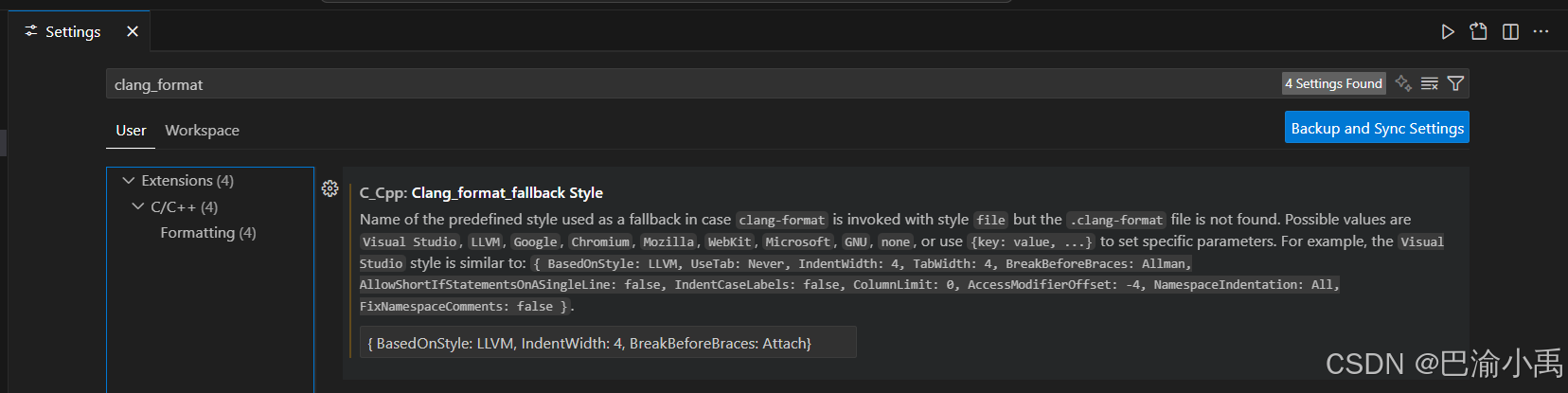
C/C++格式化:

复制代码
{
  BasedOnStyle: LLVM,
  IndentWidth: 4,
  ColumnLimit: 200,

  BreakBeforeBraces: Attach,

  AlignConsecutiveMacros: AcrossEmptyLinesAndComments,
  AlignTrailingComments: true,
  AlignConsecutiveAssignments: false,
  AlignConsecutiveDeclarations: false,

  AllowShortFunctionsOnASingleLine: None,
  AllowShortIfStatementsOnASingleLine: WithoutElse,
  AllowShortLoopsOnASingleLine: true,

  BreakStringLiterals: false,
  ReflowComments: false,
  BinPackArguments: true,
  BinPackParameters: true,
}
相关推荐
snow@li15 小时前
VSCode:学习手册 / 全景梳理与深度分析
ide·vscode
郭老二1 天前
【ROS2】vscode配置头文件路径等
vscode
不厌 -_-1 天前
VSCode 中 Markdown 转 PDF
vscode·pdf
友人.2272 天前
补充章节:VSCode Wokwi 无法可视化连线?在线 Wokwi 网页拖拽绘图方案
ide·vscode·编辑器
赵庆明老师2 天前
Vben精讲:04-了解VSCode中的Git
ide·git·vscode
fenghx2583 天前
仅用于个人记录:火狐有网,Vscode的codex连不上
vscode·编辑器
00后程序员张3 天前
iOS 打包方式汇总 从 Xcode Archive 到轻量级工具链的 IPA 构建
ide·vscode·ios·objective-c·个人开发·swift·敏捷流程
Balabala噗3 天前
VScode接入MiniMax流程
ide·vscode·编辑器
星云_byto5 天前
五分钟从零配置好VSCode + Claude Code + DeepSeek V4 Pro
ide·vscode·编辑器·cursor·codex·claude code·deepseekv4