概念
Text 是 Flutter 中最基础的文本渲染组件,它不仅仅显示文字,而是一个完整的文本排版引擎,支持样式、溢出处理、富文本、文本选择等高级功能。
源码层级
Dart
// Text 的继承链
Text → StatelessWidget
  ↓
RichText (LeafRenderObjectWidget)
  ↓
RenderParagraph (RenderObject)
  ↓
dart:ui Paragraph (Skia 引擎)


理解

//Text 是 RichText 的包装器(语法糖)

//RichText 才是真正的文本渲染组件

//最终由 Skia 引擎(C++)绘制
属性
Dart
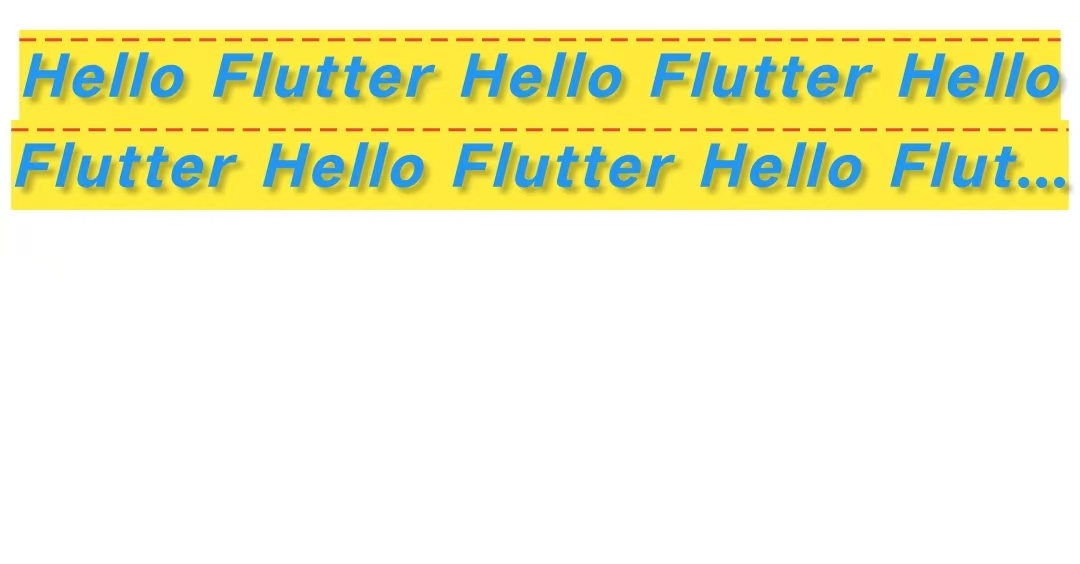
Text(
 "Hello Flutter Hello Flutter Hello Flutter Hello Flutter Hello Flutter  Hello Flutter Hello Flutter", //文本
  style: TextStyle(
    // 字体相关
    fontFamily: 'PingFang SC',        // 字体家族
    fontSize: 20,                      // 字号
    fontWeight: FontWeight.bold,       // 粗细
    fontStyle: FontStyle.italic,       // 斜体
    letterSpacing: 1.5,               // 字间距
    wordSpacing: 2.0,                 // 词间距

    // 颜色相关
    color: Colors.blue,               // 文字颜色
    backgroundColor: Colors.yellow,   // 背景色

    //划线:underline下划线/lineThrough删除线/overline上划线// 下划线
    decoration: TextDecoration.overline,
    decorationColor: Colors.red,           // 划线颜色
    decorationStyle: TextDecorationStyle.dashed, // 虚线

    // 阴影
    shadows: [
      Shadow(
        color: Colors.black26,
        blurRadius: 4,
        offset: Offset(2, 2),
      ),
    ],

    // 其他
    height: 1.5,                      // 行高(倍数)
    overflow: TextOverflow.ellipsis,  // 溢出处理(style 里设置无效,要在 Text 里设置)
    inherit: true,                    // 是否继承父级样式

  ),

    softWrap: true,//开启自动换行
    maxLines: 2, //最大行
    //超出显示省略号,fade:超出部分淡出;clip:超出部分直接裁剪
    overflow: TextOverflow.ellipsis,
    textAlign: TextAlign.center, // 文本居中对齐,
    //textAlign: TextAlign.left,    // 左对齐(默认)
    //textAlign: TextAlign.right,   // 右对齐
    //textAlign: TextAlign.center,  // 居中对齐
    //textAlign: TextAlign.justify, // 两端对齐(英文效果明显)
    //textAlign: TextAlign.start,   // 根据 TextDirection 决定左/右

)
富文本
Text.rich和TextSpan
Dart
// 一段文字多种样式
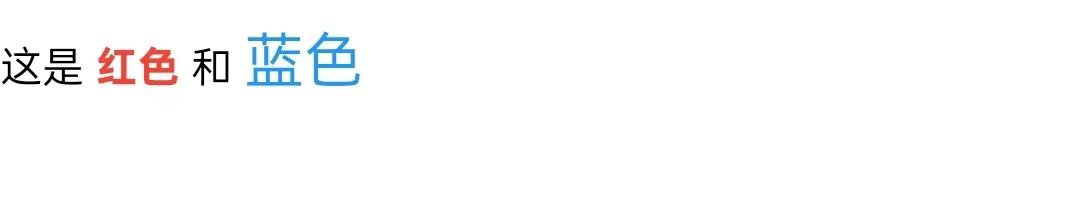
        Text.rich(
          TextSpan(
            children: [
              TextSpan(
                text: '这是 ',
                style: TextStyle(color: Colors.black),
              ),
              TextSpan(
                text: '红色',
                style: TextStyle(
                  color: Colors.red,
                  fontWeight: FontWeight.bold,
                ),
              ),
              TextSpan(
                text: ' 和 ',
                style: TextStyle(color: Colors.black),
              ),
              TextSpan(
                text: '蓝色',
                style: TextStyle(
                  color: Colors.blue,
                  fontSize: 20,
                ),
              ),
            ],
          ),
        )