目录
[3.1:命令行编译 TSC命令](#3.1:命令行编译 TSC命令)
[3.2:自动化编译 TSC命令](#3.2:自动化编译 TSC命令)
3.3:vue和react都不用这两种方式,使用基于脚手架的webpack或者vit编译
[4.3.1: unknown 不知道什么类型,但是是安全版的any,因为需要类型断言或者类型缩小才能使用](#4.3.1: unknown 不知道什么类型,但是是安全版的any,因为需要类型断言或者类型缩小才能使用)
[4.3.2: never 修饰方法,只能抛出异常,不能有返回值](#4.3.2: never 修饰方法,只能抛出异常,不能有返回值)
[4.3.3: void 修饰方法,没有返回值,默认是undifined](#4.3.3: void 修饰方法,没有返回值,默认是undifined)
1:什么是TS
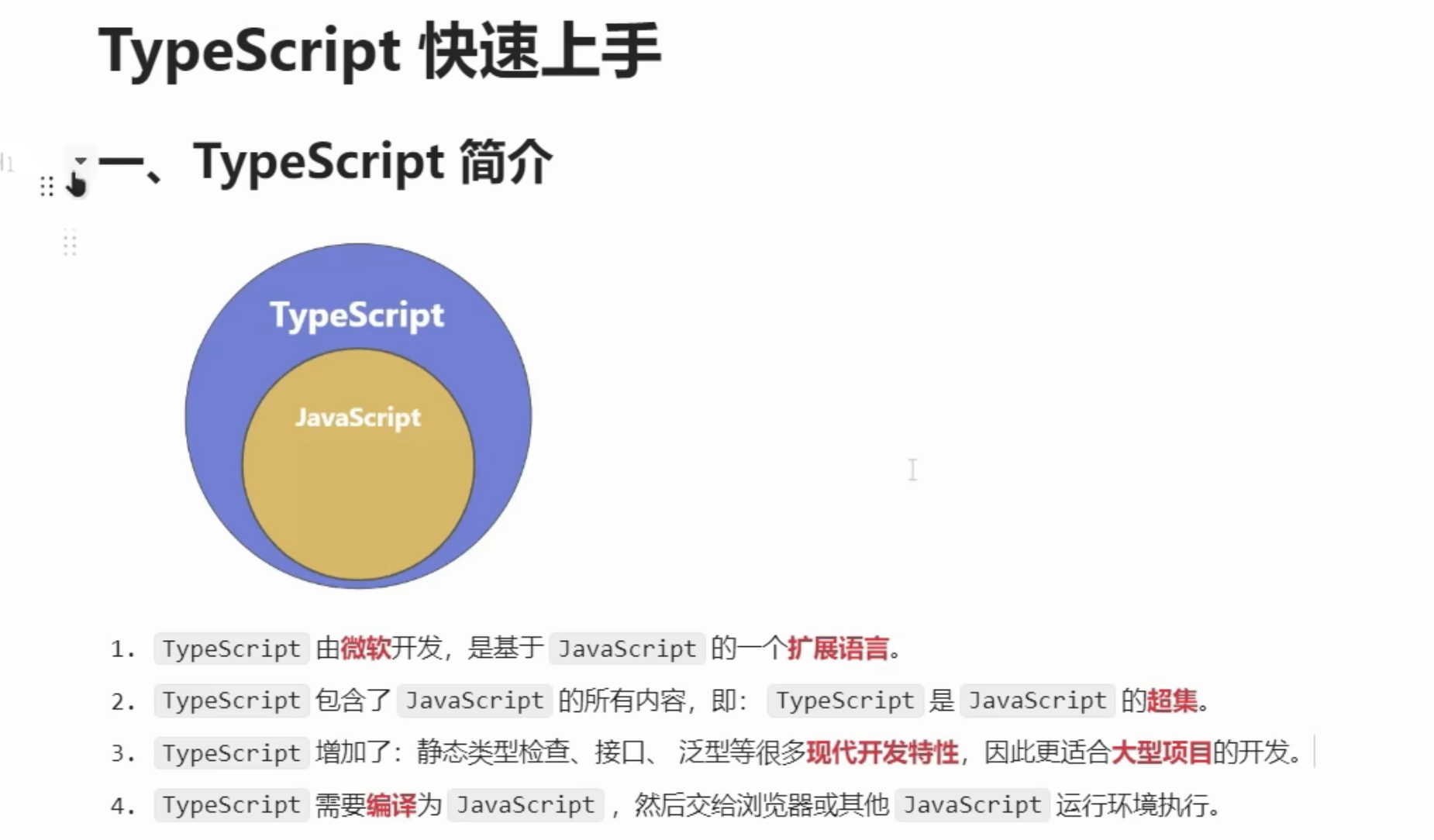
1:微软开发的编程语言,是js的超集,是基于js的扩展语言。
2:ts增加了静态类型检查、接口、范型等特性,适合开发大型项目,ts需要编译成js交给浏览器运行。
2:什么是静态类型检查
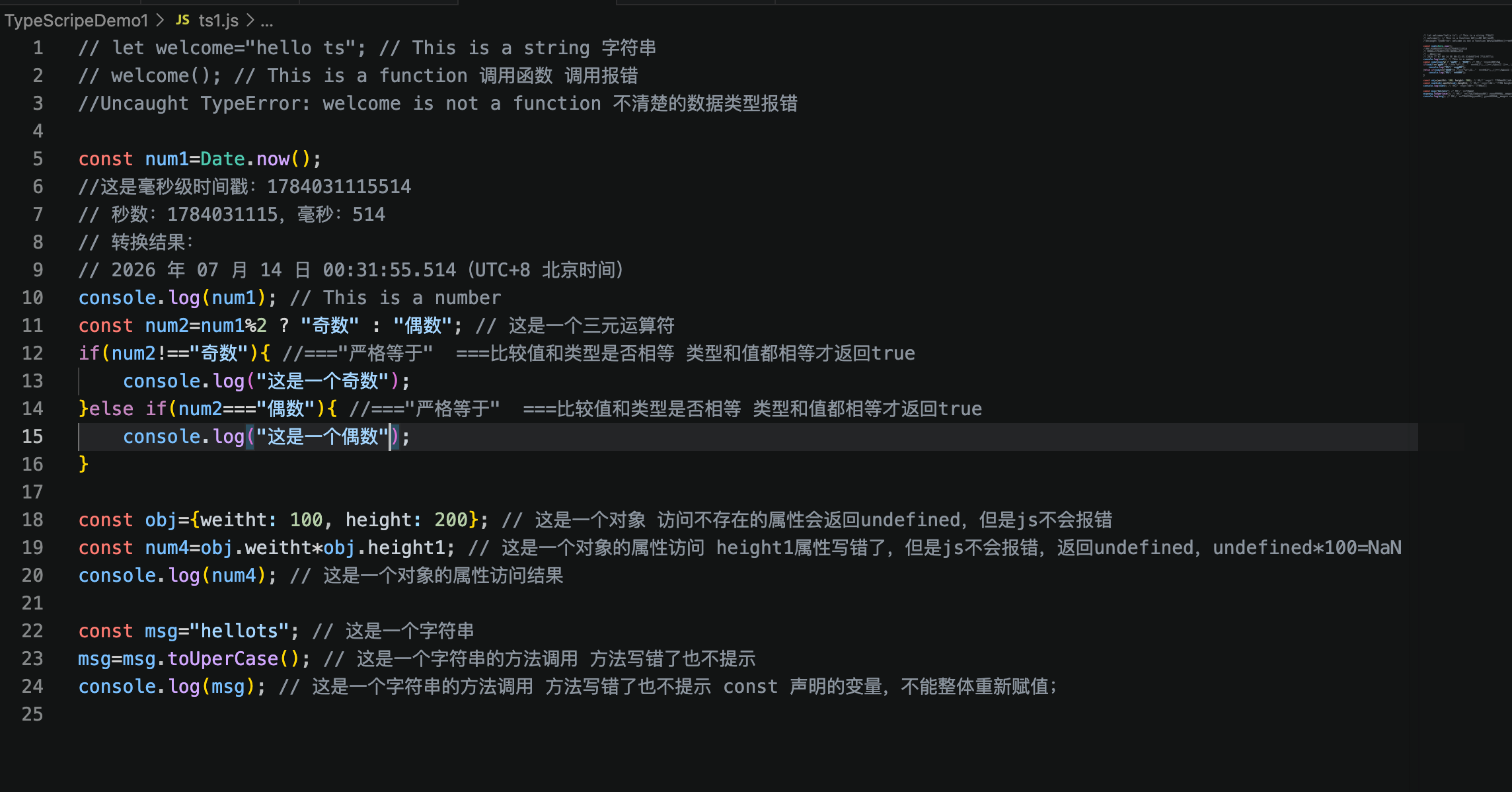
2.1:js无静态类型检查
2.2:ts有静态类型检查
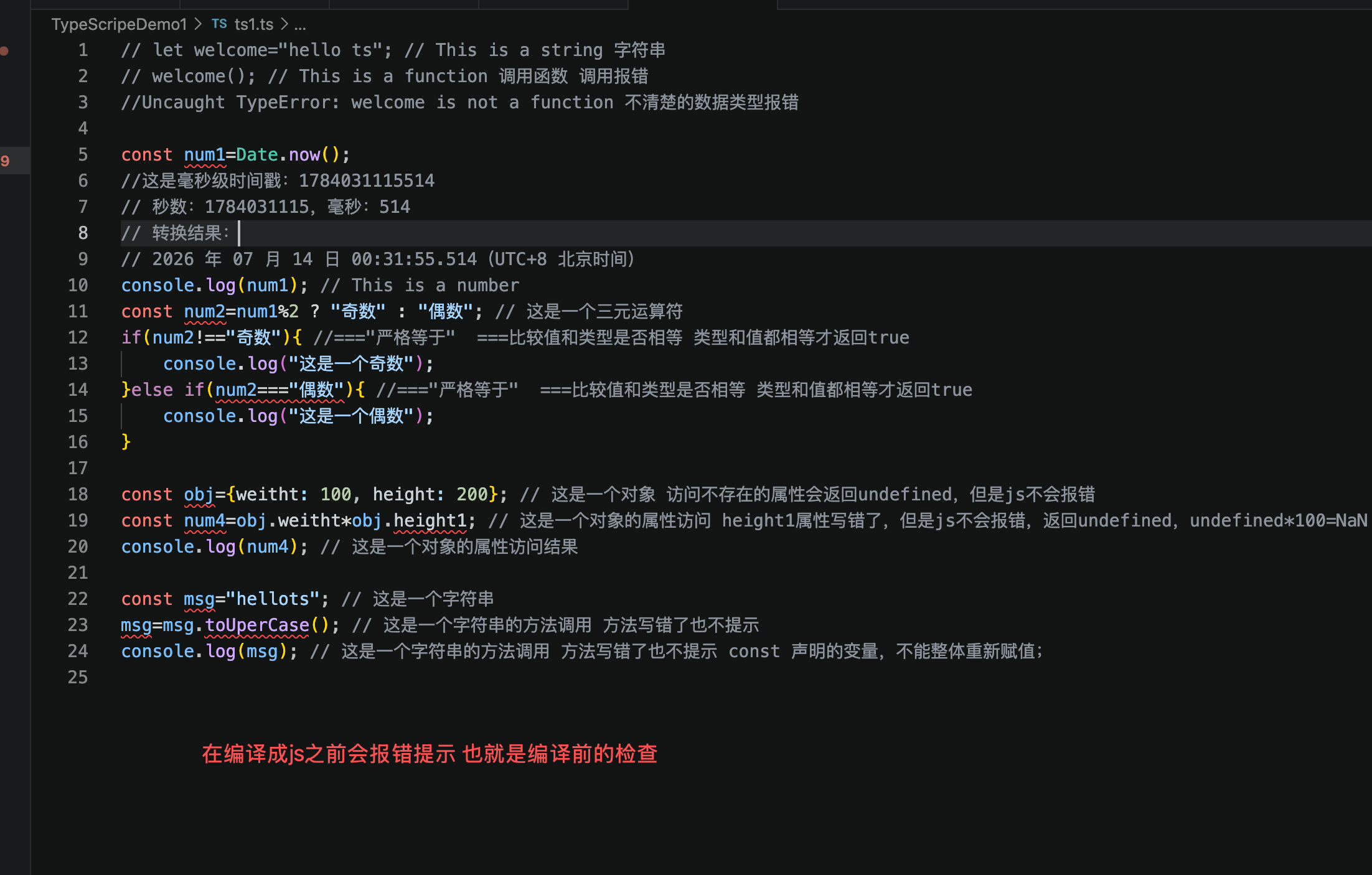
2.3:什么是静态类型检查
在代码运行前,发现代码的错误和不合理给出提示,这样是不是就能显著的减少开发错误了。也就是在运行之前的错误前置。
3:TS编译成js
3.1:命令行编译 TSC命令
Matlab
-- 第一步:安装ts编译器
sudo npm i typescript -g
-- tsc 命令编译ts成js
tsc ts2.ts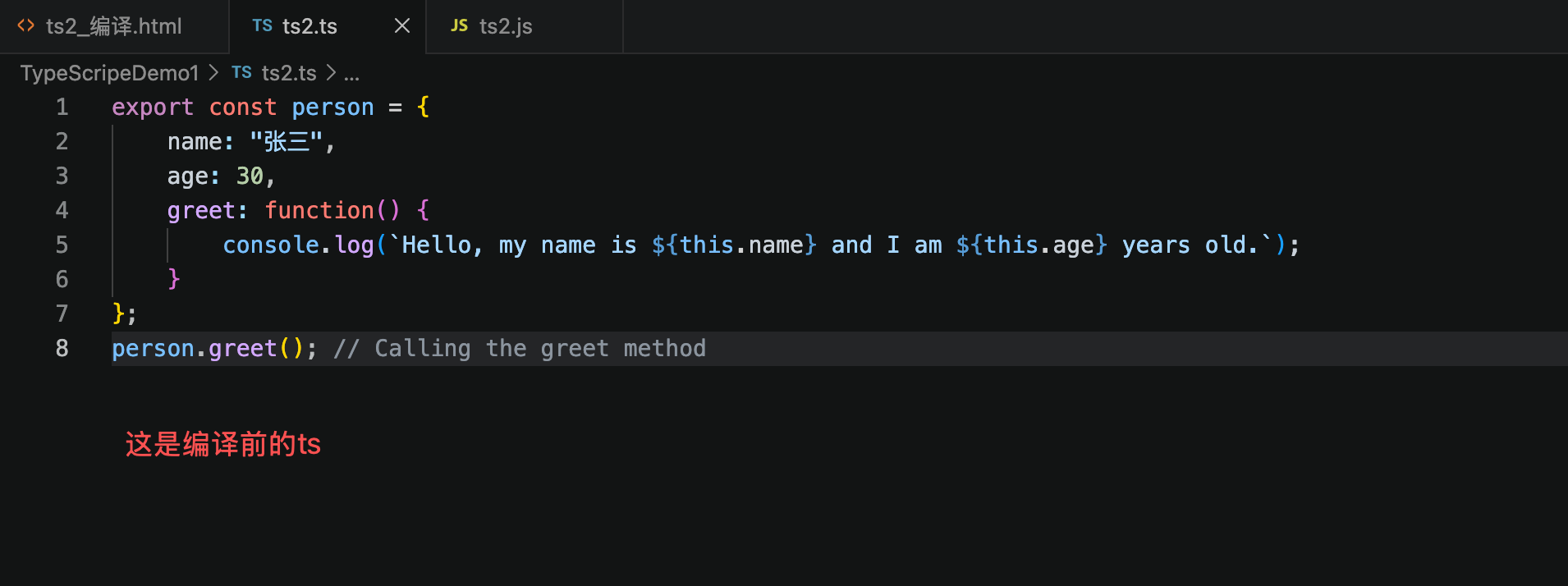
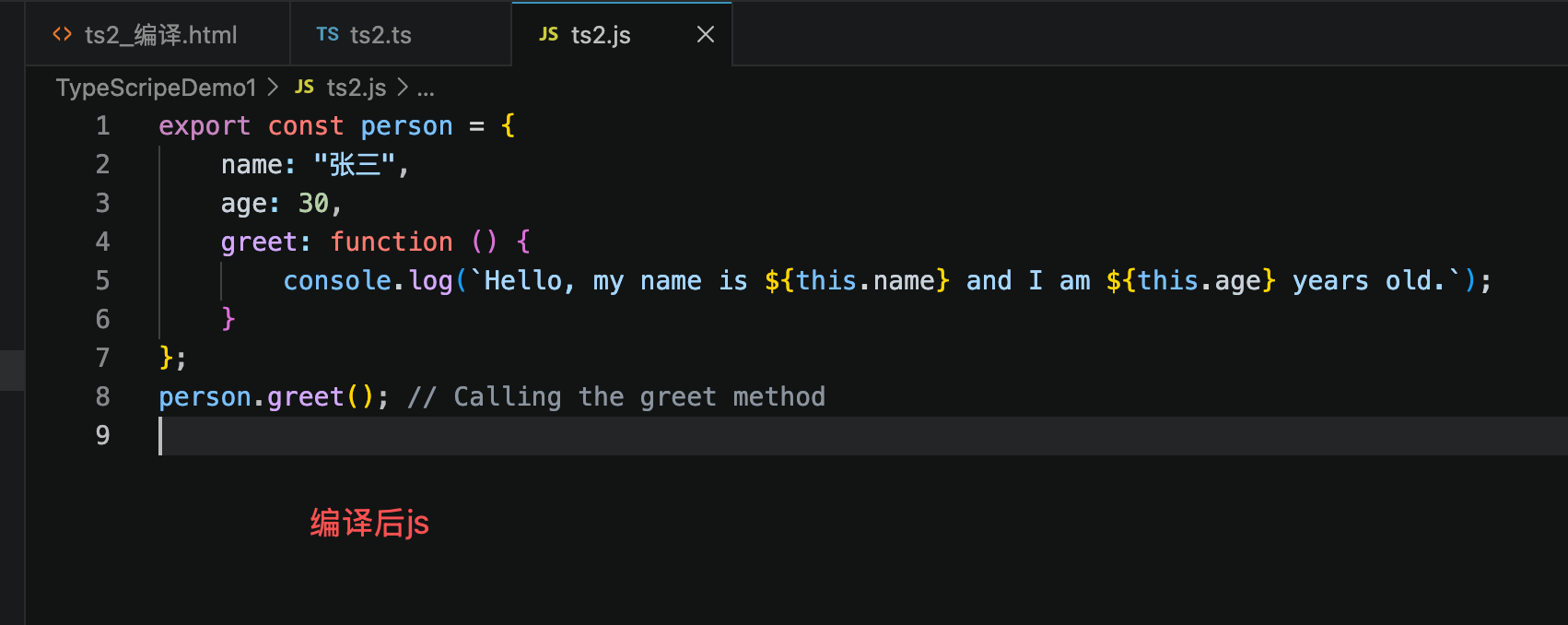
3.2:自动化编译 TSC命令
Matlab
-- 生成项目的全局tsconfig配置文件 约束了项目中的ts怎么编译成js tsconfig.json
tsc init
-- 它会自动读取 tsconfig 里的文件、编译选项,不会报警。
tsc --watch
以下就是生成的tsconfig.json的配置,约束了怎么编译ts成js
TypeScript
{
  // 官方tsconfig完整文档:https://aka.ms/tsconfig
  "compilerOptions": {
    // ===================== 文件目录配置 =====================
    // "rootDir": "./src",       // 指定源码根目录,ts仅编译该目录下文件
    // "outDir": "./dist",       // 编译后js、d.ts等文件输出目录

    // ===================== 运行环境与模块规范 =====================
    // 模块解析标准:nodenext 适配 Node.js ESM / CommonJS 双模式
    "module": "nodenext",
    // 编译输出JS版本:esnext 输出最新ES语法,不降级(适合现代Node环境)
    "target": "esnext",
    // 自动引入的类型声明包,空数组代表不自动加载全局类型
    "types": [],
    // Node项目推荐开启配置:
    // "lib": ["esnext"],        // 内置ES标准类型库,不含DOM浏览器API
    // "types": ["node"],        // 加载node内置类型,需提前安装 npm i -D @types/node

    // ===================== 产物输出配置 =====================
    "sourceMap": true,          // 生成.map源码映射文件,调试时可关联ts源码
    "declaration": true,        // 编译时同步生成 .d.ts 类型声明文件
    "declarationMap": true,     // 为类型声明文件生成d.ts.map,支持跳转源码

    // ===================== 严格类型校验(高阶严格规则) =====================
    "noUncheckedIndexedAccess": true, // 对象索引取值自动判定可能为undefined,杜绝空值报错
    "exactOptionalPropertyTypes": true,// 可选属性严格区分 T | undefined 和 直接可选?,类型更精准

    // ===================== 代码风格/错误拦截(按需开启) =====================
    // "noImplicitReturns": true,        // 函数所有分支必须显式return,禁止隐式undefined返回
    // "noImplicitOverride": true,       // 重写父类方法必须加override关键字
    // "noUnusedLocals": true,           // 禁止定义未使用的局部变量
    // "noUnusedParameters": true,       // 禁止函数定义未使用的入参
    // "noFallthroughCasesInSwitch": true,// switch分支禁止无break穿透
    // "noPropertyAccessFromIndexSignature": true, // 索引类型不能用.点访问,只能[]访问

    // ===================== TS官方推荐核心配置 =====================
    "strict": true,             // 开启全套严格类型检查(包含noImplicitAny、strictNullChecks等)
    "jsx": "react-jsx",         // JSX编译模式,react17+无需手动引入React
    "verbatimModuleSyntax": true,// 导入导出语法严格,导入类型必须加type关键字
    "isolatedModules": true,    // 单文件独立编译,适配vite、esbuild等非tsc构建工具
    "noUncheckedSideEffectImports": true, // 拦截无导入变量的副作用导入,避免tree-shake失效
    "moduleDetection": "force", // 强制识别文件模块类型,自动区分ESM/CJS
    "skipLibCheck": true,       // 跳过第三方库类型校验,大幅提升编译速度
  }
}
3.3:vue和react都不用这两种方式,使用基于脚手架的webpack或者vit编译
4:TS类型声明(核心语法)
4.1:类型声明
类型声明就是在变量直接设置类型,严格校验检查
TypeScript
let a=10; // 声明一个变量 a,并赋值为 10 这是js写法

let num1:number; // 声明一个变量 num1,并指定类型为 number,并赋值为 20 这是ts写法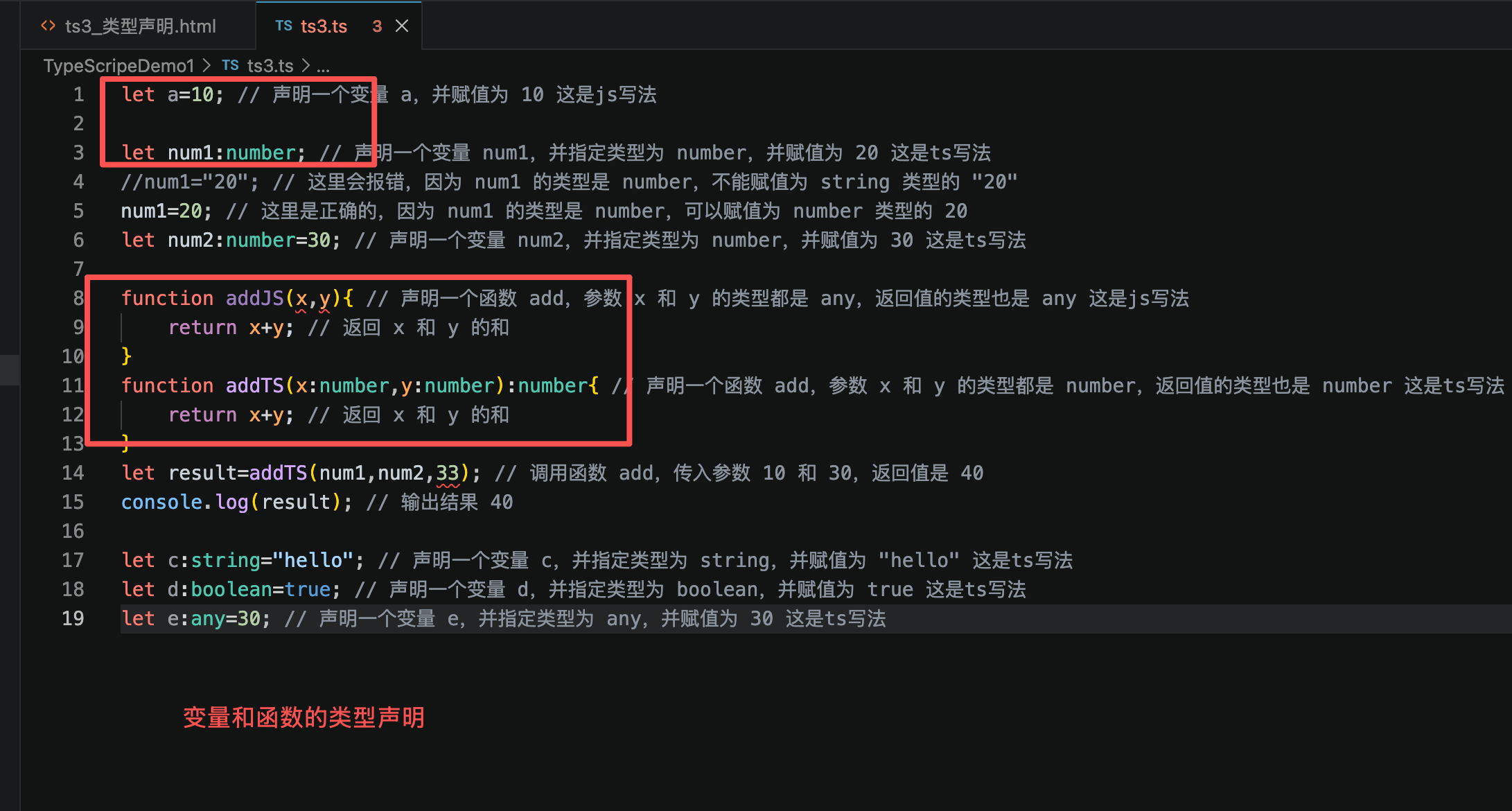
4.2:类型推断
就是不写类型也能推断出来类型
TypeScript
// ts的类型推断
let f=10; // 声明一个变量 f,并赋值为 10,ts会自动推断出 f 的类型为 number
f='hello'; // 这里会报错,因为 f 的类型是 number,不能赋值为 string 类型的 "hello"
4.3:类型汇总
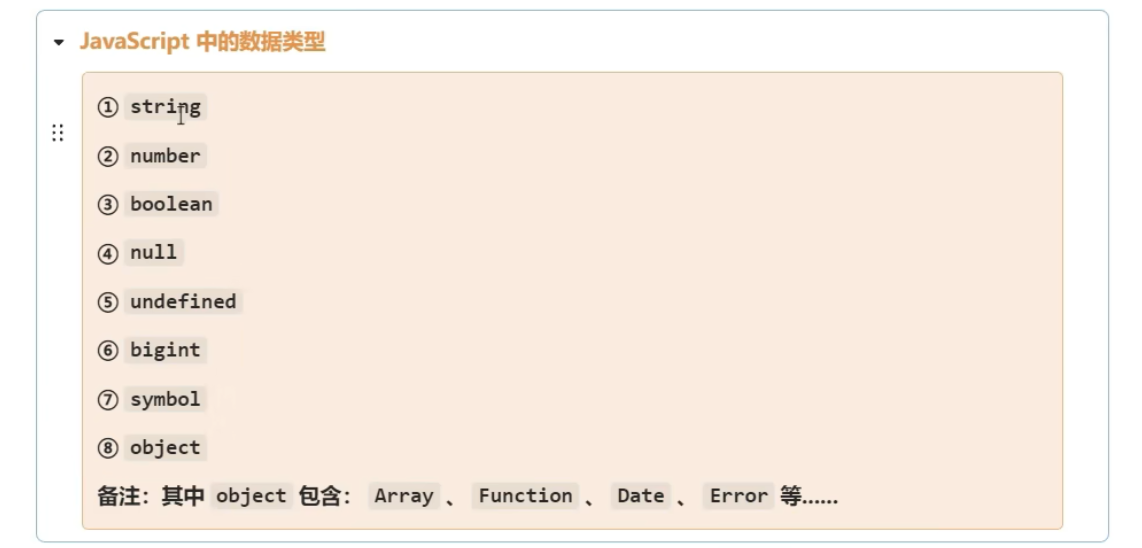
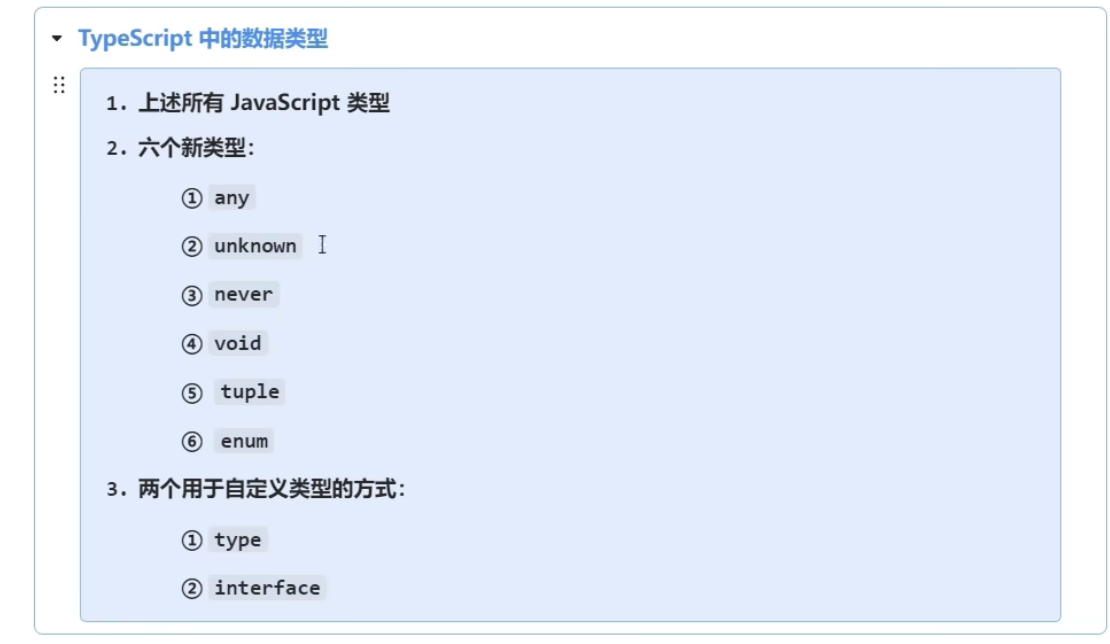
4.3.1: unknown 不知道什么类型,但是是安全版的any,因为需要类型断言或者类型缩小才能使用
TypeScript
//unknown 不知道什么类型,但是是安全版的any,因为需要类型断言或者类型缩小才能使用

console.log("========"); // unknown 类型的变量 a 可以赋值为任意类型的值,但是在使用时需要进行类型断言或者类型缩小,否则会报错

let a:unknown;
a=1;
console.log(typeof a); // unknown 类型的变量 a 可以赋值为任意类型的值,但是在使用时需要进行类型断言或者类型缩小,否则会报错

a="hello";
a=true;
a={name:"张三",age:20};
a=[1,2,3];
a=new Date();
a="aaa";

let str3:string;
str3=a;// 这里会报错,因为 a 的类型是 unknown,不能赋值为 string 类型的 str3
str3=a as string; // 这里是正确的,因为 a 的类型是 unknown,可以通过类型断言将其转换为 string 类型的 str3
//类型缩小
switch(typeof a){
    case "string":
        str3=a; // 这里是正确的,因为 a 的类型是 string,可以赋值为 string 类型的 str3
        break;
    case "number":
        let num:number=a; // 这里是正确的,因为 a 的类型是 number,可以赋值为 number 类型的 num
        break;
    case "boolean":
        let bool:boolean=a; // 这里是正确的,因为 a 的类型是 boolean,可以赋值为 boolean 类型的 bool
        break;
    case "object":
        break;
    case "function":
        let func:Function=a; // 这里是正确的,因为 a 的类型是 function,可以赋值为 function 类型的 func
        break;
    default:
        break;
}
console.log(typeof a); // unknown 类型的变量 a 可以赋值为任意类型的值,但是在使用时需要进行类型断言或者类型缩小,否则会报错
console.log("输出:" + a);
4.3.2: never 修饰方法,只能抛出异常,不能有返回值
TypeScript
//never 修饰方法,只能抛出异常,不能有返回值
function add(): never {
    throw new Error("Function add never returns");
}
4.3.3: void 修饰方法,没有返回值,默认是undifined
TypeScript
//void 修饰方法,表示没有返回值,默认返回undefined
function add1(): void {
    console.log("Function add1 returns void,测试void类型"); // 这里是正确的,因为 add1 方法的返回类型是 void,不能有返回值
}

var result1 = add1(); // 这里是正确的,因为 add1 方法的返回类型是 void,可以赋值给任何类型的变量
console.log(result1); // undefined
5:类学习
TypeScript
//类相关的知识
class Person {
    name: string;
    age: number;
    constructor(name: string, age: number) {
        this.name = name;
        this.age = age;
    }
    sayHello() {
        console.log(`Hello, my name is ${this.name} and I am ${this.age} years old.`);
    }
}

//类的简写写法
class Teacher {
    constructor(public name: string,public age: number,  subject: string) {
    }
}
let teacher1 = new Teacher("张三", 30, "数学");
console.log(teacher1); // 输出: Teacher { name: '张三', age: 30 }

class student extends Person {
    gender: string;
    constructor(name: string, age: number, gender: string) {
        super(name, age);
        this.gender = gender;
    }

    study() {
        console.log(`${this.name} is studying.`);
    }
    sayHello() {
        console.log(`Hello, 学生my name is ${this.name} and I am ${this.age} years old.`);
    }
}

let person1 = new Person("Alice", 30);
console.log(person1); // 输出: Alice
person1.sayHello(); // 输出: Hello, my name is Alice and I am 30 years old.

let student1 = new student("Bob", 20, "male");
console.log(student1); // 输出: Bob
student1.sayHello(); // 输出: Hello, my name is Bob and I am 20 years old.
student1.study(); // 输出: Bob is studying.
6:抽象类学习
定义通用属性和方法,避免重复。
TypeScript
/抽象类
console.log("======抽象类测试=========");
abstract class Package {
    weight: number;
    constructor(weight: number) {
        this.weight = weight;
    }
    abstract calculatePrice(): number; // 抽象方法,子类必须实现该方法
    printWeight() {
        console.log(`The weight of the package is ${this.weight} kg.运费是 ${this.calculatePrice()} 元`); // 这里是正确的,因为 calculatePrice 方法是抽象方法,子类必须实现该方法
    }
}
class shunfeng extends Package {
    price: number;

    constructor(weight: number,price: number) {
        super(weight);
        this.price = price;
    }
    calculatePrice(): number {
        return this.weight * this.price; // 这里是正确的,因为 calculatePrice 方法是抽象方法,子类必须实现该方法
    }
}
let package1 = new shunfeng(2,15);
package1.printWeight(); // 输出: The weight of the package is 2 kg.运费是 20 元

class yunda extends Package {
    price: number;
    constructor(weight: number,price: number) {
        super(weight);
        this.price = price;
    }
    calculatePrice(): number {
        return this.weight * this.price; // 这里是正确的,因为 calculatePrice 方法是抽象方法,子类必须实现该方法
    }
}
let package2 = new yunda(2,10);
package2.printWeight(); // 输出: The weight of the package is 2 kg.运费是 10 元
7:接口
TypeScript
/接口
console.log("======接口测试=========");
interface Shape {
    area(): number; // 接口方法,子类必须实现该方法
}
class Circle implements Shape {  // 实现接口 Shape 圆形
    radius: number; //半径
    constructor(radius: number) {
        this.radius = radius;
    }
    area(): number {//面积是
        return Math.PI * this.radius * this.radius; // 这里是正确的,因为 area 方法是接口方法,子类必须实现该方法
    }
}
let circle1 = new Circle(5);
console.log(`The area of the circle is ${circle1.area()}.`); // 输出: The area of the circle is 78.53981633974483.

class Rectangle implements Shape { // 实现接口 Shape 矩形
    width: number;//宽度
    height: number;//高度
    constructor(width: number, height: number) {
        this.width = width;
        this.height = height;
    }
    area(): number {
        return this.width * this.height; // 这里是正确的,因为 area 方法是接口方法,子类必须实现该方法
    }
}
let rectangle1 = new Rectangle(5, 10);
console.log(`The area of the rectangle is ${rectangle1.area()}.`); // 输出: The area of the rectangle is 50.