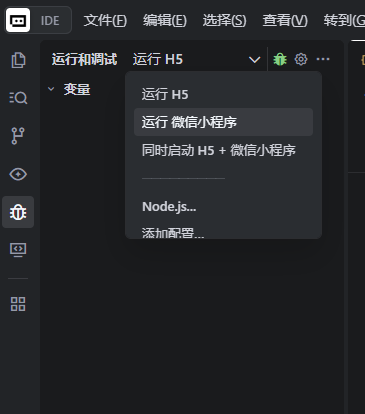
1、插件市场下载插件uniapp run
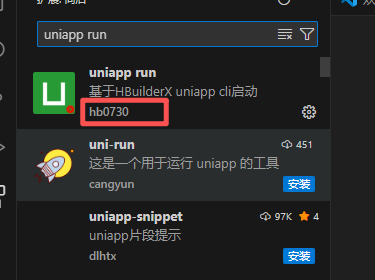
2、配置打开插件设置,填入:
- HBuilderX 安装路径(路径不能有中文、空格)
- 微信开发者工具路径(需要调试小程序时填写)
3、在项目根目录新建 .vscode/launch.json
{
    "version": "0.2.0",
    "configurations": [
        {
            "type": "uniapp-run",
            "request": "launch",
            "name": "运行 H5",
            "platform": "h5",
            "openBrowser": true,
            "vueVersion": "v2" // vue2 改成 v2
        },
        {
            "type": "uniapp-run",
            "request": "launch",
            "name": "运行 微信小程序",
            "platform": "mp-weixin",
            "openDevTools": true,
            "vueVersion": "v2" // vue2 改成 v2
        }
    ],
    "compounds": [
        {
            "name": "同时启动 H5 + 微信小程序",
            "configurations": ["运行 H5", "运行 微信小程序"],
            "stopAll": true
        }
    ]
}
拓展:使用trae开发工具时需要下载插件uni-app run 插件市场搜索不到
1、插件市场vscode 插件市场
2、在搜索结果中,点击你所需的插件。你会前往该插件的详情页。
3、在详情页中,点击 Version History 。如想省去麻烦我已下载完成uni-app run插件
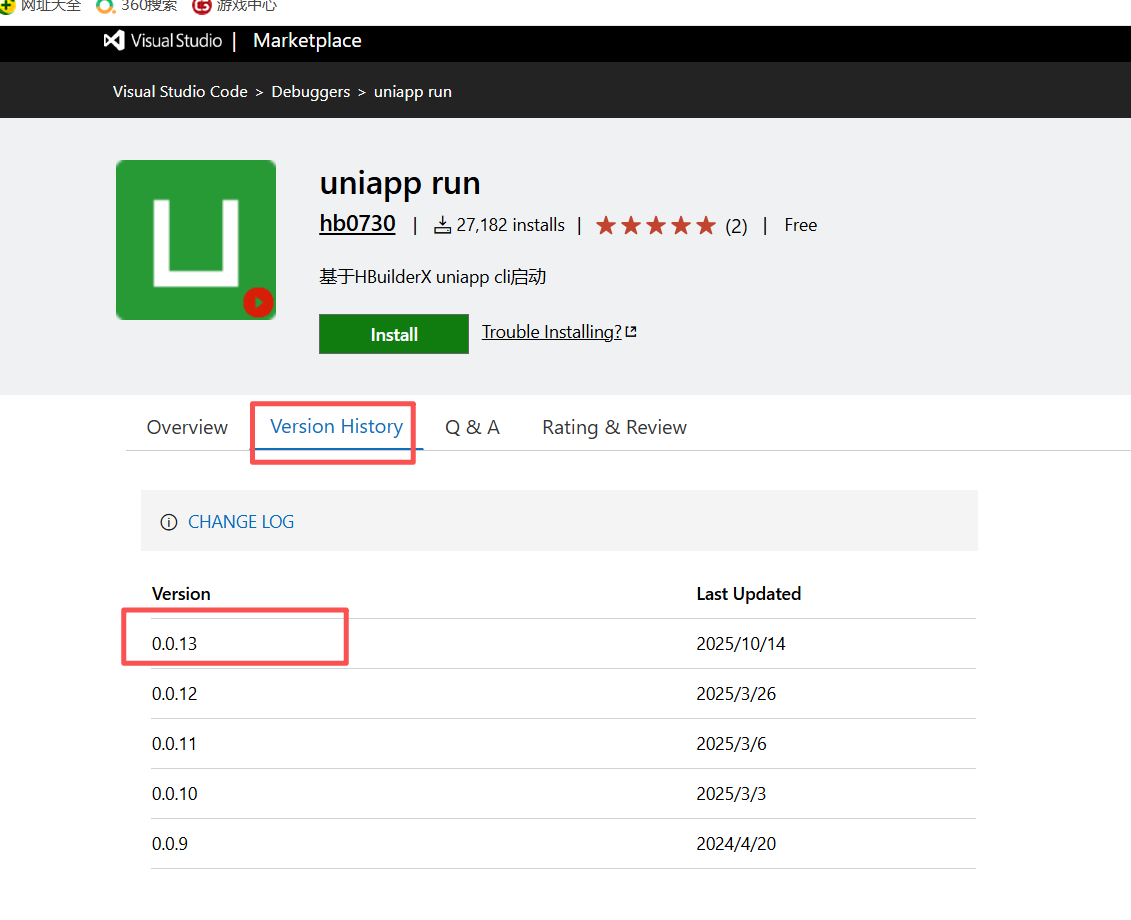
模板:
https://marketplace.visualstudio.com/_apis/public/gallery/publishers/${itemName.fieldA}/vsextensions/${itemName.fieldB}/${version}/vspackage

示例:
https://marketplace.visualstudio.com/_apis/public/gallery/publishers/denoland/vsextensions/uniapp-run/0.0.13/vspackage
4、下载后拖入插件市场
5、就可以自定义运行