HarmonyOS ArkTS 实战:从零实现壁纸头像与图片收藏应用
目录
- 一、项目背景与效果预览
- 二、技术栈与开发环境
- 三、需求分析与功能架构
- 四、数据结构与服务层设计
- 五、核心功能实现(完整代码)
- [5.1 页面状态与数据加载](#5.1 页面状态与数据加载)
- [5.2 壁纸列表与瀑布流布局](#5.2 壁纸列表与瀑布流布局)
- [5.3 分类筛选与搜索](#5.3 分类筛选与搜索)
- [5.4 大图预览(双指缩放)](#5.4 大图预览(双指缩放))
- [5.5 收藏与取消收藏](#5.5 收藏与取消收藏)
- [5.6 下载到相册(模拟)](#5.6 下载到相册(模拟))
- [5.7 收藏夹管理](#5.7 收藏夹管理)
- [5.8 下载历史记录](#5.8 下载历史记录)
- [5.9 统计图表(热门分类/下载排行)](#5.9 统计图表(热门分类/下载排行))
- [5.10 每日推荐与专题合集](#5.10 每日推荐与专题合集)
- [5.11 夜间模式切换](#5.11 夜间模式切换)
- [5.12 数据持久化(Preferences)](#5.12 数据持久化(Preferences))
- [六、UI 界面设计与实现(完整组件)](#六、UI 界面设计与实现(完整组件))
- [6.1 顶部标题与夜间模式开关](#6.1 顶部标题与夜间模式开关)
- [6.2 分类导航滚动条](#6.2 分类导航滚动条)
- [6.3 壁纸瀑布流网格(两列)](#6.3 壁纸瀑布流网格(两列))
- [6.4 大图预览浮层(含操作按钮)](#6.4 大图预览浮层(含操作按钮))
- [6.5 收藏夹与下载历史页面](#6.5 收藏夹与下载历史页面)
- 七、完整主页面代码(Index.ets)及子页面
- 八、运行与调试
- 九、项目总结与扩展思路
一、项目背景与效果预览
1.1 痛点场景
手机壁纸、头像、美图------年轻用户对视觉内容的需求旺盛,但常常面临以下困扰:壁纸App广告太多、收藏管理不便、下载记录混乱、分类不清晰。本应用打造一个纯净、美观的壁纸头像收藏工具,支持壁纸浏览、分类筛选、大图预览、收藏管理、下载历史、搜索、热门排行、专题合集等,让美好触手可及。
1.2 运行效果(模拟器预览)
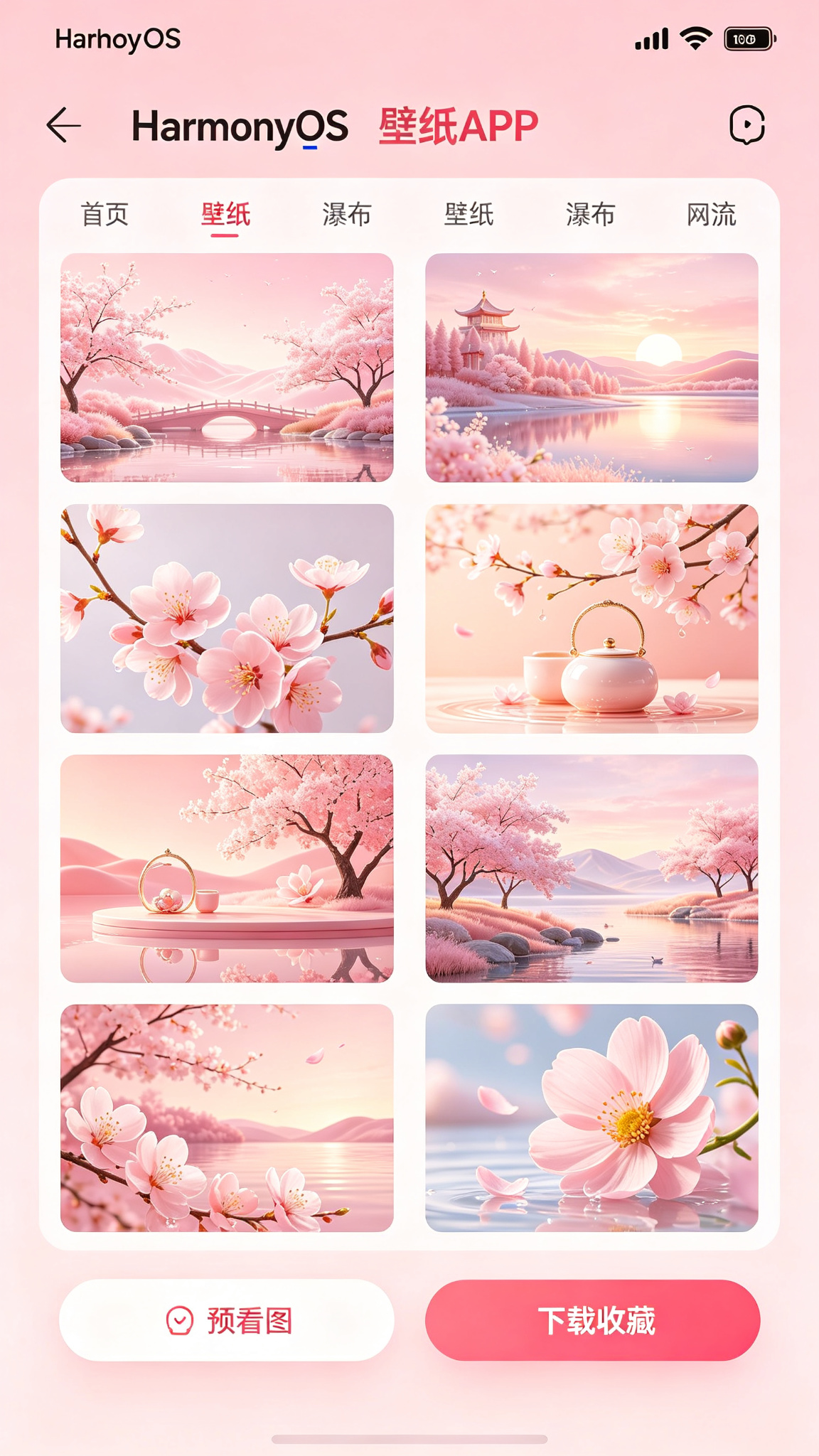
- 主界面(探索):顶部为应用标题 + 夜间模式开关 + 收藏入口;中部为横向滚动的分类导航(推荐、风景、动漫、动物、抽象、头像、热门);下方为两列瀑布流壁纸网格,每张卡片显示Emoji预览图、标题、收藏状态。
- 大图预览:点击壁纸进入全屏预览模式,支持双指缩放(模拟),底部提供收藏、下载、分享按钮。
- 底部Tabs:"探索"、"收藏"、"下载"、"我的"。
- 收藏夹:展示所有收藏的壁纸,支持取消收藏。
- 下载历史:按时间倒序展示下载记录。
- 统计:展示各分类数量、下载排行榜、热门标签。
主题色采用粉色(#DB2777 → #F472B6),温暖甜美,契合视觉类应用调性。
二、技术栈与开发环境
| 技术项 | 说明 |
|---|---|
| 开发语言 | ArkTS |
| UI 框架 | ArkUI 声明式开发 |
| 状态管理 | @State / @Provide / @Consume |
| 布局方式 | Grid + List + Tabs + Stack |
| 数据持久化 | @ohos.data.preferences |
| 图表组件 | @ohos.arkui.advanced.Chart |
| 弹窗/提示 | @ohos.prompt / @ohos.dialog |
| 路由管理 | @ohos.router |
| 手势 | Gesture(双指缩放模拟) |
| 开发工具 | DevEco Studio 5.0+ |
| SDK 版本 | API 24 及以上 |
三、需求分析与功能架构
3.1 核心功能清单
- 壁纸浏览:两列瀑布流展示,每张卡片含预览(Emoji/颜色)、标题、收藏状态。
- 分类导航:横向滚动标签(推荐、风景、动漫、动物、抽象、头像、热门),点击筛选。
- 搜索:按标题关键词搜索壁纸。
- 大图预览:点击进入全屏,支持双指缩放(模拟),查看完整图片。
- 收藏管理:点击爱心收藏/取消收藏,收藏夹独立展示。
- 下载功能:点击下载按钮,模拟保存到相册,记录下载历史。
- 下载历史:按时间展示下载记录,可清除。
- 统计图表:各分类数量柱状图、下载排行。
- 每日推荐:每日自动推荐一张壁纸(基于时间种子)。
- 热门排行:按下载量排序展示Top壁纸。
- 专题合集:预置专题(如"春日限定"、"科幻未来"),点击查看合集内壁纸。
- 夜间模式:全局切换深色主题。
3.2 数据流
浏览 → 筛选/搜索 → 查看大图 → 收藏/下载 → 统计更新 → 持久化四、数据结构与服务层设计
4.1 数据模型(完整定义)
typescript
// model/Wallpaper.ets
export interface Wallpaper {
  id: number;
  title: string;
  emoji: string;           // 预览Emoji(模拟图片)
  bgColor: string;         // 背景颜色
  category: string;        // 分类
  tags: string[];          // 标签
  isCollected: boolean;
  downloadCount: number;
  url?: string;            // 实际图片URL(模拟)
  isHot?: boolean;         // 是否热门
  isDailyRecommend?: boolean;
}

// model/DownloadRecord.ets
export interface DownloadRecord {
  id: number;
  wallpaperId: number;
  title: string;
  downloadTime: string;
}

// model/Collection.ets(收藏夹,实际通过Wallpaper的isCollected标记)
4.2 服务层(Service)
typescript
// service/BaseService.ets(同前,略)
// service/WallpaperService.ets
import { BaseService } from './BaseService';
import { Wallpaper } from '../model/Wallpaper';

class WallpaperService extends BaseService<Wallpaper> {
  constructor() { super('WallpaperPrefs', 'wallpapers'); }

  async fetch(): Promise<Wallpaper[]> {
    const data = await this.loadData();
    if (data.length === 0) {
      const mock = this.getMockData();
      await this.saveData(mock);
      return mock;
    }
    return data;
  }

  async add(item: Wallpaper): Promise<Wallpaper[]> {
    const list = await this.loadData();
    list.unshift(item);
    await this.saveData(list);
    return list;
  }

  async update(id: number, newItem: Wallpaper): Promise<Wallpaper[]> {
    const list = await this.loadData();
    const idx = list.findIndex(w => w.id === id);
    if (idx !== -1) {
      list[idx] = newItem;
      await this.saveData(list);
    }
    return list;
  }

  async delete(id: number): Promise<Wallpaper[]> {
    const list = await this.loadData();
    const filtered = list.filter(w => w.id !== id);
    await this.saveData(filtered);
    return filtered;
  }

  // 获取分类列表
  async getCategories(): Promise<string[]> {
    const list = await this.loadData();
    const cats = new Set<string>();
    list.forEach(w => cats.add(w.category));
    return ['推荐', ...Array.from(cats), '热门', '收藏'];
  }

  private getMockData(): Wallpaper[] {
    const colors = ['#FBCFE8', '#FED7AA', '#BFDBFE', '#D1FAE5', '#FCE7F3', '#E0E7FF', '#FEE2E2', '#FEF3C7'];
    const emojis = ['🌸', '🌌', '🐱', '🌅', '🎨', '🌈', '🌺', '🦋', '🌊', '🏔️', '🌙', '⭐', '🍁', '🌿', '🌷', '🌻'];
    const categories = ['风景', '动漫', '动物', '抽象', '风景', '动漫', '动物', '抽象'];
    const titles = ['樱花', '星空', '猫咪', '日落', '艺术', '彩虹', '玫瑰', '蝴蝶', '海浪', '雪山', '月光', '星辰', '红叶', '森林', '郁金香', '向日葵'];
    const list: Wallpaper[] = [];
    for (let i = 0; i < 40; i++) {
      const idx = i % categories.length;
      list.push({
        id: i + 1,
        title: titles[i % titles.length] + (i > titles.length ? ` ${Math.floor(i/titles.length)+1}` : ''),
        emoji: emojis[i % emojis.length],
        bgColor: colors[i % colors.length],
        category: categories[idx],
        tags: [categories[idx], '精选'],
        isCollected: i < 3,
        downloadCount: Math.floor(Math.random() * 5000) + 100,
        isHot: i < 8,
        isDailyRecommend: i === 0
      });
    }
    return list;
  }
}
export const wallpaperService = new WallpaperService();

// service/DownloadService.ets
import { BaseService } from './BaseService';
import { DownloadRecord } from '../model/DownloadRecord';

class DownloadService extends BaseService<DownloadRecord> {
  constructor() { super('WallpaperPrefs', 'downloads'); }

  async fetch(): Promise<DownloadRecord[]> {
    const data = await this.loadData();
    return data;
  }

  async add(item: DownloadRecord): Promise<DownloadRecord[]> {
    const list = await this.loadData();
    list.unshift(item);
    await this.saveData(list);
    return list;
  }

  async delete(id: number): Promise<DownloadRecord[]> {
    const list = await this.loadData();
    const filtered = list.filter(d => d.id !== id);
    await this.saveData(filtered);
    return filtered;
  }

  async clearAll(): Promise<DownloadRecord[]> {
    await this.saveData([]);
    return [];
  }
}
export const downloadService = new DownloadService();
五、核心功能实现(完整代码)
5.1 页面状态与数据加载(主页面 Index.ets)
使用 Tabs 实现探索、收藏、下载、统计四个页面。主页面为探索(壁纸列表)。
typescript
// pages/Index.ets
import { Wallpaper } from '../model/Wallpaper';
import { DownloadRecord } from '../model/DownloadRecord';
import { wallpaperService } from '../service/WallpaperService';
import { downloadService } from '../service/DownloadService';
import prompt from '@ohos.prompt';
import router from '@ohos.router';
import { Chart, ChartType } from '@ohos.arkui.advanced';

@Entry
@Component
struct Index {
  @State wallpapers: Wallpaper[] = [];
  @State downloads: DownloadRecord[] = [];
  @State currentCategory: string = '推荐';
  @State searchKeyword: string = '';
  @State currentTab: number = 0;
  @State isLoading: boolean = true;
  @State isNightMode: boolean = false;

  // 大图预览
  @State selectedWallpaper: Wallpaper | null = null;
  @State isPreviewVisible: boolean = false;
  @State previewScale: number = 1;

  // 分类列表
  @State categories: string[] = ['推荐'];

  aboutToAppear() {
    this.loadData();
  }

  async loadData() {
    this.isLoading = true;
    try {
      this.wallpapers = await wallpaperService.fetch();
      this.downloads = await downloadService.fetch();
      this.categories = await wallpaperService.getCategories();
      // 确保包含热门和收藏
      if (!this.categories.includes('热门')) this.categories.push('热门');
    } catch (e) {
      prompt.showToast({ message: '加载失败' });
    } finally {
      this.isLoading = false;
    }
  }

  // 获取筛选后的壁纸列表
  private getFilteredWallpapers(): Wallpaper[] {
    let list = this.wallpapers;

    // 分类筛选
    if (this.currentCategory === '推荐') {
      // 推荐:按下载量排序取前20
      list = [...list].sort((a,b) => b.downloadCount - a.downloadCount).slice(0, 20);
    } else if (this.currentCategory === '热门') {
      list = list.filter(w => w.isHot).sort((a,b) => b.downloadCount - a.downloadCount);
    } else if (this.currentCategory === '收藏') {
      list = list.filter(w => w.isCollected);
    } else {
      list = list.filter(w => w.category === this.currentCategory);
    }

    // 搜索
    if (this.searchKeyword.trim()) {
      const kw = this.searchKeyword.trim().toLowerCase();
      list = list.filter(w => w.title.toLowerCase().includes(kw) || w.tags.some(t => t.toLowerCase().includes(kw)));
    }

    return list;
  }

  // 获取分类统计
  private getCategoryCount(category: string): number {
    if (category === '全部') return this.wallpapers.length;
    return this.wallpapers.filter(w => w.category === category).length;
  }

  // 获取收藏数量
  private getCollectedCount(): number {
    return this.wallpapers.filter(w => w.isCollected).length;
  }

  // ... 后续方法
}
5.2 壁纸列表与瀑布流布局
两列 Grid,每张卡片显示 Emoji + 标题 + 收藏按钮。
typescript
@Builder WallpaperCard(wp: Wallpaper) {
  Column() {
    Stack() {
      // 预览图
      Text(wp.emoji)
        .fontSize(56)
        .width('100%')
        .height(160)
        .textAlign(TextAlign.Center)
        .backgroundColor(wp.bgColor)
        .borderRadius({ topLeft: 12, topRight: 12 })
      // 收藏按钮(左上角)
      Text(wp.isCollected ? '❤️' : '🤍')
        .fontSize(18)
        .position({ x: 8, y: 8 })
        .onClick(() => this.toggleCollect(wp.id))
    }
    Row() {
      Text(wp.title)
        .fontSize(13)
        .fontColor(this.isNightMode ? '#E0E0E0' : '#374151')
        .maxLines(1)
        .textOverflow({ overflow: TextOverflow.Ellipsis })
        .layoutWeight(1)
      Text(`⬇${wp.downloadCount}`)
        .fontSize(11)
        .fontColor('#999')
    }
    .width('100%')
    .padding({ left: 10, right: 10, top: 6, bottom: 8 })
  }
  .width('100%')
  .backgroundColor(this.isNightMode ? '#2D2D44' : '#FFF')
  .borderRadius(12)
  .shadow({ radius: 2, color: '#00000010' })
  .onClick(() => this.openPreview(wp))
}

// 在 Grid 中使用
Grid() {
  ForEach(this.getFilteredWallpapers(), (wp: Wallpaper) => {
    GridItem() {
      this.WallpaperCard(wp)
    }
  })
}
.columnsTemplate('1fr 1fr')
.columnsGap(10)
.rowsGap(12)
.width('100%')
.padding(12)
5.3 分类筛选与搜索
横向滚动分类导航 + 搜索框。
typescript
@Builder CategoryNav() {
  Column() {
    Row() {
      Scroll(Axis.Horizontal) {
        Row({ space: 8 }) {
          ForEach(this.categories, (cat: string) => {
            Text(cat)
              .fontSize(14)
              .fontColor(this.currentCategory === cat ? '#FFF' : (this.isNightMode ? '#A0A0C0' : '#6B7280'))
              .padding({ left: 14, right: 14, top: 6, bottom: 6 })
              .backgroundColor(this.currentCategory === cat ? '#DB2777' : (this.isNightMode ? '#3D3D5A' : '#FCE7F3'))
              .borderRadius(20)
              .onClick(() => this.currentCategory = cat)
          })
        }
        .padding({ left: 4, right: 4 })
      }
      .scrollBar(BarState.Off)
      .width('75%')
      .height(40)

      // 搜索框
      TextInput({ placeholder: '🔍 搜索...', text: this.searchKeyword })
        .onChange(v => this.searchKeyword = v)
        .width('25%')
        .height(32)
        .backgroundColor(this.isNightMode ? '#3D3D5A' : '#FFF')
        .borderRadius(16)
        .padding({ left: 8 })
        .fontSize(12)
    }
    .width('100%')
    .padding({ left: 16, right: 16 })
  }
}
5.4 大图预览(双指缩放)
点击壁纸卡片进入全屏预览,支持双指缩放(模拟),底部有收藏/下载/分享按钮。
typescript
private openPreview(wp: Wallpaper) {
  this.selectedWallpaper = wp;
  this.previewScale = 1;
  this.isPreviewVisible = true;
}

private closePreview() {
  this.isPreviewVisible = false;
  this.selectedWallpaper = null;
  this.previewScale = 1;
}

@Builder PreviewView() {
  if (this.selectedWallpaper) {
    Stack() {
      // 半透明背景
      Column()
        .width('100%')
        .height('100%')
        .backgroundColor('rgba(0,0,0,0.92)')
        .onClick(() => this.closePreview())

      // 图片主体(缩放模拟)
      Column() {
        Text(this.selectedWallpaper.emoji)
          .fontSize(120 * this.previewScale)
          .textAlign(TextAlign.Center)
          .width('100%')
          .height(400 * this.previewScale)
          .backgroundColor(this.selectedWallpaper.bgColor)
          .borderRadius(16)
        Text(this.selectedWallpaper.title)
          .fontSize(20)
          .fontColor('#FFF')
          .margin({ top: 16 })
        Text(`分类:${this.selectedWallpaper.category}  |  下载:${this.selectedWallpaper.downloadCount}`)
          .fontSize(13)
          .fontColor('#AAA')
          .margin({ top: 4 })
      }
      .width('100%')
      .alignItems(HorizontalAlign.Center)
      .justifyContent(FlexAlign.Center)
      .gesture(
        PanGesture({ fingers: 2, direction: PanDirection.All })
          .onActionUpdate((event) => {
            // 模拟双指缩放(简化:用单指滑动距离模拟)
            const scaleChange = event.offsetX / 500;
            this.previewScale = Math.max(0.5, Math.min(2, this.previewScale + scaleChange));
          })
      )

      // 底部操作按钮
      Row({ space: 24 }) {
        Button(this.selectedWallpaper.isCollected ? '❤️ 已收藏' : '🤍 收藏')
          .onClick(() => this.toggleCollect(this.selectedWallpaper!.id))
          .backgroundColor('rgba(255,255,255,0.15)')
          .fontColor('#FFF')

        Button('⬇ 下载')
          .onClick(() => this.downloadWallpaper(this.selectedWallpaper!.id))
          .backgroundColor('rgba(255,255,255,0.15)')
          .fontColor('#FFF')

        Button('📤 分享')
          .onClick(() => {
            prompt.showToast({ message: '分享功能(模拟)' });
          })
          .backgroundColor('rgba(255,255,255,0.15)')
          .fontColor('#FFF')
      }
      .position({ x: 0, y: '88%' })
      .width('100%')
      .justifyContent(FlexAlign.Center)
      .padding(16)

      // 关闭按钮
      Button('✕')
        .width(44).height(44)
        .backgroundColor('rgba(255,255,255,0.15)')
        .borderRadius(22)
        .fontColor('#FFF')
        .fontSize(20)
        .position({ x: '88%', y: '5%' })
        .onClick(() => this.closePreview())
    }
    .width('100%')
    .height('100%')
    .position({ x: 0, y: 0 })
    .zIndex(100)
  }
}
5.5 收藏与取消收藏
typescript
private async toggleCollect(wpId: number) {
  const wp = this.wallpapers.find(w => w.id === wpId);
  if (!wp) return;
  const updated = { ...wp, isCollected: !wp.isCollected };
  try {
    this.wallpapers = await wallpaperService.update(wpId, updated);
    // 更新预览中的选中对象
    if (this.selectedWallpaper?.id === wpId) {
      this.selectedWallpaper = this.wallpapers.find(w => w.id === wpId) || null;
    }
    prompt.showToast({ message: updated.isCollected ? '已收藏 ❤️' : '已取消收藏' });
  } catch (e) {
    prompt.showToast({ message: '操作失败' });
  }
}
5.6 下载到相册(模拟)
typescript
private async downloadWallpaper(wpId: number) {
  const wp = this.wallpapers.find(w => w.id === wpId);
  if (!wp) return;
  // 更新下载量
  const updated = { ...wp, downloadCount: wp.downloadCount + 1 };
  try {
    this.wallpapers = await wallpaperService.update(wpId, updated);
    // 记录下载历史
    const record: DownloadRecord = {
      id: Date.now(),
      wallpaperId: wp.id,
      title: wp.title,
      downloadTime: new Date().toISOString()
    };
    this.downloads = await downloadService.add(record);
    if (this.selectedWallpaper?.id === wpId) {
      this.selectedWallpaper = this.wallpapers.find(w => w.id === wpId) || null;
    }
    prompt.showToast({ message: '已保存到相册 📥' });
  } catch (e) {
    prompt.showToast({ message: '下载失败' });
  }
}
5.7 收藏夹管理
在"收藏"Tab中展示所有收藏的壁纸,支持取消收藏和批量管理。
typescript
// 在收藏 TabContent 中
TabContent() {
  Column() {
    Row() {
      Text(`❤️ 我的收藏 (${this.getCollectedCount()})`)
        .fontSize(18).fontWeight(FontWeight.Bold)
      Blank()
      Button('清空收藏')
        .fontSize(12)
        .backgroundColor('#EF4444')
        .onClick(() => {
          prompt.showDialog({
            title: '确认清空',
            message: '确定清空所有收藏吗?',
            buttons: [{ text: '取消' }, { text: '清空', color: '#EF4444' }]
          }).then(async (res) => {
            if (res.index === 1) {
              const updatedList = this.wallpapers.map(w => ({ ...w, isCollected: false }));
              try {
                this.wallpapers = await wallpaperService.fetch(); // 重新加载
                // 批量更新(简化:逐个更新)
                for (const w of this.wallpapers) {
                  await wallpaperService.update(w.id, { ...w, isCollected: false });
                }
                this.wallpapers = await wallpaperService.fetch();
                prompt.showToast({ message: '已清空收藏' });
              } catch (e) { /* */ }
            }
          });
        })
    }
    .width('100%')
    .padding(16)

    Grid() {
      ForEach(this.wallpapers.filter(w => w.isCollected), (wp: Wallpaper) => {
        GridItem() { this.WallpaperCard(wp) }
      })
    }
    .columnsTemplate('1fr 1fr')
    .columnsGap(10)
    .rowsGap(12)
    .padding(12)
    .layoutWeight(1)
  }
}
.tabBar('❤️ 收藏')
5.8 下载历史记录
在"下载"Tab中展示所有下载记录。
typescript
TabContent() {
  Column() {
    Row() {
      Text(`📥 下载历史 (${this.downloads.length})`)
        .fontSize(18).fontWeight(FontWeight.Bold)
      Blank()
      if (this.downloads.length > 0) {
        Button('清除历史')
          .fontSize(12)
          .backgroundColor('#EF4444')
          .onClick(() => {
            prompt.showDialog({
              title: '确认清除',
              message: '确定清除所有下载历史吗?',
              buttons: [{ text: '取消' }, { text: '清除', color: '#EF4444' }]
            }).then(async (res) => {
              if (res.index === 1) {
                this.downloads = await downloadService.clearAll();
                prompt.showToast({ message: '已清除' });
              }
            });
          })
      }
    }
    .width('100%')
    .padding(16)

    List() {
      ForEach(this.downloads, (record: DownloadRecord) => {
        ListItem() {
          Row() {
            Text('🖼️').fontSize(24)
            Column() {
              Text(record.title).fontSize(15)
              Text(new Date(record.downloadTime).toLocaleString()).fontSize(11).fontColor('#999')
            }
            .alignItems(HorizontalAlign.Start)
            .layoutWeight(1)
            .margin({ left: 10 })
          }
          .width('100%')
          .padding(12)
          .backgroundColor(this.isNightMode ? '#2D2D44' : '#FFF')
          .borderRadius(8)
          .margin({ bottom: 6 })
        }
      })
    }
    .width('100%')
    .padding(16)
    .layoutWeight(1)
  }
}
.tabBar('📥 下载')
5.9 统计图表(热门分类/下载排行)
在"统计"Tab中展示分类柱状图和下载排行。
typescript
TabContent() {
  Scroll() {
    Column() {
      Text('📊 壁纸统计').fontSize(18).fontWeight(FontWeight.Bold).margin({ top: 12 }).alignSelf(ItemAlign.Start);

      // 分类统计
      const cats = [...new Set(this.wallpapers.map(w => w.category))];
      const counts = cats.map(c => this.wallpapers.filter(w => w.category === c).length);
      if (cats.length > 0) {
        Chart({
          type: ChartType.Bar,
          datasets: [{ data: counts, color: '#DB2777' }],
          options: {
            xAxis: { labels: cats, color: '#999' },
            yAxis: { min: 0, step: 1, color: '#999' }
          }
        }).width('100%').height(140).margin({ bottom: 16 });
      }

      // 下载排行 Top 5
      Text('🏆 下载排行').fontSize(16).fontWeight(FontWeight.Medium).margin({ top: 8 }).alignSelf(ItemAlign.Start);
      ForEach(
        [...this.wallpapers].sort((a,b) => b.downloadCount - a.downloadCount).slice(0,5),
        (wp: Wallpaper, idx: number) => {
          Row() {
            Text(`${idx+1}.`).width(30)
            Text(wp.emoji).fontSize(20)
            Text(wp.title).layoutWeight(1).margin({ left: 8 })
            Text(`⬇${wp.downloadCount}`).fontColor('#DB2777')
          }
          .width('100%')
          .padding(8)
          .border({ width: { bottom: 1 }, color: '#F0F0F0' })
        }
      )
    }
    .padding(16)
  }
}
.tabBar('📊 统计')
5.10 每日推荐与专题合集
在推荐分类中,优先展示标记为 isDailyRecommend 的壁纸,并添加"今日推荐"横幅。
typescript
// 在推荐分类的列表顶部
if (this.currentCategory === '推荐') {
  const daily = this.wallpapers.find(w => w.isDailyRecommend);
  if (daily) {
    Column() {
      Text('✨ 今日推荐').fontSize(14).fontWeight(FontWeight.Bold).fontColor('#DB2777')
      this.WallpaperCard(daily)
    }
    .margin({ bottom: 12 })
  }
}
5.11 夜间模式切换
在顶部添加 Switch 控制全局夜间模式。
typescript
// 顶部栏
Row() {
  Text('🎨 精美壁纸')
    .fontSize(24)
    .fontWeight(FontWeight.Bold)
    .fontColor(this.isNightMode ? '#FFB6C1' : '#1F2937')
  Blank()
  Toggle({ type: ToggleType.Switch, isOn: this.isNightMode })
    .onChange(val => this.isNightMode = val)
  Text('🌙').fontSize(18).margin({ left: 4 })
}
.width('100%')
.padding(16)
所有卡片、文字、背景根据 isNightMode 切换颜色。
5.12 数据持久化(Preferences)
已在 WallpaperService 和 DownloadService 中实现,所有操作自动保存。
六、UI 界面设计与实现(完整组件)
6.1 顶部标题与夜间模式开关
见 5.11。
6.2 分类导航滚动条
见 5.3。
6.3 壁纸瀑布流网格(两列)
见 5.2。
6.4 大图预览浮层(含操作按钮)
见 5.4。
6.5 收藏夹与下载历史页面
见 5.7 和 5.8。
七、完整主页面代码(Index.ets)
Index.ets 整合所有功能,采用 Tabs + 各 TabContent。
typescript
// Index.ets 完整骨架
@Entry
@Component
struct Index {
  // 所有状态变量
  // 所有方法

  build() {
    Stack() {
      Column() {
        // 顶部栏
        this.TopBar();

        if (this.isLoading) {
          LoadingProgress().color('#DB2777').layoutWeight(1);
        } else {
          Tabs({ barPosition: BarPosition.End }) {
            TabContent() {
              Column() {
                this.CategoryNav();
                Grid() {
                  // 每日推荐(仅推荐分类)
                  if (this.currentCategory === '推荐') { /* 推荐卡片 */ }
                  ForEach(this.getFilteredWallpapers(), (wp) => {
                    GridItem() { this.WallpaperCard(wp) }
                  })
                }
                .columnsTemplate('1fr 1fr')
                .columnsGap(10)
                .rowsGap(12)
                .padding(12)
                .layoutWeight(1)
              }
            }
            .tabBar('🎨 探索')

            TabContent() { /* 收藏 */ }
            .tabBar('❤️ 收藏')

            TabContent() { /* 下载历史 */ }
            .tabBar('📥 下载')

            TabContent() { /* 统计 */ }
            .tabBar('📊 统计')
          }
          .width('100%')
          .layoutWeight(1)
        }
      }
      .width('100%')
      .height('100%')
      .backgroundColor(this.isNightMode ? '#1A1A2E' : '#FDF2F8')

      // 大图预览浮层
      if (this.isPreviewVisible) {
        this.PreviewView()
      }
    }
  }
}
八、运行与调试
8.1 环境
- DevEco Studio 5.0+,API 24。
- 无需特殊权限。
8.2 运行
- 导入项目,含 model、service 文件。
- 运行模拟器,测试浏览、筛选、收藏、下载、预览等。
8.3 调试
- 使用 HiLog 查看操作日志。
- 测试夜间模式切换、预览缩放。
九、项目总结与扩展思路
9.1 项目总结
- 功能完整:浏览、分类、搜索、收藏、下载、历史、统计、预览。
- 交互丰富:大图预览、缩放模拟、夜间模式。
- 工程化:服务层持久化,易于扩展。
- 视觉设计:粉色主题,卡片式布局,符合审美。
9.2 扩展方向
- 真实图片加载 :使用
Image组件加载网络图片。 - 壁纸裁剪:适配不同屏幕比例。
- 自动换壁纸:定时更换锁屏/桌面壁纸。
- 社区上传:用户上传分享壁纸。
- AI生成:接入AI生成壁纸功能。
- 锁屏壁纸:设置系统锁屏壁纸。
运行效果