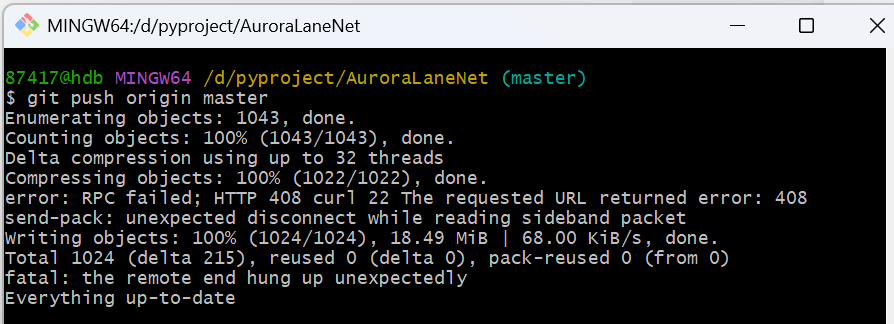
报错说明:推送文件体积较大,上传网速慢,GitHub 服务端等待超时(408 Request Timeout),传输中途连接被切断。
一、先加大 Git 上传缓冲区(最常用,优先执行)
默认缓冲区太小,大文件推送极易断开,调大缓存:
bash
# 设置缓冲区500MB,按需改1000m=1G
git config --global http.postBuffer 524288000
二、延长 curl 网络超时时间
默认超时太短,拉长等待时长:
bash
# 全局http超时300秒
git config --global http.timeout 300
git config --global https.timeout 300
三、分批次推送,不要一次性 push 全部提交
提交太多、文件太大一次性上传极易断开,拆分推送:
bash
# 只推送最近20个提交,数字自行调整
git push origin HEAD~20:main
# 分批多次执行,直到全部推送完成
四、开启低速传输容忍,避免低速直接断连
bash
# 低速阈值 1KB/s,持续60秒才断开
git config --global http.lowSpeedLimit 1024
git config --global http.lowSpeedTime 60
完整一键配置命令
bash
git config --global http.postBuffer 524288000
git config --global http.timeout 300
git config --global https.timeout 300
git config --global http.lowSpeedLimit 1024
git config --global http.lowSpeedTime 60
执行完后重新执行推送:
bash
git push