1、通信
- 接收聊天会话中的消息内容,包括单聊和群聊。备注:群聊仅限 AT 机器人的消息。
- 回复消息,或者主动发送消息到聊天会话中
2、钉钉开放平台
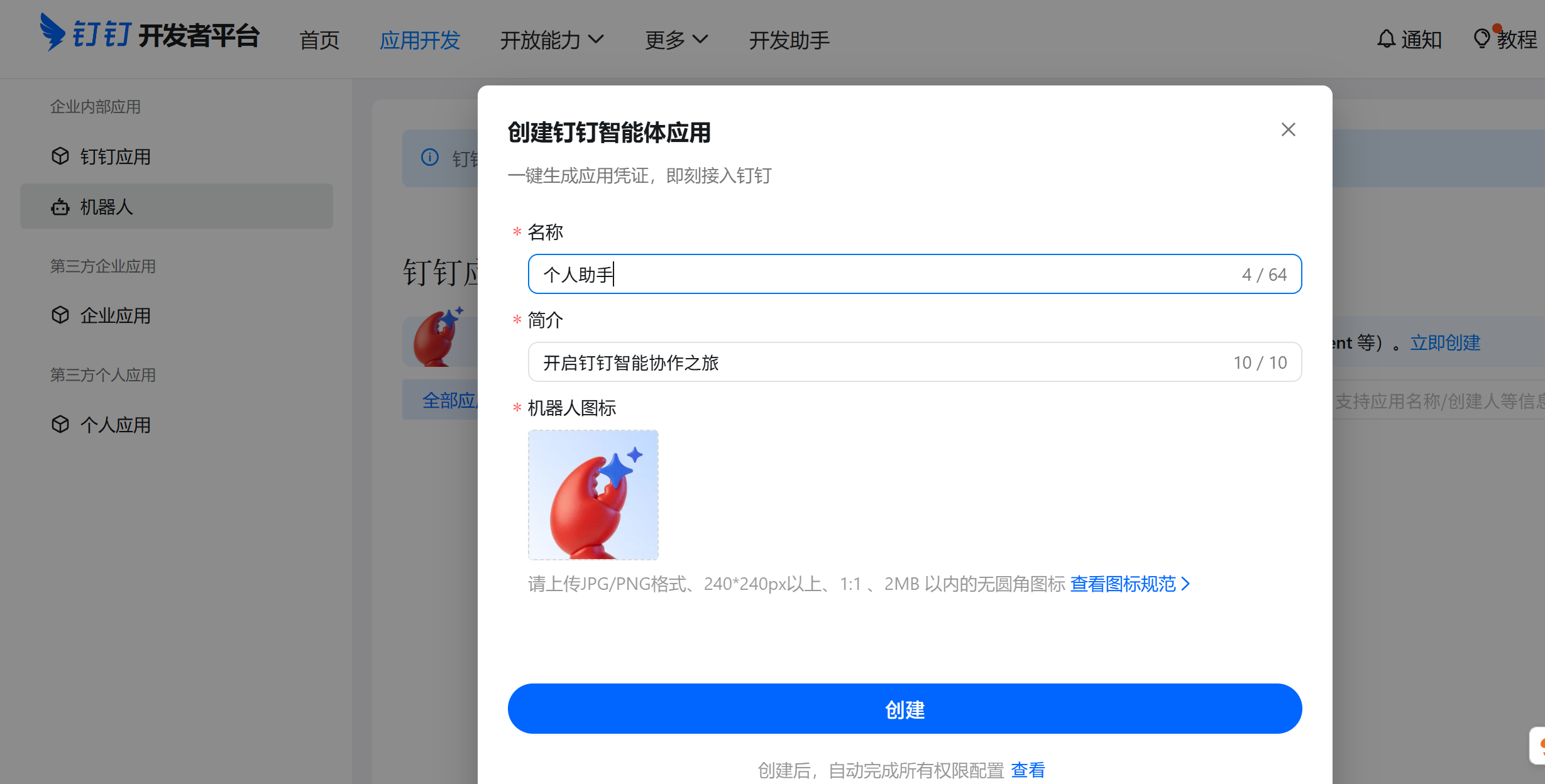
3、创建企业应用机器人(个人使用)
添加机器人
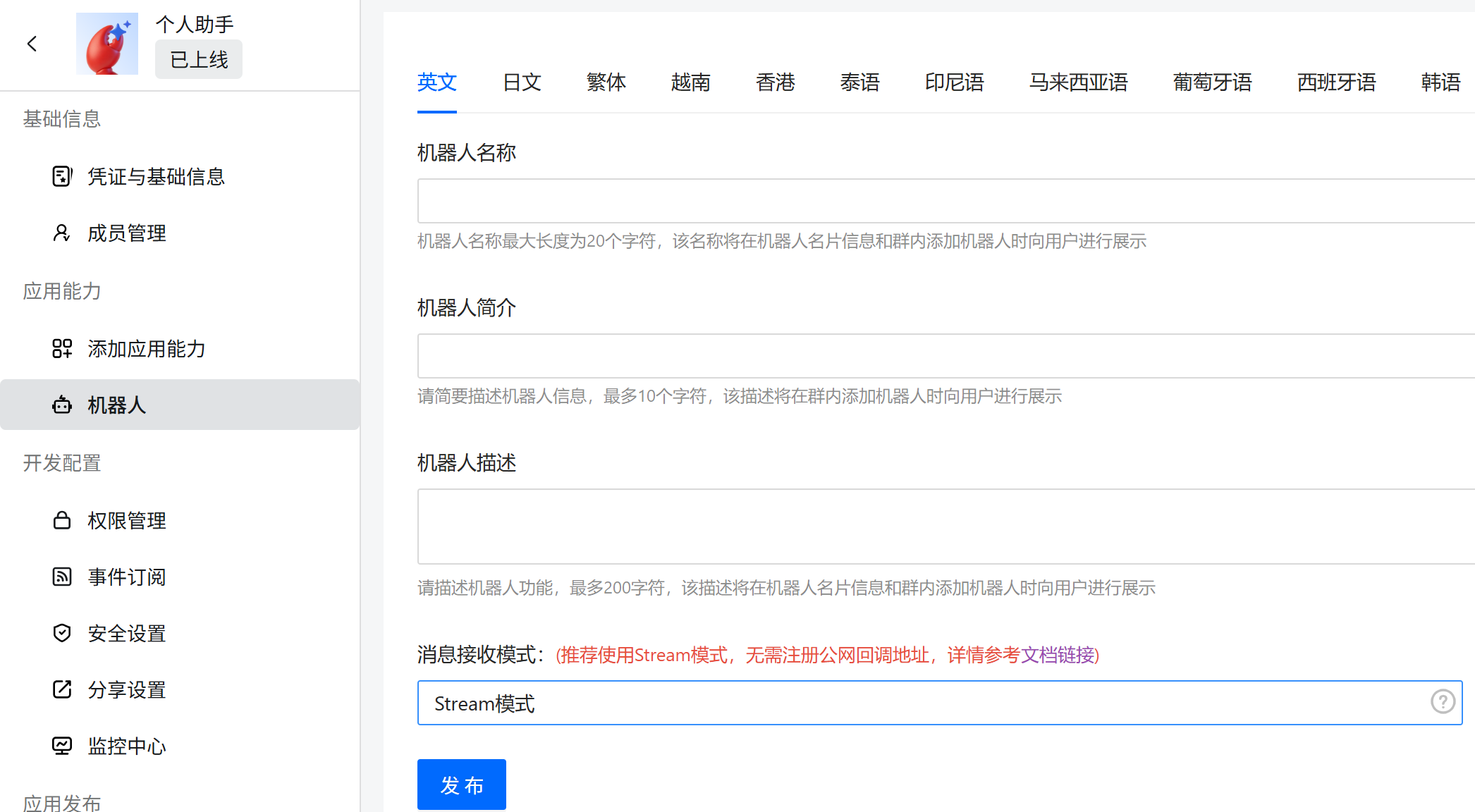
stream模式
默认stream模式
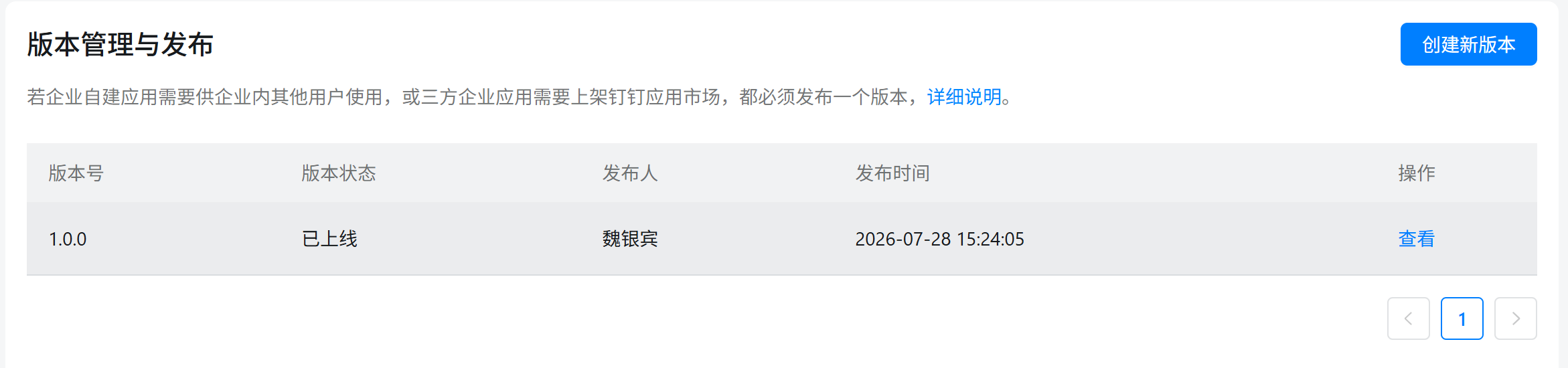
发布
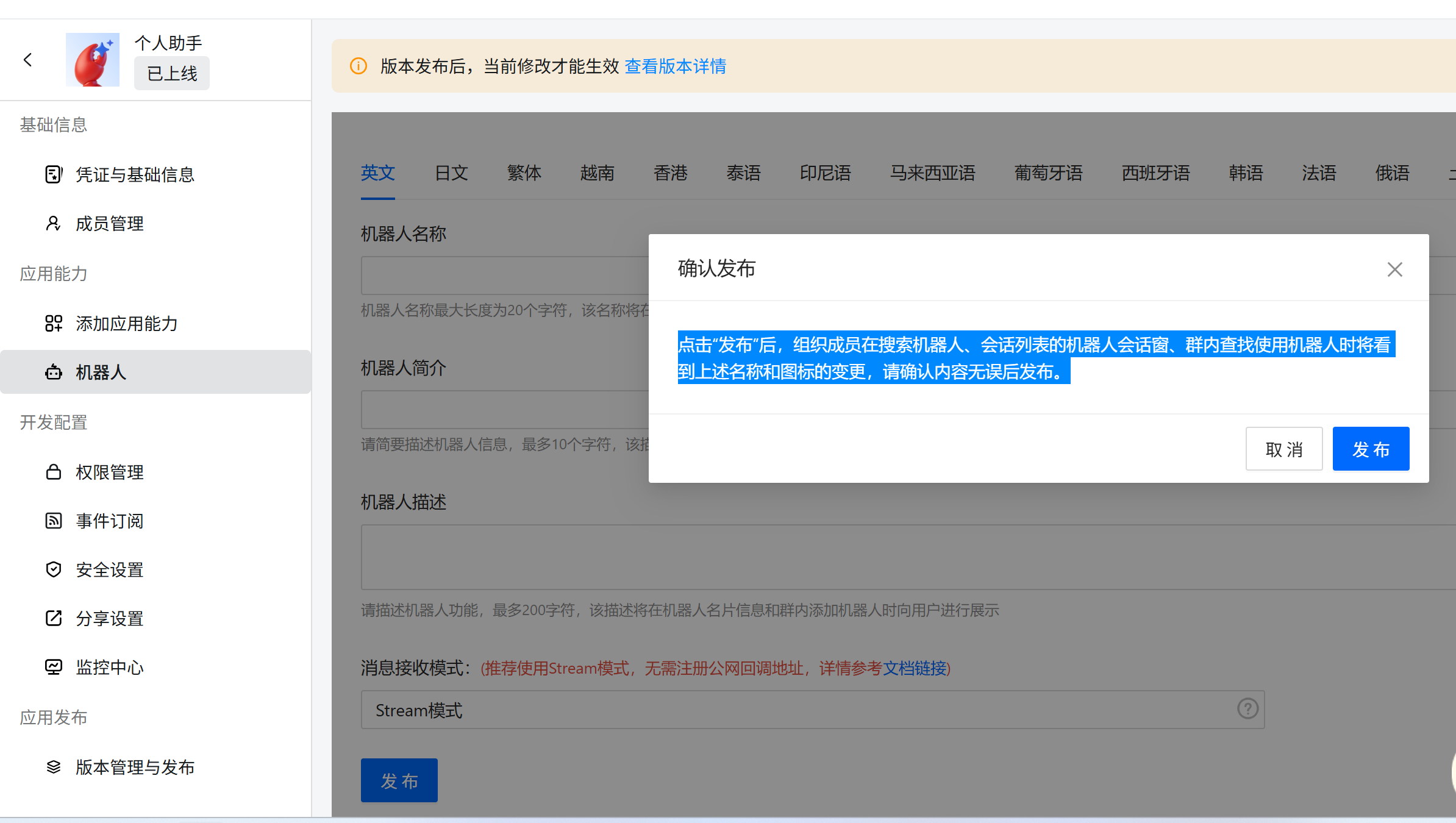
机器人发布
点击"发布"后,组织成员在搜索机器人、会话列表的机器人会话窗、群内查找使用机器人时将看到上述名称和图标的变更,请确认内容无误后发布。
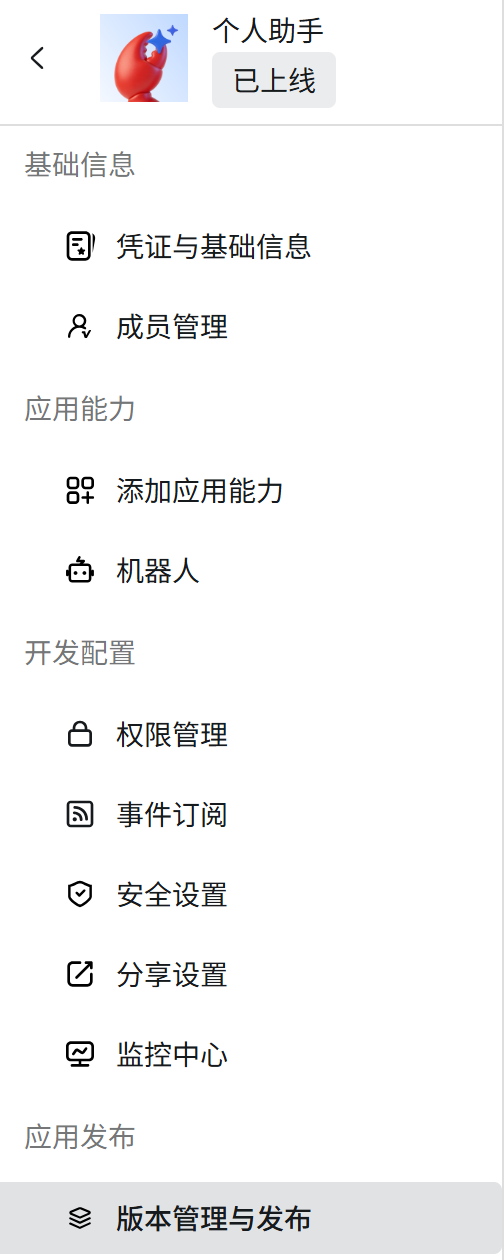
版本发布
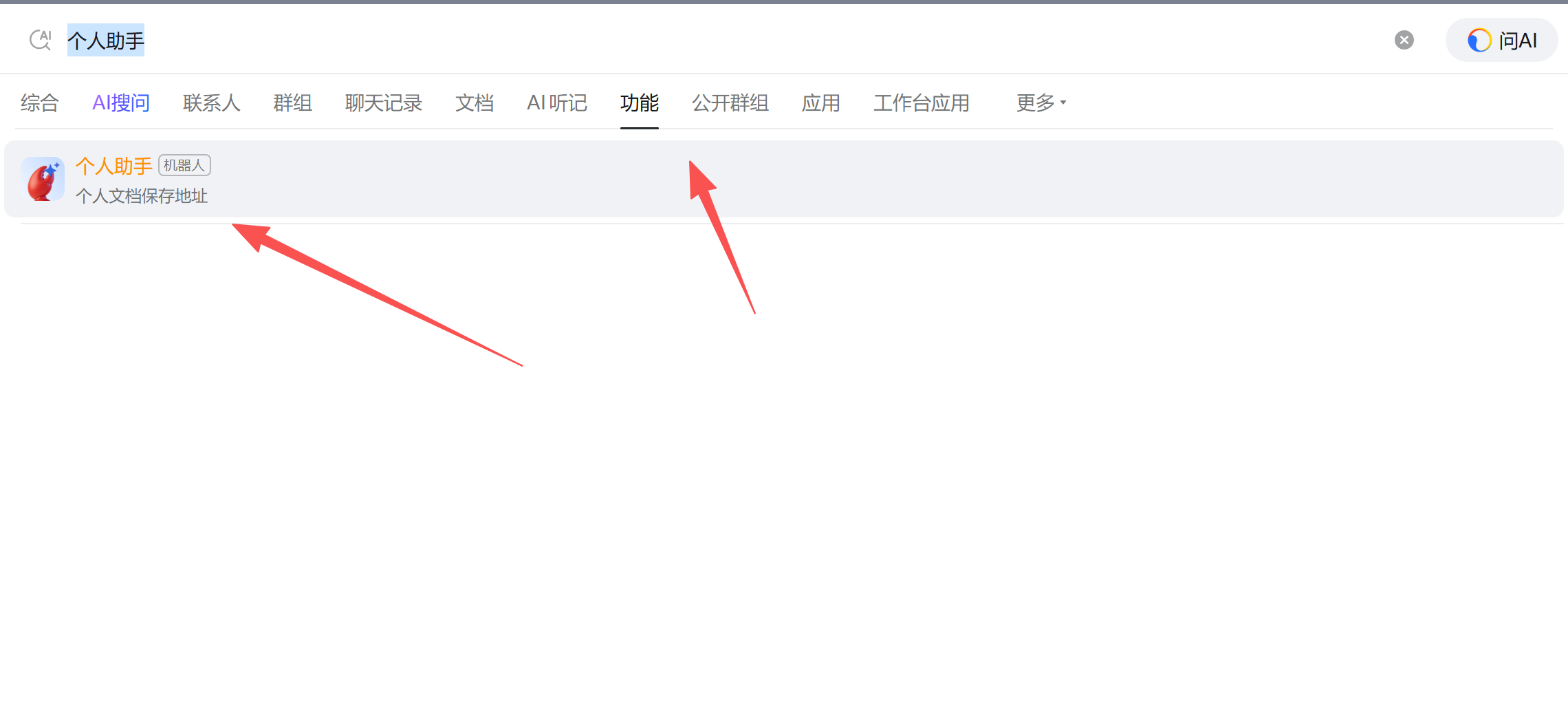
钉钉查找机器人
4、Stream优势
Stream 模式将为开发者提供"五零"接入体验,将1~2周的接入开发周期降低到5分钟,包括
-
**零公网IP:**不需要依赖公网IP或域名,也不需要暴露公网IP,减少了公网暴露服务的安全风险并降低了开发门槛。
-
**零加解密/签名/TLS证书管理:**使用应用身份对连接进行鉴权,通过反向连接的方式与钉钉开放平台建立TLS加密连接,提供了快速、安全的通信体验。
-
**零防火墙白名单:**Stream 模式下开发者无需向公网开放提供任何服务端口,无需部署防火墙和配置白名单。
-
**零网关部署:**通过反向连接的方式建立通道,开发者只需保证运行环境具备公网访问能力即可,无需部署网关。
-
**零内网穿透:**开发者无需在本地搭建内网穿透工具,通过 Stream 模式在本地开发环境中即可接收卡片回调。
5、代码接入
官方文档
企业内部应用机器人在人与机器人单聊场景中的使用 - 钉钉 API
依赖
<dependency>
    <groupId>com.dingtalk.open</groupId>
    <artifactId>dingtalk-stream</artifactId>
    <version>${dingtalk-stream.version}</version>
</dependency>
机器人回调+回复
@Test
public void testRobotCallback() throws Exception {
    //1、配置信息
    String clientId = "aaa";
    String clientSecret = "bbb";
    String topic = "/v1.0/im/bot/messages/get";
    //2、启动客户端
    OpenDingTalkStreamClientBuilder.custom().credential(new AuthClientCredential(clientId, clientSecret))
            //注册机器人监听器
            .registerCallbackListener(topic, (ChatbotMessage message) -> {
                //2.1 处理消息,开发者根据自身业务需求,处理机器人回调
                log.info("receive robotMessage, {}", message);
                //2.2 回复消息
                reply(message);
                return new JSONObject();
            }).build().start();

    //3、阻塞主线程,避免程序退出
    TimeUnit.DAYS.sleep(1);
}

/**
 * 回复消息
 */
private static void reply(ChatbotMessage message) {
    try {
        //1、 使用 sessionWebhook 回复消息
        String sessionWebhook = message.getSessionWebhook();
        log.info("sessionWebhook: {}, expireTime: {}", sessionWebhook, message.getSessionWebhookExpiredTime());
        //2、回复消息,使用 sessionWebhook 回复消息
        if (StrUtil.isBlank(sessionWebhook)) {
            return;
        }
        BotReplier replier = new BotReplier(sessionWebhook);
        replier.replyText("收到你的消息,正在处理");
        log.info("已通过 sessionWebhook 回复消息");
    } catch (Exception e) {
        log.error("reply error", e);
    }
}
给机器人发送消息
/**
 * 给钉钉机器人发送消息
 */
@Test
public void testSendRobotMessage() {
    String clientId = "x-acs-dingtalk-access-token";
    String clientSecret = "bbb";

    // 1. 获取 Access Token
    String accessToken = getAccessToken(clientId, clientSecret);
    log.info("获取到 accessToken: {}", accessToken);

    // 2. 调用钉钉 Open API 发送机器人消息
    String robotCode = clientId; // robotCode 通常与 clientId 相同
    String userId = "012711514339414039";   // 替换为实际接收消息的用户ID
    String content = "你好,这是一条来自机器人的测试消息!";

    RestTemplate restTemplate = new RestTemplate();
    String sendUrl = "https://api.dingtalk.com/v1.0/robot/oToMessages/batchSend";

    HttpHeaders headers = new HttpHeaders();
    headers.setContentType(MediaType.APPLICATION_JSON);
    headers.set("x-acs-dingtalk-access-token", accessToken);

    JSONObject msgParam = new JSONObject();
    msgParam.put("content", content);

    JSONObject requestBody = new JSONObject();
    requestBody.put("robotCode", robotCode);
    requestBody.put("userIds", Collections.singletonList(userId));
    requestBody.put("msgKey", "sampleText");
    requestBody.put("msgParam", msgParam.toJSONString());

    HttpEntity<String> entity = new HttpEntity<>(requestBody.toJSONString(), headers);
    ResponseEntity<String> response = restTemplate.exchange(sendUrl, HttpMethod.POST, entity, String.class);

    log.info("发送机器人消息响应: {}", response.getBody());
}

/**
 * 获取钉钉 Access Token
 */
private String getAccessToken(String appKey, String appSecret) {
    RestTemplate restTemplate = new RestTemplate();
    String url = String.format("https://oapi.dingtalk.com/gettoken?appkey=%s&appsecret=%s", appKey, appSecret);

    ResponseEntity<JSONObject> response = restTemplate.exchange(url, HttpMethod.GET, null, JSONObject.class);

    JSONObject body = response.getBody();
    if (body != null && body.getInteger("errcode") == 0) {
        return body.getString("access_token");
    }
    throw new RuntimeException("获取 accessToken 失败: " + body);
}