平时需要临时分配 dhcp ,
比如给网络设备或服务器分配 ,用于临时管理
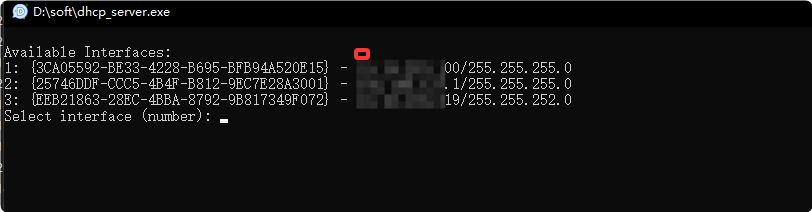
1 运行后弹出界面,要求选择网卡
这里用第1块有线网卡,输入1回车
bash
Available Interfaces:
1: {3CA05592-BE33-4228-B695-BFB94A520E15} - 10.248.253.100/255.255.255.0
2: {25746DDF-CCC5-4B4F-B812-9EC7E28A3001} - 192.168.137.1/255.255.255.0
3: {EEB21863-28EC-4BBA-8792-9B817349F072} - 172.16.250.219/255.255.252.0
Select interface (number): 1
2 显示分配 的Ip范围
bash
Network: 10.248.253.0/24
Server IP: 10.248.253.100
DHCP Pool: 10.248.253.1 - 10.248.253.254
Subnet Mask: 255.255.255.0
Socket successfully bound to 10.248.253.100:67

[DHCP Server Running]
Interface: {3CA05592-BE33-4228-B695-BFB94A520E15} (10.248.253.100)
Pool: 10.248.253.1 - 10.248.253.254
Subnet: 255.255.255.0
Lease Time: 3600 seconds

Enter command ('show' for leases, 'quit' to exit): Waiting for requests...
show
3 从客户端收到请求,并分配 Ip
可以看到,分配 的IP为 10.248.253.1
bash
Received packet from 0.0.0.0:68

Received DHCP packet from MAC: e4:84:29:72:6d:e6, From: 0.0.0.0:68
Message Type: 1, Requested IP: None, Server ID: None
Assigning new IP 10.248.253.1 to e4:84:29:72:6d:e6
Offering IP 10.248.253.1 to e4:84:29:72:6d:e6

Sending DHCP packet to 255.255.255.255:68
Packet details: {'xid': b'\xc3\x96\xf3>', 'chaddr': b'\xe4\x84)rm\xe6\x00\x00\x00\x00\x00\x00\x00\x00\x00\x00', 'yiaddr': '10.248.253.1', 'message_type': 2, 'lease_time': 3600}
Sent 268 bytes via broadcast