(176)以下是 sd_fusing_exynos4x12.sh 的完整内容,笔记漏掉了一部分,修改后保存不当,不再重复整理了 :
bash
#!/bin/sh
#
# Copyright (C) 2010 Samsung Electronics Co., Ltd.
#              http://www.samsung.com/
#
# This program is free software; you can redistribute it and/or modify
# it under the terms of the GNU General Public License version 2 as
# published by the Free Software Foundation.
#
####################################
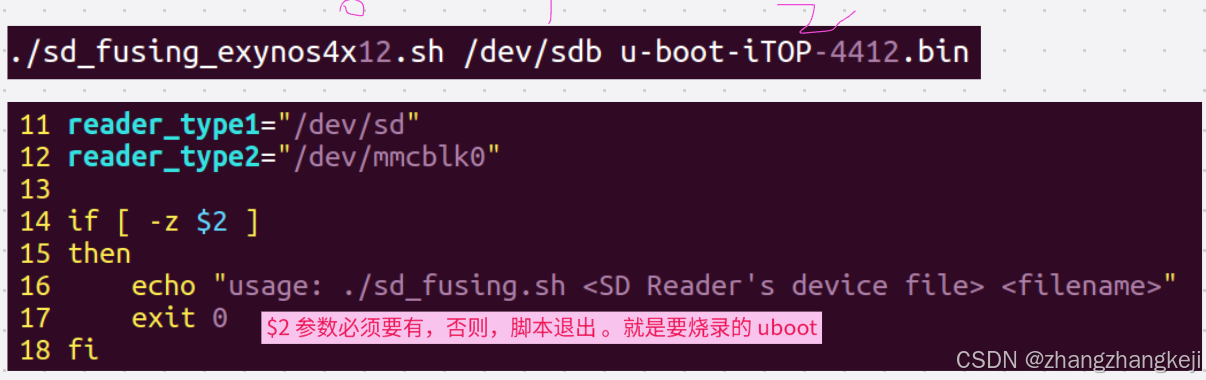
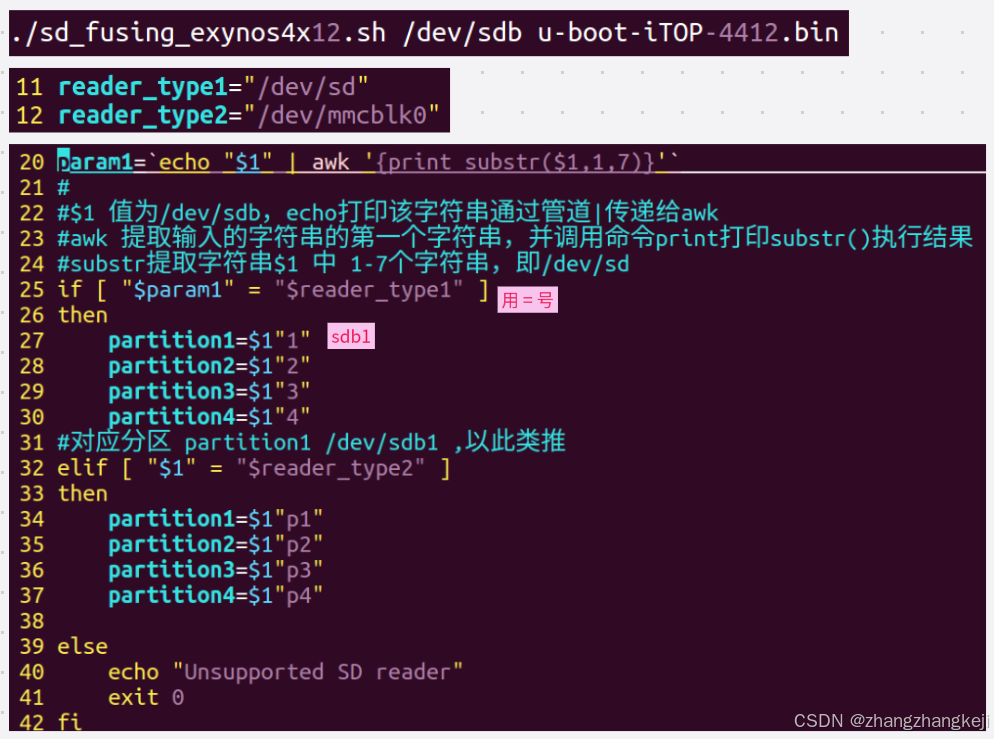
reader_type1="/dev/sd"
reader_type2="/dev/mmcblk0"

if [ -z $2 ]
then
    echo "usage: ./sd_fusing.sh <SD Reader's device file> <filename>"
    exit 0
fi

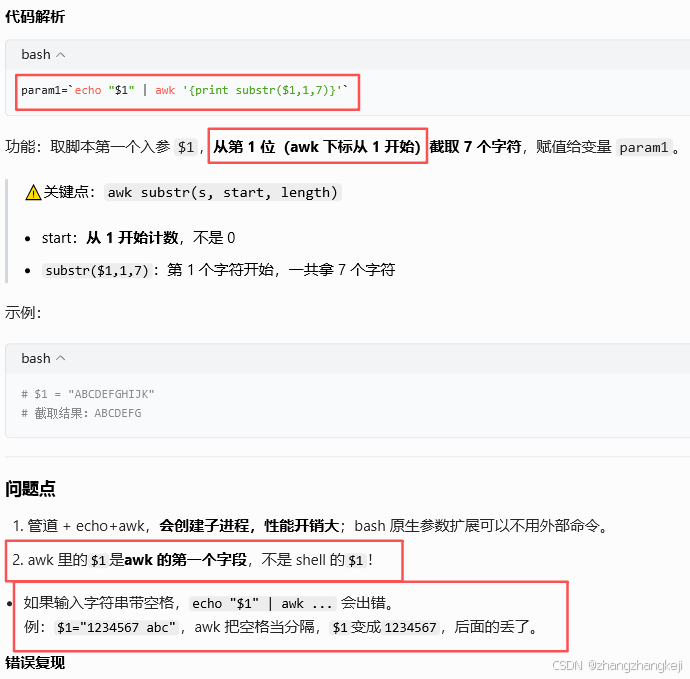
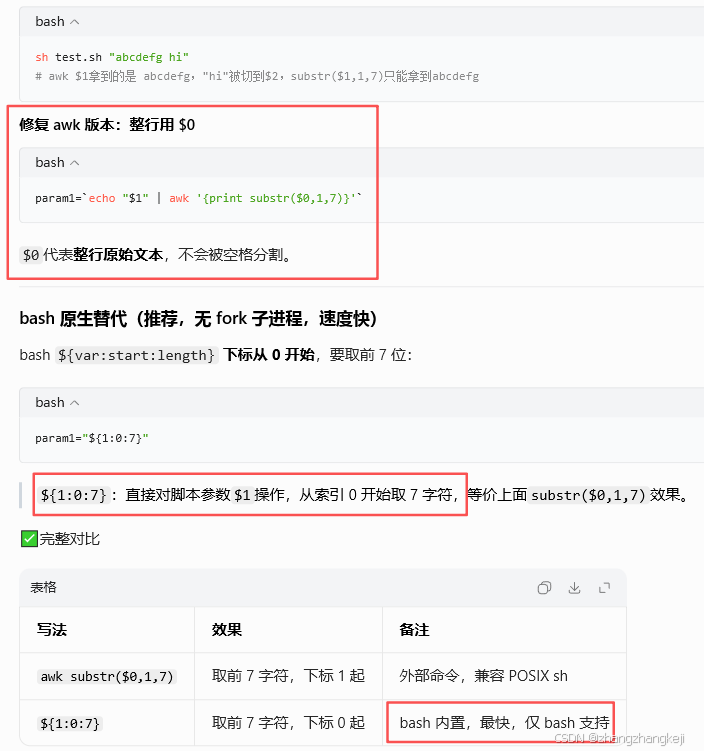
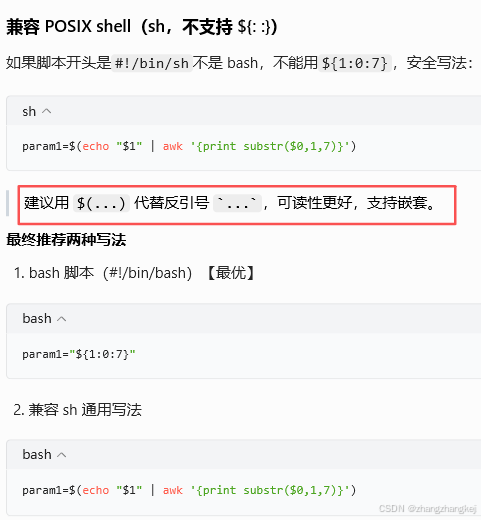
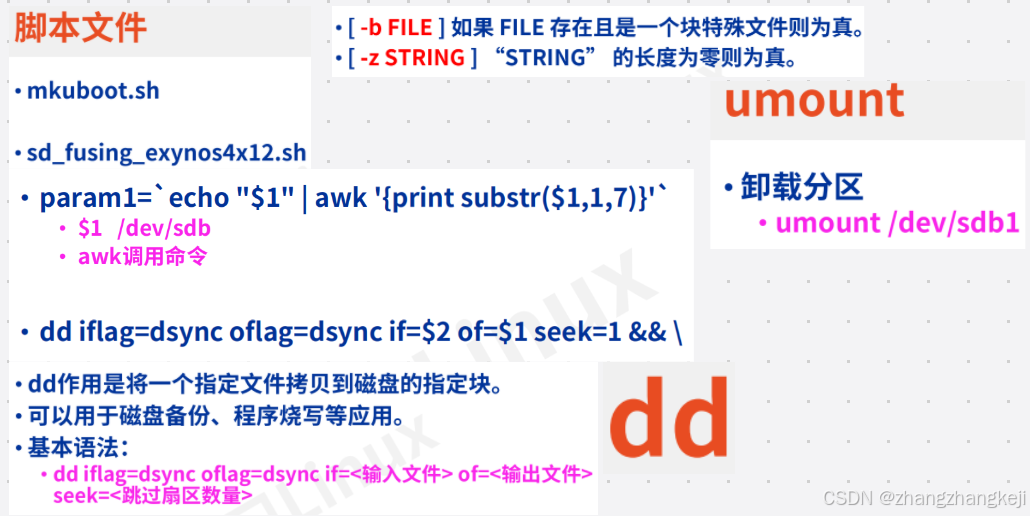
param1=`echo "$1" | awk '{print substr($1,1,7)}'`
#
#$1 值为/dev/sdb,echo打印该字符串通过管道|传递给awk
#awk 提取输入的字符串的第一个字符串,并调用命令print打印substr()执行结果
#substr提取字符串$1 中 1-7个字符串,即/dev/sd
if [ "$param1" = "$reader_type1" ]
then
    partition1=$1"1"
    partition2=$1"2"
    partition3=$1"3"
    partition4=$1"4"
#对应分区 partition1 /dev/sdb1 ,以此类推
elif [ "$1" = "$reader_type2" ]
then
    partition1=$1"p1"
    partition2=$1"p2"
    partition3=$1"p3"
    partition4=$1"p4"

else
    echo "Unsupported SD reader"
    exit 0
fi

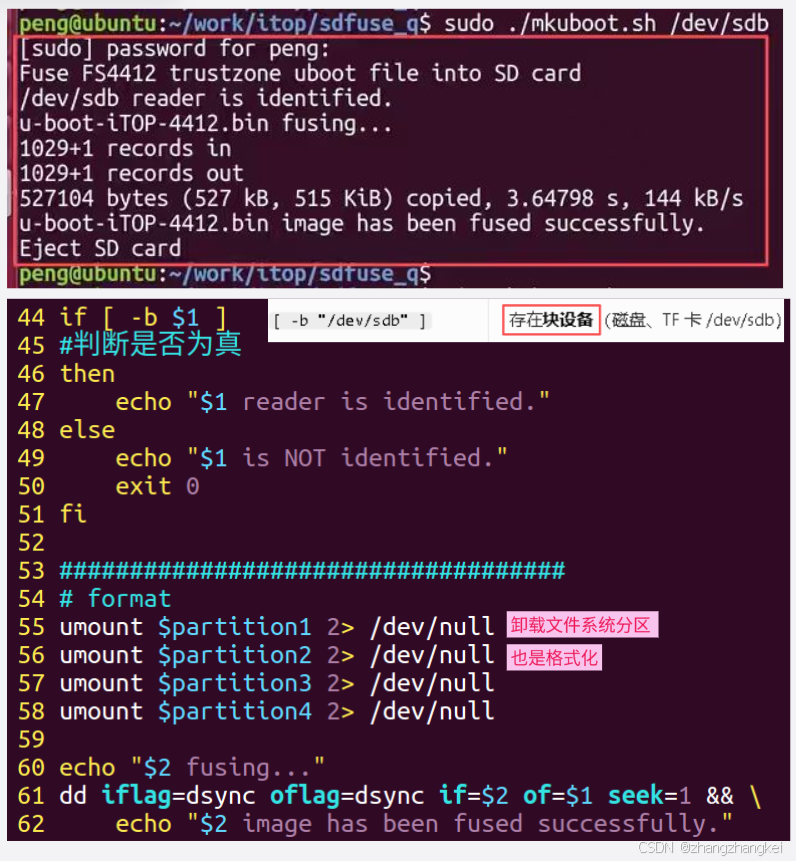
if [ -b $1 ]
#判断是否为真
then
    echo "$1 reader is identified."
else
    echo "$1 is NOT identified."
    exit 0
fi

####################################
# format
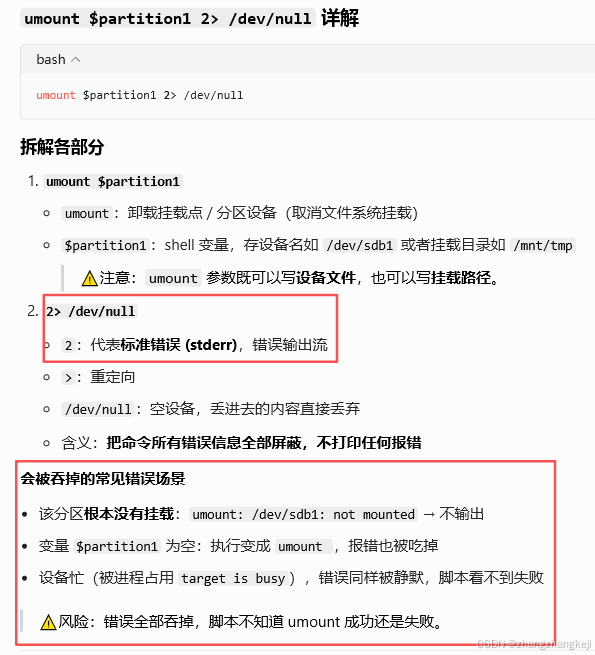
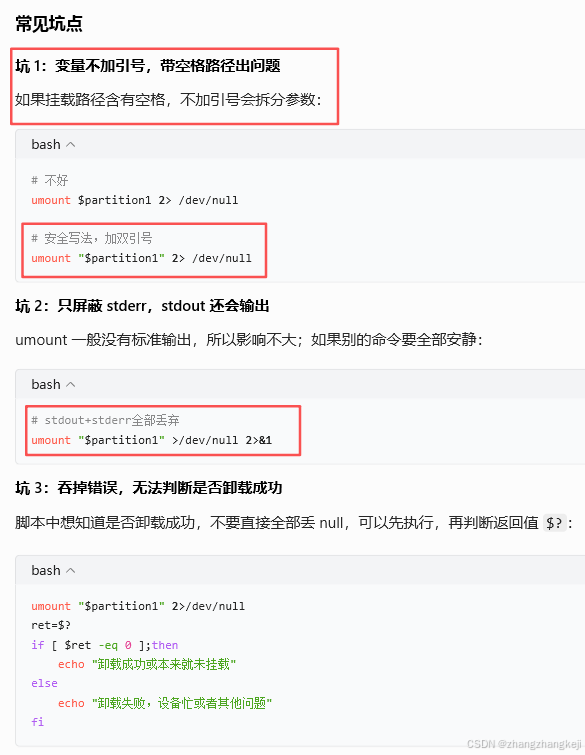
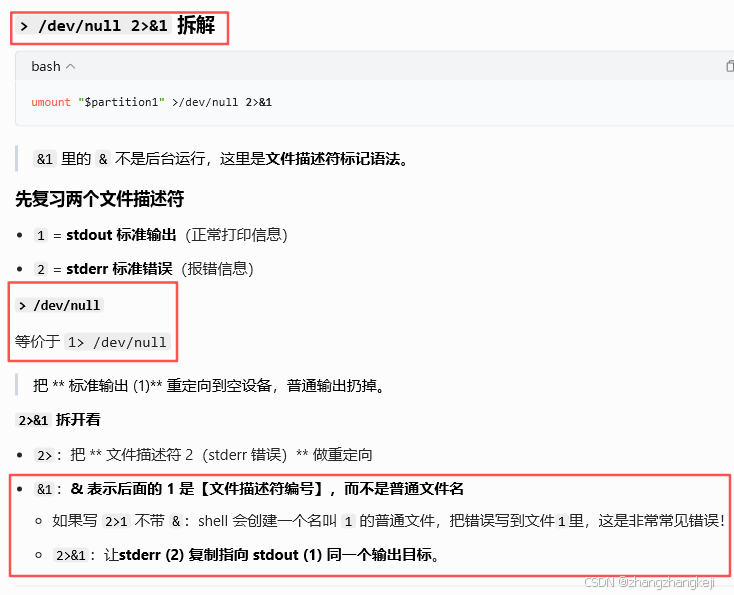
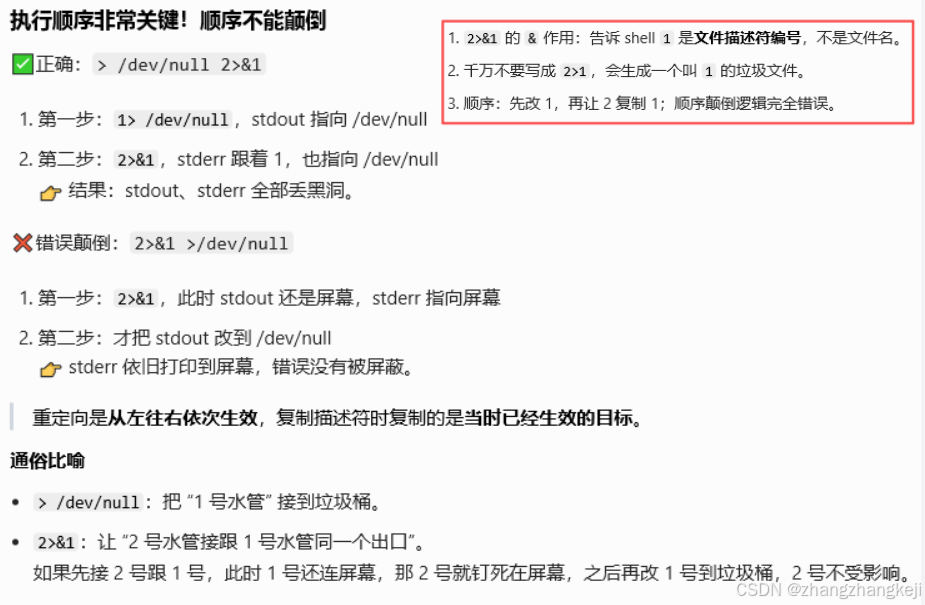
umount $partition1 2> /dev/null
umount $partition2 2> /dev/null
umount $partition3 2> /dev/null
umount $partition4 2> /dev/null

echo "$2 fusing..."
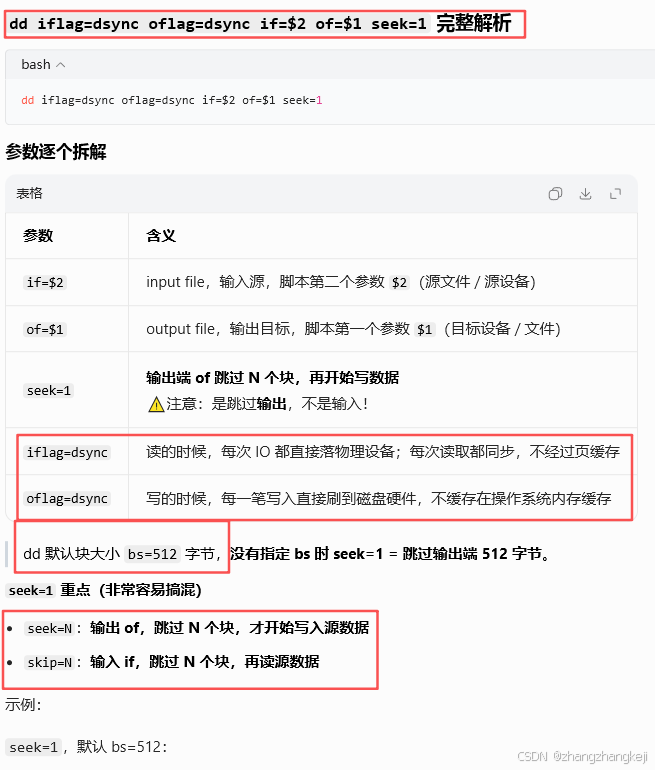
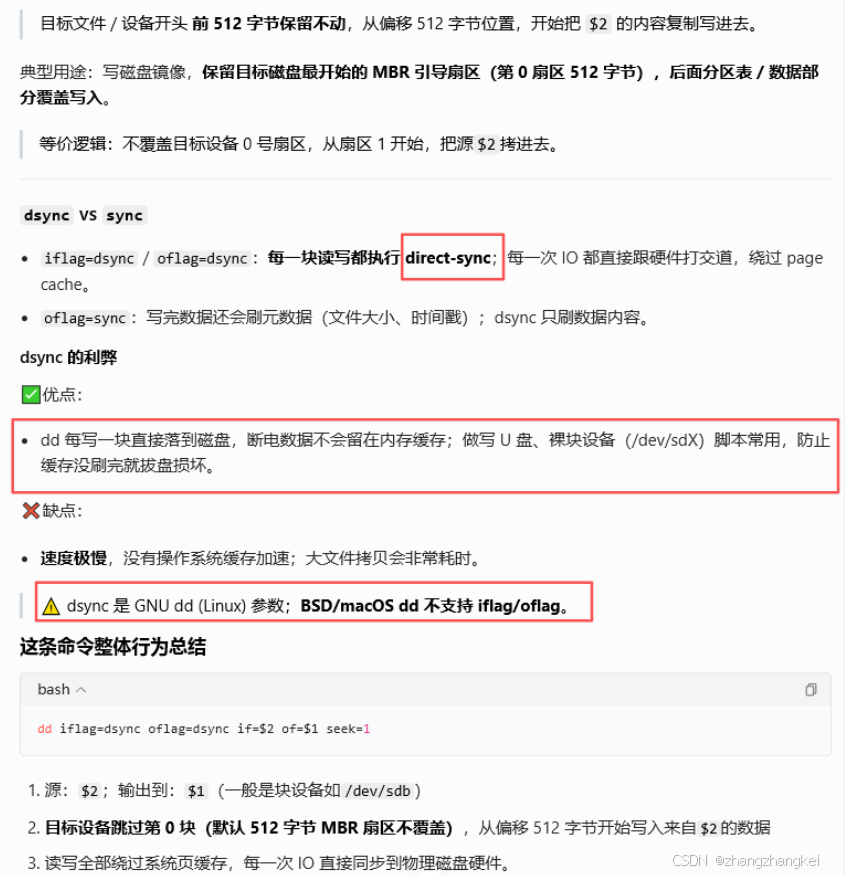
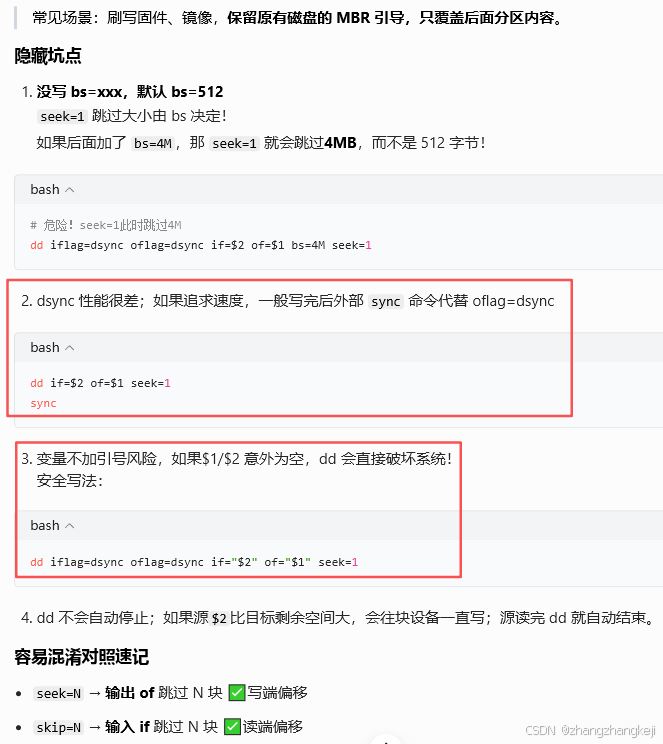
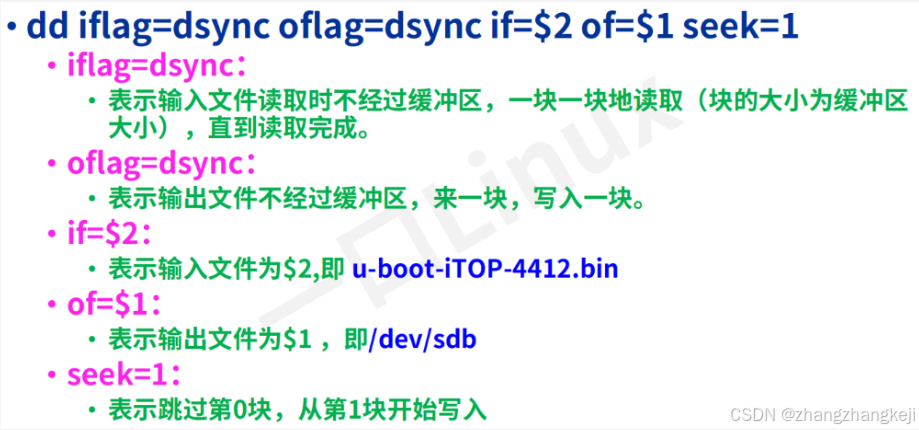
dd iflag=dsync oflag=dsync if=$2 of=$1 seek=1 && \
	echo "$2 image has been fused successfully."

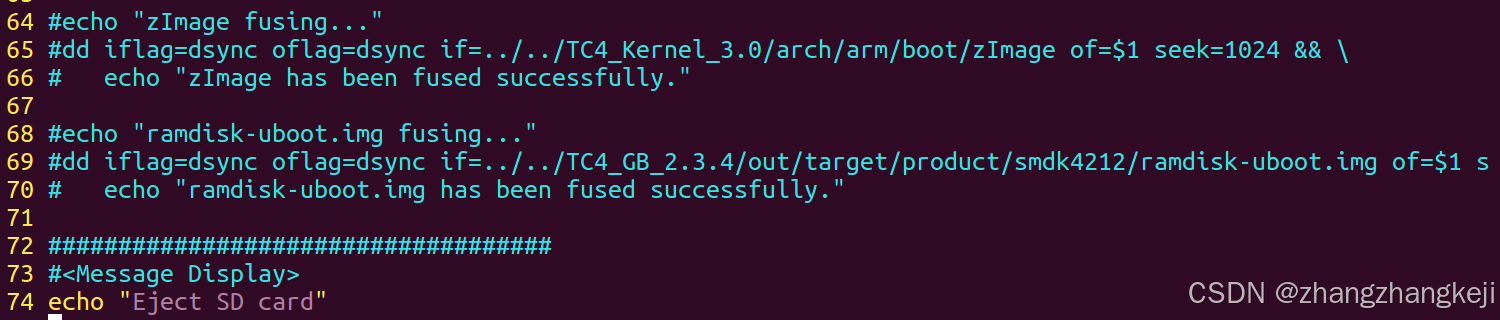
#echo "zImage fusing..."
#dd iflag=dsync oflag=dsync if=../../TC4_Kernel_3.0/arch/arm/boot/zImage of=$1 seek=1024 && \
#	echo "zImage has been fused successfully."

#echo "ramdisk-uboot.img fusing..."
#dd iflag=dsync oflag=dsync if=../../TC4_GB_2.3.4/out/target/product/smdk4212/ramdisk-uboot.img of=$1 seek=9216 && \
#	echo "ramdisk-uboot.img has been fused successfully."

####################################
#<Message Display>
echo "Eject SD card"
(177)
++ 至此,老师带着讲解完了这个重要的 shell 脚本。
(178)
(179)
(180)
谢谢