(179)help 命令 :
bash
u-boot # help
?       - alias for 'help'
base    - print or set address offset
bdinfo  - print Board Info structure
boot    - boot default, i.e., run 'bootcmd'
bootd   - boot default, i.e., run 'bootcmd'
bootefi - Boots an EFI payload from memory
bootelf - Boot from an ELF image in memory
bootm   - boot application image from memory
bootvx  - Boot vxWorks from an ELF image
bootz   - boot Linux zImage image from memory
cmp     - memory compare
coninfo - print console devices and information
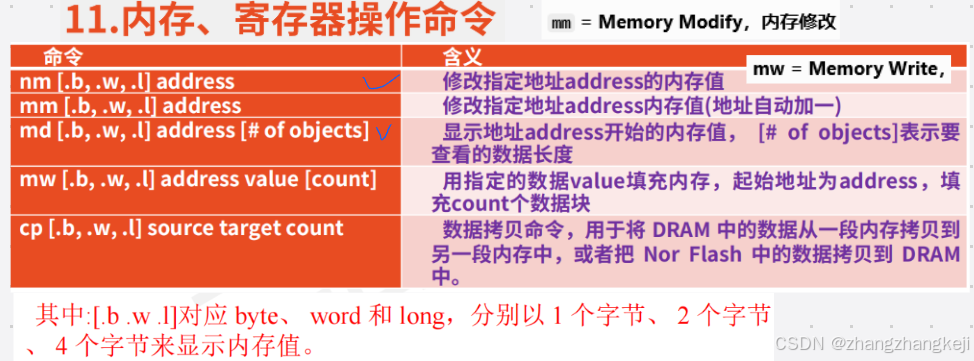
cp      - memory copy
crc32   - checksum calculation
dcache  - enable or disable data cache
dfu     - Device Firmware Upgrade
dm      - Driver model low level access
echo    - echo args to console
editenv - edit environment variable
env     - environment handling commands
erase   - erase FLASH memory
exit    - exit script
ext2load- load binary file from a Ext2 filesystem
ext2ls  - list files in a directory (default /)
ext4load- load binary file from a Ext4 filesystem
ext4ls  - list files in a directory (default /)
ext4size- determine a file's size
ext4write- create a file in the root directory
false   - do nothing, unsuccessfully
fastboot- use USB Fastboot protocol
fatinfo - print information about filesystem
fatload - load binary file from a dos filesystem
fatls   - list files in a directory (default /)
fatsize - determine a file's size
fatwrite- write file into a dos filesystem
fdt     - flattened device tree utility commands
flinfo  - print FLASH memory information
fstype  - Look up a filesystem type
go      - start application at address 'addr'
gpt     - GUID Partition Table
help    - print command description/usage
icache  - enable or disable instruction cache
iminfo  - print header information for application image
itest   - return true/false on integer compare
load    - load binary file from a filesystem
loadb   - load binary file over serial line (kermit mode)
loads   - load S-Record file over serial line
loadx   - load binary file over serial line (xmodem mode)
loady   - load binary file over serial line (ymodem mode)
loop    - infinite loop on address range
ls      - list files in a directory (default /)
md      - memory display
mii     - MII utility commands
mm      - memory modify (auto-incrementing address)
mmc     - MMC sub system
mmcinfo - display MMC info
mw      - memory write (fill)
nm      - memory modify (constant address)
part    - disk partition related commands
printenv- print environment variables
protect - enable or disable FLASH write protection
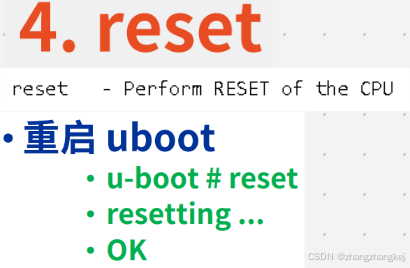
reset   - Perform RESET of the CPU
run     - run commands in an environment variable
save    - save file to a filesystem
saveenv - save environment variables to persistent storage
setenv  - set environment variables
setexpr - set environment variable as the result of eval expression
showvar - print local hushshell variables
size    - determine a file's size
source  - run script from memory
test    - minimal test like /bin/sh
thordown- TIZEN "THOR" downloader
true    - do nothing, successfully
ums     - Use the UMS [USB Mass Storage]
usb     - USB sub-system
usbboot - boot from USB device
version - print monitor, compiler and linker version
u-boot #
++ uboot 命令并不是固定的。可在 uboot 源码里通过一些宏来打开它或屏蔽它。也可以自定义命令 。大部分常用命令已由厂家实现了。
(180) bdinfo :
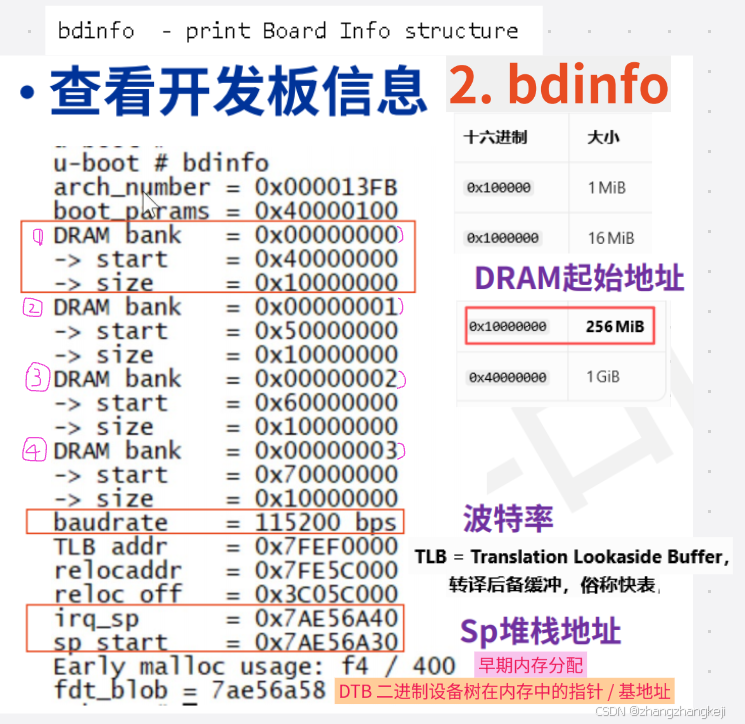
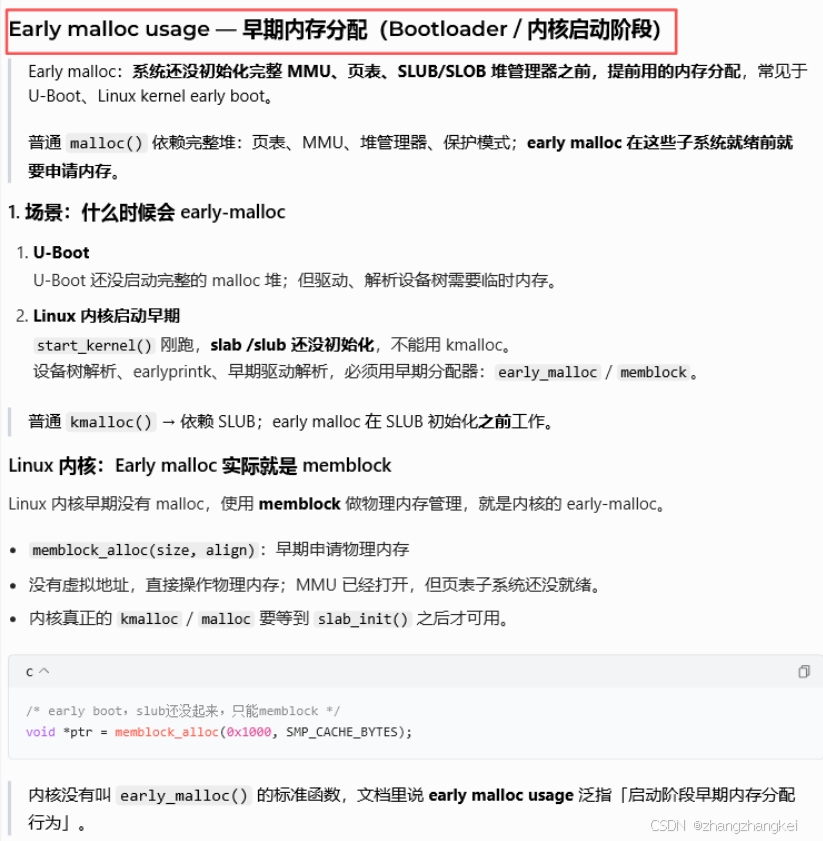
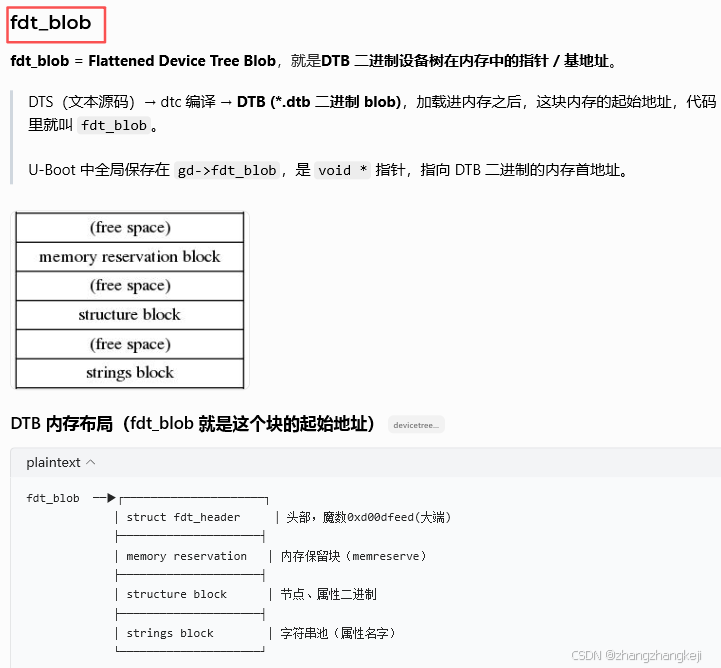
++
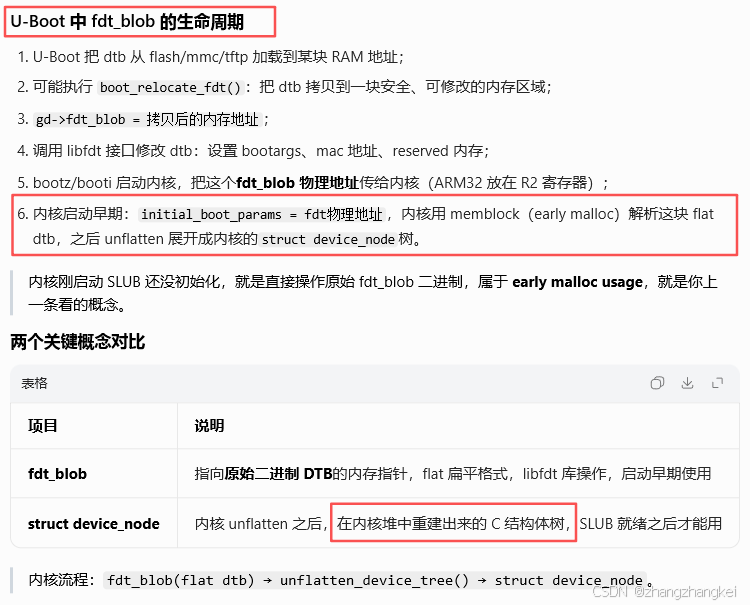
(181)version:

(182) reset :
(183) run :
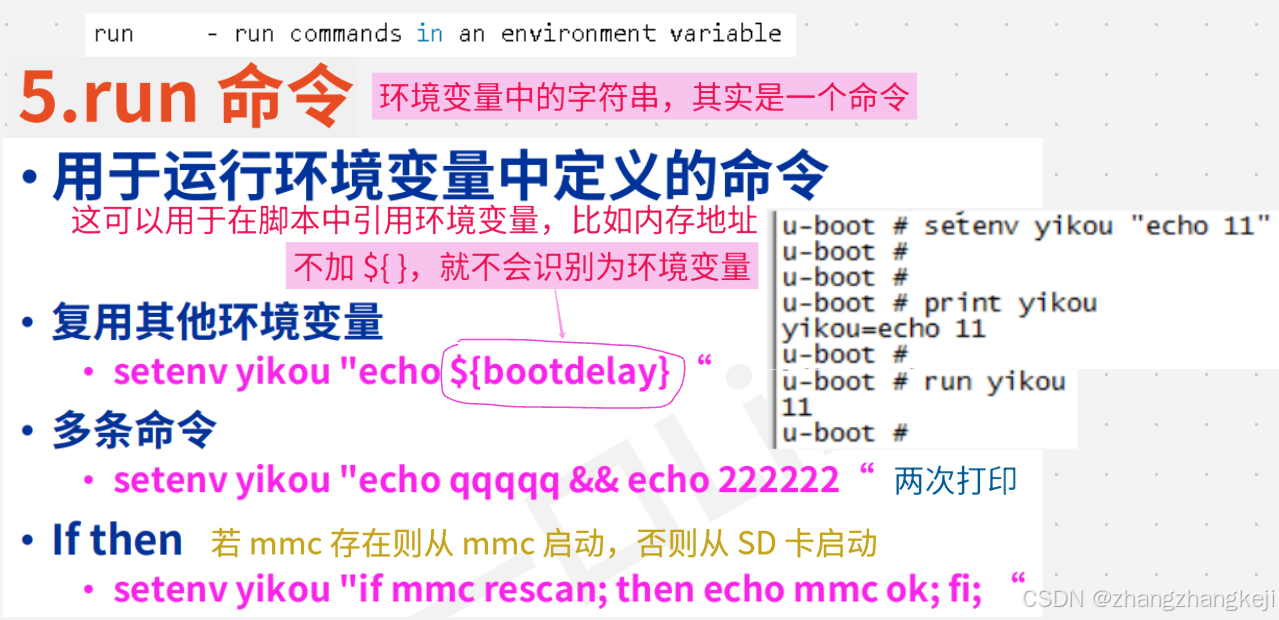
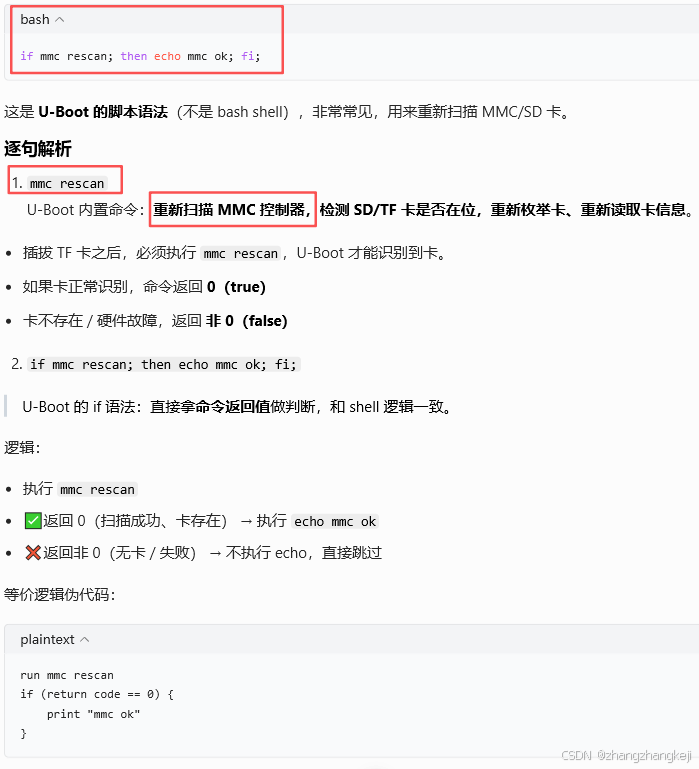
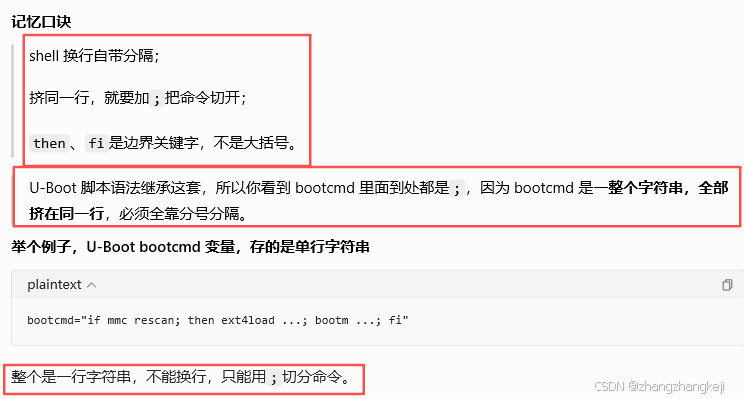
++ 关于 shell 里 分号 ; 的使用 :
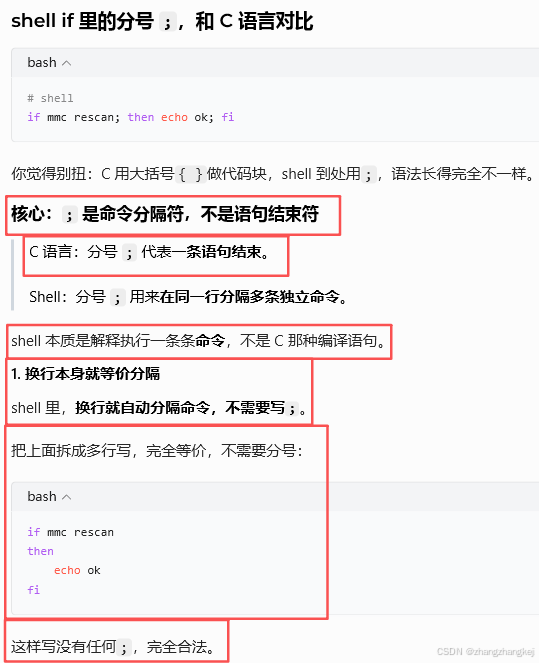
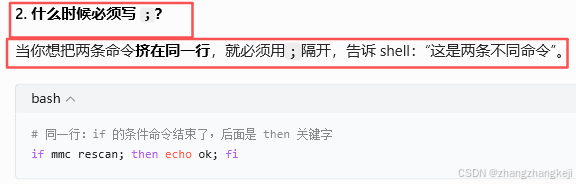
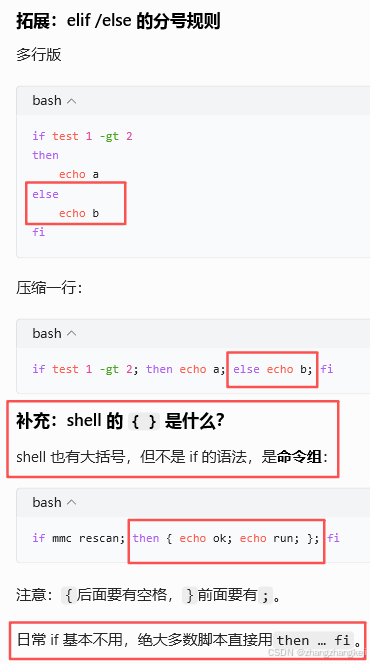
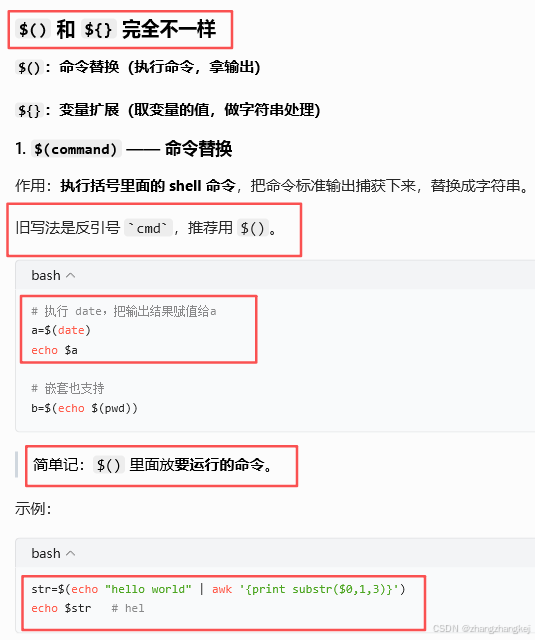
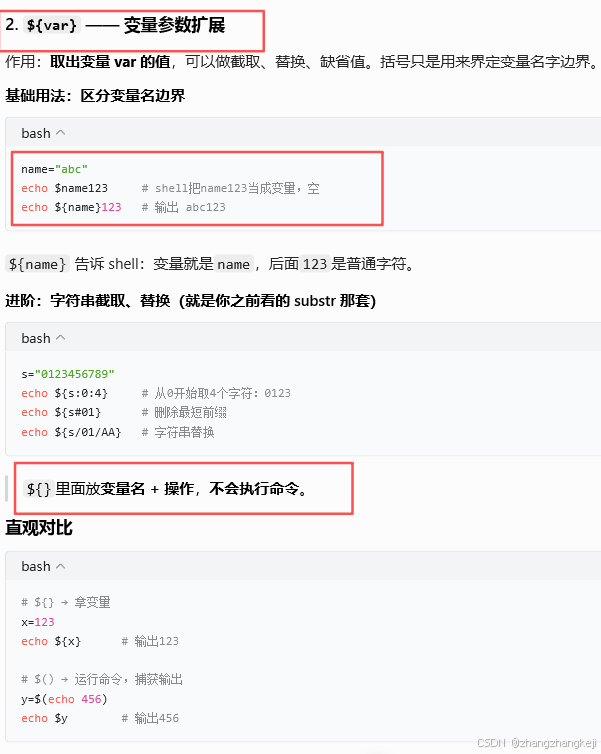
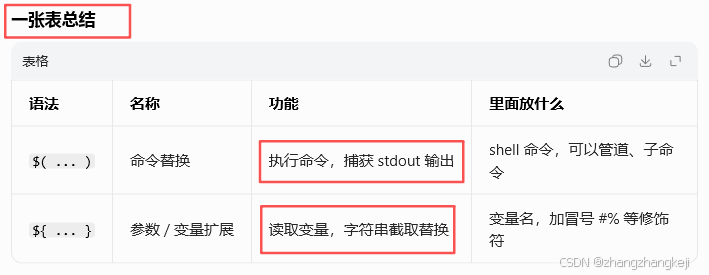
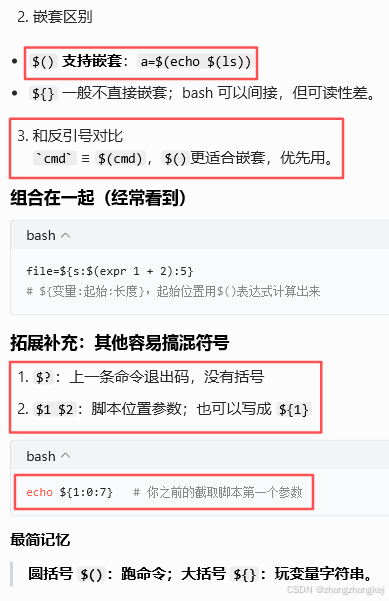
(184)shell 里 () 和 {} :
(185) go :

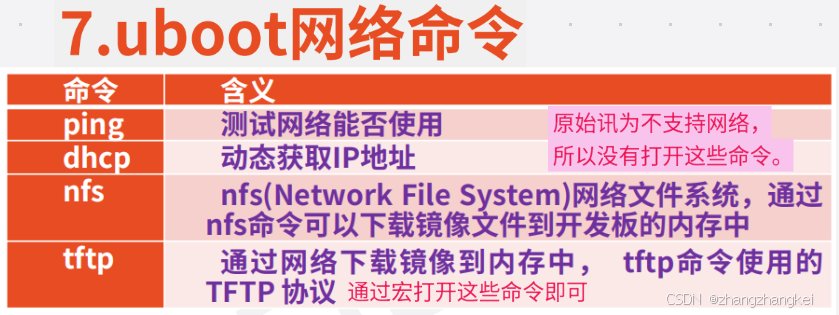
(186) 网络命令 :
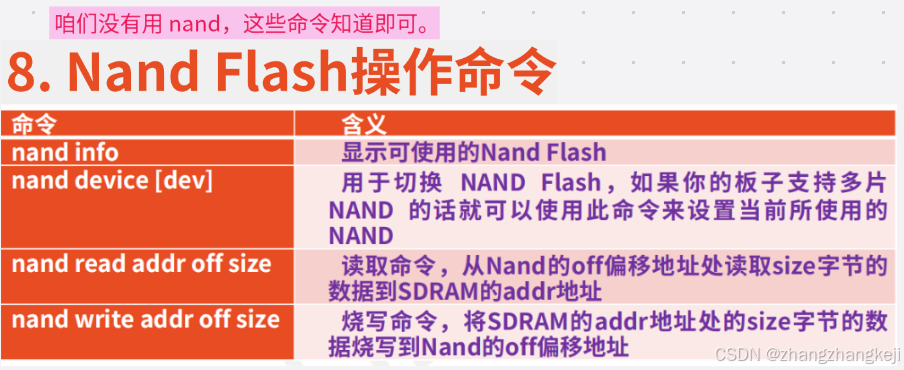
(187) nand 存储 :
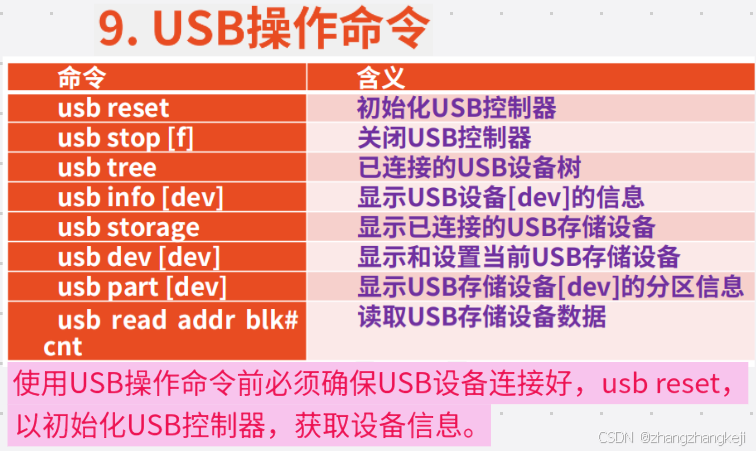
(188)usb :
(189) mmc :
(190) 内存数据 :
(191) 下一节老师讲 emmc/SD基础知识。
谢谢