
前提条件
- 开启wmi,配置网卡,参考
创建一键清理脚本
-
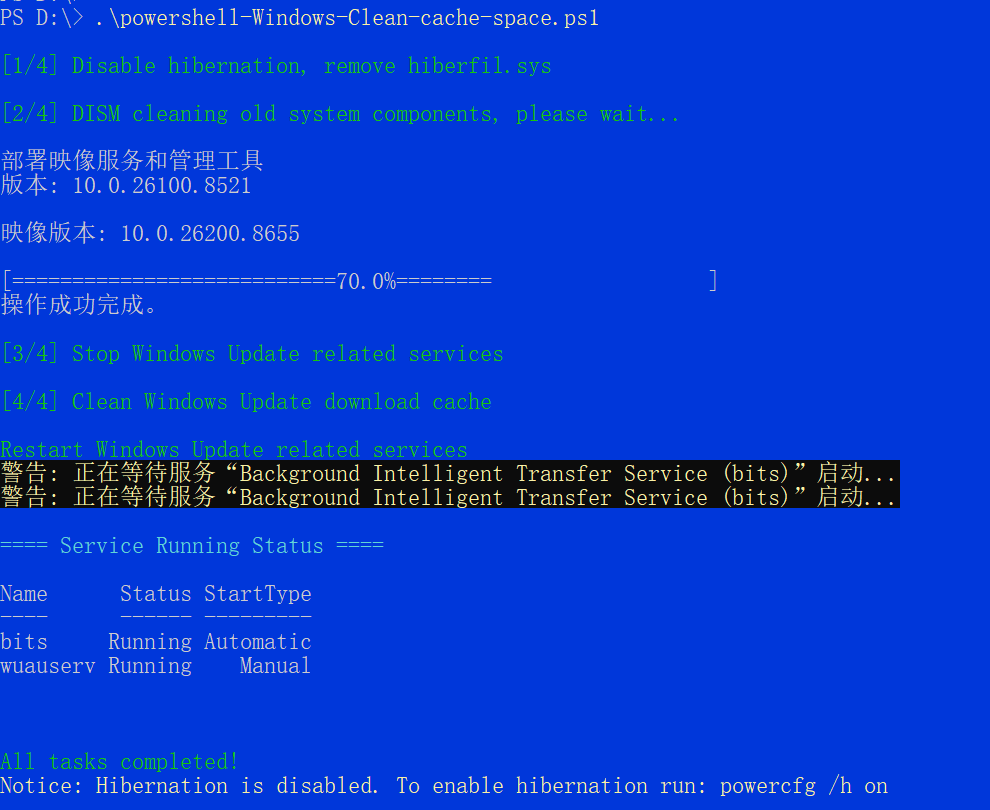
PowerShell 脚本以管理员身份运行,关闭休眠释放磁盘空间,调用 DISM 清理系统旧组件,并停止服务后清除 Windows 更新缓存,最后恢复相关服务并输出运行状态。
powershell-Windows-Clean-cache-space.ps1
<# Powershell Clean up cache space
+++++++++++++++++++++++++++++++++++++++++++++++++++++- _____ _____ _ _ _ +
- | __ \ / ____| | | | |+
- | |) |____ _____ _ | ( | |__ ___| | |+
- | / _ \ \ /\ / / _ \ '__ | '_ \ / _ \ | |+
- | | | (_) \ V V / __/ | ____) | | | | __/ | |+
- || _/ _/_/ _|| |___/|| ||_|||+
- +++++++++++++++++++++++++++++++++++++++++++++++++++
#Clean up cache space
.\powershell-Windows-Clean-cache-space.ps1
#>
Resume sleep mode
powercfg /h on
Write-Host "Sleep off" -ForegroundColor Green
powercfg /h offWrite-Host "DISM component cleaning" -ForegroundColor Green
DISM /Online /Cleanup-Image /StartComponentCleanupWrite-Host "Stop Windows update related services" -ForegroundColor Green
Stop-Service -Name wuauserv -Force
Stop-Service -Name bits -ForceWrite-Host "Update cache cleaning" -ForegroundColor Green
downloadPath = "C:\Windows\SoftwareDistribution\Download" if(Test-Path downloadPath){
Get-ChildItem -Path "$downloadPath*" -Recurse -Force -ErrorAction SilentlyContinue | Remove-Item -Recurse -Force -ErrorAction SilentlyContinue
}Write-Host "start Windows update related services" -ForegroundColor Green
Start-Service -Name wuauserv
Start-Service -Name bitsWrite-Host "View service startup status" -ForegroundColor Green
Get-Service wuauserv,bits
执行
cd d:; .\powershell-Windows-Clean-cache-space.ps1输出结果,验证磁盘空间变大了