1. 场景
后台管理平台中,经常遇到的就是表格选择,然后翻页选择,依然能获取全部选中的数据。可以说这是一个很常见的场景,那么我为什么要记录呢?因为 vben 5.0 使用的 vxe-table 实现,可能是我不会使用,但是我真的无力吐槽!
2. 第一步:设置分页保留选中状态
当使用数据分页与复选框多页选中时,可以通过 checkbox-config.reserve 启用,将不会自动清除勾选数据,如果清除,可以调用 clearCheckboxReserve 方法手动清除已保留的选中数据!
yaml
gridOptions: {
  checkboxConfig: {
    // 高亮
    highlight: true,
    // 翻页时保留选中状态
    reserve: true,
    // 点击行选中
    trigger: 'row',
  }
}
3. 第二步:获取所有的选中数据
- tableApi.grid.getCheckboxRecords 获取的是当前页面表格中选中的数据;
- tableApi.grid.getCheckboxReserveRecords 获取的是其他页面表格中选中的数据;
- 将前两步中的数据进行合并,就是我们当前表格中选择的全部数据。
ini
const curs = tableApi.grid.getCheckboxRecords();
const reserves = tableApi.grid.getCheckboxReserveRecords();
const selectedRows = [...curs, ...reserves];
到这里看着是不是很完美?但是实际还有大坑等着你呢!那就是数据回显,你选择的数据需要再次弹框的时候重新回显回去,然后坑人的事情来了,就是回显的数据,通过 tableApi.grid.getCheckboxReserveRecords 是获取不到的!
4. 第三步:数据回显
4.1 配置选中字段
yaml
checkboxConfig: {
    checkField: 'isChecked',
    // 高亮
    highlight: true,
    // 翻页时保留选中状态
    reserve: true,
    showReserveStatus: true,
    // 点击行选中
    trigger: 'row',
}
4.2 根据传入的字段匹配设置当前页面的选中回显
ini
  proxyConfig: {
    ajax: {
      query: async ({ page }, formValues = {}) => {
        const result = await getMerchantProductListChoice({
          page,
          ...formValues,
        });
        result.rows.forEach((item) => {
          item.isChecked = props.ids?.includes(item.mp_id) || false;
        });
        return result;
      },
    },
  }
特别注意:这样回显的数据,只有 tableApi.grid.getCheckboxRecords 能获取,你即便将之前选择的数据在几页都回显了,tableApi.grid.getCheckboxReserveRecords 也获取不到其他页回显的默认数据,而且你就是进行操作,取消回显,tableApi.grid.getCheckboxReserveRecords 依然获取不到数据,最少我测试是这样的!!!如果有大佬知道原因,请指点一下,回显的数据应该怎么操作获取。
5. 第四步:选择事件的数据监听
- 当时我的想法就是既然选择回显后获取不了数据,那么我就从最开始直接监听选中操作,不使用框架的获取数据方法!
javascript
const [BasicTable, tableApi] = useVbenVxeGrid({
  formOptions,
  gridOptions,
  gridEvents: {
    checkboxChange: (row) => {
      console.log('checkboxChange', row)
    }
  }
});
6. 第五步:查看监听输出
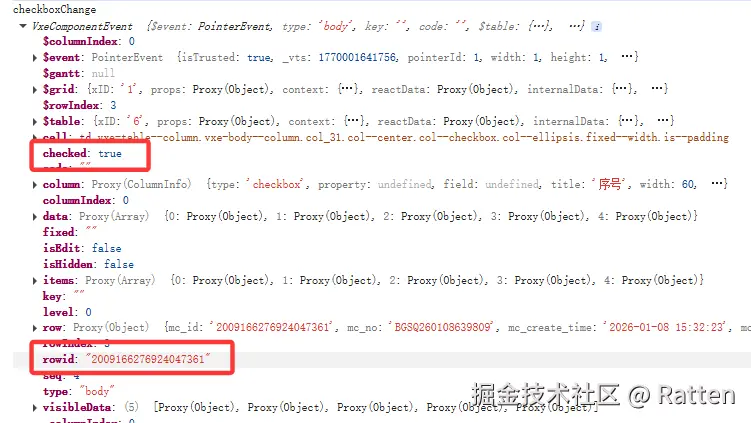
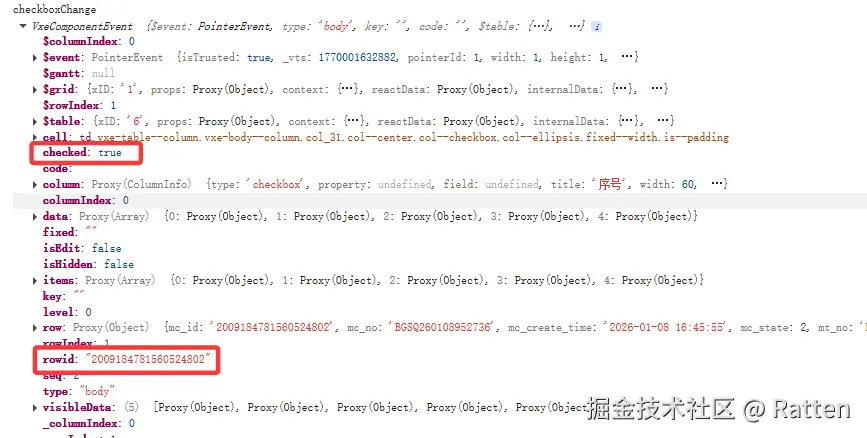
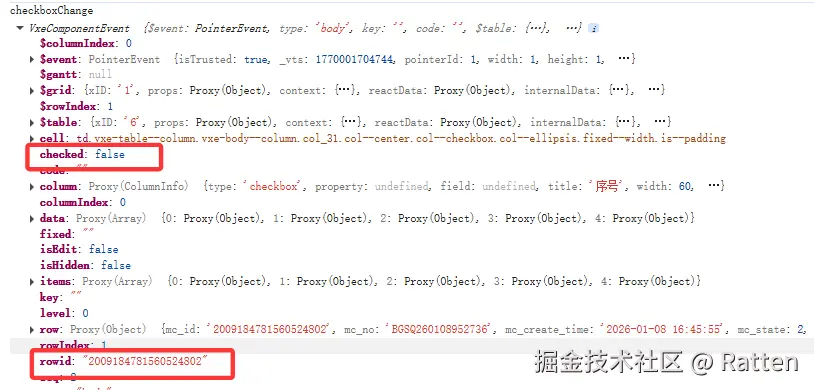
7. 第六步:收集数据
7.1 收集默认数据
ini
  proxyConfig: {
    ajax: {
      query: async ({ page }, formValues = {}) => {
        const result = await getMerchantProductListChoice({
          page,
          ...formValues,
        });
        result.rows.forEach((item) => {
          item.isChecked = props.ids?.includes(item.mp_id) || false;
          if (item.isChecked) {
            defaultItems.value.push(item);
          }
        });
        return result;
      },
    },
  }
7.2 收集选中数据
scss
const [BasicTable, tableApi] = useVbenVxeGrid({
  formOptions,
  gridOptions,
  gridEvents: {
    checkboxChange: (row) => {
      if(row.checked){
        defaultItems.value.push(row.row as MerchantProductListChoiceItem)
      } else {
        defaultItems.value = defaultItems.value.filter(item => item.mp_id != row.row.mp_id)
      }
    }
  }
});
7.3 所有数据合并去重
ini
const curs = tableApi.grid.getCheckboxRecords();
const reserves = tableApi.grid.getCheckboxReserveRecords();
const selectedRows = [...new Set([...defaultItems.value,...curs, ...reserves].map(item => item.mp_id))];
8. 总结
- 第一个最终数据还需要和传入 ids 进行对比,因为上次的选择,这次可能还没有到对应的页面;
- 默认数据的处理是方便和 tableApi.grid.getCheckboxRecords 、tableApi.grid.getCheckboxReserveRecords 的数据进行合并处理;
- 目前我不知道有没有正确的方法,但是解决了我的问题,文档还需要仔细研究,这么写感觉很麻烦,原理上应该提供有更加简洁的办法!