<template>
  <div :class="$options.name" :styleType="styleType">
    <el-divider />
    <div class="chrome-text">
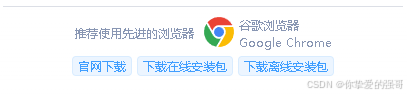
      <div class="left">推荐使用先进的浏览器</div>
      <div class="right">
        <div class="left">
          <img src="~@/../static/img/login/chrome.svg" />
        </div>
        <div class="right">
          <p>谷歌浏览器</p>
          <p>Google Chrome</p>
        </div>
      </div>
    </div>
    <div class="chrome-download-link">
      <el-tag size="mini" @click="download(0)">官网下载</el-tag>
      <el-tag size="mini" @click="download(1)">下载在线安装包</el-tag>
      <el-tag size="mini" @click="download(2)">下载离线安装包</el-tag>
    </div>
  </div>
</template>
<script>
export default {
  name: `chromeDownload`,
  components: {},
  data() {
    return {
      visible: false,
      form: {},
      styleType: null,

      links: [
        `https://www.google.cn/chrome`,
        `https://www.wedoyun.cn/share/software/ChromeSetup.exe`,
        `https://www.wedoyun.cn/share/software/ChromeStandaloneSetup64.exe`,
      ],
    };
  },

  props: [`value`, `data`],

  watch: {
    data: {
      handler(newValue, oldValue) {
        //console.log(`深度监听${this.$options.name}:`, newValue, oldValue);
        if (Object.keys(newValue || {}).length) {
          this.form = this.$g.deepCopy(newValue);
          this.$g.cF2CP(`styleType`, this);
        }
      },
      deep: true,
      immediate: true,
    },
  },
  created() {},
  mounted() {},
  beforeDestroy() {},
  methods: {
    download(type) {
      this.$g.go2RouterPath(
        {
          path: this.links[type],
          query: {},
          target: `_blank`,
        },
        this
      );
    },
  },
};
</script>
<style lang="scss" scoped>
.chromeDownload {
  box-sizing: border-box;
  padding: 10px 0;
  text-align: center;
  display: flex;
  justify-content: center;
  align-items: center;
  font-size: 12px;
  color: #8896b3;
  line-height: normal;
  flex-direction: column;
  .el-divider {
    margin: 0;
  }
  .chrome-text {
    box-sizing: border-box;
    padding-top: 10px;
    display: flex;
    justify-content: center;
    align-items: center;
    & > .left {
      margin-right: 10px;
    }
    & > .right {
      display: flex;
      align-items: center;
      & > .left {
        margin-right: 5px;
        img {
          width: 30px;
          height: 30px;
          object-position: center;
          object-fit: contain;
        }
      }
      & > .right {
        text-align: left;
        p {
        }
      }
    }
  }
  .chrome-download-link {
    margin-top: 5px;
    display: flex;
    align-items: center;
    & > * + * {
      margin-left: 5px !important;
      margin-right: 0 !important;
    }
    & > * {
      cursor: pointer;
      transition: 0.2s;
      &:hover {
        border-color: #1f75d5;
        background-color: #1f75d5;
        color: white;
      }
      &:active {
        transform: translate(1px, 1px);
        opacity: 0.618;
      }
    }
  }
}
</style>