1 部署zabbix-server
bash
[devops@server1 ansible]$ vim zabbix-server.yml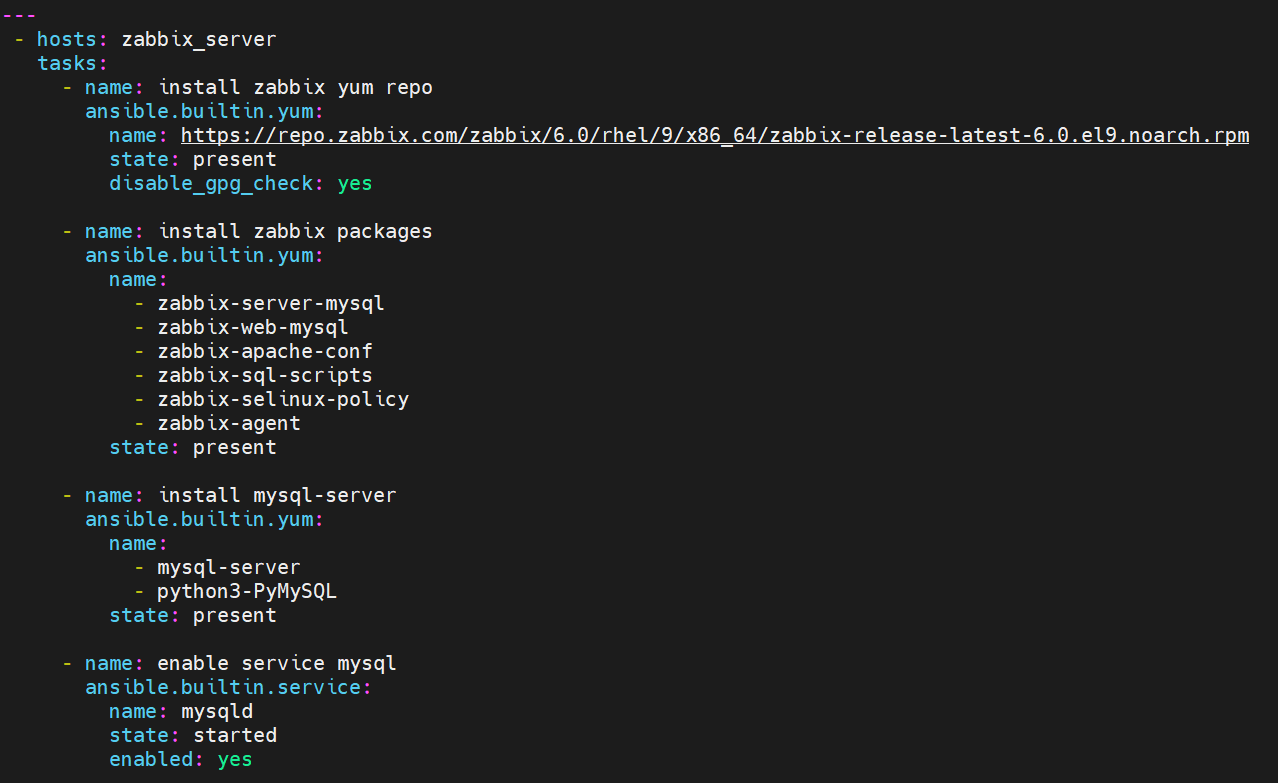
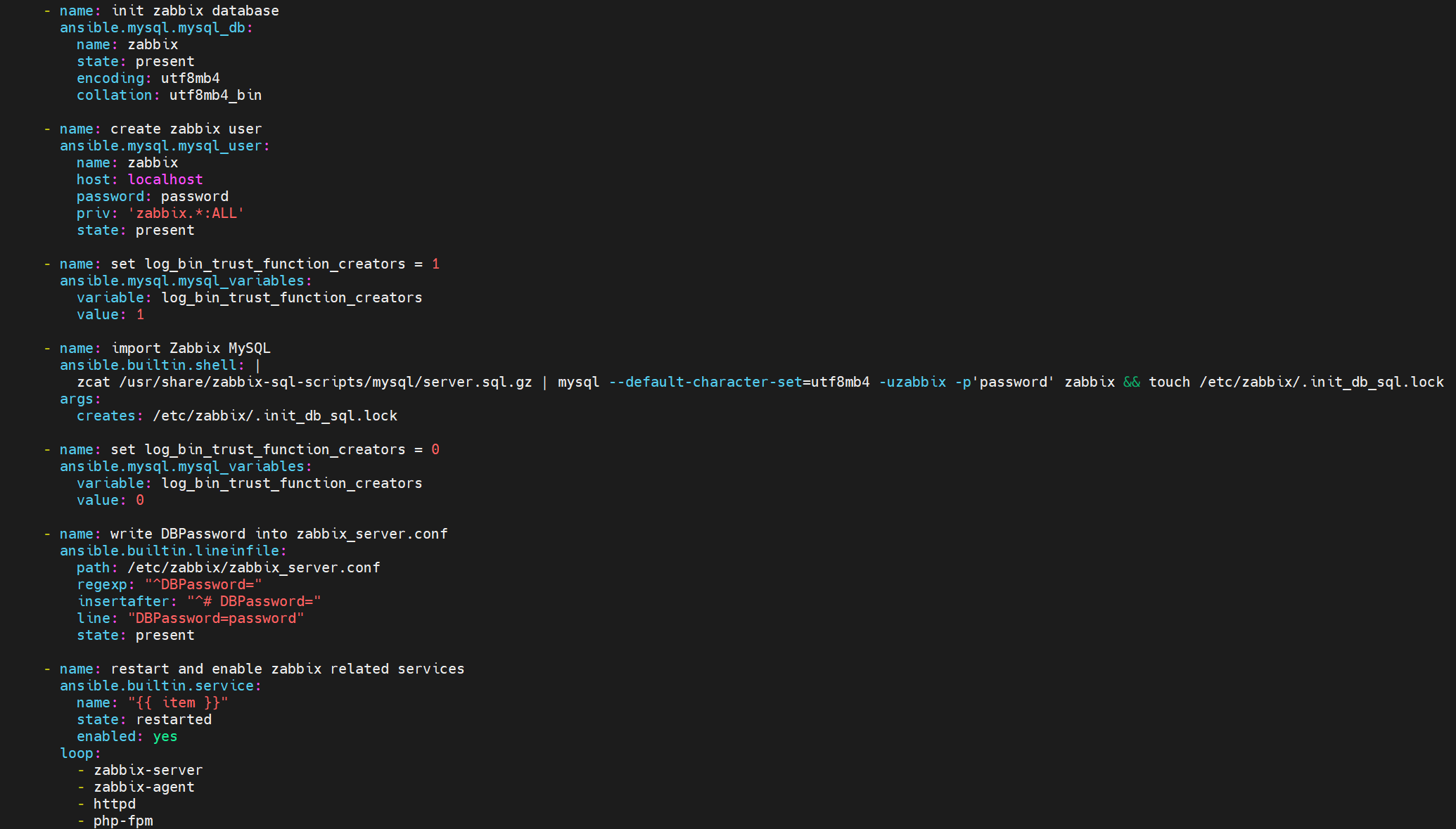
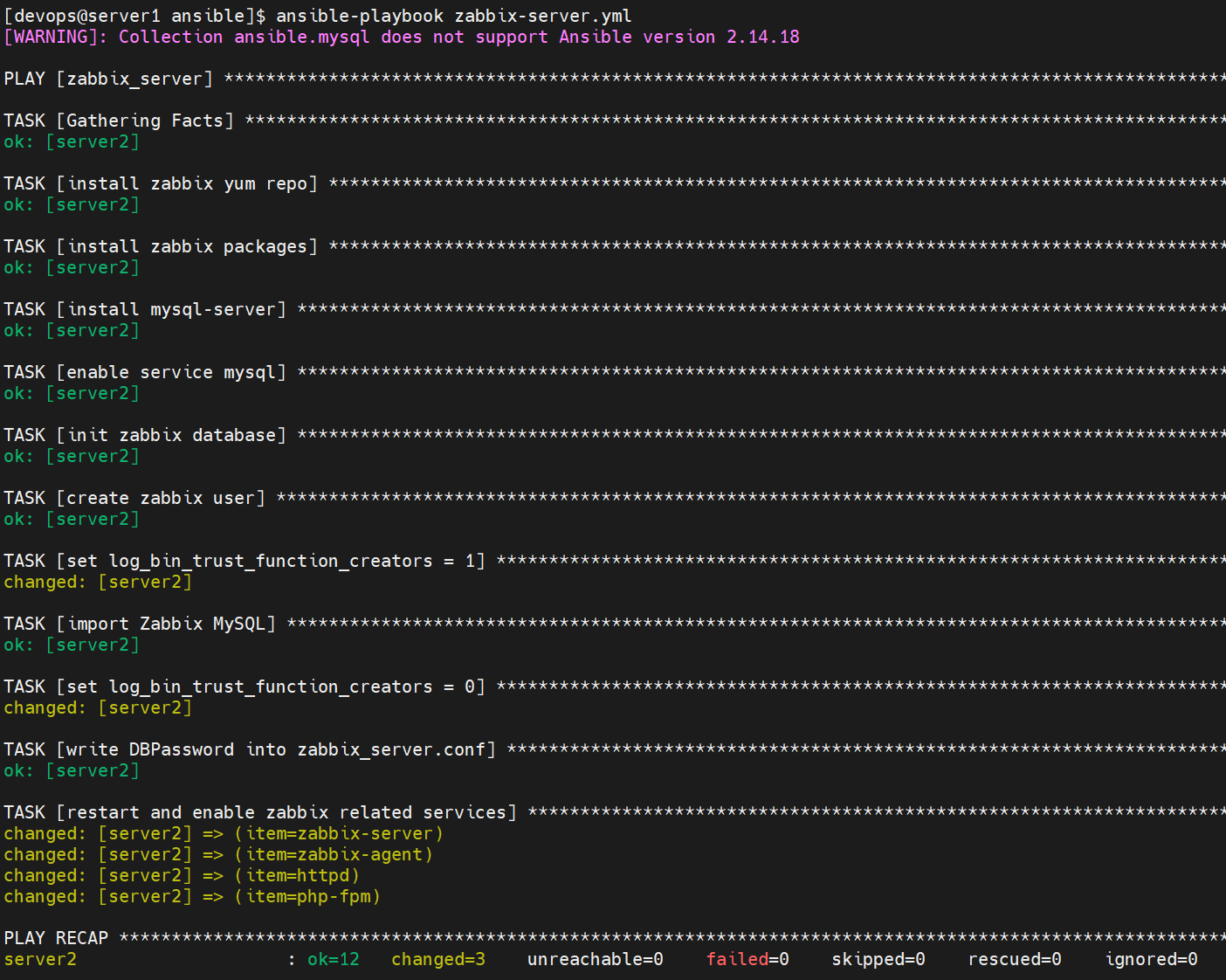
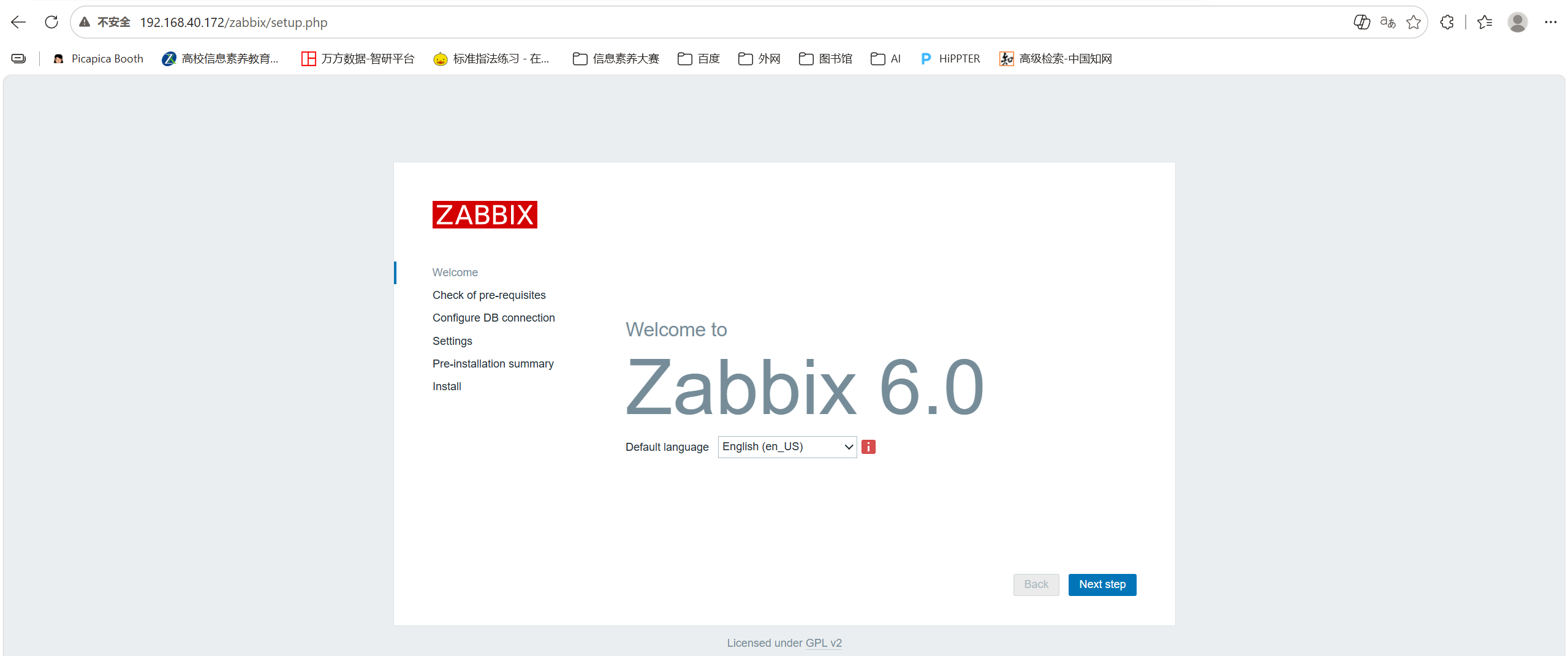
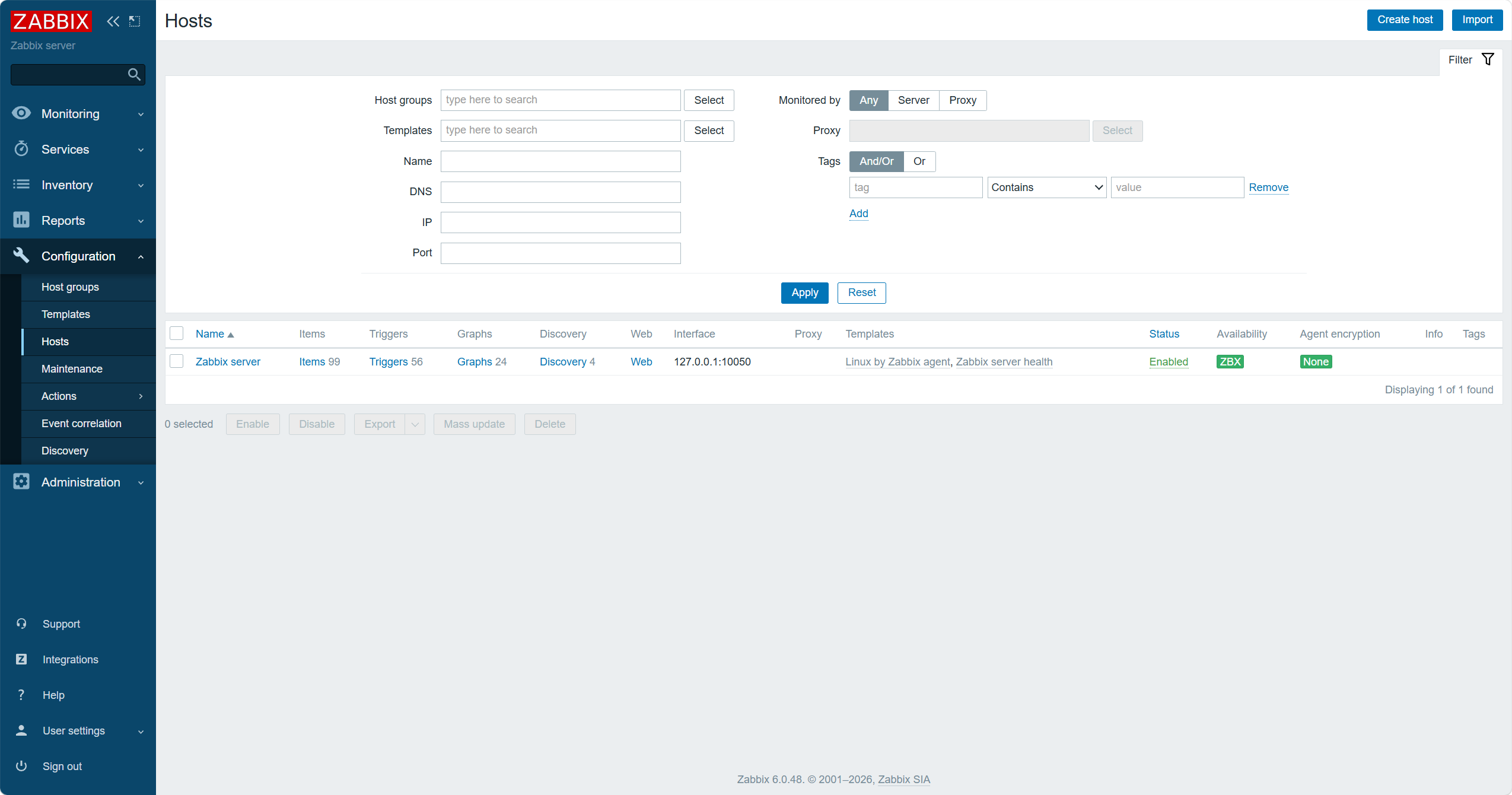
前端可以访问
新建目录,将变量写进/home/devops/ansible/host_vars/server2下的vault文件,并进行加密
bash
[devops@server1 server2]$ vim vault
[devops@server1 server2]$ ansible-vault encrypt vault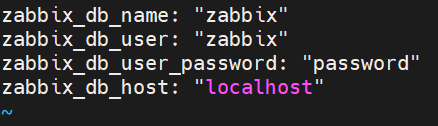
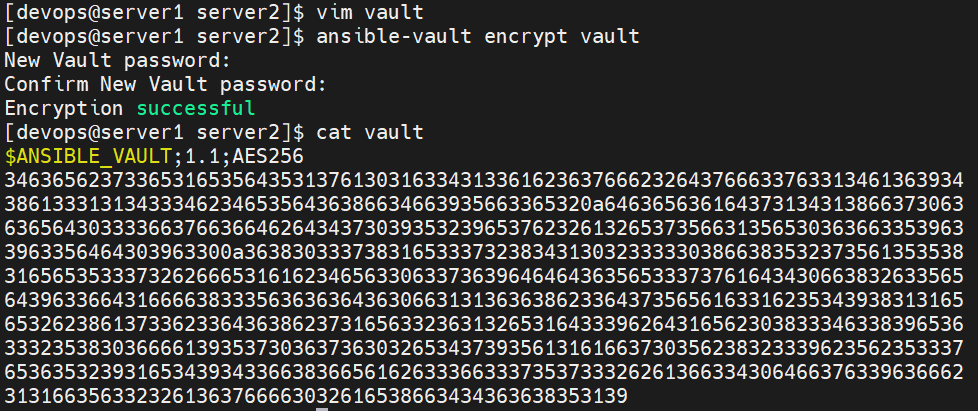
将playbook中相应的变量替换
bash
[devops@server1 server2]$ cd ../..
[devops@server1 ansible]$ vim zabbix-server.yml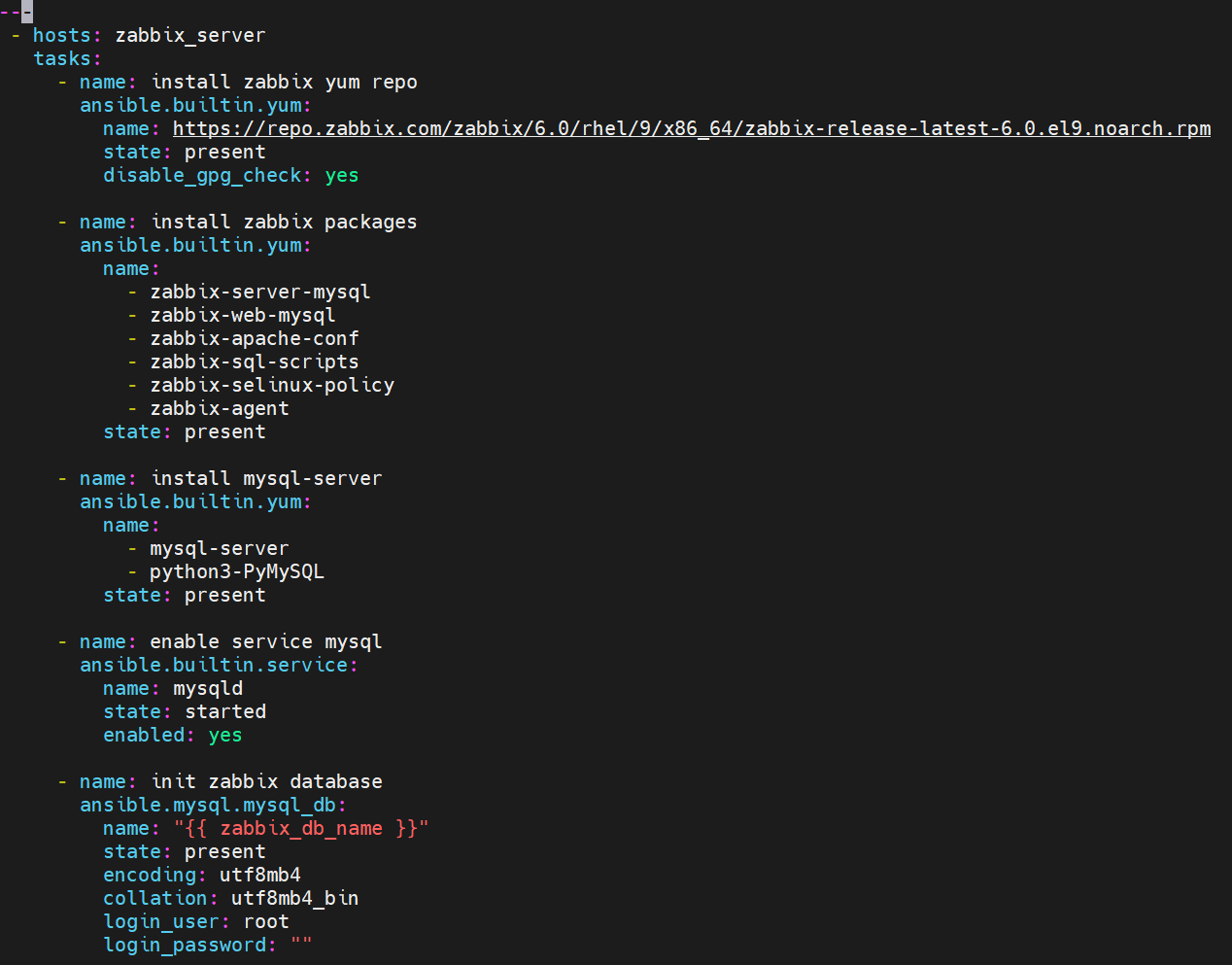
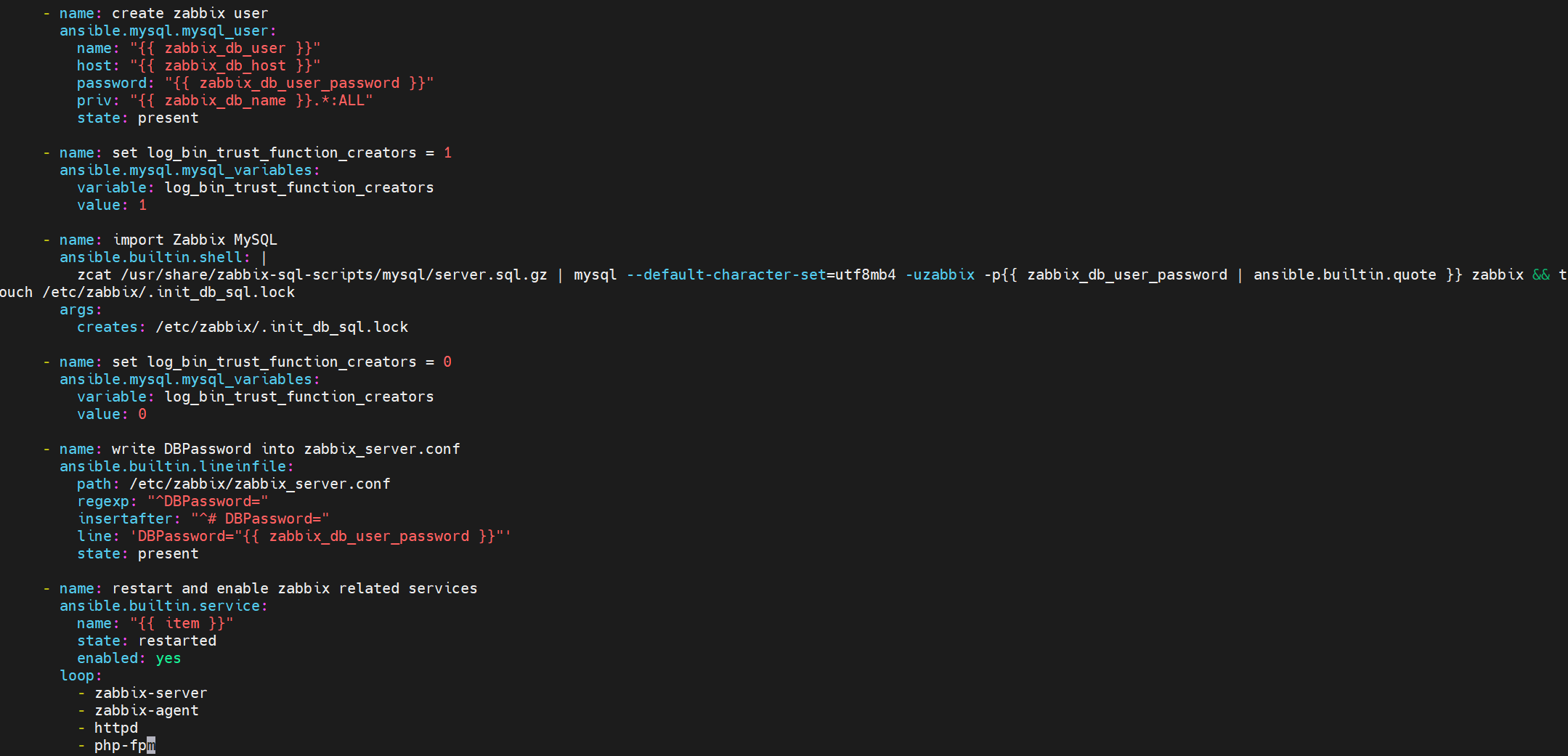
bash
[devops@server1 ansible]$ ansible-playbook zabbix-server.yml --ask-vault-pass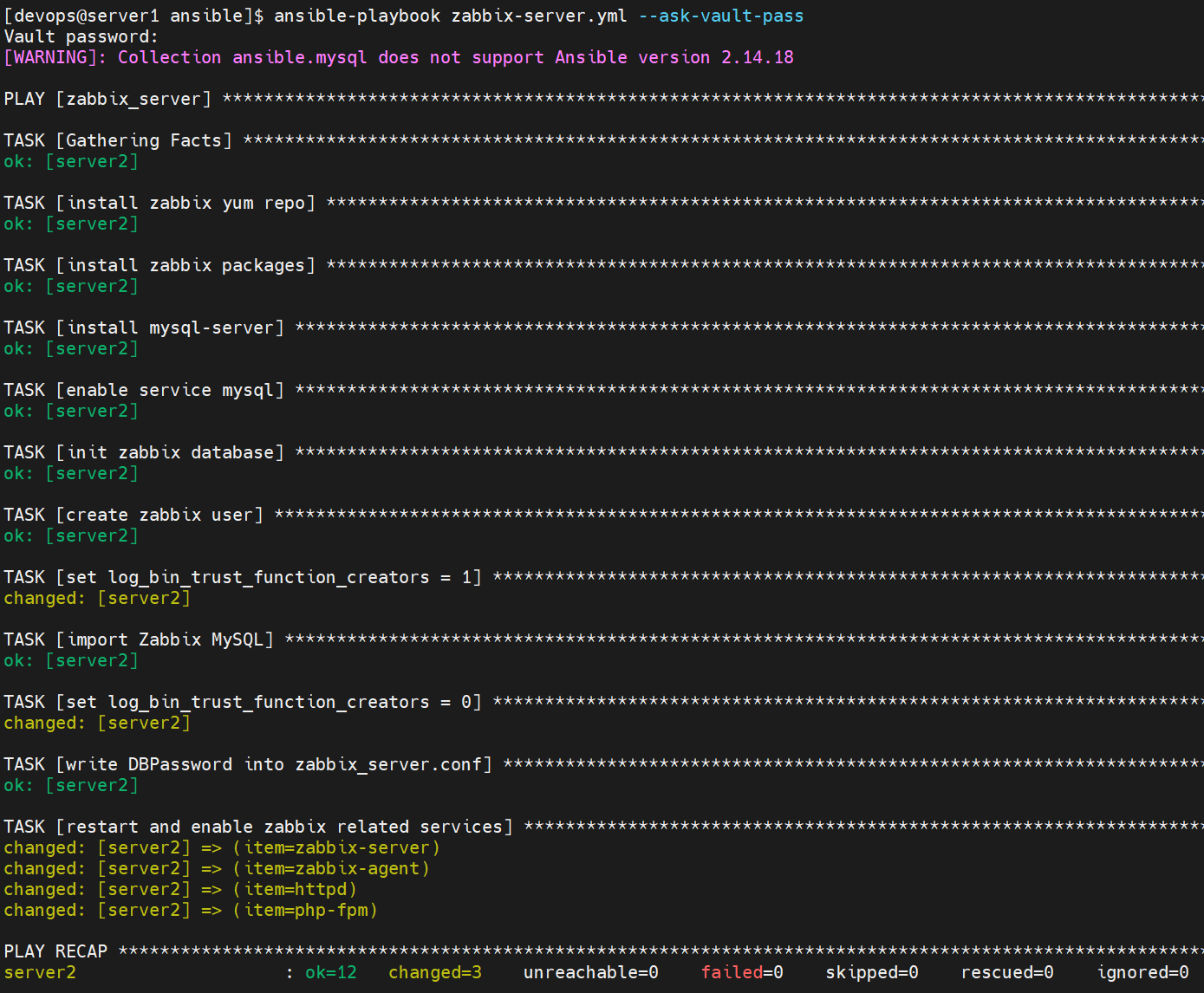
2 部署zabbix-agent
首先尝试用 zabbix.zabbix 自动部署
bash
[devops@server1 ~]$ ansible-galaxy collection install zabbix.zabbix
bash
[devops@server1 ansible]$ vim zabbix-agent.yml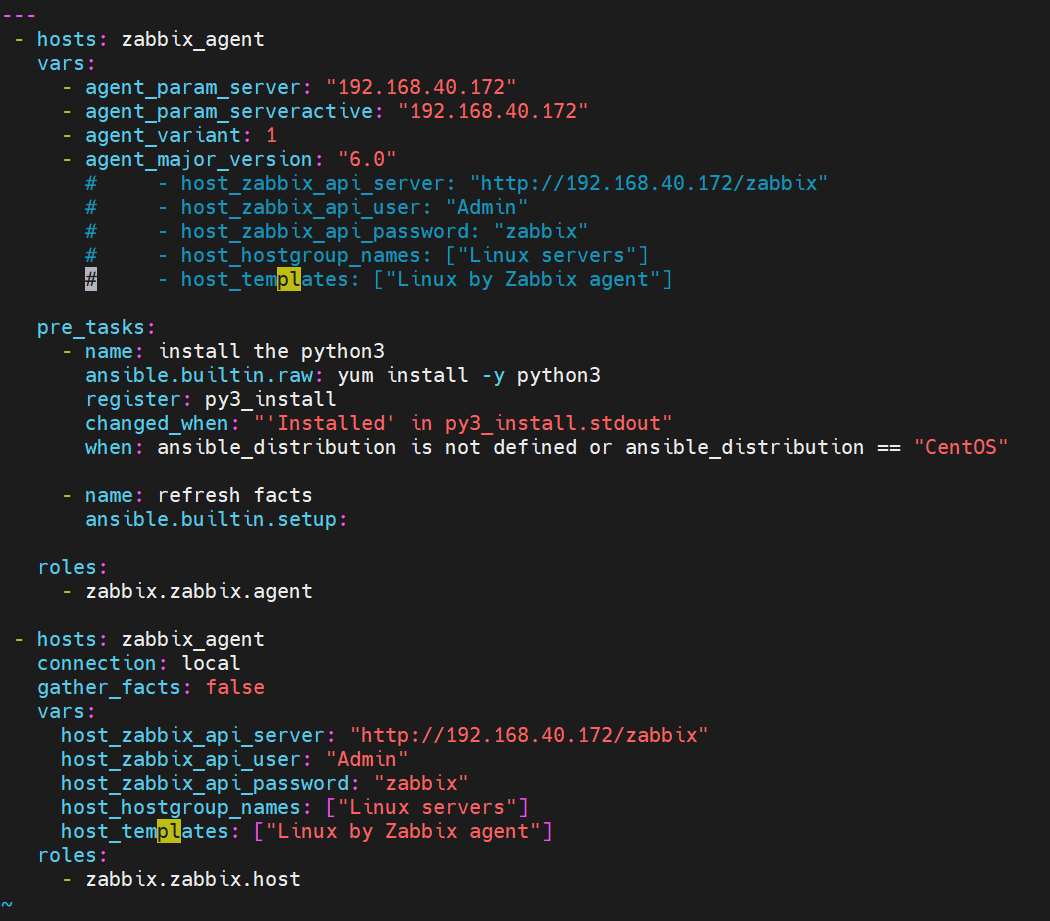
bash
[devops@server1 ansible]$ ansible-playbook zabbix-agent.yml --ask-vault-pass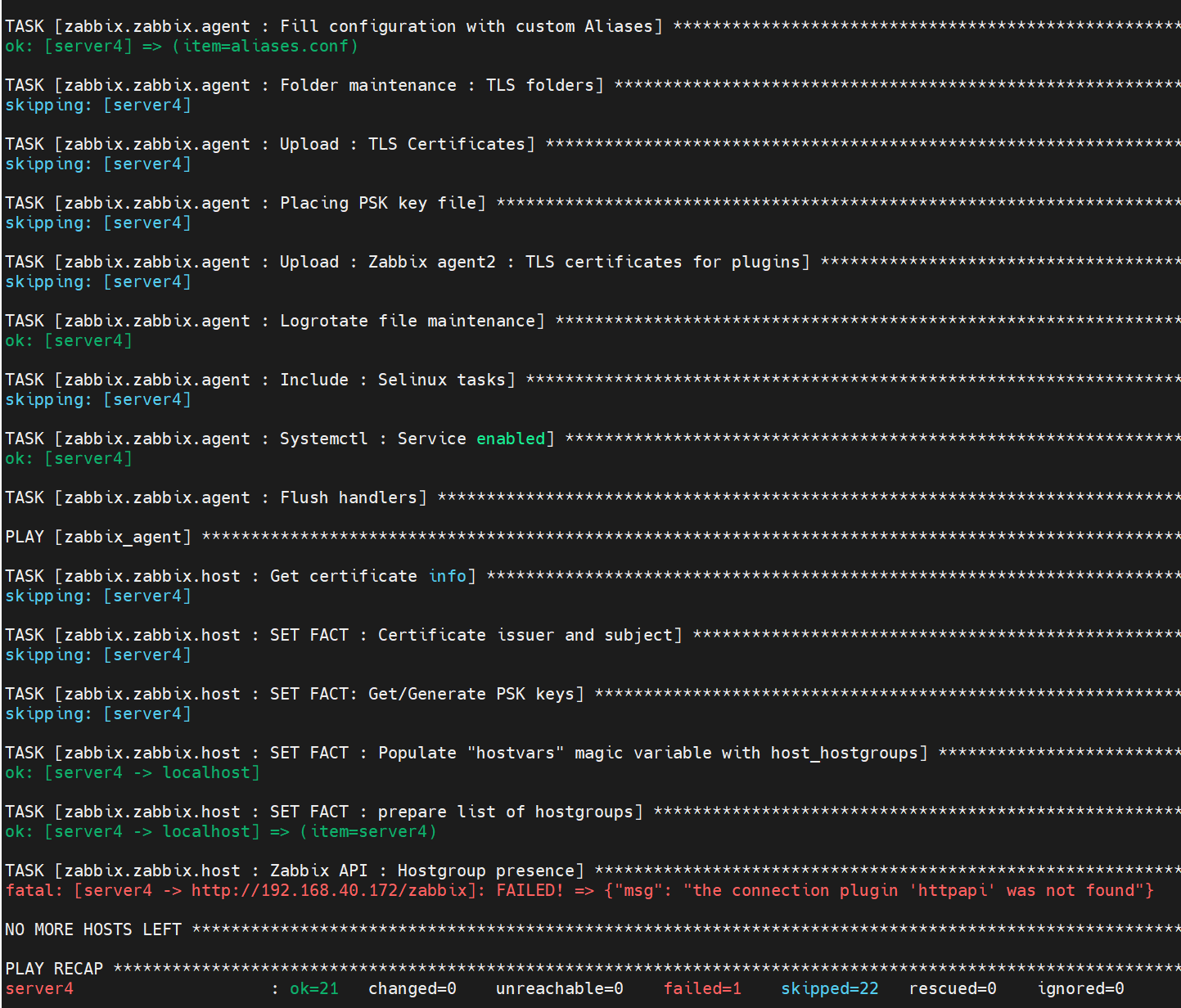
排错
bash
[devops@server1 ~]$ ansible-galaxy collection download ansible.netcommon:6.1.3 ansible.utils:4.1.0 -p ./collections
[devops@server1 ~]$ ls -la /home/devops/collections/
[devops@server1 ~]$ cd /home/devops/collections
[devops@server1 collections]$ ansible-galaxy collection install ansible-netcommon-6.1.3.tar.gz
[devops@server1 collections]$ ansible-galaxy collection list | grep -E "netcommon|utils"
ansible.netcommon 6.1.3
ansible.utils     4.1.0
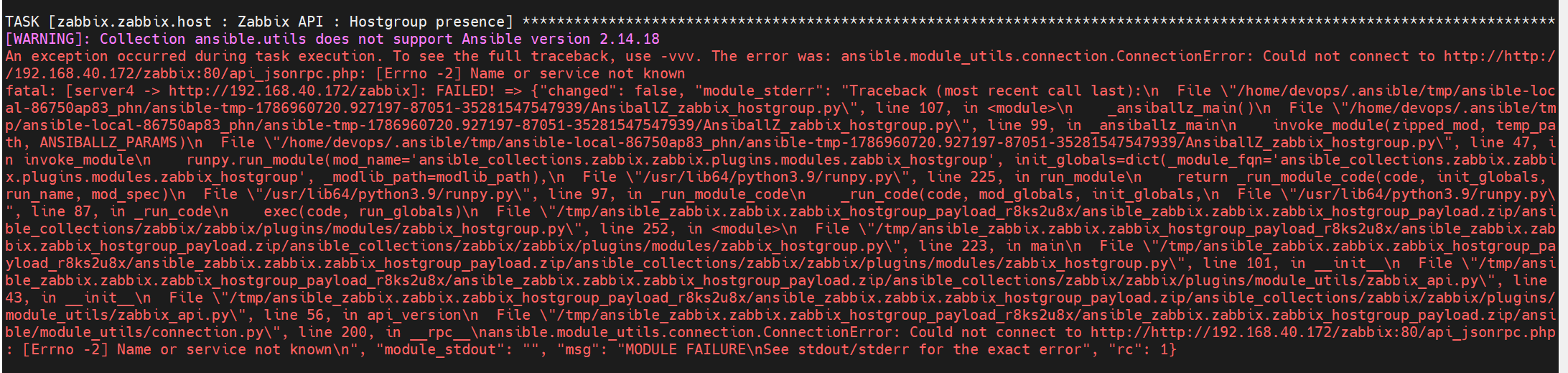
重新运行
bash
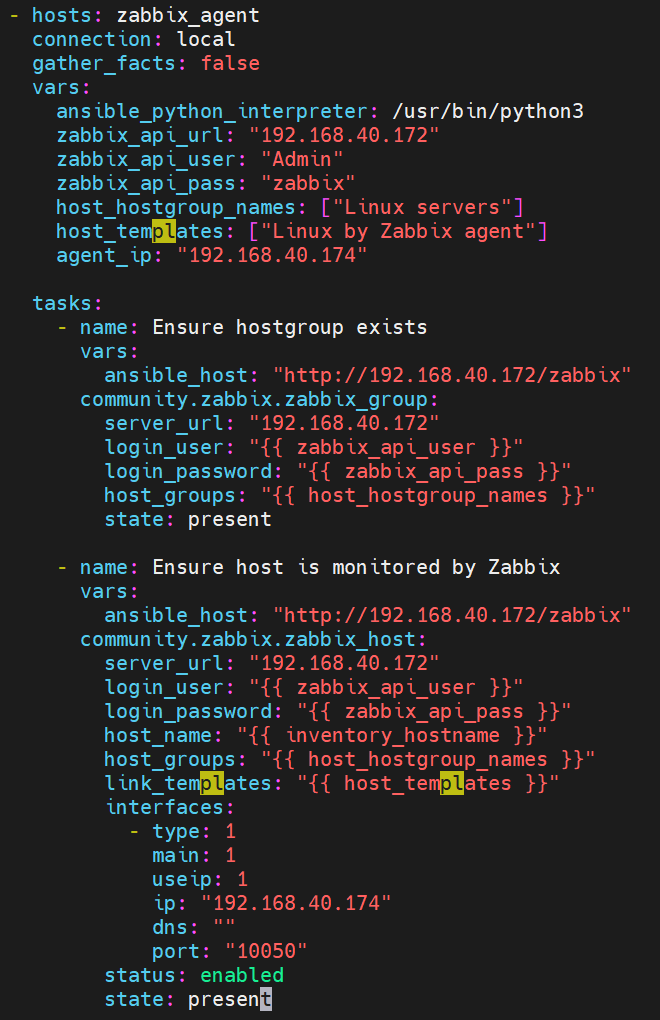
[devops@server1 ansible]$ vim zabbix-agent.yml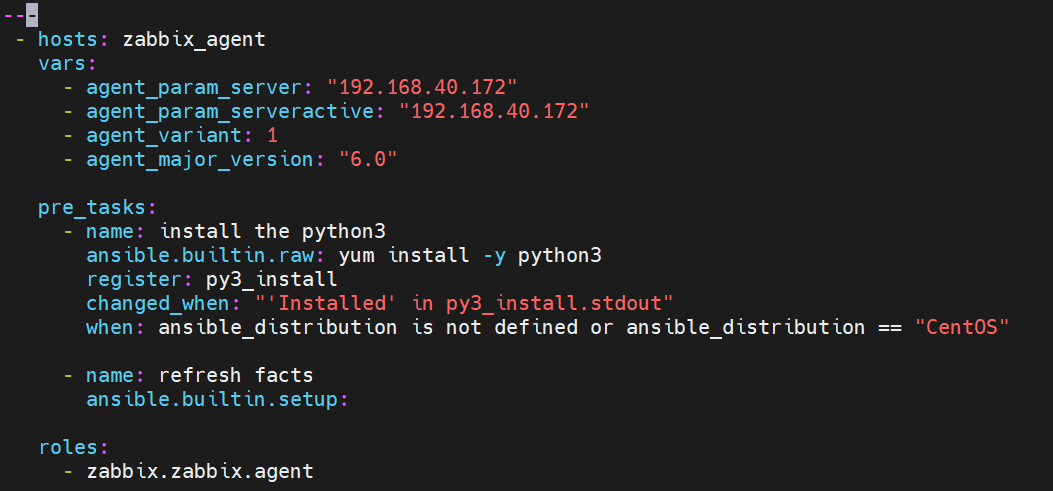
bash
[devops@server1 ansible]$ ansible-playbook zabbix-agent.yml --ask-vault-pass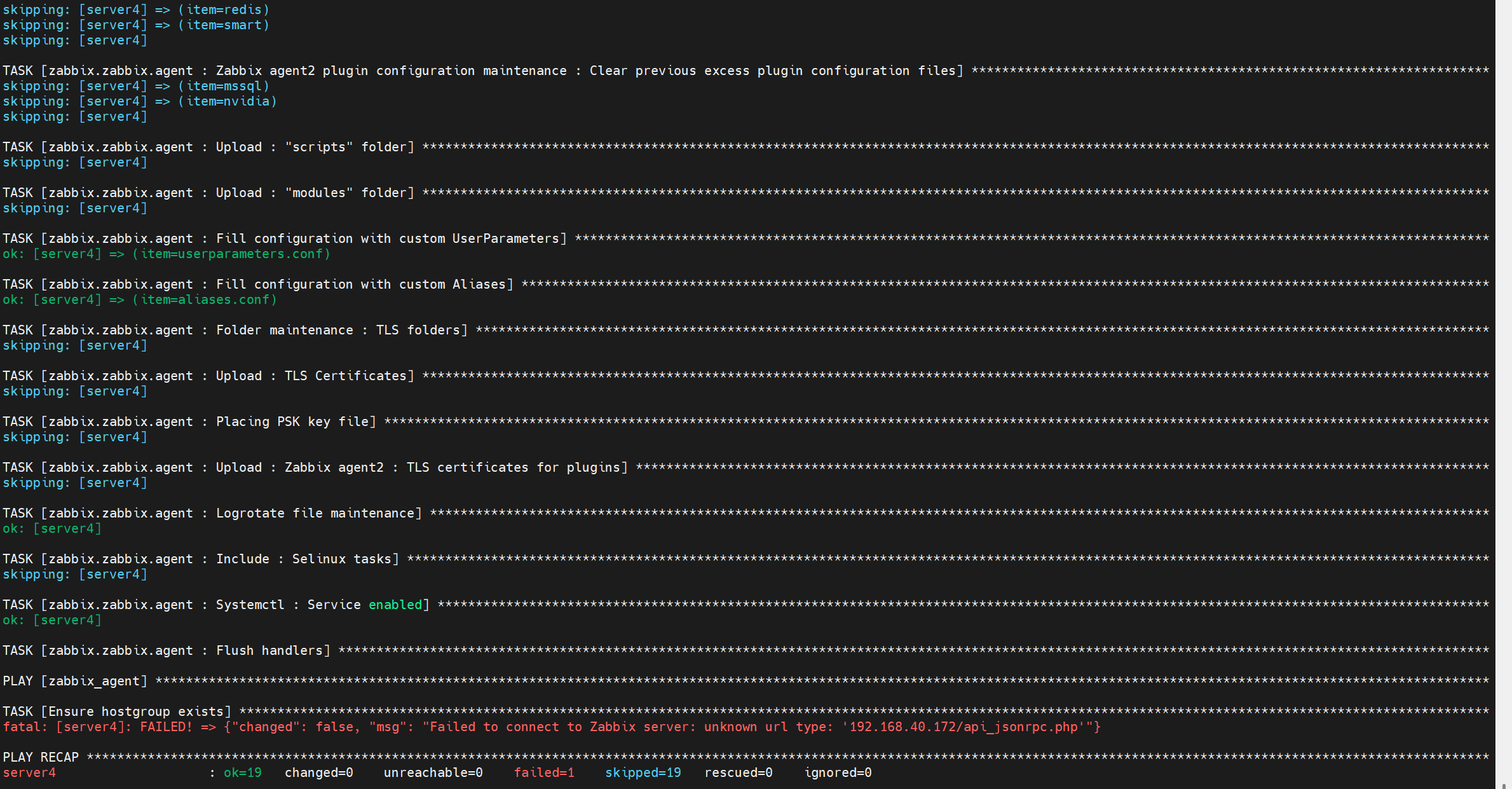
agent 软件在 server4 部署成功,但 api 调用有问题
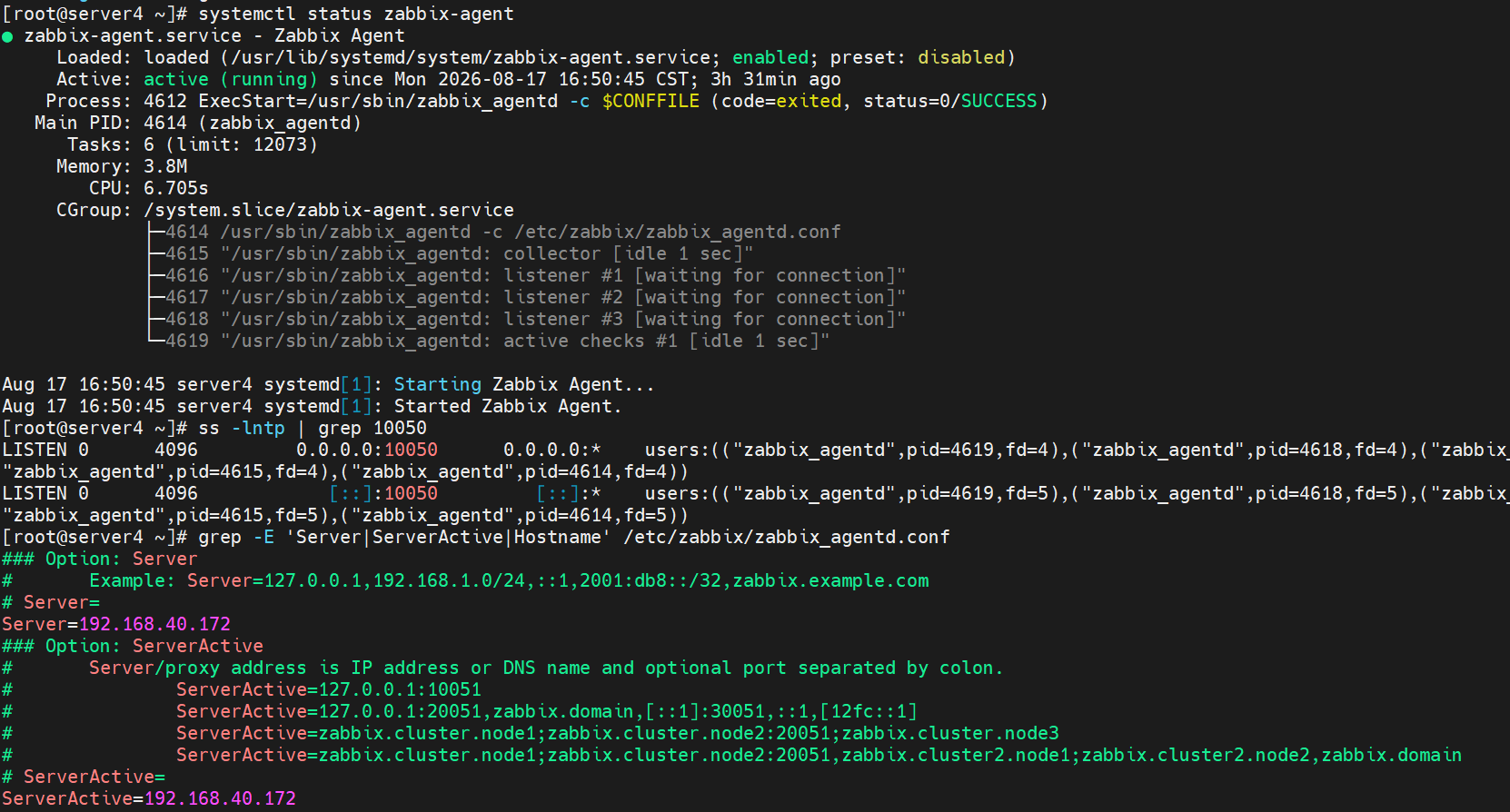
经过多轮排错,没有解决问题,由于版本兼容性问题,一直在换版本,此时使用的服务版本号如下图

3 部署 tidb
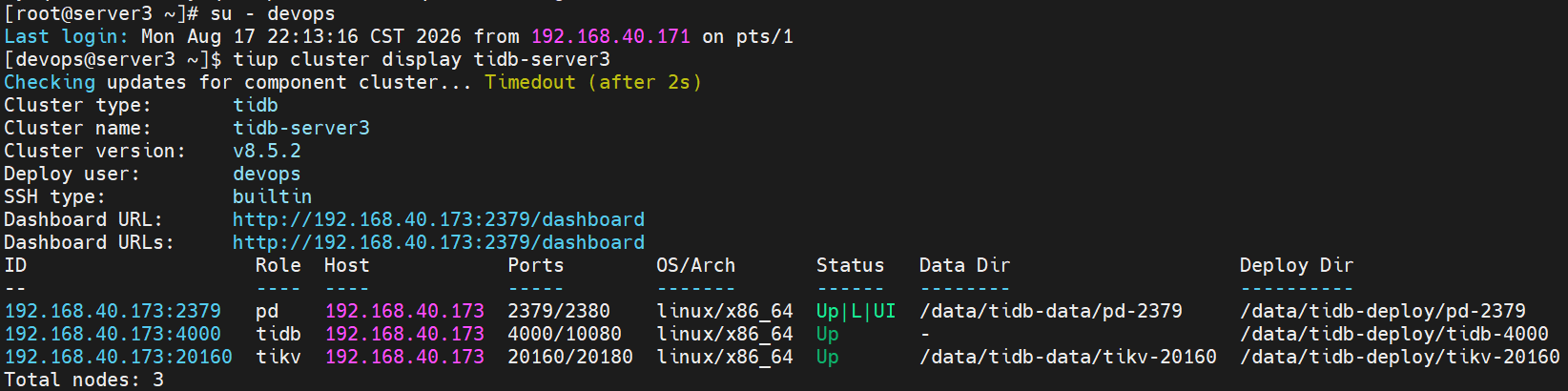
在一台新的虚拟机server3上部署tidb
添加用户,进行提权,还要对自己做免密连接
bash
[root@server3 ~]# useradd devops
[root@server3 ~]# passwd devops
[root@server3 ~]# visudo
bash
[devops@server1 ansible]$ vim tidb.yml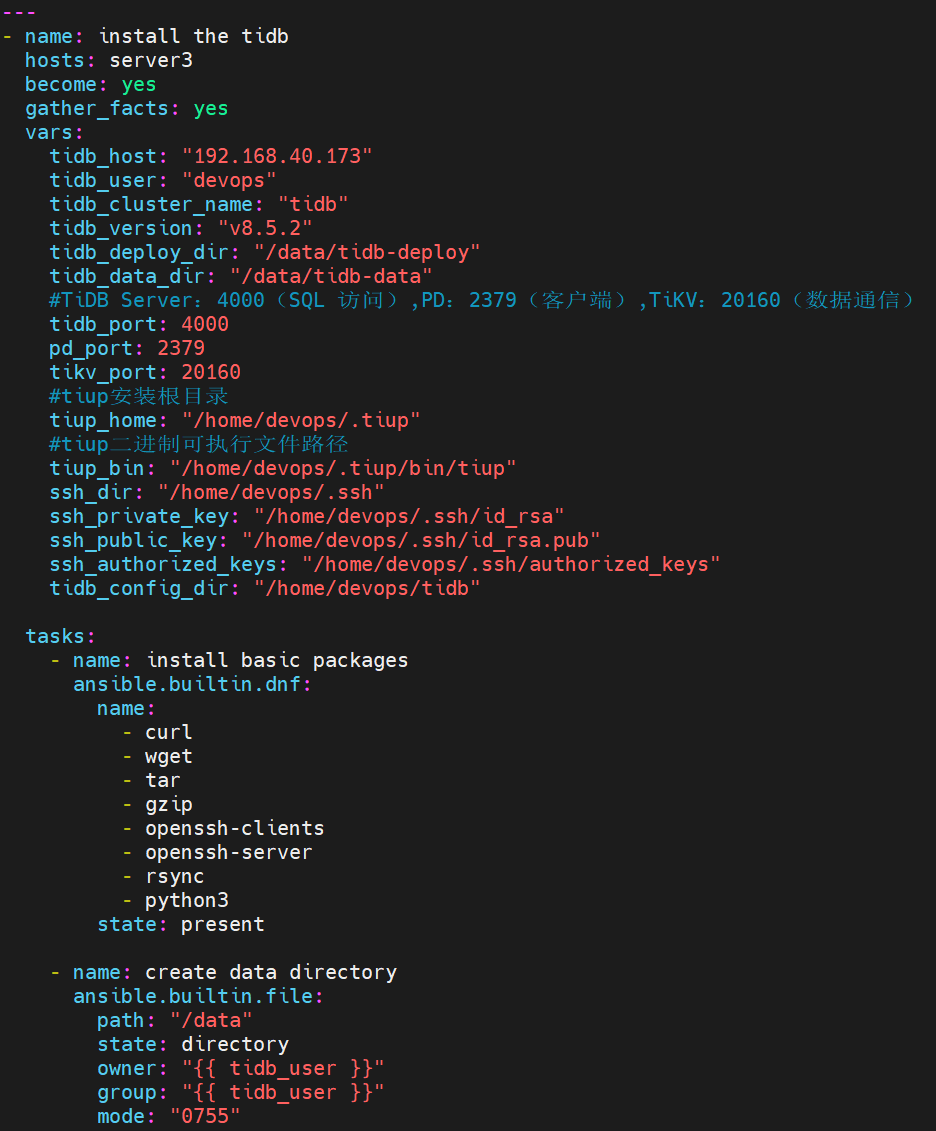
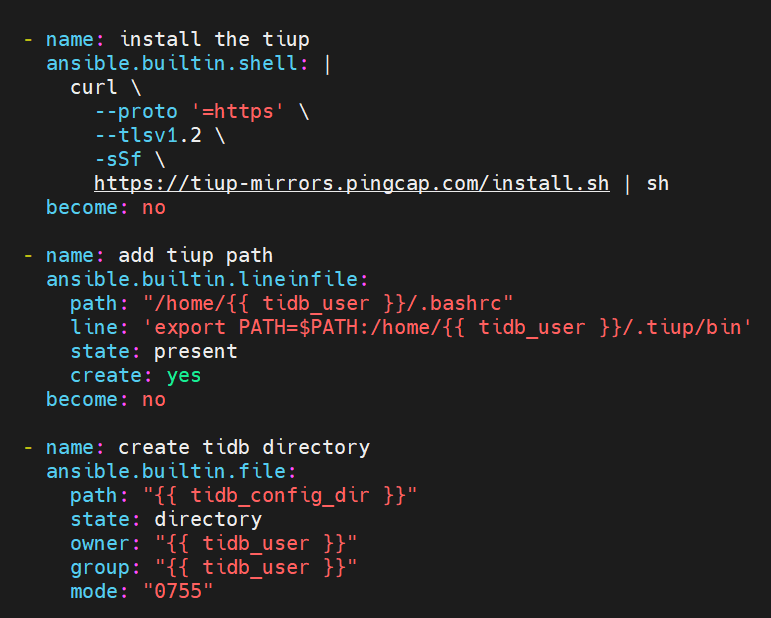
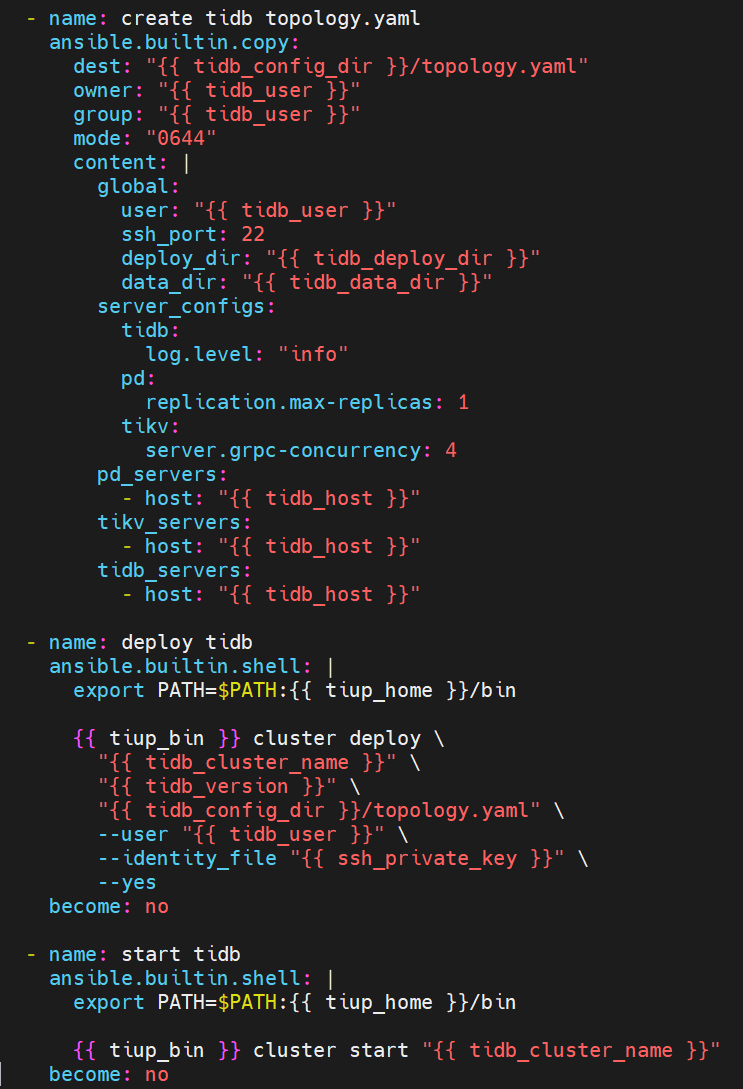
bash
[devops@server1 ansible]$ ansible-playbook tidb.yml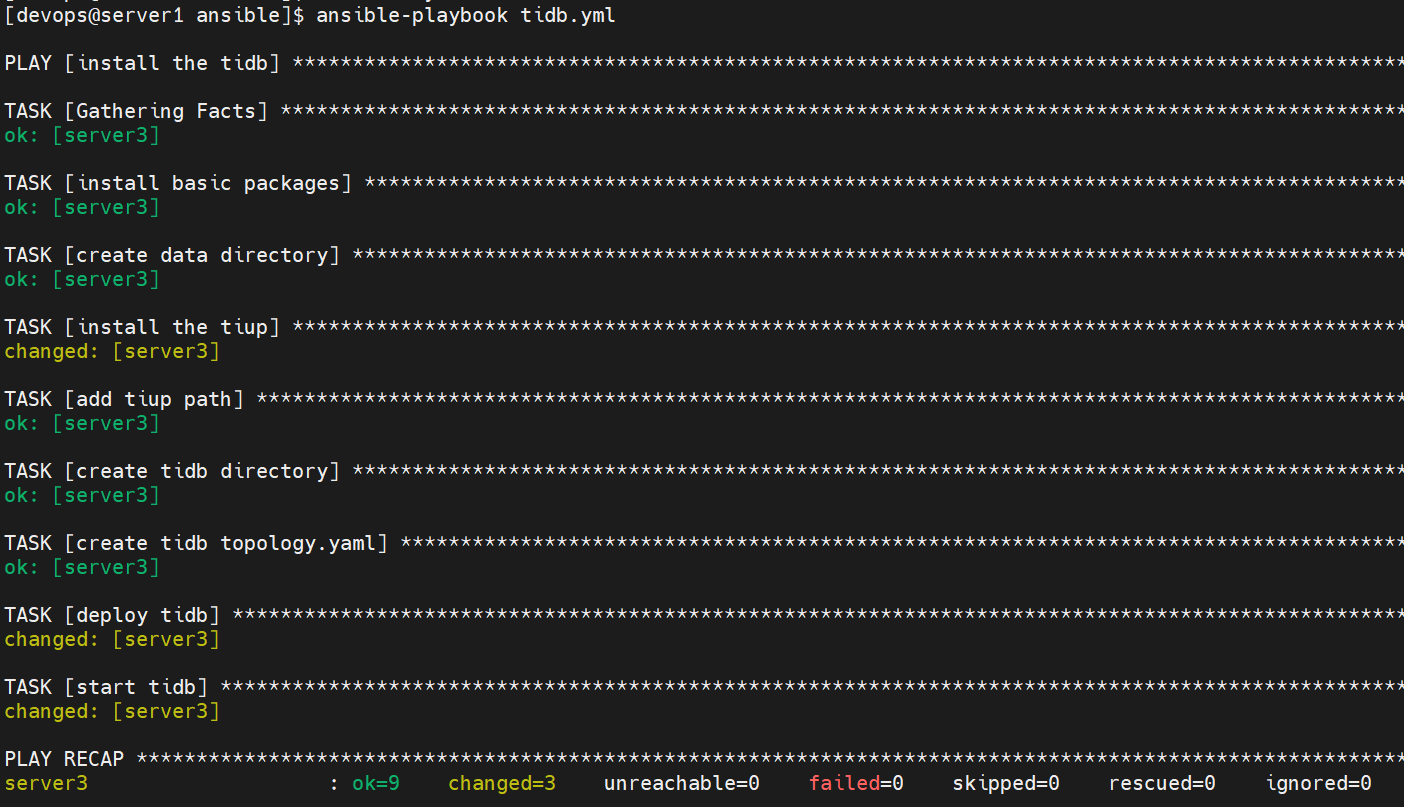
在server3上查看
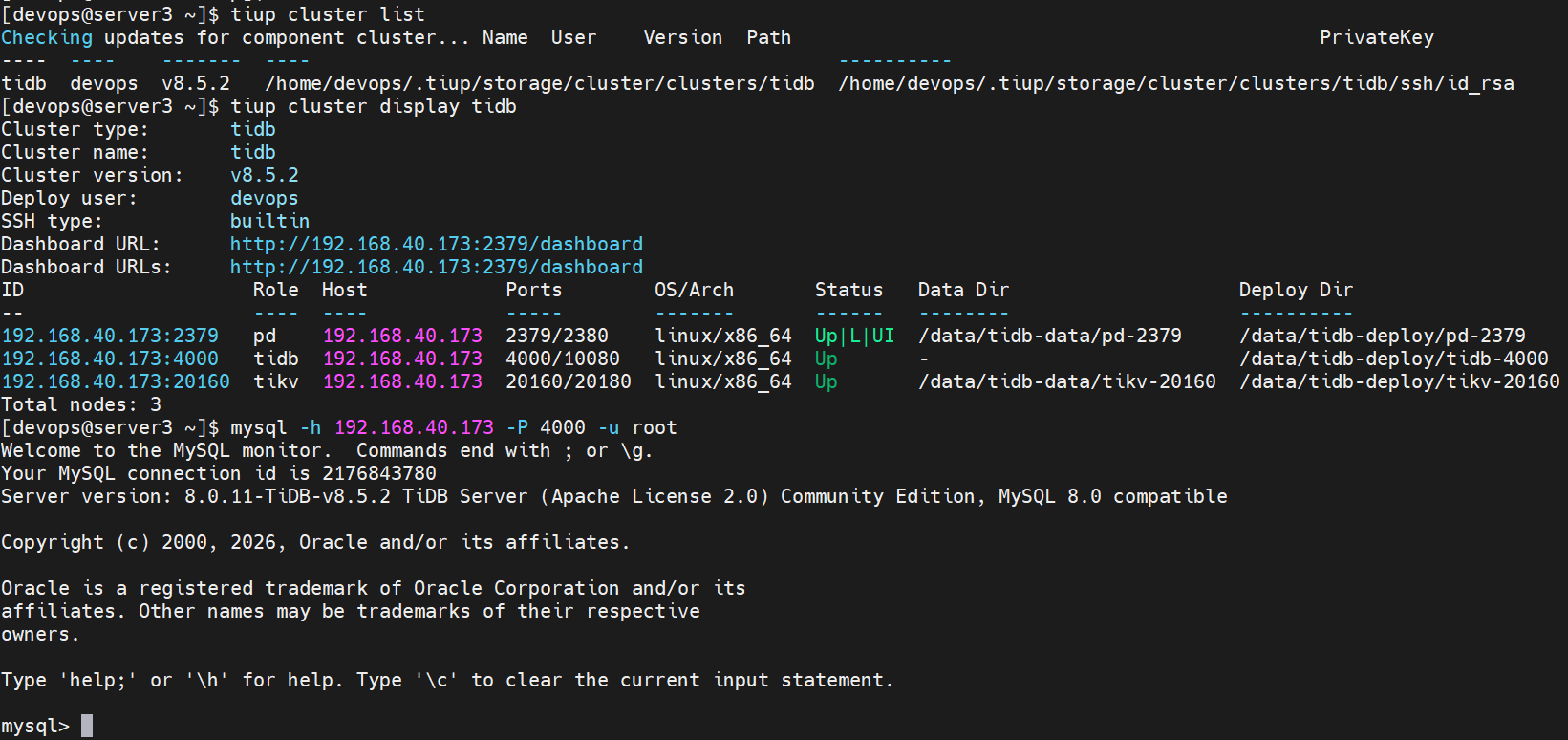
bash
[devops@server1 ansible]$ vim tidb-server3.yml
bash
[devops@server1 ansible]$ ansible-playbook tidb-server3.yml --ask-vault-pass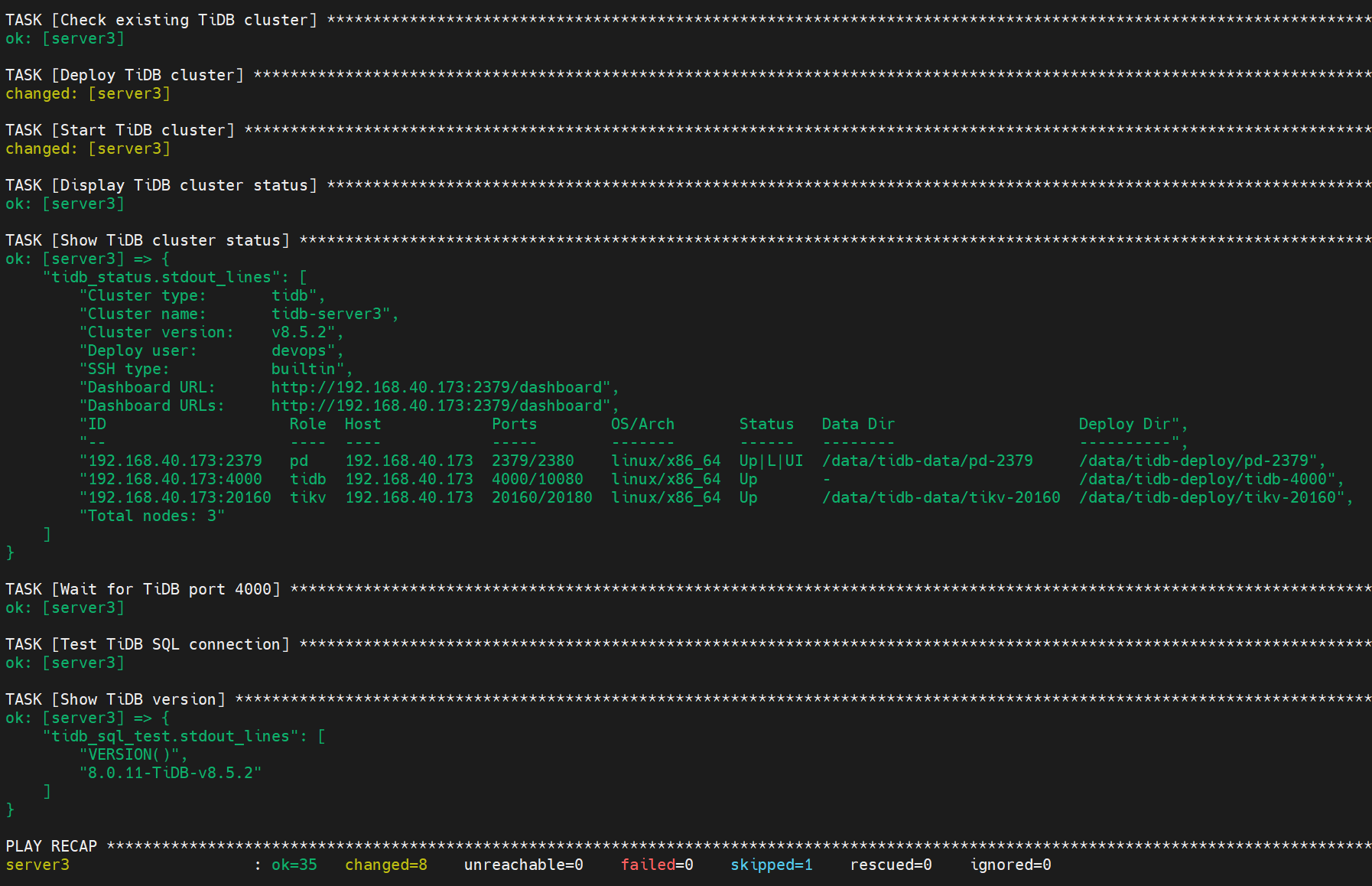
在server3上查看