安装依赖
pnpm add @ffmpeg/ffmpeg@0.12.15 @ffmpeg/util@0.12.1 @ffmpeg/core@0.12.6查看依赖是否安装成功
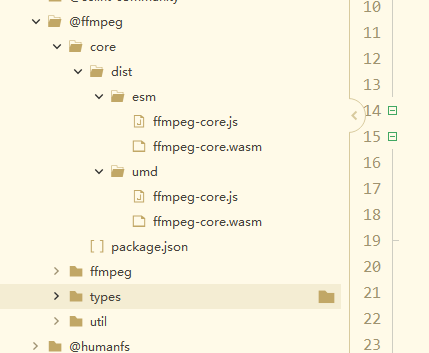
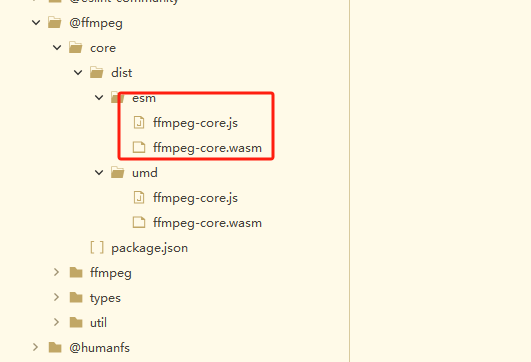
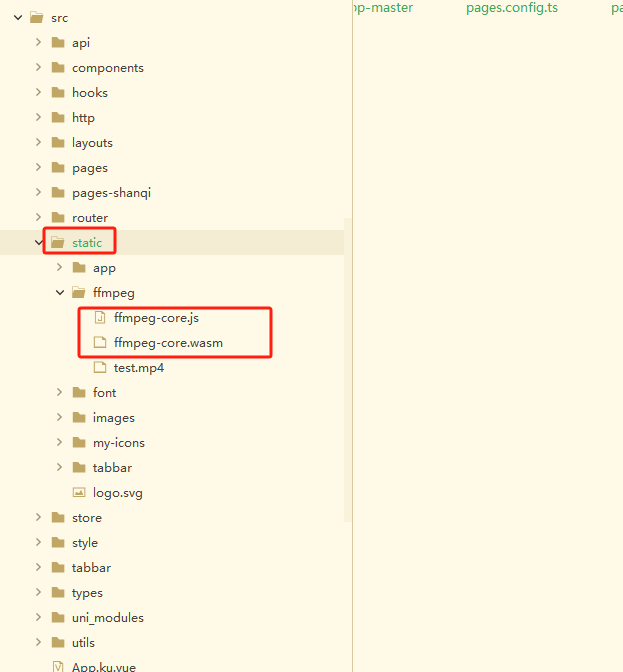
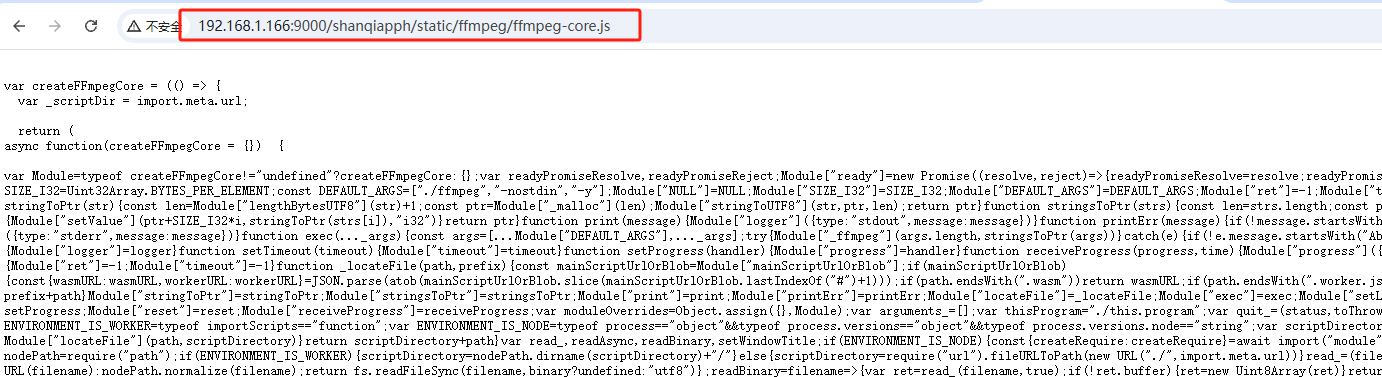
将esm下的ffmpeg-core.js和ffmpeg-core.wasm 拷贝到static静态目录,并确保能访问
在vite.config.ts中配置 optimizeDeps.exclude
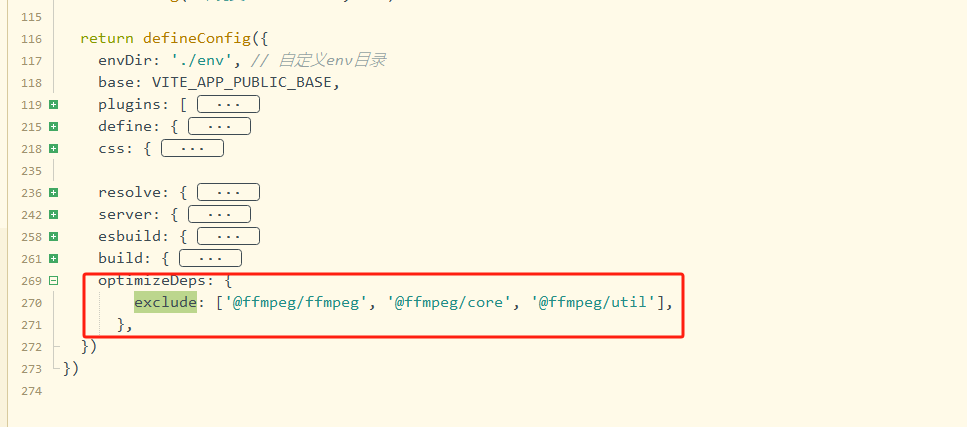
optimizeDeps: {
	    exclude: ['@ffmpeg/ffmpeg', '@ffmpeg/core', '@ffmpeg/util'],
	  },
编写页面测试
<template>
	<view>
		333
	</view>
</template>

<script setup>
	import { onLoad, onUnload } from '@dcloudio/uni-app'
	import { FFmpeg } from '@ffmpeg/ffmpeg'
	import { fetchFile } from '@ffmpeg/util'

	const ffmpeg = new FFmpeg()

	onLoad(async (options) => {
		await ffmpeg.load({
		    coreURL: `http://192.168.1.166:9000/shanqiapph/static/ffmpeg/ffmpeg-core.js`,//必须传,不然默认umd
		  });

		console.log('✅ FFmpeg ',ffmpeg.loaded)


		const videoData = await fetchFile("http://192.168.1.166:9000/shanqiapph/static/ffmpeg/test.mp4")

		await ffmpeg.writeFile('input.mp4', videoData)
		console.log('✅ 视频已写入 ffmpeg 环境')

		// 监听 ffmpeg 日志输出
		  ffmpeg.on('log', ({ message }) => {
			console.log(message)
		  })

		await ffmpeg.exec(['-i', 'input.mp4'])
	})
</script>

<style>

</style>
结果
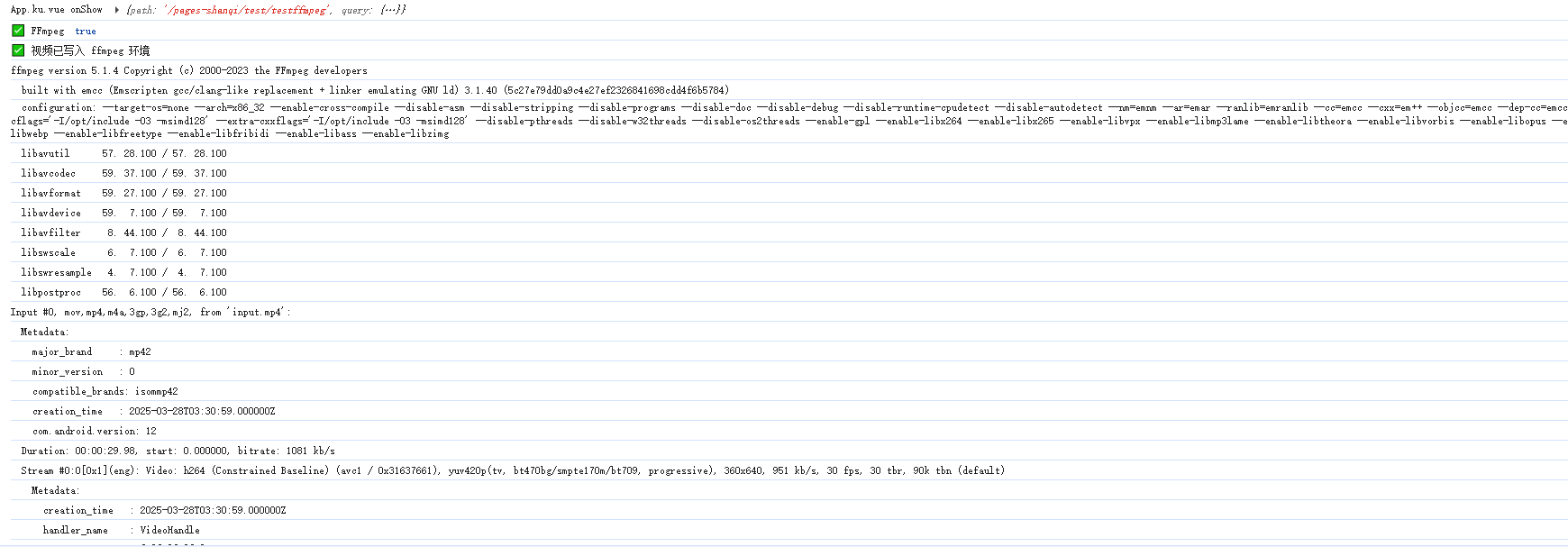
以上ffmpeg-wasm已集成完成
下面是封装一些接口,可在H5环境直接使用
ffmpegUtil.js
import {
	FFmpeg
} from '@ffmpeg/ffmpeg'
import {
	fetchFile
} from '@ffmpeg/util'


export async function init() {
	const ffmpeg = new FFmpeg()
	await ffmpeg.load({
	    coreURL: `${window.location.origin}${import.meta.env.VITE_APP_PUBLIC_BASE}static/ffmpeg/ffmpeg-core.js`,//必须传,不然默认umd
	  });

	ffmpeg.on('log', ({ message }) => {
		console.log(message)
	})

	const rootPath = '/generateVideo';

	//创建合成视频根,目录
	await ffmpeg.createDir(rootPath)


	/**
	 * 查询指定路径下的所有文件
	 */
	async function listMemfsFiles (dirPath = rootPath){
		const entries = await ffmpeg.listDir(dirPath)
		 const result = []

		 for (const name of entries) {
		   // 跳过当前目录和上级目录的伪条目(如果存在)
		   if (name.name === '.' || name.name === '..') continue

		   if(name.isDir == true){
			   const subFiles = await listMemfsFiles(`${dirPath}/${name.name}`)
			   if (subFiles.length > 0) {
			     result.push(...subFiles)
			   } else {
			     // 空目录也记录一下
			     result.push({
			       path: dirPath,
			       fullPath:`${dirPath}/${name.name}`,
			       size: 0,
			       sizeFormatted: '[空目录]',
			       type: 'dir'
			     })
			   }
		   }else {
			   // 尝试读取,成功则为文件
			   const data = await ffmpeg.readFile(`${dirPath}/${name.name}`)
			   const size = data.length || data.byteLength

			   result.push({
			     path: dirPath,
			     fullPath:`${dirPath}/${name.name}`,
			     size,
			     sizeFormatted: formatBytes(size),
			     type: 'file'
			   })
		   }
		 }
		 return result
	}

	/**
	 * 单位转换
	 * @param {Object} bytes
	 */
	function formatBytes(bytes){
	 if (bytes === 0) return '0 B'
	 const k = 1024
	 const sizes = ['B', 'KB', 'MB', 'GB']
	 const i = Math.floor(Math.log(bytes) / Math.log(k))
	 return parseFloat((bytes / Math.pow(k, i)).toFixed(2)) + ' ' + sizes[i]
	}


	/**
	 * 将url对应的文件写入到ffmpeg环境中
	 * @param {Object} fileUrl
	 * @param {Object} filePath
	 */
	async function writeFileByUrl (fileUrl,filePath){
		const fileData = await fetchFile(fileUrl)
		await ffmpeg.writeFile(rootPath+'/'+filePath, fileData)
	}

	/**
	 * 写入指定字符串到指定文件
	 * @param {Object} content
	 * @param {Object} filePath
	 */
	async function writeTxtByContent (content,filePath){
		await ffmpeg.writeFile(rootPath+'/'+filePath, content)
	}

	/**
	 * 读取指定文件为文本
	 * @param {Object} filePath
	 */
	async function readTxtByFilePath (filePath){
		const data999 = await ffmpeg.readFile(rootPath+'/'+filePath)
		const text = new TextDecoder().decode(data999)
		return text;
	}

	//执行命令
	async function exec (commandArray){
		await ffmpeg.exec(commandArray)
	}

	/**
	 * 下载ffmpeg合成结果视频
	 * @param {Object} filePath
	 * @param {Object} fileName
	 */
	async function downloadFile (filePath,fileName){
		// 3. 读取输出文件
		const data66 = await ffmpeg.readFile(filePath)
		const blob = new Blob([data66.buffer], { type: 'video/quicktime' })

		// 4. 生成下载链接或播放 URL
		const url = URL.createObjectURL(blob)
		console.log('✅ 转换完成:', url)

		// 5. 自动触发下载
		const link = document.createElement('a')
		link.href = url
		link.download = fileName  // 下载后的文件名
		document.body.appendChild(link)
		link.click()

		// 6. 清理(重要!防止内存泄漏)
		document.body.removeChild(link)
		URL.revokeObjectURL(url)

		console.log('✅ 文件已下载到本地')
	}

	/**
	 * 删除指定目录下的所有文件
	 * @param {Object} dirPath
	 */
	async function deleteFile (dirPath){
		const entries = await ffmpeg.listDir(dirPath)

		 for (const name of entries) {
		   // 跳过当前目录和上级目录的伪条目(如果存在)
		   if (name.name === '.' || name.name === '..') continue

		   if(name.isDir == true){
			   const subFiles = await deleteFile(`${dirPath}/${name.name}`)
		   }else {
			   await ffmpeg.deleteFile(`${dirPath}/${name.name}`)
		   }
		 }
	}

	return {
		listMemfsFiles,
		writeFileByUrl,
		writeTxtByContent,
		readTxtByFilePath,
		exec,
		downloadFile,
		deleteFile
	}
}
使用示例
<template>
	<view>
		333
	</view>
</template>

<script setup>
	import { onLoad, onUnload } from '@dcloudio/uni-app'

	import { init } from '@/utils/ffmpegUtil'

	onLoad(async (options) => {
		var ffmpegUtil = await init();

		//写入资源文件
		await ffmpegUtil.writeFileByUrl("http://192.168.1.166:9000/shanqiapph/static/ffmpeg/test.mp4","input.mp4");

		//写入文本到文件
		await ffmpegUtil.writeTxtByContent("45666","test.txt");
		var textA = await ffmpegUtil.readTxtByFilePath("test.txt");
		console.log(textA);

		//执行命令
		await ffmpegUtil.exec(['-i', '/generateVideo/input.mp4', '-c', 'copy', '/generateVideo/output.mov'])

		//下载合成结果
		//await ffmpegUtil.downloadFile('/generateVideo/output.mov','测试转换视频下载.mov');

		//删除文件
		await ffmpegUtil.deleteFile("/generateVideo");

		//查看所有文件
		var fileListA =  await ffmpegUtil.listMemfsFiles();
		console.table(fileListA);
	})
</script>

<style>

</style>