项目中邮件功能用于发送密码重置链接,但此前只搭好了架子,缺少实际测试验证。本文将记录邮件集成的全链路配置、本地测试、以及过程中遇到并解决的几个问题。
邮件发送引擎
项目在中实现了 send_mail 函数,支持普通 SMTP 和 STARTTLS 两种模式:
python
async def send_mail(to_email: str, subject: str, body: str) -> None:
    mail = settings.mail
    if not mail.host or not mail.from_email:
        raise BusinessError("Mail service is not configured")
    message = EmailMessage()
    message["From"] = f"{mail.from_name} <{mail.from_email}>"
    message["To"] = to_email
    message["Subject"] = subject
    message.set_content(body)
    await asyncio.to_thread(_send_sync, message)
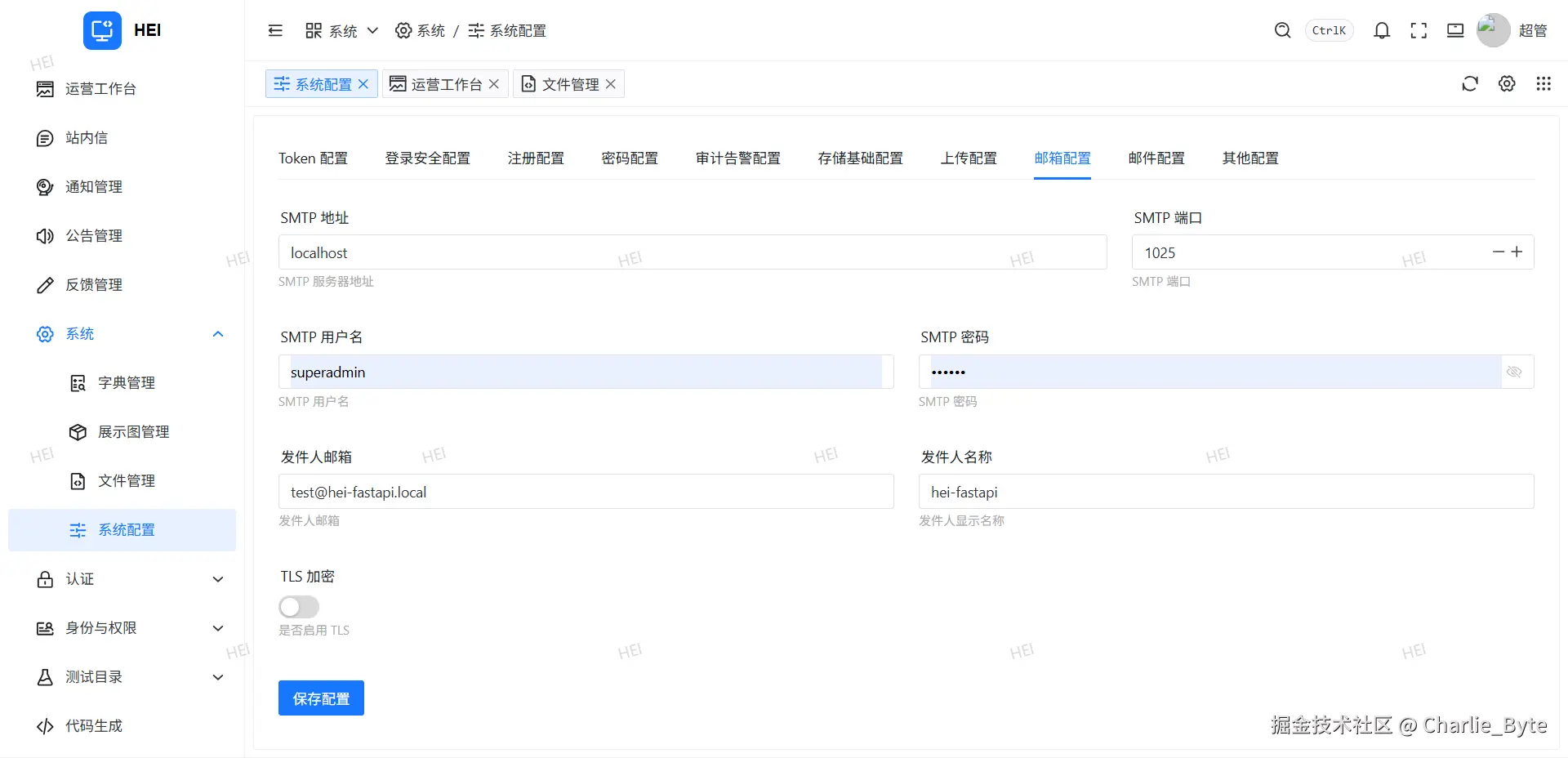
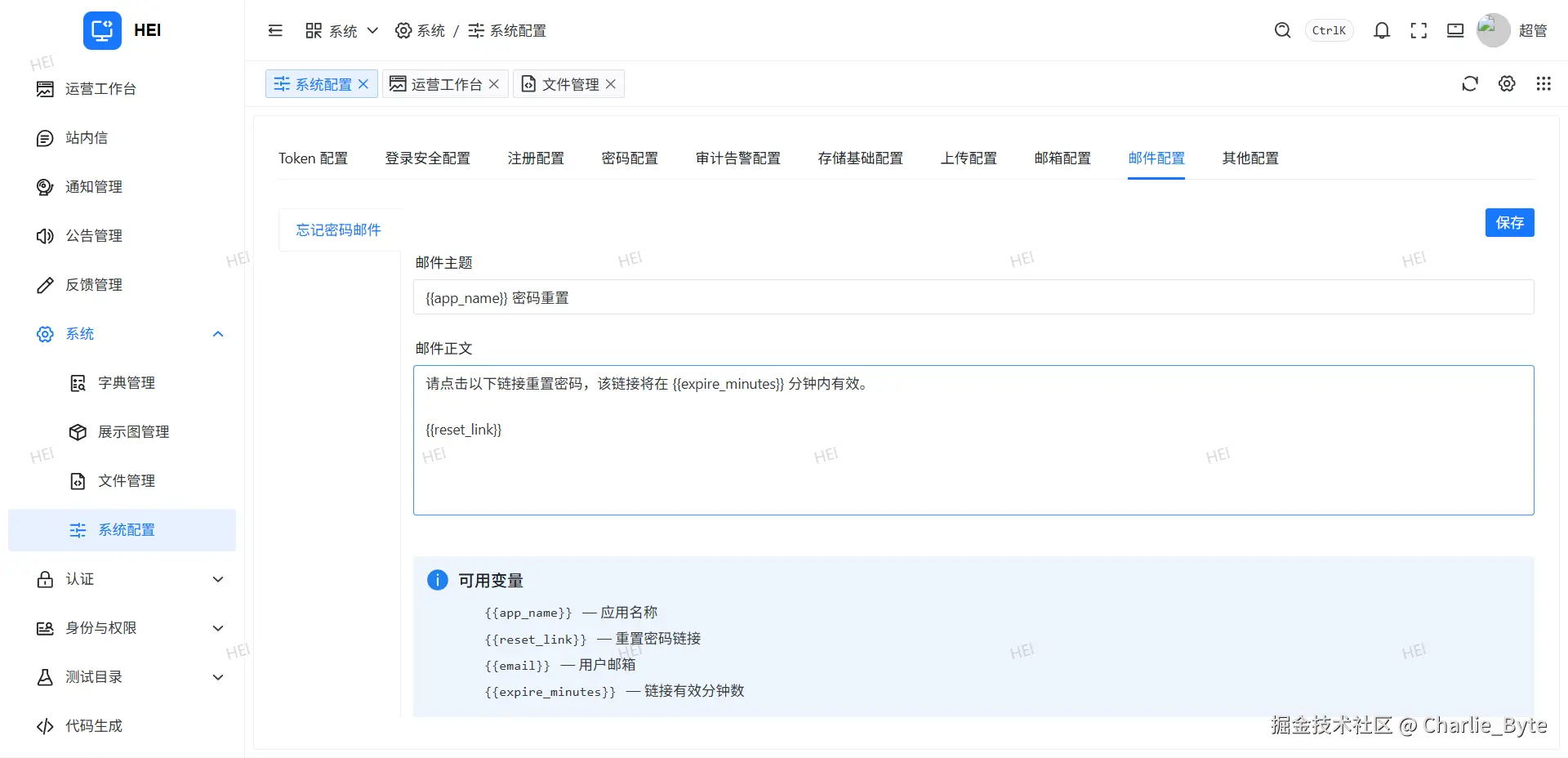
邮件配置通过 MailSettings 集中管理,包括 SMTP 地址、端口、账号密码、TLS 开关等。配置项可在管理后台运行时修改,启动时从 sys_config 表加载覆盖。
用 Mailpit 本地测试邮件
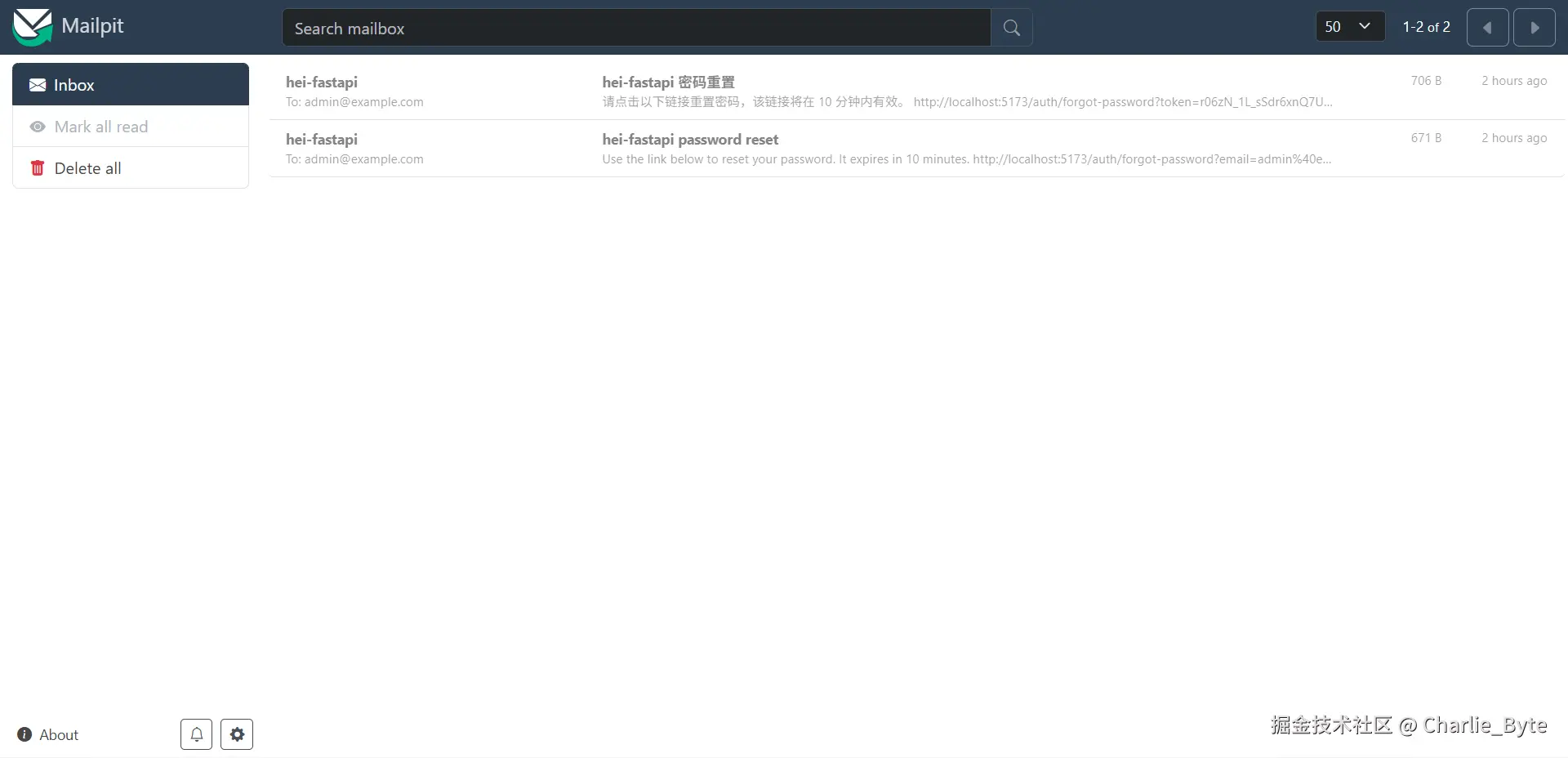
Mailpit 是一个用 Go 写的轻量级邮件测试工具。它启动一个假的 SMTP 服务器,接收所有发来的邮件存在内存里,通过 Web 界面查看,不会真的发出去。
css
docker run -d --name mailpit \
  --restart no \
  -p 1025:1025 \
  -p 8025:8025 \
  swr.cn-north-4.myhuaweicloud.com/ddn-k8s/docker.io/axllent/mailpit:v1.30.0
Mailpit Web 界面访问 http://localhost:8025。配置邮件时将 SMTP 地址填 localhost:1025,关掉 TLS 即可。
密码重置流程
用户请求重置时,填写邮箱提交到后端 forgot_password 接口。后端验证账号存在且状态正常,生成一次性令牌存入 Redis(设置 TTL),然后通过 SMTP 发送包含重置链接的邮件。
css
async def forgot_password(self, payload, account_type, client_ip=None, user_agent=None):
    email = payload.email.strip().lower()
    account = await self.account_repo.get_account_by_identifier(email, [EMAIL])

    reset_token = generate_token()
    redis = self._required_redis()
    await redis.setex(
        password_reset_token_key(reset_token),
        settings.auth.password_reset_token_ttl_seconds,
        json.dumps({"account_id": account.id, "email": email, "token_hash": hash_password(reset_token)}),
    )
    reset_link = self._build_password_reset_link(account_type, email, reset_token)
    await send_mail(email, subject, body)
邮件中的链接只带 token 参数:
bash
http://localhost:5173/auth/forgot-password?token=4GRjtfMusvS4w6qjMZ3...前端页面检测到 URL 中有 token 参数后切换到重置密码模式。用户输入新密码提交到 reset_password 接口:
python
async def reset_password(self, payload, account_type, client_ip=None, user_agent=None):
    raw = await redis.get(password_reset_token_key(payload.token))
    data = json.loads(raw)
    if not verify_password(payload.token, data["token_hash"]):
        raise AuthenticationError("Invalid or expired reset link")

    async with transactional(self.db):
        await self.account_repo.update_password_hash(account.id, hash_password(payload.password))
    await redis.delete(key)
    await self.session_service.delete_account_sessions(account.account_type, account.id)
验证 token 哈希、更新密码、删除 Redis 中的记录(一次性使用),同时清除该账号的所有活跃会话,使其他设备上的登录态失效。
邮箱暴露在重置链接中
最初的 _build_password_reset_link 方法把邮箱拼在了 URL 参数里:
python
def _build_password_reset_link(self, account_type, email, token):
    base_url = settings.mail.password_reset_url
    separator = "&" if "?" in base_url else "?"
    return f"{base_url}{separator}email={urlencode({'email': email})}&token={token}"
邮件中的链接长这样:
ini
http://...?email=admin%40example.com&token=4GRjtfMusv...邮箱地址暴露在 URL 中,可能被浏览器历史、Referer 头、中间代理等渠道泄漏。
改成 token-only,Redis 的 key 从 password:reset:{account_type}:{email} 改为 password:reset:{token},凭 token 即可从 Redis 中反查出 email 和 account_id:
python
def _build_password_reset_link(self, account_type, email, token):
    base_url = settings.mail.password_reset_url
    separator = "&" if "?" in base_url else "?"
    return f"{base_url}{separator}{urlencode({'token': token})}"
ResetPasswordRequest 去掉 email 字段,后端从 token 存储的数据中反查:
ini
class ResetPasswordRequest(CaptchaMixin, PasswordKeyMixin):
    token: str = Field(min_length=16, max_length=256)
    password: str = Field(min_length=1, max_length=512)
前端页面也不再从 URL 读取 email,改为用户手动输入,确保重置链接即使被拦截也无法直接关联到具体账号。