Pinia 是什么?
Pinia 是 Vue 3 官方推荐的状态管理工具。
简单理解:
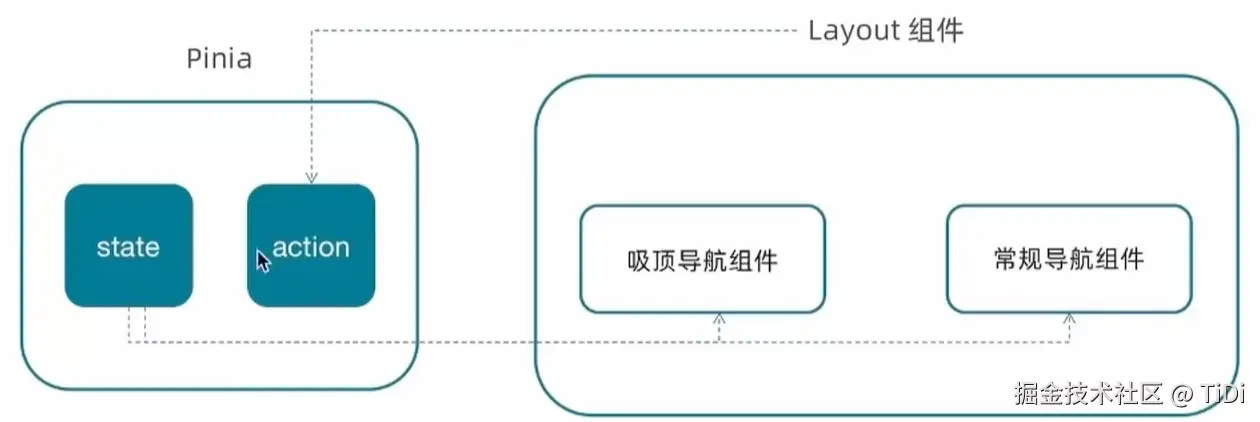
Pinia = 把多个组件都需要使用的数据,统一放到一个"仓库 Store"里管理。
比如你现在的小兔鲜项目中,商品分类导航数据可能会被多个组件使用,这时候就适合放到 Pinia 中。
1. 为什么需要 Pinia?
假设你的组件结构:
Layout
├── LayoutNav
├── LayoutHeader
├── LayoutFooter
└── LayoutFixed
如果 LayoutNav 需要分类数据:
categoryList没有 Pinia 时,可能需要:
父组件
  ↓ props
LayoutNav
  ↓ props
更深层组件
或者组件之间互相传数据,会比较麻烦。
使用 Pinia:
css
              Pinia Store
                  ↓
        ┌─────────┼─────────┐
        ↓         ↓         ↓
   LayoutNav   Header    其他组件
大家直接从 Store 获取数据。
2. Pinia 最核心的三个东西
一个 Store 通常有:
perl
state
actions
getters
可以简单理解:
| 部分 | 作用 |
|---|---|
| state | 存数据 |
| actions | 修改数据、调用接口 |
| getters | 对数据进行计算 |
 |
|
| store/category.js |
javascript
import { ref } from 'vue'
import { defineStore } from 'pinia'
import { getCategoryAPI } from '@/apis/layout'
export const useCategoryStore = defineStore('category', () => {
  // 导航列表的数据管理
  // state 导航列表数据
  const categoryList = ref([])

  // action 获取导航数据的方法
  const getCategory = async () => {
    const res = await getCategoryAPI()
    categoryList.value = res.result
  }

  return {
    categoryList,
    getCategory
  }
})
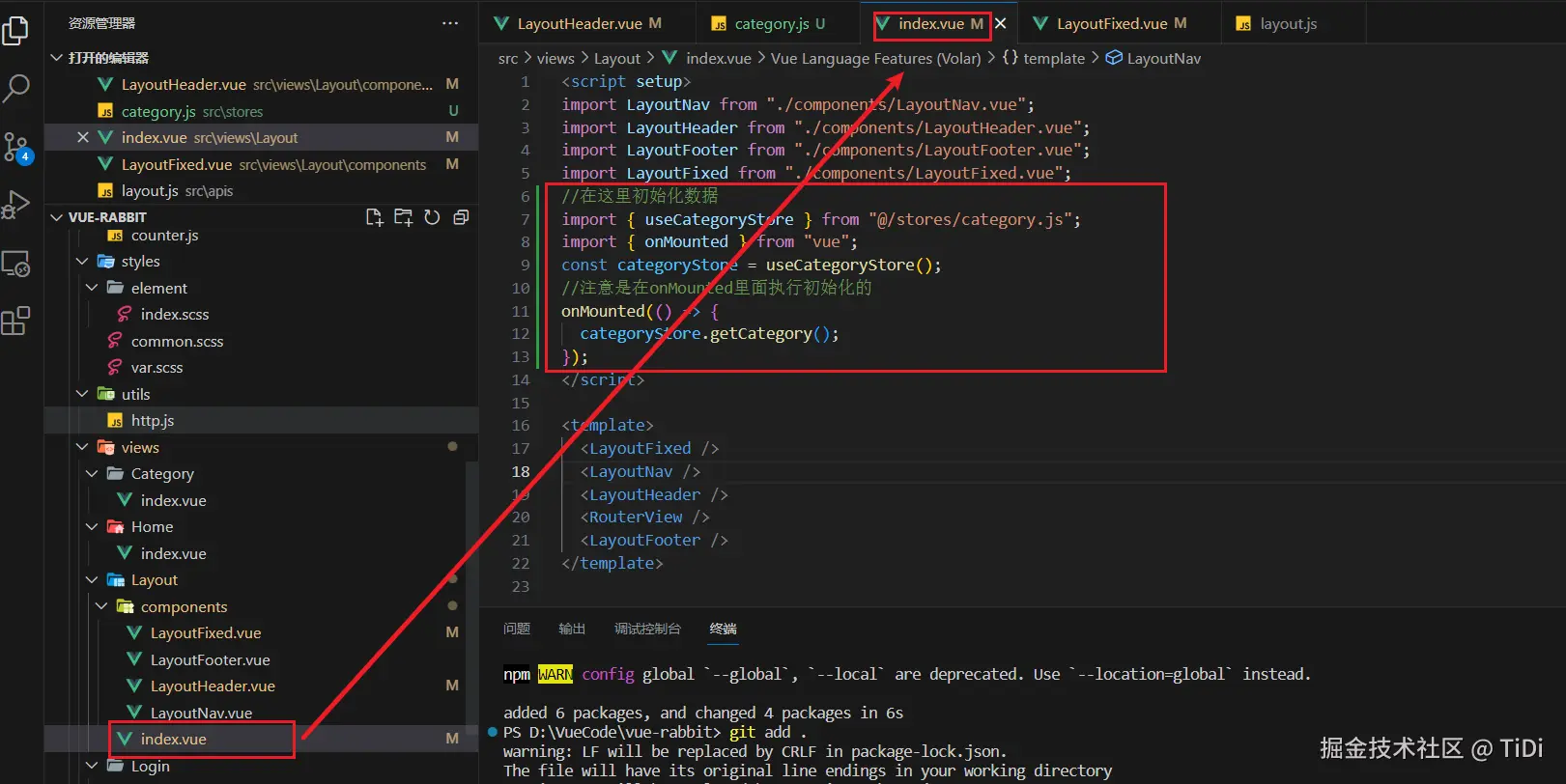
在index页面中调用action初始化数据
 然后就是在两个组件中使用了
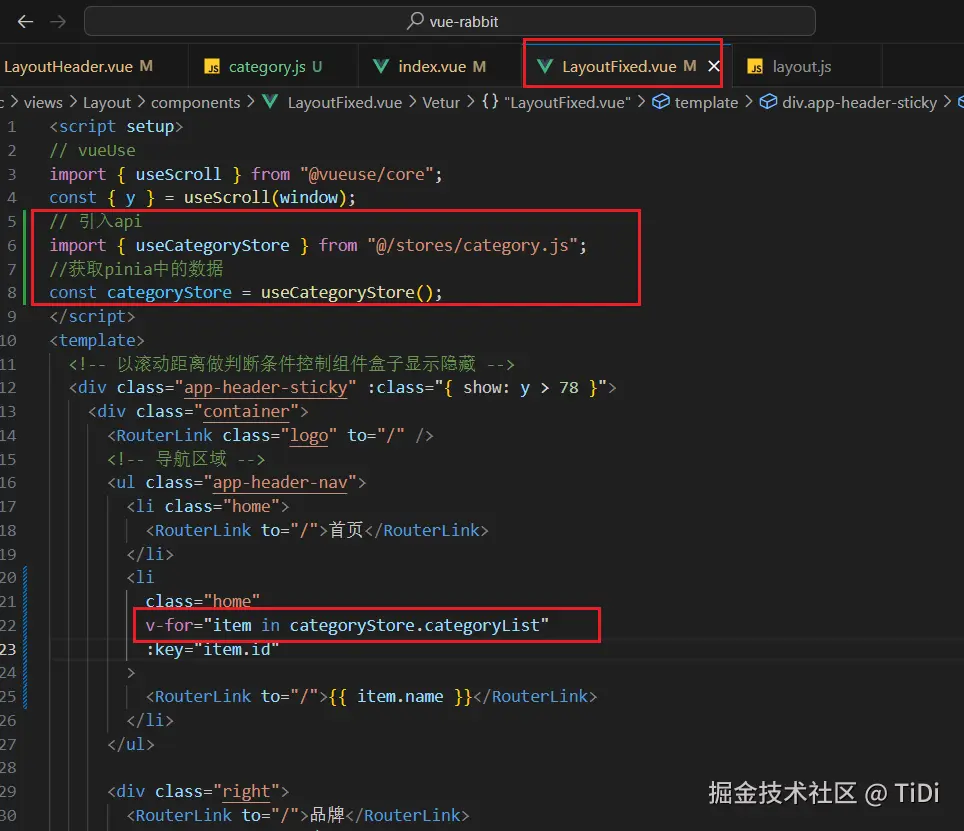 另一个组件同理