1、LayoutContainer.vue
html
<template>
    <div class="layout-container">
        <!-- 主页面区域 -->
        <div class="page-box">
            <router-view></router-view>
        </div>
        <!-- 底部Tab栏 -->
        <div class="tab-bar">
            <router-link to="/home" class="tab-item" active-class="tab-active">
                <img src="/images/admin/home.png" alt="">
                <span>首页</span>
            </router-link>
            <router-link to="/search" class="tab-item" active-class="tab-active">
                <img src="/images/admin/search.png" alt="">
                <span>查战绩</span>
            </router-link>
            <router-link to="/hero" class="tab-item" active-class="tab-active">
                <img src="/images/admin/hero.png" alt="">
                <span>英雄图鉴</span>
            </router-link>
            <router-link to="/mine" class="tab-item" active-class="tab-active">
                <img src="/images/admin/user.png" alt="">
                <span>我的</span>
            </router-link>
        </div>
    </div>
</template>

<script>
export default {
    name: "LayoutContainer"
}
</script>

<style scoped>
.layout-container {
    width: 100%;
    height: 100vh;
    display: flex;
    flex-direction: column;
}

.page-box {
    flex: 1;
    overflow-y: auto;
    padding-bottom: 60px;
}

.tab-bar {
    height: 60px;
    background: #fff;
    display: flex;
    border-top: 1px solid #eee;
}

.tab-item {
    flex: 1;
    display: flex;
    flex-direction: column;
    justify-content: center;
    align-items: center;
    text-decoration: none;
    color: #666;
    font-size: 12px;
}

.tab-item img {
    width: 24px;
    height: 24px;
    margin-bottom: 4px;
}

.tab-active {
    color: #f60;
}
</style>
2、Login.vue
html
<template>
    <div class="login-page">
        <div class="top-bar">
            <!-- <div class="back-btn" @click="$router.go(-1)">返回</div> -->
            <h3 class="title">登录</h3>
        </div>
        <div class="login-box">
            <input v-model="username" placeholder="请输入账号">
            <input v-model="password" type="password" placeholder="请输入密码">
            <button @click="handleLogin">登录</button>
        </div>
    </div>
</template>

<script>
export default {
    name: "Login",
    data() {
        return {
            username: "",
            password: ""
        }
    },
    methods: {
        handleLogin() {
            if (this.username && this.password) {
                localStorage.setItem('isLogin', 'true')
                // 编程式导航,跳转到首页
                this.$router.push('/home')
            } else {
                alert('账号密码不能为空')
            }
        }
    }
}
</script>

<style scoped>
.login-page {
    width: 100%;
    min-height: 100vh;
    background: #fff;
}

.top-bar {
    height: 44px;
    background: #f60;
    color: white;
    display: flex;
    align-items: center;
    padding: 0 12px;
}

.back-btn {
    margin-right: 20px;
}

.login-box {
    padding: 40px 20px;
}

.login-box input {
    width: 100%;
    height: 42px;
    border: 1px solid #ccc;
    border-radius: 8px;
    margin-bottom: 16px;
    padding: 0 10px;
}

.title {
    flex: 0.8;
    text-align: center;
}

.login-box button {
    width: 100%;
    height: 44px;
    background: #f60;
    color: #fff;
    border: none;
    border-radius: 8px;
}
</style>
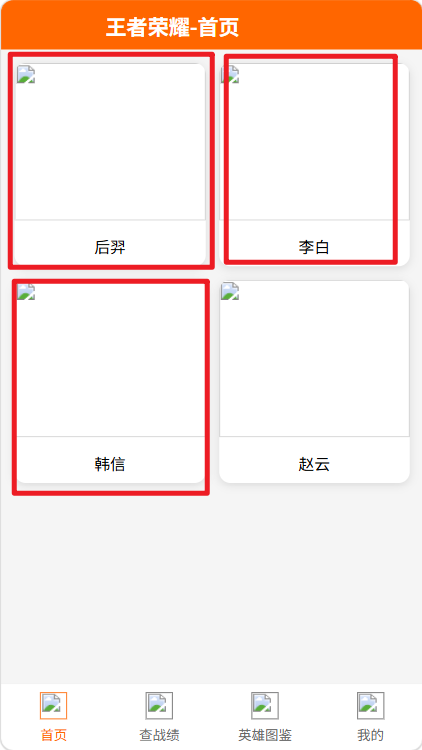
3、Home.vue
html
<template>
    <div class="home-page">
        <div class="top-bar">
            <!-- <div class="back-btn" @click="$router.go(-1)">返回</div> -->
            <h3 class="title">王者荣耀-首页</h3>
        </div>
        <div class="hero-list">
            <div class="hero-card" v-for="item in heroArr" :key="item.id" @click="goDetail(item.id)">
                <img :src="item.img" alt="">
                <div class="name">{{ item.name }}</div>
            </div>
        </div>
    </div>
</template>

<script>
export default {
    name: "Home",
    data() {
        return {
            heroArr: [
                { id: 1001, name: "后羿", img: "/images/admin/houyi.jpg" },
                { id: 1002, name: "李白", img: "/images/admin/libai.jpg" },
                { id: 1003, name: "韩信", img: "/images/admin/hanxin.jpg" },
                { id: 1004, name: "赵云", img: "/images/admin/zhaoyun.jpg" }
            ]
        }
    },
    methods: {
        // 编程式导航,跳转动态路由,传递召唤师ID
        goDetail(summonerId) {
            this.$router.push(`/matchDetail/${summonerId}`)
        }
    }
}
</script>

<style scoped>
.home-page {
    width: 100%;
}

.top-bar {
    height: 44px;
    background: #f60;
    color: white;
    display: flex;
    align-items: center;
    padding: 0 12px;
}

.title {
    flex: 0.8;
    text-align: center;
}

.back-btn {
    margin-right: 20px;
}

.hero-list {
    padding: 12px;
    display: grid;
    grid-template-columns: 1fr 1fr;
    gap: 12px;
}

.hero-card {
    background: #fff;
    border-radius: 10px;
    box-shadow: 0 2px 8px rgba(0, 0, 0, 0.1);
    overflow: hidden;
}

.hero-card img {
    width: 100%;
    height: 140px;
    object-fit: cover;
}

.name {
    text-align: center;
    padding: 8px;
    font-size: 14px;
}
</style>
4、Search.vue
html
<template>
    <div class="search-page">
        <div class="top-bar">
            <div class="back-btn" @click="$router.go(-1)">返回</div>
            <h3 class="title">查询战绩</h3>
        </div>
        <div class="search-wrap">
            <input v-model="sid" placeholder="输入召唤师ID">
            <button @click="search">查询战绩</button>
        </div>
        <div v-if="showResult" class="result-card">
            <h4>查询结果</h4>
            <p>召唤师ID:{{ sid }}</p>
            <p>游戏昵称:峡谷路人</p>
            <p>段位:星耀Ⅱ</p>
        </div>
    </div>
</template>

<script>
export default {
    name: "Search",
    data() {
        return {
            sid: "",
            showResult: false
        }
    },
    methods: {
        search() {
            if (!this.sid) {
                alert('请输入召唤师ID')
                return
            }
            this.showResult = true
        }
    }
}
</script>

<style scoped>
.search-page {
    width: 100%;
}

.title {
    flex: 0.8;
    text-align: center;
}

.top-bar {
    height: 44px;
    background: #f60;
    color: white;
    display: flex;
    align-items: center;
    padding: 0 12px;
}

.back-btn {
    margin-right: 20px;
}

.search-wrap {
    padding: 16px;
    display: flex;
    gap: 8px;
}

.search-wrap input {
    flex: 1;
    height: 40px;
    border: 1px solid #ccc;
    border-radius: 8px;
    padding: 0 8px;
}

.search-wrap button {
    height: 40px;
    background: #f60;
    color: #fff;
    border: none;
    border-radius: 8px;
    padding: 0 12px;
}

.result-card {
    margin: 0 16px;
    background: #fff;
    border-radius: 10px;
    box-shadow: 0 2px 8px rgba(0, 0, 0, 0.1);
    padding: 16px;
}
</style>
5、MatchDetail.vue
html
<template>
    <div class="detail-page">
        <div class="top-bar">
            <div class="back-btn" @click="$router.go(-1)">返回</div>
            <h3 class="title">战绩详情</h3>
        </div>
        <div class="content">
            <p>接收到的召唤师ID:{{ summonerId }}</p>
            <div class="card">
                <p>英雄:李白</p>
                <p>段位:王者10星</p>
                <p>近10场:7胜3负</p>
                <p>胜率:70%</p>
            </div>
        </div>
    </div>
</template>

<script>
export default {
    name: "MatchDetail",
    // props接收路由参数(路由配置开启props:true)
    props: ["summonerId"]
}
</script>

<style scoped>
.detail-page {
    width: 100%;
}

.top-bar {
    height: 44px;
    background: #f60;
    color: white;
    display: flex;
    align-items: center;
    padding: 0 12px;
}

.back-btn {
    margin-right: 20px;
}

.title {
    flex: 0.8;
    text-align: center;
}

.content {
    padding: 16px;
}

.card {
    margin-top: 12px;
    background: #fff;
    border-radius: 10px;
    box-shadow: 0 2px 8px rgba(0, 0, 0, 0.1);
    padding: 16px;
}
</style>
6、Hero.vue
html
<template>
    <div class="hero-page">
        <div class="top-bar">
            <div class="back-btn" @click="$router.go(-1)">返回</div>
            <h3 class="title">英雄图鉴</h3>
        </div>
        <div class="list">
            <div class="item" v-for="h in heroList" :key="h.id">
                <img :src="h.img" />
                <div>{{ h.name }}</div>
                <div class="type">{{ h.type }}</div>
            </div>
        </div>
    </div>
</template>

<script>
export default {
    name: "Hero",
    data() {
        return {
            heroList: [
                { id: 1, name: "后羿", img: "/images/admin/houyi.jpg", type: "射手" },
                { id: 2, name: "李白", img: "/images/admin/libai.jpg", type: "刺客" },
                { id: 3, name: "韩信", img: "/images/admin/hanxin.jpg", type: "刺客" },
                { id: 4, name: "赵云", img: "/images/admin/zhaoyun.jpg", type: "战士" }
            ]
        }
    }
}
</script>

<style scoped>
.hero-page {
    width: 100%;
}

.top-bar {
    height: 44px;
    background: #f60;
    color: white;
    display: flex;
    align-items: center;
    padding: 0 12px;
}

.back-btn {
    margin-right: 20px;
}

.list {
    padding: 12px;
    display: grid;
    grid-template-columns: 1fr 1fr;
    gap: 12px;
}

.title {
    flex: 0.8;
    text-align: center;
}

.item {
    background: #fff;
    border-radius: 10px;
    box-shadow: 0 2px 8px rgba(0, 0, 0, 0.1);
    text-align: center;
    padding: 8px;
}

.item img {
    width: 100px;
    height: 100px;
    border-radius: 8px;
}

.type {
    color: #999;
    font-size: 12px;
}
</style>
7、Mine.vue
html
<template>
    <div class="mine-page">
        <div class="top-bar">
            <div class="back-btn" @click="$router.go(-1)">返回</div>
            <h3 class="title">我的</h3>
        </div>
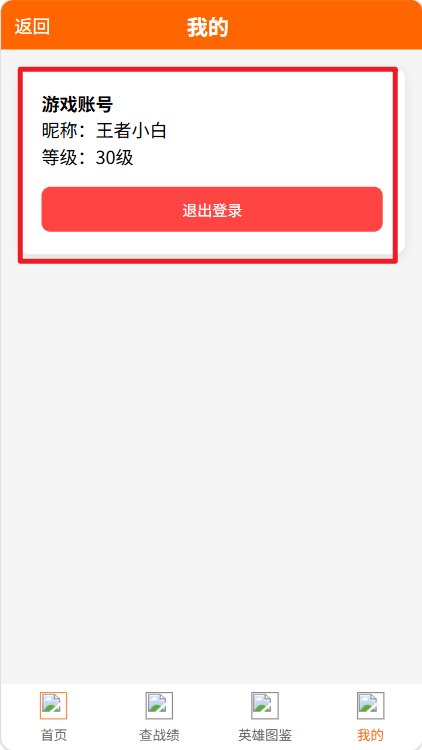
        <div class="mine-card">
            <h4>游戏账号</h4>
            <p>昵称:王者小白</p>
            <p>等级:30级</p>
            <button @click="logout">退出登录</button>
        </div>
    </div>
</template>

<script>
export default {
    name: "Mine",
    methods: {
        logout() {
            localStorage.removeItem('isLogin')
            this.$router.push('/login')
        }
    }
}
</script>

<style scoped>
.mine-page {
    width: 100%;
}

.top-bar {
    height: 44px;
    background: #f60;
    color: white;
    display: flex;
    align-items: center;
    padding: 0 12px;
}

.back-btn {
    margin-right: 20px;
}

.title {
    flex: 0.8;
    text-align: center;
}

.mine-card {
    margin: 16px;
    background: #fff;
    border-radius: 10px;
    box-shadow: 0 2px 8px rgba(0, 0, 0, 0.1);
    padding: 20px;
}

.mine-card button {
    margin-top: 16px;
    width: 100%;
    height: 40px;
    background: #f44;
    color: #fff;
    border: none;
    border-radius: 8px;
}
</style>
8、index.js
javascript
import Vue from 'vue'
import VueRouter from 'vue-router'

import LayoutContainer from '@/components/LayoutContainer.vue'
import Login from '@/views/Login.vue'
import Home from '@/views/Home.vue'
import Search from '@/views/Search.vue'
import Hero from '@/views/Hero.vue'
import Mine from '@/views/Mine.vue'
import MatchDetail from '@/views/MatchDetail.vue'

Vue.use(VueRouter)

const routes = [
    {
        path: '/login',
        component: Login
    },
    {
        path: '/',
        component: LayoutContainer,
        redirect: '/home',
        children: [
            { path: 'home', component: Home },
            { path: 'search', component: Search },
            { path: 'hero', component: Hero },
            { path: 'mine', component: Mine }
        ]
    },
    // 动态路由:战绩详情,接收summonerId,开启props:true
    {
        path: '/matchDetail/:summonerId',
        component: MatchDetail,
        props: true
    }
]

const router = new VueRouter({
    mode: 'hash',
    routes
})

// 全局前置路由守卫 beforeEach 登录权限拦截
router.beforeEach((to, from, next) => {
    // 模拟登录标识,localStorage存储isLogin
    const isLogin = localStorage.getItem('isLogin')
    if (to.path === '/login') {
        next()
    } else {
        if (isLogin === 'true') {
            next()
        } else {
            next('/login')
        }
    }
})

export default router
9、App.vue
html
<template>
  <div id="app">
    <router-view></router-view>
  </div>
</template>

<script>
export default {
  name: 'App'
}
</script>

<style>
* {
  margin: 0;
  padding: 0;
  box-sizing: border-box;
}

html,
body {
  background: #f5f5f5;
}
</style>
10、main.js
javascript
import Vue from 'vue'
import App from './App.vue'
import router from './router'

Vue.config.productionTip = false

new Vue({
  router,
  render: h => h(App)
}).$mount('#app')
11、